"7066dd76da796369"{"id":"14234","slug":"multi-channel-media-player-by-opencv-high-performance-webcamera","title":"Multi Channel Media Player By OpenCV High Performance WebCamera","category":"Engine Tools","engine":"4.27,5.1 - 5.3","assetVersion":"Engine version: 4.27,5.1 - 5.3","engineVersion":"4.27","tag":"Engine Tools","accent":"blue","visual":"audio","summary":"Enhance your project with the Multi Channel Media Player By OpenCV High Performance WebCamera. This tool supports various network streams and local video formats with optimized performance.","platform":"Unreal Engine","publishedAt":"2026-03-11T17:03:08.000Z","updatedAt":"2026-04-19T15:45:50.000Z","sourceNotes":[],"fileContents":[],"compatibility":["Unreal Engine","Engine version: 4.27,5.1 - 5.3"],"featuredImage":{"alt":"Multi Channel Media Player By OpenCV High Performance WebCamera","src":"https://3dcghub.com/wp-content/uploads/2026/03/0af13d68-5c3b-4fc8-b64b-287261fc641d.webp"},"hasDownloadLink":true,"downloads":0,"terms":[{"taxonomy":"category","slug":"engine-tools-tools-and-plugins","name":"Engine Tools"},{"taxonomy":"post_tag","slug":"audio","name":"Audio"},{"taxonomy":"post_tag","slug":"materials","name":"Materials"},{"taxonomy":"post_tag","slug":"opencv-media-player","name":"Opencv Media Player"},{"taxonomy":"post_tag","slug":"plugins","name":"Plugins"},{"taxonomy":"post_tag","slug":"tools","name":"Tools"},{"taxonomy":"post_tag","slug":"webcamera-integration","name":"Webcamera Integration"}],"galleryImages":[{"src":"https://3dcghub.com/wp-content/uploads/2026/03/682ff6743534_70111ae6-e26d-4c1b-8671-1de6562f2f89.webp","alt":"Multi Channel Media Player By OpenCV High Performance WebCamera"},{"src":"https://3dcghub.com/wp-content/uploads/2026/03/95b90ea9db51_ab54f6ab-e5c1-4510-979d-2a25acc1e530.webp","alt":"Multi Channel Media Player By OpenCV High Performance WebCamera"},{"src":"https://3dcghub.com/wp-content/uploads/2026/03/9cf2c4fc9397_7769253d-a7e5-44a0-9331-43d1b6d4e418.webp","alt":"Multi Channel Media Player By OpenCV High Performance WebCamera"},{"src":"https://3dcghub.com/wp-content/uploads/2026/03/d7ed9a9f7e90_96f1f039-b44a-4efc-95c1-766f575d5b19.webp","alt":"Multi Channel Media Player By OpenCV High Performance WebCamera"}],"accessPanel":{"kind":"resource","title":"Access this resource","eyebrow":"Free Download","message":"Log in or create a free account to start your download.","fileName":"Multi Channel Media Player By OpenCV High Performance WebCamera.7z","safetyNote":"All resources are 100% manually reviewed to eliminate all risks.","actionLabel":"Download Free","resourceType":"Resource archive"},"contentHtml":"\u003ch2\u003eIntroduction to Multi Channel Media Player By OpenCV\u003c/h2\u003e\n\u003cp\u003eThe Multi Channel Media Player By OpenCV High Performance WebCamera is a powerful tool designed for seamless video integration. Recently updated on May 23, 2024, the developer has integrated the latest version of OpenCV. Consequently, this update ensures that users have access to the most current library features for their media needs.\u003c/p\u003e\n\n\u003ch2\u003eVersatile Media Support\u003c/h2\u003e\n\u003cp\u003eThis plugin offers extensive support for various video sources. For instance, users can play network video streams such as RTSP, RTMP, and M3U8. Additionally, the tool handles local video files effectively. Supported formats include common extensions like MKV, MP4, and AVI. Therefore, it serves as a flexible solution for both online and offline content.\u003c/p\u003e\n\n\u003ch2\u003eCustomization and Performance\u003c/h2\u003e\n\u003cp\u003eThe Multi Channel Media Player By OpenCV High Performance WebCamera allows for specific adjustments to fit project requirements. Users can customize the video FPS to maintain consistent playback speeds. Furthermore, the tool provides native support for web cameras. This makes it an ideal choice for real-time monitoring or interactive displays.\u003c/p\u003e\n\n\u003cp\u003eFollowing a major reconstruction in March 2023, the developer resolved previous stability issues. As a result, the current version boasts improved performance and has eliminated known crashes. However, users should note that the standard version does not include audio playback capabilities.\u003c/p\u003e\n\n\u003ch2\u003eProfessional Edition Enhancements\u003c/h2\u003e\n\u003cp\u003eFor those requiring advanced features, a Professional Edition is available. This version introduces hardware acceleration and GPU decoding. Consequently, it can handle high-resolution video streams, including 4K and 8K content. Moreover, the Professional Edition supports H265 decoding for modern video standards.\u003c/p\u003e\n\n\u003cp\u003eOne of the most significant benefits of the Professional Edition is audio support. Unlike the base version, it allows for synchronized sound during playback. Additionally, users can assign video streams directly to materials. This feature enables dynamic textures and immersive environmental effects within a scene.\u003c/p\u003e\n\n\u003ch2\u003eClosing Notes\u003c/h2\u003e\n\u003cp\u003eThe Multi Channel Media Player By OpenCV High Performance WebCamera is a reliable asset for high-performance video tasks. It bridges the gap between external video sources and digital environments. Whether you need simple webcam integration or advanced 8K streaming, this tool provides the necessary infrastructure for modern media workflows.\u003c/p\u003e\n\n\u003ch2\u003eMore From The Same Workflow\u003c/h2\u003e\n\u003cul\u003e\n\u003cli\u003e\u003ca href=\"https://3dcghub.com/hypergrid/\" title=\"HyperGrid\"\u003eHyperGrid\u003c/a\u003e\u003c/li\u003e\n\u003cli\u003e\u003ca href=\"https://3dcghub.com/did-it-hit-trace-detection-plugin/\" title=\"Did it hit – Trace Detection Plugin\"\u003eDid it hit – Trace Detection Plugin\u003c/a\u003e\u003c/li\u003e\n\u003cli\u003e\u003ca href=\"https://3dcghub.com/daz-to-unreal/\" title=\"Daz To Unreal\"\u003eDaz To Unreal\u003c/a\u003e\u003c/li\u003e\n\u003cli\u003e\u003ca href=\"https://3dcghub.com/assets-cleaner-project-cleaning-tool/\" title=\"Assets Cleaner – Project Cleaning Tool\"\u003eAssets Cleaner – Project Cleaning Tool\u003c/a\u003e\u003c/li\u003e\n\u003cli\u003e\u003ca href=\"https://3dcghub.com/runtime-metahuman-lip-sync-ai-for-npcs-cc4-genesis-arkit-and-more/\" title=\"Runtime MetaHuman Lip Sync (AI for NPCs) (+ CC4, Genesis, ARKit, and more)\"\u003eRuntime MetaHuman Lip Sync (AI for NPCs) (+ CC4, Genesis, ARKit, and more)\u003c/a\u003e\u003c/li\u003e\n\u003c/ul\u003e","contentTextLength":2697,"navigation":{"current":3383,"total":4016,"previous":{"id":"14251","slug":"multiscreen","title":"MultiScreen","category":"Engine Tools","platform":"Unreal Engine","updatedAt":"2026-04-19T15:45:50.000Z"},"next":{"id":"14318","slug":"offline-speech-recognition","title":"Offline Speech Recognition","category":"Engine Tools","platform":"Unreal Engine","updatedAt":"2026-04-19T15:45:49.000Z"}},"relatedResources":[{"id":"13883","slug":"dynamic-real-water","title":"Dynamic Real Water","category":"Engine Tools","engine":"5.8","assetVersion":"Asset Version: 2.0","engineVersion":"Engine Version: 5.8","tag":"Engine Tools","accent":"blue","visual":"mech","summary":"Enhance your Unreal Engine 5 environments with Dynamic Real Water, a high-performance FFT simulation plugin. It offers realistic wave dynamics, advanced buoyancy physics, and seamless replication for multiplayer projects.","platform":"Unreal Engine","publishedAt":"2026-03-11T10:30:53.000Z","updatedAt":"2026-10-07T10:02:19.555Z","sourceNotes":[],"fileContents":[],"compatibility":["Unreal Engine","Asset Version: 2.0","Engine Version: 5.8"],"featuredImage":{"alt":"Dynamic Real Water","src":"https://3dcghub.com/wp-content/uploads/2026/03/8532c421-bf8f-4903-bbfc-9e94a063892e.webp"},"hasDownloadLink":true,"downloads":4},{"id":"13643","slug":"3d-gaussians-plugin","title":"3D Gaussians Plugin","category":"Engine Tools","engine":"5.1 - 5.3","assetVersion":"Engine version: 5.1 - 5.3","engineVersion":"Asset Version:1.5","tag":"Engine Tools","accent":"blue","visual":"audio","summary":"The 3D Gaussians Plugin enables the use of real-world captures as photo-realistic 3D environments within Unreal Engine. It features a streamlined workflow and high-performance rendering through the Niagara system.","platform":"Unreal Engine","publishedAt":"2026-03-11T09:25:48.000Z","updatedAt":"2026-04-19T15:46:25.000Z","sourceNotes":[],"fileContents":[],"compatibility":["Unreal Engine","Engine version: 5.1 - 5.3","Asset Version: 1.5"],"featuredImage":{"alt":"3D Gaussians Plugin","src":"https://3dcghub.com/wp-content/uploads/2026/03/33a01a6e-bba0-453b-8afa-356465853c64.webp"},"hasDownloadLink":true,"downloads":0},{"id":"14707","slug":"uipf-unified-interactive-physical-foliage","title":"UIPF - Unified Interactive Physical Foliage","category":"Engine Tools","engine":"5.3","assetVersion":"Engine version: 5.3","engineVersion":"4.20","tag":"Engine Tools","accent":"blue","visual":"audio","summary":"UIPF - Unified Interactive Physical Foliage provides a high-performance solution for adding realistic interaction to game environments, from swaying grass to bendy plants.","platform":"Unreal Engine","publishedAt":"2026-03-11T19:07:09.000Z","updatedAt":"2026-04-19T15:45:41.000Z","sourceNotes":[],"fileContents":[],"compatibility":["Unreal Engine","Engine version: 5.3"],"featuredImage":{"alt":"UIPF - Unified Interactive Physical Foliage","src":"https://3dcghub.com/wp-content/uploads/2026/03/416e817c-b004-49bf-9a26-9c0ef3ecf7f6.webp"},"hasDownloadLink":true,"downloads":2}]}
Engine Tools
Multi Channel Media Player By OpenCV High Performance WebCamera
Enhance your project with the Multi Channel Media Player By OpenCV High Performance WebCamera. This tool supports various network streams and local video formats with optimized performance.
Introduction to Multi Channel Media Player By OpenCV
The Multi Channel Media Player By OpenCV High Performance WebCamera is a powerful tool designed for seamless video integration. Recently updated on May 23, 2024, the developer has integrated the latest version of OpenCV. Consequently, this update ensures that users have access to the most current library features for their media needs.
Versatile Media Support
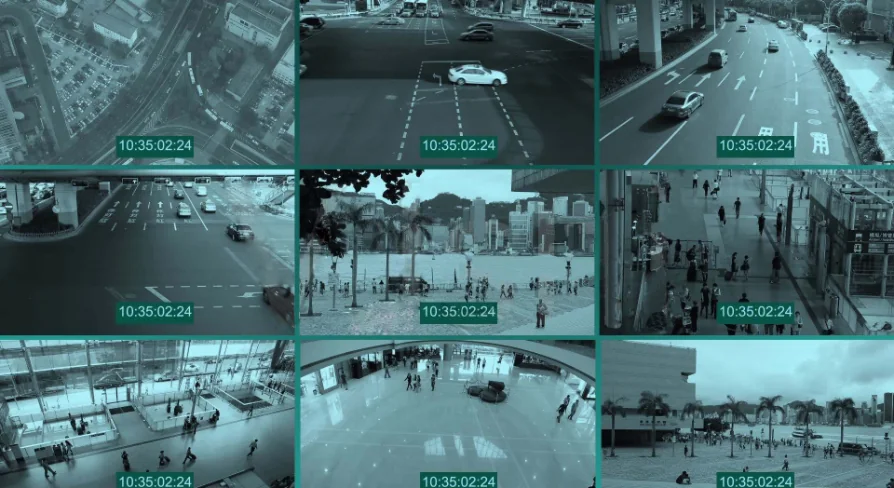
This plugin offers extensive support for various video sources. For instance, users can play network video streams such as RTSP, RTMP, and M3U8. Additionally, the tool handles local video files effectively. Supported formats include common extensions like MKV, MP4, and AVI. Therefore, it serves as a flexible solution for both online and offline content.
Customization and Performance
The Multi Channel Media Player By OpenCV High Performance WebCamera allows for specific adjustments to fit project requirements. Users can customize the video FPS to maintain consistent playback speeds. Furthermore, the tool provides native support for web cameras. This makes it an ideal choice for real-time monitoring or interactive displays.
Following a major reconstruction in March 2023, the developer resolved previous stability issues. As a result, the current version boasts improved performance and has eliminated known crashes. However, users should note that the standard version does not include audio playback capabilities.
Professional Edition Enhancements
For those requiring advanced features, a Professional Edition is available. This version introduces hardware acceleration and GPU decoding. Consequently, it can handle high-resolution video streams, including 4K and 8K content. Moreover, the Professional Edition supports H265 decoding for modern video standards.
One of the most significant benefits of the Professional Edition is audio support. Unlike the base version, it allows for synchronized sound during playback. Additionally, users can assign video streams directly to materials. This feature enables dynamic textures and immersive environmental effects within a scene.
Closing Notes
The Multi Channel Media Player By OpenCV High Performance WebCamera is a reliable asset for high-performance video tasks. It bridges the gap between external video sources and digital environments. Whether you need simple webcam integration or advanced 8K streaming, this tool provides the necessary infrastructure for modern media workflows.
 Engine Tools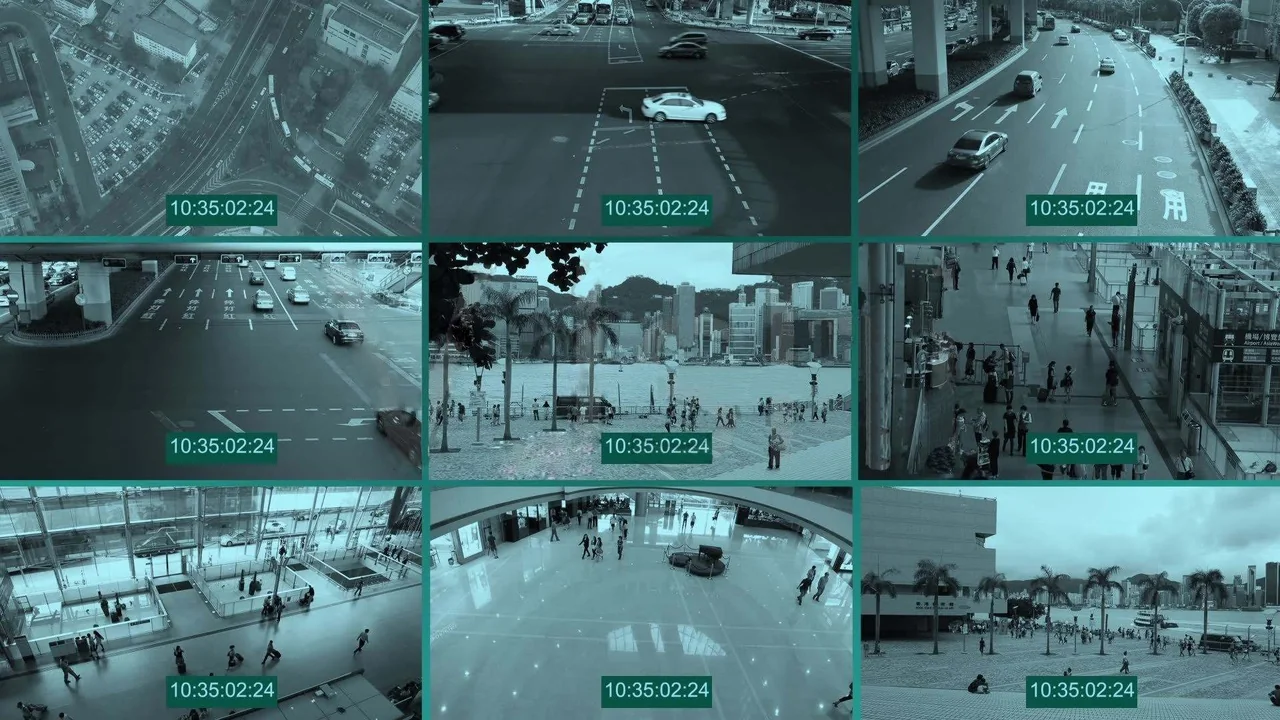
 Engine Tools
 Engine Tools
 Engine Tools