"1a0e4ac4dc71d030"{"id":"1001243","slug":"simple-crouch-animations","title":"Simple Crouch Animations","category":"Action-Adventure","engine":"5.0+","assetVersion":"","engineVersion":"Engine Version: 5.0+","tag":"Action-Adventure","accent":"blue","visual":"animation","summary":"Implementation guide for Simple Crouch Animations, covering standard crouch locomotion units, kneeling sets, motion warping, and animation blueprints.","platform":"Unreal Engine","publishedAt":"2026-09-23T14:56:08.904Z","updatedAt":"2026-09-23T14:56:08.904Z","sourceNotes":[],"fileContents":[],"compatibility":["Unreal Engine","Engine Version: 5.0+"],"featuredImage":{"alt":"Simple Crouch Animations","src":"/wp-content/uploads/published/2026/09/b8cec5cbc820-f4a1af11-306e-4744-aba4-24ba3138a4a1-36396ba97d.webp"},"hasDownloadLink":true,"downloads":0,"terms":[{"taxonomy":"category","slug":"action-adventure","name":"Action-Adventure"}],"galleryImages":[{"src":"/wp-content/uploads/published/2026/09/c5e818f0c71f-50236b39-1ed6-4e39-bbc2-a0bd65236790-44dc29c5aa.webp","alt":"Simple Crouch Animations"},{"src":"/wp-content/uploads/published/2026/09/120cf30b80a2-058088d8-cd91-48f4-a9e7-779aadc57704-2bf0b6bad6.webp","alt":"Simple Crouch Animations"},{"src":"/wp-content/uploads/published/2026/09/c47093f57f6f-579cfe8a-6785-4cf6-9f74-8e3415d60c3c-5852ea1ade.webp","alt":"Simple Crouch Animations"},{"src":"/wp-content/uploads/published/2026/09/b3e413e91da7-1452226e-c5dd-4c4d-b3ae-0960b6ab9088-e504f54726.webp","alt":"Simple Crouch Animations"},{"src":"/wp-content/uploads/published/2026/09/3e5717f80b6b-51fb803d-fb4d-4cb6-a077-5746b7816089-128f57f9a2.webp","alt":"Simple Crouch Animations"}],"accessPanel":{"kind":"resource","title":"Download this resource","eyebrow":"Free Download","message":"Log in or create a free account to start your download.","fileName":"Content.7z","safetyNote":"Resources are manually reviewed before listing to improve quality and reduce obvious risks.","actionLabel":"Download Free","resourceType":"Resource archive"},"contentHtml":"\u003ch2\u003eIntegrating the Sample Animation Blueprint into Locomotion Systems\u003c/h2\u003e\n\u003cp\u003eImplementing low-profile character movement requires blending distinct stance states into a functional character controller. Simple Crouch Animations addresses this phase of animation programming by providing a sample Animation Blueprint alongside its core motion files. Setting up the asset starts within this blueprint, which acts as the reference framework for reading character velocity, stance changes, and directional intent.\u003c/p\u003e\n\u003cp\u003eWithin a standard locomotion state machine, transitions between upright running, walking, and crouched movement often require dedicated logic paths. The sample Animation Blueprint shows how to structure these state transitions without overcomplicating transition rules. Character speed variables, crouch input triggers, and ground checks route into the locomotion graph to evaluate whether the character enters the standard crouch locomotion unit or switches into stationary turning.\u003c/p\u003e\n\u003cp\u003eAdopting the sample graph directly into an existing character class involves re-targeting or assigning the animation poses to the active skeleton and hooking the speed and rotation variables into the blueprint event graph. Because the logic is already mapped out within the sample asset, tracking how values transition from idle crouch states into continuous movement states becomes straightforward to test and verify.\u003c/p\u003e \u003ch2\u003eStandard Crouch Locomotion and Kneeling Units\u003c/h2\u003e\n\u003cp\u003eMovement within this pack is grouped by two foundational unit styles: a standard crouch locomotion unit and a dedicated kneeling locomotion unit. Each serves a distinct functional role when building grounded character movement.\u003c/p\u003e\n\u003cp\u003eThe standard crouch locomotion unit handles conventional lowered stances where the character traverses terrain while keeping a lowered center of gravity. This unit is intended for steady walk cycles and tactical navigation where standard upright postures are unsuitable. It delivers consistent movement transitions so the character model can step forward, backward, or laterally while maintaining a lowered profile across varying ground conditions.\u003c/p\u003e\n\u003cp\u003eThe kneeling unit establishes a different posture profile. Kneeling locomotion shifts the body closer to the surface, altering weight distribution and limb positioning. Implementing this unit gives developers a distinct stance variation suited for specialized stationary positioning, cover mechanics, or restricted crawl spaces where a standard crouch profile remains too elevated. Managing both options within the same project allows an animation tree to branch depending on whether the gameplay situation demands active crouched walking or grounded kneeling movement.\u003c/p\u003e \u003ch2\u003eConfiguring Turn In Place with Motion Warping\u003c/h2\u003e\n\u003cp\u003eRotational adjustments during crouched stances present distinct challenges in character movement. Without proper alignment, turning a crouched or kneeling character can result in visible foot sliding or unnatural pivoting around the root axis. Simple Crouch Animations resolves this by providing Turn In Place assets designed to function in tandem with Motion Warping.\u003c/p\u003e\n\u003cp\u003eMotion Warping dynamically synchronizes root motion data with gameplay targets or input angles. When a stationary crouched character rotates to face a new camera angle or navigation vector, the motion warping system scales and aligns the character's turn animation to match the desired angle precisely. The turning assets within the pack are built specifically to accommodate these warp windows, ensuring the lower body remains grounded while the torso and limbs complete the turn.\u003c/p\u003e\n\u003cp\u003eConfiguring these assets involves setting motion warping windows within the animation sequences or montages. When the character's turn-in-place threshold is triggered in code or blueprint, the motion warping window reads the target rotation, modifies the root offset on the fly, and settles the character into the new heading without breaking the crouched or kneeling posture.\u003c/p\u003e \u003ch2\u003eHandling Walk and Motion Parameters\u003c/h2\u003e\n\u003cp\u003eBalancing crouched walking against other movement types requires clean management of animation parameters. The animation sequences in the pack categorize movement across standard walk, motion, and posture-shift data. Maintaining smooth velocity playback requires aligning input vectors directly with the playback rates of the crouch walk animations.\u003c/p\u003e\n\u003cp\u003eBlend spaces or direct state-machine blends can be configured using the directional and speed data provided by the locomotion units. When the character decelerates from a crouch walk into a static crouched posture, the animations resolve cleanly back into the base idle states. Because the pack targets focused, small-scale crouch implementation, developers can inspect the preview video materials to match stride lengths, root displacement, and foot planting against their project's custom collision capsule settings and camera distances.\u003c/p\u003e \u003ch2\u003ePro Main Menu V3 Compatibility in the Animation Pipeline\u003c/h2\u003e\n\u003cp\u003eWhen assembling full project builds that incorporate structured menus alongside active gameplay mechanics, modular assets must coexist cleanly without conflicting asset dependencies. Simple Crouch Animations lists compatibility with Pro Main Menu V3, allowing projects utilizing that interface framework to integrate these animation sets without structural conflicts.\u003c/p\u003e\n\u003cp\u003eThis level of compatibility ensures that projects establishing standardized game modes, menu transitions, and character selection screens can load the animation blueprint and associated character states smoothly. Whether character models are displayed in crouched poses during preview states or transitioning directly from a main menu into active locomotion levels, the assets function within the unified project structure, providing dependable crouch and movement animations ready for production pipelines.\u003c/p\u003e\n\n\u003ch2\u003eExplore Similar Assets\u003c/h2\u003e\n\u003cul\u003e\n\u003cli\u003e\u003ca href=\"https://3dcghub.com/horse-starter-kit/\" title=\"Horse Starter Kit\"\u003eHorse Starter Kit\u003c/a\u003e\u003c/li\u003e\n\u003cli\u003e\u003ca href=\"https://3dcghub.com/demonstrating-animation-blueprints-and-ai-for-gameplay-designers/\" title=\"Demonstrating Animation Blueprints and AI for Gameplay Designers\"\u003eDemonstrating Animation Blueprints and AI for Gameplay Designers\u003c/a\u003e\u003c/li\u003e\n\u003cli\u003e\u003ca href=\"https://3dcghub.com/animation-ecosystem-for-game-development/\" title=\"Animation Ecosystem for Game Development\"\u003eAnimation Ecosystem for Game Development\u003c/a\u003e\u003c/li\u003e\n\u003cli\u003e\u003ca href=\"https://3dcghub.com/asc-teuthisan/\" title=\"ASC Teuthisan\"\u003eASC Teuthisan\u003c/a\u003e\u003c/li\u003e\n\u003cli\u003e\u003ca href=\"https://3dcghub.com/simple-procedural-walk/\" title=\"Simple Procedural Walk\"\u003eSimple Procedural Walk\u003c/a\u003e\u003c/li\u003e\n\u003c/ul\u003e","contentTextLength":6011,"navigation":{"current":15,"total":3200,"previous":{"id":"1001244","slug":"simple-procedural-asset-creator","title":"Simple Procedural Asset Creator","category":"Action-Adventure","platform":"Unreal Engine","updatedAt":"2026-09-23T14:59:34.190Z"},"next":{"id":"1001242","slug":"physical-interaction-system","title":"Physical Interaction System","category":"Action-Adventure","platform":"Unreal Engine","updatedAt":"2026-09-23T14:52:33.060Z"}},"relatedResources":[{"id":"1001244","slug":"simple-procedural-asset-creator","title":"Simple Procedural Asset Creator","category":"Action-Adventure","engine":"5.0+","assetVersion":"","engineVersion":"Engine Version: 5.0+","tag":"Action-Adventure","accent":"blue","visual":"mech","summary":"A node-based Blueprint tool for generating procedural meshes in-editor, featuring 20 example generators, spline shapes, and FBX or OBJ export.","platform":"Unreal Engine","publishedAt":"2026-09-23T14:59:34.190Z","updatedAt":"2026-09-23T14:59:34.190Z","sourceNotes":[],"fileContents":[],"compatibility":["Unreal Engine","Engine Version: 5.0+"],"featuredImage":{"alt":"Simple Procedural Asset Creator","src":"/wp-content/uploads/published/2026/09/756ef8ba7777-2fc4c370-6a8f-443d-998e-0b6697f8d03b-44cc537157.webp"},"hasDownloadLink":true,"downloads":0},{"id":"1001237","slug":"horse-starter-kit","title":"Horse Starter Kit","category":"Action-Adventure","engine":"5.0+","assetVersion":"","engineVersion":"Engine Version: 5.0+","tag":"Action-Adventure","accent":"blue","visual":"mech","summary":"Explore the Horse Starter Kit for Unreal Engine, featuring rigged meshes, 69 animations, rider blueprints, groom hair, and terrain orientation.","platform":"Unreal Engine","publishedAt":"2026-09-21T03:49:23.075Z","updatedAt":"2026-09-21T03:49:23.075Z","sourceNotes":[],"fileContents":[],"compatibility":["Unreal Engine","Engine Version: 5.0+"],"featuredImage":{"alt":"Horse Starter Kit","src":"/wp-content/uploads/published/2026/09/9238c10a13dd-d17047c8-82e0-47ad-b971-45fa74e3c3b6-4e580c1518.webp"},"hasDownloadLink":true,"downloads":0},{"id":"1001231","slug":"demonstrating-animation-blueprints-and-ai-for-gameplay-designers","title":"Demonstrating Animation Blueprints and AI for Gameplay Designers","category":"Action-Adventure","engine":"5.0+","assetVersion":"","engineVersion":"Engine Version: 5.0+","tag":"Action-Adventure","accent":"blue","visual":"animation","summary":"Explore the connection between Animation Blueprints, behavior trees, montages, and basic enemy character AI for gameplay designers.","platform":"Unreal Engine","publishedAt":"2026-09-21T03:35:26.508Z","updatedAt":"2026-09-21T03:35:26.508Z","sourceNotes":[],"fileContents":[],"compatibility":["Unreal Engine","Engine Version: 5.0+"],"featuredImage":{"alt":"Demonstrating Animation Blueprints and AI for Gameplay Designers","src":"/wp-content/uploads/published/2026/09/17ead882c717-6d1822dd-94f6-42cb-bab3-18f794094846-660798aead.webp"},"hasDownloadLink":true,"downloads":0}]}
Action-Adventure
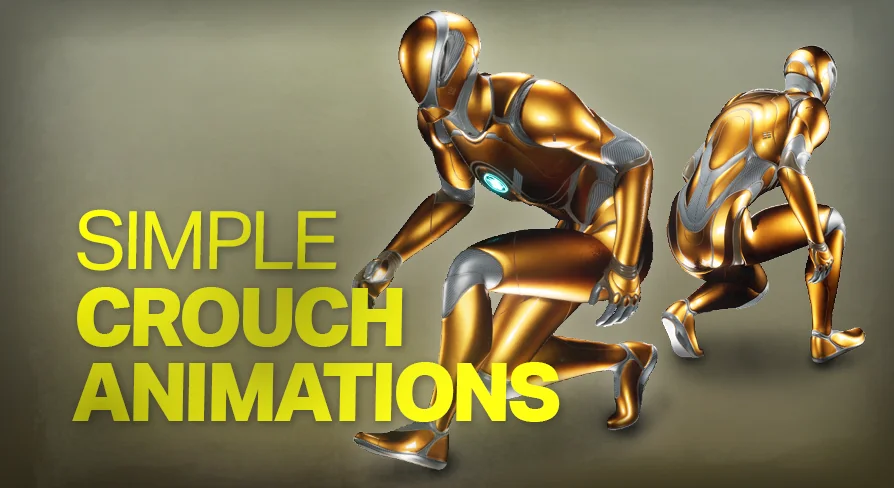
Simple Crouch Animations
Implementation guide for Simple Crouch Animations, covering standard crouch locomotion units, kneeling sets, motion warping, and animation blueprints.
Integrating the Sample Animation Blueprint into Locomotion Systems
Implementing low-profile character movement requires blending distinct stance states into a functional character controller. Simple Crouch Animations addresses this phase of animation programming by providing a sample Animation Blueprint alongside its core motion files. Setting up the asset starts within this blueprint, which acts as the reference framework for reading character velocity, stance changes, and directional intent.
Within a standard locomotion state machine, transitions between upright running, walking, and crouched movement often require dedicated logic paths. The sample Animation Blueprint shows how to structure these state transitions without overcomplicating transition rules. Character speed variables, crouch input triggers, and ground checks route into the locomotion graph to evaluate whether the character enters the standard crouch locomotion unit or switches into stationary turning.
Adopting the sample graph directly into an existing character class involves re-targeting or assigning the animation poses to the active skeleton and hooking the speed and rotation variables into the blueprint event graph. Because the logic is already mapped out within the sample asset, tracking how values transition from idle crouch states into continuous movement states becomes straightforward to test and verify.
Standard Crouch Locomotion and Kneeling Units
Movement within this pack is grouped by two foundational unit styles: a standard crouch locomotion unit and a dedicated kneeling locomotion unit. Each serves a distinct functional role when building grounded character movement.
The standard crouch locomotion unit handles conventional lowered stances where the character traverses terrain while keeping a lowered center of gravity. This unit is intended for steady walk cycles and tactical navigation where standard upright postures are unsuitable. It delivers consistent movement transitions so the character model can step forward, backward, or laterally while maintaining a lowered profile across varying ground conditions.
The kneeling unit establishes a different posture profile. Kneeling locomotion shifts the body closer to the surface, altering weight distribution and limb positioning. Implementing this unit gives developers a distinct stance variation suited for specialized stationary positioning, cover mechanics, or restricted crawl spaces where a standard crouch profile remains too elevated. Managing both options within the same project allows an animation tree to branch depending on whether the gameplay situation demands active crouched walking or grounded kneeling movement.
Configuring Turn In Place with Motion Warping
Rotational adjustments during crouched stances present distinct challenges in character movement. Without proper alignment, turning a crouched or kneeling character can result in visible foot sliding or unnatural pivoting around the root axis. Simple Crouch Animations resolves this by providing Turn In Place assets designed to function in tandem with Motion Warping.
Motion Warping dynamically synchronizes root motion data with gameplay targets or input angles. When a stationary crouched character rotates to face a new camera angle or navigation vector, the motion warping system scales and aligns the character's turn animation to match the desired angle precisely. The turning assets within the pack are built specifically to accommodate these warp windows, ensuring the lower body remains grounded while the torso and limbs complete the turn.
Configuring these assets involves setting motion warping windows within the animation sequences or montages. When the character's turn-in-place threshold is triggered in code or blueprint, the motion warping window reads the target rotation, modifies the root offset on the fly, and settles the character into the new heading without breaking the crouched or kneeling posture.
Handling Walk and Motion Parameters
Balancing crouched walking against other movement types requires clean management of animation parameters. The animation sequences in the pack categorize movement across standard walk, motion, and posture-shift data. Maintaining smooth velocity playback requires aligning input vectors directly with the playback rates of the crouch walk animations.
Blend spaces or direct state-machine blends can be configured using the directional and speed data provided by the locomotion units. When the character decelerates from a crouch walk into a static crouched posture, the animations resolve cleanly back into the base idle states. Because the pack targets focused, small-scale crouch implementation, developers can inspect the preview video materials to match stride lengths, root displacement, and foot planting against their project's custom collision capsule settings and camera distances.
Pro Main Menu V3 Compatibility in the Animation Pipeline
When assembling full project builds that incorporate structured menus alongside active gameplay mechanics, modular assets must coexist cleanly without conflicting asset dependencies. Simple Crouch Animations lists compatibility with Pro Main Menu V3, allowing projects utilizing that interface framework to integrate these animation sets without structural conflicts.
This level of compatibility ensures that projects establishing standardized game modes, menu transitions, and character selection screens can load the animation blueprint and associated character states smoothly. Whether character models are displayed in crouched poses during preview states or transitioning directly from a main menu into active locomotion levels, the assets function within the unified project structure, providing dependable crouch and movement animations ready for production pipelines.
 Action-Adventure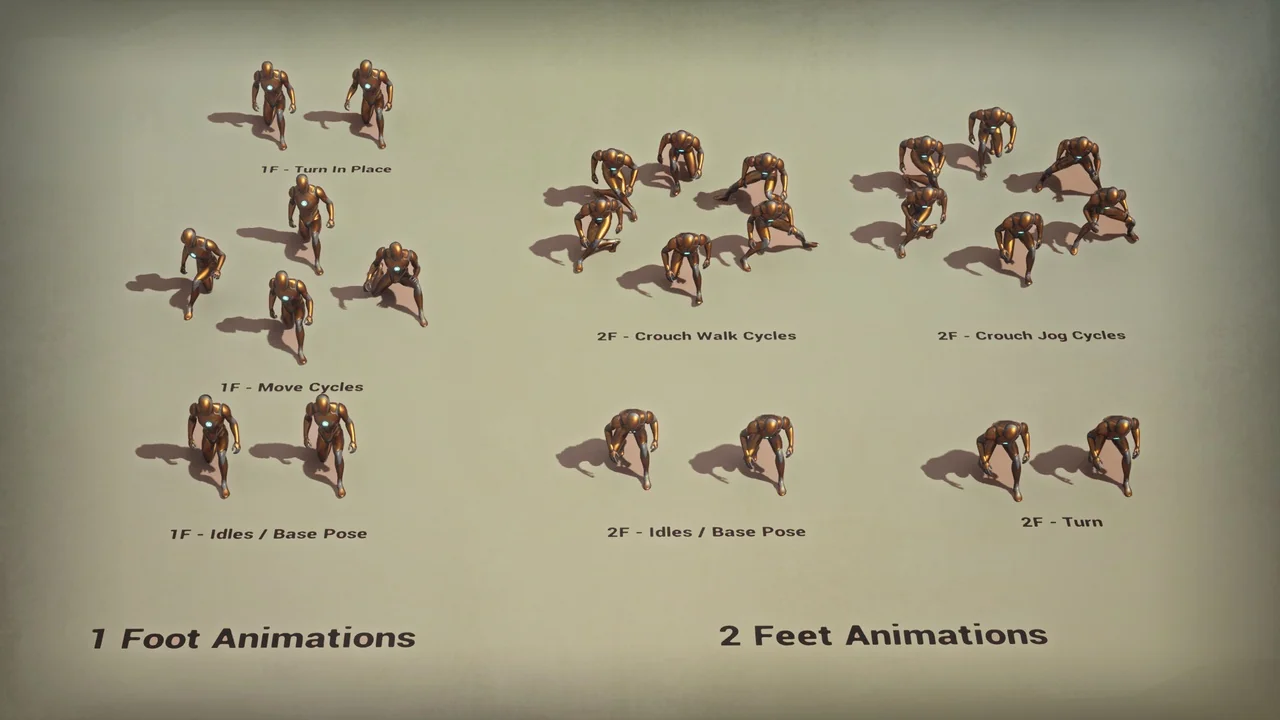
 Action-Adventure
 Action-Adventure
 Action-Adventure