"1a0e4ac4dc71d030"{"id":"1001244","slug":"simple-procedural-asset-creator","title":"Simple Procedural Asset Creator","category":"Action-Adventure","engine":"5.0+","assetVersion":"","engineVersion":"Engine Version: 5.0+","tag":"Action-Adventure","accent":"blue","visual":"mech","summary":"A node-based Blueprint tool for generating procedural meshes in-editor, featuring 20 example generators, spline shapes, and FBX or OBJ export.","platform":"Unreal Engine","publishedAt":"2026-09-23T14:59:34.190Z","updatedAt":"2026-09-23T14:59:34.190Z","sourceNotes":[],"fileContents":[],"compatibility":["Unreal Engine","Engine Version: 5.0+"],"featuredImage":{"alt":"Simple Procedural Asset Creator","src":"/wp-content/uploads/published/2026/09/756ef8ba7777-2fc4c370-6a8f-443d-998e-0b6697f8d03b-44cc537157.webp"},"hasDownloadLink":true,"downloads":0,"terms":[{"taxonomy":"category","slug":"action-adventure","name":"Action-Adventure"}],"galleryImages":[{"src":"/wp-content/uploads/published/2026/09/82db6e5a06da-ff9bfd25-5690-4ae6-9519-6a8d1a026c28-daceb6de72.webp","alt":"Simple Procedural Asset Creator"},{"src":"/wp-content/uploads/published/2026/09/228f5272137a-cdbe90ea-28cd-4497-b448-fad21830fd30-7d20054d2b.webp","alt":"Simple Procedural Asset Creator"},{"src":"/wp-content/uploads/published/2026/09/c5946dbbcbef-7ef20b59-1d9f-4c62-9582-dcbb95c3834f-537023b7fc.webp","alt":"Simple Procedural Asset Creator"},{"src":"/wp-content/uploads/published/2026/09/b6e5d34c612a-3eef24a0-9178-4b0c-8ebf-5068767ea5ee-a78fdf5524.webp","alt":"Simple Procedural Asset Creator"},{"src":"/wp-content/uploads/published/2026/09/7d3d285a7e96-99ca88a3-50e8-4394-95cb-ed5af58ec6b2-f9ba7c7b0e.webp","alt":"Simple Procedural Asset Creator"}],"accessPanel":{"kind":"resource","title":"Download this resource","eyebrow":"Free Download","message":"Log in or create a free account to start your download.","fileName":"Content.7z","safetyNote":"Resources are manually reviewed before listing to improve quality and reduce obvious risks.","actionLabel":"Download Free","resourceType":"Resource archive"},"contentHtml":"\u003ch2\u003eNode-Based Procedural Geometry Inside the Editor\u003c/h2\u003e\u003cp\u003eSimple Procedural Asset Creator is a full Blueprint project built to generate 3D assets directly inside the Unreal Engine editor. Rather than shifting between digital content creation software and the game engine to iterate on simple assets, the toolkit centers the entire modeling process around a universal node-based system. It functions as a streamlined edition of Procedural Asset Creator, focusing on straightforward setups that allow developers to design custom asset generators without wrestling with overly dense technical pipelines.\u003c/p\u003e\u003cp\u003eAt the center of this workflow are spline shape-based mesh generation nodes. By driving geometric forms through splines and parametric input rules, users can build procedural structures ranging from hard-surface architecture to organic props. Because the system runs natively within Blueprint graphs, every operation happens directly inside viewport levels, supported by dedicated example how-to maps that demonstrate node interactions in real time.\u003c/p\u003e\u003ch2\u003eThe 20 Included Example Generators\u003c/h2\u003e\u003cp\u003eTo demonstrate how different mesh topologies and prop categories are constructed, the package contains 20 fully commented example asset generators. These examples serve both as immediately usable tools and as structural templates for building custom generators from scratch.\u003c/p\u003e\u003cp\u003eWeaponry and combat gear form a distinct segment of the examples, showing how layered geometry and modular attachments connect together:\u003c/p\u003e\u003cul\u003e\u003cli\u003e\u003cstrong\u003eSword Generator\u003c/strong\u003e: Creates bladed weapons with parametric crossguards, blades, and grips.\u003c/li\u003e\u003cli\u003e\u003cstrong\u003eAxe Generator\u003c/strong\u003e: Assembles varied haft lengths and single- or double-bitted axe heads.\u003c/li\u003e\u003cli\u003e\u003cstrong\u003eBow Generator\u003c/strong\u003e: Drives curved limb profiles and string connections using spline inputs.\u003c/li\u003e\u003cli\u003e\u003cstrong\u003eArrow Generator\u003c/strong\u003e: Constructs shafts, varied fletching, and arrowheads.\u003c/li\u003e\u003cli\u003e\u003cstrong\u003eShield Generator\u003c/strong\u003e: Builds defensive gear with variable surface curvature, rim geometry, and bosses.\u003c/li\u003e\u003cli\u003e\u003cstrong\u003eStaff Generator\u003c/strong\u003e: Produces upright pole weapons and magic staves with customized tops.\u003c/li\u003e\u003cli\u003e\u003cstrong\u003eGun Generator\u003c/strong\u003e: Combines hard-surface blocks, barrels, and handles for basic firearms.\u003c/li\u003e\u003c/ul\u003e\u003cp\u003eA second collection of templates addresses architectural elements, functional clutter, and interactive scene items. The Column Generator and Fence Generator handle repeating and scalable architectural modularity, while the Well Generator and Ladder Generator show how structural uprights and crossbeams combine. Everyday item generators include the Bottle Generator, Bucket Generator, Spyglass Generator, Book Generator, and Scroll Generator, alongside a work-in-progress House generator demonstrating structural assembly.\u003c/p\u003e\u003cp\u003eFor natural environments, the toolkit supplies dedicated Grass, Plant, and Tree generators. These setups illustrate how branching rules, foliage stem layouts, and organic silhouettes take shape under spline-driven deformation nodes.\u003c/p\u003e\u003ch2\u003eLogic Rules, Formulas, and the Variations System\u003c/h2\u003e\u003cp\u003eGenerating procedural variations requires control over proportions and conditional component placement. Simple Procedural Asset Creator handles this through a custom parameter system that accepts mathematical formulas, boolean conditions, and exposed generation rules. Designers can set dependencies between parts, ensuring that adjustments to one element automatically adapt adjacent pieces.\u003c/p\u003e\u003cp\u003eA generator can evaluate whether a specific component—such as a crossguard on a sword or a handle on a bucket—should spawn based on true or false conditions. Exposed parameters allow artists to adjust heights, thicknesses, bevels, and segment counts from an accessible properties interface. To speed up the production of prop variants, the project incorporates a node instancing and variations system. This workflow allows developers to spin out dozens of distinct versions of an item from a single underlying logic tree without reconfiguring base graphs.\u003c/p\u003e\u003ch2\u003eSurface Finishing, Decals, and Vertex Colorization\u003c/h2\u003e\u003cp\u003eMesh appearance is handled through geometric refinement and built-in surface controls. The toolkit includes angle-based mesh smoothing, giving control over where sharp edges remain intact and where curved surfaces soften. When specific art directions demand rigid low-poly styling or perfectly rounded silhouettes, users can toggle universal All Flat or All Smooth overrides across the generated geometry.\u003c/p\u003e\u003cp\u003eFor detailed surface markings, the project incorporates procedural mesh decals directly into the generation pipeline. Color passes are handled through vertex color controls, which permit material colorization without requiring external texture mapping workflows. To evaluate these surface treatments under accurate scene conditions, the project provides an HDRI lighting setup equipped with multiple customization settings directly inside the workspace.\u003c/p\u003e\u003ch2\u003eStatic Mesh Conversion and Pipeline Export\u003c/h2\u003e\u003cp\u003eWhile the generators run procedurally within editor levels, their final output is not locked into procedural-only formats. Generated shapes can be saved natively as standard engine Static Meshes, converting parametric instances into permanent scene assets ready for placement, collision setup, and standard optimization passes.\u003c/p\u003e\u003cp\u003eFor multi-software pipelines, the system supports direct export to.FBX and.OBJ formats. This allows meshes created through the spline and node rules to be exported to external modeling suites, texturing applications, or third-party engines. The project is fully compatible with Smart Spline Generator, enabling users to combine parametric spline utilities into their procedural asset creation tasks.\u003c/p\u003e\u003cp\u003eClean Blueprint construction throughout the project ensures that teams can expand existing graphs, insert new node types, or modify generation rules to suit unique project demands.\u003c/p\u003e\n\n\u003ch2\u003eContinue Browsing Similar Packs\u003c/h2\u003e\n\u003cul\u003e\n\u003cli\u003e\u003ca href=\"https://3dcghub.com/simple-crouch-animations/\" title=\"Simple Crouch Animations\"\u003eSimple Crouch Animations\u003c/a\u003e\u003c/li\u003e\n\u003cli\u003e\u003ca href=\"https://3dcghub.com/simple-tree-generator/\" title=\"Simple Tree Generator\"\u003eSimple Tree Generator\u003c/a\u003e\u003c/li\u003e\n\u003cli\u003e\u003ca href=\"https://3dcghub.com/road-creator-pro/\" title=\"Road Creator Pro\"\u003eRoad Creator Pro\u003c/a\u003e\u003c/li\u003e\n\u003cli\u003e\u003ca href=\"https://3dcghub.com/dynamic-city-creator-sample/\" title=\"Dynamic City Creator Sample\"\u003eDynamic City Creator Sample\u003c/a\u003e\u003c/li\u003e\n\u003cli\u003e\u003ca href=\"https://3dcghub.com/simple-procedural-walk/\" title=\"Simple Procedural Walk\"\u003eSimple Procedural Walk\u003c/a\u003e\u003c/li\u003e\n\u003c/ul\u003e","contentTextLength":5860,"navigation":{"current":14,"total":3200,"previous":{"id":"1001245","slug":"the-immersive-template","title":"The Immersive Template","category":"Action-Adventure","platform":"Unreal Engine","updatedAt":"2026-09-23T15:01:06.039Z"},"next":{"id":"1001243","slug":"simple-crouch-animations","title":"Simple Crouch Animations","category":"Action-Adventure","platform":"Unreal Engine","updatedAt":"2026-09-23T14:56:08.904Z"}},"relatedResources":[{"id":"1001243","slug":"simple-crouch-animations","title":"Simple Crouch Animations","category":"Action-Adventure","engine":"5.0+","assetVersion":"","engineVersion":"Engine Version: 5.0+","tag":"Action-Adventure","accent":"blue","visual":"animation","summary":"Implementation guide for Simple Crouch Animations, covering standard crouch locomotion units, kneeling sets, motion warping, and animation blueprints.","platform":"Unreal Engine","publishedAt":"2026-09-23T14:56:08.904Z","updatedAt":"2026-09-23T14:56:08.904Z","sourceNotes":[],"fileContents":[],"compatibility":["Unreal Engine","Engine Version: 5.0+"],"featuredImage":{"alt":"Simple Crouch Animations","src":"/wp-content/uploads/published/2026/09/b8cec5cbc820-f4a1af11-306e-4744-aba4-24ba3138a4a1-36396ba97d.webp"},"hasDownloadLink":true,"downloads":0},{"id":"14610","slug":"simple-tree-generator","title":"Simple Tree Generator","category":"Engine Tools","engine":"5.6 - 5.8","assetVersion":"Asset Version: 1.1","engineVersion":"Engine version: 5.6 - 5.8","tag":"Engine Tools","accent":"blue","visual":"audio","summary":"Simple Tree Generator is a powerful tool designed specifically for Unreal Engine 5. It enables developers to procedurally create diverse trees and bushes with just a few clicks.","platform":"Unreal Engine","publishedAt":"2026-03-11T18:36:43.000Z","updatedAt":"2026-09-17T02:13:52.813Z","sourceNotes":[],"fileContents":[],"compatibility":["Unreal Engine","Asset Version: 1.1","Engine version: 5.6 - 5.8"],"featuredImage":{"alt":"Simple Tree Generator","src":"https://3dcghub.com/wp-content/uploads/2026/03/4e3b784d-7198-46b5-a343-a73957e40875.webp"},"hasDownloadLink":true,"downloads":0},{"id":"25129","slug":"road-creator-pro","title":"Road Creator Pro","category":"Procedural Systems","engine":"5.6+","assetVersion":"Engine version: 5.6+","engineVersion":"","tag":"Procedural Systems","accent":"blue","visual":"city","summary":"Road Creator Pro brings roads, intersections, bridges, tunnels, and roadside details into Unreal Engine through a spline-based workflow. It also adds terrain deformation, snapping, traffic signals, signage, and day-night visibility tools for practical scene...","platform":"Unreal Engine","publishedAt":"2026-04-19T06:27:25.000Z","updatedAt":"2026-04-20T06:12:32.000Z","sourceNotes":[],"fileContents":[],"compatibility":["Unreal Engine","Engine version: 5.6+"],"featuredImage":{"alt":"Road Creator Pro","src":"https://3dcghub.com/wp-content/uploads/2026/04/c012b5395914_ed21df1f-da93-448a-b233-0700745ec894.webp"},"hasDownloadLink":true,"downloads":2}]}
Action-Adventure
Simple Procedural Asset Creator
A node-based Blueprint tool for generating procedural meshes in-editor, featuring 20 example generators, spline shapes, and FBX or OBJ export.
Simple Procedural Asset Creator is a full Blueprint project built to generate 3D assets directly inside the Unreal Engine editor. Rather than shifting between digital content creation software and the game engine to iterate on simple assets, the toolkit centers the entire modeling process around a universal node-based system. It functions as a streamlined edition of Procedural Asset Creator, focusing on straightforward setups that allow developers to design custom asset generators without wrestling with overly dense technical pipelines.
At the center of this workflow are spline shape-based mesh generation nodes. By driving geometric forms through splines and parametric input rules, users can build procedural structures ranging from hard-surface architecture to organic props. Because the system runs natively within Blueprint graphs, every operation happens directly inside viewport levels, supported by dedicated example how-to maps that demonstrate node interactions in real time.
The 20 Included Example Generators
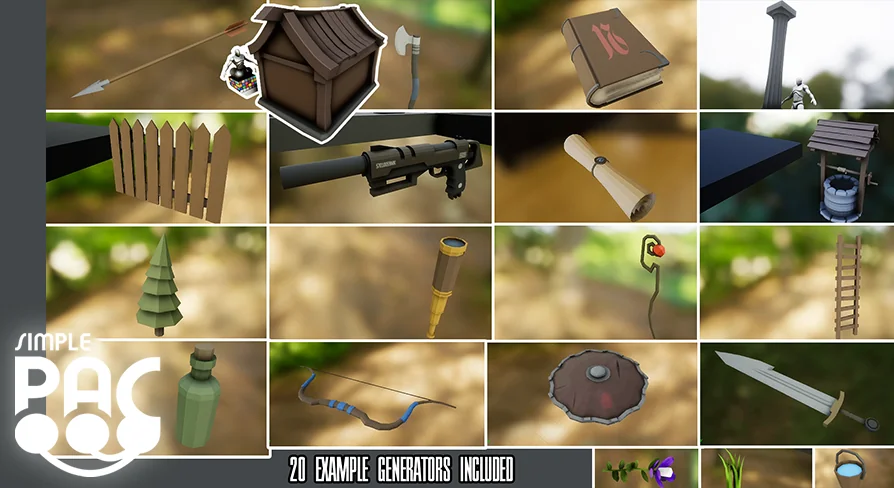
To demonstrate how different mesh topologies and prop categories are constructed, the package contains 20 fully commented example asset generators. These examples serve both as immediately usable tools and as structural templates for building custom generators from scratch.
Weaponry and combat gear form a distinct segment of the examples, showing how layered geometry and modular attachments connect together:
Sword Generator: Creates bladed weapons with parametric crossguards, blades, and grips.
Axe Generator: Assembles varied haft lengths and single- or double-bitted axe heads.
Bow Generator: Drives curved limb profiles and string connections using spline inputs.
Arrow Generator: Constructs shafts, varied fletching, and arrowheads.
Shield Generator: Builds defensive gear with variable surface curvature, rim geometry, and bosses.
Staff Generator: Produces upright pole weapons and magic staves with customized tops.
Gun Generator: Combines hard-surface blocks, barrels, and handles for basic firearms.
A second collection of templates addresses architectural elements, functional clutter, and interactive scene items. The Column Generator and Fence Generator handle repeating and scalable architectural modularity, while the Well Generator and Ladder Generator show how structural uprights and crossbeams combine. Everyday item generators include the Bottle Generator, Bucket Generator, Spyglass Generator, Book Generator, and Scroll Generator, alongside a work-in-progress House generator demonstrating structural assembly.
For natural environments, the toolkit supplies dedicated Grass, Plant, and Tree generators. These setups illustrate how branching rules, foliage stem layouts, and organic silhouettes take shape under spline-driven deformation nodes.
Logic Rules, Formulas, and the Variations System
Generating procedural variations requires control over proportions and conditional component placement. Simple Procedural Asset Creator handles this through a custom parameter system that accepts mathematical formulas, boolean conditions, and exposed generation rules. Designers can set dependencies between parts, ensuring that adjustments to one element automatically adapt adjacent pieces.
A generator can evaluate whether a specific component—such as a crossguard on a sword or a handle on a bucket—should spawn based on true or false conditions. Exposed parameters allow artists to adjust heights, thicknesses, bevels, and segment counts from an accessible properties interface. To speed up the production of prop variants, the project incorporates a node instancing and variations system. This workflow allows developers to spin out dozens of distinct versions of an item from a single underlying logic tree without reconfiguring base graphs.
Surface Finishing, Decals, and Vertex Colorization
Mesh appearance is handled through geometric refinement and built-in surface controls. The toolkit includes angle-based mesh smoothing, giving control over where sharp edges remain intact and where curved surfaces soften. When specific art directions demand rigid low-poly styling or perfectly rounded silhouettes, users can toggle universal All Flat or All Smooth overrides across the generated geometry.
For detailed surface markings, the project incorporates procedural mesh decals directly into the generation pipeline. Color passes are handled through vertex color controls, which permit material colorization without requiring external texture mapping workflows. To evaluate these surface treatments under accurate scene conditions, the project provides an HDRI lighting setup equipped with multiple customization settings directly inside the workspace.
Static Mesh Conversion and Pipeline Export
While the generators run procedurally within editor levels, their final output is not locked into procedural-only formats. Generated shapes can be saved natively as standard engine Static Meshes, converting parametric instances into permanent scene assets ready for placement, collision setup, and standard optimization passes.
For multi-software pipelines, the system supports direct export to.FBX and.OBJ formats. This allows meshes created through the spline and node rules to be exported to external modeling suites, texturing applications, or third-party engines. The project is fully compatible with Smart Spline Generator, enabling users to combine parametric spline utilities into their procedural asset creation tasks.
Clean Blueprint construction throughout the project ensures that teams can expand existing graphs, insert new node types, or modify generation rules to suit unique project demands.
 Action-Adventure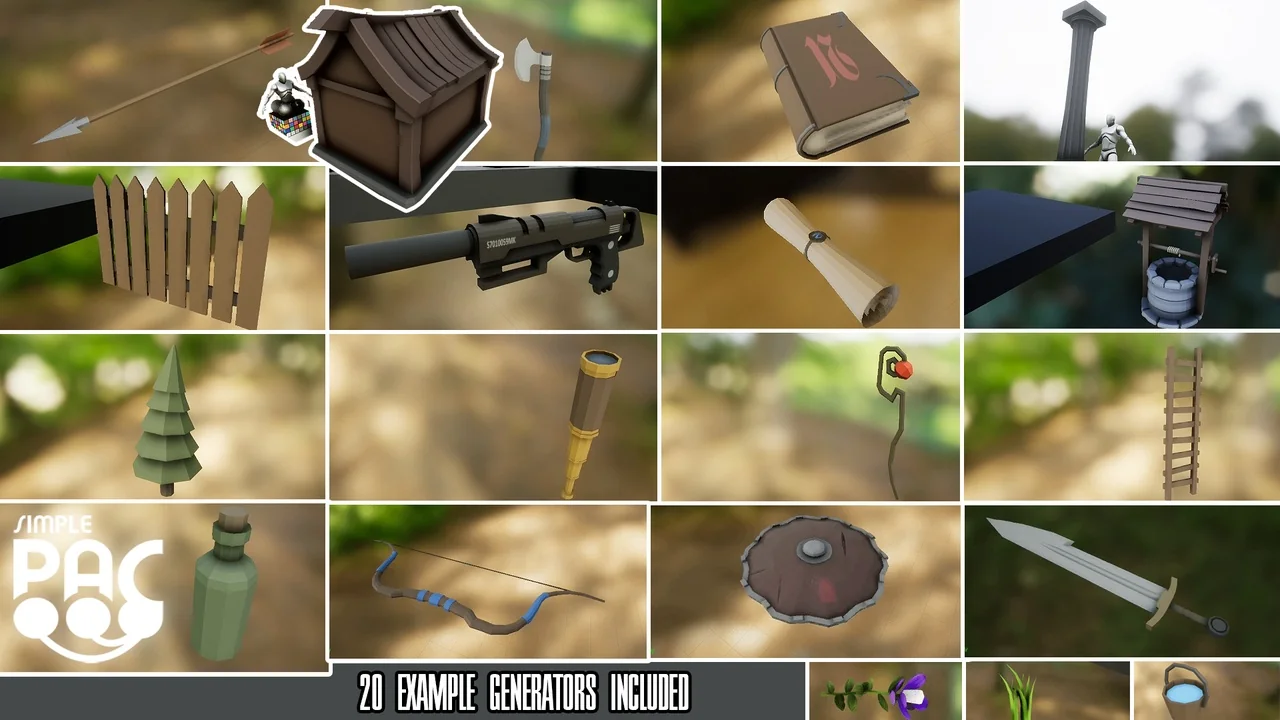
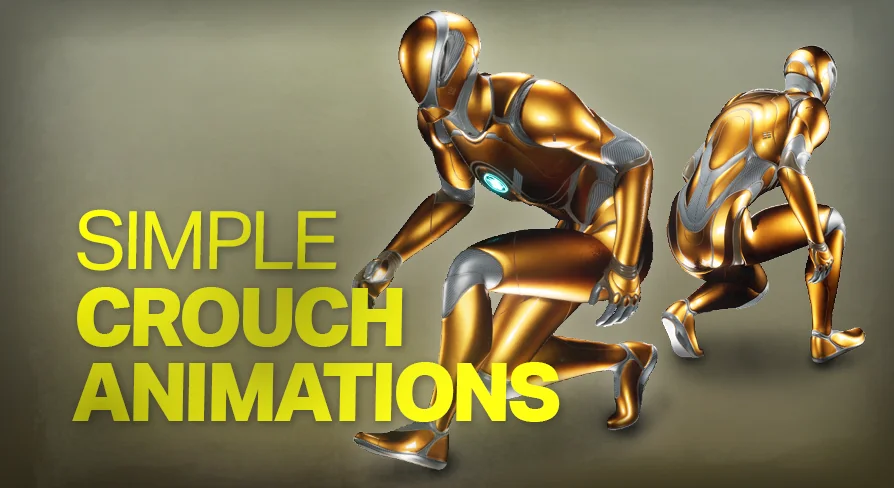 Action-Adventure
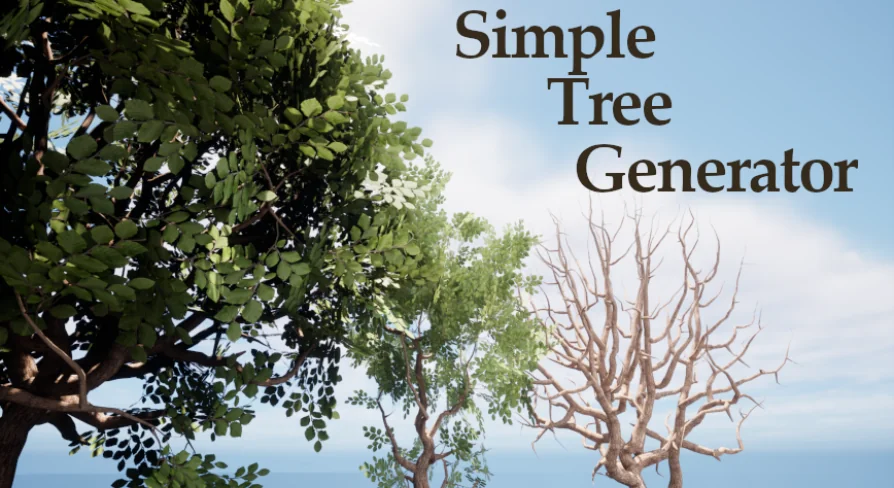 Engine Tools
 Procedural Systems