"6ac84fdb0bd06614"{"id":"28127","slug":"overcrowd-massive-crowd-simulation","title":"OverCrowd - Massive Crowd Simulation","category":"Engine Tools","engine":"5.6","assetVersion":"Engine version: 5.6","engineVersion":"Asset Version:1.0","tag":"Engine Tools","accent":"blue","visual":"audio","summary":"Scenes fill quickly with thousands of animated characters, from stadium seats to battle lines, while keeping the workflow inside Unreal Engine 5. OverCrowd focuses on modular character setup, VAT conversion, Niagara-driven behaviors, and tools that scale fr...","platform":"Unreal Engine","publishedAt":"2026-05-04T14:28:50.000Z","updatedAt":"2026-05-04T14:28:51.000Z","sourceNotes":[],"fileContents":[],"compatibility":["Unreal Engine","Engine version: 5.6","Asset Version: 1.0"],"featuredImage":{"alt":"OverCrowd - Massive Crowd Simulation","src":"https://3dcghub.com/wp-content/uploads/2026/05/69c20c2d1a6b_2ac5b60b-5a52-4074-a01c-5f549185dbe2.webp"},"hasDownloadLink":true,"downloads":2,"terms":[{"taxonomy":"category","slug":"engine-tools-tools-and-plugins","name":"Engine Tools"},{"taxonomy":"post_tag","slug":"animation","name":"Animation"},{"taxonomy":"post_tag","slug":"textures","name":"Textures"},{"taxonomy":"post_tag","slug":"unreal-engine-5","name":"Unreal Engine 5"}],"galleryImages":[{"src":"https://3dcghub.com/wp-content/uploads/2026/05/1c5b29008878_ef75f11d-31dd-4895-bf25-9c49d02279fa.webp","alt":"OverCrowd - Massive Crowd Simulation"},{"src":"https://3dcghub.com/wp-content/uploads/2026/05/40d4baa2a3d4_1e07e852-fcc8-4382-9d8f-64e8e97196cc.webp","alt":"OverCrowd - Massive Crowd Simulation"},{"src":"https://3dcghub.com/wp-content/uploads/2026/05/8463b047223f_cda1da4b-d81e-481c-9d4c-c08c3e1933b2.webp","alt":"OverCrowd - Massive Crowd Simulation"},{"src":"https://3dcghub.com/wp-content/uploads/2026/05/d4a514d51498_ad80006e-80a0-4118-90d0-05918b9f60cf.webp","alt":"OverCrowd - Massive Crowd Simulation"},{"src":"https://3dcghub.com/wp-content/uploads/2026/05/5db373686b56_0b15b168-9db5-40b4-bcff-8aff071dd6ab.webp","alt":"OverCrowd - Massive Crowd Simulation"},{"src":"https://3dcghub.com/wp-content/uploads/2026/05/7ad64f4ba8b4_7beafeb8-dd6f-450d-8560-2aff8e2cf9cd.webp","alt":"OverCrowd - Massive Crowd Simulation"},{"src":"https://3dcghub.com/wp-content/uploads/2026/05/d33c0bfad8c4_92721af0-08e0-400b-9f30-a03ff0daa2d8.webp","alt":"OverCrowd - Massive Crowd Simulation"},{"src":"https://3dcghub.com/wp-content/uploads/2026/05/176fb896d180_346e611d-718e-4b2b-acaa-23f7a2540f71.webp","alt":"OverCrowd - Massive Crowd Simulation"},{"src":"https://3dcghub.com/wp-content/uploads/2026/05/a43a4a187101_329b346b-7624-42e7-b5b6-436f5543503f.webp","alt":"OverCrowd - Massive Crowd Simulation"},{"src":"https://3dcghub.com/wp-content/uploads/2026/05/6aafa1722103_e9b6986d-b45f-4705-9ffb-2bc7c8733e98.webp","alt":"OverCrowd - Massive Crowd Simulation"}],"accessPanel":{"kind":"resource","title":"Access this resource","eyebrow":"Free Download","message":"Log in or create a free account to start your download.","fileName":"Plugins.7z","safetyNote":"All resources are 100% manually reviewed to eliminate all risks.","actionLabel":"Download Free","resourceType":"Resource archive"},"contentHtml":"\u003cp\u003eLarge scenes often break down at the point where crowd work becomes too heavy to manage by hand. OverCrowd approaches that problem by letting Unreal Engine 5 scenes fill with thousands of animated modular characters, using Niagara and Vertex Animation Textures to keep the performance footprint low while still aiming for dense, believable motion on screen.\u003c/p\u003e\n\u003cp\u003eThe plugin is aimed at filmmakers, animators, and game developers who need dynamic crowds without stepping outside Unreal Engine for a separate crowd-simulation package. Its focus is practical rather than abstract: assemble characters, convert them into a format suited for scale, then deploy them across spaces such as stadiums, battlefields, and cityscapes.\u003c/p\u003e \u003ch2\u003eOverCrowd starts with modular character setup inside Unreal Engine 5\u003c/h2\u003e\n\u003cp\u003eA central part of the workflow is the Wardrobe Editor. It handles modular wardrobes, body parts, and baked animations directly in Unreal Engine, which keeps preparation close to the rest of scene assembly instead of splitting character organization into another tool. That matters most for productions building variation from interchangeable parts rather than relying on a small set of finished hero characters.\u003c/p\u003e\n\u003cp\u003eThe wardrobe system also supports asset packs such as Polyphoria’s medieval armor and MetaHumans. In practice, that places OverCrowd in a useful middle ground between stylized crowd assembly and more recognizable digital human pipelines. It is not limited to a single character source, and it can work with modular bodies and clothing as part of the broader crowd setup.\u003c/p\u003e\n\u003cp\u003eAnother notable point is skeletal mesh conversion. OverCrowd can convert any skeletal mesh into a Vertex Animated Instance Static Mesh, referred to here as a VANISM. That conversion step is one of the clearest signs of how the plugin is built: character assets begin in familiar skeletal form, then move into a crowd-friendly representation suited to much larger numbers on screen.\u003c/p\u003e \u003ch2\u003eVertex Animation Textures and VANISMs drive the large-scale crowd workflow\u003c/h2\u003e\n\u003cp\u003eOnce modular characters are prepared, OverCrowd automatically converts them into highly performant VAT characters. The stated goal is straightforward: enable massive crowds without giving up visual quality or performance. VATs are the core of the plugin’s scale strategy, and they sit at the center of how OverCrowd renders large numbers of animated figures.\u003c/p\u003e\n\u003cp\u003eThis conversion is not framed as a niche extra. It is the main implementation path for scenes that need density, whether the shot calls for spectators, armies, or moving groups of people. The plugin explicitly leans on Niagara and VATs together, rather than treating animation storage and behavioral control as separate ideas.\u003c/p\u003e\n\u003cp\u003eMetaHuman support extends into this system as well. OverCrowd is MetaHuman compatible, including independent facial animation on VANISMs separate from the body. It also supports MetaHumans as Niagara particles. Those details make the crowd pipeline more flexible than a simple anonymous-background setup, because the system can incorporate higher-recognition digital humans while still staying within the large-scale Niagara workflow.\u003c/p\u003e\n\u003cp\u003eFor moments that need more than background motion, OverCrowd can instantly swap VANISMs to an Actor, including Pawn or Character types, for more detailed interaction. That creates a bridge between broad crowd rendering and closer, more interactive encounters. A shot can stay crowd-heavy at a distance, then shift selected figures into a more detailed actor-based state when the scene demands it.\u003c/p\u003e \u003ch2\u003eNiagara Integration handles paths, collisions, and crowd-wide motion changes\u003c/h2\u003e\n\u003cp\u003eNiagara is not just a compatibility note here; it is one of the core behavior systems. OverCrowd uses Niagara particles for large-scale crowd behaviors, including spline-following paths. That gives creators a direct way to shape flows of movement through a space, whether a crowd needs to stream through streets, circulate around an arena, or advance across a battlefield.\u003c/p\u003e\n\u003cp\u003eThe plugin also includes neighbor grid integration to manage collisions and prevent character overlap. That is a small but important implementation detail, because large crowds become unconvincing very quickly when characters cut through each other. The mention of collision management suggests that OverCrowd is paying attention not only to count and animation playback, but also to the readability of crowd movement in dense conditions.\u003c/p\u003e\n\u003cp\u003eAnimation changes can also happen across broad areas of the crowd through Animation Modifiers, using volumes to blend animations on large sections at once. This gives scene control at a regional level rather than only on a per-character basis. For example, different sections of a crowd can be pushed into different motion states without manually retiming individual figures.\u003c/p\u003e\n\u003cp\u003eMasking tools are included for geometry clipping issues, adding another practical control point during setup and shot refinement. In crowd-heavy environments, intersections between clothing, bodies, and surrounding geometry can quickly become distracting, so the inclusion of masking tools points to a workflow that anticipates cleanup as part of production rather than as an afterthought.\u003c/p\u003e \u003ch2\u003eStatic Population Boxes and Dynamic LOD Generation shape scene scale\u003c/h2\u003e\n\u003cp\u003eFor creators who need a scene populated quickly, Static Population Boxes are one of the most direct features in the package. They can instantly fill spaces such as stadiums, battlefields, or cityscapes with detailed animated characters. That gives OverCrowd an immediate environmental use case: not just moving swarms, but large placed populations that establish scale and visual density.\u003c/p\u003e\n\u003cp\u003eThe system also supports spawning thousands of paired animations for realistic interactions, with sword duels given as a specific example. That is a useful distinction. Instead of thinking only in terms of isolated looping extras, OverCrowd can place characters into coordinated animated relationships, which is especially relevant for combat scenes and other choreographed mass events.\u003c/p\u003e\n\u003cp\u003eDynamic LOD generation extends that scene-scale thinking into camera work. OverCrowd automatically generates optimized Levels of Detail to support cinematic movement from expansive wide shots down to detailed close-ups. The feature is described in terms of camera continuity, which makes sense for productions shifting rapidly between crowd spectacle and more intimate framing.\u003c/p\u003e\n\u003cp\u003eThis also reinforces the plugin’s broader structure: a crowd should not need to be rebuilt every time the camera changes its distance. The same system is intended to cover wide environmental density, medium-range motion readability, and closer views where individual detail matters more.\u003c/p\u003e \u003ch2\u003eOverCrowd 5.7 changes and the current implementation boundary\u003c/h2\u003e\n\u003cp\u003eThe 5.7 version is still in development and is expected to change as bugs are fixed and features come online. It is also described as a completely new version, with no compatibility with crowds made in 5.6. That is a significant implementation detail for teams evaluating when and how to adopt it, especially if they are already working with earlier crowd setups.\u003c/p\u003e\n\u003cp\u003eSome features are listed as upcoming rather than current. Dynamic character swapping is planned to support transitions between VATs, blueprint actors, or skeletal meshes for more interactive encounters. Advanced Niagara behaviors are also planned, with enhanced crowd AI and collision mechanics for more immersive battle simulation.\u003c/p\u003e\n\u003cp\u003eEven without stretching beyond the currently stated feature set, the strongest picture is already clear. OverCrowd is centered on a workflow that begins with modular character organization, converts skeletal assets into VAT-driven crowd representations, and uses Niagara to direct large-scale motion while keeping room for closer interaction when needed. For teams comparing crowd tools inside Unreal Engine 5, the most concrete takeaway is that OverCrowd is built to move from setup to thousands of animated characters without leaving the engine.\u003c/p\u003e\n\n\u003ch2\u003eContinue Browsing Similar Packs\u003c/h2\u003e\n\u003cul\u003e\n\u003cli\u003e\u003ca href=\"https://3dcghub.com/ground-vol-48-hand-painted-textures/\" title=\"Ground Vol.48 – Hand Painted Textures\"\u003eGround Vol.48 – Hand Painted Textures\u003c/a\u003e\u003c/li\u003e\n\u003cli\u003e\u003ca href=\"https://3dcghub.com/military-animation-pack-i-unarmed/\" title=\"Military Animation Pack I (Unarmed)\"\u003eMilitary Animation Pack I (Unarmed)\u003c/a\u003e\u003c/li\u003e\n\u003cli\u003e\u003ca href=\"https://3dcghub.com/mixamo-animation-retargeting-2/\" title=\"Mixamo Animation Retargeting 2\"\u003eMixamo Animation Retargeting 2\u003c/a\u003e\u003c/li\u003e\n\u003cli\u003e\u003ca href=\"https://3dcghub.com/r-tune-vehicle-physics-2-0-vehicle-system-for-games-animation/\" title=\"R-Tune Vehicle Physics 2.0 – Vehicle System for Games \u0026amp;amp; Animation\"\u003eR-Tune Vehicle Physics 2.0 – Vehicle System for Games \u0026amp; Animation\u003c/a\u003e\u003c/li\u003e\n\u003c/ul\u003e","contentTextLength":8263,"navigation":{"current":1329,"total":3181,"previous":{"id":"28140","slug":"office-space-megapack","title":"Office Space Megapack","category":"Industrial","platform":"Unreal Engine","updatedAt":"2026-05-04T15:40:17.000Z"},"next":{"id":"28113","slug":"polygon-street-racer","title":"POLYGON - Street Racer","category":"Streets \u0026 Construction","platform":"Unreal Engine","updatedAt":"2026-05-04T08:50:35.000Z"}},"relatedResources":[{"id":"13847","slug":"daz-to-unreal","title":"Daz To Unreal","category":"Engine Tools","engine":"5.5 - 5.6","assetVersion":"Engine version: 5.5 - 5.6","engineVersion":"Asset Version:5.6.0.472","tag":"Engine Tools","accent":"blue","visual":"mech","summary":"The Daz To Unreal bridge simplifies the process of moving high-quality characters and props into your game engine. This dual-plugin system supports Genesis 3 and Genesis 8 assets with automated material organization.","platform":"Unreal Engine","publishedAt":"2026-03-11T10:20:18.000Z","updatedAt":"2026-04-19T15:46:21.000Z","sourceNotes":[],"fileContents":[],"compatibility":["Unreal Engine","Engine version: 5.5 - 5.6","Asset Version: 5.6.0.472"],"featuredImage":{"alt":"Daz To Unreal","src":"https://3dcghub.com/wp-content/uploads/2026/03/d61166e0-0737-4ef1-a53b-4f5b07759811.webp"},"hasDownloadLink":true,"downloads":1},{"id":"1000517","slug":"unreal-engine-5-crowd-creation-in-the-niagara-and-blueprint","title":"Unreal Engine 5: Crowd creation in the Niagara and Blueprint","category":"Unreal Engine","engine":"File Content: video + English subtitles","assetVersion":"Video Language: English","engineVersion":"File Content: video + English subtitles","tag":"Unreal Engine","accent":"blue","visual":"mech","summary":"A course covering vertex animation shaders, character retargeting, aim offsets, and Blueprint integration to build customizable crowds using Niagara in Unreal E","platform":"Unreal Engine","publishedAt":"2026-07-14T08:37:52.185Z","updatedAt":"2026-07-14T08:37:52.185Z","sourceNotes":[],"fileContents":[],"compatibility":["Unreal Engine","Video Language: English","File Content: video + English subtitles"],"featuredImage":{"alt":"Unreal Engine 5: Crowd creation in the Niagara and Blueprint","src":"/wp-content/uploads/published/2026/07/e592fc2aed15-6123673-1b32-3-a8544671f8.webp"},"hasDownloadLink":true,"downloads":0},{"id":"18600","slug":"animal-simulation-herdsim","title":"Animal Simulation HerdSim","category":"Characters","engine":"Original Unity version: 5.1.0","assetVersion":"Original Unity version: 5.1.0","engineVersion":"Asset Version:1.4.5","tag":"Characters","accent":"cyan","visual":"character","summary":"Enhance your Unity projects with Animal Simulation HerdSim, a lightweight solution for creating roaming animal behaviors. This asset focuses on performance by using ray-based obstacle avoidance instead of heavy rigidbodies.","platform":"Unity","publishedAt":"2026-03-19T16:11:29.000Z","updatedAt":"2026-04-19T15:43:02.000Z","sourceNotes":[],"fileContents":[],"compatibility":["Unity","Original Unity version: 5.1.0","Asset Version: 1.4.5"],"featuredImage":{"alt":"Animal Simulation HerdSim","src":"https://3dcghub.com/wp-content/uploads/2026/03/11db4fbf8f71_20405b8a-0014-46fa-bfb3-3088156d6dc8_1280x720_stretch.webp"},"hasDownloadLink":true,"downloads":1}]}
Engine Tools
OverCrowd - Massive Crowd Simulation
Scenes fill quickly with thousands of animated characters, from stadium seats to battle lines, while keeping the workflow inside Unreal Engine 5. OverCrowd focuses on modular character setup, VAT conversion, Niagara-driven behaviors, and tools that scale fr...
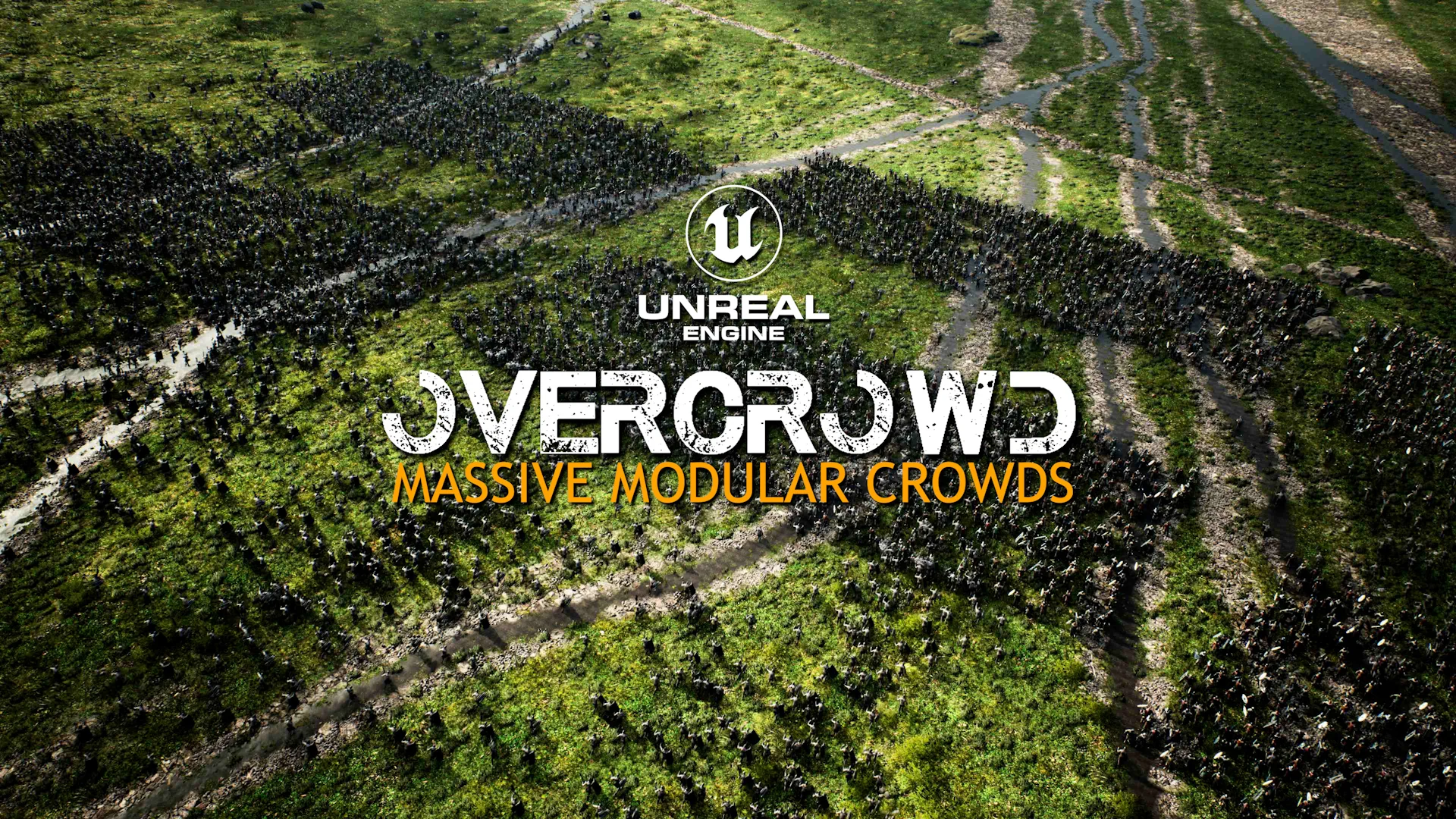
Large scenes often break down at the point where crowd work becomes too heavy to manage by hand. OverCrowd approaches that problem by letting Unreal Engine 5 scenes fill with thousands of animated modular characters, using Niagara and Vertex Animation Textures to keep the performance footprint low while still aiming for dense, believable motion on screen.
The plugin is aimed at filmmakers, animators, and game developers who need dynamic crowds without stepping outside Unreal Engine for a separate crowd-simulation package. Its focus is practical rather than abstract: assemble characters, convert them into a format suited for scale, then deploy them across spaces such as stadiums, battlefields, and cityscapes.
OverCrowd starts with modular character setup inside Unreal Engine 5
A central part of the workflow is the Wardrobe Editor. It handles modular wardrobes, body parts, and baked animations directly in Unreal Engine, which keeps preparation close to the rest of scene assembly instead of splitting character organization into another tool. That matters most for productions building variation from interchangeable parts rather than relying on a small set of finished hero characters.
The wardrobe system also supports asset packs such as Polyphoria’s medieval armor and MetaHumans. In practice, that places OverCrowd in a useful middle ground between stylized crowd assembly and more recognizable digital human pipelines. It is not limited to a single character source, and it can work with modular bodies and clothing as part of the broader crowd setup.
Another notable point is skeletal mesh conversion. OverCrowd can convert any skeletal mesh into a Vertex Animated Instance Static Mesh, referred to here as a VANISM. That conversion step is one of the clearest signs of how the plugin is built: character assets begin in familiar skeletal form, then move into a crowd-friendly representation suited to much larger numbers on screen.
Vertex Animation Textures and VANISMs drive the large-scale crowd workflow
Once modular characters are prepared, OverCrowd automatically converts them into highly performant VAT characters. The stated goal is straightforward: enable massive crowds without giving up visual quality or performance. VATs are the core of the plugin’s scale strategy, and they sit at the center of how OverCrowd renders large numbers of animated figures.
This conversion is not framed as a niche extra. It is the main implementation path for scenes that need density, whether the shot calls for spectators, armies, or moving groups of people. The plugin explicitly leans on Niagara and VATs together, rather than treating animation storage and behavioral control as separate ideas.
MetaHuman support extends into this system as well. OverCrowd is MetaHuman compatible, including independent facial animation on VANISMs separate from the body. It also supports MetaHumans as Niagara particles. Those details make the crowd pipeline more flexible than a simple anonymous-background setup, because the system can incorporate higher-recognition digital humans while still staying within the large-scale Niagara workflow.
For moments that need more than background motion, OverCrowd can instantly swap VANISMs to an Actor, including Pawn or Character types, for more detailed interaction. That creates a bridge between broad crowd rendering and closer, more interactive encounters. A shot can stay crowd-heavy at a distance, then shift selected figures into a more detailed actor-based state when the scene demands it.
Niagara Integration handles paths, collisions, and crowd-wide motion changes
Niagara is not just a compatibility note here; it is one of the core behavior systems. OverCrowd uses Niagara particles for large-scale crowd behaviors, including spline-following paths. That gives creators a direct way to shape flows of movement through a space, whether a crowd needs to stream through streets, circulate around an arena, or advance across a battlefield.
The plugin also includes neighbor grid integration to manage collisions and prevent character overlap. That is a small but important implementation detail, because large crowds become unconvincing very quickly when characters cut through each other. The mention of collision management suggests that OverCrowd is paying attention not only to count and animation playback, but also to the readability of crowd movement in dense conditions.
Animation changes can also happen across broad areas of the crowd through Animation Modifiers, using volumes to blend animations on large sections at once. This gives scene control at a regional level rather than only on a per-character basis. For example, different sections of a crowd can be pushed into different motion states without manually retiming individual figures.
Masking tools are included for geometry clipping issues, adding another practical control point during setup and shot refinement. In crowd-heavy environments, intersections between clothing, bodies, and surrounding geometry can quickly become distracting, so the inclusion of masking tools points to a workflow that anticipates cleanup as part of production rather than as an afterthought.
Static Population Boxes and Dynamic LOD Generation shape scene scale
For creators who need a scene populated quickly, Static Population Boxes are one of the most direct features in the package. They can instantly fill spaces such as stadiums, battlefields, or cityscapes with detailed animated characters. That gives OverCrowd an immediate environmental use case: not just moving swarms, but large placed populations that establish scale and visual density.
The system also supports spawning thousands of paired animations for realistic interactions, with sword duels given as a specific example. That is a useful distinction. Instead of thinking only in terms of isolated looping extras, OverCrowd can place characters into coordinated animated relationships, which is especially relevant for combat scenes and other choreographed mass events.
Dynamic LOD generation extends that scene-scale thinking into camera work. OverCrowd automatically generates optimized Levels of Detail to support cinematic movement from expansive wide shots down to detailed close-ups. The feature is described in terms of camera continuity, which makes sense for productions shifting rapidly between crowd spectacle and more intimate framing.
This also reinforces the plugin’s broader structure: a crowd should not need to be rebuilt every time the camera changes its distance. The same system is intended to cover wide environmental density, medium-range motion readability, and closer views where individual detail matters more.
OverCrowd 5.7 changes and the current implementation boundary
The 5.7 version is still in development and is expected to change as bugs are fixed and features come online. It is also described as a completely new version, with no compatibility with crowds made in 5.6. That is a significant implementation detail for teams evaluating when and how to adopt it, especially if they are already working with earlier crowd setups.
Some features are listed as upcoming rather than current. Dynamic character swapping is planned to support transitions between VATs, blueprint actors, or skeletal meshes for more interactive encounters. Advanced Niagara behaviors are also planned, with enhanced crowd AI and collision mechanics for more immersive battle simulation.
Even without stretching beyond the currently stated feature set, the strongest picture is already clear. OverCrowd is centered on a workflow that begins with modular character organization, converts skeletal assets into VAT-driven crowd representations, and uses Niagara to direct large-scale motion while keeping room for closer interaction when needed. For teams comparing crowd tools inside Unreal Engine 5, the most concrete takeaway is that OverCrowd is built to move from setup to thousands of animated characters without leaving the engine.
 Engine Tools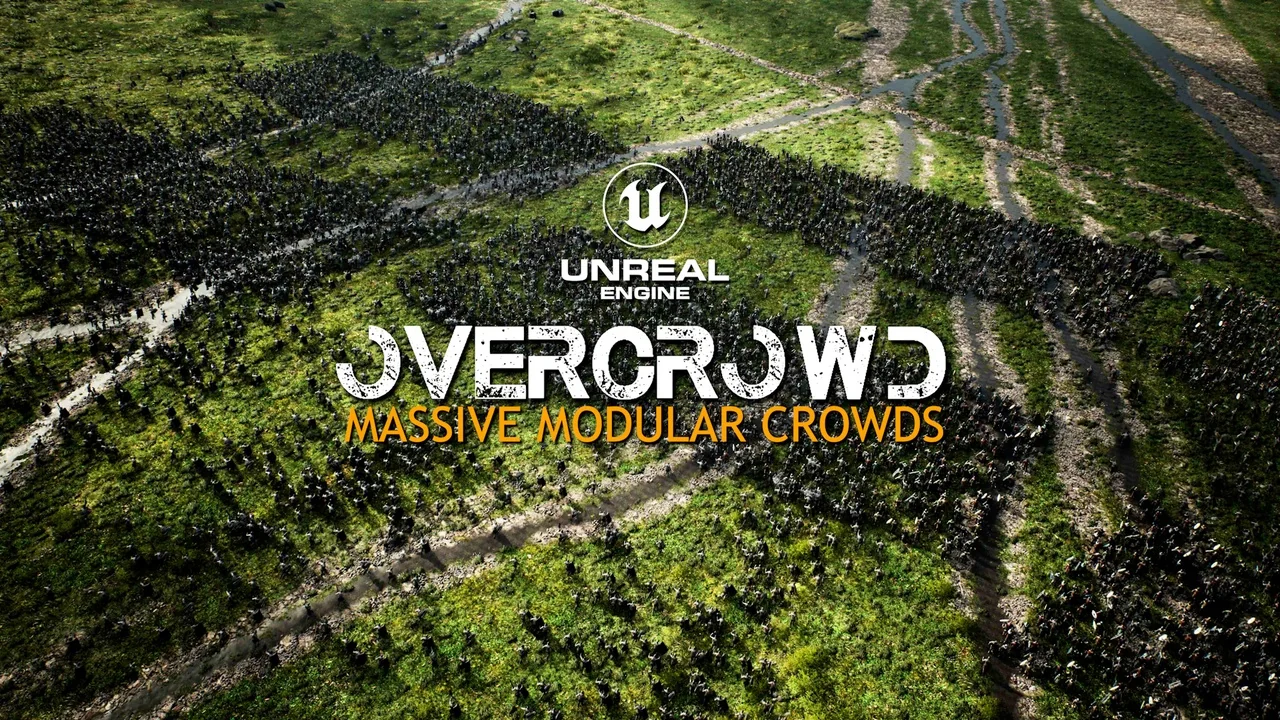
 Engine Tools
 Unreal Engine
 Characters