"95fdaf16012263fa"{"id":"1002330","slug":"multiplayer-starter-pack","title":"Multiplayer Starter Pack","category":"Network \u0026 Multiplayer","engine":"4.24+,5.0+","assetVersion":"","engineVersion":"Engine Version: 4.24+,5.0+","tag":"Network","accent":"blue","visual":"mech","summary":"Blueprint multiplayer template with host, join, and destroy sessions, chat, team selection, a pre-match timer, TPS locomotion, and health and ammo pickups.","platform":"Unreal Engine","indexPolicy":"index","publishedAt":"2026-11-06T06:35:10.726Z","updatedAt":"2026-11-06T06:35:10.726Z","sourceNotes":[],"fileContents":[],"compatibility":["Unreal Engine","Engine Version: 4.24+,5.0+"],"featuredImage":{"alt":"Multiplayer Starter Pack","src":"/wp-content/uploads/published/2026/11/3a54eaf386b8-506590ed-707a-4389-ad7a-99366257b1fa-78298e0e6c.webp"},"hasDownloadLink":true,"downloads":0,"terms":[{"taxonomy":"category","slug":"network-and-multiplayer","name":"Network \u0026 Multiplayer"}],"galleryImages":[{"src":"/wp-content/uploads/published/2026/11/3f7757828841-aed2c87f-2b72-4d20-9143-f2225a8f2ba4-c9f0b5449f.webp","alt":"Multiplayer Starter Pack"},{"src":"/wp-content/uploads/published/2026/11/c65256e78146-cd439a16-30eb-48d8-a08b-49f73b3edc00-9180ddd85c.webp","alt":"Multiplayer Starter Pack"},{"src":"/wp-content/uploads/published/2026/11/8225694c2555-6a1fcb8d-7dc9-4ba5-ab82-9d63d8cc18d5-2c2aba2abb.webp","alt":"Multiplayer Starter Pack"},{"src":"/wp-content/uploads/published/2026/11/dbe727b79528-74c05887-ef6b-41f1-80fa-b6bb549499d7-2378a33b82.webp","alt":"Multiplayer Starter Pack"},{"src":"/wp-content/uploads/published/2026/11/b11d454696f1-33a427be-164f-4cab-b7d6-c131e6ee9257-6fc60a2313.webp","alt":"Multiplayer Starter Pack"}],"accessPanel":{"kind":"resource","title":"Get this resource","eyebrow":"Free resource","message":"3DCGHUB is the service provider for this listing. Access is fulfilled through the official publisher channel.","fileName":"Multiplayer Starter Pack.7z","safetyNote":"Resources are manually reviewed before listing to improve quality and reduce obvious risks.","actionLabel":"Get this resource","resourceType":"Resource archive","versions":[]},"contentHtml":"\u003cp\u003eA first online shooter prototype tends to stall where the menu ends. A player can start a local match, but the project still needs a host, a joining player, a team slot, a countdown, and some way for clients to talk to each other. Multiplayer Starter Pack is a small Blueprint set aimed at that stage: the early online shell that has to work before larger gameplay systems can be tested with other people.\u003c/p\u003e\n\u003cp\u003eThe package name is direct about its role. It is a starter set, not a finished multiplayer game. Its scope is clear: session handling, chat, team selection, a timer before game start, basic third-person locomotion, and health and ammo pickups. Everything is 100% Blueprint and fully network replicated, which keeps the starting point editable inside a Blueprint workflow.\u003c/p\u003e\n\u003ch2\u003eStarting a Small Online Project With Session Control\u003c/h2\u003e\n\u003cp\u003eThe core session loop covers Host Session, Join Session, and Destroy Session. Those three actions define the first practical layer of any online project: one player creates the session, another player joins it, and the session can be closed when it is no longer needed. For a prototype, that is the difference between a single-player test and a client/server test with real participants.\u003c/p\u003e\n\u003cp\u003eKeeping those operations inside a Blueprint template makes them easy to inspect and adapt. A developer can trace how the host path and join path are set up, then adjust the surrounding game flow without rewriting the network layer from scratch. Destroy Session completes the loop by giving the project a way to end the session rather than leaving it running.\u003c/p\u003e\n\u003ch2\u003eTeam Selection and the Timer Before Game Start\u003c/h2\u003e\n\u003cp\u003eTeam Selection is included as a pre-match step. Players can be placed into teams before the action begins, which gives a team-based prototype a defined structure rather than starting without an assigned side. The Timer Before Game Start reinforces that structure by marking a deliberate period between joining and playing.\u003c/p\u003e\n\u003cp\u003eThat countdown serves a practical role in a starter project. It separates the lobby from the match, gives team selection a window in which to happen, and creates a repeatable pre-game state that can be observed during testing. In a small set, those two pieces do a lot of organizational work: they turn a bare session into something closer to a match flow.\u003c/p\u003e\n\u003ch2\u003eChat, Replication, and the Online Flow\u003c/h2\u003e\n\u003cp\u003eA Chat System is part of the package, giving players a communication channel inside the session. Chat is a useful early feature because it exercises the same networked path as the rest of the online flow: a client sends something, and the other participants receive it. In a template, that makes chat more than a convenience; it is a visible sign that the session is connected and working.\u003c/p\u003e\n\u003cp\u003eThe set is fully network replicated. That claim matters across the features already named: the session actions, chat, team selection, timer, and pickups all need to behave consistently when more than one client is connected. Full replication is the difference between a menu that looks online and a project that can actually be tested with another player.\u003c/p\u003e\n\u003ch2\u003eTPS Locomotion, Health, and Ammo Pickups\u003c/h2\u003e\n\u003cp\u003eBasic TPS Locomotion System gives the prototype a third-person movement base. It is labeled basic, which sets the right expectation: this is the movement layer needed to move around and test the online flow, not a complete character controller with every possible traversal feature. For a starter pack, that is an appropriate scope. The session, teams, timer, and chat need a playable body in the scene, and the TPS locomotion supplies that starting point.\u003c/p\u003e\n\u003cp\u003eHealth and Ammo Pick Ups add two simple resource loops to the test space. Health pickups and ammo pickups are the kind of objects that quickly reveal whether a networked scene is behaving: a player interacts with one, and the result should be consistent for the clients involved. Their presence also gives the template a combat-adjacent shape without claiming to be a full shooter framework.\u003c/p\u003e\n\u003ch2\u003eBlueprint Workflow and Multiplayer Shooter Bundle Compatibility\u003c/h2\u003e\n\u003cp\u003eThe package is 100% Blueprint. That matters for a developer who wants to open the project, read the logic, and change it without switching to a code-first workflow. Session handling, chat, team selection, the pre-match timer, TPS locomotion, and pickups are all part of the same Blueprint-based starting point.\u003c/p\u003e\n\u003cp\u003eMultiplayer Starter Pack is compatible with the Multiplayer Shooter Bundle. For projects already using that bundle, this gives a smaller multiplayer layer that can sit alongside related shooter content. It is tagged as a template for multiplayer, third-person, and chat work, with person and Blueprint tags also attached.\u003c/p\u003e\n\u003ch2\u003eTesting the Multiplayer Starter Pack on Two or More Computers\u003c/h2\u003e\n\u003cp\u003eBecause the package is shaped by sessions and network replication, a single-machine run only shows part of the picture. Running it on two or more computers gives a better test of the host and join paths, the chat system, team selection, the timer, and the replicated pickups. It also makes failures easier to see: a session that never appears, a chat message that does not arrive, or a team state that differs between clients.\u003c/p\u003e\n\u003cp\u003eThat testing approach fits the purpose of a starter pack. The point is not to prove the set is a finished game, but to confirm that the online shell works well enough to build on. Two or more computers provide a more honest check of that shell than a solo session can.\u003c/p\u003e\n\u003ch2\u003eWho Gets the Most From This Multiplayer Starter Pack\u003c/h2\u003e\n\u003cp\u003eA solo developer or small team starting an online third-person project is the clearest fit. The pack covers the first layer of that project: host and join a session, close it, chat, pick teams, wait through a pre-match timer, move a third-person character, and collect health or ammo. Each item is limited in scope, and that limitation is the point. It gives a project a working starting line without pretending to be a full multiplayer shooter.\u003c/p\u003e\n\u003cp\u003eDevelopers who already have a larger shooter framework may still find it useful as a compact Blueprint reference for the session and lobby flow, especially when compatibility with the Multiplayer Shooter Bundle is relevant. Anyone expecting a complete game, advanced locomotion, or a finished combat system would be looking past what this set contains. The useful part is the setup: a small, replicated, Blueprint-based multiplayer starting point that can be tested with other people and then extended.\u003c/p\u003e\n\n\u003ch2\u003eRelated Resources Worth Checking\u003c/h2\u003e\n\u003cul\u003e\n\u003cli\u003e\u003ca href=\"https://3dcghub.com/simple-capture-the-flag/\" rel=\"noopener noreferrer\"\u003eSimple Capture The Flag\u003c/a\u003e\u003c/li\u003e\n\u003cli\u003e\u003ca href=\"https://3dcghub.com/tps-multiplayer-pack/\" rel=\"noopener noreferrer\"\u003eTPS Multiplayer Pack\u003c/a\u003e\u003c/li\u003e\n\u003cli\u003e\u003ca href=\"https://3dcghub.com/multiplayer-basics/\" rel=\"noopener noreferrer\"\u003eMultiplayer Basics\u003c/a\u003e\u003c/li\u003e\n\u003cli\u003e\u003ca href=\"https://3dcghub.com/multiplayer-blueprint-lobby-solution-template-by-kekdot/\" rel=\"noopener noreferrer\"\u003eMultiplayer Blueprint Lobby Solution - Template - By Kekdot\u003c/a\u003e\u003c/li\u003e\n\u003cli\u003e\u003ca href=\"https://3dcghub.com/multiplayer-horror-bodycam/\" rel=\"noopener noreferrer\"\u003eMultiplayer Horror Bodycam\u003c/a\u003e\u003c/li\u003e\n\u003c/ul\u003e","contentTextLength":6620,"navigation":{"current":38,"total":4291,"previous":{"id":"1002331","slug":"network-stats","title":"Network Stats","category":"Network \u0026 Multiplayer","platform":"Unreal Engine","updatedAt":"2026-11-06T06:36:07.864Z"},"next":{"id":"1002329","slug":"modular-wood-pack","title":"Modular Wood Pack","category":"Furniture \u0026 Fixtures","platform":"Unreal Engine","updatedAt":"2026-11-06T06:34:28.335Z"}},"relatedResources":[{"id":"1002200","slug":"simple-capture-the-flag","title":"Simple Capture The Flag","category":"Network \u0026 Multiplayer","engine":"4.26+,5.0+","assetVersion":"","engineVersion":"Engine Version: 4.26+,5.0+","tag":"Network","accent":"blue","visual":"mech","summary":"A Blueprint-based multiplayer capture the flag game mode designed without a combat system, featuring Steam support and Multiplayer FPS Basic compatibility.","platform":"Unreal Engine","indexPolicy":"index","publishedAt":"2026-10-29T14:44:10.264Z","updatedAt":"2026-10-29T14:44:10.264Z","sourceNotes":[],"fileContents":[],"compatibility":["Unreal Engine","Engine Version: 4.26+,5.0+"],"featuredImage":{"alt":"Simple Capture The Flag","src":"/wp-content/uploads/published/2026/10/7c26ab1b77bb-09cd285d-35c9-4bde-a0ce-614e225d2e86-ed3c8f8489.webp"},"hasDownloadLink":true,"downloads":0},{"id":"1001914","slug":"tps-multiplayer-pack","title":"TPS Multiplayer Pack","category":"Network \u0026 Multiplayer","engine":"4.26+,5.0+","assetVersion":"","engineVersion":"Engine Version: 4.26+,5.0+","tag":"Network","accent":"blue","visual":"mech","summary":"Explore the TPS Multiplayer Pack, an extendable third-person shooter framework supporting single-player, co-op, cover systems, and modular combat.","platform":"Unreal Engine","indexPolicy":"index","publishedAt":"2026-10-22T11:51:55.166Z","updatedAt":"2026-10-22T11:51:55.166Z","sourceNotes":[],"fileContents":[],"compatibility":["Unreal Engine","Engine Version: 4.26+,5.0+"],"featuredImage":{"alt":"TPS Multiplayer Pack","src":"/wp-content/uploads/published/2026/10/962e449c8857-285aa54c-63e7-402f-82eb-5041e7528f29-eaaa7c839e.webp"},"hasDownloadLink":true,"downloads":0},{"id":"1001487","slug":"multiplayer-basics","title":"Multiplayer Basics","category":"Network \u0026 Multiplayer","engine":"4.27+,5.0+","assetVersion":"","engineVersion":"Engine Version: 4.27+,5.0+","tag":"Network","accent":"blue","visual":"mech","summary":"Explore Multiplayer Basics, an Unreal Engine template featuring replicated health, hunger, stamina, melee, ragdoll physics, and session setup.","platform":"Unreal Engine","indexPolicy":"index","publishedAt":"2026-10-08T09:22:21.300Z","updatedAt":"2026-10-08T09:22:21.300Z","sourceNotes":[],"fileContents":[],"compatibility":["Unreal Engine","Engine Version: 4.27+,5.0+"],"featuredImage":{"alt":"Multiplayer Basics","src":"/wp-content/uploads/published/2026/10/93469427f34f-97f96bc8-b258-4365-b1c0-30a04d814a4e-0b5be7ea7b.webp"},"hasDownloadLink":true,"downloads":0}]}
Network
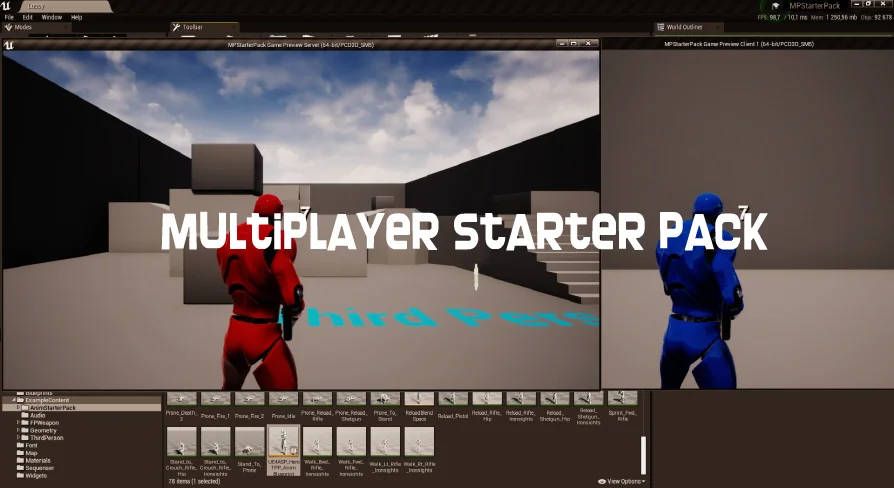
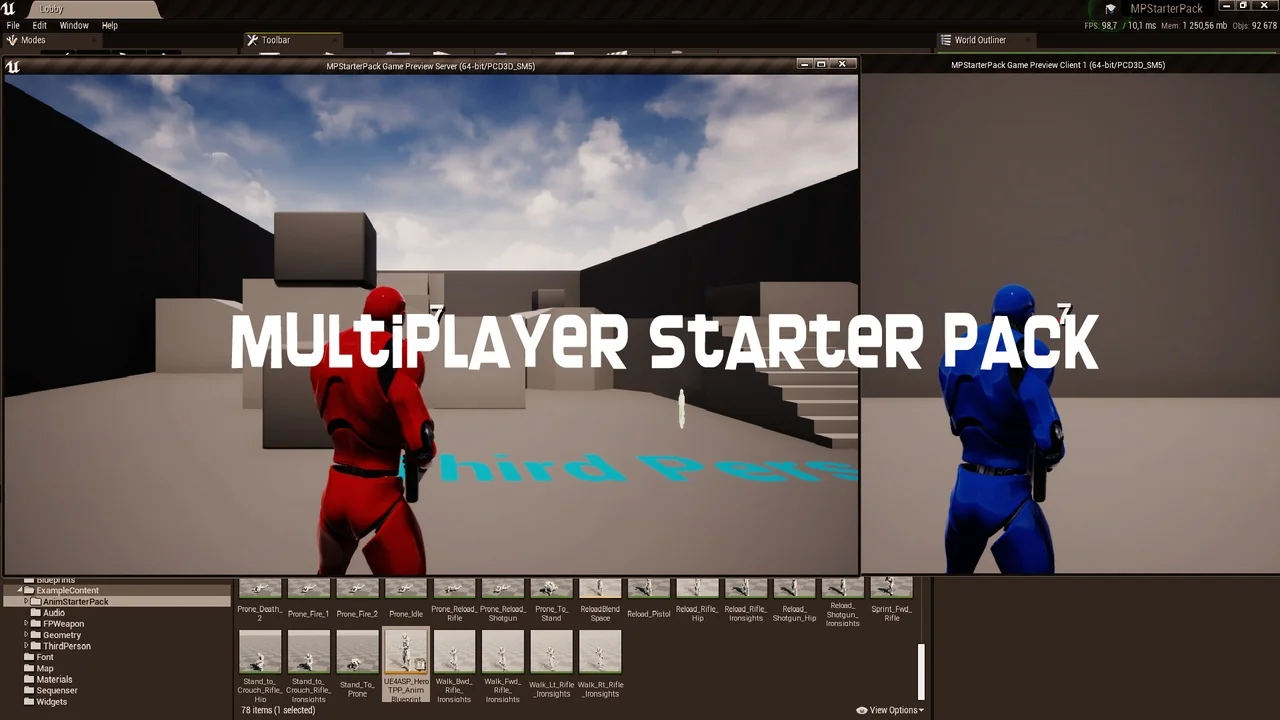
Multiplayer Starter Pack
Blueprint multiplayer template with host, join, and destroy sessions, chat, team selection, a pre-match timer, TPS locomotion, and health and ammo pickups.
A first online shooter prototype tends to stall where the menu ends. A player can start a local match, but the project still needs a host, a joining player, a team slot, a countdown, and some way for clients to talk to each other. Multiplayer Starter Pack is a small Blueprint set aimed at that stage: the early online shell that has to work before larger gameplay systems can be tested with other people.
The package name is direct about its role. It is a starter set, not a finished multiplayer game. Its scope is clear: session handling, chat, team selection, a timer before game start, basic third-person locomotion, and health and ammo pickups. Everything is 100% Blueprint and fully network replicated, which keeps the starting point editable inside a Blueprint workflow.
Starting a Small Online Project With Session Control
The core session loop covers Host Session, Join Session, and Destroy Session. Those three actions define the first practical layer of any online project: one player creates the session, another player joins it, and the session can be closed when it is no longer needed. For a prototype, that is the difference between a single-player test and a client/server test with real participants.
Keeping those operations inside a Blueprint template makes them easy to inspect and adapt. A developer can trace how the host path and join path are set up, then adjust the surrounding game flow without rewriting the network layer from scratch. Destroy Session completes the loop by giving the project a way to end the session rather than leaving it running.
Team Selection and the Timer Before Game Start
Team Selection is included as a pre-match step. Players can be placed into teams before the action begins, which gives a team-based prototype a defined structure rather than starting without an assigned side. The Timer Before Game Start reinforces that structure by marking a deliberate period between joining and playing.
That countdown serves a practical role in a starter project. It separates the lobby from the match, gives team selection a window in which to happen, and creates a repeatable pre-game state that can be observed during testing. In a small set, those two pieces do a lot of organizational work: they turn a bare session into something closer to a match flow.
Chat, Replication, and the Online Flow
A Chat System is part of the package, giving players a communication channel inside the session. Chat is a useful early feature because it exercises the same networked path as the rest of the online flow: a client sends something, and the other participants receive it. In a template, that makes chat more than a convenience; it is a visible sign that the session is connected and working.
The set is fully network replicated. That claim matters across the features already named: the session actions, chat, team selection, timer, and pickups all need to behave consistently when more than one client is connected. Full replication is the difference between a menu that looks online and a project that can actually be tested with another player.
TPS Locomotion, Health, and Ammo Pickups
Basic TPS Locomotion System gives the prototype a third-person movement base. It is labeled basic, which sets the right expectation: this is the movement layer needed to move around and test the online flow, not a complete character controller with every possible traversal feature. For a starter pack, that is an appropriate scope. The session, teams, timer, and chat need a playable body in the scene, and the TPS locomotion supplies that starting point.
Health and Ammo Pick Ups add two simple resource loops to the test space. Health pickups and ammo pickups are the kind of objects that quickly reveal whether a networked scene is behaving: a player interacts with one, and the result should be consistent for the clients involved. Their presence also gives the template a combat-adjacent shape without claiming to be a full shooter framework.
Blueprint Workflow and Multiplayer Shooter Bundle Compatibility
The package is 100% Blueprint. That matters for a developer who wants to open the project, read the logic, and change it without switching to a code-first workflow. Session handling, chat, team selection, the pre-match timer, TPS locomotion, and pickups are all part of the same Blueprint-based starting point.
Multiplayer Starter Pack is compatible with the Multiplayer Shooter Bundle. For projects already using that bundle, this gives a smaller multiplayer layer that can sit alongside related shooter content. It is tagged as a template for multiplayer, third-person, and chat work, with person and Blueprint tags also attached.
Testing the Multiplayer Starter Pack on Two or More Computers
Because the package is shaped by sessions and network replication, a single-machine run only shows part of the picture. Running it on two or more computers gives a better test of the host and join paths, the chat system, team selection, the timer, and the replicated pickups. It also makes failures easier to see: a session that never appears, a chat message that does not arrive, or a team state that differs between clients.
That testing approach fits the purpose of a starter pack. The point is not to prove the set is a finished game, but to confirm that the online shell works well enough to build on. Two or more computers provide a more honest check of that shell than a solo session can.
Who Gets the Most From This Multiplayer Starter Pack
A solo developer or small team starting an online third-person project is the clearest fit. The pack covers the first layer of that project: host and join a session, close it, chat, pick teams, wait through a pre-match timer, move a third-person character, and collect health or ammo. Each item is limited in scope, and that limitation is the point. It gives a project a working starting line without pretending to be a full multiplayer shooter.
Developers who already have a larger shooter framework may still find it useful as a compact Blueprint reference for the session and lobby flow, especially when compatibility with the Multiplayer Shooter Bundle is relevant. Anyone expecting a complete game, advanced locomotion, or a finished combat system would be looking past what this set contains. The useful part is the setup: a small, replicated, Blueprint-based multiplayer starting point that can be tested with other people and then extended.
 Network
 Network
 Network
 Network