"c14ff6bd758dadb1"{"id":"1001060","slug":"multianim-mantling","title":"MultiAnim - Mantling","category":"Locomotion / Gaits","engine":"5.0+","assetVersion":"","engineVersion":"Engine Version: 5.0+","tag":"Locomotion / Gaits","accent":"blue","visual":"animation","summary":"MultiAnim - Mantling provides start/end mantle animations across seven height intervals, as part of the MultiAnim parkour and climbing animation family.","platform":"Unreal Engine","publishedAt":"2026-08-30T15:06:41.663Z","updatedAt":"2026-08-30T15:06:41.663Z","sourceNotes":[],"fileContents":[],"compatibility":["Unreal Engine","Engine Version: 5.0+"],"featuredImage":{"alt":"MultiAnim - Mantling","src":"/wp-content/uploads/published/2026/08/2676f3297a96-07b9083c-282c-47ce-842d-8f89b1bf570c-58ddbe3ce2.webp"},"hasDownloadLink":true,"downloads":3,"terms":[{"taxonomy":"category","slug":"locomotion-gaits","name":"Locomotion / Gaits"}],"galleryImages":[{"src":"/wp-content/uploads/published/2026/08/3dde1170b1a6-5f4b06ab-b02a-4eb2-bdda-840b5de0246f-2083af271e.webp","alt":"MultiAnim - Mantling"},{"src":"/wp-content/uploads/published/2026/08/545ec7838e05-87b99423-c154-49b1-b128-902ec28f4337-58cc939529.webp","alt":"MultiAnim - Mantling"},{"src":"/wp-content/uploads/published/2026/08/4a2535da1448-ddeca2d0-99d2-4ad5-a2d9-66cc39b4e50e-d53c44c95d.webp","alt":"MultiAnim - Mantling"},{"src":"/wp-content/uploads/published/2026/08/2aceeb2fba50-3c9f5f76-31f7-4c12-b14c-5b08ea61ad34-fb2cbd5c7a.webp","alt":"MultiAnim - Mantling"},{"src":"/wp-content/uploads/published/2026/08/fe732a3dfea0-87ef48e6-14d5-49b7-8bbf-a49cd806b5c2-9c341df50e.webp","alt":"MultiAnim - Mantling"},{"src":"/wp-content/uploads/published/2026/08/3065fef70fb9-838ba1eb-f9c6-49f4-af76-c22982f8e36f-328bd33937.webp","alt":"MultiAnim - Mantling"},{"src":"/wp-content/uploads/published/2026/08/651f73fa3e7e-4c059195-a2e7-47b1-8075-2fde0182e251-30343e2453.webp","alt":"MultiAnim - Mantling"},{"src":"/wp-content/uploads/published/2026/08/547fbb97b981-355944ab-42c7-4394-bdc4-55841586f467-7f16d3d9fc.webp","alt":"MultiAnim - Mantling"},{"src":"/wp-content/uploads/published/2026/08/0bfeb6f2ab55-000af383-cf65-4bec-a572-e069ae471bbd-e9d87160ed.webp","alt":"MultiAnim - Mantling"},{"src":"/wp-content/uploads/published/2026/08/16554daba1ef-91136acf-d8e1-4294-82a8-7168e333146d-ec8236f30e.webp","alt":"MultiAnim - Mantling"}],"accessPanel":{"kind":"resource","title":"Download this resource","eyebrow":"Free Download","message":"Log in or create a free account to start your download.","fileName":"MultiAnimMantling.7z","safetyNote":"Resources are manually reviewed before listing to improve quality and reduce obvious risks.","actionLabel":"Download Free","resourceType":"Resource archive"},"contentHtml":"\u003cp\u003eMultiAnim - Mantling is an animation resource for characters that need to pull themselves up, over, or through obstacles by hand. It is structured through the idea that mantle actions are not one-size-fits-all: a low ledge and a high wall demand very different body motion. This pack addresses that by delivering mantling animations measured across seven distinct distances: 0.5 m, 0.75 m, 1 m, 1.5 m, 1.75 m, 2 m, and 2.5 m.\u003c/p\u003e \u003cp\u003eEach of those height intervals is represented by two modular animation pieces, a Start and an End. The Start module handles the initial pull and lift, while the End module completes the transition onto the surface. By splitting the action this way, the animations can be plugged into a larger state machine or layered into an existing traversal system without forcing a single baked-in motion.\u003c/p\u003e \u003cp\u003eThe resource is tagged for parkour, mantle, realistic, vault, character, and climbing. That tag list matches the kind of production work where this type of animation is most useful: player characters in third-person action games, cinematic sequences, or any project that needs believable weight when a character moves through the environment.\u003c/p\u003e \u003ch2\u003eSeven climbing heights to tune traversal\u003c/h2\u003e \u003cp\u003eThe height range in MultiAnim - Mantling is the core feature. The seven intervals — 0.5 m, 0.75 m, 1 m, 1.5 m, 1.75 m, 2 m, and 2.5 m — cover everything from a curb-height step to a near-wall-ledge pull. Rather than relying on one generic mantle animation that gets stretched or scaled, the pack provides distinct animation data for each step.\u003c/p\u003e \u003cp\u003eHaving seven pre-set heights gives a designer or animator a quick way to match the animation to the actual collision geometry. A waist-high crate can use the 1 m option, while a tall shipping container can use the 2.5 m option. The granularity also helps when blending between different obstacles; the 0.75 m and 1.5 m variants offer mid-point values that prevent obvious popping between animation states.\u003c/p\u003e \u003cp\u003eBecause the values are expressed in meters, they are straightforward to compare with level geometry. This is especially helpful during blockout phases when placeholder obstacles are sized in whole numbers, or during final art when precise measurements are available.\u003c/p\u003e \u003ch2\u003eStart and End as modular building blocks\u003c/h2\u003e \u003cp\u003eEach mantle action in MultiAnim - Mantling is split into Start and End modules. The Start module captures the initial reach, grab, and pull-up from the lower position. The End module handles the final push or step that brings the character to a standing or crouched state on the obstacle. This separation is useful for more than just animation organization.\u003c/p\u003e \u003cp\u003eBy isolating the ending pose, developers can blend the mantle into different follow-up states. For example, a character might land into a standing idle, a sprint, or another aggressive movement. Similarly, the Start module can be triggered from various approach angles, reducing the risk of foot sliding or unnatural snaps when the animation begins.\u003c/p\u003e \u003cp\u003eThe modular structure also makes it easier to create Mantle, Vault, and Climb variations from the same animation family. When combined with other entries in the MultiAnim collection, these Start and End pieces become building blocks for a full locomotion and traversal set.\u003c/p\u003e \u003ch2\u003eWhere MultiAnim - Mantling sits in the MultiAnim lineup\u003c/h2\u003e \u003cp\u003eMultiAnim - Mantling is not an isolated animation pack. The same product family includes MultiAnim - Mantle1, MultiAnim - Vault, MultiAnim - Climb, and MultiMovement v1. The MultiMovement v1 option appears to bundle Mantle, Vault, and Cover Systems into a larger movement framework, while the individual packs target specific traversal actions.\u003c/p\u003e \u003cp\u003eThe pack is also noted as compatible with MultiAnim - Climb. That compatibility is valuable for projects that already use the climbing module and want to add more grounded mantle options without reworking the animation layer. The two packs can be set up side by side, with mantling handling short obstacles and climbing handling tall walls or ladders.\u003c/p\u003e \u003cp\u003eThis lineup suggests a coherent design philosophy: each animation action is measured, modular, and built to be integrated with adjacent systems. A team that starts with MultiAnim - Mantling can later add Vault or Climb modules without starting from scratch, because the animation structure and naming conventions appear consistent across the series.\u003c/p\u003e \u003ch2\u003eDemo, migration guide, and a root-motion pass\u003c/h2\u003e \u003cp\u003eThe pack includes a demo video and a migration tutorial inside the pack itself. The demo video gives a quick visual reference for how the animations behave at each height, which is useful for previewing before the asset is imported into a project. The migration tutorial is practical for teams upgrading from an older version of the animations or from another pack; it walks through the steps needed to set up the new asset correctly.\u003c/p\u003e \u003cp\u003eOne of the listed updates is \"Update 01 — Fix RootMotion.\" This is a specific technical correction that matters for production. Root motion refers to movement that is encoded within the animation itself, rather than driven purely by code. When root motion is correctly fixed, the character's forward and upward motion matches the visual displacement, reducing the need for extensive tweaking in the character controller. For a mantle action, proper root motion is critical because the body moves a substantial distance both vertically and horizontally, and any mismatch between animation and collision response can cause visible sliding or clipping.\u003c/p\u003e \u003cp\u003eThe existence of this update signals that the pack has been maintained after its initial release, and that the developer is addressing integration issues that can arise in real engine setups.\u003c/p\u003e \u003ch2\u003eA good fit for parkour-heavy and realistic traversal projects\u003c/h2\u003e \u003cp\u003eWhen a project needs realistic parkour and climbing behavior, MultiAnim - Mantling offers a focused solution. The seven height intervals, the Start/End module split, and its place in the broader MultiAnim family make it directly applicable to games where characters constantly interact with vertical terrain.\u003c/p\u003e \u003cp\u003eBecause the pack is focused on mantling rather than full-body parkour, it works well as a targeted addition to an existing animation system. You can keep your own locomotion and idle states, then call in the mantle modules when the player reaches a ledge. The modular design means there is no need to rework the entire animation blueprint; just plug in the relevant Start and End piece according to the obstacle height.\u003c/p\u003e \u003cp\u003eFor teams working on third-person action games, survival titles, or any kind of traversal-heavy prototype, the practical takeaway is that MultiAnim - Mantling provides a clean, measured set of mantle animations that can be integrated incrementally. The demo video helps with the first evaluation, the migration tutorial smooths the technical step, and the root-motion update removes a common integration headache. Combined with the compatible MultiAnim - Climb pack, it can form the core of a believable climbing and mantling system.\u003c/p\u003e\n\n\u003ch2\u003eRelated Resources Worth Checking\u003c/h2\u003e\n\u003cul\u003e\n\u003cli\u003e\u003ca href=\"https://3dcghub.com/swim-component-150-animations-blueprints/\" title=\"Swim Component : 150 Animations + Blueprints\"\u003eSwim Component : 150 Animations + Blueprints\u003c/a\u003e\u003c/li\u003e\n\u003cli\u003e\u003ca href=\"https://3dcghub.com/stairs-set/\" title=\"Stairs Set\"\u003eStairs Set\u003c/a\u003e\u003c/li\u003e\n\u003cli\u003e\u003ca href=\"https://3dcghub.com/procedural-animation-framework/\" title=\"Procedural Animation Framework\"\u003eProcedural Animation Framework\u003c/a\u003e\u003c/li\u003e\n\u003cli\u003e\u003ca href=\"https://3dcghub.com/balance-component-53-animations-blueprints/\" title=\"Balance Component : 53 Animations + Blueprints\"\u003eBalance Component : 53 Animations + Blueprints\u003c/a\u003e\u003c/li\u003e\n\u003cli\u003e\u003ca href=\"https://3dcghub.com/silent-walking-animations/\" title=\"Silent Walking Animations\"\u003eSilent Walking Animations\u003c/a\u003e\u003c/li\u003e\n\u003c/ul\u003e","contentTextLength":7187,"navigation":{"current":771,"total":3719,"previous":{"id":"1001061","slug":"primitive-characters-pack","title":"Primitive Characters (Pack)","category":"Characters \u0026 Creatures","platform":"Unreal Engine","updatedAt":"2026-08-30T15:21:04.948Z"},"next":{"id":"1001059","slug":"modern-office-environment-modern-office-environment-modern-office-3d-office-2","title":"Modern Office Environment ( Modern Office Environment Modern Office 3D Office )","category":"Interior","platform":"Unreal Engine","updatedAt":"2026-08-30T15:00:21.323Z"}},"relatedResources":[{"id":"1001428","slug":"big-locomotion-pack-v04","title":"Big Locomotion Pack V04","category":"Locomotion / Gaits","engine":"5.0+","assetVersion":"","engineVersion":"Engine Version: 5.0+","tag":"Locomotion / Gaits","accent":"blue","visual":"animation","summary":"Comprehensive analysis of Big Locomotion Pack V04, featuring 601 animations, 27 aim offset poses, multi-weapon sets, and crawling transition updates.","platform":"Unreal Engine","publishedAt":"2026-10-07T06:05:55.282Z","updatedAt":"2026-10-07T06:05:55.282Z","sourceNotes":[],"fileContents":[],"compatibility":["Unreal Engine","Engine Version: 5.0+"],"featuredImage":{"alt":"Big Locomotion Pack V04","src":"/wp-content/uploads/published/2026/10/04032812410e-69c19691-ef01-4992-bc9f-adf462573cc9-4d809faeb4.webp"},"hasDownloadLink":true,"downloads":2},{"id":"1001175","slug":"zombie-movement-and-modular-interaction-animations","title":"Zombie Movement and Modular Interaction Animations","category":"Locomotion / Gaits","engine":"5.0+","assetVersion":"","engineVersion":"Engine Version: 5.0+","tag":"Locomotion / Gaits","accent":"blue","visual":"animation","summary":"Explore Zombie Movement and Modular Interaction Animations, featuring 34 motion clips with wounded locomotion, paired grab sequences, and crawl attacks.","platform":"Unreal Engine","publishedAt":"2026-09-17T03:47:54.048Z","updatedAt":"2026-09-17T03:47:54.048Z","sourceNotes":[],"fileContents":[],"compatibility":["Unreal Engine","Engine Version: 5.0+"],"featuredImage":{"alt":"Zombie Movement and Modular Interaction Animations","src":"/wp-content/uploads/published/2026/09/13eb6b01a562-5c1e2ffa-4ec9-4fab-ae0a-72c010372724-88412b8dd5.webp"},"hasDownloadLink":true,"downloads":3},{"id":"1000020","slug":"swim-component-150-animations-blueprints","title":"Swim Component : 150 Animations + Blueprints","category":"Locomotion / Gaits","engine":"5.1+","assetVersion":"","engineVersion":"5.1+","tag":"Locomotion / Gaits","accent":"blue","visual":"animation","summary":"A configurable Unreal Engine swimming system with 150 animations, commented Blueprints, buoyancy, underwater movement, replication, and water support.","platform":"Unreal Engine","publishedAt":"2026-05-20T09:44:51.233Z","updatedAt":"2026-08-23T13:10:29.178Z","sourceNotes":[],"fileContents":[],"compatibility":["Unreal Engine","Engine version: 5.1+"],"featuredImage":{"alt":"Swim Component : 150 Animations + Blueprints","src":"/wp-content/uploads/published/2026/05/3f1a788194c2-3859b48c-3c9b-44b5-9bb5-f9e573de330f-692f035541.webp"},"hasDownloadLink":true,"downloads":6}]}
Locomotion / Gaits
MultiAnim - Mantling
MultiAnim - Mantling provides start/end mantle animations across seven height intervals, as part of the MultiAnim parkour and climbing animation family.
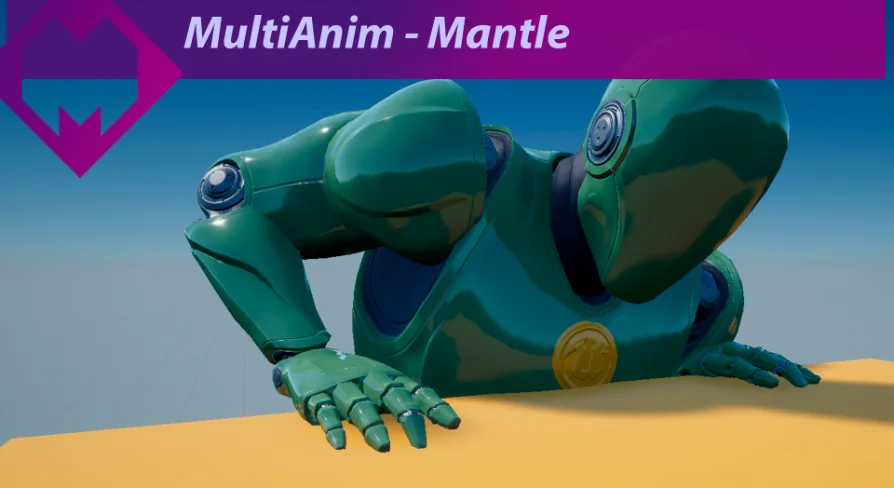
MultiAnim - Mantling is an animation resource for characters that need to pull themselves up, over, or through obstacles by hand. It is structured through the idea that mantle actions are not one-size-fits-all: a low ledge and a high wall demand very different body motion. This pack addresses that by delivering mantling animations measured across seven distinct distances: 0.5 m, 0.75 m, 1 m, 1.5 m, 1.75 m, 2 m, and 2.5 m.
Each of those height intervals is represented by two modular animation pieces, a Start and an End. The Start module handles the initial pull and lift, while the End module completes the transition onto the surface. By splitting the action this way, the animations can be plugged into a larger state machine or layered into an existing traversal system without forcing a single baked-in motion.
The resource is tagged for parkour, mantle, realistic, vault, character, and climbing. That tag list matches the kind of production work where this type of animation is most useful: player characters in third-person action games, cinematic sequences, or any project that needs believable weight when a character moves through the environment.
Seven climbing heights to tune traversal
The height range in MultiAnim - Mantling is the core feature. The seven intervals — 0.5 m, 0.75 m, 1 m, 1.5 m, 1.75 m, 2 m, and 2.5 m — cover everything from a curb-height step to a near-wall-ledge pull. Rather than relying on one generic mantle animation that gets stretched or scaled, the pack provides distinct animation data for each step.
Having seven pre-set heights gives a designer or animator a quick way to match the animation to the actual collision geometry. A waist-high crate can use the 1 m option, while a tall shipping container can use the 2.5 m option. The granularity also helps when blending between different obstacles; the 0.75 m and 1.5 m variants offer mid-point values that prevent obvious popping between animation states.
Because the values are expressed in meters, they are straightforward to compare with level geometry. This is especially helpful during blockout phases when placeholder obstacles are sized in whole numbers, or during final art when precise measurements are available.
Start and End as modular building blocks
Each mantle action in MultiAnim - Mantling is split into Start and End modules. The Start module captures the initial reach, grab, and pull-up from the lower position. The End module handles the final push or step that brings the character to a standing or crouched state on the obstacle. This separation is useful for more than just animation organization.
By isolating the ending pose, developers can blend the mantle into different follow-up states. For example, a character might land into a standing idle, a sprint, or another aggressive movement. Similarly, the Start module can be triggered from various approach angles, reducing the risk of foot sliding or unnatural snaps when the animation begins.
The modular structure also makes it easier to create Mantle, Vault, and Climb variations from the same animation family. When combined with other entries in the MultiAnim collection, these Start and End pieces become building blocks for a full locomotion and traversal set.
Where MultiAnim - Mantling sits in the MultiAnim lineup
MultiAnim - Mantling is not an isolated animation pack. The same product family includes MultiAnim - Mantle1, MultiAnim - Vault, MultiAnim - Climb, and MultiMovement v1. The MultiMovement v1 option appears to bundle Mantle, Vault, and Cover Systems into a larger movement framework, while the individual packs target specific traversal actions.
The pack is also noted as compatible with MultiAnim - Climb. That compatibility is valuable for projects that already use the climbing module and want to add more grounded mantle options without reworking the animation layer. The two packs can be set up side by side, with mantling handling short obstacles and climbing handling tall walls or ladders.
This lineup suggests a coherent design philosophy: each animation action is measured, modular, and built to be integrated with adjacent systems. A team that starts with MultiAnim - Mantling can later add Vault or Climb modules without starting from scratch, because the animation structure and naming conventions appear consistent across the series.
Demo, migration guide, and a root-motion pass
The pack includes a demo video and a migration tutorial inside the pack itself. The demo video gives a quick visual reference for how the animations behave at each height, which is useful for previewing before the asset is imported into a project. The migration tutorial is practical for teams upgrading from an older version of the animations or from another pack; it walks through the steps needed to set up the new asset correctly.
One of the listed updates is "Update 01 — Fix RootMotion." This is a specific technical correction that matters for production. Root motion refers to movement that is encoded within the animation itself, rather than driven purely by code. When root motion is correctly fixed, the character's forward and upward motion matches the visual displacement, reducing the need for extensive tweaking in the character controller. For a mantle action, proper root motion is critical because the body moves a substantial distance both vertically and horizontally, and any mismatch between animation and collision response can cause visible sliding or clipping.
The existence of this update signals that the pack has been maintained after its initial release, and that the developer is addressing integration issues that can arise in real engine setups.
A good fit for parkour-heavy and realistic traversal projects
When a project needs realistic parkour and climbing behavior, MultiAnim - Mantling offers a focused solution. The seven height intervals, the Start/End module split, and its place in the broader MultiAnim family make it directly applicable to games where characters constantly interact with vertical terrain.
Because the pack is focused on mantling rather than full-body parkour, it works well as a targeted addition to an existing animation system. You can keep your own locomotion and idle states, then call in the mantle modules when the player reaches a ledge. The modular design means there is no need to rework the entire animation blueprint; just plug in the relevant Start and End piece according to the obstacle height.
For teams working on third-person action games, survival titles, or any kind of traversal-heavy prototype, the practical takeaway is that MultiAnim - Mantling provides a clean, measured set of mantle animations that can be integrated incrementally. The demo video helps with the first evaluation, the migration tutorial smooths the technical step, and the root-motion update removes a common integration headache. Combined with the compatible MultiAnim - Climb pack, it can form the core of a believable climbing and mantling system.
 Locomotion / Gaits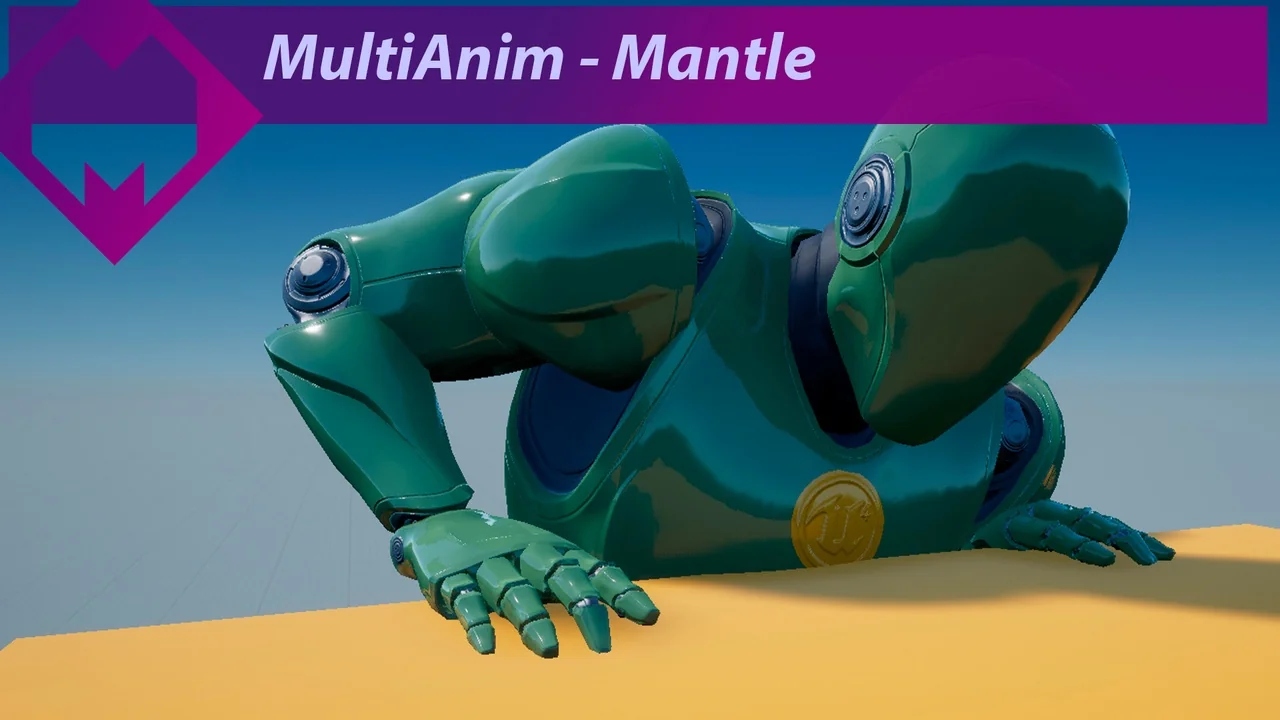
 Locomotion / Gaits
 Locomotion / Gaits
 Locomotion / Gaits