Growth starts from the scene itself
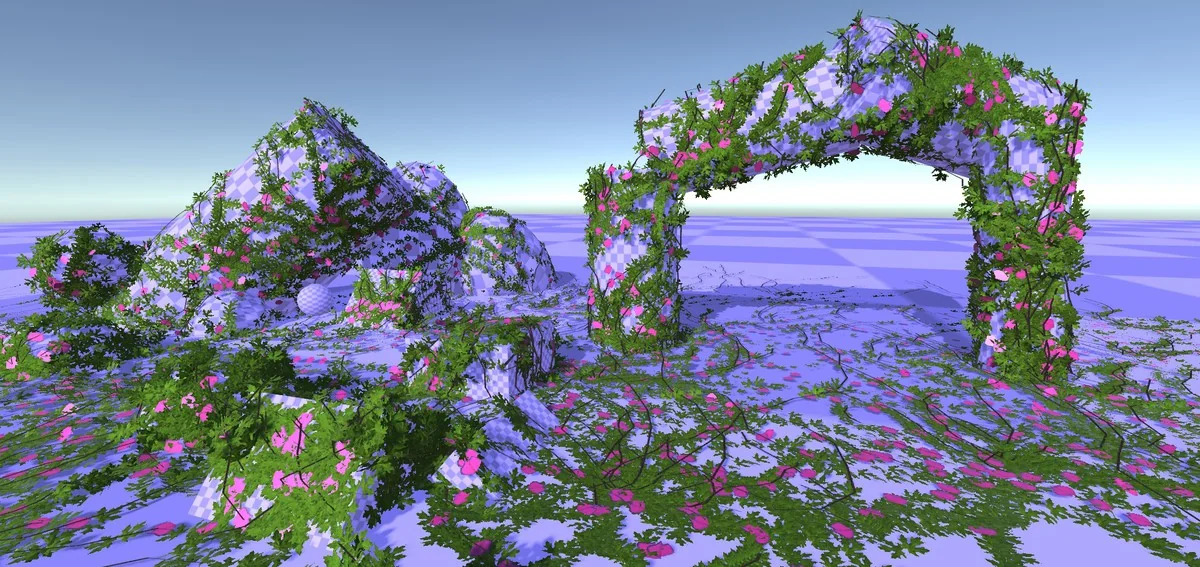
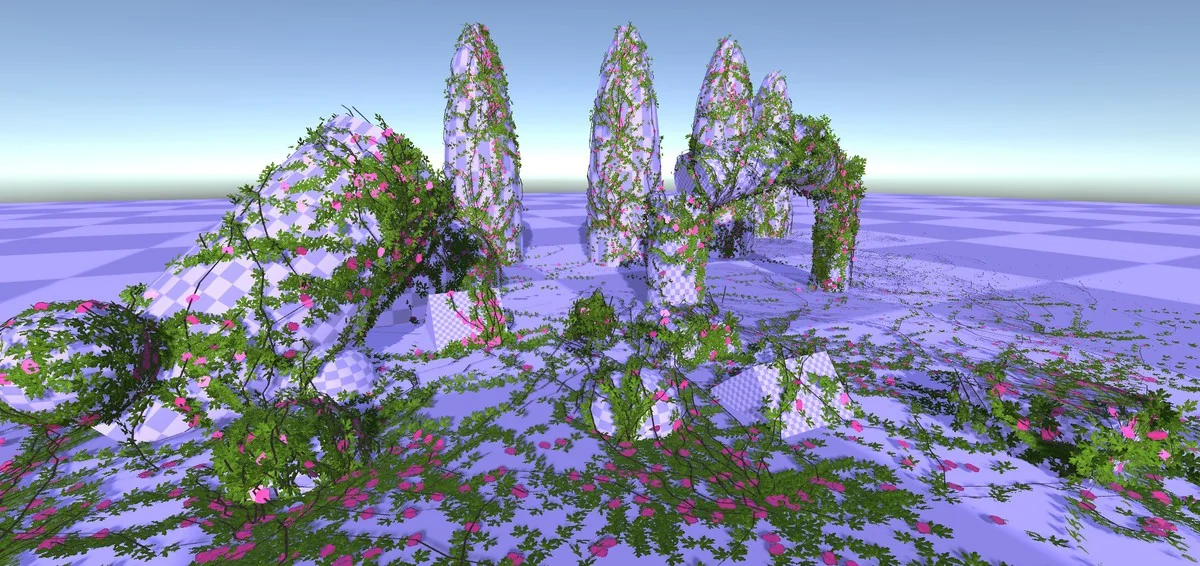
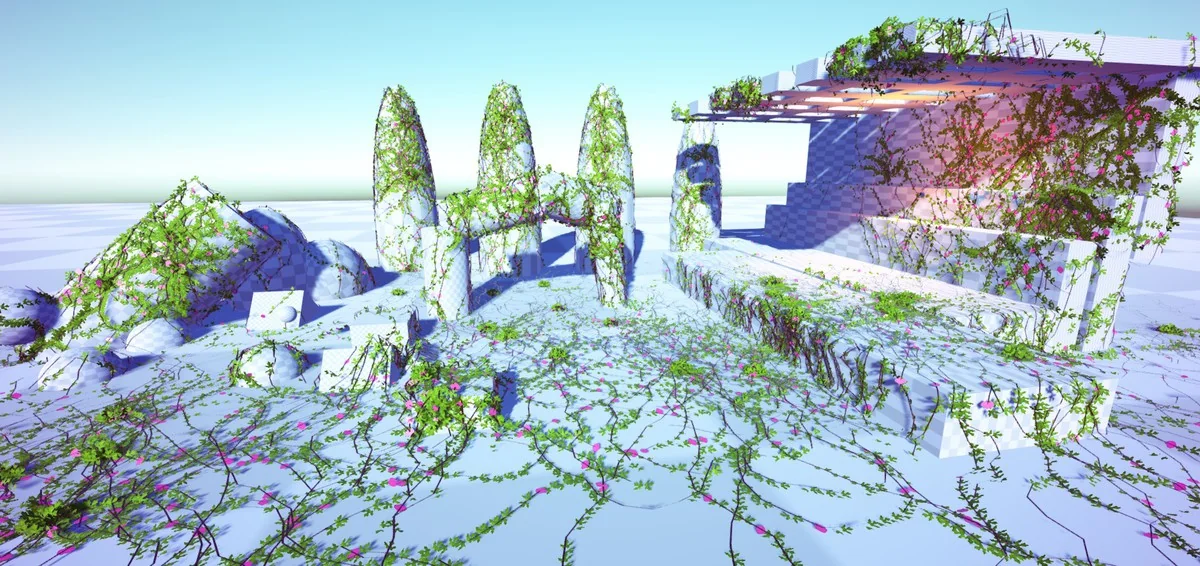
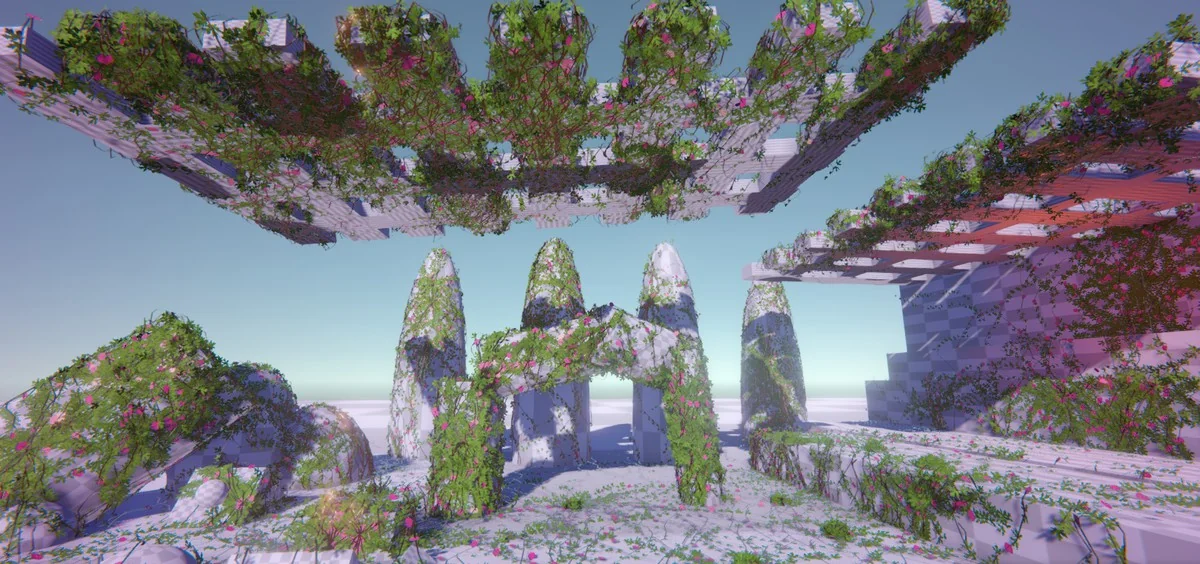
Ivy Studio generates ivy and climbing plants by using colliders in the scene as the surface they grow across. That makes the setup feel tied to the actual environment instead of relying on a static placement workflow. The system focuses on realistic, environment-adaptive vegetation and can be used to create optimized ivy at runtime.
The workflow works in two directions. Ivy can be created in the editor, then grown later in the game, or generated directly during runtime. There is also a deterministic ungrow option, which recreates the same ivy exactly as it was placed in the editor without needing to save it directly into the scene. That keeps the scene file smaller while still preserving the planted result.
Editor placement and runtime growth
The package supports ivy creation and manipulation in the editor, which is useful when setting up walls, ruins, ledges, or any surface that needs climbing vegetation. Once the ivy is in place, it can also grow on the fly during runtime. That makes the asset suitable for scenes that need vegetation to appear as part of gameplay or as a staged environmental effect.
The runtime side is not limited to a simple spawn action. Ivy can grow gradually at runtime, and the system is complete from a scripting side. The shader side of that gradual growth is still in progress, with shadowing issues while the ivy is growing, and that part is currently limited to the Standard Pipeline.
For projects that need a lighter scene file, the ungrow option is one of the more practical pieces of the workflow. It removes all ivy from the scene and can regrow it for edit-time use or game start, while keeping the scene size down.
Controlling spread, shape, and plant behavior
Ivy Studio uses plant behavior rules for generation, so the growth is not just a random mesh placement pass. Gravity and curvature modifiers are available to control how the ivy spreads, which gives the growth process a more directed shape when working on overhangs, vertical walls, or winding surfaces.
Leaf and flower changes can be applied directly with any prefab. That makes it possible to swap the visible plant details without rebuilding the whole system. The branch structure also has multiple presentation options: flat mesh branches are available for maximum performance, while full 3D branches are available for stronger systems.
Deterministic planting is another important control. It allows the exact same ivy branches to be recreated when the ivy is generated again, which is useful when a scene needs consistent results between editor placement and later regeneration.
Performance tools for larger scenes
A strong part of Ivy Studio is the amount of attention given to performance. The system supports extreme optimization of the ivy mesh, with both per-stroke and global modes available for runtime use. It also includes an ivy generator limit per area drawing, so multiple grow managers can be used with one manager per area.
To help divide the workload, the package includes a grid-based system with automated grid creation. That grid approach is meant to split the ivy for performance and works alongside the limited-area planting per manager setup. A level of detail system is also included, cutting off the ivy at distance when the grid system and limited-area planting are being used.
The asset also supports models with more than 64K vertices. For scenes that need to move beyond the procedural setup, ivy meshes can be exported and turned into prefabs.
Rendering details and pipeline notes
Shaders include wind support for all pipelines, which helps the vegetation respond with motion across supported rendering setups. That keeps the ivy from looking static when the scene calls for environmental movement.
The gradual growth feature is more limited at the moment. The shader side is still being finalized, and the growth effect currently has shadowing issues while it is happening. For now, that part is Standard Pipeline only. The rest of the system still centers on practical generation, runtime use, and scene management rather than a purely decorative setup.
A step-by-step URP tutorial playlist is also included in the material, which suggests the workflow has been documented for users who want to follow the generation process in a more guided way.
Where it fits best
Ivy Studio is most useful in environments where climbing vegetation needs to follow the actual shape of the level: building facades, broken structures, walls, and other collider-defined surfaces. It also suits projects that need ivy to be created in the editor and then regenerated or grown at runtime without storing a heavy scene setup.
The package is a practical fit for scenes that need controlled spread, low scene size, and regeneration consistency. The combination of collider-based growth, deterministic planting, mesh optimization, and grid-based management makes it especially relevant for environment work that has to stay organized as it scales.
For teams working on vegetation-heavy scenes, the most useful parts are the ones that keep the ivy controllable after placement: regrowth, area limits, mesh export, and runtime optimization. Those are the features that make the system suitable for production scenes that need both visual coverage and technical restraint.
Visual Breakdown






Protected download
Access this resource
All resources are 100% manually reviewed to eliminate all risks.