"400d583ceda30eb5"{"id":"1001617","slug":"inventory-system-pro-by-moonville","title":"Inventory System Pro by Moonville","category":"Gameplay Features","engine":"5.4+","assetVersion":"","engineVersion":"Engine Version: 5.4+","tag":"Gameplay Features","accent":"blue","visual":"mech","summary":"Inventory System Pro delivers a Blueprint-only toolkit featuring uniform and jigsaw grids, survival mechanics, and combat equipment for Unreal Engine.","platform":"Unreal Engine","publishedAt":"2026-10-11T01:45:57.813Z","updatedAt":"2026-10-11T01:45:57.813Z","sourceNotes":[],"fileContents":[],"compatibility":["Unreal Engine","Engine Version: 5.4+"],"featuredImage":{"alt":"Inventory System Pro by Moonville","src":"/wp-content/uploads/published/2026/10/cff3dc4ff029-f198679a-e82f-4dd8-b6af-a92f2cff2487-78f73d85b7.webp"},"hasDownloadLink":true,"downloads":0,"terms":[{"taxonomy":"category","slug":"gameplay-features","name":"Gameplay Features"}],"galleryImages":[{"src":"/wp-content/uploads/published/2026/10/2f0086d21387-9e5354ef-bfb4-4dae-94a9-52f7d97139cb-a86c2ce519.webp","alt":"Inventory System Pro by Moonville"},{"src":"/wp-content/uploads/published/2026/10/6d5f40353197-72a69766-ef40-49cc-a7d0-bc32354325b9-054634e131.webp","alt":"Inventory System Pro by Moonville"},{"src":"/wp-content/uploads/published/2026/10/9549c743e5d8-4b168e01-afb8-4fab-a375-136a1f8a0ea2-3663e3f9bd.webp","alt":"Inventory System Pro by Moonville"},{"src":"/wp-content/uploads/published/2026/10/dfae536d58f8-bb2d8594-d694-41b2-92f7-d86a6b09395e-e835a1c1e4.webp","alt":"Inventory System Pro by Moonville"},{"src":"/wp-content/uploads/published/2026/10/960dbfd5c2cf-80fbe0d1-26a9-4c0e-9e21-84e952c52252-2c29b65d3e.webp","alt":"Inventory System Pro by Moonville"},{"src":"/wp-content/uploads/published/2026/10/a5e8323520b8-209f553c-2965-45c1-8676-8fc64654d84a-bcc3fb7f05.webp","alt":"Inventory System Pro by Moonville"},{"src":"/wp-content/uploads/published/2026/10/3a5cbfc169b0-2b3bd4ac-6b91-481a-8779-5a92883b5fdf-16d0b8b065.webp","alt":"Inventory System Pro by Moonville"},{"src":"/wp-content/uploads/published/2026/10/3792b6e0ffe0-22e79879-3526-40be-ace0-c5995eccc4bc-6a6dbb6c36.webp","alt":"Inventory System Pro by Moonville"},{"src":"/wp-content/uploads/published/2026/10/7d9a570f63af-f087914c-705a-4371-8d63-75ac3b0daaf6-9e75077d7f.webp","alt":"Inventory System Pro by Moonville"},{"src":"/wp-content/uploads/published/2026/10/730536705239-509f1079-e30c-4bd1-ae32-eed4d3d0260c-13257894ca.webp","alt":"Inventory System Pro by Moonville"}],"accessPanel":{"kind":"resource","title":"Download this resource","eyebrow":"Free Download","message":"Log in or create a free account to start your download.","fileName":"Content.7z","safetyNote":"Resources are manually reviewed before listing to improve quality and reduce obvious risks.","actionLabel":"Download Free","resourceType":"Resource archive"},"contentHtml":"\u003ch2\u003eIntegrating the Blueprint-Only Toolkit into Existing Projects\u003c/h2\u003e\u003cp\u003eDeploying a functional item management structure usually requires balancing UI layout, character state updates, and storage logic. Inventory System Pro is structured entirely as a Blueprint-only framework, making initial integration straightforward for projects that avoid native C++ compilation. Getting the system up and running begins with establishing core character components, player controllers, and user interface layers using modular hooks.\u003c/p\u003e\u003cp\u003eBecause the logic is configured through Unreal Engine data assets, item definition does not require modifying base gameplay scripts. Developers define properties such as weight, icon artwork, equipment type, and durability within individual assets. Supporting both first-person and third-person camera perspectives out of the box, the toolkit fits directly into diverse project templates without demanding complete camera or mesh restructuring.\u003c/p\u003e\u003ch2\u003eInput Pipelines, Common UI, and Network Replication\u003c/h2\u003e\u003cp\u003eModern interface pipelines demand responsive navigation across multiple control schemes. The system comes pre-configured with Enhanced Input mappings alongside native Gamepad readiness, allowing smooth transitions between keyboard navigation, mouse dragging, and controller thumbsticks. Menu management leverages Common UI integration, maintaining structured input focus, stack handling, and UI layer prioritization across distinct screens.\u003c/p\u003e\u003cp\u003eFor cooperative and multiplayer titles, the architecture is fully networking-ready. Inventory transactions—such as picking up world actors, transferring contents to storage chests, and splitting stacks—replicate across the server and connected clients to prevent synchronization errors. Server verification governs item movement, equipment changes, and container interactions to keep client inventories reliable during active sessions.\u003c/p\u003e\u003ch2\u003eUniform and Jigsaw Grid Inventory Architectures\u003c/h2\u003e\u003cp\u003eVisual and mechanical layout needs vary widely between project genres. The package supplies two pre-built design templates inspired by top Action RPG and Action Horror titles. These templates expose two distinct spatial paradigms:\u003c/p\u003e\u003cul\u003e\u003cli\u003e\u003cstrong\u003eUniform Grid Layout:\u003c/strong\u003e Standard single-slot distribution common in action role-playing games, allowing rapid item sorting and clear quantity tracking.\u003c/li\u003e\u003cli\u003e\u003cstrong\u003eJigsaw Grid Layout:\u003c/strong\u003e Spatial, shape-based arrangement familiar in survival horror titles, where items occupy varying multi-tile dimensions and demand careful storage planning.\u003c/li\u003e\u003c/ul\u003e\u003cp\u003eBoth layouts integrate strict inventory load limits governed by maximum weight thresholds. When players cross certain weight boundaries, the inventory component fires capacity events that can throttle movement or prevent additional pickups. Beyond primary player bags, the grid logic governs external world containers, item chests, and temporary dropped packages.\u003c/p\u003e\u003ch2\u003eSurvival Components, Smelting, and Crafting Logic\u003c/h2\u003e\u003cp\u003eExtending beyond basic storage slots, the package supplies an integrated survival component built to track baseline character vitals: Health, Mana, Hunger, and Thirst bars. Consuming food or drink items interfaces directly with this component to deplete or restore status values over time.\u003c/p\u003e\u003cp\u003eThe crafting and refinement loop operates across dedicated world stations and manual combining routines:\u003c/p\u003e\u003cul\u003e\u003cli\u003e\u003cstrong\u003eCampfire Station:\u003c/strong\u003e Processes raw ingredients into prepared food items to sustain hunger and thirst attributes.\u003c/li\u003e\u003cli\u003e\u003cstrong\u003eSmelter Station:\u003c/strong\u003e Converts raw harvestable minerals and ores into refined resources for advanced tools and armor.\u003c/li\u003e\u003cli\u003e\u003cstrong\u003eItem Combining:\u003c/strong\u003e Enables players to drag complementary items together directly inside the grid interface to synthesize new objects or trigger structural changes.\u003c/li\u003e\u003cli\u003e\u003cstrong\u003eItem Durability:\u003c/strong\u003e Degrades weapons and gear through use, exposing numeric wear states that factor into equipment maintenance or breaking logic.\u003c/li\u003e\u003c/ul\u003e\u003ch2\u003eWeapon Systems, AI Interaction, and Puzzle Mechanics\u003c/h2\u003e\u003cp\u003eEquipment slots support dedicated categories for weapons, clothing, and cosmetic gear. Combat implementation covers three core categories: ranged firearms, melee armaments, and throwable items such as grenades or utility tools. Equipping items automatically links mesh attachments, updates player stats, and establishes input bindings for handling combat actions.\u003c/p\u003e\u003cp\u003eThe package also ships with ready-to-use cosmetics, including one armor set produced by Kagi Vision and one police uniform provided by Simply Cloth. These examples serve as functional references for binding modular garments to standard skeletal meshes.\u003c/p\u003e\u003cp\u003eWorld interaction ties directly into specialized gameplay mechanics:\u003c/p\u003e\u003cul\u003e\u003cli\u003e\u003cstrong\u003eAI Characters:\u003c/strong\u003e Pre-built configurations include item drop AI, gatherer AI, and fighter AI routines that interact with the loot pipeline upon defeat or harvest events.\u003c/li\u003e\u003cli\u003e\u003cstrong\u003eKey Items and Doors:\u003c/strong\u003e Environment actors check the player inventory for required keys before initiating door opening sequences.\u003c/li\u003e\u003cli\u003e\u003cstrong\u003ePuzzles:\u003c/strong\u003e Mechanics allow players to combine specific objects or insert target items into world devices to trigger custom gameplay events.\u003c/li\u003e\u003cli\u003e\u003cstrong\u003eVendors and Currency:\u003c/strong\u003e NPC storefront interfaces handle buying and selling loops, evaluating item values against dedicated player currency balances.\u003c/li\u003e\u003c/ul\u003e\u003ch2\u003eExample Scenes and Extended Tooling\u003c/h2\u003e\u003cp\u003eExtensive example scenes are included to showcase both design templates in live gameplay environments. These demo levels display working vendors, interactive puzzle stations, drop tables, containers, and station workflows in context, serving as reliable sandboxes for testing custom items before deploying them to production maps.\u003c/p\u003e\u003cp\u003eFor development teams seeking cohesive interface workflows, the toolkit maintains natural layout alignment with Moonville's companion tools, including Menu System Pro and Inspection System Pro. By combining Blueprint flexibility, data asset definitions, and complete UI frameworks, the system gives creators a dependable foundation for building deep inventory mechanics across single-player and cooperative projects.\u003c/p\u003e\n\n\u003ch2\u003eExplore Similar Assets\u003c/h2\u003e\n\u003cul\u003e\n\u003cli\u003e\u003ca href=\"https://3dcghub.com/inventory-system/\" title=\"Inventory System\"\u003eInventory System\u003c/a\u003e\u003c/li\u003e\n\u003cli\u003e\u003ca href=\"https://3dcghub.com/advanced-grid-inventory-system/\" title=\"Advanced Grid Inventory System\"\u003eAdvanced Grid Inventory System\u003c/a\u003e\u003c/li\u003e\n\u003cli\u003e\u003ca href=\"https://3dcghub.com/inventory-system-pro/\" title=\"Inventory System Pro\"\u003eInventory System Pro\u003c/a\u003e\u003c/li\u003e\n\u003cli\u003e\u003ca href=\"https://3dcghub.com/pawnshop-system/\" title=\"Pawnshop System\"\u003ePawnshop System\u003c/a\u003e\u003c/li\u003e\n\u003cli\u003e\u003ca href=\"https://3dcghub.com/gasp-basic-template-for-fps-with-spatial-inventory/\" title=\"GASP: Basic Template for FPS with Spatial Inventory\"\u003eGASP: Basic Template for FPS with Spatial Inventory\u003c/a\u003e\u003c/li\u003e\n\u003c/ul\u003e","contentTextLength":6087,"navigation":{"current":1,"total":3555,"next":{"id":"1001616","slug":"paris-fontaine-saint-michel","title":"Paris - Fontaine Saint-Michel","category":"Cities","platform":"Unreal Engine","updatedAt":"2026-10-11T01:44:58.746Z"}},"relatedResources":[{"id":"1001302","slug":"inventory-system","title":"Inventory System","category":"Gameplay Features","engine":"5.2+","assetVersion":"","engineVersion":"Engine Version: 5.2+","tag":"Gameplay Features","accent":"blue","visual":"mech","summary":"Examine the Inventory System featuring single-player and multiplayer support, crafting, typewriter saves, dynamic weapon blueprints, and shop modules.","platform":"Unreal Engine","publishedAt":"2026-10-02T06:05:08.067Z","updatedAt":"2026-10-02T06:05:08.067Z","sourceNotes":[],"fileContents":[],"compatibility":["Unreal Engine","Engine Version: 5.2+"],"featuredImage":{"alt":"Inventory System","src":"/wp-content/uploads/published/2026/10/3bb3f4c53928-ce3f6f81-1040-479c-90a1-7486c3e9f958-2f64db60f3.webp"},"hasDownloadLink":true,"downloads":0},{"id":"1001297","slug":"advanced-grid-inventory-system","title":"Advanced Grid Inventory System","category":"Gameplay Features","engine":"5.3+","assetVersion":"","engineVersion":"Engine Version: 5.3+","tag":"Gameplay Features","accent":"blue","visual":"mech","summary":"Explore the Advanced Grid Inventory System, featuring replicated online Blueprint architecture, AGIS_Concepts documentation, and thumbnail generator support.","platform":"Unreal Engine","publishedAt":"2026-10-02T05:59:13.116Z","updatedAt":"2026-10-02T05:59:13.116Z","sourceNotes":[],"fileContents":[],"compatibility":["Unreal Engine","Engine Version: 5.3+"],"featuredImage":{"alt":"Advanced Grid Inventory System","src":"/wp-content/uploads/published/2026/10/bcf827f64dee-dfe1d14a-861c-486b-b4dd-df1ea83de3a7-865c48df7f.webp"},"hasDownloadLink":true,"downloads":0},{"id":"1000843","slug":"inventory-system-pro","title":"Inventory System Pro","category":"Gameplay Features","engine":"5.3+","assetVersion":"","engineVersion":"Engine Version: 5.3+","tag":"Gameplay Features","accent":"blue","visual":"mech","summary":"Blueprint-based inventory system with containers, items, currency, password locks, pickups, placement, attributes, save and load, debug, and full gamepad suppor","platform":"Unreal Engine","publishedAt":"2026-08-04T07:04:21.447Z","updatedAt":"2026-08-04T07:04:21.447Z","sourceNotes":[],"fileContents":[],"compatibility":["Unreal Engine","Engine Version: 5.3+"],"featuredImage":{"alt":"Inventory System Pro","src":"/wp-content/uploads/published/2026/08/0272982d06f7-73374eb4-ee1a-45be-8136-70fe8fcd8780-540b7cdf52.webp"},"hasDownloadLink":true,"downloads":1}]}
Gameplay Features
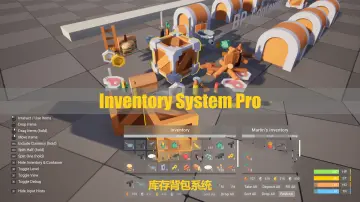
Inventory System Pro by Moonville
Inventory System Pro delivers a Blueprint-only toolkit featuring uniform and jigsaw grids, survival mechanics, and combat equipment for Unreal Engine.
Integrating the Blueprint-Only Toolkit into Existing Projects
Deploying a functional item management structure usually requires balancing UI layout, character state updates, and storage logic. Inventory System Pro is structured entirely as a Blueprint-only framework, making initial integration straightforward for projects that avoid native C++ compilation. Getting the system up and running begins with establishing core character components, player controllers, and user interface layers using modular hooks.
Because the logic is configured through Unreal Engine data assets, item definition does not require modifying base gameplay scripts. Developers define properties such as weight, icon artwork, equipment type, and durability within individual assets. Supporting both first-person and third-person camera perspectives out of the box, the toolkit fits directly into diverse project templates without demanding complete camera or mesh restructuring.
Input Pipelines, Common UI, and Network Replication
Modern interface pipelines demand responsive navigation across multiple control schemes. The system comes pre-configured with Enhanced Input mappings alongside native Gamepad readiness, allowing smooth transitions between keyboard navigation, mouse dragging, and controller thumbsticks. Menu management leverages Common UI integration, maintaining structured input focus, stack handling, and UI layer prioritization across distinct screens.
For cooperative and multiplayer titles, the architecture is fully networking-ready. Inventory transactions—such as picking up world actors, transferring contents to storage chests, and splitting stacks—replicate across the server and connected clients to prevent synchronization errors. Server verification governs item movement, equipment changes, and container interactions to keep client inventories reliable during active sessions.
Uniform and Jigsaw Grid Inventory Architectures
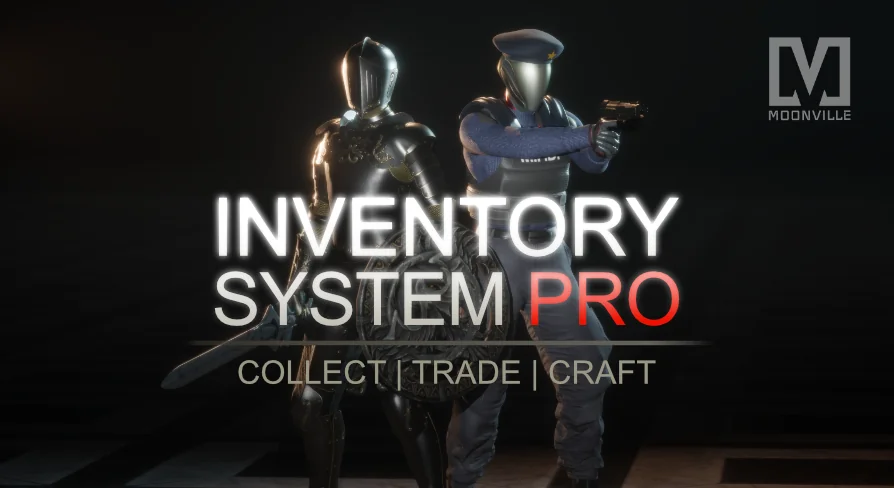
Visual and mechanical layout needs vary widely between project genres. The package supplies two pre-built design templates inspired by top Action RPG and Action Horror titles. These templates expose two distinct spatial paradigms:
Uniform Grid Layout: Standard single-slot distribution common in action role-playing games, allowing rapid item sorting and clear quantity tracking.
Jigsaw Grid Layout: Spatial, shape-based arrangement familiar in survival horror titles, where items occupy varying multi-tile dimensions and demand careful storage planning.
Both layouts integrate strict inventory load limits governed by maximum weight thresholds. When players cross certain weight boundaries, the inventory component fires capacity events that can throttle movement or prevent additional pickups. Beyond primary player bags, the grid logic governs external world containers, item chests, and temporary dropped packages.
Survival Components, Smelting, and Crafting Logic
Extending beyond basic storage slots, the package supplies an integrated survival component built to track baseline character vitals: Health, Mana, Hunger, and Thirst bars. Consuming food or drink items interfaces directly with this component to deplete or restore status values over time.
The crafting and refinement loop operates across dedicated world stations and manual combining routines:
Campfire Station: Processes raw ingredients into prepared food items to sustain hunger and thirst attributes.
Smelter Station: Converts raw harvestable minerals and ores into refined resources for advanced tools and armor.
Item Combining: Enables players to drag complementary items together directly inside the grid interface to synthesize new objects or trigger structural changes.
Item Durability: Degrades weapons and gear through use, exposing numeric wear states that factor into equipment maintenance or breaking logic.
Weapon Systems, AI Interaction, and Puzzle Mechanics
Equipment slots support dedicated categories for weapons, clothing, and cosmetic gear. Combat implementation covers three core categories: ranged firearms, melee armaments, and throwable items such as grenades or utility tools. Equipping items automatically links mesh attachments, updates player stats, and establishes input bindings for handling combat actions.
The package also ships with ready-to-use cosmetics, including one armor set produced by Kagi Vision and one police uniform provided by Simply Cloth. These examples serve as functional references for binding modular garments to standard skeletal meshes.
World interaction ties directly into specialized gameplay mechanics:
AI Characters: Pre-built configurations include item drop AI, gatherer AI, and fighter AI routines that interact with the loot pipeline upon defeat or harvest events.
Key Items and Doors: Environment actors check the player inventory for required keys before initiating door opening sequences.
Puzzles: Mechanics allow players to combine specific objects or insert target items into world devices to trigger custom gameplay events.
Vendors and Currency: NPC storefront interfaces handle buying and selling loops, evaluating item values against dedicated player currency balances.
Example Scenes and Extended Tooling
Extensive example scenes are included to showcase both design templates in live gameplay environments. These demo levels display working vendors, interactive puzzle stations, drop tables, containers, and station workflows in context, serving as reliable sandboxes for testing custom items before deploying them to production maps.
For development teams seeking cohesive interface workflows, the toolkit maintains natural layout alignment with Moonville's companion tools, including Menu System Pro and Inspection System Pro. By combining Blueprint flexibility, data asset definitions, and complete UI frameworks, the system gives creators a dependable foundation for building deep inventory mechanics across single-player and cooperative projects.
 Gameplay Features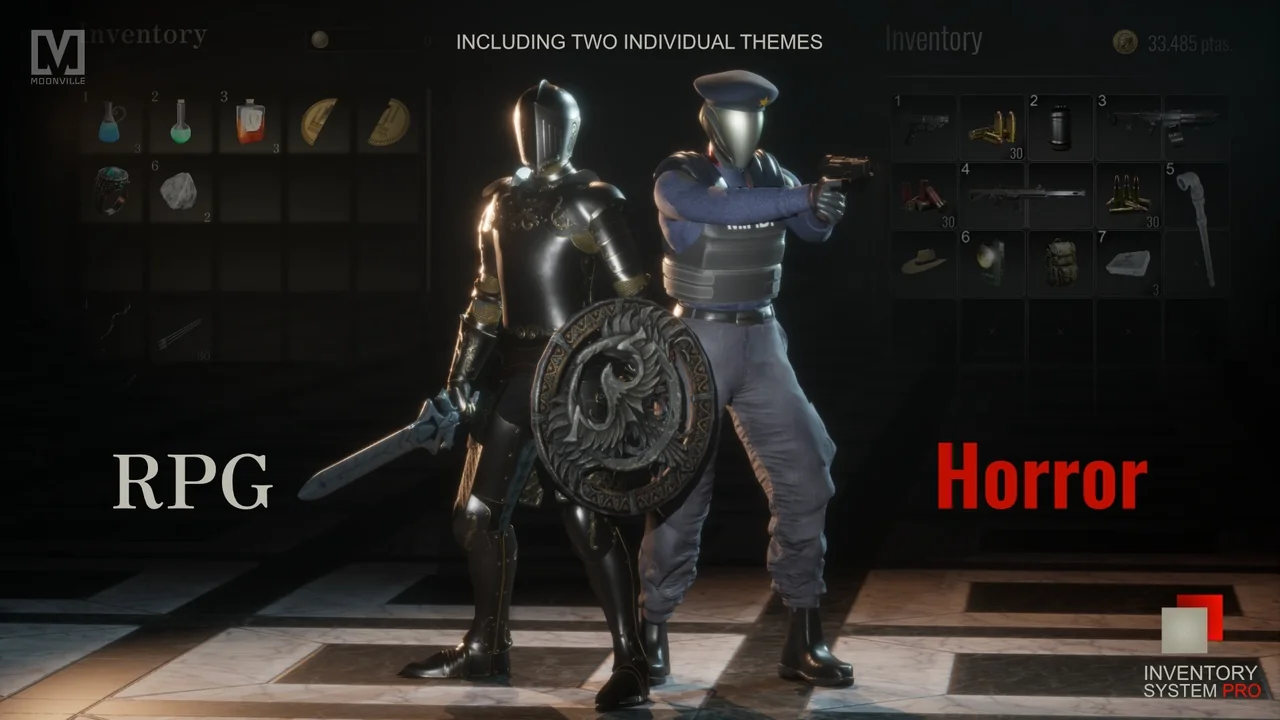
 Gameplay Features
 Gameplay Features
 Gameplay Features