"031373f479d9561a"{"id":"1000227","slug":"interior-toolkit","title":"Interior Toolkit","category":"Historical","engine":"4.26+,5.0+","assetVersion":"","engineVersion":"Engine Version: 4.26+,5.0+","tag":"Historical","accent":"blue","visual":"mech","summary":"A comprehensive set of 300 assets featuring an interactive Edit Mode and Blueprint-driven material controls for realistic architectural and industrial levels.","platform":"Unreal Engine","publishedAt":"2026-06-27T18:29:02.492Z","updatedAt":"2026-06-27T18:29:02.492Z","sourceNotes":[],"fileContents":[],"compatibility":["Unreal Engine","Engine Version: 4.26+,5.0+"],"featuredImage":{"alt":"Interior Toolkit","src":"/wp-content/uploads/published/2026/06/a6409d9224c4-aef8796d-94b9-4038-9cbf-cd58cbfa3baf-4502524327.webp"},"hasDownloadLink":true,"downloads":0,"terms":[{"taxonomy":"category","slug":"historical","name":"Historical"}],"galleryImages":[{"src":"/wp-content/uploads/published/2026/06/de034a0e5b2a-b9c3c75d-fbcc-4edc-a8e7-8f795225d353-3ea02f69d7.webp","alt":"Interior Toolkit"},{"src":"/wp-content/uploads/published/2026/06/71d7c71e65c3-25db1b51-e3ab-443d-af87-16d410c0a993-0b7b3f161b.webp","alt":"Interior Toolkit"},{"src":"/wp-content/uploads/published/2026/06/6415e22adc78-bc07a9b2-2599-41a4-9736-f07684e70de4-099ce2416b.webp","alt":"Interior Toolkit"},{"src":"/wp-content/uploads/published/2026/06/0bb4726a22d2-9439b801-9ea0-4d76-997e-af45bd6e1b48-8a2f9832d5.webp","alt":"Interior Toolkit"},{"src":"/wp-content/uploads/published/2026/06/687ed601fb58-32715b32-5f6d-4e8d-8247-68171de4968b-dc0d131867.webp","alt":"Interior Toolkit"},{"src":"/wp-content/uploads/published/2026/06/771ddce56a64-5d91499e-1ff5-4b42-9ba4-4fb44d05437d-d04cf1384e.webp","alt":"Interior Toolkit"},{"src":"/wp-content/uploads/published/2026/06/0446a352e222-9a78cc02-862a-4c71-a6fd-90b11b96c014-fa4407372a.webp","alt":"Interior Toolkit"},{"src":"/wp-content/uploads/published/2026/06/f688ee4dfa04-72a5599f-e18a-4f52-8c5b-69071353eec0-f22983fd4e.webp","alt":"Interior Toolkit"},{"src":"/wp-content/uploads/published/2026/06/4c62dc956d4c-69ea52b9-1c45-4e5d-92c0-ab84a2688f62-8c203e7083.webp","alt":"Interior Toolkit"}],"accessPanel":{"kind":"resource","title":"Download this resource","eyebrow":"Free Download","message":"Log in or create a free account to start your download.","fileName":"Content.7z","safetyNote":"Resources are manually reviewed before listing to improve quality and reduce obvious risks.","actionLabel":"Download Free","resourceType":"Resource archive"},"contentHtml":"\u003ch2\u003eAddressing Workflow Bottlenecks with the Interior Toolkit\u003c/h2\u003e\n\u003cp\u003eBuilding realistic interior spaces often forces developers into a rigid, time-consuming loop of tweaking materials, recompiling shaders, and testing environments to see how surfaces react under scene lighting. The Interior Toolkit approaches this common workflow bottleneck by integrating an interactive Edit Mode directly into the asset package.\u003c/p\u003e\n\u003cp\u003eThis dedicated Edit Mode allows users to quickly switch materials on the fly, drastically reducing the downtime typically spent navigating traditional, complex material editors. Rather than manually digging through the backend hierarchy for every single mesh adjustment, developers can cycle through surface options dynamically. Because the toolkit relies heavily on interactive blueprints, it shifts the entire material selection process from a highly technical backend task to an immediate, visual decision-making process within the environment itself. This approach supports a highly fluid design process, enabling creators to evaluate different aesthetic choices while fully immersed in the 3D architectural space.\u003c/p\u003e\n\u003ch2\u003eUtilizing 300 Assets for Realistic Architecture and Industrial Spaces\u003c/h2\u003e\n\u003cp\u003ePopulating a believable room or a sprawling facility requires a dense variety of structural components and decorative elements. To support extensive and varied level design, the package contains about 300 assets specifically geared toward constructing custom interiors from the ground up.\u003c/p\u003e\n\u003cp\u003eThis substantial volume of assets provides the necessary building blocks for establishing both pristine architectural spaces and grittier, utilitarian industrial environments. By relying on this unified library, level designers can piece together custom layouts without needing to constantly source individual props, walls, or structural components from disparate external collections. The overarching focus of these assets remains strictly on realistic design, ensuring that the assembled rooms maintain a cohesive visual standard throughout the interactive space. Whether laying out a massive industrial factory floor or a tightly designed modern architectural visualization room, the sheer number of available meshes gives users the spatial flexibility needed to construct highly detailed, believable environments.\u003c/p\u003e\n\u003ch2\u003eFine-Tuning Surfaces via Texture Coords and Normal Intensity\u003c/h2\u003e\n\u003cp\u003eApplying a single material across different meshes often leads to visual repetition or poorly scaled surfaces that instantly break the illusion of realism in a 3D space. To counteract this common issue, the toolkit provides a specific list of materials that include exposed parameters, giving developers granular control over the final look of their surfaces without ever having to leave the engine.\u003c/p\u003e\n\u003cp\u003eUsers can actively control texture coordinates to achieve better tiling across large architectural walls or expansive industrial floors. This essential feature prevents the stretching or obvious repeating patterns that often plague large-scale interior levels. Beyond simple coordinate scaling, the integrated material parameters allow for immediate color changes, letting artists effortlessly repurpose the same base materials across multiple rooms to create distinct visual themes and moods.\u003c/p\u003e\n\u003cp\u003eBeyond color adjustments, the toolkit permits users to adjust the normal intensity of these materials directly. Tweaking the normal intensity is particularly useful when dialing in the physical depth, surface roughness, and light reactivity of an object. By manipulating how strongly the normal maps influence the directional lighting, artists can ensure that materials look physically correct regardless of the scene's specific lighting conditions. These embedded controls give the included assets enough flexibility to fit into various design palettes without requiring external texture authoring or complex shader node setups.\u003c/p\u003e\n\u003ch2\u003eLeveraging Blueprints for Interactive Level Design\u003c/h2\u003e\n\u003cp\u003eThe inclusion of Blueprint-driven functionality pushes this package beyond a standard static mesh collection. The interactive tags highlight a system intended to give users real-time control over their environment's aesthetic properties.\u003c/p\u003e\n\u003cp\u003eBy utilizing the embedded Blueprints, developers work with smart assets that respond to direct input during the design phase. This interactivity is what powers the Edit Mode, allowing for the rapid iteration of surface details. When building complex levels, having the ability to interactively swap out materials on a wall or floor piece without diving into the content browser streamlines the entire world-building process. This Blueprint-centric approach transforms static architectural visualization into a dynamic workspace where design iterations happen in real-time.\u003c/p\u003e\n\u003ch2\u003eEssential GameMode and Project Configuration\u003c/h2\u003e\n\u003cp\u003eBecause the package relies so heavily on interactive blueprints to drive its Edit Mode functionality, correct project configuration is an absolutely necessary step before diving into the design phase. Ensuring the toolkit operates exactly as intended out of the box requires users to check the specific project settings and GameMode configurations.\u003c/p\u003e\n\u003cp\u003eImplementing the correct custom GameMode is what allows the interactive material-switching mechanics to function seamlessly during runtime or simulation. Without routing the project through the required GameMode and specific settings, the interactive design elements may fail to initialize entirely, leaving the powerful Edit Mode inaccessible to the user. Taking the time to align the project settings with the toolkit's requirements ensures that the interactive features remain completely stable while evaluating the realistic interior levels. Dedicated preview and tutorial videos outline this vital technical setup, demonstrating how to properly integrate the interactive blueprints into the host project before full-scale level construction begins.\u003c/p\u003e\n\u003ch2\u003eIntegrating the Toolkit into a Production Pipeline\u003c/h2\u003e\n\u003cp\u003eOriginally featured as a monthly Unreal Engine Sponsored Content product for December 2018, the package is meticulously structured to bridge the gap between traditional static level design and modern interactive architectural visualization.\u003c/p\u003e\n\u003cp\u003eThe seamless combination of an expansive 300-asset library and runtime material editing makes it highly suited for projects that prioritize design flexibility and realistic visual fidelity. It serves as a highly practical foundation for developers and artists building environments where immediate visual feedback, precise material scaling, and broad surface customization are strictly required by the project's art direction.\u003c/p\u003e\n\n\u003ch2\u003eContinue Browsing Similar Packs\u003c/h2\u003e\n\u003cul\u003e\n\u003cli\u003e\u003ca href=\"https://3dcghub.com/church-cathedral-interior-environment-church-cathedral-interior-historical/\" title=\"Church / Cathedral Interior Environment ( Church Cathedral Interior Historical )\"\u003eChurch / Cathedral Interior Environment ( Church Cathedral Interior Historical )\u003c/a\u003e\u003c/li\u003e\n\u003cli\u003e\u003ca href=\"https://3dcghub.com/egypt-ruins-environment/\" title=\"Egypt Ruins Environment\"\u003eEgypt Ruins Environment\u003c/a\u003e\u003c/li\u003e\n\u003cli\u003e\u003ca href=\"https://3dcghub.com/ancient-mayan-ruins/\" title=\"Ancient Mayan Ruins\"\u003eAncient Mayan Ruins\u003c/a\u003e\u003c/li\u003e\n\u003cli\u003e\u003ca href=\"https://3dcghub.com/throne-room-environment-kit/\" title=\"Throne Room Environment Kit\"\u003eThrone Room Environment Kit\u003c/a\u003e\u003c/li\u003e\n\u003cli\u003e\u003ca href=\"https://3dcghub.com/ancient-chinese-painting-and-calligraphy/\" title=\"Ancient Chinese Painting And Calligraphy\"\u003eAncient Chinese Painting And Calligraphy\u003c/a\u003e\u003c/li\u003e\n\u003c/ul\u003e","contentTextLength":6840,"navigation":{"current":1122,"total":3223,"previous":{"id":"1000228","slug":"japanese-street","title":"Japanese Street","category":"Buildings \u0026 Architecture","platform":"Unreal Engine","updatedAt":"2026-06-27T18:42:28.315Z"},"next":{"id":"1000226","slug":"industrial-city","title":"Industrial City","category":"Cities","platform":"Unreal Engine","updatedAt":"2026-06-27T15:07:23.916Z"}},"relatedResources":[{"id":"1000949","slug":"japanese-village-kit","title":"Japanese Village Kit","category":"Historical","engine":"4.27,5.0+","assetVersion":"","engineVersion":"Engine Version: 4.27,5.0+","tag":"Historical","accent":"blue","visual":"mech","summary":"Modular Japanese village kit with 418 pieces for building interiors and exteriors, featuring PBR materials, a demo level, and onsen compatibility.","platform":"Unreal Engine","publishedAt":"2026-08-14T04:22:22.501Z","updatedAt":"2026-08-14T04:22:22.501Z","sourceNotes":[],"fileContents":[],"compatibility":["Unreal Engine","Engine Version: 4.27,5.0+"],"featuredImage":{"alt":"Japanese Village Kit","src":"/wp-content/uploads/published/2026/08/ac3ce288b198-67f45d06-c41c-48f0-b6b4-1b5a1656c18d-b7002a22a4.webp"},"hasDownloadLink":true,"downloads":0},{"id":"1001128","slug":"victorian-interior-environment-victorian-steampunk-vintage-antique-interior","title":"Victorian Interior Environment ( Victorian Steampunk Vintage Antique Interior )","category":"Historical","engine":"4.26+,5.0+","assetVersion":"","engineVersion":"Engine Version: 4.26+,5.0+","tag":"Historical","accent":"blue","visual":"city","summary":"78 Unreal Engine assets for Victorian interiors, with ULAT modular building, a preassembled scene, and daytime/nighttime maps to light a period world.","platform":"Unreal Engine","publishedAt":"2026-09-07T13:46:41.075Z","updatedAt":"2026-09-07T13:46:41.075Z","sourceNotes":[],"fileContents":[],"compatibility":["Unreal Engine","Engine Version: 4.26+,5.0+"],"featuredImage":{"alt":"Victorian Interior Environment ( Victorian Steampunk Vintage Antique Interior )","src":"/wp-content/uploads/published/2026/09/c5ae328ff4e3-c9f0f3ee-214c-48a2-aabf-45dc57b54a47-c5ad7fcfd9.webp"},"hasDownloadLink":true,"downloads":0},{"id":"8380","slug":"church-cathedral-interior-environment-church-cathedral-interior-historical","title":"Church / Cathedral Interior Environment ( Church Cathedral Interior Historical )","category":"Historical","engine":"4.26+,5.0+","assetVersion":"Engine version: 4.26+,5.0+","engineVersion":"4.25","tag":"Historical","accent":"blue","visual":"city","summary":"Transform your digital worlds with a high-quality historical environment pack. This collection features optimized assets and a powerful modular tool for creating stunning cathedral and church interiors.","platform":"Unreal Engine","publishedAt":"2026-02-23T17:04:36.000Z","updatedAt":"2026-04-30T06:33:41.000Z","sourceNotes":[],"fileContents":[],"compatibility":["Unreal Engine","Engine version: 4.26+,5.0+"],"featuredImage":{"alt":"Church / Cathedral Interior Environment ( Church Cathedral Interior Historical )","src":"https://3dcghub.com/wp-content/uploads/2026/02/d6efadb7-7e82-4c6e-a4f4-c41c3c2a523b.webp"},"hasDownloadLink":true,"downloads":0}]}
Historical
Interior Toolkit
A comprehensive set of 300 assets featuring an interactive Edit Mode and Blueprint-driven material controls for realistic architectural and industrial levels.
Category:Unreal Engine,HistoricalPlatform: Unreal EngineEngine Version: 4.26+,5.0+Published: Jun 27, 2026
Historical
Resource overview
Addressing Workflow Bottlenecks with the Interior Toolkit
Building realistic interior spaces often forces developers into a rigid, time-consuming loop of tweaking materials, recompiling shaders, and testing environments to see how surfaces react under scene lighting. The Interior Toolkit approaches this common workflow bottleneck by integrating an interactive Edit Mode directly into the asset package.
This dedicated Edit Mode allows users to quickly switch materials on the fly, drastically reducing the downtime typically spent navigating traditional, complex material editors. Rather than manually digging through the backend hierarchy for every single mesh adjustment, developers can cycle through surface options dynamically. Because the toolkit relies heavily on interactive blueprints, it shifts the entire material selection process from a highly technical backend task to an immediate, visual decision-making process within the environment itself. This approach supports a highly fluid design process, enabling creators to evaluate different aesthetic choices while fully immersed in the 3D architectural space.
Utilizing 300 Assets for Realistic Architecture and Industrial Spaces
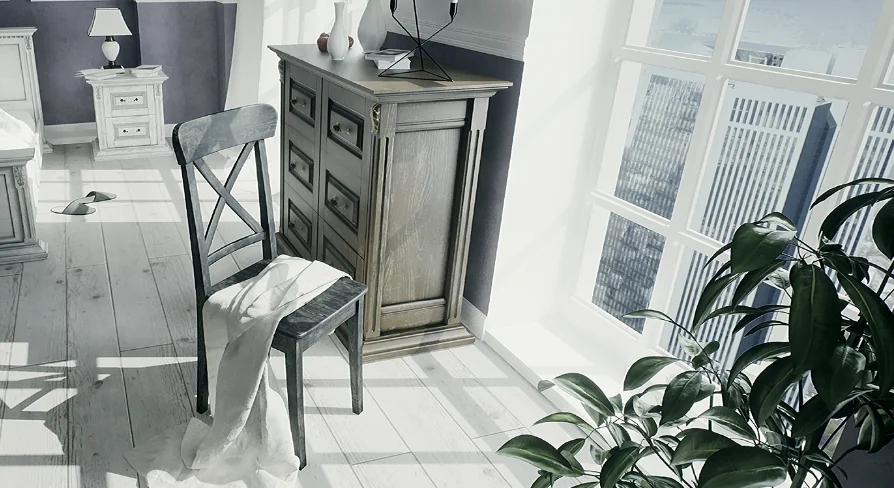
Populating a believable room or a sprawling facility requires a dense variety of structural components and decorative elements. To support extensive and varied level design, the package contains about 300 assets specifically geared toward constructing custom interiors from the ground up.
This substantial volume of assets provides the necessary building blocks for establishing both pristine architectural spaces and grittier, utilitarian industrial environments. By relying on this unified library, level designers can piece together custom layouts without needing to constantly source individual props, walls, or structural components from disparate external collections. The overarching focus of these assets remains strictly on realistic design, ensuring that the assembled rooms maintain a cohesive visual standard throughout the interactive space. Whether laying out a massive industrial factory floor or a tightly designed modern architectural visualization room, the sheer number of available meshes gives users the spatial flexibility needed to construct highly detailed, believable environments.
Fine-Tuning Surfaces via Texture Coords and Normal Intensity
Applying a single material across different meshes often leads to visual repetition or poorly scaled surfaces that instantly break the illusion of realism in a 3D space. To counteract this common issue, the toolkit provides a specific list of materials that include exposed parameters, giving developers granular control over the final look of their surfaces without ever having to leave the engine.
Users can actively control texture coordinates to achieve better tiling across large architectural walls or expansive industrial floors. This essential feature prevents the stretching or obvious repeating patterns that often plague large-scale interior levels. Beyond simple coordinate scaling, the integrated material parameters allow for immediate color changes, letting artists effortlessly repurpose the same base materials across multiple rooms to create distinct visual themes and moods.
Beyond color adjustments, the toolkit permits users to adjust the normal intensity of these materials directly. Tweaking the normal intensity is particularly useful when dialing in the physical depth, surface roughness, and light reactivity of an object. By manipulating how strongly the normal maps influence the directional lighting, artists can ensure that materials look physically correct regardless of the scene's specific lighting conditions. These embedded controls give the included assets enough flexibility to fit into various design palettes without requiring external texture authoring or complex shader node setups.
Leveraging Blueprints for Interactive Level Design
The inclusion of Blueprint-driven functionality pushes this package beyond a standard static mesh collection. The interactive tags highlight a system intended to give users real-time control over their environment's aesthetic properties.
By utilizing the embedded Blueprints, developers work with smart assets that respond to direct input during the design phase. This interactivity is what powers the Edit Mode, allowing for the rapid iteration of surface details. When building complex levels, having the ability to interactively swap out materials on a wall or floor piece without diving into the content browser streamlines the entire world-building process. This Blueprint-centric approach transforms static architectural visualization into a dynamic workspace where design iterations happen in real-time.
Essential GameMode and Project Configuration
Because the package relies so heavily on interactive blueprints to drive its Edit Mode functionality, correct project configuration is an absolutely necessary step before diving into the design phase. Ensuring the toolkit operates exactly as intended out of the box requires users to check the specific project settings and GameMode configurations.
Implementing the correct custom GameMode is what allows the interactive material-switching mechanics to function seamlessly during runtime or simulation. Without routing the project through the required GameMode and specific settings, the interactive design elements may fail to initialize entirely, leaving the powerful Edit Mode inaccessible to the user. Taking the time to align the project settings with the toolkit's requirements ensures that the interactive features remain completely stable while evaluating the realistic interior levels. Dedicated preview and tutorial videos outline this vital technical setup, demonstrating how to properly integrate the interactive blueprints into the host project before full-scale level construction begins.
Integrating the Toolkit into a Production Pipeline
Originally featured as a monthly Unreal Engine Sponsored Content product for December 2018, the package is meticulously structured to bridge the gap between traditional static level design and modern interactive architectural visualization.
The seamless combination of an expansive 300-asset library and runtime material editing makes it highly suited for projects that prioritize design flexibility and realistic visual fidelity. It serves as a highly practical foundation for developers and artists building environments where immediate visual feedback, precise material scaling, and broad surface customization are strictly required by the project's art direction.
 Historical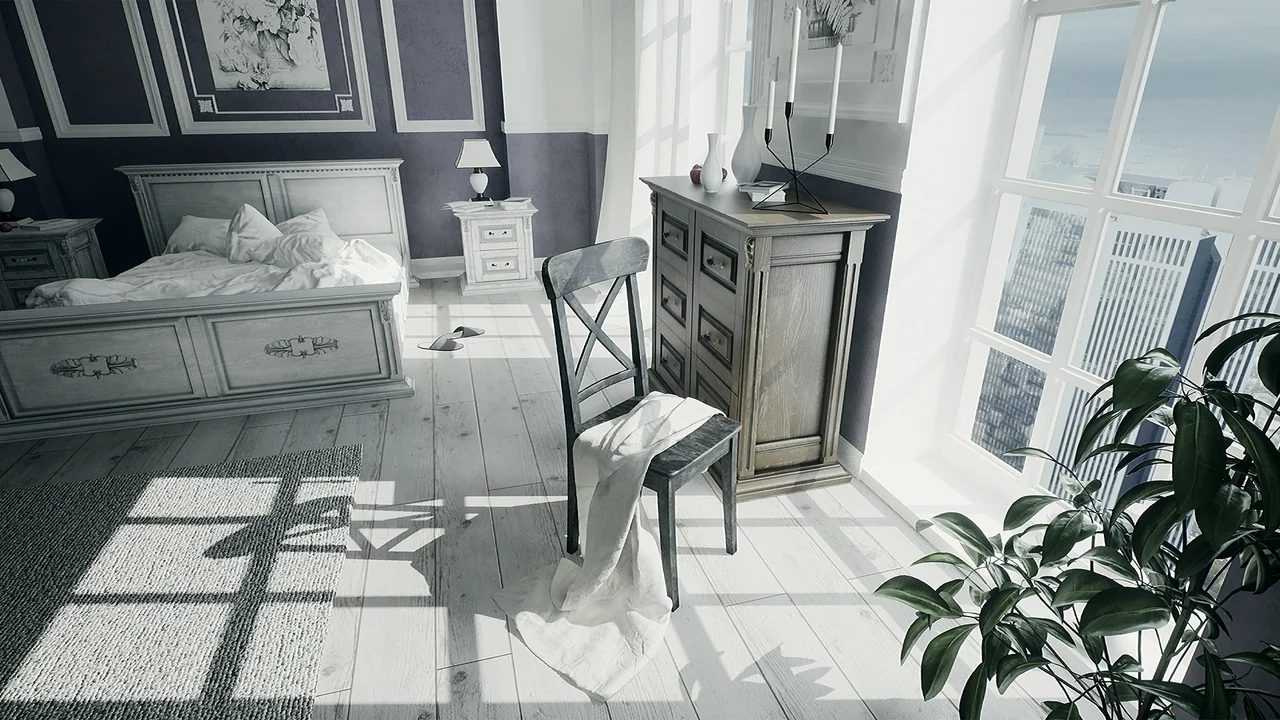
 Historical
 Historical
 Historical