Efficient Networking with HTTP AND JSON
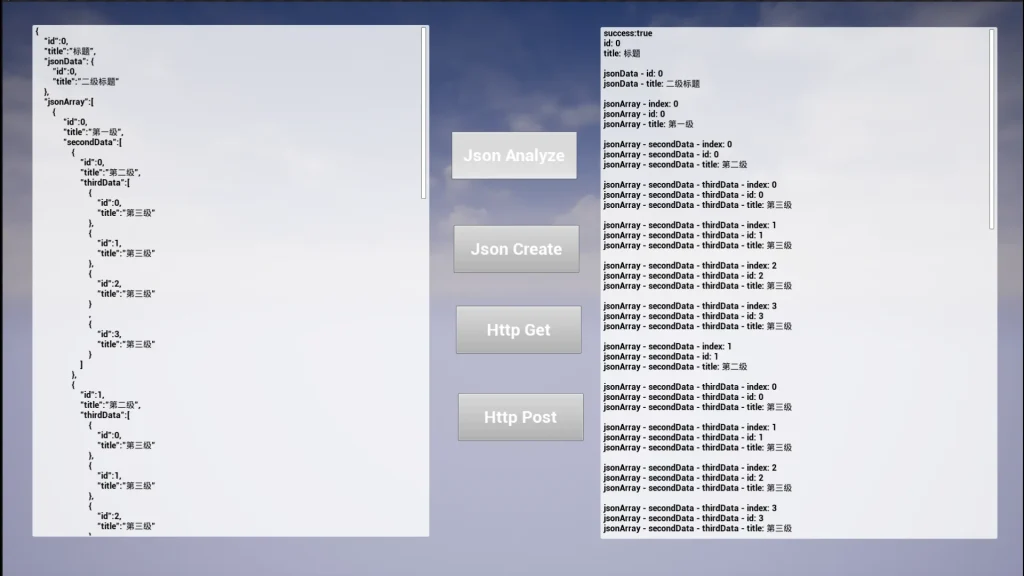
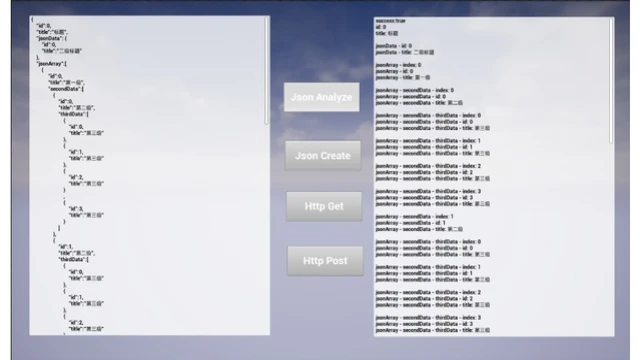
The HTTP AND JSON plugin provides a simple and fast way to manage web communication within Blueprints. Specifically designed for network interface docking, it allows developers to handle data analysis with minimal friction. The creator focused on making complex networking tasks accessible to all users. Consequently, the tool is ideal for projects requiring straightforward connections to external web services.
A Simplified String-Based Concept
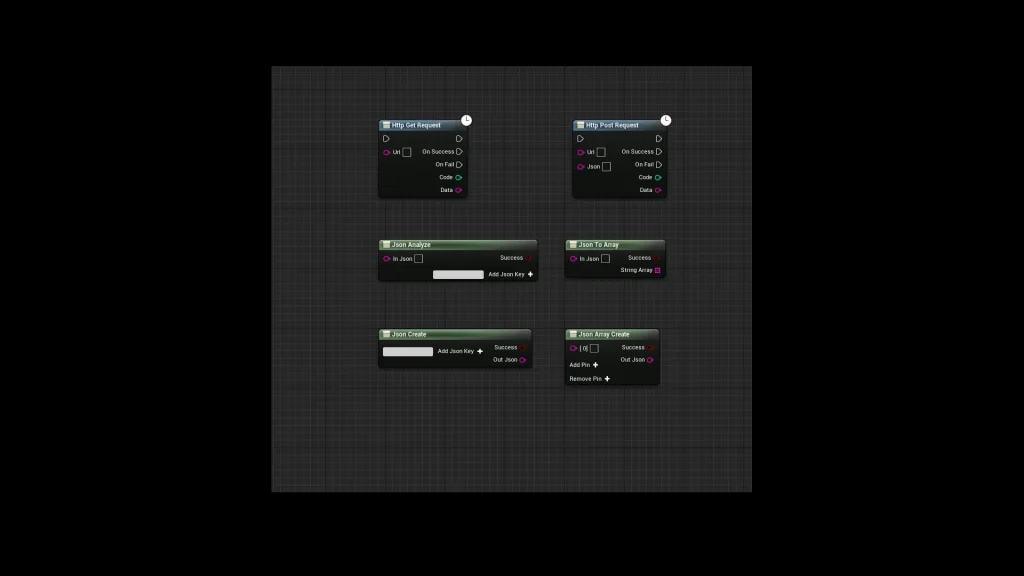
One of the standout features of this plugin is its core philosophy. The developer chose to treat all JSON data as string operations. This approach makes the data much easier to use and understand within the Blueprint editor. Furthermore, the plugin only utilizes six essential functions. Although the number of nodes is small, they provide a comprehensive solution for most networking needs. Therefore, users can focus on their project logic rather than complex data types.
Advanced JSON Parsing and Analysis
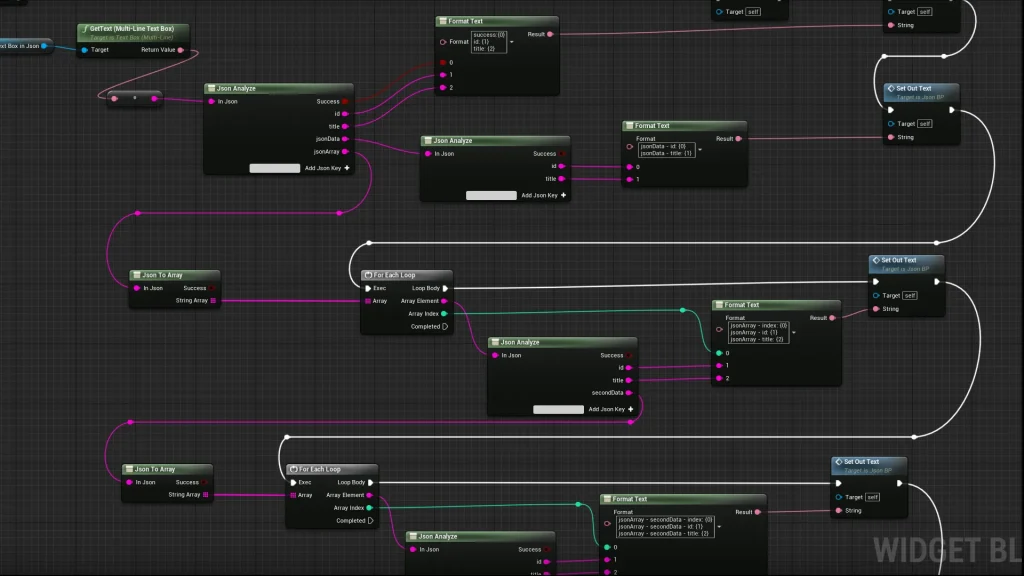
The plugin includes two primary functions for handling incoming data. The Json Analyze node serves as the main processing function. Users can click ‘Add Json Key’ to define specific fields they wish to extract. Each field is then parsed directly into a string. However, if a field contains a nested JSON body, you simply apply the Analyze function again to go deeper.
Additionally, the Json To Array function handles structured lists. When a JSON body contains an array, this node converts it into a string array. Each individual entry within that array remains accessible for further processing. This makes handling lists of data remarkably efficient.
Creating JSON Data with Ease
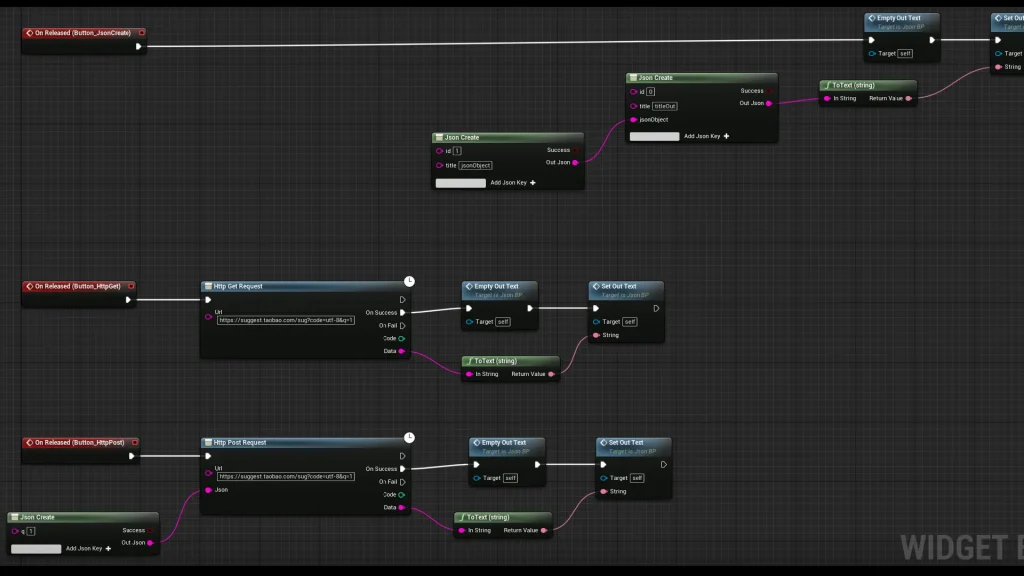
Generating data to send to a server is just as simple as parsing it. The Json Create function allows you to build a JSON data body that outputs as a string. By clicking ‘Add Json Key,’ you can add as many fields as your interface requires. For more complex data structures, the Json Array Create node is available. This function outputs a JSON array string. Users can easily manage the size of the array by using the ‘Add Pin’ or ‘Remove’ options.
Streamlined HTTP Requests
The HTTP AND JSON plugin simplifies server communication through two dedicated nodes. The Http Get Request node sends a request to a server and retrieves the returned data. This is perfect for simple data retrieval tasks. In contrast, the Http Post Request is used for sending data to a server. This node is particularly useful because it features an encapsulated JSON data body for the sending process. Both functions are designed to be intuitive and fast to implement.
Conclusion
Ultimately, this plugin offers a streamlined workflow for anyone working with web interfaces. By reducing the complexity of JSON to simple string operations, it removes common barriers in network development. Whether you are performing simple data analysis or complex interface docking, these six functions provide the tools necessary for success. The inclusion of blueprint screenshots in the documentation further ensures that setup is a quick and easy process.