Seamless Groom Export Workflow
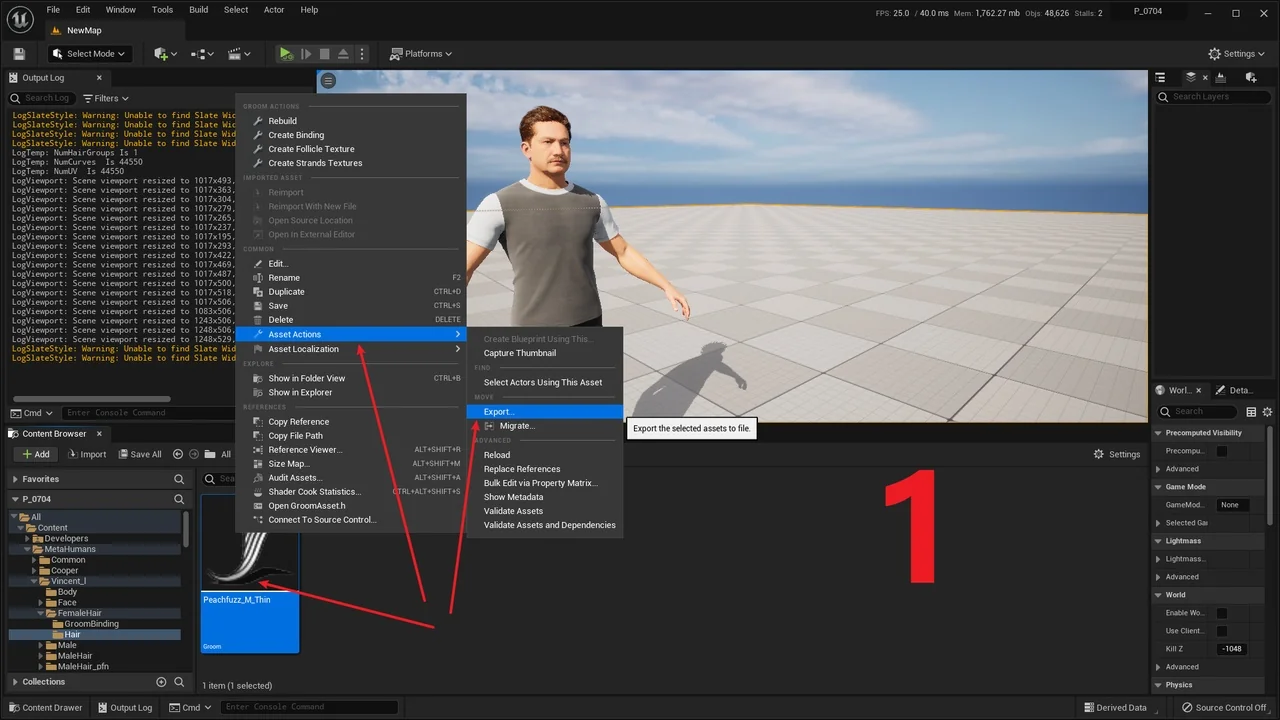
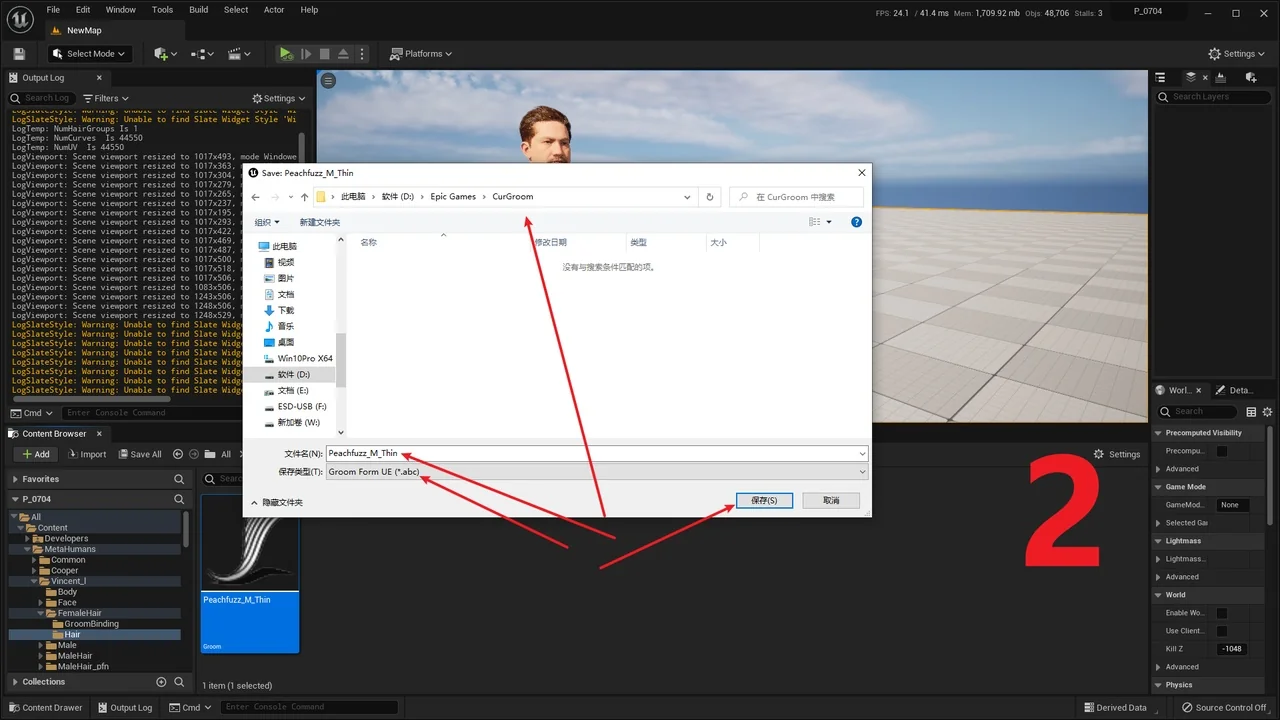
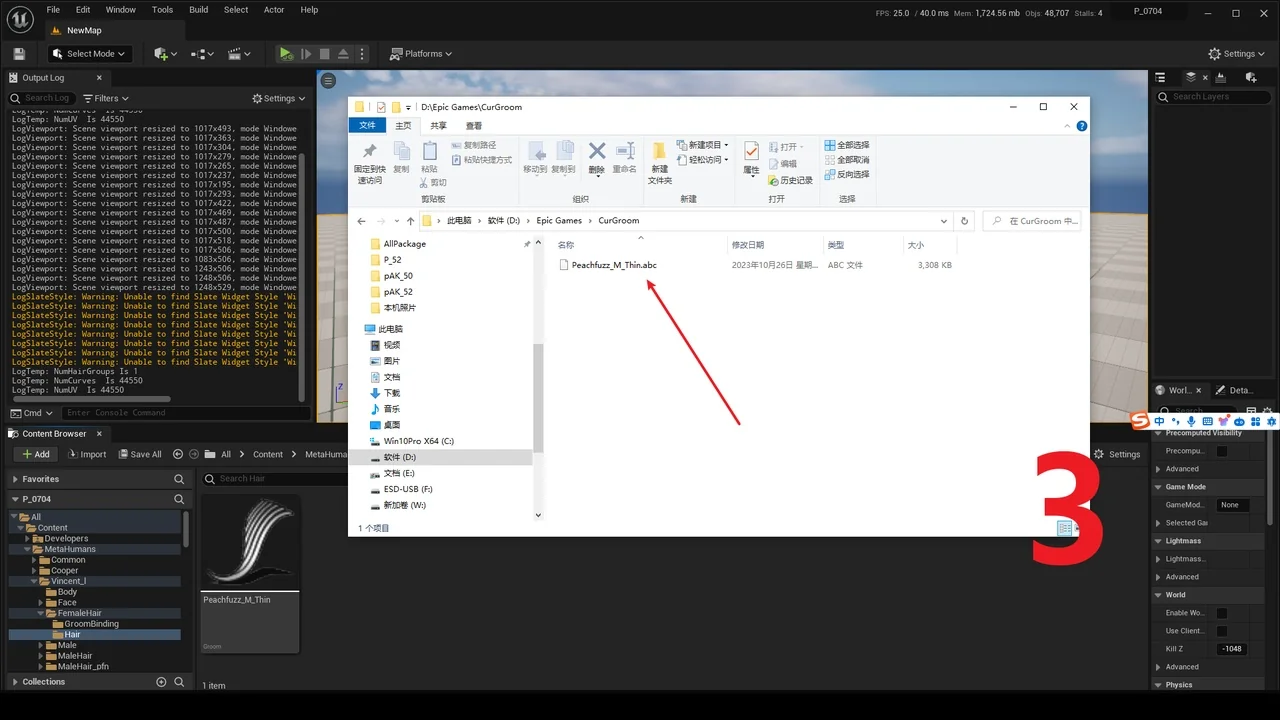
Groom Export is a specialized tool designed to facilitate the transition of groom data from within the engine. Specifically, it allows users to export the Groom file into the abc format. This functionality is crucial for developers who need to manage hair and fur assets outside of the native engine environment. By using this tool, the developer ensures that your assets are portable and ready for various production needs.
Efficient Groom Conversion to ABC
The primary function of Groom Export is the reliable conversion of groom data. By utilizing the abc format, the creator provides a standard way to handle complex groom information. Consequently, this tool simplifies the workflow for artists who need to move their work between different stages of production. The export process is designed to be straightforward and effective for all users.
When you use Groom Export, the engine-specific groom files are transformed into a more portable state. This transition is handled carefully to ensure that the data remains usable. Therefore, users can rely on this tool for consistent asset management. It eliminates the need for complex manual workarounds when handling hair and fur data.
Enhanced Compatibility and Version Support
One of the most significant benefits of Groom Export is its support for different engine versions. The developer notes that users should not worry about version mismatches during the process. Because the abc file serves as an intermediary, it can be re-imported into various engine versions of the groom. This flexibility is a major advantage for teams working across different software iterations.
Furthermore, this feature is particularly useful for long-term projects. For instance, if a project moves to a different version of the engine, the groom data remains accessible. Moreover, this cross-version compatibility ensures that your assets are not locked into a single version. This makes the tool a valuable asset for maintaining a flexible development pipeline.
Resolved Maya Import Issues
The developer has also focused on resolving specific technical hurdles to improve the user experience. In a recent update, a fix was implemented specifically for Maya users. Previously, some users encountered difficulties when trying to import groom data into that software. However, the latest version of Groom Export has addressed the “Cant Import Maya” error directly.
This improvement allows for a more reliable pipeline between the engine and external DCC tools. Consequently, artists can now move their groom assets into Maya without the frustration of import failures. By fixing these compatibility issues, the creator has made the tool more robust for professional environments.
Conclusion
Groom Export provides a necessary bridge for groom asset management. By enabling exports to the abc format, it ensures that hair and fur data remains portable and versatile. Additionally, the tool offers peace of mind through its cross-version compatibility and specific fixes for Maya. Whether you are moving assets between engine versions or into external software, this tool streamlines the entire process efficiently.
Screenshots & Gallery