"7ad89cffa44984cf"{"id":"1002571","slug":"easy-impact-frames","title":"Easy Impact Frames","category":"Shaders","engine":"5.0+","assetVersion":"","engineVersion":"Engine Version: 5.0+","tag":"Shaders","accent":"blue","visual":"mech","summary":"Explore Easy Impact Frames, a stylized VFX package delivering screen flashes, dynamic materials, and drag-and-drop systems for anime combat games.","platform":"Unreal Engine","indexPolicy":"index","publishedAt":"2026-11-13T18:07:36.408Z","updatedAt":"2026-11-13T18:07:36.408Z","sourceNotes":[],"fileContents":[],"compatibility":["Unreal Engine","Engine Version: 5.0+"],"featuredImage":{"alt":"Easy Impact Frames","src":"/wp-content/uploads/published/2026/11/6f5d3adba137-5c615008-47ea-4f52-b9b3-17cb22d5da08-ece2865eb1.webp"},"hasDownloadLink":true,"downloads":0,"terms":[{"taxonomy":"category","slug":"shaders","name":"Shaders"}],"galleryImages":[{"src":"/wp-content/uploads/published/2026/11/3f9871dcb30a-72297507-1ce9-4e0b-a4e8-85d22264bd38-9377c260f3.webp","alt":"Easy Impact Frames"},{"src":"/wp-content/uploads/published/2026/11/a17b88e755ab-cb95ff6e-c677-488b-9ec6-3a875c236e60-154ae32f82.webp","alt":"Easy Impact Frames"},{"src":"/wp-content/uploads/published/2026/11/fbd6ba214063-1643b53b-5903-48e3-b59e-b2a3c3469518-09d9545636.webp","alt":"Easy Impact Frames"},{"src":"/wp-content/uploads/published/2026/11/224daf62412c-d63eadba-720e-4122-bf23-c07072b15461-87c5510a9e.webp","alt":"Easy Impact Frames"},{"src":"/wp-content/uploads/published/2026/11/5fbd1ab5b49b-8eb979e9-ff36-4754-92cf-bd3b621a7ec5-1d0f77f4cc.webp","alt":"Easy Impact Frames"},{"src":"/wp-content/uploads/published/2026/11/fefa3dbc04e9-b765e2df-ee0a-4241-8939-d984514858ce-f31142b636.webp","alt":"Easy Impact Frames"},{"src":"/wp-content/uploads/published/2026/11/1ef37bba1289-f459df2d-f18d-461d-bdea-47f9b4c090e3-b967279de9.webp","alt":"Easy Impact Frames"},{"src":"/wp-content/uploads/published/2026/11/3e4b6fef581d-a5b219ea-da96-4cf8-a68f-499b676263d4-49fedf617a.webp","alt":"Easy Impact Frames"},{"src":"/wp-content/uploads/published/2026/11/c9ef072403a9-341c1c45-68ea-48a5-a388-a4a73a247530-c2b8e1373e.webp","alt":"Easy Impact Frames"},{"src":"/wp-content/uploads/published/2026/11/daff924c31bc-a449a419-dd40-4df0-8177-878c287e4aa5-82920c3de1.webp","alt":"Easy Impact Frames"}],"accessPanel":{"kind":"resource","title":"Get this resource","eyebrow":"Free resource","message":"Download this resource in your browser.","fileName":"Content.7z","safetyNote":"Resources are manually reviewed before listing to improve quality and reduce obvious risks.","actionLabel":"Get this resource","resourceType":"Resource archive","versions":[]},"contentHtml":"\u003ch2\u003eHigh-Intensity Moments in Stylized Action\u003c/h2\u003e\u003cp\u003eStylized combat games rely heavily on instantaneous visual feedback to communicate the force behind physical strikes, heavy spells, and cinematic clashes. When a character connects with a massive hit or triggers an ultimate ability, standard particle bursts alone often fail to convey the intended weight. Action titles inspired by anime aesthetic traditions bridge this gap using impact frames: brief, intense full-screen flashes and stark visual shifts that pause the visual rhythm for a fraction of a second. These punctuation marks accentuate strikes, making combat sequences feel punchy, responsive, and legible in the middle of chaotic encounters.\u003c/p\u003e\u003cp\u003eIntegrating these moments typically presents production hurdles, as syncing camera-level flashes, screen-space shaders, and particle elements by hand demands considerable setup time. Easy Impact Frames targets precisely these sequences. It provides an immediate drag-and-drop solution tailored specifically for anime-styled projects, allowing creators to deploy stark, stylized impact effects across high-intensity gameplay beats without having to construct custom flash logic from scratch.\u003c/p\u003e\u003ch2\u003eDeploying Easy Dynamic Feedback Across Combat Scenes\u003c/h2\u003e\u003cp\u003eCombat hits, special abilities, and sudden environmental disruptions each possess distinct visual demands. A quick sword slash requires a sharp, localized flash, whereas a devastating area-of-effect blast demands a screen-filling jolt that commands the player's full attention. The package accommodates these variations across three primary game scenarios:\u003c/p\u003e\u003cp\u003eHeavy character abilities benefit directly from the instant punch delivered by dedicated impact frames. When a player charges a finishing move, punctuating the moment of release with a hard-edged visual frame gives the skill a distinct signature. It separates ordinary button presses from high-stakes actions, mimicking traditional hand-drawn action animation where key poses are held or inverted to telegraph sheer power.\u003c/p\u003e\u003cp\u003eExplosion sequences require layered dynamic energy. Rather than relying purely on expanding spherical emitters, pairing standard explosion meshes with immediate frame-based visual effects enhances the perceived shockwave. The sharp contrast shift catches the eye before the smoke and debris roll outward, grounding the detonation firmly within the scene.\u003c/p\u003e\u003cp\u003eEnvironmental events gain urgency through similar mechanics. When structures collapse, traps trigger, or dynamic boss hazards alter the arena, screen-level impact effects warn the player instantly. By flashing the scene or driving rapid visual changes at the moment of catastrophic failure, the environment feels reactive and dangerous.\u003c/p\u003e\u003ch2\u003eUnderlying Shaders, Particles, and Blueprint Architecture\u003c/h2\u003e\u003cp\u003eThe technical implementation behind Easy Impact Frames pairs multiple rendering techniques to achieve its stylized results. Rather than depending on a single static sprite, the system combines shaders, dynamic materials, particle emitters, and blueprints into coordinated visual systems.\u003c/p\u003e\u003cp\u003eDynamic materials handle the sharp contrasts and color alterations that characterize anime flashes. By exposing parameters within the shaders, the materials permit real-time shifts in tint, intensity, and blend modes. This structure lets artists tweak the harshness of the screen flash to match different lighting setups or art directions, whether a project requires completely monochromatic negative-space hits or tinted, vibrant color explosions.\u003c/p\u003e\u003cp\u003eScreen-space elements work alongside standard 3D particles to ensure feedback remains readable regardless of camera positioning. If an attack lands right in front of the lens or deep in the background, the screen-oriented frame effects maintain consistent intensity across the viewport. Blueprints drive the execution of these components, packaging the activation timings, particle spawns, and dynamic material instances into straightforward logic blocks that can be linked to collision triggers, animation notifies, or damage events.\u003c/p\u003e\u003ch2\u003eStructuring High-Energy Sequences with Impact Frames\u003c/h2\u003e\u003cp\u003ePerformance remains a major consideration when implementing screen-wide shaders and rapid visual bursts, particularly in fast-paced action games with dense enemy encounters. The assets within Easy Impact Frames are optimized to maintain smooth frame rates during gameplay. Screen-wide overlays and flash shaders are engineered to fire cleanly and terminate immediately, minimizing unnecessary draw calls and GPU fill-rate strain during rapid-fire combat exchanges.\u003c/p\u003e\u003cp\u003eBroad compatibility ensures the toolkit adapts smoothly across varying pipeline configurations. The systems function out of the box as self-contained units, meaning teams do not need to rewrite their underlying rendering settings or overhaul existing character animation pipelines to introduce hit frames. Artists and programmers can drop the blueprint components into existing project hierarchies and begin firing effects instantly, bypassing tedious node wiring.\u003c/p\u003e\u003cp\u003eCustomizability forms the other half of the implementation equation. While the default setups deliver immediate, high-quality anime-style results, the underlying dynamic materials and particle parameters permit deep adjustments. Teams can adjust timing parameters, swap shader inputs, modify flash durations, and tune color curves so the visual feedback integrates seamlessly with the rest of their title's visual identity.\u003c/p\u003e\u003ch2\u003eTailoring Implementation to Fast-Paced Production Pipelines\u003c/h2\u003e\u003cp\u003eAction game developers and technical artists working on stylized anime titles stand to gain the most from this toolkit. Building impact systems from the ground up requires coordinating screen post-processing, animation notify hooks, and dynamic material parameter collections. This process often consumes valuable production hours that smaller teams or solo creators could better spend refining core movement mechanics and combat balancing.\u003c/p\u003e\u003cp\u003eBy providing pre-configured systems ready to drop directly into production, the package removes the technical barrier to achieving dramatic hit stop visuals. Creators can focus on placing triggers at the exact frame of weapon impact, knowing the underlying shaders, dynamic materials, and particle elements will reliably deliver clean, punchy feedback on every strike.\u003c/p\u003e\n\n\u003ch2\u003eExplore Similar Assets\u003c/h2\u003e\n\u003cul\u003e\n\u003cli\u003e\u003ca href=\"https://3dcghub.com/stylized-rendering-system-cel-shader/\" rel=\"noopener noreferrer\"\u003eStylized Rendering System (Cel-Shader)\u003c/a\u003e\u003c/li\u003e\n\u003cli\u003e\u003ca href=\"https://3dcghub.com/colorama/\" rel=\"noopener noreferrer\"\u003eColorama\u003c/a\u003e\u003c/li\u003e\n\u003cli\u003e\u003ca href=\"https://3dcghub.com/dynamic-spline-fx-2/\" rel=\"noopener noreferrer\"\u003eDynamic Spline FX 2\u003c/a\u003e\u003c/li\u003e\n\u003cli\u003e\u003ca href=\"https://3dcghub.com/star-vfx-pack/\" rel=\"noopener noreferrer\"\u003eStar VFX Pack\u003c/a\u003e\u003c/li\u003e\n\u003cli\u003e\u003ca href=\"https://3dcghub.com/stylized-volumetric-clouds-shader/\" rel=\"noopener noreferrer\"\u003eStylized Volumetric Clouds Shader\u003c/a\u003e\u003c/li\u003e\n\u003c/ul\u003e","contentTextLength":6457,"navigation":{"current":6,"total":4499,"previous":{"id":"1002572","slug":"lens-flare-vfx-advanced-sprite-based-lens-flares","title":"LENS FLARE VFX | ADVANCED SPRITE BASED LENS FLARES","category":"Shaders","platform":"Unreal Engine","updatedAt":"2026-11-13T18:09:14.803Z"},"next":{"id":"1002570","slug":"dynamic-spline-fx-2","title":"Dynamic Spline FX 2","category":"Shaders","platform":"Unreal Engine","updatedAt":"2026-11-13T18:05:56.582Z"}},"relatedResources":[{"id":"15951","slug":"stylized-rendering-system-cel-shader","title":"Stylized Rendering System (Cel-Shader)","category":"Shaders","engine":"5.0+","assetVersion":"Engine version: 5.0+","engineVersion":"4.26","tag":"Shaders","accent":"blue","visual":"city","summary":"Transform your project with the Stylized Rendering System (Cel-Shader), featuring 25 outline styles and easy drag-and-drop setup for anime and manga aesthetics.","platform":"Unreal Engine","indexPolicy":"noindex","publishedAt":"2026-03-12T13:33:25.000Z","updatedAt":"2026-04-19T15:44:38.000Z","sourceNotes":[],"fileContents":[],"compatibility":["Unreal Engine","Engine version: 5.0+"],"featuredImage":{"alt":"Stylized Rendering System (Cel-Shader)","src":"https://3dcghub.com/wp-content/uploads/2026/03/e9e51600-f665-4ee5-95a5-93a70a539615.webp"},"hasDownloadLink":true,"downloads":5},{"id":"1002572","slug":"lens-flare-vfx-advanced-sprite-based-lens-flares","title":"LENS FLARE VFX | ADVANCED SPRITE BASED LENS FLARES","category":"Shaders","engine":"5.0+","assetVersion":"","engineVersion":"Engine Version: 5.0+","tag":"Shaders","accent":"blue","visual":"mech","summary":"Explore the sprite-based optical flare system for Unreal Engine 4 and 5, featuring over 300 HDR textures, multi-tap depth occlusion, and modular elements.","platform":"Unreal Engine","indexPolicy":"index","publishedAt":"2026-11-13T18:09:14.803Z","updatedAt":"2026-11-13T18:09:14.803Z","sourceNotes":[],"fileContents":[],"compatibility":["Unreal Engine","Engine Version: 5.0+"],"featuredImage":{"alt":"LENS FLARE VFX | ADVANCED SPRITE BASED LENS FLARES","src":"/wp-content/uploads/published/2026/11/4918796a7b9e-2285021a-3c0c-49a7-88b2-7c1eedfcf3ff-cffb02d23c.webp"},"hasDownloadLink":true,"downloads":0},{"id":"1001186","slug":"colorama","title":"Colorama","category":"Shaders","engine":"5.3+","assetVersion":"","engineVersion":"Engine Version: 5.3+","tag":"Shaders","accent":"blue","visual":"mech","summary":"Explore Colorama, a professional LUT pack delivering authentic teal-orange cinematic looks, preserved skin tones, rich skies, and multi-exposure options.","platform":"Unreal Engine","indexPolicy":"index","publishedAt":"2026-09-17T06:37:24.617Z","updatedAt":"2026-09-17T06:37:24.617Z","sourceNotes":[],"fileContents":[],"compatibility":["Unreal Engine","Engine Version: 5.3+"],"featuredImage":{"alt":"Colorama","src":"/wp-content/uploads/published/2026/09/a891cd318caf-558bb234-d23a-485e-bec7-4bed4cc4f77e-29923cf11d.webp"},"hasDownloadLink":true,"downloads":0}]}
Shaders
Easy Impact Frames
Explore Easy Impact Frames, a stylized VFX package delivering screen flashes, dynamic materials, and drag-and-drop systems for anime combat games.
Category:Unreal Engine,ShadersPlatform: Unreal EngineEngine Version: 5.0+Published: Nov 13, 2026
Shaders
Resource overview
High-Intensity Moments in Stylized Action
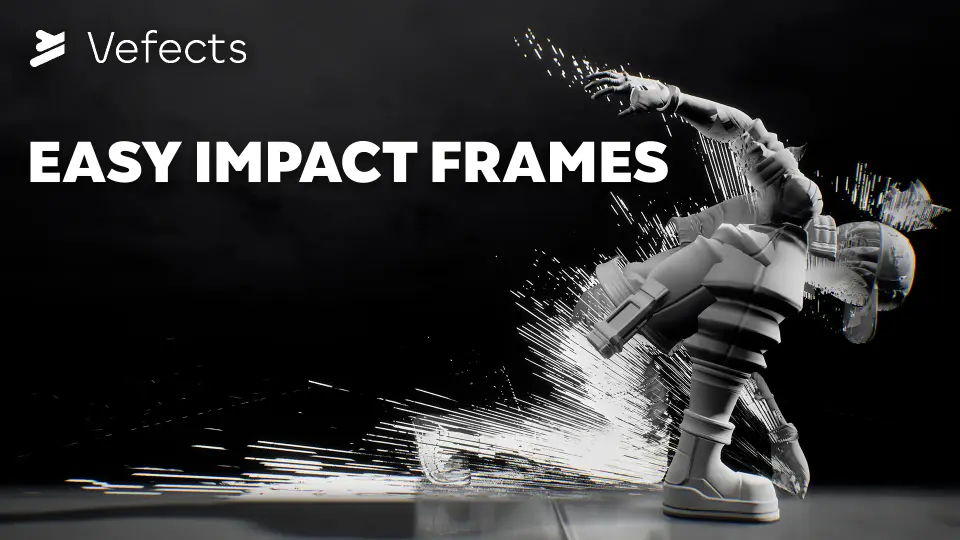
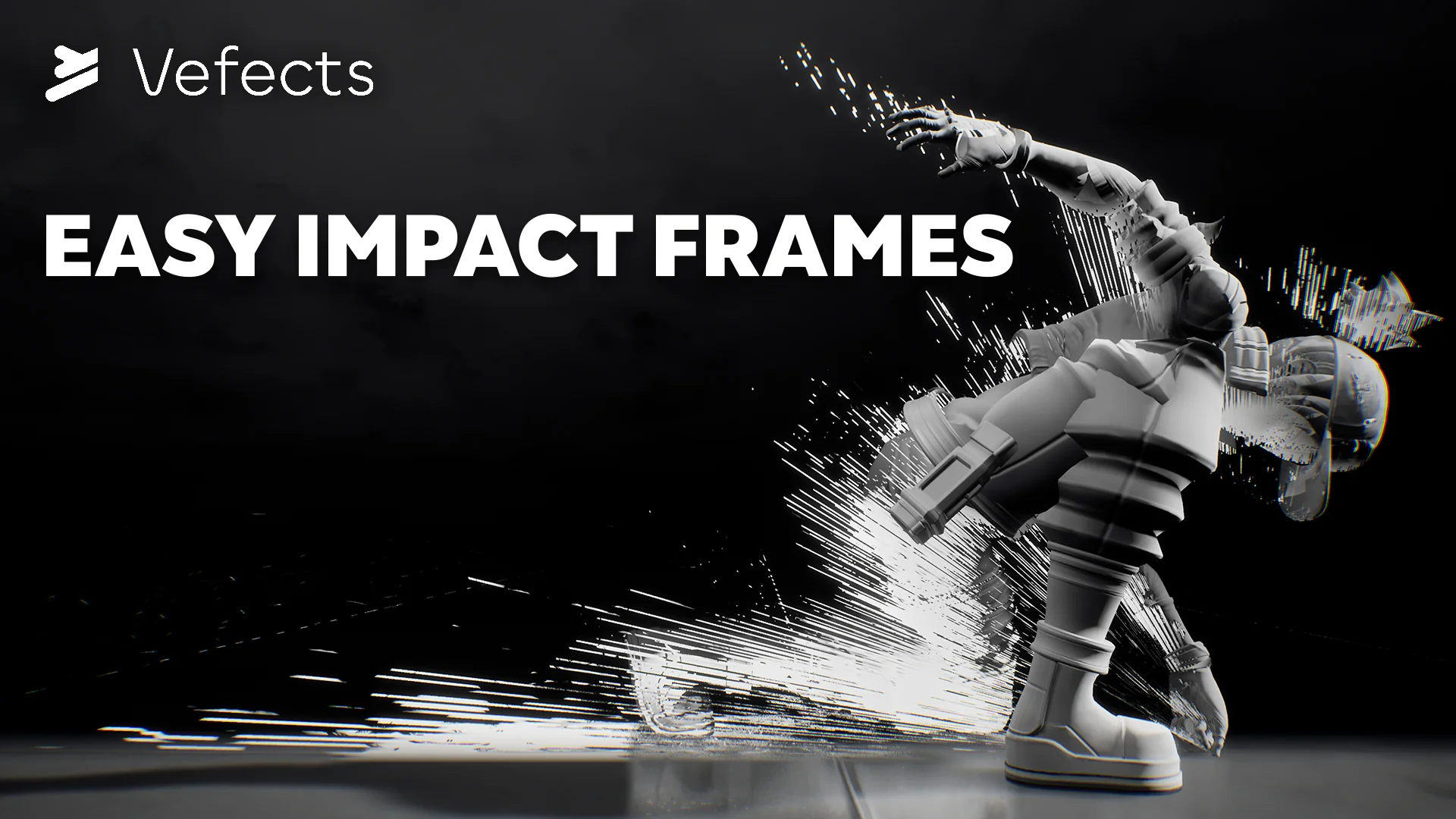
Stylized combat games rely heavily on instantaneous visual feedback to communicate the force behind physical strikes, heavy spells, and cinematic clashes. When a character connects with a massive hit or triggers an ultimate ability, standard particle bursts alone often fail to convey the intended weight. Action titles inspired by anime aesthetic traditions bridge this gap using impact frames: brief, intense full-screen flashes and stark visual shifts that pause the visual rhythm for a fraction of a second. These punctuation marks accentuate strikes, making combat sequences feel punchy, responsive, and legible in the middle of chaotic encounters.
Integrating these moments typically presents production hurdles, as syncing camera-level flashes, screen-space shaders, and particle elements by hand demands considerable setup time. Easy Impact Frames targets precisely these sequences. It provides an immediate drag-and-drop solution tailored specifically for anime-styled projects, allowing creators to deploy stark, stylized impact effects across high-intensity gameplay beats without having to construct custom flash logic from scratch.
Deploying Easy Dynamic Feedback Across Combat Scenes
Combat hits, special abilities, and sudden environmental disruptions each possess distinct visual demands. A quick sword slash requires a sharp, localized flash, whereas a devastating area-of-effect blast demands a screen-filling jolt that commands the player's full attention. The package accommodates these variations across three primary game scenarios:
Heavy character abilities benefit directly from the instant punch delivered by dedicated impact frames. When a player charges a finishing move, punctuating the moment of release with a hard-edged visual frame gives the skill a distinct signature. It separates ordinary button presses from high-stakes actions, mimicking traditional hand-drawn action animation where key poses are held or inverted to telegraph sheer power.
Explosion sequences require layered dynamic energy. Rather than relying purely on expanding spherical emitters, pairing standard explosion meshes with immediate frame-based visual effects enhances the perceived shockwave. The sharp contrast shift catches the eye before the smoke and debris roll outward, grounding the detonation firmly within the scene.
Environmental events gain urgency through similar mechanics. When structures collapse, traps trigger, or dynamic boss hazards alter the arena, screen-level impact effects warn the player instantly. By flashing the scene or driving rapid visual changes at the moment of catastrophic failure, the environment feels reactive and dangerous.
Underlying Shaders, Particles, and Blueprint Architecture
The technical implementation behind Easy Impact Frames pairs multiple rendering techniques to achieve its stylized results. Rather than depending on a single static sprite, the system combines shaders, dynamic materials, particle emitters, and blueprints into coordinated visual systems.
Dynamic materials handle the sharp contrasts and color alterations that characterize anime flashes. By exposing parameters within the shaders, the materials permit real-time shifts in tint, intensity, and blend modes. This structure lets artists tweak the harshness of the screen flash to match different lighting setups or art directions, whether a project requires completely monochromatic negative-space hits or tinted, vibrant color explosions.
Screen-space elements work alongside standard 3D particles to ensure feedback remains readable regardless of camera positioning. If an attack lands right in front of the lens or deep in the background, the screen-oriented frame effects maintain consistent intensity across the viewport. Blueprints drive the execution of these components, packaging the activation timings, particle spawns, and dynamic material instances into straightforward logic blocks that can be linked to collision triggers, animation notifies, or damage events.
Structuring High-Energy Sequences with Impact Frames
Performance remains a major consideration when implementing screen-wide shaders and rapid visual bursts, particularly in fast-paced action games with dense enemy encounters. The assets within Easy Impact Frames are optimized to maintain smooth frame rates during gameplay. Screen-wide overlays and flash shaders are engineered to fire cleanly and terminate immediately, minimizing unnecessary draw calls and GPU fill-rate strain during rapid-fire combat exchanges.
Broad compatibility ensures the toolkit adapts smoothly across varying pipeline configurations. The systems function out of the box as self-contained units, meaning teams do not need to rewrite their underlying rendering settings or overhaul existing character animation pipelines to introduce hit frames. Artists and programmers can drop the blueprint components into existing project hierarchies and begin firing effects instantly, bypassing tedious node wiring.
Customizability forms the other half of the implementation equation. While the default setups deliver immediate, high-quality anime-style results, the underlying dynamic materials and particle parameters permit deep adjustments. Teams can adjust timing parameters, swap shader inputs, modify flash durations, and tune color curves so the visual feedback integrates seamlessly with the rest of their title's visual identity.
Tailoring Implementation to Fast-Paced Production Pipelines
Action game developers and technical artists working on stylized anime titles stand to gain the most from this toolkit. Building impact systems from the ground up requires coordinating screen post-processing, animation notify hooks, and dynamic material parameter collections. This process often consumes valuable production hours that smaller teams or solo creators could better spend refining core movement mechanics and combat balancing.
By providing pre-configured systems ready to drop directly into production, the package removes the technical barrier to achieving dramatic hit stop visuals. Creators can focus on placing triggers at the exact frame of weapon impact, knowing the underlying shaders, dynamic materials, and particle elements will reliably deliver clean, punchy feedback on every strike.
 Shaders
 Shaders
 Shaders
 Shaders