"6ac84fdb0bd06614"{"id":"1001234","slug":"dynamic-ragdoll","title":"Dynamic Ragdoll","category":"Action-Adventure","engine":"5.0+","assetVersion":"","engineVersion":"Engine Version: 5.0+","tag":"Action-Adventure","accent":"blue","visual":"mech","summary":"Explore the Dynamic Ragdoll component for Unreal Engine, blending physics-driven movement with capsule navigation, grabbing, and static mesh grappling.","platform":"Unreal Engine","publishedAt":"2026-09-21T03:43:09.332Z","updatedAt":"2026-09-21T03:43:09.332Z","sourceNotes":[],"fileContents":[],"compatibility":["Unreal Engine","Engine Version: 5.0+"],"featuredImage":{"alt":"Dynamic Ragdoll","src":"/wp-content/uploads/published/2026/09/6824929db97d-78b6c3bc-6964-4151-a8be-5208c1911bd3-2af4fd9652.webp"},"hasDownloadLink":true,"downloads":0,"terms":[{"taxonomy":"category","slug":"action-adventure","name":"Action-Adventure"}],"galleryImages":[{"src":"/wp-content/uploads/published/2026/09/fbac81d860a2-c6f69f97-1952-422b-93f1-ec5f6eac8688-c63101744b.webp","alt":"Dynamic Ragdoll"},{"src":"/wp-content/uploads/published/2026/09/07d94d4d1a76-4a065b24-538c-4b10-acca-b2ed3692bd6d-b138c5c171.webp","alt":"Dynamic Ragdoll"},{"src":"/wp-content/uploads/published/2026/09/1672bf462ad3-52b0482e-39f7-4946-950d-037070f93bbd-4358159a09.webp","alt":"Dynamic Ragdoll"},{"src":"/wp-content/uploads/published/2026/09/08e65c4cea93-9df49adf-d0db-4396-8a12-c9b92664d655-abc7034ad0.webp","alt":"Dynamic Ragdoll"},{"src":"/wp-content/uploads/published/2026/09/52325a8d4a26-30489b24-85d2-4405-8505-53ea28b932a4-a2c78b141a.webp","alt":"Dynamic Ragdoll"}],"accessPanel":{"kind":"resource","title":"Download this resource","eyebrow":"Free Download","message":"Log in or create a free account to start your download.","fileName":"Content.7z","safetyNote":"Resources are manually reviewed before listing to improve quality and reduce obvious risks.","actionLabel":"Download Free","resourceType":"Resource archive"},"contentHtml":"\u003ch2\u003ePhysics-Driven Locomotion Blended with Capsule Movement\u003c/h2\u003e\n\u003cp\u003eDynamic Ragdoll introduces a dedicated component engineered to merge real-time physical simulation with standard capsule movement. In conventional character setups within Unreal Engine, a Character Movement Component governs character translation and orientation by updating a root capsule kinematically, while the underlying skeletal mesh plays pre-authored skeletal animations. In contrast, this component shifts the character's locomotion paradigm so that physical forces directly govern the character's movement across the level surface while maintaining coordination with capsule collision.\u003c/p\u003e\n\u003cp\u003eBecause each character is moved through physics, the system departs from purely deterministic, animation-locked paths. Characters interact directly with physical forces in the scene rather than relying solely on scripted transitions. This dynamic integration allows character rigs to react organically to sudden velocity changes, uneven ground geometry, and abrupt external impulses without snapping out of standard navigation states or detaching from the spatial reference of their capsule.\u003c/p\u003e \u003ch2\u003ePhysics Actor Interactions: Pushing, Grabbing, and Static Mesh Grappling\u003c/h2\u003e\n\u003cp\u003eThe core behavior of the Dynamic Ragdoll component centers on direct physical interactions between actors and world geometry. Because locomotion relies on active physics, collisions between characters do not resolve through rigid boundary calculations. Instead, each actor can physically push other actors, yielding responsive physical displacement that accounts for mass, direction, and momentum. When multiple characters collide or crowd a passage, their limbs and bodies compress and deflect naturally.\u003c/p\u003e\n\u003cp\u003eBeyond passive physical contact, the component allows actors to grab other characters in the environment. This mechanic establishes physical links between skeletal structures, transferring movement forces from one character to another in real time. Characters can grip opponents, allies, or bystanders, triggering unscripted physical wrestling and joint articulation. Because the entire reaction runs on physics evaluation, interactions naturally produce chaotic, dynamic, and comical movement states that cannot be replicated through conventional keyframed animations alone.\u003c/p\u003e\n\u003cp\u003eIn addition to character-to-character grabbing, the system supports grappling to static meshes. Actors can physically latch onto static world objects, architectural geometry, and fixed level props. Once an actor establishes a physical grapple to a static mesh, the connection is governed entirely by physical constraints and collision tolerances. This provides a dependable foundation for climbing, hanging, or anchoring mechanics where physical tension and mass dictate whether an actor stays attached or breaks free under stress.\u003c/p\u003e \u003ch2\u003eBlueprint Architecture and In-Project Documentation\u003c/h2\u003e\n\u003cp\u003eImplemented completely within visual scripting, Dynamic Ragdoll exposes its physics logic and component parameters through Unreal Engine Blueprints. Working effectively with the setup requires a foundational understanding of Blueprint nodes, character casting, event execution, and physics settings. While the logic is packaged into a modular component format, developers must navigate event graphs to tune connection strengths, tweak interaction states, and map grabbing or grappling inputs to character controls.\u003c/p\u003e\n\u003cp\u003eThose without experience in Blueprint visual scripting may find it difficult to troubleshoot physics conflicts, adjust simulation thresholds, or customize character movement states. Project-specific documentation is included directly within the project's folder structure, outlining how component functions are mapped, where references are initialized, and how physical movement states link to the player or artificial intelligence controllers. Developers can reference these bundled files to trace the intended data flow before integrating the component into wider game frameworks.\u003c/p\u003e \u003ch2\u003eEngine Compatibility and Easy AI Toolkit Integration\u003c/h2\u003e\n\u003cp\u003eDynamic Ragdoll was constructed with native support beginning in Unreal Engine 4.15 and 4.16+. Projects assembled in these earlier engine builds are structured to migrate forward into newer engine releases without requiring major structural overhauls. Under typical conditions, newer iterations of Unreal Engine maintain backward compatibility with established Blueprint logic, enabling straightforward project upgrades.\u003c/p\u003e\n\u003cp\u003eEngine-level updates occasionally alter underlying function definitions, deprecate specific visual scripting nodes, or adjust how physics tick groups execute. When these engine revisions introduce compilation warnings or runtime errors during version migration, adjustments to the affected Blueprint nodes resolve the discrepancies. Alongside standard character setups, the system maintains verified compatibility with the Easy AI Toolkit, allowing developers to extend physics-driven locomotion, multi-actor pushing, and physical grappling directly to automated non-player characters.\u003c/p\u003e\n\n\u003ch2\u003eMore From The Same Workflow\u003c/h2\u003e\n\u003cul\u003e\n\u003cli\u003e\u003ca href=\"https://3dcghub.com/dynamic-qte-system/\" title=\"Dynamic QTE System\"\u003eDynamic QTE System\u003c/a\u003e\u003c/li\u003e\n\u003cli\u003e\u003ca href=\"https://3dcghub.com/advanced-locomotion-system-v4/\" title=\"Advanced Locomotion System V4\"\u003eAdvanced Locomotion System V4\u003c/a\u003e\u003c/li\u003e\n\u003cli\u003e\u003ca href=\"https://3dcghub.com/dynamic-combat-system-bundle/\" title=\"Dynamic Combat System - Bundle\"\u003eDynamic Combat System - Bundle\u003c/a\u003e\u003c/li\u003e\n\u003cli\u003e\u003ca href=\"https://3dcghub.com/hyper-multiplayer-survival-template-pro-mst-v4/\" title=\"Hyper Multiplayer Survival Template Pro [MST] V4\"\u003eHyper Multiplayer Survival Template Pro [MST] V4\u003c/a\u003e\u003c/li\u003e\n\u003cli\u003e\u003ca href=\"https://3dcghub.com/hyper-multiplayer-survival-template-plus-mst-v4/\" title=\"Hyper Multiplayer Survival Template Plus [MST] v4\"\u003eHyper Multiplayer Survival Template Plus [MST] v4\u003c/a\u003e\u003c/li\u003e\n\u003c/ul\u003e","contentTextLength":5247,"navigation":{"current":5,"total":3181,"previous":{"id":"1001235","slug":"easy-ai-toolkit","title":"Easy AI Toolkit","category":"Action-Adventure","platform":"Unreal Engine","updatedAt":"2026-09-21T03:45:03.291Z"},"next":{"id":"1001233","slug":"dynamic-qte-system","title":"Dynamic QTE System","category":"Action-Adventure","platform":"Unreal Engine","updatedAt":"2026-09-21T03:40:52.960Z"}},"relatedResources":[{"id":"1001235","slug":"easy-ai-toolkit","title":"Easy AI Toolkit","category":"Action-Adventure","engine":"5.0+","assetVersion":"","engineVersion":"Engine Version: 5.0+","tag":"Action-Adventure","accent":"blue","visual":"mech","summary":"Explore the Easy AI Toolkit for Unreal Engine, featuring modular actor navigation, controller lifecycle controls, and dynamic behavior tree swapping.","platform":"Unreal Engine","publishedAt":"2026-09-21T03:45:03.291Z","updatedAt":"2026-09-21T03:45:03.291Z","sourceNotes":[],"fileContents":[],"compatibility":["Unreal Engine","Engine Version: 5.0+"],"featuredImage":{"alt":"Easy AI Toolkit","src":"/wp-content/uploads/published/2026/09/2ea23c1fb0c2-05ef4a20-03f1-4d9a-832b-7ce6083cdc69-d6a85e3559.webp"},"hasDownloadLink":true,"downloads":0},{"id":"1001233","slug":"dynamic-qte-system","title":"Dynamic QTE System","category":"Action-Adventure","engine":"5.0+","assetVersion":"","engineVersion":"Engine Version: 5.0+","tag":"Action-Adventure","accent":"blue","visual":"mech","summary":"Explore the Dynamic QTE System for Unreal Engine, featuring non-linear cinematic quick time events, MSL toolkit subsystems, and NPC-driven sequences.","platform":"Unreal Engine","publishedAt":"2026-09-21T03:40:52.960Z","updatedAt":"2026-09-21T03:40:52.960Z","sourceNotes":[],"fileContents":[],"compatibility":["Unreal Engine","Engine Version: 5.0+"],"featuredImage":{"alt":"Dynamic QTE System","src":"/wp-content/uploads/published/2026/09/dc69da09122c-09594aa3-a75c-4c31-be50-6d617a4b9e72-24a2b26565.webp"},"hasDownloadLink":true,"downloads":0},{"id":"1001226","slug":"advanced-locomotion-system-v4","title":"Advanced Locomotion System V4","category":"Action-Adventure","engine":"5.0+","assetVersion":"","engineVersion":"Engine Version: 5.0+","tag":"Action-Adventure","accent":"blue","visual":"animation","summary":"Technical breakdown of Advanced Locomotion System V4 for Unreal Engine 4, covering curve-driven movement, layered AnimBP logic, and dynamic mantling.","platform":"Unreal Engine","publishedAt":"2026-09-21T03:20:36.125Z","updatedAt":"2026-09-21T03:20:36.125Z","sourceNotes":[],"fileContents":[],"compatibility":["Unreal Engine","Engine Version: 5.0+"],"featuredImage":{"alt":"Advanced Locomotion System V4","src":"/wp-content/uploads/published/2026/09/51c36ad1f441-ab404707-41ee-416b-828a-8d4b1f1bf80d-f9556d70e9.webp"},"hasDownloadLink":true,"downloads":0}]}
Action-Adventure
Dynamic Ragdoll
Explore the Dynamic Ragdoll component for Unreal Engine, blending physics-driven movement with capsule navigation, grabbing, and static mesh grappling.
Physics-Driven Locomotion Blended with Capsule Movement
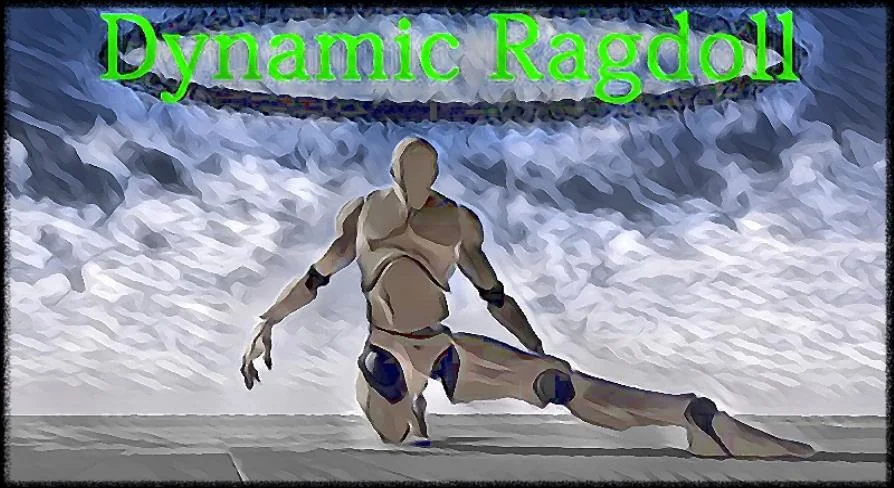
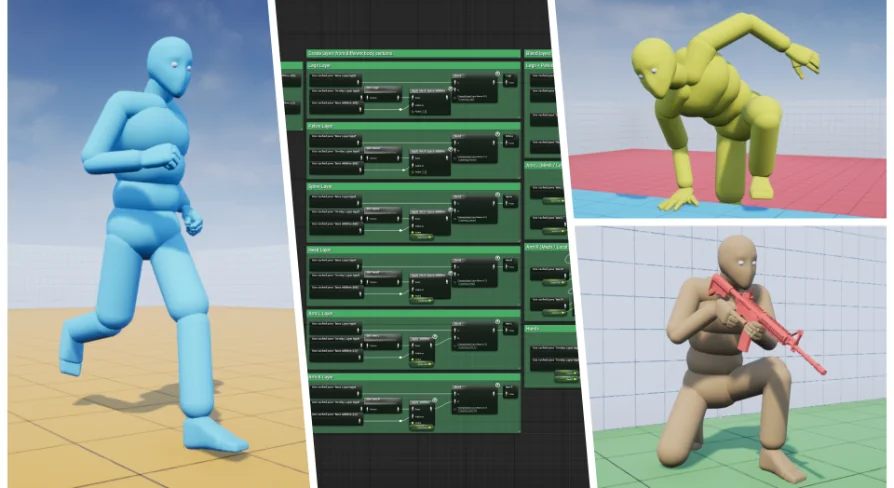
Dynamic Ragdoll introduces a dedicated component engineered to merge real-time physical simulation with standard capsule movement. In conventional character setups within Unreal Engine, a Character Movement Component governs character translation and orientation by updating a root capsule kinematically, while the underlying skeletal mesh plays pre-authored skeletal animations. In contrast, this component shifts the character's locomotion paradigm so that physical forces directly govern the character's movement across the level surface while maintaining coordination with capsule collision.
Because each character is moved through physics, the system departs from purely deterministic, animation-locked paths. Characters interact directly with physical forces in the scene rather than relying solely on scripted transitions. This dynamic integration allows character rigs to react organically to sudden velocity changes, uneven ground geometry, and abrupt external impulses without snapping out of standard navigation states or detaching from the spatial reference of their capsule.
Physics Actor Interactions: Pushing, Grabbing, and Static Mesh Grappling
The core behavior of the Dynamic Ragdoll component centers on direct physical interactions between actors and world geometry. Because locomotion relies on active physics, collisions between characters do not resolve through rigid boundary calculations. Instead, each actor can physically push other actors, yielding responsive physical displacement that accounts for mass, direction, and momentum. When multiple characters collide or crowd a passage, their limbs and bodies compress and deflect naturally.
Beyond passive physical contact, the component allows actors to grab other characters in the environment. This mechanic establishes physical links between skeletal structures, transferring movement forces from one character to another in real time. Characters can grip opponents, allies, or bystanders, triggering unscripted physical wrestling and joint articulation. Because the entire reaction runs on physics evaluation, interactions naturally produce chaotic, dynamic, and comical movement states that cannot be replicated through conventional keyframed animations alone.
In addition to character-to-character grabbing, the system supports grappling to static meshes. Actors can physically latch onto static world objects, architectural geometry, and fixed level props. Once an actor establishes a physical grapple to a static mesh, the connection is governed entirely by physical constraints and collision tolerances. This provides a dependable foundation for climbing, hanging, or anchoring mechanics where physical tension and mass dictate whether an actor stays attached or breaks free under stress.
Blueprint Architecture and In-Project Documentation
Implemented completely within visual scripting, Dynamic Ragdoll exposes its physics logic and component parameters through Unreal Engine Blueprints. Working effectively with the setup requires a foundational understanding of Blueprint nodes, character casting, event execution, and physics settings. While the logic is packaged into a modular component format, developers must navigate event graphs to tune connection strengths, tweak interaction states, and map grabbing or grappling inputs to character controls.
Those without experience in Blueprint visual scripting may find it difficult to troubleshoot physics conflicts, adjust simulation thresholds, or customize character movement states. Project-specific documentation is included directly within the project's folder structure, outlining how component functions are mapped, where references are initialized, and how physical movement states link to the player or artificial intelligence controllers. Developers can reference these bundled files to trace the intended data flow before integrating the component into wider game frameworks.
Engine Compatibility and Easy AI Toolkit Integration
Dynamic Ragdoll was constructed with native support beginning in Unreal Engine 4.15 and 4.16+. Projects assembled in these earlier engine builds are structured to migrate forward into newer engine releases without requiring major structural overhauls. Under typical conditions, newer iterations of Unreal Engine maintain backward compatibility with established Blueprint logic, enabling straightforward project upgrades.
Engine-level updates occasionally alter underlying function definitions, deprecate specific visual scripting nodes, or adjust how physics tick groups execute. When these engine revisions introduce compilation warnings or runtime errors during version migration, adjustments to the affected Blueprint nodes resolve the discrepancies. Alongside standard character setups, the system maintains verified compatibility with the Easy AI Toolkit, allowing developers to extend physics-driven locomotion, multi-actor pushing, and physical grappling directly to automated non-player characters.
 Action-Adventure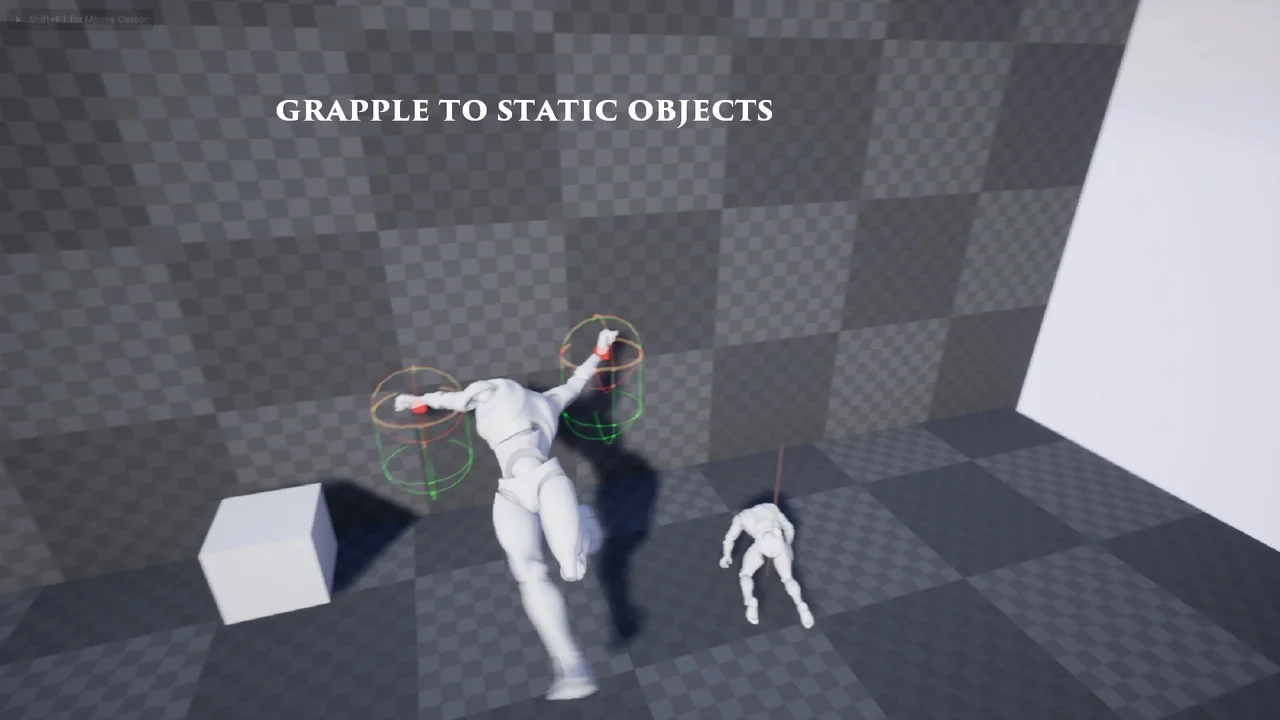
 Action-Adventure
 Action-Adventure
 Action-Adventure