"7aa4acc705f0d80b"{"id":"1001985","slug":"compact-login-system","title":"Compact Login System","category":"Engine Tools","engine":"5.1","assetVersion":"Asset Version: 1.0","engineVersion":"Engine Version: 5.1","tag":"Engine Tools","accent":"blue","visual":"mech","summary":"Examine the Compact Login System plugin, featuring PHP web server scripts, SQLite database storage, and authorization code generation.","platform":"Unreal Engine","publishedAt":"2026-10-24T14:30:09.819Z","updatedAt":"2026-10-24T14:30:09.819Z","sourceNotes":[],"fileContents":[],"compatibility":["Unreal Engine","Asset Version: 1.0","Engine Version: 5.1"],"featuredImage":{"alt":"Compact Login System","src":"/wp-content/uploads/published/2026/10/3e3ff0605466-60fa661b-a2fc-4920-8a14-6748172ee6b9-6514059339.webp"},"hasDownloadLink":true,"downloads":0,"terms":[{"taxonomy":"category","slug":"engine-tools-tools-and-plugins","name":"Engine Tools"}],"galleryImages":[{"src":"/wp-content/uploads/published/2026/10/731cb66ba926-6ed77fc6-7b97-4588-87b2-a114f37ab4f9-d88d5a3318.webp","alt":"Compact Login System"},{"src":"/wp-content/uploads/published/2026/10/a243257f8bbe-5c6ff79a-80b4-42c7-8fdd-41beee0ee807-aab2ab1797.webp","alt":"Compact Login System"},{"src":"/wp-content/uploads/published/2026/10/9d88c6997524-db81c001-9392-4428-a3f2-432a1207e206-b2956cb3a7.webp","alt":"Compact Login System"},{"src":"/wp-content/uploads/published/2026/10/519c697dcddc-560aa401-6aed-433c-b8ae-de973edb6308-b7152c658e.webp","alt":"Compact Login System"},{"src":"/wp-content/uploads/published/2026/10/e09cb74eb6fb-a2193b50-c651-45a2-a953-efb59adb1acc-fb8ce8fd5c.webp","alt":"Compact Login System"}],"accessPanel":{"kind":"resource","title":"Download this resource","eyebrow":"Free Download","message":"Log in or create a free account to start your download.","fileName":"Compact Login System.7z","safetyNote":"Resources are manually reviewed before listing to improve quality and reduce obvious risks.","actionLabel":"Download Free","resourceType":"Resource archive"},"contentHtml":"\u003cp\u003eEstablishing user authentication typically requires configuring external hosting, writing network endpoints, and defining database tables before a single client request can be validated. Compact Login System approaches this problem by supplying the core backend scripting and client integration pieces necessary to link a project directly to a web server. The package focuses on a lean, self-hosted structure where authentication logic and data storage remain under the developer's immediate control.\u003c/p\u003e \u003ch2\u003eDeploying the PHP Code to the Web Root Folder\u003c/h2\u003e\n\u003cp\u003eThe operational foundation of the Compact Login System relies on a self-hosted server environment. Users must set up an active web server capable of processing PHP requests. Once the hosting environment is ready, the deployment process centers on placing the provided PHP code directly into the web root folder.\u003c/p\u003e \u003cp\u003ePlacing these scripts into the web root folder exposes the endpoints that handle communication with the client plugin. When a user submits an account query or attempts to sign in, the web server processes the request through the PHP files located in that root path. Because the server setup is entirely independent, developers have direct access to their host files, server logs, and environment configurations without relying on proprietary third-party account portals.\u003c/p\u003e \u003cp\u003eThe architecture ensures that the client plugin does not interact with a remote black box. Every incoming authentication call flows through the PHP scripts residing in the web root folder, making it straightforward to monitor connection activity, confirm file permissions, and ensure the server responds appropriately to network calls dispatched by the plugin.\u003c/p\u003e \u003ch2\u003eSQLite Database Storage and Authorization Code Generation\u003c/h2\u003e\n\u003cp\u003eRather than requiring an intricate, standalone relational database service, the Compact Login System implements a compact user database powered by SQLite. This file-based database format lives directly alongside the server scripts, eliminating the need to install or configure external database daemons.\u003c/p\u003e \u003cp\u003eThe included PHP code manages the communication between the web server and the SQLite database. When credentials arrive at the server root, the script queries the SQLite records to verify account validity. Storing user records in this compact database format keeps disk footprint minimal and reduces maintenance overhead, particularly for prototypes, small projects, or standalone game architectures that prioritize low server complexity.\u003c/p\u003e \u003cp\u003eAlongside database validation, the backend PHP code handles authorization code generation. Once a client successfully verifies their login details, the server script issues an authorization code. Generating this code on the server side keeps authorization control firmly on the host machine. The client plugin receives the authorization code to confirm access, establishing an authenticated link between the web server and the active application.\u003c/p\u003e \u003ch2\u003eExtending Limited Registration Information in the Compact Login System\u003c/h2\u003e\n\u003cp\u003eBy design, the Compact Login System provides a foundational setup that contains limited user registration information. The default database fields and registration parameters capture only the critical information needed to register an account and authenticate identity against the SQLite database.\u003c/p\u003e \u003cp\u003eThis streamlined approach functions as a working baseline, but production projects often require additional data points. In practice, developers must extend this registration framework to accommodate project-specific demands. Expanding the system involves modifying the underlying PHP code and altering the SQLite database structure to accommodate new user attributes.\u003c/p\u003e \u003cp\u003eProjects that require extra parameters—such as display names, timestamps, account statuses, gameplay preferences, or custom security tokens—can expand the provided PHP scripts. Because the code is open to direct editing in the web root folder, adapting the registration endpoints to process and store extra fields does not require redesigning the broader network pathway.\u003c/p\u003e \u003ch2\u003eIntegration with Universal Shooting Game Template and Framework\u003c/h2\u003e\n\u003cp\u003eCompatibility extends to the Universal Shooting Game Template and Framework. For developers utilizing this framework, the Compact Login System provides a ready-made entry barrier, allowing player identity checks to occur prior to loading gameplay systems or entering game loops.\u003c/p\u003e \u003cp\u003eIntegrating the login sequence into the Universal Shooting Game Template and Framework allows developers to protect match access and bind player identities to specific user accounts. When players launch a title built on the framework, the client plugin routes their credentials to the web server, waits for the authorization code generated by the PHP scripts, and permits entry once the SQLite database confirms account authenticity.\u003c/p\u003e \u003cp\u003eEmploying the login system within this specific framework keeps networking tasks separate from core combat logic. The framework handles game rules and match execution, while the Compact Login System manages identity verification at the network boundary.\u003c/p\u003e \u003ch2\u003eWeb Server Setup and Documentation Guidance\u003c/h2\u003e\n\u003cp\u003eManaging web servers and backend directories can present hurdles for developers accustomed strictly to client-side logic. To alleviate deployment errors, the specific details required to configure the hosting environment are outlined within the provided documentation.\u003c/p\u003e \u003cp\u003eThe documentation guides users through establishing the web server, arranging file paths within the web root folder, and ensuring the PHP code executes properly in conjunction with the SQLite database. Consulting this documentation ensures that file access permissions, server-side execution paths, and client plugin settings align properly from initial deployment through ongoing live operation.\u003c/p\u003e\n\n\u003ch2\u003eRelated Resources Worth Checking\u003c/h2\u003e\n\u003cul\u003e\n\u003cli\u003e\u003ca href=\"https://3dcghub.com/cinematographer-pro-a-cinematic-photorealistic-camera-system/\" title=\"Cinematographer PRO - A Cinematic Photorealistic Camera System\"\u003eCinematographer PRO - A Cinematic Photorealistic Camera System\u003c/a\u003e\u003c/li\u003e\n\u003cli\u003e\u003ca href=\"https://3dcghub.com/combo-graph/\" title=\"Combo Graph\"\u003eCombo Graph\u003c/a\u003e\u003c/li\u003e\n\u003cli\u003e\u003ca href=\"https://3dcghub.com/anime-character-creator-plugin/\" title=\"Anime Character Creator - Plugin\"\u003eAnime Character Creator - Plugin\u003c/a\u003e\u003c/li\u003e\n\u003cli\u003e\u003ca href=\"https://3dcghub.com/ase-importer/\" title=\"Ase Importer\"\u003eAse Importer\u003c/a\u003e\u003c/li\u003e\n\u003cli\u003e\u003ca href=\"https://3dcghub.com/unicode-handler/\" title=\"Unicode Handler\"\u003eUnicode Handler\u003c/a\u003e\u003c/li\u003e\n\u003c/ul\u003e","contentTextLength":5959,"navigation":{"current":5,"total":3925,"previous":{"id":"1001986","slug":"concrete-hangar-v-1","title":"Concrete hangar v.1","category":"Buildings \u0026 Architecture","platform":"Unreal Engine","updatedAt":"2026-10-24T14:32:18.069Z"},"next":{"id":"1001984","slug":"combat-missile-pack","title":"Combat Missile Pack","category":"Weapons \u0026 Combat","platform":"Unreal Engine","updatedAt":"2026-10-24T14:29:24.437Z"}},"relatedResources":[{"id":"13799","slug":"cinematographer-pro-a-cinematic-photorealistic-camera-system","title":"Cinematographer PRO - A Cinematic Photorealistic Camera System","category":"Engine Tools","engine":"5.1 - 5.7","assetVersion":"1.03 - 1.2","engineVersion":"5.1 - 5.7","tag":"Engine Tools","accent":"blue","visual":"character","summary":"Enhance your Unreal Engine workflow with Cinematographer PRO. This system offers realistic camera gear and streamlined settings to achieve instant photorealistic results for any project.","platform":"Unreal Engine","publishedAt":"2026-03-11T10:06:56.000Z","updatedAt":"2026-07-26T15:56:12.234Z","sourceNotes":[],"fileContents":[],"compatibility":["Unreal Engine","Asset Version: 1.03 - 1.2","Engine version: 5.1 - 5.7"],"featuredImage":{"alt":"Cinematographer PRO - A Cinematic Photorealistic Camera System","src":"https://3dcghub.com/wp-content/uploads/2026/03/45c81bf9-4e58-4b53-b6f6-e8802264d091.webp"},"hasDownloadLink":true,"downloads":2},{"id":"1001951","slug":"anime-character-creator-plugin","title":"Anime Character Creator - Plugin","category":"Engine Tools","engine":"5.1+","assetVersion":"","engineVersion":"Engine Version: 5.1+","tag":"Engine Tools","accent":"blue","visual":"character","summary":"Examine the Anime Character Creator - Plugin featuring morphology controls, async data loading, spawn point randomization, and OOP architecture.","platform":"Unreal Engine","publishedAt":"2026-10-24T11:24:37.566Z","updatedAt":"2026-10-24T11:24:37.566Z","sourceNotes":[],"fileContents":[],"compatibility":["Unreal Engine","Engine Version: 5.1+"],"featuredImage":{"alt":"Anime Character Creator - Plugin","src":"/wp-content/uploads/published/2026/10/5dd9add74b26-d537e28e-4283-44a1-88e3-b5fb783c7d26-d5fd7c5c21.webp"},"hasDownloadLink":true,"downloads":1},{"id":"13825","slug":"combo-graph","title":"Combo Graph","category":"Engine Tools","engine":"5.1 - 5.8","assetVersion":"Asset Version:1.4.0 - 1.6.1","engineVersion":"Engine version: 5.1 - 5.8","tag":"Engine Tools","accent":"blue","visual":"luts","summary":"Streamline your combat design with Combo Graph, a GAS-based Unreal Engine plugin. Use its node-based editor to create complex melee strings with multiplayer support and rapid prototyping tools.","platform":"Unreal Engine","publishedAt":"2026-03-11T10:10:59.000Z","updatedAt":"2026-08-24T05:32:39.634Z","sourceNotes":[],"fileContents":[],"compatibility":["Unreal Engine","Asset Version:1.4.0 - 1.6.1","Engine version: 5.1 - 5.8"],"featuredImage":{"alt":"Combo Graph","src":"https://3dcghub.com/wp-content/uploads/2026/03/11f09f07-e4bd-4cc8-9924-40b122bd6f3a.webp"},"hasDownloadLink":true,"downloads":2}]}
Engine Tools
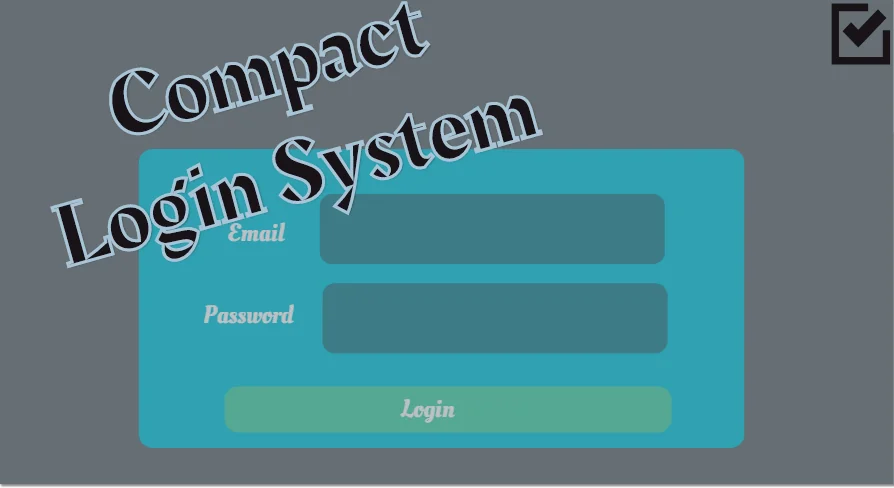
Compact Login System
Examine the Compact Login System plugin, featuring PHP web server scripts, SQLite database storage, and authorization code generation.
Establishing user authentication typically requires configuring external hosting, writing network endpoints, and defining database tables before a single client request can be validated. Compact Login System approaches this problem by supplying the core backend scripting and client integration pieces necessary to link a project directly to a web server. The package focuses on a lean, self-hosted structure where authentication logic and data storage remain under the developer's immediate control.
Deploying the PHP Code to the Web Root Folder
The operational foundation of the Compact Login System relies on a self-hosted server environment. Users must set up an active web server capable of processing PHP requests. Once the hosting environment is ready, the deployment process centers on placing the provided PHP code directly into the web root folder.
Placing these scripts into the web root folder exposes the endpoints that handle communication with the client plugin. When a user submits an account query or attempts to sign in, the web server processes the request through the PHP files located in that root path. Because the server setup is entirely independent, developers have direct access to their host files, server logs, and environment configurations without relying on proprietary third-party account portals.
The architecture ensures that the client plugin does not interact with a remote black box. Every incoming authentication call flows through the PHP scripts residing in the web root folder, making it straightforward to monitor connection activity, confirm file permissions, and ensure the server responds appropriately to network calls dispatched by the plugin.
SQLite Database Storage and Authorization Code Generation
Rather than requiring an intricate, standalone relational database service, the Compact Login System implements a compact user database powered by SQLite. This file-based database format lives directly alongside the server scripts, eliminating the need to install or configure external database daemons.
The included PHP code manages the communication between the web server and the SQLite database. When credentials arrive at the server root, the script queries the SQLite records to verify account validity. Storing user records in this compact database format keeps disk footprint minimal and reduces maintenance overhead, particularly for prototypes, small projects, or standalone game architectures that prioritize low server complexity.
Alongside database validation, the backend PHP code handles authorization code generation. Once a client successfully verifies their login details, the server script issues an authorization code. Generating this code on the server side keeps authorization control firmly on the host machine. The client plugin receives the authorization code to confirm access, establishing an authenticated link between the web server and the active application.
Extending Limited Registration Information in the Compact Login System
By design, the Compact Login System provides a foundational setup that contains limited user registration information. The default database fields and registration parameters capture only the critical information needed to register an account and authenticate identity against the SQLite database.
This streamlined approach functions as a working baseline, but production projects often require additional data points. In practice, developers must extend this registration framework to accommodate project-specific demands. Expanding the system involves modifying the underlying PHP code and altering the SQLite database structure to accommodate new user attributes.
Projects that require extra parameters—such as display names, timestamps, account statuses, gameplay preferences, or custom security tokens—can expand the provided PHP scripts. Because the code is open to direct editing in the web root folder, adapting the registration endpoints to process and store extra fields does not require redesigning the broader network pathway.
Integration with Universal Shooting Game Template and Framework
Compatibility extends to the Universal Shooting Game Template and Framework. For developers utilizing this framework, the Compact Login System provides a ready-made entry barrier, allowing player identity checks to occur prior to loading gameplay systems or entering game loops.
Integrating the login sequence into the Universal Shooting Game Template and Framework allows developers to protect match access and bind player identities to specific user accounts. When players launch a title built on the framework, the client plugin routes their credentials to the web server, waits for the authorization code generated by the PHP scripts, and permits entry once the SQLite database confirms account authenticity.
Employing the login system within this specific framework keeps networking tasks separate from core combat logic. The framework handles game rules and match execution, while the Compact Login System manages identity verification at the network boundary.
Web Server Setup and Documentation Guidance
Managing web servers and backend directories can present hurdles for developers accustomed strictly to client-side logic. To alleviate deployment errors, the specific details required to configure the hosting environment are outlined within the provided documentation.
The documentation guides users through establishing the web server, arranging file paths within the web root folder, and ensuring the PHP code executes properly in conjunction with the SQLite database. Consulting this documentation ensures that file access permissions, server-side execution paths, and client plugin settings align properly from initial deployment through ongoing live operation.
 Engine Tools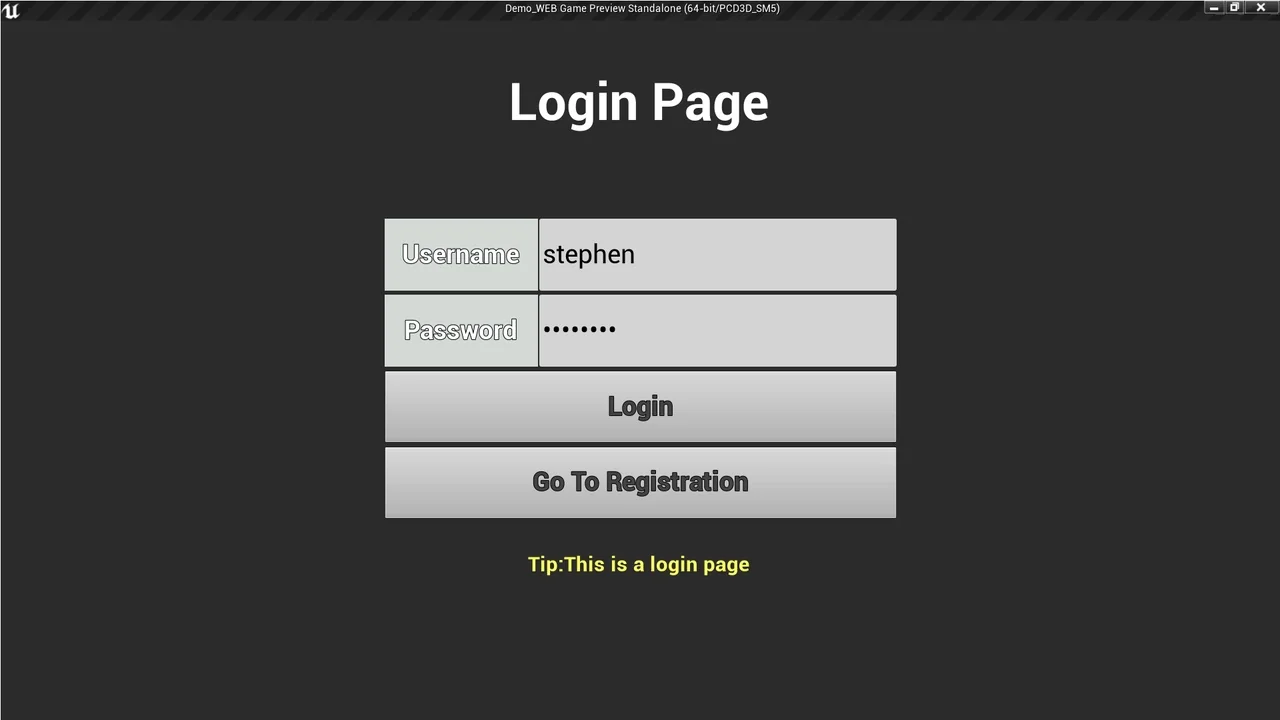
 Engine Tools
 Engine Tools
 Engine Tools