"fa182e0cd0a6ea73"{"id":"1000574","slug":"combat-drone","title":"Combat Drone","category":"Gameplay Features","engine":"4.27,5.0+","assetVersion":"Asset Version: 1.0","engineVersion":"Engine Version: 4.27,5.0+","tag":"Gameplay Features","accent":"blue","visual":"mech","summary":"Combat Drone is a Blueprint component for Unreal Engine featuring a controllable flying pawn and AI logic, compatible with engine versions 4.27 through 5.6.","platform":"Unreal Engine","publishedAt":"2026-07-16T22:28:44.557Z","updatedAt":"2026-07-16T22:28:44.557Z","sourceNotes":[],"fileContents":[],"compatibility":["Unreal Engine","Asset Version: 1.0","Engine Version: 4.27,5.0+"],"featuredImage":{"alt":"Combat Drone","src":"/wp-content/uploads/published/2026/07/e50469e73388-fa787e2d-e3bb-4c39-923d-d38969ed0f15-0aad1eba2f.webp"},"hasDownloadLink":true,"downloads":0,"terms":[{"taxonomy":"category","slug":"gameplay-features","name":"Gameplay Features"}],"galleryImages":[{"src":"/wp-content/uploads/published/2026/07/7e7f50059379-f1d07b5a-f6f9-44fd-98d6-b6545aa54359-33e082e2e5.webp","alt":"Combat Drone"},{"src":"/wp-content/uploads/published/2026/07/2ec044c93062-717d703e-f37e-44ff-b547-348b1e2426be-c38be7c20f.webp","alt":"Combat Drone"},{"src":"/wp-content/uploads/published/2026/07/c742c1703b87-0f66bb15-eec7-4909-9c24-55aa839a293d-9fd0a44574.webp","alt":"Combat Drone"},{"src":"/wp-content/uploads/published/2026/07/3e6d0dbc0310-4192a40d-616e-4b7f-b894-0ac829eacedb-996efb8d9f.webp","alt":"Combat Drone"},{"src":"/wp-content/uploads/published/2026/07/78e3ee3d7f06-2515a58b-c856-41e3-a168-0dac2e06477a-54c8b857c8.webp","alt":"Combat Drone"},{"src":"/wp-content/uploads/published/2026/07/a271785eb6ca-8399e467-9620-4f9d-9c0d-582e7f5af4ec-70b4decdbb.webp","alt":"Combat Drone"},{"src":"/wp-content/uploads/published/2026/07/aba02be093b4-6c6fd339-145f-498e-b05d-b8883dca1103-18b1c54076.webp","alt":"Combat Drone"},{"src":"/wp-content/uploads/published/2026/07/86b2cbf5cf44-3c4de95d-8a4e-4675-acc4-487d25633a72-fc58f632b0.webp","alt":"Combat Drone"},{"src":"/wp-content/uploads/published/2026/07/aee95672deca-cd1d50a9-2eb1-4eb4-99bb-65ace059b2a0-19567aa086.webp","alt":"Combat Drone"}],"accessPanel":{"kind":"resource","title":"Download this resource","eyebrow":"Free Download","message":"Log in or create a free account to start your download.","fileName":"Content.7z","safetyNote":"Resources are manually reviewed before listing to improve quality and reduce obvious risks.","actionLabel":"Download Free","resourceType":"Resource archive"},"contentHtml":"\u003cp\u003eBuilding a scene that involves aerial reconnaissance, automated patrol routines, or a remote-controlled mechanical entity requires a solid foundation of interaction logic. Combat Drone provides exactly this kind of framework for Unreal Engine developers. It functions as a Blueprint component built to operate in tandem with a Blueprint Flying Pawn, giving creators a way to introduce a functioning unmanned aerial vehicle into their environments. Because the system can be controlled directly from a Character, it opens up possibilities for either direct player engagement or autonomous behavior within a level.\u003c/p\u003e \u003ch2\u003eBlueprint Component and Flying Pawn Integration\u003c/h2\u003e \u003cp\u003eAt the center of this asset is the relationship between the Combat Drone BP component and the BP Flying Paw. These elements work together to establish the physical and interactive presence of the drone in the game world. The component structure allows the drone to exist as a functional actor within the scene, while the Flying Pawn handles the mechanics of aerial movement and positioning.\u003c/p\u003e \u003cp\u003eThe architecture is built so that a player Character can take control of the drone. This means the asset can be integrated into projects where the user needs to switch perspective from a standard bipedal character to an aerial vehicle. The logic connecting the character to the flying pawn is fully constructed using Blueprints, Unreal Engine's visual scripting system. This approach makes the underlying mechanics accessible for inspection and modification directly within the editor, without requiring external coding tools.\u003c/p\u003e \u003ch3\u003eBlueprint-Driven AI Logic and System Features\u003c/h3\u003e \u003cp\u003eEvery system feature and all AI logic associated with the Combat Drone were designed in Blueprints. This decision structures the entire asset around a node-based workflow. Developers examining the project will find that the behavioral patterns, flight dynamics, and control schemes are mapped out in visual script nodes rather than dense C++ files. This makes the inner workings of the drone easier to trace, debug, and adapt.\u003c/p\u003e \u003cp\u003eThe inclusion of AI logic implies that the drone is not solely a vehicle for player input. It can be placed in a level to operate independently, executing the behaviors defined in its Blueprint graph. This is useful for populating environments with automated security units, scan-capable hover drones, or hostile robotic enemies that require aerial navigation. Having the AI contained entirely within Blueprints allows developers to tweak the drone's responsiveness, patrol routes, or reaction parameters to fit the specific needs of their scene.\u003c/p\u003e \u003ch2\u003eIncluded Demonstration Audio and Particles\u003c/h2\u003e \u003cp\u003eTo help visualize and test the drone's functionality right away, the asset ships with a set of sounds and particles. These visual and auditory effects are included to serve as a demonstration of how the system operates in motion. When the drone moves, interacts, or triggers specific events, these included elements provide immediate feedback.\u003c/p\u003e \u003cp\u003eThese effects are not locked into the core logic. The developer explicitly notes that the sounds and particles are provided for demonstration purposes and can be modified freely. This allows creators to swap out the placeholder effects with their own custom visual and audio assets. The demonstration particles and sounds ensure that the drone feels complete the moment it is placed in a level, but the system is built to accommodate project-specific audio-visual direction without requiring structural changes to the Blueprints.\u003c/p\u003e \u003ch2\u003eProject Compatibility and Supporting Material\u003c/h2\u003e \u003cp\u003eThe Combat Drone is built to integrate with a range of Unreal Engine versions. It is compatible with version 4.27, as well as versions 5.0 through 5.6. This wide compatibility allows teams working on both previous-generation and current-generation Unreal projects to implement the system without needing to upgrade their engine environment.\u003c/p\u003e \u003cp\u003eTo assist with implementation and testing, the resource includes documentation and a playable demo. A video demo is also available, showing the system in action. These materials are intended to help developers understand how the BP component and the Flying Pawn operate together, how the character control functions, and how the included demonstration content behaves during runtime. The documentation serves as a guide for integrating the Blueprint component into an existing game or prototype.\u003c/p\u003e \u003ch2\u003eWhere This Drone Fits Best\u003c/h2\u003e \u003cp\u003eThis asset is well-suited for technology-themed projects, sci-fi environments, or any game requiring a UAV element. The tagging of the resource includes terms like Drone, Uav, Component, Actor, Script, and Technology, reflecting its mechanical and script-based nature. Developers working on games that feature surveillance mechanics, remote exploration tools, or automated defenses would find the Blueprint logic highly applicable.\u003c/p\u003e \u003cp\u003eBecause the system is based on a controllable actor, it also fits into projects that require a pawn transition mechanic. A game might use the Combat Drone for a puzzle sequence where the player must fly into a restricted area to trigger a switch, or as an enemy unit that patrols a corridor and tracks the player. The Blueprint foundation means that creators who want to expand the drone's capabilities—such as adding new movement states or reaction behaviors—can do so by modifying the existing nodes rather than building a new system from scratch. This makes the Combat Drone a practical starting point for any scene requiring a functional, airborne robotic entity.\u003c/p\u003e\n\n\u003ch2\u003eContinue Browsing Similar Packs\u003c/h2\u003e\n\u003cul\u003e\n\u003cli\u003e\u003ca href=\"https://3dcghub.com/military-drones/\" title=\"Military Drones\"\u003eMilitary Drones\u003c/a\u003e\u003c/li\u003e\n\u003cli\u003e\u003ca href=\"https://3dcghub.com/scifi-drones/\" title=\"SciFi Drones\"\u003eSciFi Drones\u003c/a\u003e\u003c/li\u003e\n\u003cli\u003e\u003ca href=\"https://3dcghub.com/battle-of-drones-multiplayer/\" title=\"Battle of Drones Multiplayer\"\u003eBattle of Drones Multiplayer\u003c/a\u003e\u003c/li\u003e\n\u003cli\u003e\u003ca href=\"https://3dcghub.com/freeflow-combat/\" title=\"Freeflow Combat\"\u003eFreeflow Combat\u003c/a\u003e\u003c/li\u003e\n\u003cli\u003e\u003ca href=\"https://3dcghub.com/easy-combat-finisher/\" title=\"Easy Combat Finisher\"\u003eEasy Combat Finisher\u003c/a\u003e\u003c/li\u003e\n\u003c/ul\u003e","contentTextLength":5652,"navigation":{"current":1362,"total":3789,"previous":{"id":"25066","slug":"directexcel","title":"DirectExcel","category":"Engine Tools","platform":"Unreal Engine","updatedAt":"2026-07-16T22:54:41.230Z"},"next":{"id":"1000573","slug":"cmaa2-anti-aliasing","title":"CMAA2 (Anti-Aliasing)","category":"Engine Tools","platform":"Unreal Engine","updatedAt":"2026-07-16T22:23:38.784Z"}},"relatedResources":[{"id":"1000312","slug":"military-drones","title":"Military Drones","category":"Weapons \u0026 Combat","engine":"4.26+,5.0+","assetVersion":"","engineVersion":"Engine Version: 4.26+,5.0+","tag":"Weapons \u0026 Combat","accent":"blue","visual":"mech","summary":"A tactical asset package featuring assault and kamikaze drones, a rigged first-person joystick controller, 4K PBR textures, and 30 flight and combat animations.","platform":"Unreal Engine","publishedAt":"2026-07-04T15:57:49.053Z","updatedAt":"2026-07-04T15:57:49.053Z","sourceNotes":[],"fileContents":[],"compatibility":["Unreal Engine","Engine Version: 4.26+,5.0+"],"featuredImage":{"alt":"Military Drones","src":"/wp-content/uploads/published/2026/07/154c055a0537-2ce36148-838c-4b6c-b579-db8cd9cbff30-aab5756714.webp"},"hasDownloadLink":true,"downloads":0},{"id":"1000168","slug":"scifi-drones","title":"SciFi Drones","category":"Mechanical \u0026 Robots","engine":"4.26+,5.0+","assetVersion":"","engineVersion":"Engine Version: 4.26+,5.0+","tag":"Mechanical","accent":"blue","visual":"mech","summary":"SciFi Drones includes 10 unique mid-poly drones, all rigged and six animated, with four skins for scanning, combat, and surveillance scenes.","platform":"Unreal Engine","publishedAt":"2026-06-19T13:50:05.524Z","updatedAt":"2026-06-19T13:50:05.524Z","sourceNotes":[],"fileContents":[],"compatibility":["Unreal Engine","Engine Version: 4.26+,5.0+"],"featuredImage":{"alt":"SciFi Drones","src":"/wp-content/uploads/published/2026/06/6d206ee5e175-81718f5d-c1b9-4d1c-8786-19335ebb4158-8c1f591782.webp"},"hasDownloadLink":true,"downloads":0},{"id":"27431","slug":"battle-of-drones-multiplayer","title":"Battle of Drones Multiplayer","category":"Shooter","engine":"5.0+","assetVersion":"Engine version: 5.0+","engineVersion":"","tag":"Shooter","accent":"blue","visual":"audio","summary":"Battle of Drones Multiplayer gives a drone combat project a ready-made multiplayer structure in Blueprints. It combines five drones, team-based deathmatch, pickups, chat, and several player-facing menus and indicators.","platform":"Unreal Engine","publishedAt":"2026-04-25T10:58:11.000Z","updatedAt":"2026-04-25T10:58:13.000Z","sourceNotes":[],"fileContents":[],"compatibility":["Unreal Engine","Engine version: 5.0+"],"featuredImage":{"alt":"Battle of Drones Multiplayer","src":"https://3dcghub.com/wp-content/uploads/2026/04/8de989f6c933_4cc08247-2ec8-4392-ac36-869c8a308d9a.webp"},"hasDownloadLink":true,"downloads":2}]}
Gameplay Features
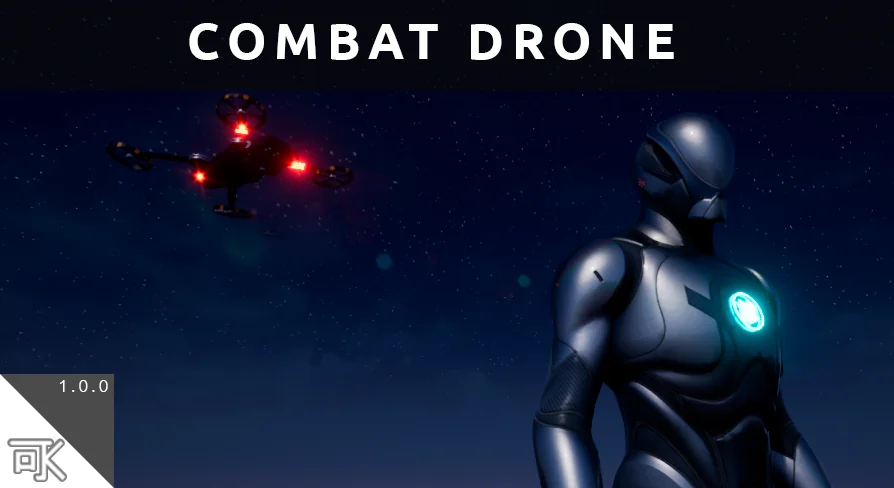
Combat Drone
Combat Drone is a Blueprint component for Unreal Engine featuring a controllable flying pawn and AI logic, compatible with engine versions 4.27 through 5.6.
Building a scene that involves aerial reconnaissance, automated patrol routines, or a remote-controlled mechanical entity requires a solid foundation of interaction logic. Combat Drone provides exactly this kind of framework for Unreal Engine developers. It functions as a Blueprint component built to operate in tandem with a Blueprint Flying Pawn, giving creators a way to introduce a functioning unmanned aerial vehicle into their environments. Because the system can be controlled directly from a Character, it opens up possibilities for either direct player engagement or autonomous behavior within a level.
Blueprint Component and Flying Pawn Integration
At the center of this asset is the relationship between the Combat Drone BP component and the BP Flying Paw. These elements work together to establish the physical and interactive presence of the drone in the game world. The component structure allows the drone to exist as a functional actor within the scene, while the Flying Pawn handles the mechanics of aerial movement and positioning.
The architecture is built so that a player Character can take control of the drone. This means the asset can be integrated into projects where the user needs to switch perspective from a standard bipedal character to an aerial vehicle. The logic connecting the character to the flying pawn is fully constructed using Blueprints, Unreal Engine's visual scripting system. This approach makes the underlying mechanics accessible for inspection and modification directly within the editor, without requiring external coding tools.
Blueprint-Driven AI Logic and System Features
Every system feature and all AI logic associated with the Combat Drone were designed in Blueprints. This decision structures the entire asset around a node-based workflow. Developers examining the project will find that the behavioral patterns, flight dynamics, and control schemes are mapped out in visual script nodes rather than dense C++ files. This makes the inner workings of the drone easier to trace, debug, and adapt.
The inclusion of AI logic implies that the drone is not solely a vehicle for player input. It can be placed in a level to operate independently, executing the behaviors defined in its Blueprint graph. This is useful for populating environments with automated security units, scan-capable hover drones, or hostile robotic enemies that require aerial navigation. Having the AI contained entirely within Blueprints allows developers to tweak the drone's responsiveness, patrol routes, or reaction parameters to fit the specific needs of their scene.
Included Demonstration Audio and Particles
To help visualize and test the drone's functionality right away, the asset ships with a set of sounds and particles. These visual and auditory effects are included to serve as a demonstration of how the system operates in motion. When the drone moves, interacts, or triggers specific events, these included elements provide immediate feedback.
These effects are not locked into the core logic. The developer explicitly notes that the sounds and particles are provided for demonstration purposes and can be modified freely. This allows creators to swap out the placeholder effects with their own custom visual and audio assets. The demonstration particles and sounds ensure that the drone feels complete the moment it is placed in a level, but the system is built to accommodate project-specific audio-visual direction without requiring structural changes to the Blueprints.
Project Compatibility and Supporting Material
The Combat Drone is built to integrate with a range of Unreal Engine versions. It is compatible with version 4.27, as well as versions 5.0 through 5.6. This wide compatibility allows teams working on both previous-generation and current-generation Unreal projects to implement the system without needing to upgrade their engine environment.
To assist with implementation and testing, the resource includes documentation and a playable demo. A video demo is also available, showing the system in action. These materials are intended to help developers understand how the BP component and the Flying Pawn operate together, how the character control functions, and how the included demonstration content behaves during runtime. The documentation serves as a guide for integrating the Blueprint component into an existing game or prototype.
Where This Drone Fits Best
This asset is well-suited for technology-themed projects, sci-fi environments, or any game requiring a UAV element. The tagging of the resource includes terms like Drone, Uav, Component, Actor, Script, and Technology, reflecting its mechanical and script-based nature. Developers working on games that feature surveillance mechanics, remote exploration tools, or automated defenses would find the Blueprint logic highly applicable.
Because the system is based on a controllable actor, it also fits into projects that require a pawn transition mechanic. A game might use the Combat Drone for a puzzle sequence where the player must fly into a restricted area to trigger a switch, or as an enemy unit that patrols a corridor and tracks the player. The Blueprint foundation means that creators who want to expand the drone's capabilities—such as adding new movement states or reaction behaviors—can do so by modifying the existing nodes rather than building a new system from scratch. This makes the Combat Drone a practical starting point for any scene requiring a functional, airborne robotic entity.
 Gameplay Features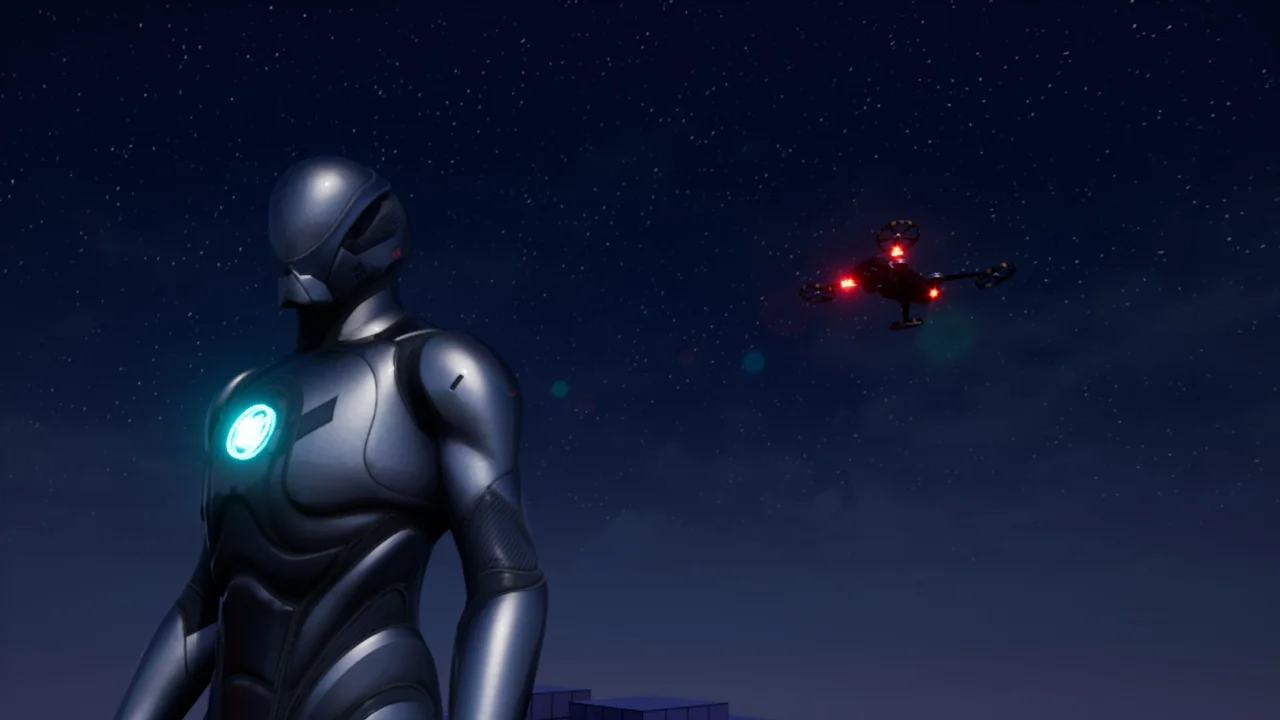
 Weapons & Combat
 Mechanical
 Shooter