"0341a2901a4ae9aa"{"id":"27592","slug":"easy-combat-finisher","title":"Easy Combat Finisher","category":"Gameplay Features","engine":"4.26+,5.0+","assetVersion":"Engine version: 4.26+,5.0+","engineVersion":"","tag":"Gameplay Features","accent":"blue","visual":"luts","summary":"Easy Combat Finisher handles two-character finisher scenes by lining up positions, rotations, and montage playback from a datatable. It also adds camera control, timing tools, and a Finisher-Adjust System for spacing.","platform":"Unreal Engine","publishedAt":"2026-04-26T12:17:46.000Z","updatedAt":"2026-04-26T12:17:47.000Z","sourceNotes":[],"fileContents":[],"compatibility":["Unreal Engine","Engine version: 4.26+,5.0+"],"featuredImage":{"alt":"Easy Combat Finisher","src":"https://3dcghub.com/wp-content/uploads/2026/04/333d34d99d45_a5f899e0-2631-4a45-8842-cc8f2687d5d4.webp"},"hasDownloadLink":true,"downloads":0,"terms":[{"taxonomy":"category","slug":"gameplay-features","name":"Gameplay Features"},{"taxonomy":"post_tag","slug":"animation","name":"Animation"},{"taxonomy":"post_tag","slug":"game-systems","name":"Game Systems"},{"taxonomy":"post_tag","slug":"unreal-engine-5","name":"Unreal Engine 5"}],"galleryImages":[{"src":"https://3dcghub.com/wp-content/uploads/2026/04/ed1956b395f4_bd8511e6-be64-47e8-9db1-91a2eb8aff88.webp","alt":"Easy Combat Finisher"},{"src":"https://3dcghub.com/wp-content/uploads/2026/04/0a7c49826cf7_8cd2a70f-246b-41b6-84db-780280024b19.webp","alt":"Easy Combat Finisher"},{"src":"https://3dcghub.com/wp-content/uploads/2026/04/0dffecf62619_9bc2279c-8b5f-498d-96da-8f843867a89e.webp","alt":"Easy Combat Finisher"},{"src":"https://3dcghub.com/wp-content/uploads/2026/04/9de552b64de0_e87ae9f1-ab07-4092-9581-0911c36eb78c.webp","alt":"Easy Combat Finisher"},{"src":"https://3dcghub.com/wp-content/uploads/2026/04/1dab5c8caa1a_4a54816a-e3e9-4158-871b-daf49ba51c8a.webp","alt":"Easy Combat Finisher"},{"src":"https://3dcghub.com/wp-content/uploads/2026/04/f0a03c59a954_40c4bf4d-2b7a-4b0b-a3d1-d6b1e16da926.webp","alt":"Easy Combat Finisher"},{"src":"https://3dcghub.com/wp-content/uploads/2026/04/f2c676d5d039_0f594bd7-be33-43b1-9657-1a4965d008c4.webp","alt":"Easy Combat Finisher"},{"src":"https://3dcghub.com/wp-content/uploads/2026/04/6bea4404029c_370a2a92-6b01-4fe3-ac4a-a9a1205cebac.webp","alt":"Easy Combat Finisher"},{"src":"https://3dcghub.com/wp-content/uploads/2026/04/530b73caaaa3_16367019-789a-47e0-8d98-9db937aa429d.webp","alt":"Easy Combat Finisher"}],"accessPanel":{"kind":"resource","title":"Access this resource","eyebrow":"Free Download","message":"Log in or create a free account to start your download.","fileName":"Finisher.7z","safetyNote":"All resources are 100% manually reviewed to eliminate all risks.","actionLabel":"Download Free","resourceType":"Resource archive"},"contentHtml":"\u003ch2\u003eEasy Combat Finisher for two-character scenes\u003c/h2\u003e\n\u003cp\u003eWhen a combat sequence needs a clean finisher between an attacker and a victim, Easy Combat Finisher handles the part that usually takes the most time: placing both characters in the right locations and rotations, then playing the chosen animation from a datatable. It also applies to other animations with two characters, so the workflow is not limited to one style of execution scene.\u003c/p\u003e\n\u003cp\u003eA preview video and a demo project with example animations are included. More detailed introductions are available in the documentation, which fits the package’s focus on setup and implementation rather than a one-off effect.\u003c/p\u003e\n\u003cp\u003eThe framework keeps the interaction between the two characters organized around alignment, timing, and playback. That makes it useful when a scene needs both characters to land in the correct spot before the animation runs.\u003c/p\u003e \u003ch2\u003eWorking with datatables, categories, and finisher playback\u003c/h2\u003e\n\u003cp\u003eThe finisher flow is straightforward: choose the finisher, then play, pause, or stop it. A speed value is part of the control set, so the sequence can be adjusted without changing the general structure of the setup.\u003c/p\u003e\n\u003cp\u003eThe datatable setup supports several finisher settings, including a multiple hit damage system, taunts, and categories for choosing the right finisher. Those options make it easier to keep different actions organized while still using the same character-alignment workflow.\u003c/p\u003e\n\u003cp\u003eThe aim is to keep finisher setup quick and simple. Instead of repeatedly hand-tuning the spacing and facing direction for every scene, the framework moves the two characters into the correct relationship and then plays the intended animation.\u003c/p\u003e\n\u003cp\u003eThat approach is practical for projects that use finishers as a repeatable combat moment, but it also fits any two-character animation that needs synchronized positions and a consistent playback step.\u003c/p\u003e \u003ch2\u003eCinematic Camera Rig for finishers\u003c/h2\u003e\n\u003cp\u003eThe Cinematic Camera Rig adds a camera layer to the finisher flow. Camera locations can change during the montage through animation notifies, which gives the scene a way to shift viewpoint while the action is still running.\u003c/p\u003e\n\u003cp\u003eThe rig can also switch focus between the attacker and the victim. A slow-motion notify is included, along with a notify that can spawn a weapon for the animation.\u003c/p\u003e\n\u003cp\u003eVersion 1.1 added Cinematic Camera Lens Settings. Version 1.3 added Collision and Visibility Tests for the camera, the current spot, all spots, or all together. Those checks run automatically and can also be tested manually so a spot can be checked for collision and for a clear view at the camera target.\u003c/p\u003e\n\u003cp\u003eThat makes the camera side of the finisher more than a static frame change. It gives the scene a way to react during the montage, with camera placement and visibility checks folded into the same workflow.\u003c/p\u003e \u003ch2\u003eFinisher-Adjust System for spacing and timing\u003c/h2\u003e\n\u003cp\u003eA bonus blueprint called the Finisher-Adjust System helps set the right distance between the characters and reduces trial and error. It is there to make the animation line up more cleanly so the result looks correct in the game.\u003c/p\u003e\n\u003cp\u003eThe same tool lets you choose the finisher and then play, pause, or stop it, with a speed value available during the process. That keeps the adjustment step tied to the same control pattern used for the finisher itself.\u003c/p\u003e\n\u003cp\u003eVersion 1.2 added a parameter to adjust the moveTo target duration for each finisher separately. Version 1.1 also added two executing directions, left and right.\u003c/p\u003e\n\u003cp\u003eThe result is a more direct way to test spacing before a scene is locked in. The system is focused on making the character alignment reliable, so the finisher can be dropped into the game without repeated manual correction.\u003c/p\u003e \u003ch2\u003eVersion 1.4 async animations and other updates\u003c/h2\u003e\n\u003cp\u003eVersion 1.4 added Async-Animations, allowing montages to start at different times. The timing can be handled automatically through datatables, and the start condition can be a timer or a notify in the first montage that triggers the second one.\u003c/p\u003e\n\u003cp\u003eThat gives the paired animations more precise start timing, which matters when two characters have to stay in sync but do not need to launch at exactly the same moment.\u003c/p\u003e\n\u003cul\u003e \u003cli\u003eVersion 1.4: Async-Animations with adjustable montage start times.\u003c/li\u003e \u003cli\u003eVersion 1.3: CameraRig collision and visibility tests for camera spots and targets.\u003c/li\u003e \u003cli\u003eVersion 1.2: A per-finisher moveTo target duration parameter, plus removal of the splash screen at project start.\u003c/li\u003e \u003cli\u003eVersion 1.1: Two executing directions, Cinematic Camera Lens Settings, and a fix for the slow motion notify error.\u003c/li\u003e\n\u003c/ul\u003e\n\u003cp\u003eTeams working on combat executions, cinematic finishers, or any two-character animation setup will get the most use from the system because it ties character placement, camera control, and timing adjustments into one workflow.\u003c/p\u003e\n\n\u003ch2\u003eMore From The Same Workflow\u003c/h2\u003e\n\u003cul\u003e\n\u003cli\u003e\u003ca href=\"https://3dcghub.com/a-huge-animation-bundle/\" title=\"A Huge Animation Bundle\"\u003eA Huge Animation Bundle\u003c/a\u003e\u003c/li\u003e\n\u003cli\u003e\u003ca href=\"https://3dcghub.com/crowd-animation-loops/\" title=\"Crowd Animation Loops\"\u003eCrowd Animation Loops\u003c/a\u003e\u003c/li\u003e\n\u003cli\u003e\u003ca href=\"https://3dcghub.com/military-animation-pack-i-unarmed/\" title=\"Military Animation Pack I (Unarmed)\"\u003eMilitary Animation Pack I (Unarmed)\u003c/a\u003e\u003c/li\u003e\n\u003cli\u003e\u003ca href=\"https://3dcghub.com/mixamo-animation-retargeting-2/\" title=\"Mixamo Animation Retargeting 2\"\u003eMixamo Animation Retargeting 2\u003c/a\u003e\u003c/li\u003e\n\u003cli\u003e\u003ca href=\"https://3dcghub.com/r-tune-vehicle-physics-2-0-vehicle-system-for-games-animation/\" title=\"R-Tune Vehicle Physics 2.0 – Vehicle System for Games \u0026amp;amp; Animation\"\u003eR-Tune Vehicle Physics 2.0 – Vehicle System for Games \u0026amp; Animation\u003c/a\u003e\u003c/li\u003e\n\u003c/ul\u003e","contentTextLength":5006,"navigation":{"current":2248,"total":4017,"previous":{"id":"27605","slug":"electrocomponents-kitbash","title":"Electrocomponents kitbash","category":"Hardware","platform":"Unreal Engine","updatedAt":"2026-04-26T13:25:03.000Z"},"next":{"id":"27580","slug":"driveable-vehicle-attack-submarine","title":"Driveable Vehicle : Attack Submarine","category":"Gameplay Features","platform":"Unreal Engine","updatedAt":"2026-04-26T12:06:19.000Z"}},"relatedResources":[{"id":"10858","slug":"freeflow-combat","title":"Freeflow Combat","category":"Gameplay Features","engine":"4.27,5.0+","assetVersion":"Engine version: 4.27,5.0+","engineVersion":"4.27","tag":"Gameplay Features","accent":"blue","visual":"city","summary":"Freeflow Combat offers a comprehensive modular framework for creating fluid, superhero-style combat. It features smart targeting, coordinated group AI, and cinematic finishers to streamline game development.","platform":"Unreal Engine","publishedAt":"2026-03-03T16:25:04.000Z","updatedAt":"2026-04-19T15:49:55.000Z","sourceNotes":[],"fileContents":[],"compatibility":["Unreal Engine","Engine version: 4.27,5.0+"],"featuredImage":{"alt":"Freeflow Combat","src":"https://3dcghub.com/wp-content/uploads/2026/03/796e8d94-436a-4186-83b5-a3597b87b3ab.webp"},"hasDownloadLink":true,"downloads":2},{"id":"27803","slug":"true-fighting-game-engine","title":"TRUE Fighting Game Engine","category":"Gameplay Features","engine":"5.5+","assetVersion":"Engine version: 5.5+","engineVersion":"Asset Version:1.6.2","tag":"Gameplay Features","accent":"blue","visual":"animation","summary":"TRUE Fighting Game Engine focuses on getting a fighting game scene moving quickly, from character selection to attacks, hit reactions, and multiplayer play. Its feature set covers both setup work and the moment-to-moment feel of combat, with support for 2.5...","platform":"Unreal Engine","publishedAt":"2026-04-29T06:07:36.000Z","updatedAt":"2026-04-29T06:07:37.000Z","sourceNotes":[],"fileContents":[],"compatibility":["Unreal Engine","Engine version: 5.5+","Asset Version: 1.6.2"],"featuredImage":{"alt":"TRUE Fighting Game Engine","src":"https://3dcghub.com/wp-content/uploads/2026/04/bd8f97d07537_6587df2c-727a-45b1-892a-3f3ed68e341b.webp"},"hasDownloadLink":true,"downloads":2},{"id":"10677","slug":"close-combat-fighter","title":"Close Combat: Fighter","category":"Gameplay Features","engine":"4.26+,5.0+","assetVersion":"Engine version: 4.26+,5.0+","engineVersion":"4.18","tag":"Gameplay Features","accent":"blue","visual":"animation","summary":"Close Combat: Fighter provides a versatile foundation for developers building action-packed titles. This template includes essential systems for movement, skills, and character progression.","platform":"Unreal Engine","publishedAt":"2026-03-03T15:58:31.000Z","updatedAt":"2026-04-19T15:49:57.000Z","sourceNotes":[],"fileContents":[],"compatibility":["Unreal Engine","Engine version: 4.26+,5.0+"],"featuredImage":{"alt":"Close Combat: Fighter","src":"https://3dcghub.com/wp-content/uploads/2026/03/4de6eeb7-9df9-4c76-9a99-8058524224ee.webp"},"hasDownloadLink":true,"downloads":1}]}
Gameplay Features
Easy Combat Finisher
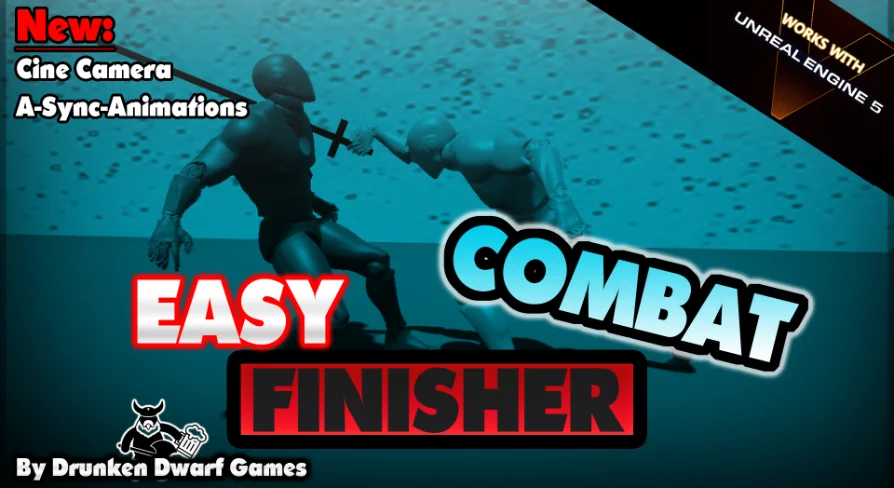
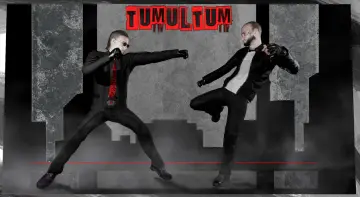
Easy Combat Finisher handles two-character finisher scenes by lining up positions, rotations, and montage playback from a datatable. It also adds camera control, timing tools, and a Finisher-Adjust System for spacing.
When a combat sequence needs a clean finisher between an attacker and a victim, Easy Combat Finisher handles the part that usually takes the most time: placing both characters in the right locations and rotations, then playing the chosen animation from a datatable. It also applies to other animations with two characters, so the workflow is not limited to one style of execution scene.
A preview video and a demo project with example animations are included. More detailed introductions are available in the documentation, which fits the package’s focus on setup and implementation rather than a one-off effect.
The framework keeps the interaction between the two characters organized around alignment, timing, and playback. That makes it useful when a scene needs both characters to land in the correct spot before the animation runs.
Working with datatables, categories, and finisher playback
The finisher flow is straightforward: choose the finisher, then play, pause, or stop it. A speed value is part of the control set, so the sequence can be adjusted without changing the general structure of the setup.
The datatable setup supports several finisher settings, including a multiple hit damage system, taunts, and categories for choosing the right finisher. Those options make it easier to keep different actions organized while still using the same character-alignment workflow.
The aim is to keep finisher setup quick and simple. Instead of repeatedly hand-tuning the spacing and facing direction for every scene, the framework moves the two characters into the correct relationship and then plays the intended animation.
That approach is practical for projects that use finishers as a repeatable combat moment, but it also fits any two-character animation that needs synchronized positions and a consistent playback step.
Cinematic Camera Rig for finishers
The Cinematic Camera Rig adds a camera layer to the finisher flow. Camera locations can change during the montage through animation notifies, which gives the scene a way to shift viewpoint while the action is still running.
The rig can also switch focus between the attacker and the victim. A slow-motion notify is included, along with a notify that can spawn a weapon for the animation.
Version 1.1 added Cinematic Camera Lens Settings. Version 1.3 added Collision and Visibility Tests for the camera, the current spot, all spots, or all together. Those checks run automatically and can also be tested manually so a spot can be checked for collision and for a clear view at the camera target.
That makes the camera side of the finisher more than a static frame change. It gives the scene a way to react during the montage, with camera placement and visibility checks folded into the same workflow.
Finisher-Adjust System for spacing and timing
A bonus blueprint called the Finisher-Adjust System helps set the right distance between the characters and reduces trial and error. It is there to make the animation line up more cleanly so the result looks correct in the game.
The same tool lets you choose the finisher and then play, pause, or stop it, with a speed value available during the process. That keeps the adjustment step tied to the same control pattern used for the finisher itself.
Version 1.2 added a parameter to adjust the moveTo target duration for each finisher separately. Version 1.1 also added two executing directions, left and right.
The result is a more direct way to test spacing before a scene is locked in. The system is focused on making the character alignment reliable, so the finisher can be dropped into the game without repeated manual correction.
Version 1.4 async animations and other updates
Version 1.4 added Async-Animations, allowing montages to start at different times. The timing can be handled automatically through datatables, and the start condition can be a timer or a notify in the first montage that triggers the second one.
That gives the paired animations more precise start timing, which matters when two characters have to stay in sync but do not need to launch at exactly the same moment.
Version 1.4: Async-Animations with adjustable montage start times.
Version 1.3: CameraRig collision and visibility tests for camera spots and targets.
Version 1.2: A per-finisher moveTo target duration parameter, plus removal of the splash screen at project start.
Version 1.1: Two executing directions, Cinematic Camera Lens Settings, and a fix for the slow motion notify error.
Teams working on combat executions, cinematic finishers, or any two-character animation setup will get the most use from the system because it ties character placement, camera control, and timing adjustments into one workflow.
 Gameplay Features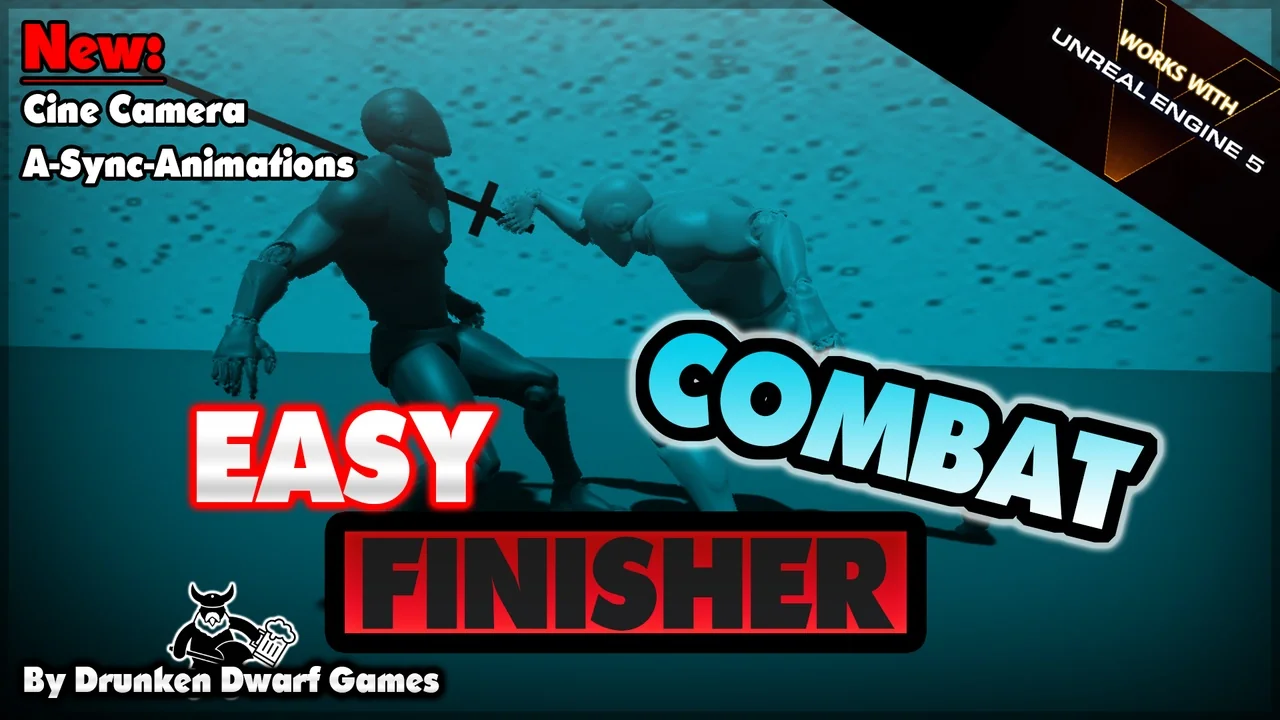
 Gameplay Features
 Gameplay Features
 Gameplay Features