"0341a2901a4ae9aa"{"id":"10637","slug":"cinematic-cutscene-system","title":"Cinematic Cutscene System","category":"Gameplay Features","engine":"5.3+","assetVersion":"Engine version: 5.3+","engineVersion":"4.26","tag":"Gameplay Features","accent":"blue","visual":"animation","summary":"Enhance your game's storytelling with the Cinematic Cutscene System. This tool enables developers to build immersive scenes without writing code or relying on complex Behavior Trees.","platform":"Unreal Engine","publishedAt":"2026-03-03T15:51:35.000Z","updatedAt":"2026-04-19T15:49:58.000Z","sourceNotes":[],"fileContents":[],"compatibility":["Unreal Engine","Engine version: 5.3+"],"featuredImage":{"alt":"Cinematic Cutscene System","src":"https://3dcghub.com/wp-content/uploads/2026/03/e35fc466-fe41-41bb-85f1-65815bca7292.webp"},"hasDownloadLink":true,"downloads":0,"terms":[{"taxonomy":"category","slug":"gameplay-features","name":"Gameplay Features"},{"taxonomy":"post_tag","slug":"blueprint-cutscenes","name":"Blueprint Cutscenes"},{"taxonomy":"post_tag","slug":"character-component-system","name":"Character Component System"},{"taxonomy":"post_tag","slug":"cinematic-cutscene-system","name":"Cinematic Cutscene System"},{"taxonomy":"post_tag","slug":"unreal-engine-cinematic-tool","name":"Unreal Engine Cinematic Tool"}],"galleryImages":[{"src":"https://3dcghub.com/wp-content/uploads/2026/03/767a7c7a3be8_a63f3c11-f092-45bc-8966-4da3d7836cc8.webp","alt":"Cinematic Cutscene System"},{"src":"https://3dcghub.com/wp-content/uploads/2026/03/8762ea2d3889_ac95fb70-088c-4e5e-86d5-fb8765d06a47.webp","alt":"Cinematic Cutscene System"},{"src":"https://3dcghub.com/wp-content/uploads/2026/03/eb3e04792dd1_666c3865-8264-4d1f-8b31-db859803a3a3.webp","alt":"Cinematic Cutscene System"},{"src":"https://3dcghub.com/wp-content/uploads/2026/03/3c6597a5cc65_9f02e7a3-9b89-4122-b808-ec9d9f4a2453.webp","alt":"Cinematic Cutscene System"},{"src":"https://3dcghub.com/wp-content/uploads/2026/03/e4e2acad6c63_70e71c5f-0667-4348-8172-3e49f38fd5f0.webp","alt":"Cinematic Cutscene System"},{"src":"https://3dcghub.com/wp-content/uploads/2026/03/df79b84979a3_c3a98888-029e-48bf-894b-a5424ff96111.webp","alt":"Cinematic Cutscene System"}],"accessPanel":{"kind":"resource","title":"Access this resource","eyebrow":"Free Download","message":"Log in or create a free account to start your download.","fileName":"Cinematic Cutscene System.7z","safetyNote":"All resources are 100% manually reviewed to eliminate all risks.","actionLabel":"Download Free","resourceType":"Resource archive"},"contentHtml":"\u003ch2\u003eStreamlined Cinematic Creation\u003c/h2\u003e\n\u003cp\u003eThe Cinematic Cutscene System offers a streamlined way to create immersive in-game storytelling sequences. Developers can now build cinematic moments without the need for complex level sequences or manual coding. Consequently, this tool simplifies the production pipeline for creators of all skill levels. It is designed to help you focus on the visual narrative rather than technical hurdles.\u003c/p\u003e\n\n\u003ch2\u003eFlexible Integration and Compatibility\u003c/h2\u003e\n\u003cp\u003eThis system is built to be highly compatible with existing projects. Notably, the Cinematic Cutscene System does not utilize Behavior Trees. Therefore, you do not need to worry about potential conflicts with your current project logic. Furthermore, it is flexible enough that you can still use standard level sequences alongside this system if your project requires them.\u003c/p\u003e\n\n\u003cp\u003eThe developer has ensured that the tool supports various gameplay perspectives, including:\u003c/p\u003e\n\u003cul\u003e\n \u003cli\u003eFirst Person perspectives\u003c/li\u003e\n \u003cli\u003eThird Person perspectives\u003c/li\u003e\n \u003cli\u003eTop Down game styles\u003c/li\u003e\n\u003c/ul\u003e\n\n\u003ch2\u003eAdvanced Customization with Blueprints\u003c/h2\u003e\n\u003cp\u003eUsers can also trigger custom Blueprints during any cutscene event. This flexibility ensures that specific gameplay triggers or visual effects, such as explosions or dialogue, occur exactly when needed. However, you do not need to be a programmer to make these elements work together. The Cinematic Cutscene System provides the necessary control to manage complex character interactions and environmental changes easily.\u003c/p\u003e\n\n\u003ch2\u003eSimple Setup Process\u003c/h2\u003e\n\u003cp\u003eImplementation is straightforward and requires minimal effort from the user. To get started, you simply add one component to your characters. Because of this simple setup, you can begin crafting scenes immediately without deep technical configuration. The creator has prioritized a user-friendly experience that saves time during the development phase.\u003c/p\u003e\n\n\u003ch3\u003eKey Features at a Glance:\u003c/h3\u003e\n\u003cul\u003e\n \u003cli\u003eNo code or level sequences required for basic operation.\u003c/li\u003e\n \u003cli\u003eZero reliance on Behavior Trees for better project compatibility.\u003c/li\u003e\n \u003cli\u003eSupports custom Blueprint execution during scenes.\u003c/li\u003e\n \u003cli\u003eEasy one-component setup for all characters.\u003c/li\u003e\n \u003cli\u003eCompatible with multiple camera perspectives.\u003c/li\u003e\n\u003c/ul\u003e\n\n\u003ch2\u003eBest Fit\u003c/h2\u003e\n\u003cp\u003eIn practice, the Cinematic Cutscene System provides a powerful yet accessible solution for game cinematics. By removing the need for code and complex tree structures, it empowers developers to focus on visual storytelling. Whether you are creating intense action sequences or quiet dialogue moments, this tool offers the flexibility needed for modern game development.\u003c/p\u003e\n\n\u003ch2\u003eExplore Similar Assets\u003c/h2\u003e\n\u003cul\u003e\n\u003cli\u003e\u003ca href=\"https://3dcghub.com/dissolve-anything/\" title=\"Dissolve Anything\"\u003eDissolve Anything\u003c/a\u003e\u003c/li\u003e\n\u003cli\u003e\u003ca href=\"https://3dcghub.com/generic-space-station/\" title=\"Generic Space Station\"\u003eGeneric Space Station\u003c/a\u003e\u003c/li\u003e\n\u003cli\u003e\u003ca href=\"https://3dcghub.com/weather-animations/\" title=\"Weather Animations\"\u003eWeather Animations\u003c/a\u003e\u003c/li\u003e\n\u003cli\u003e\u003ca href=\"https://3dcghub.com/brutal-finishers-hand-and-knife/\" title=\"Brutal Finishers – Hand and Knife\"\u003eBrutal Finishers – Hand and Knife\u003c/a\u003e\u003c/li\u003e\n\u003cli\u003e\u003ca href=\"https://3dcghub.com/shinobi-girl-akane/\" title=\"Shinobi Girl Akane\"\u003eShinobi Girl Akane\u003c/a\u003e\u003c/li\u003e\n\u003c/ul\u003e","contentTextLength":2671,"navigation":{"current":3155,"total":4017,"previous":{"id":"10641","slug":"cinematic-duel-system","title":"Cinematic Duel System","category":"Gameplay Features","platform":"Unreal Engine","updatedAt":"2026-04-19T15:49:58.000Z"},"next":{"id":"10628","slug":"book-generator","title":"Book Generator","category":"Gameplay Features","platform":"Unreal Engine","updatedAt":"2026-04-19T15:49:58.000Z"}},"relatedResources":[{"id":"1000083","slug":"npc-ai-queuing-system","title":"NPC AI Queuing System","category":"Gameplay Features","engine":"Engine Version: 4.26+,5.0+","assetVersion":"Engine Version: 4.26+,5.0+","engineVersion":"","tag":"Gameplay Features","accent":"blue","visual":"mech","summary":"A Blueprint-based NPC queuing system for smooth pedestrian behavior, spline routes, behavior tree logic, debug tools, and quick scene setup.","platform":"Unreal Engine","publishedAt":"2026-06-05T16:06:07.049Z","updatedAt":"2026-06-05T16:06:07.049Z","sourceNotes":[],"fileContents":[],"compatibility":["Unreal Engine","Engine Version: 4.26+,5.0+"],"featuredImage":{"alt":"NPC AI Queuing System","src":"/wp-content/uploads/published/2026/06/2fce6ebe6d61-050ebb3a-f89b-44e9-8982-9b4b5c0267ab-85fbd54aad.webp"},"hasDownloadLink":true,"downloads":0},{"id":"1001581","slug":"interactive-cutscene","title":"Interactive Cutscene","category":"Gameplay Features","engine":"5.3+","assetVersion":"","engineVersion":"Engine Version: 5.3+","tag":"Gameplay Features","accent":"blue","visual":"mech","summary":"Build responsive Quick Time Events in Unreal Engine with Interactive Cutscene, featuring Sequencer sync, volume triggers, and multiplatform input.","platform":"Unreal Engine","publishedAt":"2026-10-10T08:53:30.443Z","updatedAt":"2026-10-10T08:53:30.443Z","sourceNotes":[],"fileContents":[],"compatibility":["Unreal Engine","Engine Version: 5.3+"],"featuredImage":{"alt":"Interactive Cutscene","src":"/wp-content/uploads/published/2026/10/b63507fb7743-cbc39278-253e-45ae-994b-c44935c36728-335d8b52f3.webp"},"hasDownloadLink":true,"downloads":0},{"id":"1000938","slug":"anamorphic-depth-of-field-for-cinematics","title":"Anamorphic Depth of Field for Cinematics","category":"Gameplay Features","engine":"5.1+","assetVersion":"Asset Version: 7.1","engineVersion":"Engine Version: 5.1+","tag":"Gameplay Features","accent":"blue","visual":"mech","summary":"A look at the Anamorphic Depth of Field for Cinematics Blueprint for Unreal Engine — HLSL-based physically accurate DOF, bokeh customization, and pipeline-focus","platform":"Unreal Engine","publishedAt":"2026-08-10T02:56:09.529Z","updatedAt":"2026-08-10T02:56:09.529Z","sourceNotes":[],"fileContents":[],"compatibility":["Unreal Engine","Asset Version: 7.1","Engine Version: 5.1+"],"featuredImage":{"alt":"Anamorphic Depth of Field for Cinematics","src":"/wp-content/uploads/published/2026/08/c46032f1d058-b5c2873e-6de5-4d9a-ad22-0ae9916b359d-1d708d4ed1.webp"},"hasDownloadLink":true,"downloads":0}]}
Gameplay Features
Cinematic Cutscene System
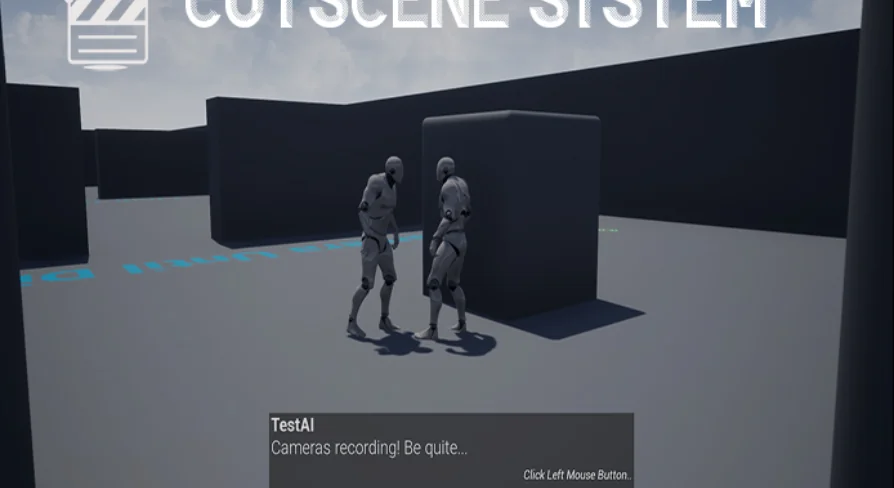
Enhance your game's storytelling with the Cinematic Cutscene System. This tool enables developers to build immersive scenes without writing code or relying on complex Behavior Trees.
The Cinematic Cutscene System offers a streamlined way to create immersive in-game storytelling sequences. Developers can now build cinematic moments without the need for complex level sequences or manual coding. Consequently, this tool simplifies the production pipeline for creators of all skill levels. It is designed to help you focus on the visual narrative rather than technical hurdles.
Flexible Integration and Compatibility
This system is built to be highly compatible with existing projects. Notably, the Cinematic Cutscene System does not utilize Behavior Trees. Therefore, you do not need to worry about potential conflicts with your current project logic. Furthermore, it is flexible enough that you can still use standard level sequences alongside this system if your project requires them.
The developer has ensured that the tool supports various gameplay perspectives, including:
First Person perspectives
Third Person perspectives
Top Down game styles
Advanced Customization with Blueprints
Users can also trigger custom Blueprints during any cutscene event. This flexibility ensures that specific gameplay triggers or visual effects, such as explosions or dialogue, occur exactly when needed. However, you do not need to be a programmer to make these elements work together. The Cinematic Cutscene System provides the necessary control to manage complex character interactions and environmental changes easily.
Simple Setup Process
Implementation is straightforward and requires minimal effort from the user. To get started, you simply add one component to your characters. Because of this simple setup, you can begin crafting scenes immediately without deep technical configuration. The creator has prioritized a user-friendly experience that saves time during the development phase.
Key Features at a Glance:
No code or level sequences required for basic operation.
Zero reliance on Behavior Trees for better project compatibility.
Supports custom Blueprint execution during scenes.
Easy one-component setup for all characters.
Compatible with multiple camera perspectives.
Best Fit
In practice, the Cinematic Cutscene System provides a powerful yet accessible solution for game cinematics. By removing the need for code and complex tree structures, it empowers developers to focus on visual storytelling. Whether you are creating intense action sequences or quiet dialogue moments, this tool offers the flexibility needed for modern game development.
 Gameplay Features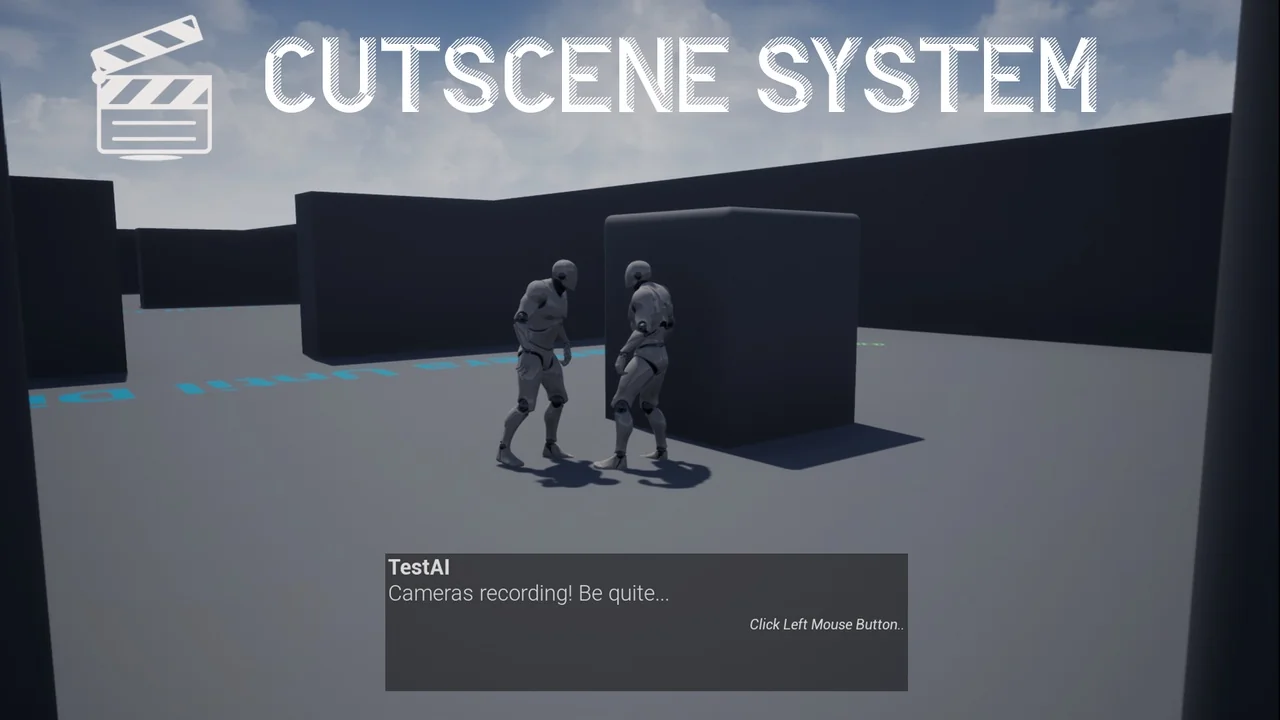
 Gameplay Features
 Gameplay Features
 Gameplay Features