"0341a2901a4ae9aa"{"id":"10302","slug":"dissolve-anything","title":"Dissolve Anything","category":"Automations","engine":"5.1+","assetVersion":"Engine version: 5.1+","engineVersion":"4.26","tag":"Automations","accent":"blue","visual":"animation","summary":"Streamline your development process with Dissolve Anything, a versatile Blueprint system designed for rapid implementation of disintegration effects across various mesh types.","platform":"Unreal Engine","publishedAt":"2026-03-03T14:59:59.000Z","updatedAt":"2026-04-19T15:50:04.000Z","sourceNotes":[],"fileContents":[],"compatibility":["Unreal Engine","Engine version: 5.1+"],"featuredImage":{"alt":"Dissolve Anything","src":"https://3dcghub.com/wp-content/uploads/2026/03/07d888fd-a172-4d2d-8101-310c51fbc146.webp"},"hasDownloadLink":true,"downloads":0,"terms":[{"taxonomy":"category","slug":"automations","name":"Automations"},{"taxonomy":"post_tag","slug":"character-dissolve","name":"Character Dissolve"},{"taxonomy":"post_tag","slug":"dissolve-anything","name":"Dissolve Anything"},{"taxonomy":"post_tag","slug":"mesh-dissolve-effect","name":"Mesh Dissolve Effect"},{"taxonomy":"post_tag","slug":"unreal-engine-blueprint","name":"Unreal Engine Blueprint"}],"galleryImages":[{"src":"https://3dcghub.com/wp-content/uploads/2026/03/fa529c80369b_a49dbf92-b24e-459f-9964-f85789e50316.webp","alt":"Dissolve Anything"},{"src":"https://3dcghub.com/wp-content/uploads/2026/03/ae020de2191c_11befd74-a3d1-429e-8326-22ebf3a13702.webp","alt":"Dissolve Anything"},{"src":"https://3dcghub.com/wp-content/uploads/2026/03/353767faa0ef_75ce8c7b-2c9f-4994-9dab-e29ce6c91cae.webp","alt":"Dissolve Anything"},{"src":"https://3dcghub.com/wp-content/uploads/2026/03/8dc4a500ad1a_14114b88-a36a-4e19-867d-01b173070b9c.webp","alt":"Dissolve Anything"},{"src":"https://3dcghub.com/wp-content/uploads/2026/03/f09466eff96a_5881d5fc-ab82-4230-8bca-75264ed347b3.webp","alt":"Dissolve Anything"},{"src":"https://3dcghub.com/wp-content/uploads/2026/03/b743fa8d3bfb_1644c574-00c5-4964-9d16-90245003c9d0.webp","alt":"Dissolve Anything"},{"src":"https://3dcghub.com/wp-content/uploads/2026/03/4b509d005cb3_de89777b-2c96-4375-8cba-4f64bc572f6f.webp","alt":"Dissolve Anything"}],"accessPanel":{"kind":"resource","title":"Access this resource","eyebrow":"Free Download","message":"Log in or create a free account to start your download.","fileName":"Dissolve Anything.7z","safetyNote":"All resources are 100% manually reviewed to eliminate all risks.","actionLabel":"Download Free","resourceType":"Resource archive"},"contentHtml":"\u003ch2\u003eIntroduction to Dissolve Anything\u003c/h2\u003e\n\u003cp\u003e\u003cstrong\u003eDissolve Anything\u003c/strong\u003e is a powerful and efficient Blueprint system designed to streamline the creation of disintegration effects in your game projects. This tool serves as a significant time saver for developers who need to implement high-quality visual transitions without complex manual coding. Because it is a game-ready solution, it allows for immediate integration into various production pipelines. Developers can achieve professional results quickly by utilizing this intuitive system.\u003c/p\u003e\n\n\u003ch2\u003eVersatile Mesh Compatibility\u003c/h2\u003e\n\u003cp\u003eThe system is highly flexible regarding the types of assets it can transform. You can easily select your Static, Skeletal, or even complex Character meshes to undergo the dissolve process. This versatility ensures that the effect remains consistent across different elements of your project. Consequently, whether you are working on environmental props or primary protagonists, the tool handles them with equal efficiency. The creator has designed the workflow to be as inclusive as possible for different asset types.\u003c/p\u003e\n\n\u003ch2\u003eStreamlined Workflow and Setup\u003c/h2\u003e\n\u003cp\u003eSetting up the effect is a straightforward process that requires minimal technical overhead. First, you simply select the mesh you wish to dissolve within the Blueprint system. Next, you select and set the specific materials of the mesh to enable the dissolve functionality. This user-friendly approach removes the need for deep shader knowledge. Furthermore, the system includes integrated audio support to enhance the visual experience.\u003c/p\u003e\n\n\u003cp\u003eKey features of the setup include:\u003c/p\u003e\n\u003cul\u003e\n \u003cli\u003eEasy selection of Static, Skeletal, and Character meshes.\u003c/li\u003e\n \u003cli\u003eDirect material assignment for quick activation.\u003c/li\u003e\n \u003cli\u003eIntegrated sound selection tools.\u003c/li\u003e\n \u003cli\u003eCustomizable attenuation settings for spatial audio.\u003c/li\u003e\n\u003c/ul\u003e\n\n\u003ch2\u003eAdvanced Dissolver Shapes and Control\u003c/h2\u003e\n\u003cp\u003eThe \u003cstrong\u003eDissolve Anything\u003c/strong\u003e system provides multiple methods for triggering and controlling the disintegration. You can use various shapes as dissolvers to dictate how the effect spreads across the mesh. For instance, you can choose a Box or a Sphere to act as the primary dissolver. Additionally, you can even use a Static Mesh as a dissolver for more complex or unique shapes. This variety allows for precise creative control over the final visual output.\u003c/p\u003e\n\n\u003ch2\u003eCinematic and Realistic Applications\u003c/h2\u003e\n\u003cp\u003eBeyond standard gameplay mechanics, this tool is highly effective for cinematic storytelling. It works seamlessly with the Sequencer to create movie-quality effects for cutscenes or trailers. Therefore, it is an excellent choice for depicting dramatic moments such as character death or magical disappearances. The system supports various styles, including fantasy-themed magic and more realistic physical disintegrations. Moreover, the inclusion of sound and attenuation settings ensures that the audio matches the visual intensity of the scene.\u003c/p\u003e\n\n\u003ch2\u003eFinal Take\u003c/h2\u003e\n\u003cp\u003eThe clearest takeaway is that \u003cstrong\u003eDissolve Anything\u003c/strong\u003e is a comprehensive solution for any developer looking to add polished disintegration effects to their work. It combines a simple setup with powerful features like custom dissolver shapes and cinematic integration. By using this Blueprint system, you can save valuable development time while maintaining high visual standards. It is a reliable tool for creating memorable fantasy or realistic death sequences in any game environment.\u003c/p\u003e\n\n\u003ch2\u003eContinue Browsing Similar Packs\u003c/h2\u003e\n\u003cul\u003e\n\u003cli\u003e\u003ca href=\"https://3dcghub.com/footsteps-sounds-with-blueprint-setup/\" title=\"Footsteps Sounds with Blueprint Setup\"\u003eFootsteps Sounds with Blueprint Setup\u003c/a\u003e\u003c/li\u003e\n\u003cli\u003e\u003ca href=\"https://3dcghub.com/26-zombie-animations-starter-pack-with-blueprints/\" title=\"26 Zombie Animations Starter Pack With Blueprints\"\u003e26 Zombie Animations Starter Pack With Blueprints\u003c/a\u003e\u003c/li\u003e\n\u003cli\u003e\u003ca href=\"https://3dcghub.com/monster-ai-kit/\" title=\"Monster Ai Kit\"\u003eMonster Ai Kit\u003c/a\u003e\u003c/li\u003e\n\u003cli\u003e\u003ca href=\"https://3dcghub.com/a-japanese-alley-environment-pack/\" title=\"A Japanese alley environment pack\"\u003eA Japanese alley environment pack\u003c/a\u003e\u003c/li\u003e\n\u003cli\u003e\u003ca href=\"https://3dcghub.com/the-sacred-threshold-asian-temple-interior-environment-kit/\" title=\"The Sacred Threshold – Asian Temple Interior Environment Kit\"\u003eThe Sacred Threshold – Asian Temple Interior Environment Kit\u003c/a\u003e\u003c/li\u003e\n\u003c/ul\u003e","contentTextLength":3601,"navigation":{"current":3131,"total":4017,"previous":{"id":"10320","slug":"fade-anything","title":"Fade Anything","category":"Automations","platform":"Unreal Engine","updatedAt":"2026-04-19T15:50:04.000Z"},"next":{"id":"10292","slug":"advanced-working-computer","title":"Advanced Working Computer","category":"Automations","platform":"Unreal Engine","updatedAt":"2026-04-19T15:50:04.000Z"}},"relatedResources":[{"id":"10320","slug":"fade-anything","title":"Fade Anything","category":"Automations","engine":"5.3+","assetVersion":"Engine version: 5.3+","engineVersion":"4.26","tag":"Automations","accent":"blue","visual":"luts","summary":"Fade Anything offers a complete solution for managing object visibility and camera clipping. This system supports Nanite, foliage, and skeletal meshes with highly customizable parameters.","platform":"Unreal Engine","publishedAt":"2026-03-03T15:03:43.000Z","updatedAt":"2026-04-19T15:50:04.000Z","sourceNotes":[],"fileContents":[],"compatibility":["Unreal Engine","Engine version: 5.3+"],"featuredImage":{"alt":"Fade Anything","src":"https://3dcghub.com/wp-content/uploads/2026/03/6512ab26-a625-4276-a449-6f44d93ae89e.webp"},"hasDownloadLink":true,"downloads":1},{"id":"1001090","slug":"floxy-flock-anything","title":"Floxy - Flock Anything!","category":"Characters \u0026 Creatures","engine":"5.1+","assetVersion":"","engineVersion":"Engine Version: 5.1+","tag":"Characters","accent":"blue","visual":"character","summary":"Floxy is an Emergent Vector Generator for UE5.5+ that simulates small flocks with CPU-driven attraction and repulsion in one Blueprint, plus 198 presets, 15 tem","platform":"Unreal Engine","publishedAt":"2026-09-05T16:25:43.591Z","updatedAt":"2026-09-05T16:25:43.591Z","sourceNotes":[],"fileContents":[],"compatibility":["Unreal Engine","Engine Version: 5.1+"],"featuredImage":{"alt":"Floxy - Flock Anything!","src":"/wp-content/uploads/published/2026/09/095afe7ae3d6-cf063ce8-f1e3-4c33-b55a-0c165b53d019-bb9b771f77.webp"},"hasDownloadLink":true,"downloads":0},{"id":"16895","slug":"character-appearance-and-dissolve","title":"Character Appearance and Dissolve","category":"Transition","engine":"4.26+,5.0+","assetVersion":"Engine version: 4.26+,5.0+","engineVersion":"4.18","tag":"Transition","accent":"blue","visual":"character","summary":"This asset pack features 20 distinct appearance and dissolve effects designed for character transitions. It includes both standard materials and specialized versions optimized for mobile performance.","platform":"Unreal Engine","publishedAt":"2026-03-12T18:11:36.000Z","updatedAt":"2026-04-19T15:43:40.000Z","sourceNotes":[],"fileContents":[],"compatibility":["Unreal Engine","Engine version: 4.26+,5.0+"],"featuredImage":{"alt":"Character Appearance and Dissolve","src":"https://3dcghub.com/wp-content/uploads/2026/03/732cef45-191d-480b-acbf-aee9517c3369.webp"},"hasDownloadLink":true,"downloads":0}]}
Automations
Dissolve Anything
Streamline your development process with Dissolve Anything, a versatile Blueprint system designed for rapid implementation of disintegration effects across various mesh types.
Dissolve Anything is a powerful and efficient Blueprint system designed to streamline the creation of disintegration effects in your game projects. This tool serves as a significant time saver for developers who need to implement high-quality visual transitions without complex manual coding. Because it is a game-ready solution, it allows for immediate integration into various production pipelines. Developers can achieve professional results quickly by utilizing this intuitive system.
Versatile Mesh Compatibility
The system is highly flexible regarding the types of assets it can transform. You can easily select your Static, Skeletal, or even complex Character meshes to undergo the dissolve process. This versatility ensures that the effect remains consistent across different elements of your project. Consequently, whether you are working on environmental props or primary protagonists, the tool handles them with equal efficiency. The creator has designed the workflow to be as inclusive as possible for different asset types.
Streamlined Workflow and Setup
Setting up the effect is a straightforward process that requires minimal technical overhead. First, you simply select the mesh you wish to dissolve within the Blueprint system. Next, you select and set the specific materials of the mesh to enable the dissolve functionality. This user-friendly approach removes the need for deep shader knowledge. Furthermore, the system includes integrated audio support to enhance the visual experience.
Key features of the setup include:
Easy selection of Static, Skeletal, and Character meshes.
Direct material assignment for quick activation.
Integrated sound selection tools.
Customizable attenuation settings for spatial audio.
Advanced Dissolver Shapes and Control
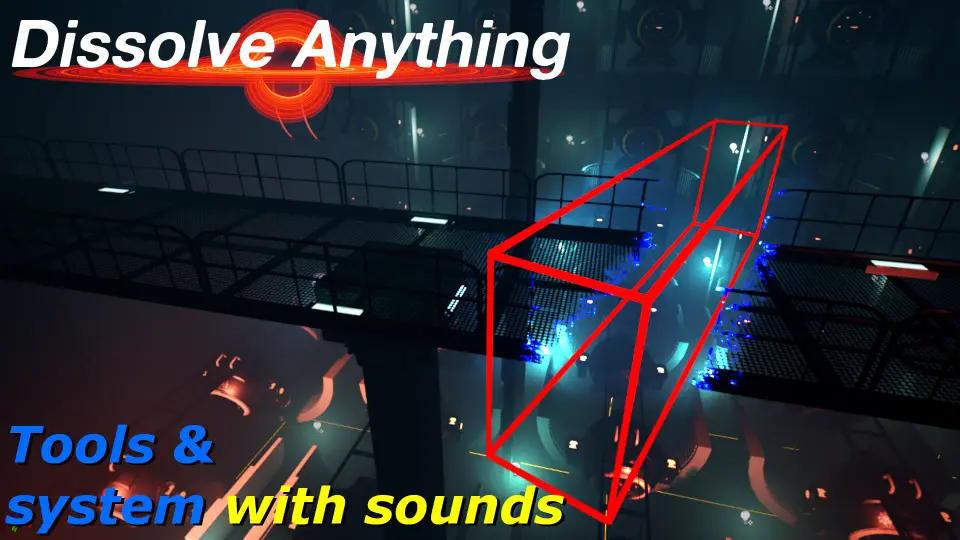
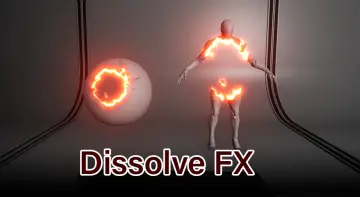
The Dissolve Anything system provides multiple methods for triggering and controlling the disintegration. You can use various shapes as dissolvers to dictate how the effect spreads across the mesh. For instance, you can choose a Box or a Sphere to act as the primary dissolver. Additionally, you can even use a Static Mesh as a dissolver for more complex or unique shapes. This variety allows for precise creative control over the final visual output.
Cinematic and Realistic Applications
Beyond standard gameplay mechanics, this tool is highly effective for cinematic storytelling. It works seamlessly with the Sequencer to create movie-quality effects for cutscenes or trailers. Therefore, it is an excellent choice for depicting dramatic moments such as character death or magical disappearances. The system supports various styles, including fantasy-themed magic and more realistic physical disintegrations. Moreover, the inclusion of sound and attenuation settings ensures that the audio matches the visual intensity of the scene.
Final Take
The clearest takeaway is that Dissolve Anything is a comprehensive solution for any developer looking to add polished disintegration effects to their work. It combines a simple setup with powerful features like custom dissolver shapes and cinematic integration. By using this Blueprint system, you can save valuable development time while maintaining high visual standards. It is a reliable tool for creating memorable fantasy or realistic death sequences in any game environment.
 Automations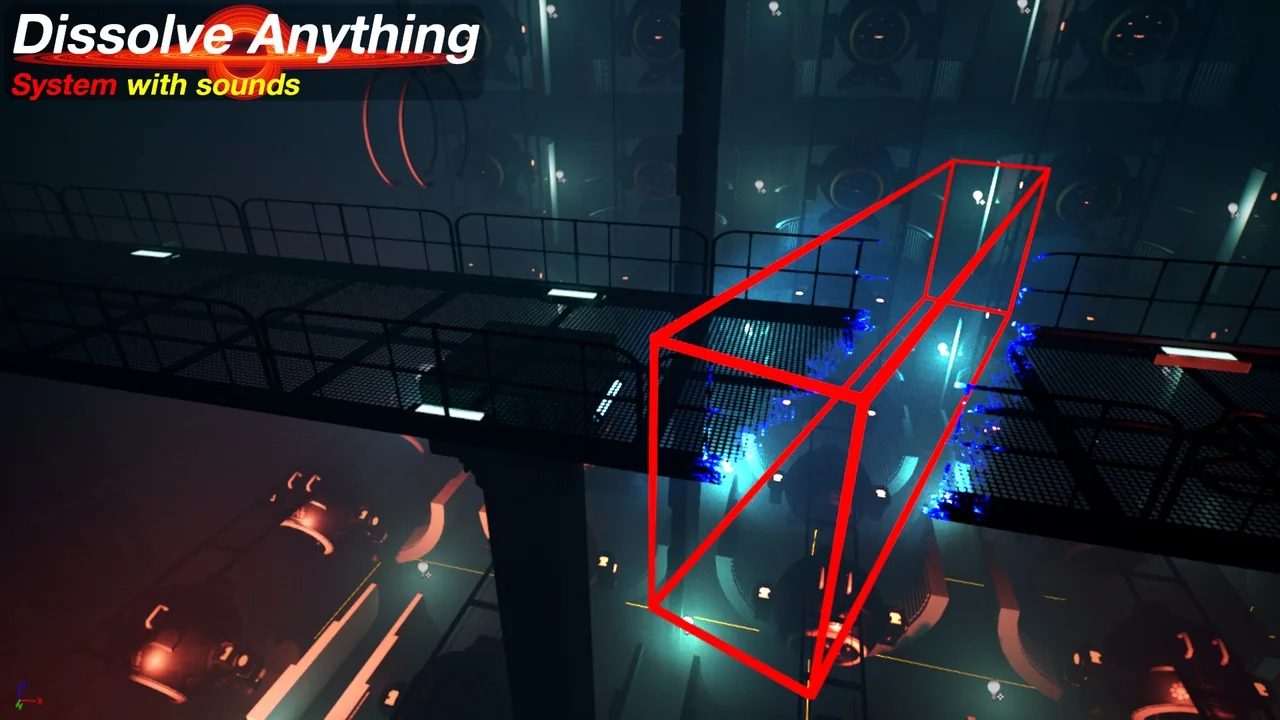
 Automations
 Characters
 Transition