"177e4e4394b9ce1f"{"id":"1001581","slug":"interactive-cutscene","title":"Interactive Cutscene","category":"Gameplay Features","engine":"5.3+","assetVersion":"","engineVersion":"Engine Version: 5.3+","tag":"Gameplay Features","accent":"blue","visual":"mech","summary":"Build responsive Quick Time Events in Unreal Engine with Interactive Cutscene, featuring Sequencer sync, volume triggers, and multiplatform input.","platform":"Unreal Engine","publishedAt":"2026-10-10T08:53:30.443Z","updatedAt":"2026-10-10T08:53:30.443Z","sourceNotes":[],"fileContents":[],"compatibility":["Unreal Engine","Engine Version: 5.3+"],"featuredImage":{"alt":"Interactive Cutscene","src":"/wp-content/uploads/published/2026/10/b63507fb7743-cbc39278-253e-45ae-994b-c44935c36728-335d8b52f3.webp"},"hasDownloadLink":true,"downloads":0,"terms":[{"taxonomy":"category","slug":"gameplay-features","name":"Gameplay Features"}],"galleryImages":[{"src":"/wp-content/uploads/published/2026/10/7d9901442e61-8952bb5d-6025-474b-b3f3-3d250da057c1-b31166e982.webp","alt":"Interactive Cutscene"},{"src":"/wp-content/uploads/published/2026/10/7d74001b268d-fd86cb54-c5f9-43cc-b90f-fd3167746235-e23076ec60.webp","alt":"Interactive Cutscene"},{"src":"/wp-content/uploads/published/2026/10/541162d937af-1582ea24-cd9f-4bd3-94f8-a086e87ff1c5-d4472761c8.webp","alt":"Interactive Cutscene"},{"src":"/wp-content/uploads/published/2026/10/1a649310f79c-063d97f4-934a-49e8-ac9f-67e3c1b4e0bb-8f3544810d.webp","alt":"Interactive Cutscene"},{"src":"/wp-content/uploads/published/2026/10/6bc6e76e2784-10b692da-9560-4690-94a0-c299872e3418-2a01aae94a.webp","alt":"Interactive Cutscene"},{"src":"/wp-content/uploads/published/2026/10/eabdcd7d84ca-8ffd54b2-23b2-42eb-b726-43b9f563b87e-fe1e6276fa.webp","alt":"Interactive Cutscene"},{"src":"/wp-content/uploads/published/2026/10/f2c289493803-606f58e4-02ca-4f25-ba82-da0ac5915f90-09bec0d5c4.webp","alt":"Interactive Cutscene"},{"src":"/wp-content/uploads/published/2026/10/3b364e3ef0d2-d1a29a68-fdd9-424a-820b-ec8fdc1f43f5-88840d848c.webp","alt":"Interactive Cutscene"},{"src":"/wp-content/uploads/published/2026/10/7c1f64039165-4b73aed5-2696-46e9-b9f8-035ef41c27ed-e75da9aa07.webp","alt":"Interactive Cutscene"},{"src":"/wp-content/uploads/published/2026/10/bc31edd8e6d4-e01fe8a5-16ef-49e0-aaa4-97d8cb96b018-032347416a.webp","alt":"Interactive Cutscene"}],"accessPanel":{"kind":"resource","title":"Download this resource","eyebrow":"Free Download","message":"Log in or create a free account to start your download.","fileName":"Content.7z","safetyNote":"Resources are manually reviewed before listing to improve quality and reduce obvious risks.","actionLabel":"Download Free","resourceType":"Resource archive"},"contentHtml":"\u003ch2\u003eSeamless Transition Between Cinematics and Active Gameplay\u003c/h2\u003e\u003cp\u003eCinematic storytelling in real-time games frequently runs the risk of disengaging the player when control is abruptly stripped away. Interactive Cutscene tackles this separation by embedding responsive input prompts directly into scenes, converting standard visual sequences into active gameplay beats. Whether an encounter demands an immediate reflex test or a struggle against an environmental hazard, the system injects player-driven stakes directly into scripted choreography.\u003c/p\u003e\u003cp\u003eThe underlying framework operates as a 100% Blueprint solution, providing complete structural transparency. Because logic is not hidden inside precompiled C++ binaries, developers can readily open, inspect, and adjust every event graph to suit custom project needs. Every state transition, time limit calculation, and fail condition remains fully accessible for direct modification, allowing seamless integration into existing player controllers and game modes.\u003c/p\u003e\u003ch2\u003eThree Distinct Prompt Behaviors: Press, Hold, and Spam\u003c/h2\u003e\u003cp\u003eAt the center of the package are three core prompt interactions that define how the player engages with on-screen challenges. Each prompt category creates a distinct rhythm and serves specific narrative purposes:\u003c/p\u003e\u003cul\u003e\u003cli\u003e\u003cstrong\u003ePress:\u003c/strong\u003e Requires the player to hit a designated key within a strictly limited time window. This format suits instantaneous reflex actions, such as dodging an incoming blow, grabbing a falling ledge, or parrying an attack.\u003c/li\u003e\u003cli\u003e\u003cstrong\u003eHold:\u003c/strong\u003e Demands that the player sustain a continuous key press for a set duration. Holding a button conveys physical tension, making it ideal for prying open stuck heavy doors, stabilizing aim, or maintaining balance under pressure.\u003c/li\u003e\u003cli\u003e\u003cstrong\u003eSpam:\u003c/strong\u003e Tasks the player with rapidly mashing a key a specific number of times before the timer expires. Rapid tapping translates physical exertion directly to the player, matching moments where an avatar struggles against an enemy grip or forces a broken mechanism to turn.\u003c/li\u003e\u003c/ul\u003e\u003cp\u003eThese prompt archetypes can be deployed across various sequence tempos. Tuning window lengths, hold durations, and mash thresholds gives developers precise control over scene pacing and mechanical difficulty.\u003c/p\u003e\u003ch2\u003eSequencer Synchronization and In-World Volume Triggers\u003c/h2\u003e\u003cp\u003eInteractive Cutscene offers two distinct deployment workflows: direct synchronization with Unreal Engine's Level Sequencer and placement inside real-time gameplay volume triggers.\u003c/p\u003e\u003cp\u003eWhen tied to Level Sequencer, prompts align precisely with cinematic camera shots, character skeletal animations, and audio cues. The setup allows sequence tracks to broadcast prompt events at exact frames. If the player succeeds or fails the input check, the sequence can branch or continue playing corresponding animation states. Level Sequencer Setup tutorials guide the process of establishing keyframe-accurate event triggers that keep narrative cutscenes flowing without visual stutter.\u003c/p\u003e\u003cp\u003eFor exploration and active level navigation, the framework supports trigger volumes placed directly in the game world. Walking into an interactive trigger can immediately spawn an action sequence without opening a dedicated cinematic track. This proves especially useful for environmental traversal, contextual ambush mechanics, or physical obstacles scattered across game environments. Whether a sequence is tightly directed by cinematics or discovered dynamically on foot, the exact same underlying input logic handles the interaction.\u003c/p\u003e\u003ch2\u003eCross-Platform Support Across PC, Xbox, and PlayStation\u003c/h2\u003e\u003cp\u003eModern titles require responsive input handling across a variety of hardware targets. Out of the box, Interactive Cutscene supports three main platforms:\u003c/p\u003e\u003cul\u003e\u003cli\u003ePC (Mouse and Keyboard bindings)\u003c/li\u003e\u003cli\u003eXB (Xbox controller layout)\u003c/li\u003e\u003cli\u003ePS (PlayStation controller layout)\u003c/li\u003e\u003c/ul\u003e\u003cp\u003ePlatform mappings are structured so projects can display the correct hardware icons automatically. Projects targeting additional hardware profiles can expand the existing platform framework by following the accompanying documentation. To maintain high visual fidelity across interface layouts, the system pairs naturally with Input Keys Icon Pack V2, alongside dedicated modular sets such as the Full Icon Pack v1, PC Only Icon Pack, and VR Only Icon Pack.\u003c/p\u003e\u003ch2\u003eEnhanced Input and Legacy Engine Compatibility\u003c/h2\u003e\u003cp\u003eInput architectures in Unreal Engine have shifted significantly across recent versions. Interactive Cutscene accounts for this transition by offering broad compatibility options across development pipelines. For projects running Unreal Engine 5.1 and newer, the toolset integrates smoothly with the Enhanced Input System, letting developers take full advantage of Input Mapping Contexts and Input Actions.\u003c/p\u003e\u003cp\u003eFor earlier production branches or established codebases that continue to run older workflows, the asset fully supports the Legacy Input System across all supported engine versions. This dual-pipeline capability prevents studios from having to refactor their entire project input topology just to implement responsive cinematic prompts.\u003c/p\u003e\u003ch2\u003eTechnical Handling of Combos, Animations, and Add-ons\u003c/h2\u003e\u003cp\u003eA few precise implementation details shape how inputs and visual assets function under real production conditions. Understanding these parameters ensures smooth asset integration:\u003c/p\u003e\u003cul\u003e\u003cli\u003e\u003cstrong\u003eCombo Key Handling:\u003c/strong\u003e Multi-key combinations are not visually represented inside the user interface prompts. The on-screen interface presents individual Press, Hold, or Spam directives. However, if multi-key combo inputs are pressed by the player, the underlying framework still registers and triggers those inputs logic-side.\u003c/li\u003e\u003cli\u003e\u003cstrong\u003eAnimation Inclusions:\u003c/strong\u003e Demonstration assets showcase various dramatic cutscenes, but only the skeletal animations created for Example Cutscene 2 are packaged inside the asset. All other character motions displayed in promotional demonstrations serve purely illustrative showcase purposes and are not included in the asset files.\u003c/li\u003e\u003cli\u003e\u003cstrong\u003eTutorial Extensions:\u003c/strong\u003e Creators seeking to build instructional walkthroughs or guided gameplay moments can expand beyond dramatic cutscenes by integrating the framework alongside the Advanced Tutorials Manager.\u003c/li\u003e\u003c/ul\u003e\u003cp\u003eBy keeping the logic grounded in transparent Blueprints, supporting diverse input backends, and delivering both Sequencer and volume-based triggering, Interactive Cutscene provides a dependable foundation for building responsive moments throughout interactive narratives.\u003c/p\u003e\n\n\u003ch2\u003eMore From The Same Workflow\u003c/h2\u003e\n\u003cul\u003e\n\u003cli\u003e\u003ca href=\"https://3dcghub.com/interactive-garage/\" title=\"Interactive Garage\"\u003eInteractive Garage\u003c/a\u003e\u003c/li\u003e\n\u003cli\u003e\u003ca href=\"https://3dcghub.com/story-framework-5-2-interactive-template/\" title=\"Story Framework 5.2 - Interactive Template\"\u003eStory Framework 5.2 - Interactive Template\u003c/a\u003e\u003c/li\u003e\n\u003cli\u003e\u003ca href=\"https://3dcghub.com/interactive-water-ocean-and-swim-systems/\" title=\"Interactive Water, Ocean and Swim Systems\"\u003eInteractive Water, Ocean and Swim Systems\u003c/a\u003e\u003c/li\u003e\n\u003cli\u003e\u003ca href=\"https://3dcghub.com/cinematic-cutscene-system/\" title=\"Cinematic Cutscene System\"\u003eCinematic Cutscene System\u003c/a\u003e\u003c/li\u003e\n\u003cli\u003e\u003ca href=\"https://3dcghub.com/power-plugs-and-sockets-system/\" title=\"Power Plugs And Sockets System\"\u003ePower Plugs And Sockets System\u003c/a\u003e\u003c/li\u003e\n\u003c/ul\u003e","contentTextLength":6579,"navigation":{"current":33,"total":3551,"previous":{"id":"1001582","slug":"modular-cliffs","title":"Modular Cliffs","category":"Island","platform":"Unreal Engine","updatedAt":"2026-10-10T08:54:24.591Z"},"next":{"id":"1001580","slug":"imidera-the-desert-empire","title":"Imidera - The Desert Empire","category":"Desert","platform":"Unreal Engine","updatedAt":"2026-10-10T08:52:31.309Z"}},"relatedResources":[{"id":"1000842","slug":"interactive-garage","title":"Interactive Garage","category":"Gameplay Features","engine":"5.5+","assetVersion":"","engineVersion":"Engine Version: 5.5+","tag":"Gameplay Features","accent":"blue","visual":"mech","summary":"An Unreal Engine 5 interactive garage scene featuring a configurable motorcycle with real-time color, lighting, and rotation controls. Built with Blueprints for","platform":"Unreal Engine","publishedAt":"2026-08-04T06:53:55.607Z","updatedAt":"2026-08-04T06:53:55.607Z","sourceNotes":[],"fileContents":[],"compatibility":["Unreal Engine","Engine Version: 5.5+"],"featuredImage":{"alt":"Interactive Garage","src":"/wp-content/uploads/published/2026/08/54060f8fc1e5-1d8ad0b9-29a3-4f39-88c2-70ec84407fe4-0d097bd1b3.webp"},"hasDownloadLink":true,"downloads":0},{"id":"11138","slug":"story-framework-5-2-interactive-template","title":"Story Framework 5.2 - Interactive Template","category":"Gameplay Features","engine":"5.5+","assetVersion":"Engine version: 5.5+","engineVersion":"Asset Version:3.1","tag":"Gameplay Features","accent":"blue","visual":"city","summary":"Kickstart your narrative project with the Story Framework 5.2 - Interactive Template for Unreal Engine 5. This comprehensive toolset features interaction systems, dialogue frameworks, and saving/loading capabilities.","platform":"Unreal Engine","publishedAt":"2026-03-03T17:00:04.000Z","updatedAt":"2026-04-19T15:48:15.000Z","sourceNotes":[],"fileContents":[],"compatibility":["Unreal Engine","Engine version: 5.5+","Asset Version: 3.1"],"featuredImage":{"alt":"Story Framework 5.2 - Interactive Template","src":"https://3dcghub.com/wp-content/uploads/2026/03/8af5b69f-ef2a-49cc-b74e-7cadca705f20.webp"},"hasDownloadLink":true,"downloads":7},{"id":"10993","slug":"interactive-water-ocean-and-swim-systems","title":"Interactive Water, Ocean and Swim Systems","category":"Gameplay Features","engine":"5.4+","assetVersion":"Engine version: 5.4+","engineVersion":"5.3","tag":"Gameplay Features","accent":"blue","visual":"animation","summary":"Discover a robust 3-in-1 solution for creating interactive aquatic environments. This system features advanced shaders, realistic buoyancy, and complete multiplayer support for swimming above and below the surface.","platform":"Unreal Engine","publishedAt":"2026-03-03T16:40:07.000Z","updatedAt":"2026-04-19T15:49:53.000Z","sourceNotes":[],"fileContents":[],"compatibility":["Unreal Engine","Engine version: 5.4+"],"featuredImage":{"alt":"Interactive Water, Ocean and Swim Systems","src":"https://3dcghub.com/wp-content/uploads/2026/03/5bc7b9ab-1622-4a70-a72e-efdf2f38bc9a.webp"},"hasDownloadLink":true,"downloads":2}]}
Gameplay Features
Interactive Cutscene
Build responsive Quick Time Events in Unreal Engine with Interactive Cutscene, featuring Sequencer sync, volume triggers, and multiplatform input.
Seamless Transition Between Cinematics and Active Gameplay
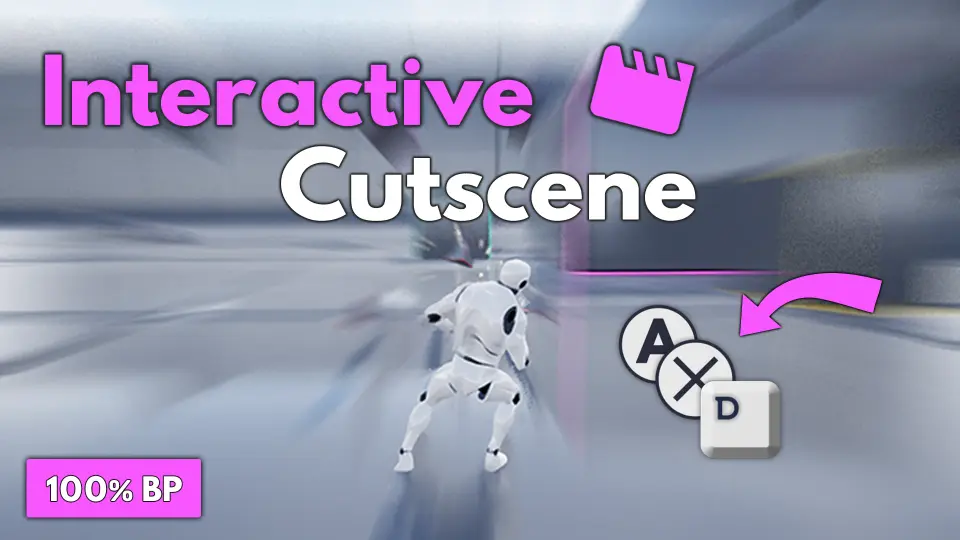
Cinematic storytelling in real-time games frequently runs the risk of disengaging the player when control is abruptly stripped away. Interactive Cutscene tackles this separation by embedding responsive input prompts directly into scenes, converting standard visual sequences into active gameplay beats. Whether an encounter demands an immediate reflex test or a struggle against an environmental hazard, the system injects player-driven stakes directly into scripted choreography.
The underlying framework operates as a 100% Blueprint solution, providing complete structural transparency. Because logic is not hidden inside precompiled C++ binaries, developers can readily open, inspect, and adjust every event graph to suit custom project needs. Every state transition, time limit calculation, and fail condition remains fully accessible for direct modification, allowing seamless integration into existing player controllers and game modes.
Three Distinct Prompt Behaviors: Press, Hold, and Spam
At the center of the package are three core prompt interactions that define how the player engages with on-screen challenges. Each prompt category creates a distinct rhythm and serves specific narrative purposes:
Press: Requires the player to hit a designated key within a strictly limited time window. This format suits instantaneous reflex actions, such as dodging an incoming blow, grabbing a falling ledge, or parrying an attack.
Hold: Demands that the player sustain a continuous key press for a set duration. Holding a button conveys physical tension, making it ideal for prying open stuck heavy doors, stabilizing aim, or maintaining balance under pressure.
Spam: Tasks the player with rapidly mashing a key a specific number of times before the timer expires. Rapid tapping translates physical exertion directly to the player, matching moments where an avatar struggles against an enemy grip or forces a broken mechanism to turn.
These prompt archetypes can be deployed across various sequence tempos. Tuning window lengths, hold durations, and mash thresholds gives developers precise control over scene pacing and mechanical difficulty.
Sequencer Synchronization and In-World Volume Triggers
Interactive Cutscene offers two distinct deployment workflows: direct synchronization with Unreal Engine's Level Sequencer and placement inside real-time gameplay volume triggers.
When tied to Level Sequencer, prompts align precisely with cinematic camera shots, character skeletal animations, and audio cues. The setup allows sequence tracks to broadcast prompt events at exact frames. If the player succeeds or fails the input check, the sequence can branch or continue playing corresponding animation states. Level Sequencer Setup tutorials guide the process of establishing keyframe-accurate event triggers that keep narrative cutscenes flowing without visual stutter.
For exploration and active level navigation, the framework supports trigger volumes placed directly in the game world. Walking into an interactive trigger can immediately spawn an action sequence without opening a dedicated cinematic track. This proves especially useful for environmental traversal, contextual ambush mechanics, or physical obstacles scattered across game environments. Whether a sequence is tightly directed by cinematics or discovered dynamically on foot, the exact same underlying input logic handles the interaction.
Cross-Platform Support Across PC, Xbox, and PlayStation
Modern titles require responsive input handling across a variety of hardware targets. Out of the box, Interactive Cutscene supports three main platforms:
PC (Mouse and Keyboard bindings)
XB (Xbox controller layout)
PS (PlayStation controller layout)
Platform mappings are structured so projects can display the correct hardware icons automatically. Projects targeting additional hardware profiles can expand the existing platform framework by following the accompanying documentation. To maintain high visual fidelity across interface layouts, the system pairs naturally with Input Keys Icon Pack V2, alongside dedicated modular sets such as the Full Icon Pack v1, PC Only Icon Pack, and VR Only Icon Pack.
Enhanced Input and Legacy Engine Compatibility
Input architectures in Unreal Engine have shifted significantly across recent versions. Interactive Cutscene accounts for this transition by offering broad compatibility options across development pipelines. For projects running Unreal Engine 5.1 and newer, the toolset integrates smoothly with the Enhanced Input System, letting developers take full advantage of Input Mapping Contexts and Input Actions.
For earlier production branches or established codebases that continue to run older workflows, the asset fully supports the Legacy Input System across all supported engine versions. This dual-pipeline capability prevents studios from having to refactor their entire project input topology just to implement responsive cinematic prompts.
Technical Handling of Combos, Animations, and Add-ons
A few precise implementation details shape how inputs and visual assets function under real production conditions. Understanding these parameters ensures smooth asset integration:
Combo Key Handling: Multi-key combinations are not visually represented inside the user interface prompts. The on-screen interface presents individual Press, Hold, or Spam directives. However, if multi-key combo inputs are pressed by the player, the underlying framework still registers and triggers those inputs logic-side.
Animation Inclusions: Demonstration assets showcase various dramatic cutscenes, but only the skeletal animations created for Example Cutscene 2 are packaged inside the asset. All other character motions displayed in promotional demonstrations serve purely illustrative showcase purposes and are not included in the asset files.
Tutorial Extensions: Creators seeking to build instructional walkthroughs or guided gameplay moments can expand beyond dramatic cutscenes by integrating the framework alongside the Advanced Tutorials Manager.
By keeping the logic grounded in transparent Blueprints, supporting diverse input backends, and delivering both Sequencer and volume-based triggering, Interactive Cutscene provides a dependable foundation for building responsive moments throughout interactive narratives.
 Gameplay Features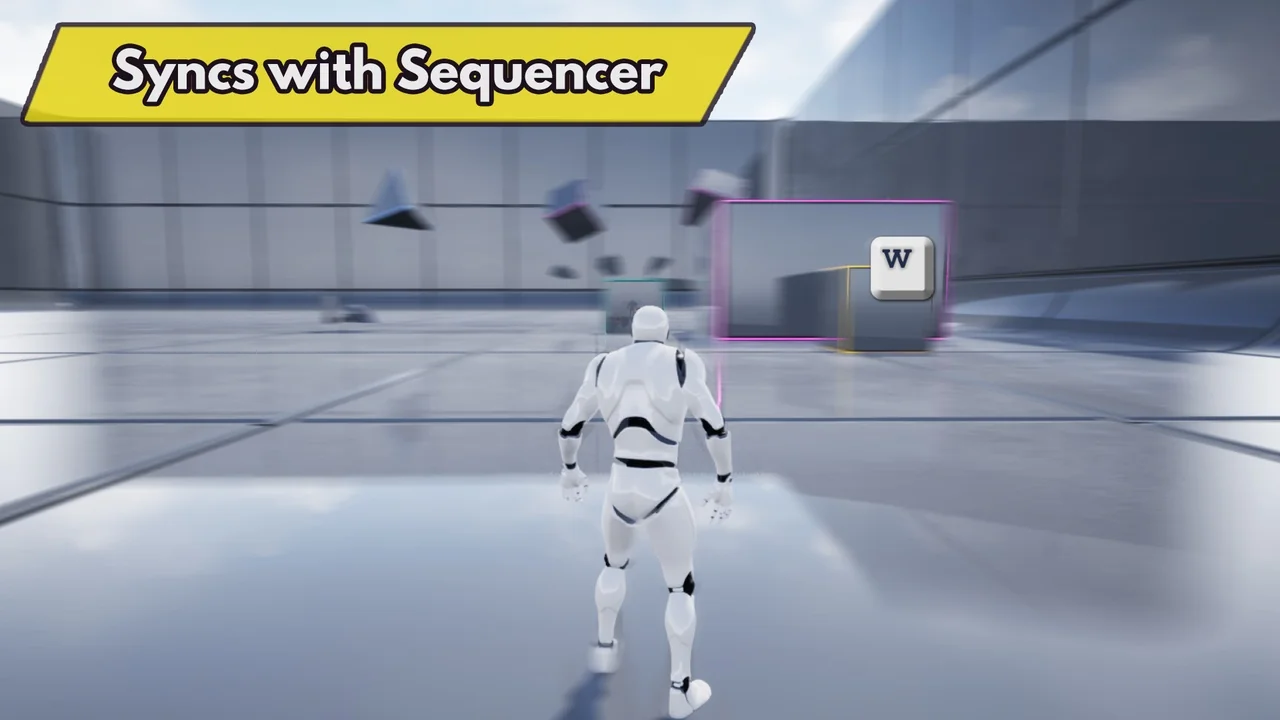
 Gameplay Features
 Gameplay Features
 Gameplay Features