Scenes that need an interactive fire element
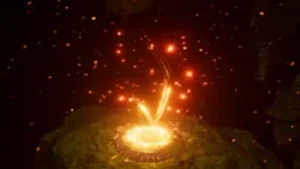
Bonfire is useful in projects where a fireplace, campfire, or other environmental flame needs to do more than sit in the background. It can serve as a VFX element or as part of gameplay, which makes it relevant for visual storytelling, custom mechanics, and moments where a scene needs more presence and realism.
The asset uses Zibra Smoke & Fire for real-time smoke simulation, so the fire is not just a static prop. That makes it a practical fit for situations where the flame needs to feel active in the world instead of appearing as a prebuilt effect with no interaction.
Getting it into a project
Setup is straightforward. The asset is meant to be dropped directly into a scene, and no additional animations are needed for it to work. That gives it a simple implementation path for projects that want a working fire element without building motion or behavior from scratch.
One important requirement is that Zibra Smoke & Fire must already be available. Bonfire depends on that functionality, so the asset is tied to that workflow rather than operating as a standalone fire system.
Unity 6 is not fully supported. The asset is listed as compatible with the original Unity version 2021.3.26, and the render pipeline compatibility includes Built-in, HDRP, URP, and Custom SRP. That makes the pipeline side fairly broad, while still keeping the Unity version note important for anyone planning a newer project.
What can be adjusted in the fire
Bonfire includes built-in controls that let the creator change the fire color, the fire emission intensity, and the ashes emission intensity. It also allows control over the amount of particles, including the number of fire sparks in the simulation. Those parameters give the asset enough range to shift between different looks without requiring a separate effect setup.
The adjustment options are presented as easy to use, with the parameters intended to avoid a steep learning curve. That matters for projects where the effect has to be tuned quickly to match a scene rather than held in a fixed state.
The asset is also described as highly customizable, with settings that can be modified to fit a specific visual direction. The practical takeaway is that it is meant to change in appearance and behavior while staying within the same Zibra-based workflow.
How the simulation side supports the look
The smoke and fire behavior comes from Zibra Smoke & Fire, which is described as an extension for creating volumetric effects based on real-time simulated smoke and fire. It uses custom physics simulation and AI-driven technology for neural object representation.
That combination is aimed at realistic VFX, custom game mechanics, and faster scene prototyping. In other words, Bonfire sits inside a toolset that is meant to support both presentation and interaction, not only visual output.
The asset can therefore be used when a scene needs a flame effect that contributes to the mood of the environment while also leaving room for interactivity. It is not limited to a decorative role, since the smoke simulation is part of the functioning effect.
Performance notes and the kind of project it suits
Bonfire was tested on desktop with an RTX 2060 at Full HD 1080p in the Built-in Render Pipeline. The recorded result was 100 FPS with a frame time of 10.0 ms for the scene with the effect. That gives a concrete reference point for the package in one measured setup.
Zibra Smoke & Fire is also positioned as working across a wide range of devices, from mobile hardware such as the iPhone 6s to high-end desktop GPUs like the RTX 4090. Since Bonfire depends on that system, the asset sits inside a broader performance-oriented technology stack rather than a fixed one-device showcase.
The package includes 21 assets and comes as a unitypackage. It is categorized as VFX, which matches its role as a fire and smoke effect that can be placed into a scene and adjusted through the available controls.
A practical fit for scene builders
Bonfire is most relevant for developers who want an environmental fire element that is interactive, adjustable, and ready to place into a Unity scene. It suits projects that already use Zibra Smoke & Fire and need a bonfire effect that can support atmosphere, gameplay, or both. The strongest parts of the workflow are the direct setup, the built-in controls for color and emission, and the support for several render pipelines.
Project Screenshots
![Bonfire – [Asset for Zibra Smoke & Fire] asset](https://3dcghub.com/wp-content/uploads/2026/04/b85d27bc5158_96356d51-59d7-4ff3-811d-bd32aef08bc6_scaled.webp)
![Bonfire – [Asset for Zibra Smoke & Fire] asset](https://3dcghub.com/wp-content/uploads/2026/04/092a329f90cf_84d75b76-288e-442f-8950-ba1b912dcf99_scaled.webp)
![Bonfire – [Asset for Zibra Smoke & Fire] asset](https://3dcghub.com/wp-content/uploads/2026/04/1e6c15d0babd_588f2320-6961-40f7-8054-3bf6b4e0cb7c_scaled.webp)
![Bonfire – [Asset for Zibra Smoke & Fire] asset](https://3dcghub.com/wp-content/uploads/2026/04/cd577ce5dc2b_0ed2a761-1e1f-469d-8a34-115f59816f64_scaled.webp)
![Bonfire – [Asset for Zibra Smoke & Fire] asset](https://3dcghub.com/wp-content/uploads/2026/04/48feb9256894_834789d3-2d6d-4c3d-bdc4-50d1584f5875_scaled.webp)
Protected download
Access this resource
All resources are 100% manually reviewed to eliminate all risks.
![Bonfire – [Asset for Zibra Smoke & Fire]](https://3dcghub.com/wp-content/uploads/2026/04/664965335742_66b08ab1-31ae-451a-b16f-5543d0ef0230_1280x720_stretch-768x432.webp)
![Bonfire – [Asset for Zibra Smoke & Fire]](https://3dcghub.com/wp-content/uploads/2026/04/f98f9eb49c01_e90db8fa-4cfe-4714-9b38-e7eeaa185f16_1280x720_stretch-768x432.webp)