Gradient-Based UI Depth and Visual Polish
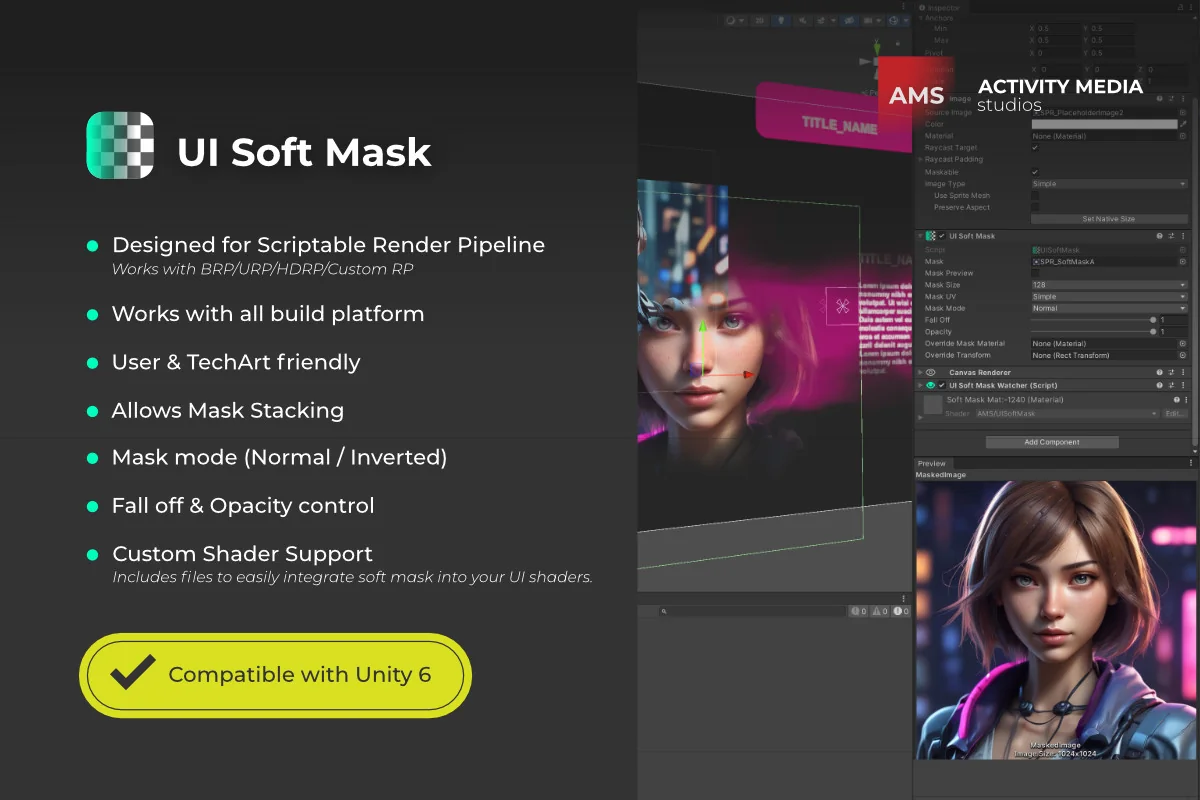
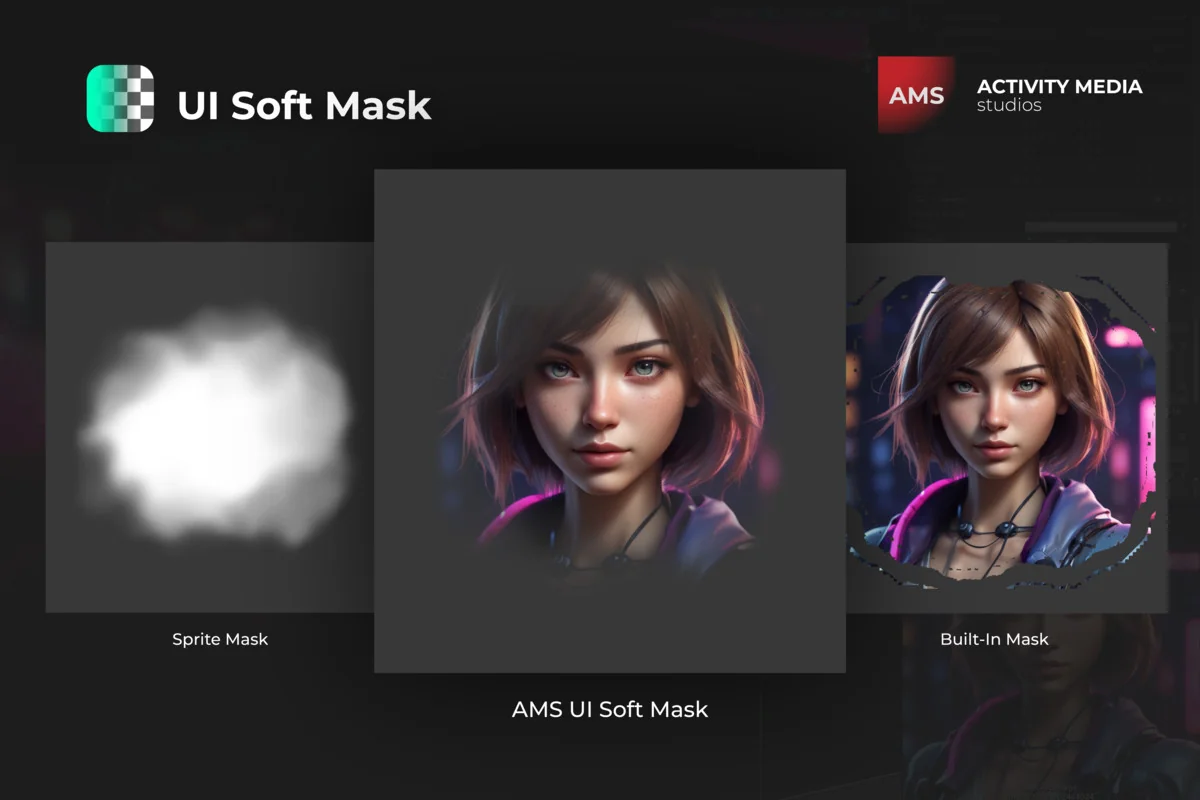
The standard Unity user interface system often relies on binary masking, where an element is either entirely visible or entirely hidden. AMS UI Soft Mask shifts this paradigm by introducing gradient-based masks that allow for smooth, subtle transitions. By utilizing soft masks, developers and artists can apply elegant finishes to UI elements, ensuring that edges blend seamlessly into the background or other interface components. This capability is particularly useful for creating sophisticated HUDs, menus, and overlays where a harsh cut-off would disrupt the aesthetic flow of the project.
The tool provides precise control over how elements are revealed or concealed. Whether the objective is to fade out an individual button or to apply a global mask to an entire UI group, the system handles the transition with professional-grade softness. This flexibility enables the creation of captivating transitions that can engage users more effectively than static, hard-edged interfaces.
Complex Masking Through Stacking and Inversion
One of the more advanced functional aspects of this resource is the support for mask stacking. This feature allows multiple masks to influence a single element or group of elements simultaneously. By layering these masks, developers can create complex visual compositions where different masking shapes and gradients intersect to produce unique visibility patterns. This is essential for intricate UI layouts where nested elements might require different levels of transparency or specific shapes to be cut out of their parent containers.
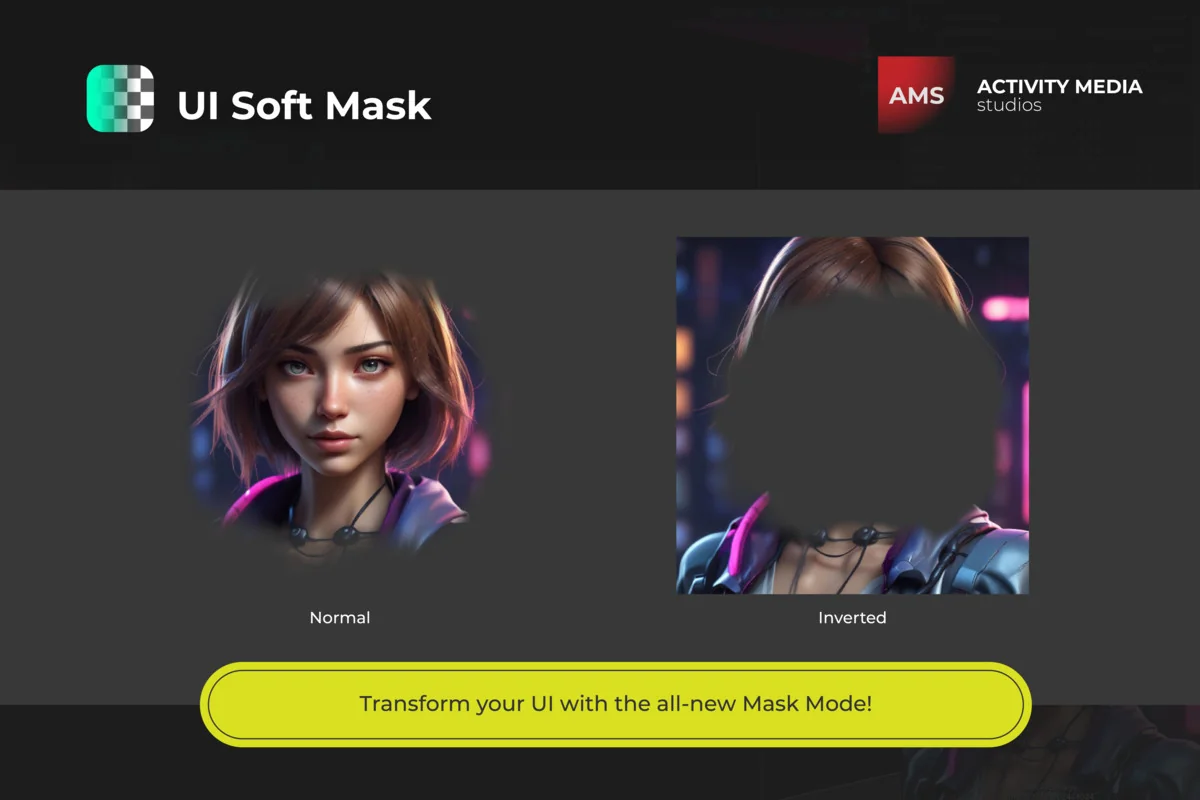
To further enhance visual flexibility, the package includes both Normal and Inverted mask modes. The Normal mode operates as expected, showing content within the mask’s bounds, while the Inverted mode allows developers to hide specific areas while keeping the rest of the UI visible. This is a powerful tool for creating ‘hole’ effects or spotlighting specific UI sections during tutorials or gameplay events. Combined with fall-off and opacity controls, these modes give creators full authority over the tiny visual details that define a high-quality user experience.
Interaction Management and Raycast Thresholds
Functionality in UI design is not limited to visuals; it also involves how the user interacts with the elements on screen. In the latest updates to the system, the developer has introduced a Raycast Target option. This feature allows for blocking raycasts—the invisible lines that detect mouse clicks or touch inputs—below a specified alpha threshold. This ensures that if a UI element is masked to the point of being nearly invisible, it will no longer intercept user interactions, preventing confusing ‘dead zones’ where a user might click on something they cannot see.
Also, the tool includes specific improvements for TextMesh Pro (TMP) and Sliced UV handling. The 9-slice algorithm has been refined to ensure that even when UI elements are stretched or scaled, the masking remains consistent and visually accurate. These technical refinements ensure that the soft masking logic does not break the standard behavior of Unity’s fundamental UI components.
Integration with Custom Shaders and Render Pipelines
The system is built to be pipeline-agnostic, offering compatibility across the Built-in Render Pipeline (BRP), Universal Render Pipeline (URP), High Definition Render Pipeline (HDRP), and even Custom Scriptable Render Pipelines. This broad support makes it a versatile choice for projects ranging from mobile games to high-fidelity desktop experiences. The asset is designed to work across all build platforms, ensuring that the visual quality of the UI remains consistent regardless of the target hardware.
For technical artists who require even more control, the package supports custom shaders. Whether a shader is created using Shader Graph, Amplify Shader Editor, or is hand-coded, it can be integrated with the soft masking system. This allows for the extension of visual capabilities beyond standard masking, enabling unique effects like shimmering, animated textures, or custom distortions that still respect the boundaries and gradients defined by the soft mask.
Workflow Optimization and Setup
Setting up the masking system is designed to be straightforward, with automatic management of mask propagation across the UI hierarchy. This automation is crucial for maintaining performance, as it ensures optimal batching. By managing how masks are applied down the hierarchy, the tool minimizes the draw call overhead that can sometimes plague complex UI systems. The package includes detailed documentation in both PDF and online formats, providing step-by-step instructions and walkthroughs for integrating the masking logic into custom shaders, making it accessible for developers regardless of their previous experience with shader programming.
AMS UI Soft Mask serves as a comprehensive toolset for developers who need more than basic masking functionality. By combining gradient control, mask stacking, and deep integration with Unity’s rendering pipelines, it provides a robust framework for building modern, high-quality user interfaces.
Asset Gallery
Protected download
Access this resource
All resources are 100% manually reviewed to eliminate all risks.