Modernizing Visualization in Unity
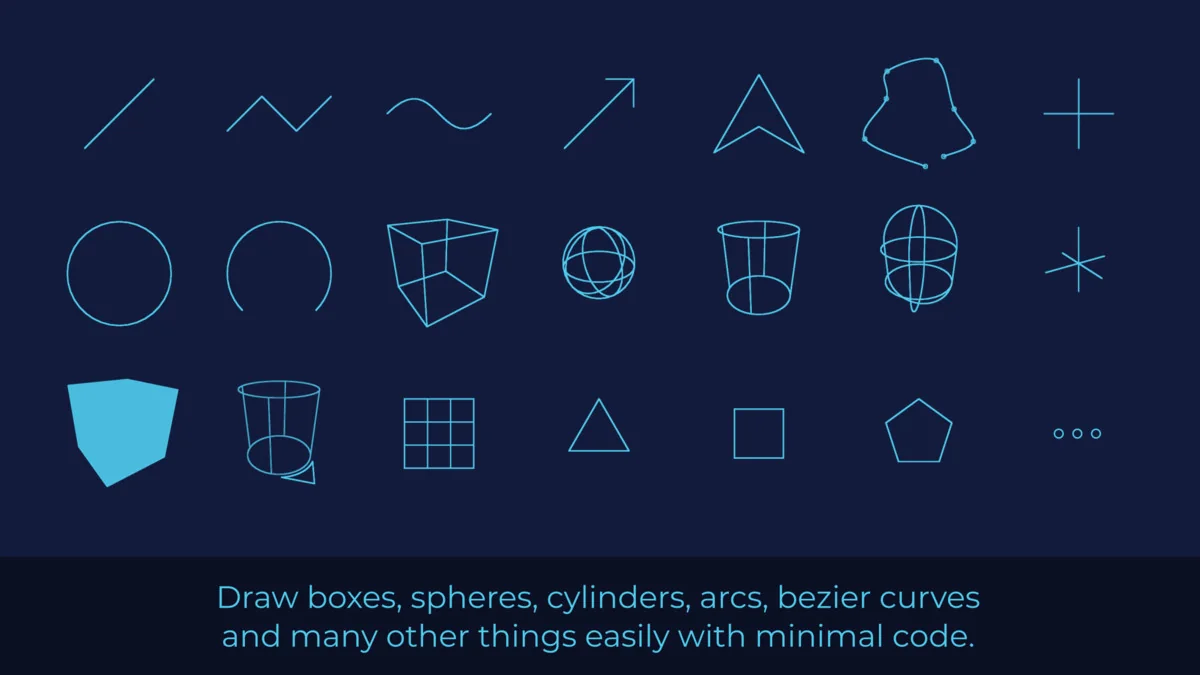
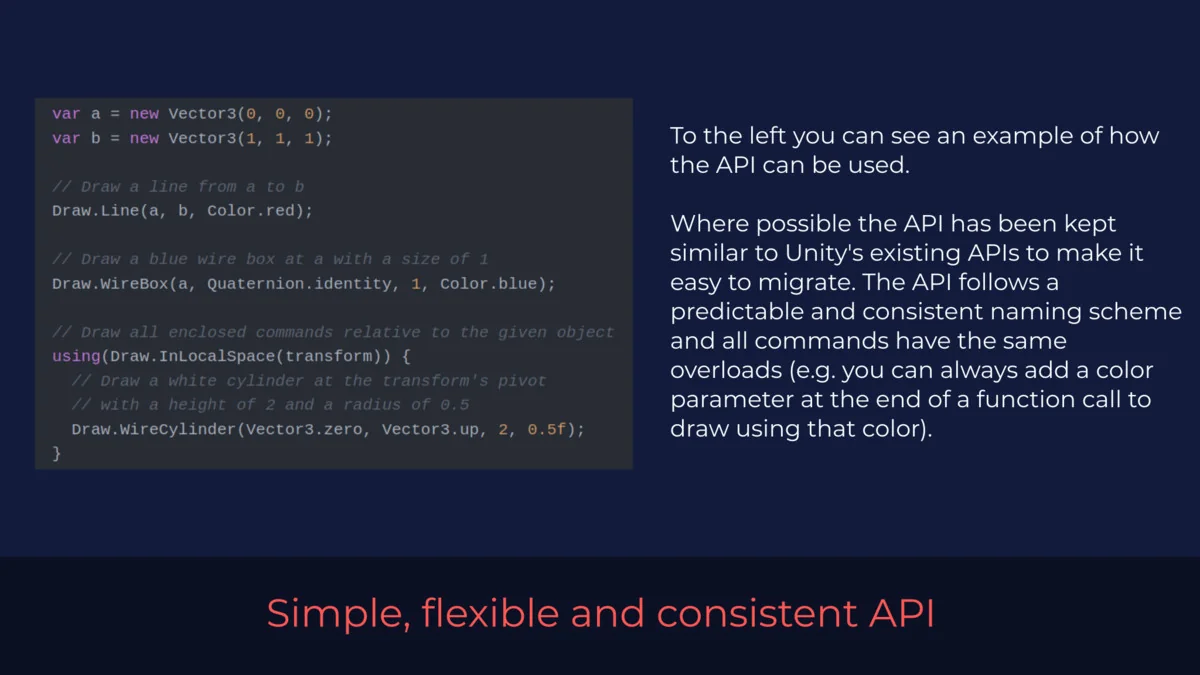
ALINE is designed as a complete replacement for the native Debug.Draw and Gizmo drawing systems within Unity. While the built-in APIs provide basic functionality for visualizing data in the editor, they often suffer from performance bottlenecks and inconsistent behavior across different render pipelines. This tool provides a more flexible and consistent API that is built to handle the demands of complex projects, offering higher rendering quality and a broader set of features than the standard engine defaults.
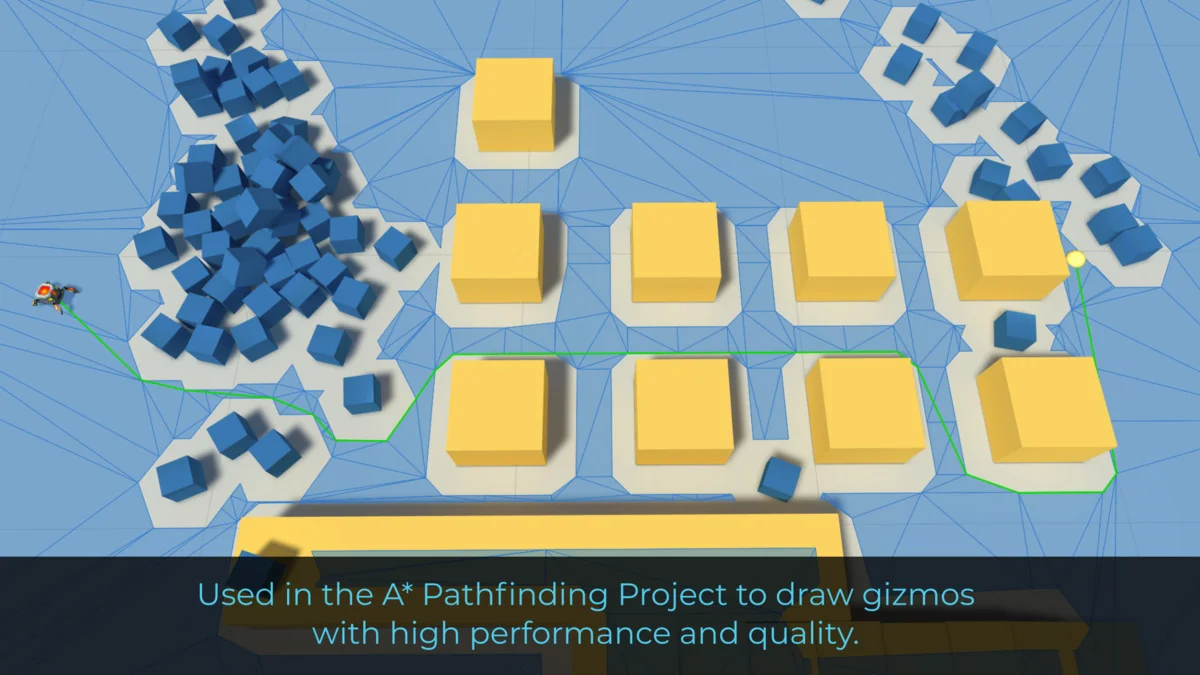
The package has been a core component of the A* Pathfinding Project, one of the most established AI solutions in the Unity ecosystem. This lineage suggests the tool is optimized for high-density data visualization, such as pathfinding nodes and complex spatial graphs, where performance and clarity are critical.
Debugging Within the High-Performance C# Job System
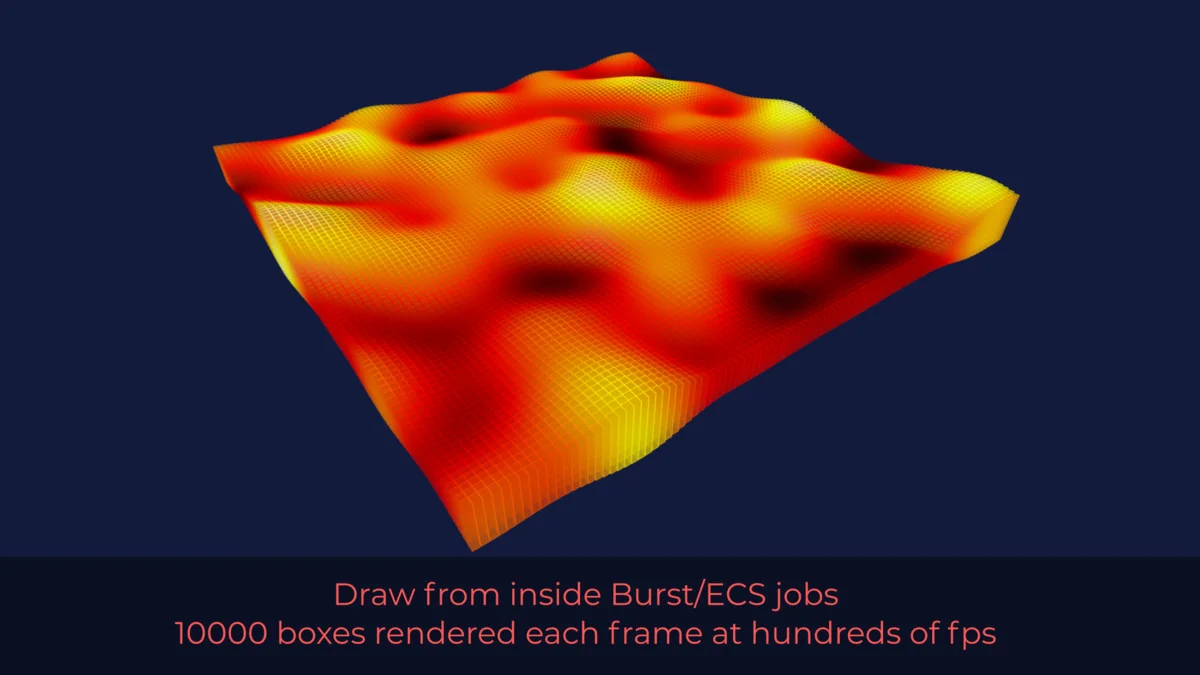
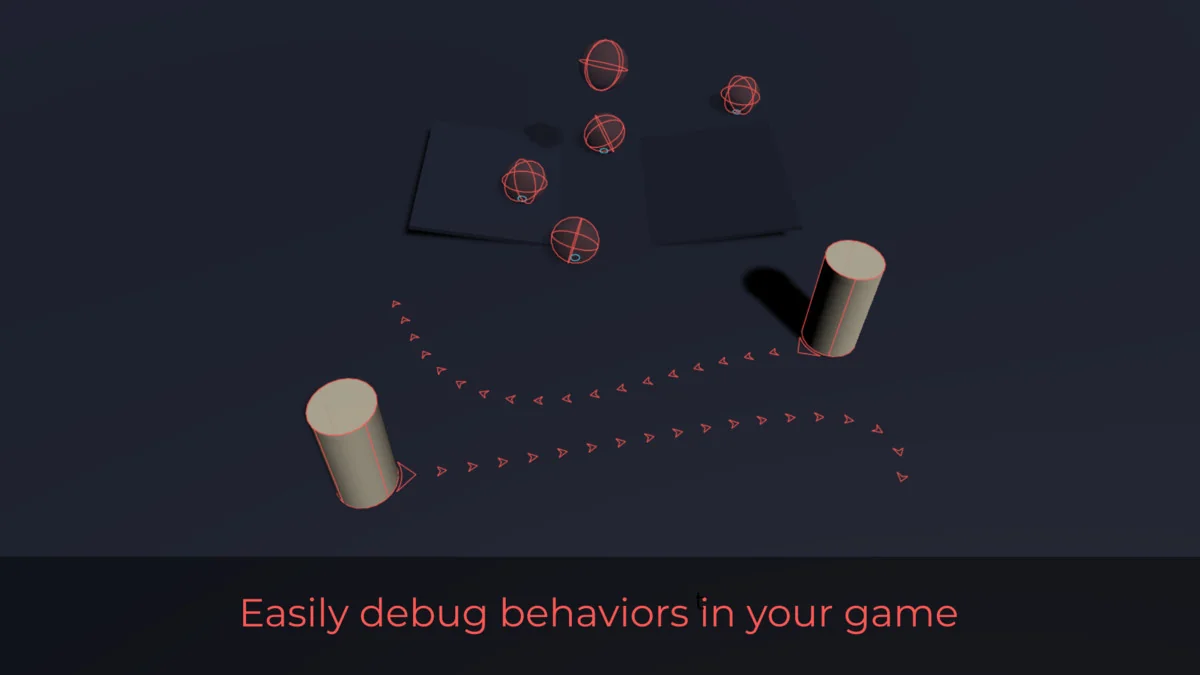
One of the primary challenges when working with Unity’s Data-Oriented Technology Stack (DOTS) is the difficulty of visualizing what is happening inside optimized code. Standard drawing commands typically cannot be called from within Burst-compiled jobs or ECS systems. ALINE addresses this limitation by allowing developers to draw debug lines directly from within Burst and ECS jobs. This capability makes it significantly easier to debug high-performance systems by providing immediate visual feedback on the state of entities and job-processed data without leaving the optimized environment.
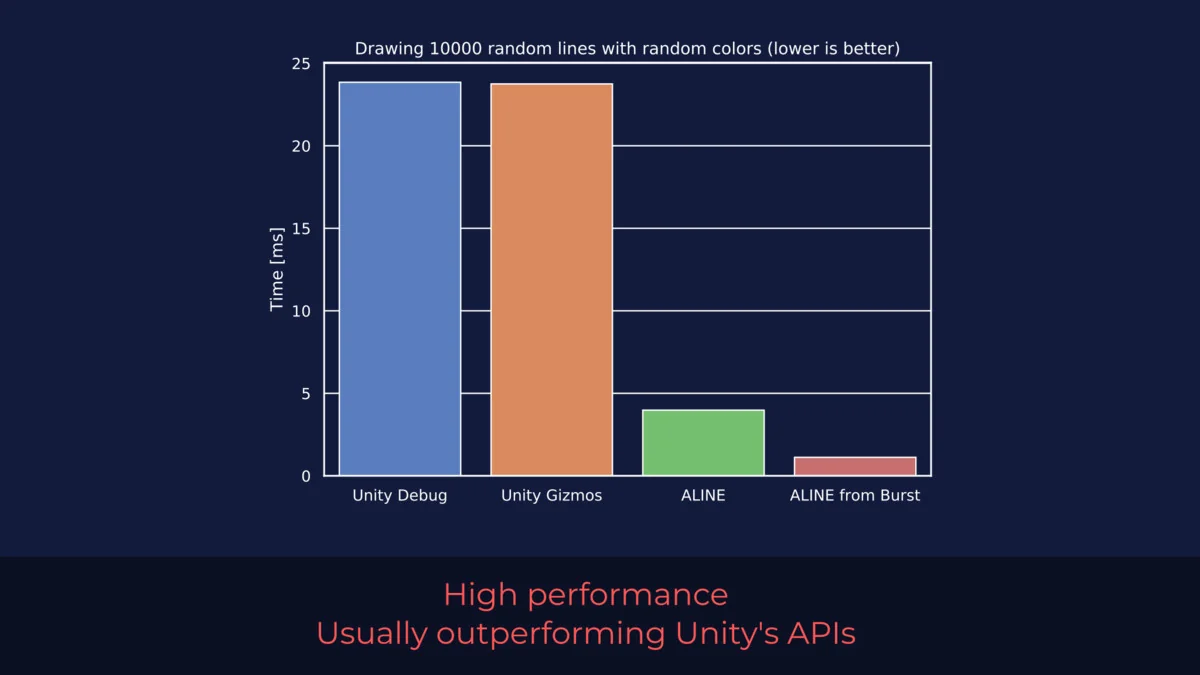
Performance remains a priority throughout the package. It is engineered to outperform the standard Unity APIs significantly in many scenarios. This efficiency allows developers to visualize thousands of primitives simultaneously without the frame-rate degradation that often accompanies heavy use of native gizmo commands.
Visual Quality and Standalone Rendering
Beyond simple editor debugging, ALINE is capable of rendering lines and primitives in standalone builds. This functionality is particularly useful for developers creating in-game level editors or those who require a specific visual aesthetic, such as a high-tech or sci-fi interface. The rendering engine produces perfectly anti-aliased lines even in environments where MSAA or post-processing effects are disabled. This ensures that UI elements, outlines, and diagnostic overlays remain sharp and professional across different hardware configurations.
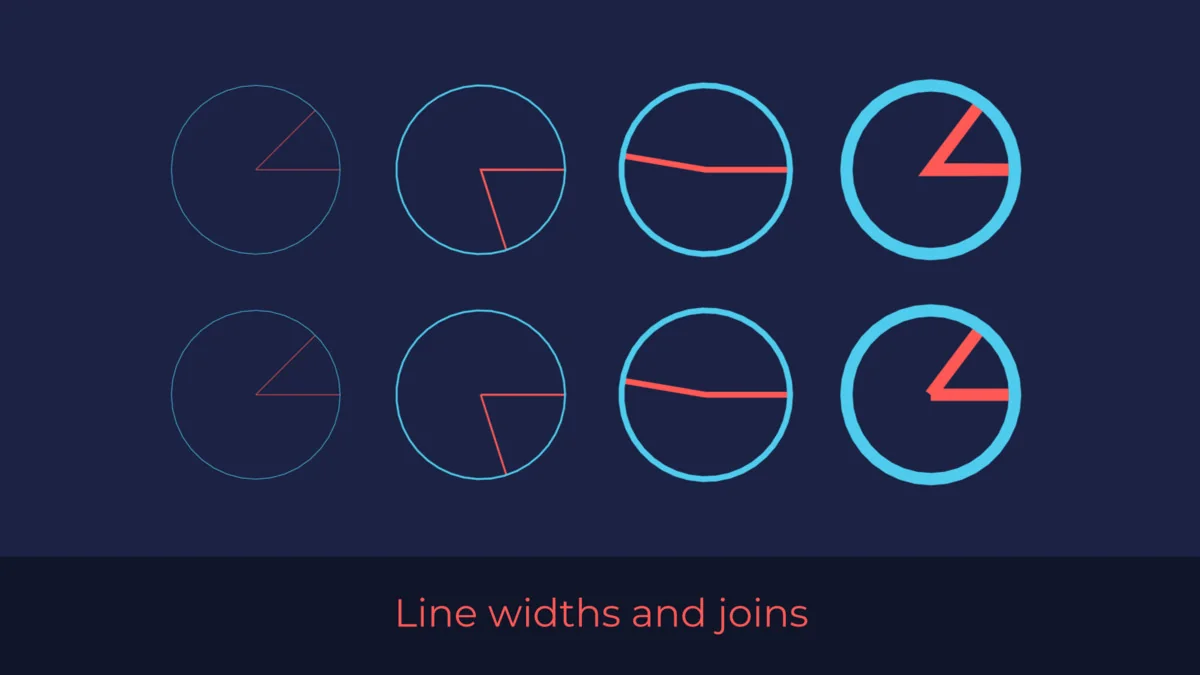
The tool supports a variety of visual parameters, including variable line widths and the ability to draw text labels directly over 3D objects in the scene. These features allow for much more sophisticated data overlays than what is possible with standard engine tools. Recent updates have further expanded the visual library, adding specific primitives like 3D rings (annuli) and their 2D counterparts (Draw.xz.WireRing and Draw.xz.SolidRing), which are useful for representing ranges, impact zones, or selection circles.
Technical Integration and Pipeline Support
ALINE is built to be compatible with a wide range of Unity versions and rendering setups. It supports the Built-in Render Pipeline, the High Definition Render Pipeline (HDRP), and the Universal Render Pipeline (URP), as well as custom Scriptable Render Pipelines (SRP). This broad compatibility ensures that visualization tools remain consistent even if a project migrates between pipelines.
Technical details for the package include:
- Compatibility with Unity versions 2020.3.48 and 2022.3.62.
- Full support for URP 17.4 and higher.
- Integration with VR environments, including specific fixes for foveated rendering in URP.
- UPM package signing for improved security and authenticity.
Recent maintenance has focused on optimizing memory usage by eliminating small garbage collection (GC) allocations and resolving memory leaks related to prefab references in the Unity Editor. These refinements contribute to a stable development environment, particularly during long debugging sessions.
Expanded Primitives and Examples
The package includes 57 assets that provide various primitives and example implementations. A notable addition is an animated sci-fi interface example scene, which demonstrates how the drawing primitives can be used for more than just debugging. By utilizing the tool’s high-performance primitives, developers can create dynamic, animated UI elements that exist within the 3D world space. The inclusion of specialized shapes like WireRing and SolidRing allows for precise spatial representation, whether the developer is working in a full 3D environment or a 2D top-down (XZ) layout.
For developers who require consistent, high-quality visualization that works across both the editor and the final game build, ALINE provides a robust framework that bypasses the limitations of native Unity drawing calls. Its ability to operate within the high-performance job system makes it a specialized tool for those working with modern Unity workflows.
Asset Gallery

Protected download
Access this resource
All resources are 100% manually reviewed to eliminate all risks.