

Able Ability System
In-Depth Overview Able is an engine plugin, crafted in C++, specifically designed for Unreal Engine. It revolutionizes the way creators handle Abilities by allowing them to be constructed from various actions known as Tasks. These Tasks are assembled in the Ability Editor, an intuitive and user-friendly interface that enables quick

Runtime Speech Recognizer (Real-Time, Offline, AI)
Overview Transform your game with real-time, offline, cross-platform speech recognition powered by OpenAI Whisper technology! Experience fast cross-platform speech / voice recognition that works completely offline, featuring GPU acceleration on Windows and optimized CPU processing on other platforms. Key Features Real-time Recognition: Convert speech to text instantly as your players

Runtime Archiver (Zip, Oodle, Tar, LZ4, GZip)
Overview Effortlessly manage archives in your Unreal Engine projects with Runtime Archiver! This powerful tool allows you to archive and unarchive files and directories during runtime, supporting popular formats like ZIP, Tar, Oodle, LZ4, and GZip. Key Features Runtime Archiver is fully cross-platform, working seamlessly on Windows, Android, Mac, iOS,
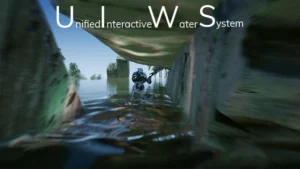
UIWS – Unified Interactive Water System
UIWS is the leading solution for dynamic interactive water bodies in Unreal Engine 4. Beautiful unified interactive fluid, interactive caustic lighting, collision and damage handling and more! The plugin is super easy to use with almost no setup required; Simply drag, drop, scale, and play! Click here to view the
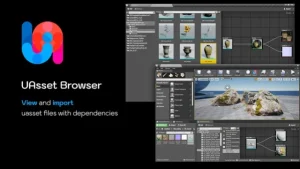
UAsset Browser
Overview With UAsset Browser, you can preview uasset thumbnail, view dependency graph between uasset files, inspect/search/filter uasset meta data, and then import uasset file with all it’s dependencies including hard or soft references. Key Features UAsset Browser works as a uasset file importer, gathering and importing dependencies to avoid missing

Runtime Vertex Paint & Detection Plugin
A Plugin that allows the user to Detect, Paint and Remove Vertex Colors in Runtime in several different ways. Can enable Extreme Audio-Visual Fidelity, as well as new Game Modes and Gameplay Possibilities! This plugin makes it possible to Detect, Paint and Remove Vertex Colors in Runtime on Static, Skeletal,
Pak Creator Plugin
Plugin for creating pak files out of content plugins in the editor. Pak Creator is a plugin that can be used in the Unreal Editor for creating .pak files. The plugin creates an independent .pak file out of content plugins. This is useful if you would like to distribute content
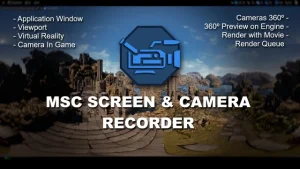
MSC Screen & Camera Recorder
Overview This plugin allows you to capture videos of the screen in Unreal Engine applications, from cameras during the game with different points of view from the player, record the vision in virtual reality, and even render videos in 360º. It offers all nodes available in blueprint. Technical Details Features:

MeshBlend – Advanced Mesh Blending for Unreal Engine
Overview MeshBlend brings next generation blending capabilities to Unreal Engine, allowing for the blending of any mesh with any mesh, including landscapes, static meshes, and skeletal meshes. Key Features Controllable blending of meshes without using RVT Battle tested and used in real projects from Indie to AAA titles Supports a

PBL Database
Overview The PBL Database is a comprehensive toolbox designed to enhance your understanding and utilization of the Physically Based Lighting (PBL) workflow in Unreal Engine. It serves as an all-in-one solution for gathering essential resources and learning about real-life light behavior. Description This plugin is not a lighting creator like
GAS Companion
Overview GAS Companion is an all-encompassing base for GAS (Gameplay Abilities System) powered projects, designed to cater to various project needs without dictating game design choices. It includes essential initial C++ setup, helpers, and additional features to kickstart new projects using Epic’s GAS plugin, widely used in games like Fortnite
ChunkCore (Chunk Downloader)
Overview ChunkCore is a powerful Blueprint wrapper for Epic Games’ official ChunkDownloader plugin, designed to bring easy patching and asset streaming functionality to your Unreal Engine projects—without writing a single line of C++. By leveraging ChunkDownloader, Unreal Engine developers can dynamically download and mount assets from a remote server at