"7b46a695175d8694"{"id":"1000414","slug":"unreal-engine-5-interactive-blueprints","title":"Unreal Engine 5 Interactive Blueprints","category":"Unreal Engine","engine":"File Content: video + English subtitles","assetVersion":"Video Language: English","engineVersion":"File Content: video + English subtitles","tag":"Unreal Engine","accent":"blue","visual":"mech","summary":"A beginner guide to building interactive architectural visualizations in Unreal Engine 5, covering Blueprint logic, collisions, doors, and material changes.","platform":"Unreal Engine","publishedAt":"2026-07-08T16:03:08.814Z","updatedAt":"2026-07-08T16:03:08.814Z","sourceNotes":[],"fileContents":[],"compatibility":["Unreal Engine","Video Language: English","File Content: video + English subtitles"],"featuredImage":{"alt":"Unreal Engine 5 Interactive Blueprints","src":"/wp-content/uploads/published/2026/07/109390a5b183-5934828-bed9-2-285b4b81b0.webp"},"hasDownloadLink":true,"downloads":1,"terms":[{"taxonomy":"category","slug":"tutoriallibrary-unrealengine","name":"Unreal Engine"}],"galleryImages":[],"accessPanel":{"kind":"video-resource","title":"Download this video resource","eyebrow":"Free Download","message":"Log in or create a free account to start your download.","fileName":"Unreal Engine 5 Interactive Blueprints.7z","safetyNote":"Resources are manually reviewed before listing to improve quality and reduce obvious risks.","actionLabel":"Download Free","resourceType":"Video download"},"contentHtml":"\u003ch2\u003eDeveloping Interactive Architectural Visualizations\u003c/h2\u003e\n\u003cp\u003eInteractive architectural visualizations and beginner game environments require more than just static geometry and baked lighting. When architects, interior designers, and visualization enthusiasts build a space in Unreal Engine 5, the environment needs to actively respond to the user navigating the space. A virtual walkthrough is far more effective and immersive when the viewer can actually turn on the lights, pull open a sliding door, and change the floor material in real time. Unreal Engine 5 Interactive Blueprints focuses entirely on building these exact types of interactive scenes from the ground up. Aimed squarely at beginners taking their first steps into visual scripting, this guide provides the foundational logic required to turn a static 3D model into an engaging, responsive environment over a comprehensive 4-hour and 24-minute workload. Published in November 2024, the resource reflects current introductory workflows for scene interactivity.\u003c/p\u003e\n\u003ch2\u003eUnderstanding Blueprints and Collision Types\u003c/h2\u003e\n\u003cp\u003eBefore a user can successfully interact with a curtain or a light switch, the underlying mechanical logic must be clearly established within the engine. Establishing interactivity begins with an essential introduction to what Blueprints actually are within the Unreal Engine 5 ecosystem. Instead of writing raw code, users construct interactive logic using Unreal's node-based visual scripting system, which is highly approachable for those coming from a pure design background. A major component of making this logic work in a 3D space is understanding physical boundaries and trigger volumes. A critical step involves identifying the different types of collisions. In a real-time workflow, collision detection is what tells the engine that a player has physically approached a door or clicked their cursor on a light switch. By defining these collision boundaries accurately, visualization artists ensure that interaction prompts only appear when the user is standing in the correct, realistic location relative to the object.\u003c/p\u003e\n\u003ch3\u003eFirst-Person Character Adjustments\u003c/h3\u003e\n\u003cp\u003eNavigating an architectural visualization or a newly blocked-out game level typically relies on a first-person perspective, putting the viewer directly inside the environment. Building these scenes requires editing the first-person character. For interior designers and architects, the default game-oriented character often needs subtle adjustments to suit a professional architectural walkthrough. Editing the character allows creators to refine how the digital camera moves through the space. This ensures the virtual client or player experiences the room at the correct eye height, moves at a comfortable walking speed, and possesses the proper reach distance to interact with the surrounding architectural elements seamlessly.\u003c/p\u003e\n\u003ch2\u003eEngineering Pivot and Sliding Doors\u003c/h2\u003e\n\u003cp\u003eThe core of the 4-hour and 24-minute workload focuses heavily on practical, everyday interactions that bring a virtual room to life. Static doorways severely limit exploration in a virtual tour, so designers must establish exactly how to open and close different types of portals. This includes building pivoting mechanisms for standard swinging doors or casement windows, as well as sliding mechanics for modern pocket doors, glass patio doors, and sliding windows. Establishing both the pivot and sliding mechanics ensures that creators can accurately represent the intended architectural hardware of a given room, allowing users to move naturally from one space to the next.\u003c/p\u003e\n\u003ch3\u003eToggling Lights and Changing Object Materials\u003c/h3\u003e\n\u003cp\u003eBeyond physical movement, environmental control is addressed through interactive lighting logic. Creators wire up Blueprints that can toggle lights on and off at the press of a button. For architectural visualization, giving the end-user control over the lighting allows them to explore how different rooms feel under various artificial lighting scenarios, demonstrating how a space functions practically. Furthermore, one of the most common and powerful requirements for interior design visualization is the ability to show clients different finish options in real time. Interactive environments rely on specific blueprint setups dedicated to changing object materials. This means a user can approach a piece of furniture, a structural wall, or a floor surface, and trigger a Blueprint that instantly swaps the existing texture for an alternative material option.\u003c/p\u003e\n\u003ch2\u003eAnimating Curtains and Water Taps\u003c/h2\u003e\n\u003cp\u003eTo add an extra layer of kinetic detail and realism to the room, integrating specific animations is necessary. Learners build interactions that trigger localized animated sequences, such as interacting with curtains and water taps animations. These highly localized interactions transform a rigid, lifeless 3D render into a functional simulation of a living space where water flows and curtains draw back to reveal the exterior view.\u003c/p\u003e\n\u003cp\u003eUltimately, these workflows are structured for creators who need to move their projects beyond static rendering and passive camera fly-throughs. Whether building a simple interactive puzzle room for an early game design project or constructing a fully interactive apartment layout for a demanding interior design client, the setups provided here form the absolute baseline of environmental interactivity. By starting with fundamental Blueprints, addressing collision spaces, adjusting the first-person view, and building up to animated props and dynamic material changes, beginners gain the specific, practical tools needed to make their Unreal Engine 5 environments fully responsive.\u003c/p\u003e\n\n\u003ch2\u003eRelated Resources Worth Checking\u003c/h2\u003e\n\u003cul\u003e\n\u003cli\u003e\u003ca href=\"https://3dcghub.com/unreal-engine-blueprints-kickstart-gameplay-made-simple/\" title=\"Unreal Engine Blueprints Kickstart: Gameplay made simple\"\u003eUnreal Engine Blueprints Kickstart: Gameplay made simple\u003c/a\u003e\u003c/li\u003e\n\u003cli\u003e\u003ca href=\"https://3dcghub.com/unreal-engine-5-blueprints-game-developer-masterclass/\" title=\"Unreal Engine 5 - Blueprints Game Developer Masterclass\"\u003eUnreal Engine 5 - Blueprints Game Developer Masterclass\u003c/a\u003e\u003c/li\u003e\n\u003cli\u003e\u003ca href=\"https://3dcghub.com/unreal-engine-5-one-course-solution-for-niagara-vfx/\" title=\"Unreal Engine 5: One Course Solution For Niagara VFX\"\u003eUnreal Engine 5: One Course Solution For Niagara VFX\u003c/a\u003e\u003c/li\u003e\n\u003cli\u003e\u003ca href=\"https://3dcghub.com/the-ultimate-guide-to-unreal-engine-5-for-complete-beginners/\" title=\"The Ultimate Guide to Unreal Engine 5 For Complete Beginners\"\u003eThe Ultimate Guide to Unreal Engine 5 For Complete Beginners\u003c/a\u003e\u003c/li\u003e\n\u003cli\u003e\u003ca href=\"https://3dcghub.com/how-to-create-a-weapon-customization-system-in-ue5/\" title=\"How To Create a Weapon Customization System in UE5\"\u003eHow To Create a Weapon Customization System in UE5\u003c/a\u003e\u003c/li\u003e\n\u003c/ul\u003e","contentTextLength":5946,"navigation":{"current":1207,"total":3481,"previous":{"id":"1000415","slug":"unreal-engine-5-architecture-visualization-interior-design","title":"Unreal Engine 5: Architecture Visualization/Interior Design","category":"Unreal Engine","platform":"Unreal Engine","updatedAt":"2026-07-08T16:15:14.880Z"},"next":{"id":"1000413","slug":"learn-how-to-create-a-survival-horror-in-unreal-engine","title":"Learn How To Create A Survival Horror In Unreal Engine","category":"Unreal Engine","platform":"Unreal Engine","updatedAt":"2026-07-08T15:52:50.913Z"}},"relatedResources":[{"id":"1000195","slug":"unreal-engine-blueprints-kickstart-gameplay-made-simple","title":"Unreal Engine Blueprints Kickstart: Gameplay made simple","category":"Unreal Engine","engine":"File Content: video + English subtitles","assetVersion":"Video Language: English","engineVersion":"File Content: video + English subtitles","tag":"Unreal Engine","accent":"blue","visual":"mech","summary":"A beginner Unreal Engine course focused on Blueprints, interactive puzzles, player input, communication systems, and a complete escape room game flow.","platform":"Unreal Engine","publishedAt":"2026-06-23T10:46:15.963Z","updatedAt":"2026-06-23T10:46:15.963Z","sourceNotes":[],"fileContents":[],"compatibility":["Unreal Engine","Video Language: English","File Content: video + English subtitles"],"featuredImage":{"alt":"Unreal Engine Blueprints Kickstart: Gameplay made simple","src":"/wp-content/uploads/published/2026/06/199c8be47f38-6542623-d10d-5-5b3a5143af.webp"},"hasDownloadLink":true,"downloads":0},{"id":"1000596","slug":"unreal-engine-5-all-in-one-ue5-master-blueprint","title":"Unreal Engine 5 : All in one UE5 master Blueprint","category":"Unreal Engine","engine":"File Content: video + English subtitles","assetVersion":"Video Language: English","engineVersion":"File Content: video + English subtitles","tag":"Unreal Engine","accent":"blue","visual":"mech","summary":"A beginner-level Unreal Engine 5 course covering Niagara, Control Rig, AI, animation, materials, landscape, and Blueprints across 42 hours of structured learnin","platform":"Unreal Engine","publishedAt":"2026-07-17T17:35:41.823Z","updatedAt":"2026-07-17T17:35:41.823Z","sourceNotes":[],"fileContents":[],"compatibility":["Unreal Engine","Video Language: English","File Content: video + English subtitles"],"featuredImage":{"alt":"Unreal Engine 5 : All in one UE5 master Blueprint","src":"/wp-content/uploads/published/2026/07/6c6d072cba24-4953792-d34a-5-60c376937e.webp"},"hasDownloadLink":true,"downloads":1},{"id":"1000556","slug":"master-unreal-engine-5-build-any-game-with-blueprint-and-c","title":"Master Unreal Engine 5: Build Any Game with Blueprint \u0026 C++","category":"Unreal Engine","engine":"File Content: video + English subtitles","assetVersion":"Video Language: English","engineVersion":"File Content: video + English subtitles","tag":"Unreal Engine","accent":"blue","visual":"mech","summary":"Build any game in Unreal Engine 5 using Blueprint and C++. Learn multiplayer networking, UMG UI, materials, modeling tools, and packaging across 13 hours.","platform":"Unreal Engine","publishedAt":"2026-07-15T16:49:38.751Z","updatedAt":"2026-07-15T16:49:38.751Z","sourceNotes":[],"fileContents":[],"compatibility":["Unreal Engine","Video Language: English","File Content: video + English subtitles"],"featuredImage":{"alt":"Master Unreal Engine 5: Build Any Game with Blueprint \u0026 C++","src":"/wp-content/uploads/published/2026/07/167dd95e84d7-6120743-8adb-4-ba02c71b99.webp"},"hasDownloadLink":true,"downloads":1}]}
Unreal Engine
Unreal Engine 5 Interactive Blueprints
A beginner guide to building interactive architectural visualizations in Unreal Engine 5, covering Blueprint logic, collisions, doors, and material changes.
Category:Unreal EnginePlatform: Unreal EngineVideo Language: EnglishFile Content: video + English subtitlesPublished: Jul 8, 2026
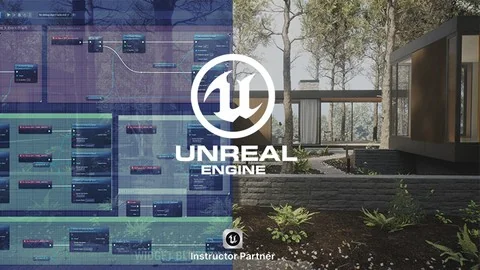
Interactive architectural visualizations and beginner game environments require more than just static geometry and baked lighting. When architects, interior designers, and visualization enthusiasts build a space in Unreal Engine 5, the environment needs to actively respond to the user navigating the space. A virtual walkthrough is far more effective and immersive when the viewer can actually turn on the lights, pull open a sliding door, and change the floor material in real time. Unreal Engine 5 Interactive Blueprints focuses entirely on building these exact types of interactive scenes from the ground up. Aimed squarely at beginners taking their first steps into visual scripting, this guide provides the foundational logic required to turn a static 3D model into an engaging, responsive environment over a comprehensive 4-hour and 24-minute workload. Published in November 2024, the resource reflects current introductory workflows for scene interactivity.
Understanding Blueprints and Collision Types
Before a user can successfully interact with a curtain or a light switch, the underlying mechanical logic must be clearly established within the engine. Establishing interactivity begins with an essential introduction to what Blueprints actually are within the Unreal Engine 5 ecosystem. Instead of writing raw code, users construct interactive logic using Unreal's node-based visual scripting system, which is highly approachable for those coming from a pure design background. A major component of making this logic work in a 3D space is understanding physical boundaries and trigger volumes. A critical step involves identifying the different types of collisions. In a real-time workflow, collision detection is what tells the engine that a player has physically approached a door or clicked their cursor on a light switch. By defining these collision boundaries accurately, visualization artists ensure that interaction prompts only appear when the user is standing in the correct, realistic location relative to the object.
First-Person Character Adjustments
Navigating an architectural visualization or a newly blocked-out game level typically relies on a first-person perspective, putting the viewer directly inside the environment. Building these scenes requires editing the first-person character. For interior designers and architects, the default game-oriented character often needs subtle adjustments to suit a professional architectural walkthrough. Editing the character allows creators to refine how the digital camera moves through the space. This ensures the virtual client or player experiences the room at the correct eye height, moves at a comfortable walking speed, and possesses the proper reach distance to interact with the surrounding architectural elements seamlessly.
Engineering Pivot and Sliding Doors
The core of the 4-hour and 24-minute workload focuses heavily on practical, everyday interactions that bring a virtual room to life. Static doorways severely limit exploration in a virtual tour, so designers must establish exactly how to open and close different types of portals. This includes building pivoting mechanisms for standard swinging doors or casement windows, as well as sliding mechanics for modern pocket doors, glass patio doors, and sliding windows. Establishing both the pivot and sliding mechanics ensures that creators can accurately represent the intended architectural hardware of a given room, allowing users to move naturally from one space to the next.
Toggling Lights and Changing Object Materials
Beyond physical movement, environmental control is addressed through interactive lighting logic. Creators wire up Blueprints that can toggle lights on and off at the press of a button. For architectural visualization, giving the end-user control over the lighting allows them to explore how different rooms feel under various artificial lighting scenarios, demonstrating how a space functions practically. Furthermore, one of the most common and powerful requirements for interior design visualization is the ability to show clients different finish options in real time. Interactive environments rely on specific blueprint setups dedicated to changing object materials. This means a user can approach a piece of furniture, a structural wall, or a floor surface, and trigger a Blueprint that instantly swaps the existing texture for an alternative material option.
Animating Curtains and Water Taps
To add an extra layer of kinetic detail and realism to the room, integrating specific animations is necessary. Learners build interactions that trigger localized animated sequences, such as interacting with curtains and water taps animations. These highly localized interactions transform a rigid, lifeless 3D render into a functional simulation of a living space where water flows and curtains draw back to reveal the exterior view.
Ultimately, these workflows are structured for creators who need to move their projects beyond static rendering and passive camera fly-throughs. Whether building a simple interactive puzzle room for an early game design project or constructing a fully interactive apartment layout for a demanding interior design client, the setups provided here form the absolute baseline of environmental interactivity. By starting with fundamental Blueprints, addressing collision spaces, adjusting the first-person view, and building up to animated props and dynamic material changes, beginners gain the specific, practical tools needed to make their Unreal Engine 5 environments fully responsive.
 Unreal Engine
 Unreal Engine
 Unreal Engine
 Unreal Engine