"ddd0e3fb95b0aec2"{"id":"1001565","slug":"ultra-game-template-1-3","title":"Ultra Game Template 1.3","category":"Action-Adventure","engine":"5.5+","assetVersion":"","engineVersion":"Engine Version: 5.5+","tag":"Action-Adventure","accent":"blue","visual":"mech","summary":"Ultra Game Template 1.3 delivers complete menu, localization, and multi-platform configuration systems built cleanly in 101 blueprints.","platform":"Unreal Engine","publishedAt":"2026-10-10T03:57:01.695Z","updatedAt":"2026-10-10T03:57:01.695Z","sourceNotes":[],"fileContents":[],"compatibility":["Unreal Engine","Engine Version: 5.5+"],"featuredImage":{"alt":"Ultra Game Template 1.3","src":"/wp-content/uploads/published/2026/10/4c29e9ecd7de-9e7b4d45-7dec-49ad-8c0e-5b17b098c089-055fe148d1.webp"},"hasDownloadLink":true,"downloads":0,"terms":[{"taxonomy":"category","slug":"action-adventure","name":"Action-Adventure"}],"galleryImages":[{"src":"/wp-content/uploads/published/2026/10/68ec7fdef893-4ce17958-4075-46c5-bbb1-4d20715c3722-4a4946e421.webp","alt":"Ultra Game Template 1.3"},{"src":"/wp-content/uploads/published/2026/10/4fb63203750b-5d001123-4b61-4dfc-a7ac-a9af1a6a8eed-49b7ff3563.webp","alt":"Ultra Game Template 1.3"},{"src":"/wp-content/uploads/published/2026/10/65e1a3ec7df8-fe75ff52-4e8a-48a7-9181-13da415399d4-064c8b7bc0.webp","alt":"Ultra Game Template 1.3"},{"src":"/wp-content/uploads/published/2026/10/570185b01ffd-e14b91e3-b4dd-4395-a9c9-5c2b7f73373e-f610a38817.webp","alt":"Ultra Game Template 1.3"},{"src":"/wp-content/uploads/published/2026/10/d2d6dbbf94b7-5619211b-2645-4549-8a44-5ecd6da7e896-2922d08470.webp","alt":"Ultra Game Template 1.3"},{"src":"/wp-content/uploads/published/2026/10/28838b60895a-31690c86-1a73-44cf-acbd-cf1c4caa7be5-fcfaad8688.webp","alt":"Ultra Game Template 1.3"},{"src":"/wp-content/uploads/published/2026/10/5fb63d67427d-92b2ec34-8b50-487d-8593-68eebcb5132b-58152381be.webp","alt":"Ultra Game Template 1.3"},{"src":"/wp-content/uploads/published/2026/10/0c8bd736d3a8-f0cde7f5-348d-40fe-b9a4-ab5be9fb612f-67266b7d32.webp","alt":"Ultra Game Template 1.3"},{"src":"/wp-content/uploads/published/2026/10/c90c0f164378-8ed81349-156d-4cce-a1c5-e1a0c71ea821-2335749ab3.webp","alt":"Ultra Game Template 1.3"},{"src":"/wp-content/uploads/published/2026/10/1723dcca0e44-4dbf4fe6-b470-4d9a-82a6-9c4cd88cc575-c7753f4dba.webp","alt":"Ultra Game Template 1.3"}],"accessPanel":{"kind":"resource","title":"Download this resource","eyebrow":"Free Download","message":"Log in or create a free account to start your download.","fileName":"Content.7z","safetyNote":"Resources are manually reviewed before listing to improve quality and reduce obvious risks.","actionLabel":"Download Free","resourceType":"Resource archive"},"contentHtml":"\u003ch2\u003eIntegrating Ultra Game Template via Game Instance and Blueprints\u003c/h2\u003e\n\u003cp\u003eImplementing Ultra Game Template 1.3 into an active development project requires minimal restructuring of existing files. Because the framework is distributed strictly as assets within the Content folder, it does not overwrite engine or project configuration files. Setup begins by assigning UGT's custom game instance and setting UGT_LauncherMap as the default map inside the project settings. Connecting project characters, controllers, or levels to the framework requires calling a single integration function during Begin Play, allowing the backend framework to initialize cleanly alongside custom gameplay mechanics.\u003c/p\u003e\n\u003cp\u003eThe entire system functions across 101 blueprints without network replication, serving single-player pipelines directly. Development environments on both Windows and Mac are supported natively. Because the structural dependencies remain isolated in Content folder blueprints, the template works equally well when imported into active productions or used as the foundational baseline for greenfield projects.\u003c/p\u003e \u003ch2\u003eCentralized Control Through Data Assets and UI Styling\u003c/h2\u003e\n\u003cp\u003eSystem features, global options, and interface presentations are controlled entirely through data assets. Rather than altering core logic across dozens of blueprints, developers adjust an all-in-one data asset to toggle framework components on or off. If a specific production has no requirement for the save system, social media links, custom loading screens, or localized text tables, those individual sub-systems can be deactivated directly within the configuration asset.\u003c/p\u003e\n\u003cp\u003eVisual presentation operates under a similar asset-driven structure. The package includes four complete example interface themes ready for deployment or modification: Sci-fi, Minimalistic, Cartoon Brush, and Typewriter. Each aesthetic profile is defined within a UGT style data asset. Developers can duplicate an existing preset and alter visual references to establish an entirely customized interface identity without rewriting widget logic or altering layout scripts.\u003c/p\u003e \u003ch2\u003ePlatform-Specific Menu Behavior and Key Remapping\u003c/h2\u003e\n\u003cp\u003eThe primary menu system operates dual roles as both the main title menu and the in-game pause screen. It arrives pre-configured to adapt its layout and control hooks based on the detected hardware, providing complete input support across mouse and keyboard, gamepads, and touch devices. Full input remapping is provided for all three control schemes, allowing players to assign individual bindings across gamepads, keyboards, and mice on a per-platform basis.\u003c/p\u003e\n\u003cp\u003eNavigation behavior shifts to respect specific console conventions automatically. When running on Nintendo Switch, for instance, backward navigation binds to the bottom face button (B), whereas other console hardware remaps back actions to the right face button (B or Circle). The interface also dynamically culls irrelevant sub-menus depending on the hardware target. On Switch hardware, the Keyboard and Mouse settings and the PC Video menus are hidden from view, while text elements scale to larger baseline dimensions to preserve readability on smaller displays. Default text sizes can be independently calibrated for each console or platform target.\u003c/p\u003e \u003ch2\u003eVideo Configurations, Shader Compilation, and Upscaling Integrations\u003c/h2\u003e\n\u003cp\u003ePerformance and display configurations inside Ultra Game Template 1.3 include more than 35 graphics parameters alongside over 30 dedicated video settings and more than 10 accessibility toggles. Platform-level video profiles and hardware targets are routed directly within the UGT_GameInstance blueprint through the PlatformSpecificVideoConfigs event graph, simplifying performance passes when deploying to different hardware brackets.\u003c/p\u003e\n\u003cp\u003eTo assist with PC-specific optimization challenges, the template includes a shader compilation pipeline that mitigates runtime hitches by handling asset compilation prior to gameplay. Native upscaling integrations are baked into the display stack, supporting both NVIDIA DLSS and AMD FSR alongside verification for portable hardware environments such as Steam Deck. Loading sequences are tied to an integrated loading screen framework that supports customized transition times calibrated on a per-platform and per-console basis.\u003c/p\u003e \u003ch2\u003eSpreadsheet Localization and Subtitle Priority Handling\u003c/h2\u003e\n\u003cp\u003eLocalization within the template relies on Google Spreadsheets tables, establishing a unified pipeline for translators and interface designers. An included reference spreadsheet supplies full translations for the framework interface in both English and Spanish. Platform button prompts and console-specific input icons within the table arrive pre-localized across more than 30 languages, removing the need to generate custom button glyph mappings per territory.\u003c/p\u003e\n\u003cp\u003eDialogue, narrative text, and audio cues run through an integrated voice translation and subtitle management framework. This system utilizes a dedicated priority hierarchy, preventing lower-priority sound bites or atmospheric voice lines from overriding vital narrative subtitles or critical story prompts. On the audio configuration front, players receive separate controls for master, effects, and speech tracks, complemented by a configurable background music manager that handles dynamic tracks across main and pause menus.\u003c/p\u003e \u003ch2\u003eFirst-Person Example Integration and Project Verification\u003c/h2\u003e\n\u003cp\u003eTo demonstrate functional implementation inside an active game loop, Ultra Game Template 1.3 bundles an example first-person shooter framework. This reference integration showcases how to tie player progression, save slots, and unlockable game chapters directly into gameplay triggers like level checkpoints. While the integrated project demonstrates an FPS implementation, standard integration walkthroughs demonstrate deploying the system from scratch within a third-person blueprint environment.\u003c/p\u003e\n\u003cp\u003eSave management handles progression slots alongside granular player settings covering game audio, custom video profiles, accessibility options, and remapped inputs. For debugging and QA passes, developer cheats and secret administrative menus remain accessible even within packaged distribution builds. The template has been verified in shipped releases including Together: Moon Escape and Cursed Halls, confirming that its 101 blueprints, configuration data assets, and multi-platform porting routines translate seamlessly into complete interactive titles.\u003c/p\u003e\n\n\u003ch2\u003eExplore Similar Assets\u003c/h2\u003e\n\u003cul\u003e\n\u003cli\u003e\u003ca href=\"https://3dcghub.com/msl-toolkit/\" title=\"MSL Toolkit\"\u003eMSL Toolkit\u003c/a\u003e\u003c/li\u003e\n\u003cli\u003e\u003ca href=\"https://3dcghub.com/enhanced-movement-system/\" title=\"Enhanced Movement System\"\u003eEnhanced Movement System\u003c/a\u003e\u003c/li\u003e\n\u003cli\u003e\u003ca href=\"https://3dcghub.com/hyper-multiplayer-survival-template-pro-mst-v4/\" title=\"Hyper Multiplayer Survival Template Pro [MST] V4\"\u003eHyper Multiplayer Survival Template Pro [MST] V4\u003c/a\u003e\u003c/li\u003e\n\u003cli\u003e\u003ca href=\"https://3dcghub.com/environments-bundle-6-maps/\" title=\"Environments Bundle 6 Maps\"\u003eEnvironments Bundle 6 Maps\u003c/a\u003e\u003c/li\u003e\n\u003cli\u003e\u003ca href=\"https://3dcghub.com/dynamic-ragdoll/\" title=\"Dynamic Ragdoll\"\u003eDynamic Ragdoll\u003c/a\u003e\u003c/li\u003e\n\u003c/ul\u003e","contentTextLength":6607,"navigation":{"current":9,"total":3511,"previous":{"id":"1001566","slug":"underwater-coral-pack-01","title":"Underwater Coral Pack 01","category":"Nature \u0026 Plants","platform":"Unreal Engine","updatedAt":"2026-10-10T03:58:48.350Z"},"next":{"id":"1001564","slug":"ucreate-fractal-toolkit","title":"UCreate - Fractal Toolkit","category":"Buildings \u0026 Architecture","platform":"Unreal Engine","updatedAt":"2026-10-10T03:55:40.075Z"}},"relatedResources":[{"id":"1001239","slug":"msl-toolkit","title":"MSL Toolkit","category":"Action-Adventure","engine":"5.0+","assetVersion":"","engineVersion":"Engine Version: 5.0+","tag":"Action-Adventure","accent":"blue","visual":"mech","summary":"Explore the MSL Toolkit for Unreal Engine, featuring folder-based menus, input rebinding, audio localization, and prioritized savegame actor loading.","platform":"Unreal Engine","publishedAt":"2026-09-23T14:43:29.877Z","updatedAt":"2026-09-23T14:43:29.877Z","sourceNotes":[],"fileContents":[],"compatibility":["Unreal Engine","Engine Version: 5.0+"],"featuredImage":{"alt":"MSL Toolkit","src":"/wp-content/uploads/published/2026/09/8c27331a8f43-faf5c4e0-b079-461a-917d-fe933d7f4639-e1c30312ca.webp"},"hasDownloadLink":true,"downloads":0},{"id":"1000732","slug":"enhanced-movement-system","title":"Enhanced Movement System","category":"Action-Adventure","engine":"5.5+","assetVersion":"","engineVersion":"Engine Version: 5.5+","tag":"Action-Adventure","accent":"blue","visual":"mech","summary":"Unreal Engine character movement toolkit with parkour vaulting, grappling hook, stamina UI, fall damage, footstep SFX, and a built-in tutorial system.","platform":"Unreal Engine","publishedAt":"2026-07-26T16:09:42.506Z","updatedAt":"2026-07-26T16:09:42.506Z","sourceNotes":[],"fileContents":[],"compatibility":["Unreal Engine","Engine Version: 5.5+"],"featuredImage":{"alt":"Enhanced Movement System","src":"/wp-content/uploads/published/2026/07/b8b1ddf5c110-41b67793-7ddd-4d06-a732-99b15b075a9e-8f7eecf2bd.webp"},"hasDownloadLink":true,"downloads":0},{"id":"1001152","slug":"hyper-multiplayer-survival-template-pro-mst-v4","title":"Hyper Multiplayer Survival Template Pro [MST] V4","category":"Action-Adventure","engine":"5.3+","assetVersion":"","engineVersion":"Engine Version: 5.3+","tag":"Action-Adventure","accent":"blue","visual":"mech","summary":"Explore Hyper Multiplayer Survival Template Pro [MST] V4, a fully replicated Unreal Engine framework for open-world, co-op PvE, and survival projects.","platform":"Unreal Engine","publishedAt":"2026-09-10T17:56:18.119Z","updatedAt":"2026-09-10T17:56:18.119Z","sourceNotes":[],"fileContents":[],"compatibility":["Unreal Engine","Engine Version: 5.3+"],"featuredImage":{"alt":"Hyper Multiplayer Survival Template Pro [MST] V4","src":"/wp-content/uploads/published/2026/09/6060550226b8-0f2946eb-0653-4ed7-a160-e35859e9e5e9-61232ad933.webp"},"hasDownloadLink":true,"downloads":7}]}
Action-Adventure
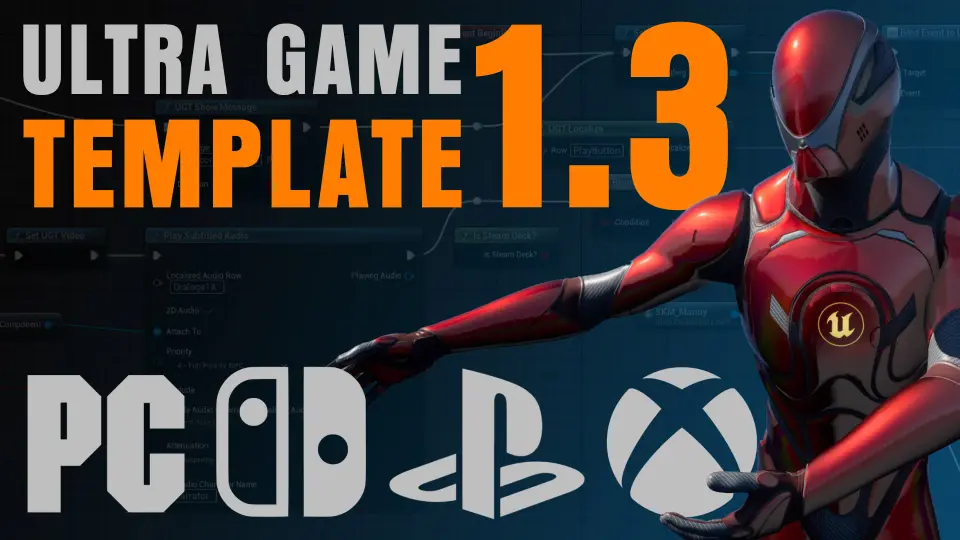
Ultra Game Template 1.3
Ultra Game Template 1.3 delivers complete menu, localization, and multi-platform configuration systems built cleanly in 101 blueprints.
Integrating Ultra Game Template via Game Instance and Blueprints
Implementing Ultra Game Template 1.3 into an active development project requires minimal restructuring of existing files. Because the framework is distributed strictly as assets within the Content folder, it does not overwrite engine or project configuration files. Setup begins by assigning UGT's custom game instance and setting UGT_LauncherMap as the default map inside the project settings. Connecting project characters, controllers, or levels to the framework requires calling a single integration function during Begin Play, allowing the backend framework to initialize cleanly alongside custom gameplay mechanics.
The entire system functions across 101 blueprints without network replication, serving single-player pipelines directly. Development environments on both Windows and Mac are supported natively. Because the structural dependencies remain isolated in Content folder blueprints, the template works equally well when imported into active productions or used as the foundational baseline for greenfield projects.
Centralized Control Through Data Assets and UI Styling
System features, global options, and interface presentations are controlled entirely through data assets. Rather than altering core logic across dozens of blueprints, developers adjust an all-in-one data asset to toggle framework components on or off. If a specific production has no requirement for the save system, social media links, custom loading screens, or localized text tables, those individual sub-systems can be deactivated directly within the configuration asset.
Visual presentation operates under a similar asset-driven structure. The package includes four complete example interface themes ready for deployment or modification: Sci-fi, Minimalistic, Cartoon Brush, and Typewriter. Each aesthetic profile is defined within a UGT style data asset. Developers can duplicate an existing preset and alter visual references to establish an entirely customized interface identity without rewriting widget logic or altering layout scripts.
Platform-Specific Menu Behavior and Key Remapping
The primary menu system operates dual roles as both the main title menu and the in-game pause screen. It arrives pre-configured to adapt its layout and control hooks based on the detected hardware, providing complete input support across mouse and keyboard, gamepads, and touch devices. Full input remapping is provided for all three control schemes, allowing players to assign individual bindings across gamepads, keyboards, and mice on a per-platform basis.
Navigation behavior shifts to respect specific console conventions automatically. When running on Nintendo Switch, for instance, backward navigation binds to the bottom face button (B), whereas other console hardware remaps back actions to the right face button (B or Circle). The interface also dynamically culls irrelevant sub-menus depending on the hardware target. On Switch hardware, the Keyboard and Mouse settings and the PC Video menus are hidden from view, while text elements scale to larger baseline dimensions to preserve readability on smaller displays. Default text sizes can be independently calibrated for each console or platform target.
Video Configurations, Shader Compilation, and Upscaling Integrations
Performance and display configurations inside Ultra Game Template 1.3 include more than 35 graphics parameters alongside over 30 dedicated video settings and more than 10 accessibility toggles. Platform-level video profiles and hardware targets are routed directly within the UGT_GameInstance blueprint through the PlatformSpecificVideoConfigs event graph, simplifying performance passes when deploying to different hardware brackets.
To assist with PC-specific optimization challenges, the template includes a shader compilation pipeline that mitigates runtime hitches by handling asset compilation prior to gameplay. Native upscaling integrations are baked into the display stack, supporting both NVIDIA DLSS and AMD FSR alongside verification for portable hardware environments such as Steam Deck. Loading sequences are tied to an integrated loading screen framework that supports customized transition times calibrated on a per-platform and per-console basis.
Spreadsheet Localization and Subtitle Priority Handling
Localization within the template relies on Google Spreadsheets tables, establishing a unified pipeline for translators and interface designers. An included reference spreadsheet supplies full translations for the framework interface in both English and Spanish. Platform button prompts and console-specific input icons within the table arrive pre-localized across more than 30 languages, removing the need to generate custom button glyph mappings per territory.
Dialogue, narrative text, and audio cues run through an integrated voice translation and subtitle management framework. This system utilizes a dedicated priority hierarchy, preventing lower-priority sound bites or atmospheric voice lines from overriding vital narrative subtitles or critical story prompts. On the audio configuration front, players receive separate controls for master, effects, and speech tracks, complemented by a configurable background music manager that handles dynamic tracks across main and pause menus.
First-Person Example Integration and Project Verification
To demonstrate functional implementation inside an active game loop, Ultra Game Template 1.3 bundles an example first-person shooter framework. This reference integration showcases how to tie player progression, save slots, and unlockable game chapters directly into gameplay triggers like level checkpoints. While the integrated project demonstrates an FPS implementation, standard integration walkthroughs demonstrate deploying the system from scratch within a third-person blueprint environment.
Save management handles progression slots alongside granular player settings covering game audio, custom video profiles, accessibility options, and remapped inputs. For debugging and QA passes, developer cheats and secret administrative menus remain accessible even within packaged distribution builds. The template has been verified in shipped releases including Together: Moon Escape and Cursed Halls, confirming that its 101 blueprints, configuration data assets, and multi-platform porting routines translate seamlessly into complete interactive titles.
 Action-Adventure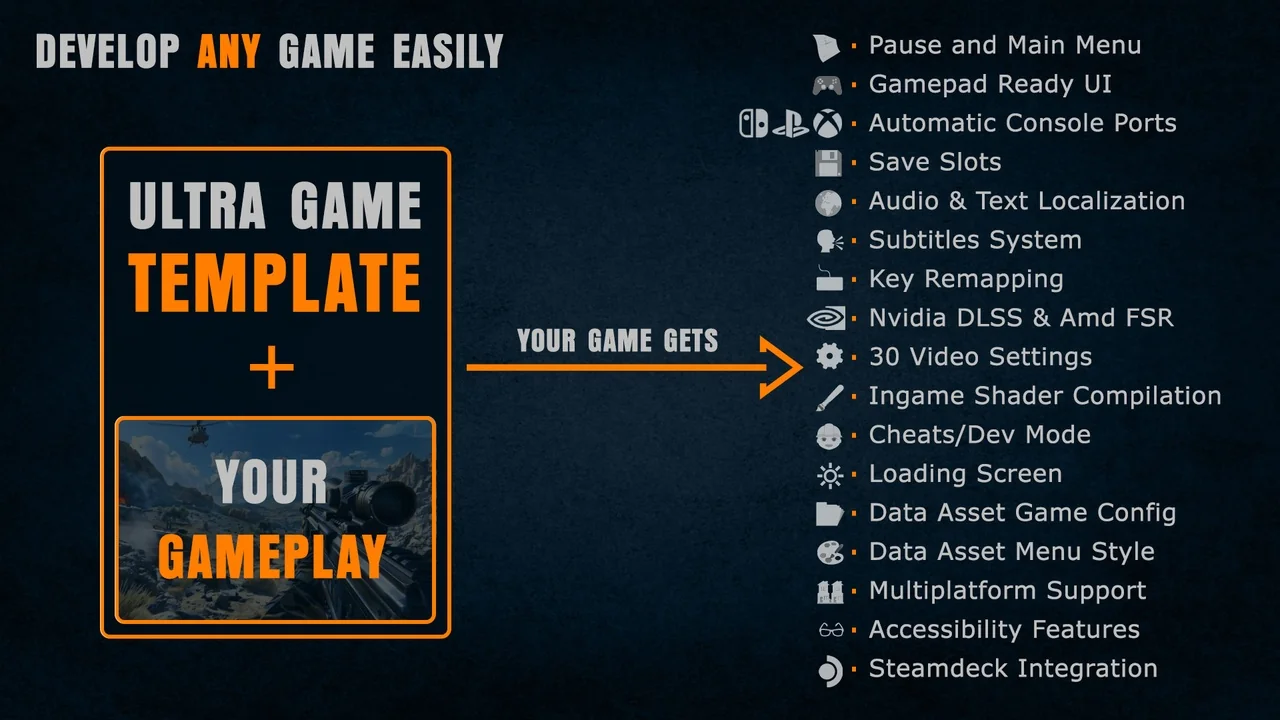
 Action-Adventure
 Action-Adventure
![Hyper Multiplayer Survival Template Pro [MST] V4](/_img/360/wp-content/uploads/published/2026/09/6060550226b8-0f2946eb-0653-4ed7-a160-e35859e9e5e9-61232ad933.webp) Action-Adventure
Action-Adventure