"b00678cacce53329"{"id":"1002840","slug":"stylized-fx-2","title":"Stylized FX 2","category":"Variety","engine":"4.21+,5.0+","assetVersion":"","engineVersion":"Engine Version: 4.21+,5.0+","tag":"Variety","accent":"blue","visual":"mech","summary":"Stylized FX 2 provides modular visual effects for stylized games, featuring rapid color and texture manipulation through material instances.","platform":"Unreal Engine","indexPolicy":"index","publishedAt":"2026-11-20T12:22:12.018Z","updatedAt":"2026-11-20T12:22:12.018Z","sourceNotes":[],"fileContents":[],"compatibility":["Unreal Engine","Engine Version: 4.21+,5.0+"],"featuredImage":{"alt":"Stylized FX 2","src":"/wp-content/uploads/published/2026/11/159a1c0a35e9-932e80e7-5305-41b4-97b6-3247004e59f3-da81e1ac36.webp"},"fileSizeBytes":39151108,"hasDownloadLink":true,"downloads":0,"terms":[{"taxonomy":"category","slug":"variety-vfx","name":"Variety"}],"galleryImages":[{"src":"/wp-content/uploads/published/2026/11/1b84ebb16df7-969eb435-ce0c-4e76-80c4-2de936320983-d4ec336314.webp","alt":"Stylized FX 2"},{"src":"/wp-content/uploads/published/2026/11/8947a69666ae-f192d03b-ec7e-4d03-b9a0-4e2286a71cf0-788cc9c232.webp","alt":"Stylized FX 2"},{"src":"/wp-content/uploads/published/2026/11/f4558f361f09-27aa8aad-ab04-42c4-b660-f55c4b9e592e-2cac7ef72c.webp","alt":"Stylized FX 2"},{"src":"/wp-content/uploads/published/2026/11/e2aa936d18f4-d5ac2f65-07f6-4bd7-a004-6cd1b6391098-f4788bcb84.webp","alt":"Stylized FX 2"},{"src":"/wp-content/uploads/published/2026/11/f4d1d5478195-f885377f-8bd7-411d-a5fe-e60ac7acfa75-5b2fb1a347.webp","alt":"Stylized FX 2"},{"src":"/wp-content/uploads/published/2026/11/d8e9234ce1ea-a792e164-4b89-4268-9438-4a4a6456993f-6a38b161ec.webp","alt":"Stylized FX 2"}],"accessPanel":{"kind":"resource","title":"Get this resource","safetyNote":"Resources are manually reviewed before listing to improve quality and reduce obvious risks.","fileName":"Content.7z","resourceType":"Resource archive","versions":[]},"contentHtml":"\u003ch2\u003eModular Architecture in Stylized FX 2\u003c/h2\u003e\u003cp\u003eStylized FX 2 centers on a modular structure where particle elements operate as distinct, configurable components. In stylized visual production, maintaining control over distinct behavioral layers within an effect prevents visual clutter while preserving expressive motion. Rather than locking an effect into a rigid, monolithic sequence, modular particles allow individual layers to be separated, adjusted, or combined depending on the immediate requirements of a scene.\u003c/p\u003e\u003cp\u003eThis modular separation gives visual effects technical flexibility during production. An effect can isolate primary shapes, secondary motion trails, and burst elements as discrete particle components. When individual emitters or simulation blocks operate independently, adjusting the timing, scale, or intensity of a single element does not require rebuilding the entire particle system. Creators working within stylized game environments can strip back unnecessary visual noise for background interactions or reinforce specific particle passes during critical combat sequences.\u003c/p\u003e\u003cp\u003eBecause the components within Stylized FX 2 are decoupled, the logic governing motion remains distinct from the assets defining surface appearance. This functional division ensures that particle behaviors remain predictable while the visual layer adapts to different art directions and gameplay requirements across a project.\u003c/p\u003e\u003ch2\u003eMaterial Instances and Color Manipulation in Stylized FX\u003c/h2\u003e\u003cp\u003eThe visual versatility of Stylized FX 2 relies on material instances to drive real-time adjustments. Material instances allow artists to alter surface properties without recompiling underlying shader code, ensuring that aesthetic changes apply instantly across active particle systems. Color values within stylized projects require exact coordination with lighting, environment palettes, and team-signaling mechanics, making parameter-driven color adjustment essential.\u003c/p\u003e\u003cp\u003eControlling color through material instances enables direct modification of core aesthetic values. Base tones, highlight accents, falloff gradients, and emissive intensities can be tailored to match specific game states. For instance, shifting a visual effect from a warm, high-contrast palette to a subdued, cool spectrum requires only parameter changes inside the assigned instance. The particle system preserves its timing, velocity, and spatial dynamics while instantly conforming to the project's color script.\u003c/p\u003e\u003cp\u003eBeyond aesthetic personalization, instance-based control aids clarity in gameplay feedback. Fast-paced titles often demand instant differentiation between friendly, hostile, and neutral actions. Rather than duplicating entire asset files to generate chromatic variants, developers can establish light, dark, or tinted configurations through derived instances, keeping asset registries organized and reducing redundant production tasks.\u003c/p\u003e\u003ch2\u003eTexture Swapping Across Cartoon Particle Systems\u003c/h2\u003e\u003cp\u003eAlongside color controls, Stylized FX 2 incorporates direct texture manipulation through its material instances. Cartoon and stylized aesthetics depend heavily on distinct silhouettes, brushwork, alpha contours, and clean graphic shapes. Providing accessible texture inputs within the material interface allows particle systems to switch visual language while retaining their core animation profiles.\u003c/p\u003e\u003cp\u003eSwapping mask textures, alpha transitions, or internal pattern sheets transforms how a particle emitter reads on screen. A soft, rounded cloud contour can be altered to display sharp, angular facets simply by pointing the material instance to an alternative stylized mask. This separation between particle logic and surface mapping extends the practical lifespan of each effect, letting teams unify varying graphic styles without generating bespoke logic from the ground up.\u003c/p\u003e\u003cp\u003eTexture manipulation also aids performance scaling. Visual effects can adapt their internal resolutions or detail complexity through the material layer to match hardware demands. Whether a project requires flat, graphic posterization or subtle internal texture gradients, the material instances serve as the central interface for shaping surface output.\u003c/p\u003e\u003ch2\u003eStylized Visual Articulation and Scene Cohesion\u003c/h2\u003e\u003cp\u003eStylized games demand visual effects that actively support art direction rather than mimicking realistic physical phenomena. Hyper-realistic smoke, sparks, and shockwaves often clash with illustrated environments, creating visual dissonance and obscuring gameplay. Stylized FX 2 addresses this challenge by providing effects tailored specifically to cartoon sensibilities, emphasizing bold boundaries, clear shapes, and defined volumes.\u003c/p\u003e\u003cp\u003eCartoon effects communicate action through exaggeration and graphic readability. The modular components within the pack allow key frames of an effect—such as the initial burst, the apex, and the dissipating wake—to maintain clear readability against varied scene geometry. Because environmental backdrops in stylized titles frequently use broad color washes and non-photorealistic shading, effects must present strong, easily deciphered silhouettes from any camera distance.\u003c/p\u003e\u003cp\u003eUnifying the look of a stylized world requires consistent visual grammar across character actions, environmental interactions, and interface feedback. The ability to manipulate both color and texture through instances ensures that all active visual effects reference the same aesthetic language, preventing disparate visual styles from fracturing game immersion.\u003c/p\u003e\u003ch2\u003eImplementation Workflows for Stylized FX 2\u003c/h2\u003e\u003cp\u003eDeploying visual effects into active game scenes involves establishing reliable workflows for asset integration. In Stylized FX 2, the combination of modular particle layouts and instance-driven parameters simplifies the path from initial placement to final gameplay balance. Designers can drop base effects directly into levels to verify spatial scale and camera visibility, followed by parameter tuning inside the material instances to harmonize with scene lighting.\u003c/p\u003e\u003cp\u003eFor projects featuring variable gameplay contexts—such as day-night cycles, element-shifting mechanics, or dynamic player progression—the modular architecture simplifies branching configurations. Parent materials supply the foundational logic, while individual child instances maintain localized overrides for color saturation, brightness, and mask texture inputs. Changes made to parent parameters propagate cleanly across related instances, preserving global styling choices while honoring local variants.\u003c/p\u003e\u003cp\u003eThis structured architecture maintains stability throughout iterative game development. When balancing combat transparency or readability, developers adjust instance values directly rather than editing low-level particle settings. Stylized FX 2 provides the core visual modularity and parameter access necessary to build, customize, and sustain high-clarity effects across cartoon and stylized productions.\u003c/p\u003e\n\n\u003ch2\u003eExplore Similar Assets\u003c/h2\u003e\n\u003cul\u003e\n\u003cli\u003e\u003ca href=\"https://3dcghub.com/simple-cartoon-fx-pack/\" rel=\"noopener noreferrer\"\u003eSimple Cartoon FX Pack\u003c/a\u003e\u003c/li\u003e\n\u003cli\u003e\u003ca href=\"https://3dcghub.com/simple-cartoon-fx-2/\" rel=\"noopener noreferrer\"\u003eSimple Cartoon FX 2\u003c/a\u003e\u003c/li\u003e\n\u003cli\u003e\u003ca href=\"https://3dcghub.com/cartoony-impact-fx-second-edition/\" rel=\"noopener noreferrer\"\u003eCartoony Impact FX - Second Edition\u003c/a\u003e\u003c/li\u003e\n\u003cli\u003e\u003ca href=\"https://3dcghub.com/comic-sound-effect-fx/\" rel=\"noopener noreferrer\"\u003eComic Sound Effect FX\u003c/a\u003e\u003c/li\u003e\n\u003cli\u003e\u003ca href=\"https://3dcghub.com/sci-fi-ui-fx/\" rel=\"noopener noreferrer\"\u003eSci Fi UI FX\u003c/a\u003e\u003c/li\u003e\n\u003c/ul\u003e","contentTextLength":7060,"navigation":{"current":40,"total":4797,"previous":{"id":"1002841","slug":"stylized-fx-3","title":"Stylized FX 3","category":"Variety","platform":"Unreal Engine","updatedAt":"2026-11-20T12:22:48.593Z"},"next":{"id":"1002839","slug":"stylized-aoe-pack","title":"Stylized Aoe Pack","category":"Spells \u0026 Combat","platform":"Unreal Engine","updatedAt":"2026-11-20T12:21:33.820Z"}},"relatedResources":[{"id":"1001666","slug":"simple-cartoon-fx-pack","title":"Simple Cartoon FX Pack","category":"Variety","engine":"4.10+,5.0+","assetVersion":"","engineVersion":"Engine Version: 4.10+,5.0+","tag":"Variety","accent":"blue","visual":"mech","summary":"Explore the Simple Cartoon FX Pack, featuring 10 stylized game particles with cartoon shading and editable material instances for casual game workflows.","platform":"Unreal Engine","indexPolicy":"index","publishedAt":"2026-10-13T15:07:26.502Z","updatedAt":"2026-10-13T15:07:26.502Z","sourceNotes":[],"fileContents":[],"compatibility":["Unreal Engine","Engine Version: 4.10+,5.0+"],"featuredImage":{"alt":"Simple Cartoon FX Pack","src":"/wp-content/uploads/published/2026/10/43e6ff1aa10a-e7eed192-5502-4a94-a4a9-c2409c0d8613-2453e9c1e9.webp"},"fileSizeBytes":75912447,"hasDownloadLink":true,"downloads":3},{"id":"1002867","slug":"action-fx-pack","title":"Action FX Pack","category":"Variety","engine":"4.19+,5.0+","assetVersion":"","engineVersion":"Engine Version: 4.19+,5.0+","tag":"Variety","accent":"blue","visual":"mech","summary":"Explore the design and implementation of the Action FX Pack, tailored for high-tempo combat feedback and stylish, stylized visual aesthetics in game development","platform":"Unreal Engine","indexPolicy":"index","publishedAt":"2026-11-20T15:16:23.239Z","updatedAt":"2026-11-20T15:16:23.239Z","sourceNotes":[],"fileContents":[],"compatibility":["Unreal Engine","Engine Version: 4.19+,5.0+"],"featuredImage":{"alt":"Action FX Pack","src":"/wp-content/uploads/published/2026/11/2b9004428987-48031500-ee25-424a-9597-ada262c965b1-c3d10c813d.webp"},"fileSizeBytes":60377861,"hasDownloadLink":true,"downloads":0},{"id":"1002866","slug":"stylized-fx-6","title":"Stylized FX 6","category":"Variety","engine":"4.16+,5.0+","assetVersion":"","engineVersion":"Engine Version: 4.16+,5.0+","tag":"Variety","accent":"blue","visual":"mech","summary":"Stylized FX 6 delivers focused real-time visual effects for non-photorealistic game projects, emphasizing silhouette clarity, timing, and bold artistic style.","platform":"Unreal Engine","indexPolicy":"index","publishedAt":"2026-11-20T12:53:23.890Z","updatedAt":"2026-11-20T12:53:23.890Z","sourceNotes":[],"fileContents":[],"compatibility":["Unreal Engine","Engine Version: 4.16+,5.0+"],"featuredImage":{"alt":"Stylized FX 6","src":"/wp-content/uploads/published/2026/11/0a2e8bbe656b-1ef4dc10-f2ff-47d4-bdc0-f8fa091c8df2-228260cee1.webp"},"fileSizeBytes":73365834,"hasDownloadLink":true,"downloads":0}]}
Resource screenshots
1 / 6
Join our channel
Follow 3DCGHUB on Telegram for new resource drops, migration updates, and community notices.
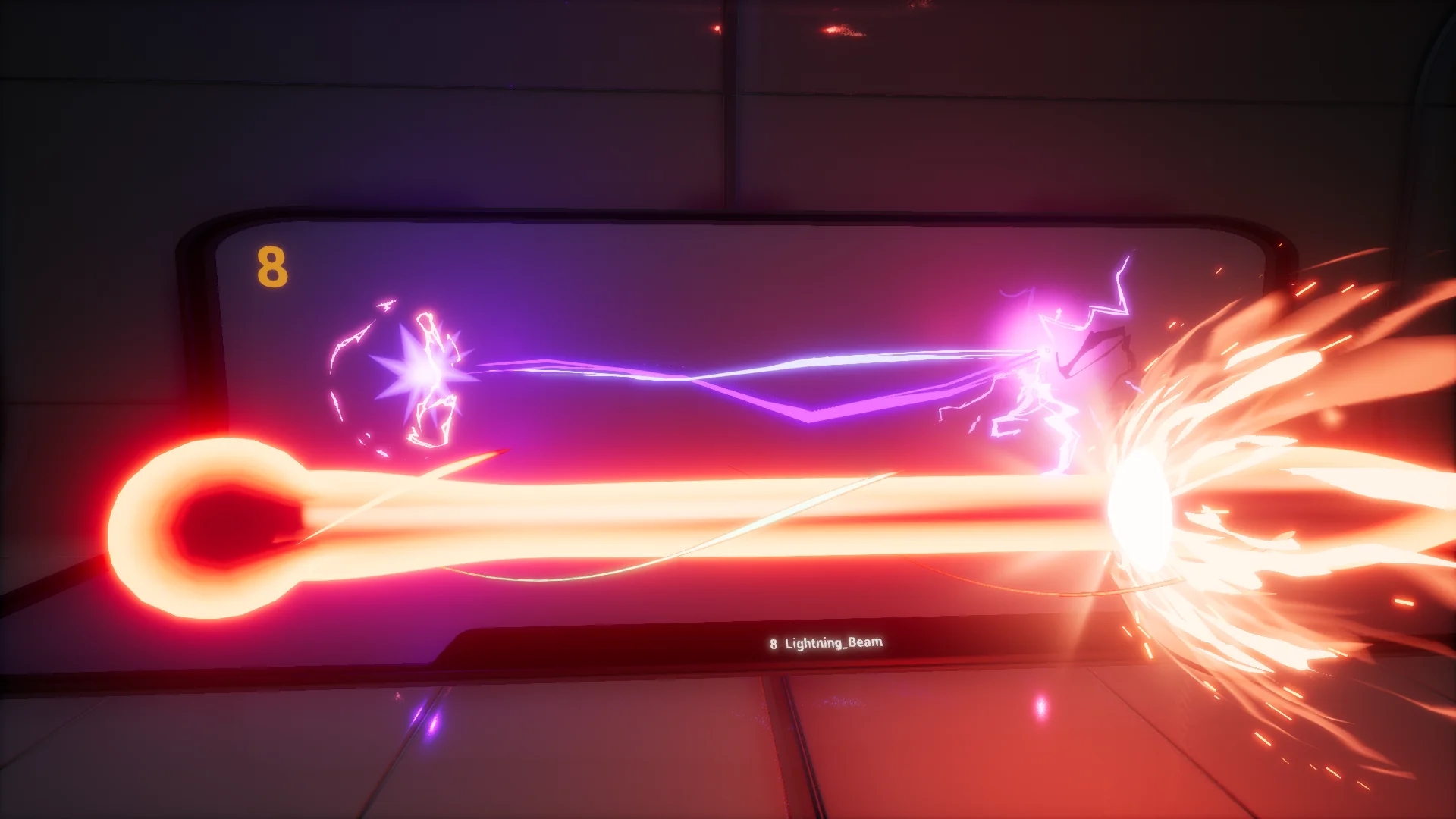
Stylized FX 2 centers on a modular structure where particle elements operate as distinct, configurable components. In stylized visual production, maintaining control over distinct behavioral layers within an effect prevents visual clutter while preserving expressive motion. Rather than locking an effect into a rigid, monolithic sequence, modular particles allow individual layers to be separated, adjusted, or combined depending on the immediate requirements of a scene.
This modular separation gives visual effects technical flexibility during production. An effect can isolate primary shapes, secondary motion trails, and burst elements as discrete particle components. When individual emitters or simulation blocks operate independently, adjusting the timing, scale, or intensity of a single element does not require rebuilding the entire particle system. Creators working within stylized game environments can strip back unnecessary visual noise for background interactions or reinforce specific particle passes during critical combat sequences.
Because the components within Stylized FX 2 are decoupled, the logic governing motion remains distinct from the assets defining surface appearance. This functional division ensures that particle behaviors remain predictable while the visual layer adapts to different art directions and gameplay requirements across a project.
Material Instances and Color Manipulation in Stylized FX
The visual versatility of Stylized FX 2 relies on material instances to drive real-time adjustments. Material instances allow artists to alter surface properties without recompiling underlying shader code, ensuring that aesthetic changes apply instantly across active particle systems. Color values within stylized projects require exact coordination with lighting, environment palettes, and team-signaling mechanics, making parameter-driven color adjustment essential.
Controlling color through material instances enables direct modification of core aesthetic values. Base tones, highlight accents, falloff gradients, and emissive intensities can be tailored to match specific game states. For instance, shifting a visual effect from a warm, high-contrast palette to a subdued, cool spectrum requires only parameter changes inside the assigned instance. The particle system preserves its timing, velocity, and spatial dynamics while instantly conforming to the project's color script.
Beyond aesthetic personalization, instance-based control aids clarity in gameplay feedback. Fast-paced titles often demand instant differentiation between friendly, hostile, and neutral actions. Rather than duplicating entire asset files to generate chromatic variants, developers can establish light, dark, or tinted configurations through derived instances, keeping asset registries organized and reducing redundant production tasks.
Texture Swapping Across Cartoon Particle Systems
Alongside color controls, Stylized FX 2 incorporates direct texture manipulation through its material instances. Cartoon and stylized aesthetics depend heavily on distinct silhouettes, brushwork, alpha contours, and clean graphic shapes. Providing accessible texture inputs within the material interface allows particle systems to switch visual language while retaining their core animation profiles.
Swapping mask textures, alpha transitions, or internal pattern sheets transforms how a particle emitter reads on screen. A soft, rounded cloud contour can be altered to display sharp, angular facets simply by pointing the material instance to an alternative stylized mask. This separation between particle logic and surface mapping extends the practical lifespan of each effect, letting teams unify varying graphic styles without generating bespoke logic from the ground up.
Texture manipulation also aids performance scaling. Visual effects can adapt their internal resolutions or detail complexity through the material layer to match hardware demands. Whether a project requires flat, graphic posterization or subtle internal texture gradients, the material instances serve as the central interface for shaping surface output.
Stylized Visual Articulation and Scene Cohesion
Stylized games demand visual effects that actively support art direction rather than mimicking realistic physical phenomena. Hyper-realistic smoke, sparks, and shockwaves often clash with illustrated environments, creating visual dissonance and obscuring gameplay. Stylized FX 2 addresses this challenge by providing effects tailored specifically to cartoon sensibilities, emphasizing bold boundaries, clear shapes, and defined volumes.
Cartoon effects communicate action through exaggeration and graphic readability. The modular components within the pack allow key frames of an effect—such as the initial burst, the apex, and the dissipating wake—to maintain clear readability against varied scene geometry. Because environmental backdrops in stylized titles frequently use broad color washes and non-photorealistic shading, effects must present strong, easily deciphered silhouettes from any camera distance.
Unifying the look of a stylized world requires consistent visual grammar across character actions, environmental interactions, and interface feedback. The ability to manipulate both color and texture through instances ensures that all active visual effects reference the same aesthetic language, preventing disparate visual styles from fracturing game immersion.
Implementation Workflows for Stylized FX 2
Deploying visual effects into active game scenes involves establishing reliable workflows for asset integration. In Stylized FX 2, the combination of modular particle layouts and instance-driven parameters simplifies the path from initial placement to final gameplay balance. Designers can drop base effects directly into levels to verify spatial scale and camera visibility, followed by parameter tuning inside the material instances to harmonize with scene lighting.
For projects featuring variable gameplay contexts—such as day-night cycles, element-shifting mechanics, or dynamic player progression—the modular architecture simplifies branching configurations. Parent materials supply the foundational logic, while individual child instances maintain localized overrides for color saturation, brightness, and mask texture inputs. Changes made to parent parameters propagate cleanly across related instances, preserving global styling choices while honoring local variants.
This structured architecture maintains stability throughout iterative game development. When balancing combat transparency or readability, developers adjust instance values directly rather than editing low-level particle settings. Stylized FX 2 provides the core visual modularity and parameter access necessary to build, customize, and sustain high-clarity effects across cartoon and stylized productions.
 Variety
 Variety
 Variety