"efaa631e936fd3ee"{"id":"1002206","slug":"space-explosion-pack","title":"Space Explosion Pack","category":"Game Development Resource","engine":"4.26+,5.0+","assetVersion":"","engineVersion":"Engine Version: 4.26+,5.0+","tag":"Game Development R","accent":"blue","visual":"mech","summary":"Space Explosion Pack delivers 15 realistic space explosion effects for Unreal Engine 4.26+, featuring color, speed, and emissive controls.","platform":"Unreal Engine","publishedAt":"2026-10-29T14:49:52.434Z","updatedAt":"2026-10-29T14:49:52.434Z","sourceNotes":[],"fileContents":[],"compatibility":["Unreal Engine","Engine Version: 4.26+,5.0+"],"featuredImage":{"alt":"Space Explosion Pack","src":"/wp-content/uploads/published/2026/10/01f9c8ba2e63-dede173b-25ba-4b43-8767-999a52d8cfda-e347dda192.webp"},"hasDownloadLink":true,"downloads":0,"terms":[],"galleryImages":[{"src":"/wp-content/uploads/published/2026/10/dc53088bccc9-5694b600-2211-47df-ad6a-401b22abc4c8-05e0ed3c92.webp","alt":"Space Explosion Pack"},{"src":"/wp-content/uploads/published/2026/10/5c632048b7fb-8edecad2-10f6-4ce3-8d78-2eef5d2251df-db8120c49c.webp","alt":"Space Explosion Pack"},{"src":"/wp-content/uploads/published/2026/10/d1085de401ef-5a41a3c3-dd79-42ec-a58c-4409dcaf9455-d02aa0294a.webp","alt":"Space Explosion Pack"},{"src":"/wp-content/uploads/published/2026/10/3d87d8cd4a56-0fbeae67-339d-4d49-93b2-c7cb8be9ebb6-c9ea595b71.webp","alt":"Space Explosion Pack"},{"src":"/wp-content/uploads/published/2026/10/64198f1e6ed7-ae0b8ec8-70be-4dde-9d8b-d234f1fc003a-8a9085ef0b.webp","alt":"Space Explosion Pack"},{"src":"/wp-content/uploads/published/2026/10/ad437d10b71c-7d0c1a10-8923-40c6-9af4-8d97cc17d9aa-94b1f7437f.webp","alt":"Space Explosion Pack"},{"src":"/wp-content/uploads/published/2026/10/09f84c29b8ba-2c7b0f93-c71e-4e11-9932-47b3ea088fdc-77bc81f0e6.webp","alt":"Space Explosion Pack"}],"accessPanel":{"kind":"resource","title":"Download this resource","eyebrow":"Free Download","message":"Log in or create a free account to start your download.","fileName":"Content.7z","safetyNote":"Resources are manually reviewed before listing to improve quality and reduce obvious risks.","actionLabel":"Download Free","resourceType":"Resource archive"},"contentHtml":"\u003ch2\u003eManaging Space Explosions in Unreal Engine\u003c/h2\u003e\u003cp\u003eRendering convincing combat or environmental detonations in cosmic settings presents specific visual hurdles. Without atmospheric diffusion, celestial pyrotechnics require sharp lighting integration, believable smoke expansion, and intense fire particle dynamics to avoid appearing like flat sprite overlays.\u003c/p\u003e\u003cp\u003eSpace Explosion Pack tackles these staging challenges by supplying 15 space explosions effects configured specifically for sci-fi environments. Each variation focuses on a realistic aesthetic, combining fire and smoke particles that convey violent concussive forces in zero-gravity or deep-space voids. Because the pack focuses entirely on visual impact and particle movement, artists can drop these assets into cinematic cuts, space dogfights, orbital strikes, or planetary bombardment sequences without having to construct complex explosion simulations from the ground up.\u003c/p\u003e\u003ch2\u003eMaterial-Level Emissive Control and Color Tuning\u003c/h2\u003e\u003cp\u003eFire intensity establishes the visual heart of any detonation against the dark backdrop of outer space. Controlling that energy directly dictates whether an explosion reads as a localized fuel rupture or a catastrophic reactor core failure.\u003c/p\u003e\u003cp\u003eThe package simplifies this calibration process through built-in color control and emissive control parameters. Users can adjust the fire emissive power directly inside the material, allowing for immediate fine-tuning of brightness thresholds. When placing an explosion in a dim starfield, lowering or spiking the fire emissive power alters how the core flare pierces the darkness. Color control parameters allow the visual palette to shift across different temperatures or fictional energy types, transforming standard flame dynamics into alien plasma discharges or volatile chemical reactions across all 15 explosion effects.\u003c/p\u003e\u003ch2\u003eSpeed Control and Scene Lighting Integration\u003c/h2\u003e\u003cp\u003eTiming determines the perceived scale and weight of an explosion in vacuum conditions. Rapid shockwaves suggest rapid propellant flash fires, while elongated dissipation implies massive volumes of dispersing debris and particulate smoke.\u003c/p\u003e\u003cp\u003eIntegrated speed control allows creators to dictate how quickly each particle burst unfolds, expands, and fades. Alongside rate manipulation, all the effects take effect on any light in your scene. This interaction guarantees that nearby directional lights, point lights, or dynamic flash sources illuminate the smoke and particle debris naturally. The resulting illumination response ensures that dense smoke plumes pick up local environmental colors, blending seamlessly into complex lighting setups rather than floating detached from the surrounding geometry or backdrop.\u003c/p\u003e\u003ch2\u003eTechnical Requirements and Production Compatibility\u003c/h2\u003e\u003cp\u003eRunning visual effects within modern Unreal pipelines demands reliable platform and engine support to sustain visual fidelity across diverse staging environments.\u003c/p\u003e\u003cp\u003eSpace Explosion Pack operates on Unreal Engine 4.26 and above, targeting the Windows platform. This minimum engine requirement ensures compatibility with modern shader structures and rendering features standard in current production pipelines. The package also features verified compatibility with the Clouds Tunnel Vdb Effects Pack Loop, enabling artists to combine dense volumetric cloud sequences with high-energy explosive impacts in multi-layered space compositions.\u003c/p\u003e\u003ch2\u003eApplying 15 Explosion Effects Across Staged Sequences\u003c/h2\u003e\u003cp\u003eReusing identical visual effects across multiple targets quickly shatters cinematic immersion during high-density combat scenes. When dozens of ships, asteroids, or defense platforms detonate during an encounter, having varied visual signatures is vital.\u003c/p\u003e\u003cp\u003eWith 15 individual explosion effects contained in the project, creators can map different blast shapes and durations to distinct destruction events. Small-scale kinetic impacts can utilize tighter, faster fire particle bursts, while capital ship destructions or station catastrophes draw upon wider, lingering smoke particle plumes. Because each variation retains the same speed control, color control, and material emissive controls, a unified artistic direction can be maintained across the entire sequence while giving every impact an individual silhouette.\u003c/p\u003e\n\n\u003ch2\u003eRelated Resources Worth Checking\u003c/h2\u003e\n\u003cul\u003e\n\u003cli\u003e\u003ca href=\"https://3dcghub.com/atmospheric-entry-fx/\" title=\"Atmospheric Entry FX\"\u003eAtmospheric Entry FX\u003c/a\u003e\u003c/li\u003e\n\u003cli\u003e\u003ca href=\"https://3dcghub.com/explosion-fx-customizable/\" title=\"Explosion FX Customizable\"\u003eExplosion FX Customizable\u003c/a\u003e\u003c/li\u003e\n\u003cli\u003e\u003ca href=\"https://3dcghub.com/100-explosion-pack-niagara/\" title=\"100 Explosion Pack Niagara\"\u003e100 Explosion Pack Niagara\u003c/a\u003e\u003c/li\u003e\n\u003cli\u003e\u003ca href=\"https://3dcghub.com/magic-portal-2d-effects-pack/\" title=\"Magic Portal 2D Effects Pack\"\u003eMagic Portal 2D Effects Pack\u003c/a\u003e\u003c/li\u003e\n\u003cli\u003e\u003ca href=\"https://3dcghub.com/fire-and-explosion-fx-pack/\" title=\"Fire and Explosion FX Pack\"\u003eFire and Explosion FX Pack\u003c/a\u003e\u003c/li\u003e\n\u003c/ul\u003e","contentTextLength":4422,"navigation":{"current":79,"total":4209,"previous":{"id":"1002207","slug":"splatter-decals","title":"Splatter Decals","category":"Variety","platform":"Unreal Engine","updatedAt":"2026-10-29T14:50:41.168Z"},"next":{"id":"1002205","slug":"soviet-truck-zil-pack","title":"Soviet truck Zil Pack","category":"Cars \u0026 Trucks","platform":"Unreal Engine","updatedAt":"2026-10-29T14:48:48.374Z"}},"relatedResources":[{"id":"15535","slug":"atmospheric-entry-fx","title":"Atmospheric Entry FX","category":"Fire \u0026 Explosions","engine":"4.27,5.0+","assetVersion":"Engine version: 4.27,5.0+","engineVersion":"4.27","tag":"Fire \u0026 Explosions","accent":"blue","visual":"luts","summary":"Enhance your space-themed projects with Atmospheric Entry FX, a collection of 10 Niagara particle systems. These customizable effects are perfect for simulating spacecraft reentry and meteor impacts.","platform":"Unreal Engine","publishedAt":"2026-03-12T12:05:17.000Z","updatedAt":"2026-04-19T15:44:45.000Z","sourceNotes":[],"fileContents":[],"compatibility":["Unreal Engine","Engine version: 4.27,5.0+"],"featuredImage":{"alt":"Atmospheric Entry FX","src":"https://3dcghub.com/wp-content/uploads/2026/03/8b28ab8c-fcb0-48b8-8bc3-0fd66214d582.webp"},"hasDownloadLink":true,"downloads":0},{"id":"15572","slug":"explosion-fx-customizable","title":"Explosion FX Customizable","category":"Fire \u0026 Explosions","engine":"5.2+","assetVersion":"Engine version: 5.2+","engineVersion":"5.2","tag":"Fire \u0026 Explosions","accent":"blue","visual":"city","summary":"Enhance your project with the Explosion FX Customizable pack, featuring eight unique explosion types and advanced motion vector technology. Adjust color, size, and velocity to fit your specific game environment.","platform":"Unreal Engine","publishedAt":"2026-03-12T12:08:07.000Z","updatedAt":"2026-04-19T15:44:44.000Z","sourceNotes":[],"fileContents":[],"compatibility":["Unreal Engine","Engine version: 5.2+"],"featuredImage":{"alt":"Explosion FX Customizable","src":"https://3dcghub.com/wp-content/uploads/2026/03/d6bee4e5-bf0f-4f6f-9b75-e040ff6125ad.webp"},"hasDownloadLink":true,"downloads":2},{"id":"1002281","slug":"stylized-vfx-fire","title":"Stylized VFX - Fire","category":"Fire \u0026 Explosions","engine":"4.26+,5.0+","assetVersion":"","engineVersion":"Engine Version: 4.26+,5.0+","tag":"Fire \u0026 Explosions","accent":"blue","visual":"mech","summary":"Explore Stylized VFX - Fire, featuring 70 unique fire element effects built with optimized Sub UV materials for instant drag-and-drop game integration.","platform":"Unreal Engine","publishedAt":"2026-10-29T16:40:51.715Z","updatedAt":"2026-10-29T16:40:51.715Z","sourceNotes":[],"fileContents":[],"compatibility":["Unreal Engine","Engine Version: 4.26+,5.0+"],"featuredImage":{"alt":"Stylized VFX - Fire","src":"/wp-content/uploads/published/2026/10/057bd2631882-ab64453d-fecf-4944-9fc0-3b59cd7b749c-66a5cc8e61.webp"},"hasDownloadLink":true,"downloads":0}]}
Game Development R
Space Explosion Pack
Space Explosion Pack delivers 15 realistic space explosion effects for Unreal Engine 4.26+, featuring color, speed, and emissive controls.
Category:Unreal EnginePlatform: Unreal EngineEngine Version: 4.26+,5.0+Published: Oct 29, 2026
Game Development R
Resource overview
Managing Space Explosions in Unreal Engine
Rendering convincing combat or environmental detonations in cosmic settings presents specific visual hurdles. Without atmospheric diffusion, celestial pyrotechnics require sharp lighting integration, believable smoke expansion, and intense fire particle dynamics to avoid appearing like flat sprite overlays.
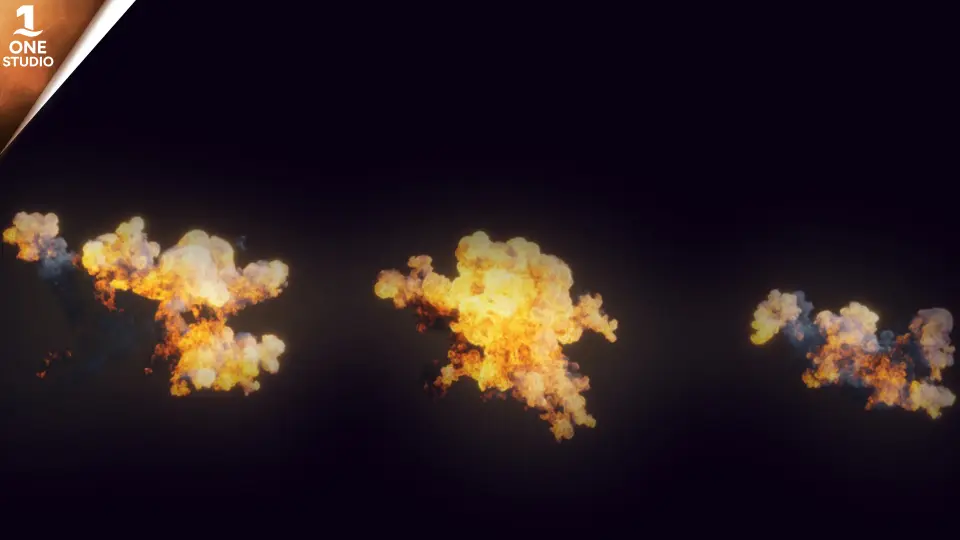
Space Explosion Pack tackles these staging challenges by supplying 15 space explosions effects configured specifically for sci-fi environments. Each variation focuses on a realistic aesthetic, combining fire and smoke particles that convey violent concussive forces in zero-gravity or deep-space voids. Because the pack focuses entirely on visual impact and particle movement, artists can drop these assets into cinematic cuts, space dogfights, orbital strikes, or planetary bombardment sequences without having to construct complex explosion simulations from the ground up.
Material-Level Emissive Control and Color Tuning
Fire intensity establishes the visual heart of any detonation against the dark backdrop of outer space. Controlling that energy directly dictates whether an explosion reads as a localized fuel rupture or a catastrophic reactor core failure.
The package simplifies this calibration process through built-in color control and emissive control parameters. Users can adjust the fire emissive power directly inside the material, allowing for immediate fine-tuning of brightness thresholds. When placing an explosion in a dim starfield, lowering or spiking the fire emissive power alters how the core flare pierces the darkness. Color control parameters allow the visual palette to shift across different temperatures or fictional energy types, transforming standard flame dynamics into alien plasma discharges or volatile chemical reactions across all 15 explosion effects.
Speed Control and Scene Lighting Integration
Timing determines the perceived scale and weight of an explosion in vacuum conditions. Rapid shockwaves suggest rapid propellant flash fires, while elongated dissipation implies massive volumes of dispersing debris and particulate smoke.
Integrated speed control allows creators to dictate how quickly each particle burst unfolds, expands, and fades. Alongside rate manipulation, all the effects take effect on any light in your scene. This interaction guarantees that nearby directional lights, point lights, or dynamic flash sources illuminate the smoke and particle debris naturally. The resulting illumination response ensures that dense smoke plumes pick up local environmental colors, blending seamlessly into complex lighting setups rather than floating detached from the surrounding geometry or backdrop.
Technical Requirements and Production Compatibility
Running visual effects within modern Unreal pipelines demands reliable platform and engine support to sustain visual fidelity across diverse staging environments.
Space Explosion Pack operates on Unreal Engine 4.26 and above, targeting the Windows platform. This minimum engine requirement ensures compatibility with modern shader structures and rendering features standard in current production pipelines. The package also features verified compatibility with the Clouds Tunnel Vdb Effects Pack Loop, enabling artists to combine dense volumetric cloud sequences with high-energy explosive impacts in multi-layered space compositions.
Applying 15 Explosion Effects Across Staged Sequences
Reusing identical visual effects across multiple targets quickly shatters cinematic immersion during high-density combat scenes. When dozens of ships, asteroids, or defense platforms detonate during an encounter, having varied visual signatures is vital.
With 15 individual explosion effects contained in the project, creators can map different blast shapes and durations to distinct destruction events. Small-scale kinetic impacts can utilize tighter, faster fire particle bursts, while capital ship destructions or station catastrophes draw upon wider, lingering smoke particle plumes. Because each variation retains the same speed control, color control, and material emissive controls, a unified artistic direction can be maintained across the entire sequence while giving every impact an individual silhouette.
 Game Development R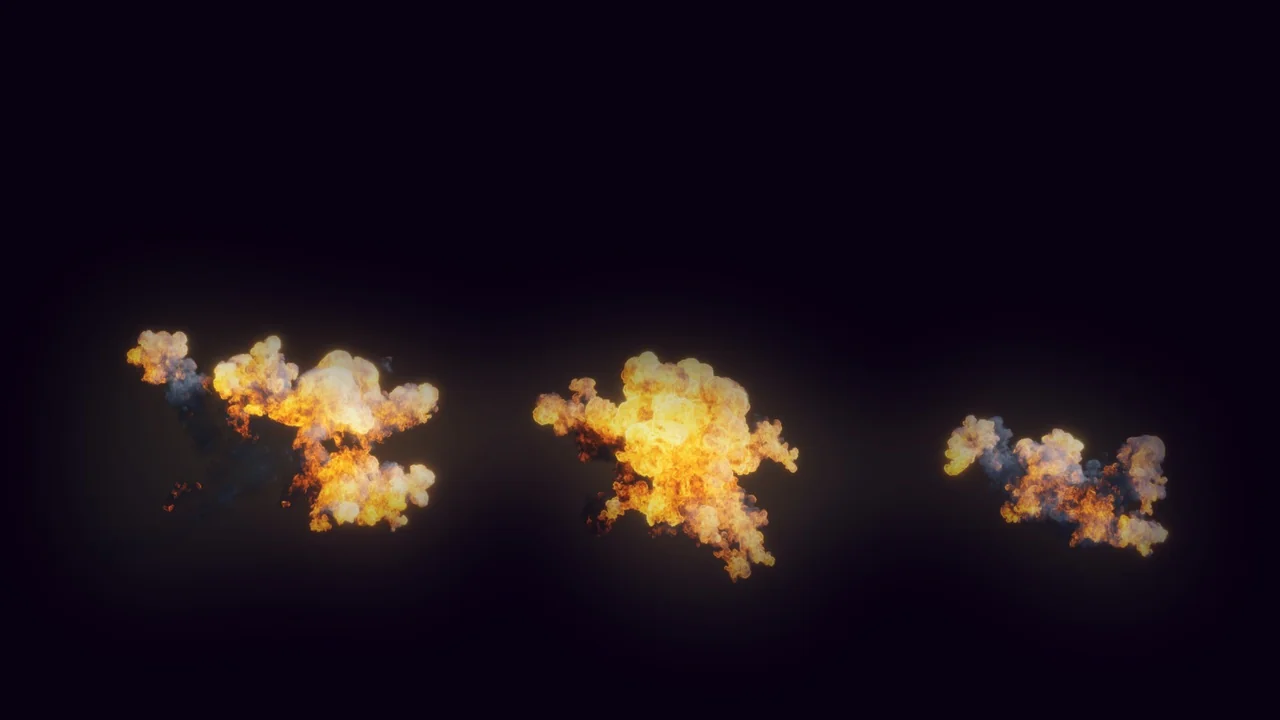
 Fire & Explosions
 Fire & Explosions
 Fire & Explosions