"177e4e4394b9ce1f"{"id":"1001572","slug":"space-creator-pro","title":"Space Creator Pro","category":"Sky \u0026 Space","engine":"5.0+","assetVersion":"","engineVersion":"Engine Version: 5.0+","tag":"Sky \u0026 Space","accent":"blue","visual":"mech","summary":"Build film-quality celestial scenes using Space Creator Pro, featuring 16K skyboxes, parametric planets, star systems, black holes, and asteroid fields.","platform":"Unreal Engine","publishedAt":"2026-10-10T04:06:11.432Z","updatedAt":"2026-10-10T04:06:11.432Z","sourceNotes":[],"fileContents":[],"compatibility":["Unreal Engine","Engine Version: 5.0+"],"featuredImage":{"alt":"Space Creator Pro","src":"/wp-content/uploads/published/2026/10/c621ed20932e-311b762b-9e14-46b4-ad3c-fda4b077a28e-d09556b24c.webp"},"hasDownloadLink":true,"downloads":0,"terms":[{"taxonomy":"category","slug":"sky-and-space","name":"Sky \u0026 Space"}],"galleryImages":[{"src":"/wp-content/uploads/published/2026/10/902481d86b98-86f219a1-0982-40b0-9cbe-e553537fd86b-558dd315de.webp","alt":"Space Creator Pro"},{"src":"/wp-content/uploads/published/2026/10/884381c43328-24382a50-bbd6-43f2-be6f-972144783f4c-b1dcc9d32d.webp","alt":"Space Creator Pro"},{"src":"/wp-content/uploads/published/2026/10/cbbeede4899e-2b88260d-2364-4500-957e-23b74b435137-236d0eb1e0.webp","alt":"Space Creator Pro"},{"src":"/wp-content/uploads/published/2026/10/a975f102fdcc-0cdfd0ea-13dd-49b4-acf2-28b29a18bedf-a8773c9694.webp","alt":"Space Creator Pro"},{"src":"/wp-content/uploads/published/2026/10/4fc04ad1310e-2afa9d26-7433-4747-94c8-9f9c3e5422db-943228bf71.webp","alt":"Space Creator Pro"},{"src":"/wp-content/uploads/published/2026/10/c82a8a522864-cd6831dd-62b0-4d91-b3be-91f3e18d5fd4-679d74b629.webp","alt":"Space Creator Pro"},{"src":"/wp-content/uploads/published/2026/10/17ef329608fa-7d1d1485-b259-4cc9-92ec-397273932d65-26d672b0b5.webp","alt":"Space Creator Pro"},{"src":"/wp-content/uploads/published/2026/10/97e10345ba22-ff96cd06-0553-4152-ac3f-c6647a13ff77-f39e1c2854.webp","alt":"Space Creator Pro"},{"src":"/wp-content/uploads/published/2026/10/fa172e674555-838a0af7-c847-47b4-bf08-cab0b92f42fa-3246a357f2.webp","alt":"Space Creator Pro"}],"accessPanel":{"kind":"resource","title":"Download this resource","eyebrow":"Free Download","message":"Log in or create a free account to start your download.","fileName":"Space Creator Pro.7z","safetyNote":"Resources are manually reviewed before listing to improve quality and reduce obvious risks.","actionLabel":"Download Free","resourceType":"Resource archive"},"contentHtml":"\u003ch2\u003eConstructing Space Scenes Directly in the Level Viewport\u003c/h2\u003e\n\u003cp\u003eAssembling cosmic vistas for real-time projects often demands extensive scene setup, but loading Space Creator Pro shifts the process directly into the active viewport. The package is structured as a collection of specialized Blueprints and Materials engineered to construct film-quality space scenes. Filmmakers, game developers, and environment artists place these actors directly into a level, bypassing the friction of switching back and forth between secondary editing applications.\u003c/p\u003e\n\u003cp\u003eScene composition centers on real-time manipulation. Every entity pulled into the project is driven through the standard parameters panel in the same manner as native Engine objects. This setup gives creators direct control over scale, atmosphere thickness, surface characteristics, and lighting responses while viewing the scene under actual project lighting.\u003c/p\u003e \u003ch2\u003eParameter Workflows in Planet Creator V2 and Star Creator\u003c/h2\u003e\n\u003cp\u003eThe foundation of planetary staging relies on Planet Creator 1 V2 and Planet Creator 2 V2 alongside Star Creator. Instead of working with static, baked textures, artists shape worlds through procedural material properties exposed in the details panel. Adjusting these values allows for dramatic transformations across terrestrial and non-terrestrial bodies within minutes.\u003c/p\u003e\n\u003cp\u003eCreating rocky worlds involves sculpting terrain color, height balance, and surface temperature. The material systems allow surfaces to be flooded with molten lava channels or glazed over with expansive sheets of polar ice. When building gas giants, the parameters panel controls the layering, density, and flow of atmospheric cloud bands, letting artists assemble storm systems and turbulent wind bands directly inside the scene.\u003c/p\u003e\n\u003cp\u003eStar Creator operates under the same immediate principles. Placing a star actor into the level allows users to dictate radiance, core intensity, and solar characteristics entirely through sliders. Because these elements update live, matching the visual weight of a central star against orbiting planets takes only a few minor property adjustments.\u003c/p\u003e \u003ch2\u003eHigh-Resolution Backdrops Across Space Skybox Library 16K\u003c/h2\u003e\n\u003cp\u003eDeep-space vistas require clear, uncompressed backgrounds to maintain clarity when viewing broad angles or zooming into specific celestial bodies. Space Creator Pro bundles expansive sky coverage, led by three dedicated high-resolution sets: Space Skybox Library 16K - 1, Space Skybox Library 16K - 2, and Space Skybox Library 16K - 3. These 16K panoramic assets provide crisp star fields, distant nebulae, and gradient shifts across spherical sky domes.\u003c/p\u003e\n\u003cp\u003eAlongside the 16K series, the package includes the core Space Skybox Bundle. This selection supplies varied cosmic backdrops tailored for different mood requirements, ranging from dense stellar fields to quiet, void-like deep space. Because the skyboxes are built to operate with dome and sphere geometry, scenes retain consistent horizon blending and background clarity from any viewing position.\u003c/p\u003e \u003ch2\u003eFleshing Out Systems with Black Hole Creator, Asteroids, and Lens Flares\u003c/h2\u003e\n\u003cp\u003eTo fill the space between worlds and backdrops, the collection incorporates dedicated actors for anomalous phenomena, orbital debris, and camera effects. The Black Hole Creator introduces an active focal point into a scene, producing the distinct gravitational silhouette and warped light signatures associated with dense celestial objects.\u003c/p\u003e\n\u003cp\u003eThe Asteroid Library supplies the physical clutter required for debris fields, rings, and broken planetary fragments. Artists can distribute these stony assets across planetary horizons or cluster them along transit corridors to break up open voids. Optical authenticity is reinforced by the included Lens Flares, which scatter and bloom against the camera lens in response to stars and high-intensity emissive sources in the scene.\u003c/p\u003e \u003ch2\u003eCalibrating Post Process Exposure and Space Creator Integration\u003c/h2\u003e\n\u003cp\u003eWhen loading maps within the project, default viewport lighting configurations can occasionally conflict with extreme space lighting levels. If an opened map renders completely white, the issue stems from auto-exposure defaults rather than broken materials. Selecting the active Post Process Volume and navigating to the exposure settings provides an immediate fix. Adjusting both the minimum and maximum exposure/brightness properties to 1.0, rather than leaving them at 0.0, balances scene illumination and restores proper contrast across space objects.\u003c/p\u003e\n\u003cp\u003eProduction pipelines that already utilize the basic version of Space Creator can expand their environments without discarding earlier progress. The assets in Space Creator Pro connect seamlessly through the Space Creator Integration pipeline. This integration allows the advanced 16K skybox libraries, the Black Hole Creator, and the Asteroid Library to function alongside existing Planet Creator 1 V2, Planet Creator 2 V2, Star Creator, and standard Skybox assets without manual asset restructuring. Detailed documentation and specific tutorials remain organized across the individual product entries for granular technical reference.\u003c/p\u003e\n\n\u003ch2\u003eExplore Similar Assets\u003c/h2\u003e\n\u003cul\u003e\n\u003cli\u003e\u003ca href=\"https://3dcghub.com/space-creator/\" title=\"Space Creator\"\u003eSpace Creator\u003c/a\u003e\u003c/li\u003e\n\u003cli\u003e\u003ca href=\"https://3dcghub.com/incredible-earth-80k-photorealistic-planet/\" title=\"Incredible Earth 80K - Photorealistic Planet\"\u003eIncredible Earth 80K - Photorealistic Planet\u003c/a\u003e\u003c/li\u003e\n\u003cli\u003e\u003ca href=\"https://3dcghub.com/blue-gem-earth-80k/\" title=\"Blue Gem Earth 80k\"\u003eBlue Gem Earth 80k\u003c/a\u003e\u003c/li\u003e\n\u003cli\u003e\u003ca href=\"https://3dcghub.com/quick-cloud-vdb-cloud-volumetric-cinematic-clouds/\" title=\"Quick Cloud - VDB Cloud Volumetric Cinematic Clouds\"\u003eQuick Cloud - VDB Cloud Volumetric Cinematic Clouds\u003c/a\u003e\u003c/li\u003e\n\u003cli\u003e\u003ca href=\"https://3dcghub.com/matte-painting-skybox-pack-demonic-skies/\" title=\"Matte Painting Skybox Pack: Demonic Skies\"\u003eMatte Painting Skybox Pack: Demonic Skies\u003c/a\u003e\u003c/li\u003e\n\u003c/ul\u003e","contentTextLength":5324,"navigation":{"current":42,"total":3551,"previous":{"id":"1001573","slug":"ariana-character-p2","title":"Ariana Character P2","category":"Characters \u0026 Creatures","platform":"Unreal Engine","updatedAt":"2026-10-10T05:08:30.467Z"},"next":{"id":"1001571","slug":"racing-track","title":"Racing Track","category":"Streets \u0026 Construction","platform":"Unreal Engine","updatedAt":"2026-10-10T04:05:33.498Z"}},"relatedResources":[{"id":"9775","slug":"space-creator","title":"Space Creator","category":"Sky \u0026 Space","engine":"4.26+,5.0+","assetVersion":"","engineVersion":"Engine version: 4.26+,5.0+","tag":"Sky \u0026 Space","accent":"blue","visual":"city","summary":"Space Creator offers a powerful set of Blueprints and Materials for building cinematic space environments. It allows developers to customize planets and stars directly within the scene using an intuitive interface.","platform":"Unreal Engine","publishedAt":"2026-03-01T17:48:55.000Z","updatedAt":"2026-08-30T15:40:37.415Z","sourceNotes":[],"fileContents":[],"compatibility":["Unreal Engine","Engine version: 4.26+,5.0+"],"featuredImage":{"alt":"Space Creator","src":"https://3dcghub.com/wp-content/uploads/2026/03/850660b1-cb44-434f-8806-94576d61159c.webp"},"hasDownloadLink":true,"downloads":0},{"id":"1001130","slug":"incredible-earth-80k-photorealistic-planet","title":"Incredible Earth 80K - Photorealistic Planet","category":"Sky \u0026 Space","engine":"5.1+","assetVersion":"","engineVersion":"Engine Version: 5.1+","tag":"Sky \u0026 Space","accent":"blue","visual":"mech","summary":"A realistic Earth asset for Unreal Engine with 80K NASA-based textures, shader-driven clouds, night lights, and cinematic orbit tools. Covers setup, controls, a","platform":"Unreal Engine","publishedAt":"2026-09-09T01:54:42.653Z","updatedAt":"2026-09-09T01:54:42.653Z","sourceNotes":[],"fileContents":[],"compatibility":["Unreal Engine","Engine Version: 5.1+"],"featuredImage":{"alt":"Incredible Earth 80K - Photorealistic Planet","src":"/wp-content/uploads/published/2026/09/78c40b0d4a02-02693118-f950-478d-b12d-fe025eaa2c27-2359b964b1.webp"},"hasDownloadLink":true,"downloads":1},{"id":"1000448","slug":"blue-gem-earth-80k","title":"Blue Gem Earth 80k","category":"Sky \u0026 Space","engine":"5.0+","assetVersion":"Video Language: English","engineVersion":"Engine Version: 5.0+","tag":"Sky \u0026 Space","accent":"blue","visual":"mech","summary":"Nanite-powered Earth planet with hand-painted 80k color and normal maps, exaggerated or realistic topography, bathymetry, dynamic city lights, and blueprint spa","platform":"Unreal Engine","publishedAt":"2026-07-11T00:53:53.737Z","updatedAt":"2026-07-11T00:53:53.737Z","sourceNotes":[],"fileContents":[],"compatibility":["Unreal Engine","Video Language: English","Engine Version: 5.0+"],"featuredImage":{"alt":"Blue Gem Earth 80k","src":"/wp-content/uploads/published/2026/07/52cacd4f10c8-796f82f8-3ae4-4b41-b7af-b2a7425aceaf-72955625df.webp"},"hasDownloadLink":true,"downloads":0}]}
Sky & Space
Space Creator Pro
Build film-quality celestial scenes using Space Creator Pro, featuring 16K skyboxes, parametric planets, star systems, black holes, and asteroid fields.
Constructing Space Scenes Directly in the Level Viewport
Assembling cosmic vistas for real-time projects often demands extensive scene setup, but loading Space Creator Pro shifts the process directly into the active viewport. The package is structured as a collection of specialized Blueprints and Materials engineered to construct film-quality space scenes. Filmmakers, game developers, and environment artists place these actors directly into a level, bypassing the friction of switching back and forth between secondary editing applications.
Scene composition centers on real-time manipulation. Every entity pulled into the project is driven through the standard parameters panel in the same manner as native Engine objects. This setup gives creators direct control over scale, atmosphere thickness, surface characteristics, and lighting responses while viewing the scene under actual project lighting.
Parameter Workflows in Planet Creator V2 and Star Creator
The foundation of planetary staging relies on Planet Creator 1 V2 and Planet Creator 2 V2 alongside Star Creator. Instead of working with static, baked textures, artists shape worlds through procedural material properties exposed in the details panel. Adjusting these values allows for dramatic transformations across terrestrial and non-terrestrial bodies within minutes.
Creating rocky worlds involves sculpting terrain color, height balance, and surface temperature. The material systems allow surfaces to be flooded with molten lava channels or glazed over with expansive sheets of polar ice. When building gas giants, the parameters panel controls the layering, density, and flow of atmospheric cloud bands, letting artists assemble storm systems and turbulent wind bands directly inside the scene.
Star Creator operates under the same immediate principles. Placing a star actor into the level allows users to dictate radiance, core intensity, and solar characteristics entirely through sliders. Because these elements update live, matching the visual weight of a central star against orbiting planets takes only a few minor property adjustments.
High-Resolution Backdrops Across Space Skybox Library 16K
Deep-space vistas require clear, uncompressed backgrounds to maintain clarity when viewing broad angles or zooming into specific celestial bodies. Space Creator Pro bundles expansive sky coverage, led by three dedicated high-resolution sets: Space Skybox Library 16K - 1, Space Skybox Library 16K - 2, and Space Skybox Library 16K - 3. These 16K panoramic assets provide crisp star fields, distant nebulae, and gradient shifts across spherical sky domes.
Alongside the 16K series, the package includes the core Space Skybox Bundle. This selection supplies varied cosmic backdrops tailored for different mood requirements, ranging from dense stellar fields to quiet, void-like deep space. Because the skyboxes are built to operate with dome and sphere geometry, scenes retain consistent horizon blending and background clarity from any viewing position.
Fleshing Out Systems with Black Hole Creator, Asteroids, and Lens Flares
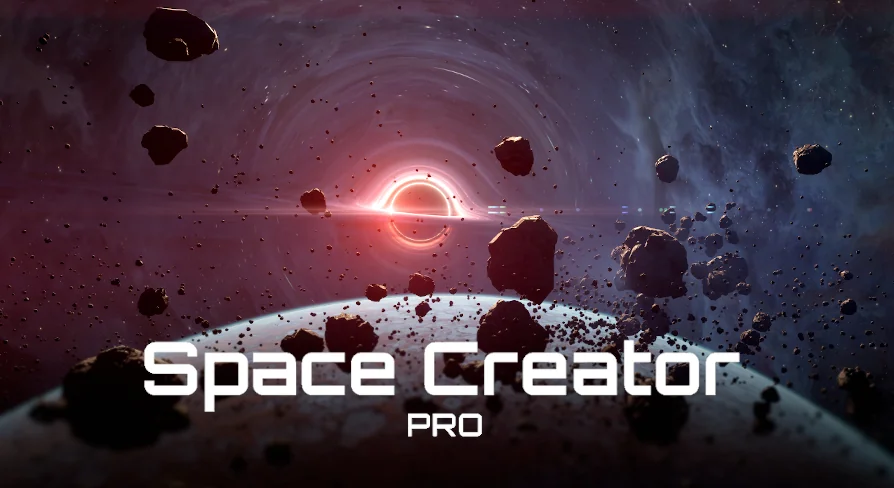
To fill the space between worlds and backdrops, the collection incorporates dedicated actors for anomalous phenomena, orbital debris, and camera effects. The Black Hole Creator introduces an active focal point into a scene, producing the distinct gravitational silhouette and warped light signatures associated with dense celestial objects.
The Asteroid Library supplies the physical clutter required for debris fields, rings, and broken planetary fragments. Artists can distribute these stony assets across planetary horizons or cluster them along transit corridors to break up open voids. Optical authenticity is reinforced by the included Lens Flares, which scatter and bloom against the camera lens in response to stars and high-intensity emissive sources in the scene.
Calibrating Post Process Exposure and Space Creator Integration
When loading maps within the project, default viewport lighting configurations can occasionally conflict with extreme space lighting levels. If an opened map renders completely white, the issue stems from auto-exposure defaults rather than broken materials. Selecting the active Post Process Volume and navigating to the exposure settings provides an immediate fix. Adjusting both the minimum and maximum exposure/brightness properties to 1.0, rather than leaving them at 0.0, balances scene illumination and restores proper contrast across space objects.
Production pipelines that already utilize the basic version of Space Creator can expand their environments without discarding earlier progress. The assets in Space Creator Pro connect seamlessly through the Space Creator Integration pipeline. This integration allows the advanced 16K skybox libraries, the Black Hole Creator, and the Asteroid Library to function alongside existing Planet Creator 1 V2, Planet Creator 2 V2, Star Creator, and standard Skybox assets without manual asset restructuring. Detailed documentation and specific tutorials remain organized across the individual product entries for granular technical reference.
 Sky & Space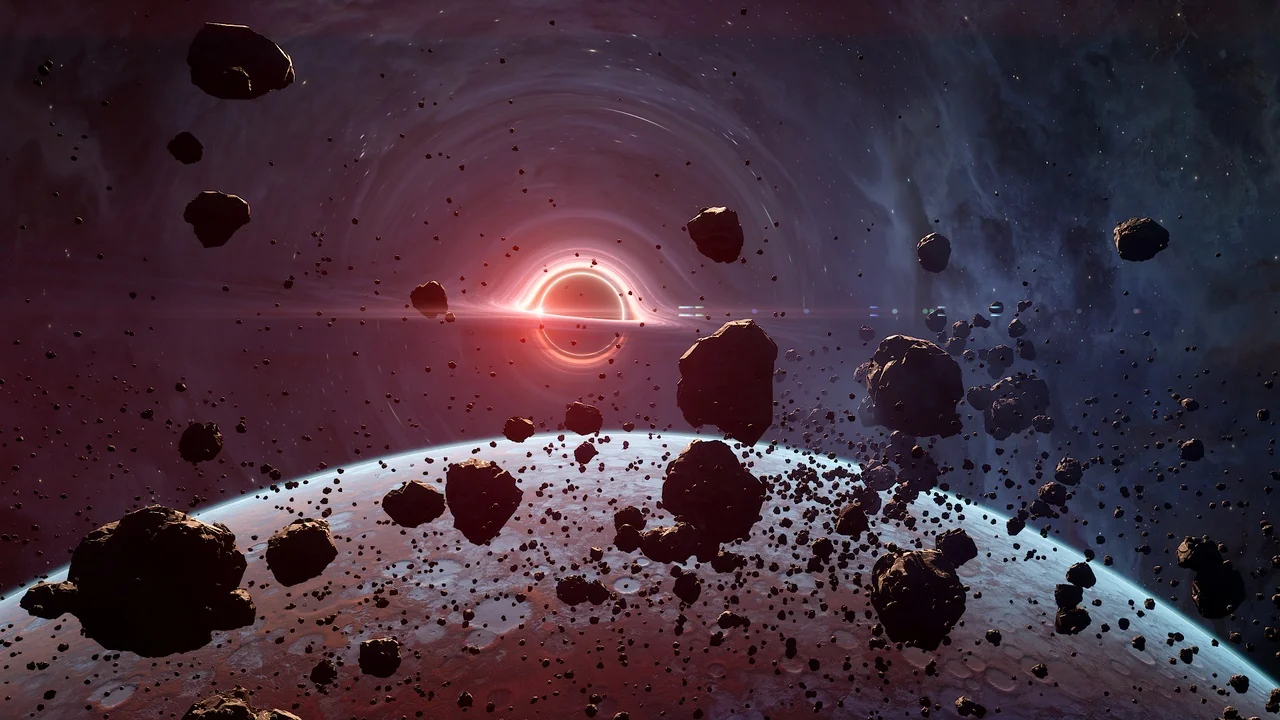
 Sky & Space
 Sky & Space
 Sky & Space