"0341a2901a4ae9aa"{"id":"9775","slug":"space-creator","title":"Space Creator","category":"Sky \u0026 Space","engine":"4.26+,5.0+","assetVersion":"","engineVersion":"Engine version: 4.26+,5.0+","tag":"Sky \u0026 Space","accent":"blue","visual":"city","summary":"Space Creator offers a powerful set of Blueprints and Materials for building cinematic space environments. It allows developers to customize planets and stars directly within the scene using an intuitive interface.","platform":"Unreal Engine","publishedAt":"2026-03-01T17:48:55.000Z","updatedAt":"2026-08-30T15:40:37.415Z","sourceNotes":[],"fileContents":[],"compatibility":["Unreal Engine","Engine version: 4.26+,5.0+"],"featuredImage":{"alt":"Space Creator","src":"https://3dcghub.com/wp-content/uploads/2026/03/850660b1-cb44-434f-8806-94576d61159c.webp"},"hasDownloadLink":true,"downloads":1,"terms":[{"taxonomy":"category","slug":"sky-and-space","name":"Sky \u0026 Space"},{"taxonomy":"post_tag","slug":"3d-planet-creation","name":"3D planet creation"},{"taxonomy":"post_tag","slug":"cinematic-space-scenes","name":"cinematic space scenes"},{"taxonomy":"post_tag","slug":"space-creator","name":"Space Creator"},{"taxonomy":"post_tag","slug":"unreal-engine-space-assets","name":"Unreal Engine space assets"}],"galleryImages":[{"src":"https://3dcghub.com/wp-content/uploads/2026/03/3d7a5fe5e533_fe33c084-1acf-408b-a97f-7900b6216cfd.webp","alt":"Space Creator"},{"src":"https://3dcghub.com/wp-content/uploads/2026/03/12f6ae8e3c60_4e3e5eb8-c6b9-4b63-a12b-c74689213e67.webp","alt":"Space Creator"},{"src":"https://3dcghub.com/wp-content/uploads/2026/03/26925a1ea3bc_6aeadb88-873f-430a-a4b5-ce94c6e8d3ce.webp","alt":"Space Creator"},{"src":"https://3dcghub.com/wp-content/uploads/2026/03/f726ca27f89e_535b976d-1732-40df-92ca-657f37dacd49.webp","alt":"Space Creator"},{"src":"https://3dcghub.com/wp-content/uploads/2026/03/e6f830f410b4_9b067061-6fd1-4706-b5a9-4003200ab605.webp","alt":"Space Creator"},{"src":"https://3dcghub.com/wp-content/uploads/2026/03/e8fb3c608f81_4123a288-4ff2-4d7e-91aa-5ac2f50385f4.webp","alt":"Space Creator"}],"accessPanel":{"kind":"resource","title":"Download this resource","eyebrow":"Free Download","message":"Log in or create a free account to start your download.","fileName":"Space Creator.7z","safetyNote":"Resources are manually reviewed before listing to improve quality and reduce obvious risks.","actionLabel":"Download Free","resourceType":"Resource archive"},"contentHtml":"\u003cp\u003eSpace scenes are a strange mix of grand scale and repetitive manual work. You need a convincing planet surface, a set of clouds that reads as a thick atmosphere, a starfield that fills the sky, and everything has to hold together as one visual unit. The Space Creator approaches this with a collection of Blueprints and Materials built specifically for Unreal Engine, so the entire process can happen without leaving the scene.\u003c/p\u003e\u003ch2\u003eA Blueprint-and-Material Setup for Scene Assembly\u003c/h2\u003e\u003cp\u003eThe asset is not a single ready-made planet or a static skybox texture pack. It is a combination of Blueprints and Materials that work together inside the engine. Blueprints provide the structure and the controls; materials determine how surfaces react, how clouds blend, and how stars glow. Because the two are packed together, the user gets a complete scene-building system rather than a set of one-off assets.\u003c/p\u003e\u003cp\u003eEvery object in the scene sits behind a parameters panel, the same kind of panel used for any basic object provided by Unreal Engine. That puts the artist inside the engine during the whole creative process. A change to a planet's surface does not require exporting a layer to another program or recalculating a compositing stack. It is handled directly in the scene, which is exactly where this pack is designed to operate.\u003c/p\u003e\u003ch2\u003eShape Surfaces, Assemble Cloud Layers, and Create Stars in Minutes\u003c/h2\u003e\u003cp\u003eThe pack covers several core space elements. Planet surfaces can be shaped to match the look you are after, which is useful for everything from a rocky asteroid to a smooth ball of gas. Gas giants have cloud layers that can be assembled from multiple components, giving you the banded, layered appearance common to those large worlds. On the more extreme side, worlds can be filled with ice or lava, so the same toolkit can generate very different climate conditions without switching assets.\u003c/p\u003e\u003cp\u003eStars are also part of the collection, and they can be created in minutes. The emphasis here is speed. Whether you are blocking out a skybox or adding a distant sun to a scene, the controls are designed to let you iterate quickly. The phrase “in minutes” appears throughout the description of the pack, and that focus on fast iteration is apparent in how the elements work together.\u003c/p\u003e\u003ch2\u003eFor Film Makers, Game Developers, and Environment Artists\u003c/h2\u003e\u003cp\u003eThree groups are called out as the intended audience: film makers, game developers, and environment artists. Each one gets something different from the pack. Film makers can use it to put together a convincing space background for a shot, adjusting planets and stars until the composition matches their vision. Game developers can build space levels or starting areas faster, using the parameters to tune the feeling of the sky and the look of distant worlds. Environment artists gain a set of tools that reduce the time spent on repetitive space elements, letting them focus on how the scene reads as a whole.\u003c/p\u003e\u003cp\u003eThat broad audience is supported by the efficient interface the pack provides. Instead of digging into complex node graphs or external generation systems, an artist can work through the parameters panel and get immediate changes. This lowers the barrier to making a space scene look credible, which is valuable in a busy production timeline.\u003c/p\u003e\u003ch2\u003eWhere the Space Creator Sits in a Production Workflow\u003c/h2\u003e\u003cp\u003eThe tags attached to this asset are Fantasy, Space, Level, and Blueprint. Those tags point to a toolset that can be used for more than just realistic simulation. Fantasy space settings, such as alien skylines or magical planet systems, are a natural match. The Level tag suggests that the pack is meant to be used when assembling a complete scene rather than as a standalone model. And Blueprint describes the system that gives the user control over objects in the scene.\u003c/p\u003e\u003cp\u003eIn practice, that means the Space Creator fits best at the start of a space scene build. You can create a skybox, scatter stars, shape a planet, and assemble a gas giant's clouds in one continuous workflow. Because each object is controllable in the scene, the pack also works during later passes when a designer wants to adjust a planet's color or add more cloud detail without starting over.\u003c/p\u003e\u003ch2\u003eThe Companion Space Creator Pro\u003c/h2\u003e\u003cp\u003eThe developer also offers Space Creator Pro, which is described as a bundle with more space elements. The standard Space Creator already includes the essentials for planets, stars, and skyboxes, while the Pro bundle expands the library for teams that need additional variety. Both variants share the same underlying approach: quick, controllable space scene building that stays inside Unreal Engine.\u003c/p\u003e\u003cp\u003eFor anyone who has tried to move a planet's surface color in a compositing tool or waited for an external render to update a starfield, this pack represents a different kind of workflow. The scene itself becomes the place where decisions are made. That is a practical advantage when creative direction changes are frequent, which is often the case in film, game, and environment production.\u003c/p\u003e\u003cp\u003eThe Space Creator gives you a way to bring a space scene to life without derailing your production pace. The parameters panel handles the fine-tuning, the materials carry the visual punch, and the entire process stays inside Unreal Engine. This makes it a useful addition for any project that needs to land a convincing starfield, planet, or skybox quickly.\u003c/p\u003e","contentTextLength":5370,"navigation":{"current":1081,"total":4017,"previous":{"id":"1001062","slug":"neptune-s-roman-bath-roman-roman-baths-neptune-roman-medieval-greek-bath-3d","title":"Neptune's Roman Bath ( Roman Roman Baths Neptune Roman Medieval Greek Bath 3D )","category":"Historical","platform":"Unreal Engine","updatedAt":"2026-09-03T13:12:39.407Z"},"next":{"id":"1001061","slug":"primitive-characters-pack","title":"Primitive Characters (Pack)","category":"Characters \u0026 Creatures","platform":"Unreal Engine","updatedAt":"2026-08-30T15:21:04.948Z"}},"relatedResources":[{"id":"1001572","slug":"space-creator-pro","title":"Space Creator Pro","category":"Sky \u0026 Space","engine":"5.0+","assetVersion":"","engineVersion":"Engine Version: 5.0+","tag":"Sky \u0026 Space","accent":"blue","visual":"mech","summary":"Build film-quality celestial scenes using Space Creator Pro, featuring 16K skyboxes, parametric planets, star systems, black holes, and asteroid fields.","platform":"Unreal Engine","publishedAt":"2026-10-10T04:06:11.432Z","updatedAt":"2026-10-10T04:06:11.432Z","sourceNotes":[],"fileContents":[],"compatibility":["Unreal Engine","Engine Version: 5.0+"],"featuredImage":{"alt":"Space Creator Pro","src":"/wp-content/uploads/published/2026/10/c621ed20932e-311b762b-9e14-46b4-ad3c-fda4b077a28e-d09556b24c.webp"},"hasDownloadLink":true,"downloads":2},{"id":"1001719","slug":"asteroids-planet","title":"Asteroids Planet","category":"Sky \u0026 Space","engine":"4.26+,5.0+","assetVersion":"","engineVersion":"Engine Version: 4.26+,5.0+","tag":"Sky \u0026 Space","accent":"blue","visual":"mech","summary":"Build realistic space levels with Asteroids Planet, featuring 10 asteroid models, 12 planet materials, 10 space skydomes, a sky blueprint, and demo maps.","platform":"Unreal Engine","publishedAt":"2026-10-19T15:51:58.447Z","updatedAt":"2026-10-19T15:51:58.447Z","sourceNotes":[],"fileContents":[],"compatibility":["Unreal Engine","Engine Version: 4.26+,5.0+"],"featuredImage":{"alt":"Asteroids Planet","src":"/wp-content/uploads/published/2026/10/ff7f46fe3020-495a5e6b-259c-4e33-939e-4d0300a39135-6fce006d05.webp"},"hasDownloadLink":true,"downloads":0},{"id":"1001402","slug":"brushify-mars-pack","title":"Brushify - Mars Pack","category":"Sky \u0026 Space","engine":"4.27+,5.0+","assetVersion":"","engineVersion":"Engine Version: 4.27+,5.0+","tag":"Sky \u0026 Space","accent":"blue","visual":"mech","summary":"Build expansive offworld landscapes with the Brushify - Mars Pack, featuring an 8x8 km playable level, 8K alpha sculpting brushes, and modular shaders.","platform":"Unreal Engine","publishedAt":"2026-10-05T05:49:41.431Z","updatedAt":"2026-10-05T05:49:41.431Z","sourceNotes":[],"fileContents":[],"compatibility":["Unreal Engine","Engine Version: 4.27+,5.0+"],"featuredImage":{"alt":"Brushify - Mars Pack","src":"/wp-content/uploads/published/2026/10/a64d62ec8c85-c56b76aa-0433-41f7-a415-cdffbd385aaf-dc21797ab7.webp"},"hasDownloadLink":true,"downloads":0}]}
Sky & Space
Space Creator
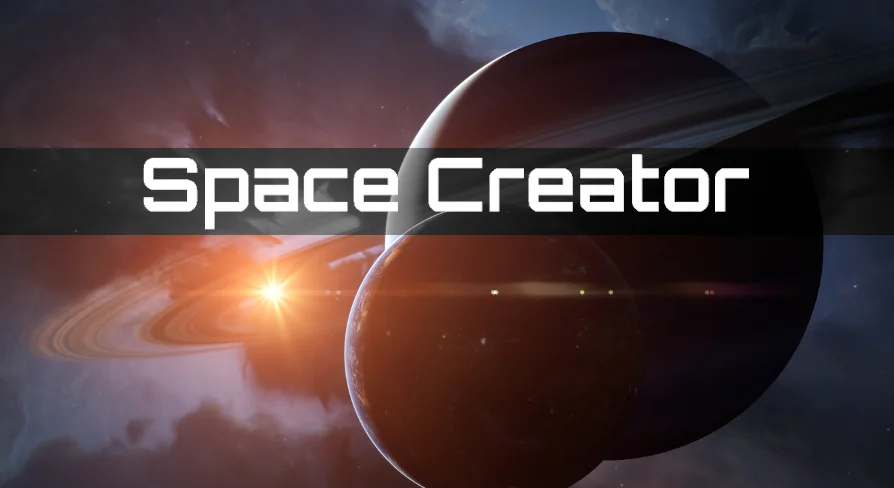
Space Creator offers a powerful set of Blueprints and Materials for building cinematic space environments. It allows developers to customize planets and stars directly within the scene using an intuitive interface.
Category:Unreal Engine,Sky & SpacePlatform: Unreal EngineEngine version: 4.26+,5.0+Published: Mar 1, 2026Updated: Aug 30, 2026
Sky & Space
Resource overview
Space scenes are a strange mix of grand scale and repetitive manual work. You need a convincing planet surface, a set of clouds that reads as a thick atmosphere, a starfield that fills the sky, and everything has to hold together as one visual unit. The Space Creator approaches this with a collection of Blueprints and Materials built specifically for Unreal Engine, so the entire process can happen without leaving the scene.
A Blueprint-and-Material Setup for Scene Assembly
The asset is not a single ready-made planet or a static skybox texture pack. It is a combination of Blueprints and Materials that work together inside the engine. Blueprints provide the structure and the controls; materials determine how surfaces react, how clouds blend, and how stars glow. Because the two are packed together, the user gets a complete scene-building system rather than a set of one-off assets.
Every object in the scene sits behind a parameters panel, the same kind of panel used for any basic object provided by Unreal Engine. That puts the artist inside the engine during the whole creative process. A change to a planet's surface does not require exporting a layer to another program or recalculating a compositing stack. It is handled directly in the scene, which is exactly where this pack is designed to operate.
Shape Surfaces, Assemble Cloud Layers, and Create Stars in Minutes
The pack covers several core space elements. Planet surfaces can be shaped to match the look you are after, which is useful for everything from a rocky asteroid to a smooth ball of gas. Gas giants have cloud layers that can be assembled from multiple components, giving you the banded, layered appearance common to those large worlds. On the more extreme side, worlds can be filled with ice or lava, so the same toolkit can generate very different climate conditions without switching assets.
Stars are also part of the collection, and they can be created in minutes. The emphasis here is speed. Whether you are blocking out a skybox or adding a distant sun to a scene, the controls are designed to let you iterate quickly. The phrase “in minutes” appears throughout the description of the pack, and that focus on fast iteration is apparent in how the elements work together.
For Film Makers, Game Developers, and Environment Artists
Three groups are called out as the intended audience: film makers, game developers, and environment artists. Each one gets something different from the pack. Film makers can use it to put together a convincing space background for a shot, adjusting planets and stars until the composition matches their vision. Game developers can build space levels or starting areas faster, using the parameters to tune the feeling of the sky and the look of distant worlds. Environment artists gain a set of tools that reduce the time spent on repetitive space elements, letting them focus on how the scene reads as a whole.
That broad audience is supported by the efficient interface the pack provides. Instead of digging into complex node graphs or external generation systems, an artist can work through the parameters panel and get immediate changes. This lowers the barrier to making a space scene look credible, which is valuable in a busy production timeline.
Where the Space Creator Sits in a Production Workflow
The tags attached to this asset are Fantasy, Space, Level, and Blueprint. Those tags point to a toolset that can be used for more than just realistic simulation. Fantasy space settings, such as alien skylines or magical planet systems, are a natural match. The Level tag suggests that the pack is meant to be used when assembling a complete scene rather than as a standalone model. And Blueprint describes the system that gives the user control over objects in the scene.
In practice, that means the Space Creator fits best at the start of a space scene build. You can create a skybox, scatter stars, shape a planet, and assemble a gas giant's clouds in one continuous workflow. Because each object is controllable in the scene, the pack also works during later passes when a designer wants to adjust a planet's color or add more cloud detail without starting over.
The Companion Space Creator Pro
The developer also offers Space Creator Pro, which is described as a bundle with more space elements. The standard Space Creator already includes the essentials for planets, stars, and skyboxes, while the Pro bundle expands the library for teams that need additional variety. Both variants share the same underlying approach: quick, controllable space scene building that stays inside Unreal Engine.
For anyone who has tried to move a planet's surface color in a compositing tool or waited for an external render to update a starfield, this pack represents a different kind of workflow. The scene itself becomes the place where decisions are made. That is a practical advantage when creative direction changes are frequent, which is often the case in film, game, and environment production.
The Space Creator gives you a way to bring a space scene to life without derailing your production pace. The parameters panel handles the fine-tuning, the materials carry the visual punch, and the entire process stays inside Unreal Engine. This makes it a useful addition for any project that needs to land a convincing starfield, planet, or skybox quickly.
Preview Gallery
Resource screenshots
6 curated preview images
1 / 6
Free Download
Download this resource
Log in or create a free account to start your download.
Resources are manually reviewed before listing to improve quality and reduce obvious risks.
 Sky & Space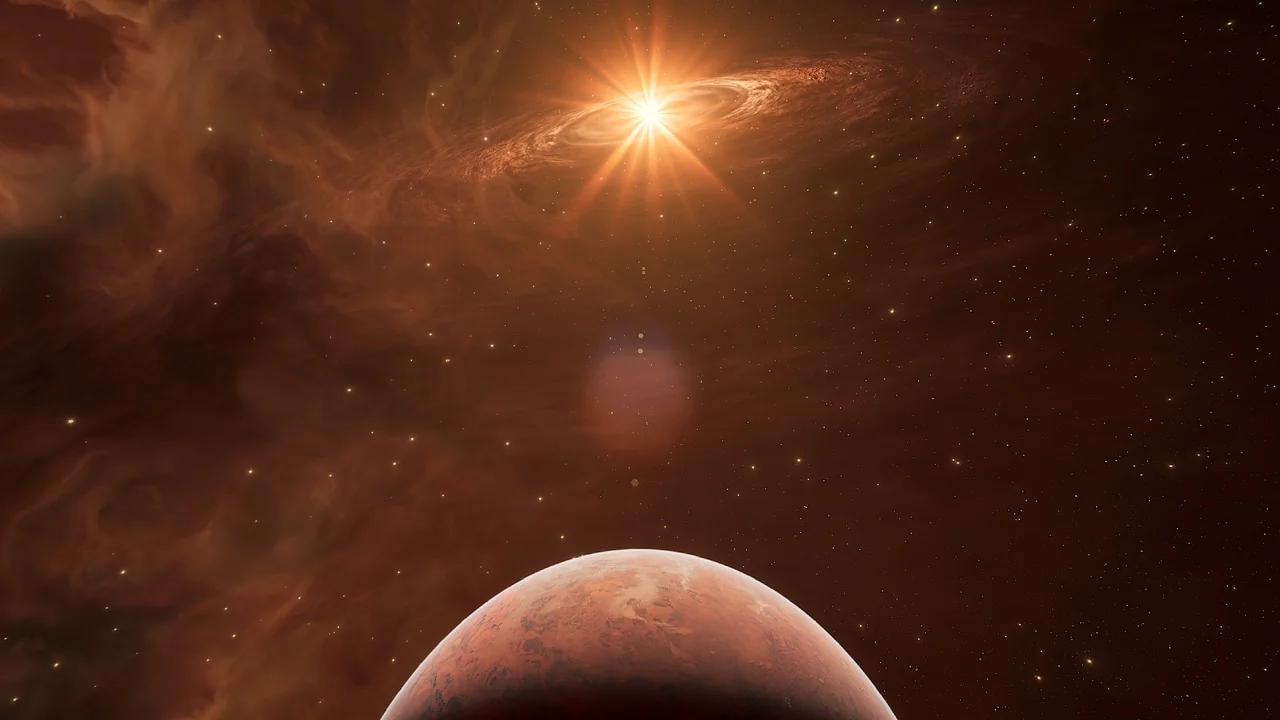
 Sky & Space
 Sky & Space
 Sky & Space