"6f9bd6df1f44a86f"{"id":"1000886","slug":"smart-traffic-light","title":"Smart Traffic Light","category":"Gameplay Features","engine":"4.26+,5.0+","assetVersion":"","engineVersion":"Engine Version: 4.26+,5.0+","tag":"Gameplay Features","accent":"blue","visual":"mech","summary":"Drag-and-drop traffic light creator Blueprint for Unreal Engine with customizable lenses, phase timings, multi-lane intersections, emergency overrides, and nigh","platform":"Unreal Engine","indexPolicy":"index","publishedAt":"2026-08-05T18:00:25.092Z","updatedAt":"2026-08-05T18:00:25.092Z","sourceNotes":[],"fileContents":[],"compatibility":["Unreal Engine","Engine Version: 4.26+,5.0+"],"featuredImage":{"alt":"Smart Traffic Light","src":"/wp-content/uploads/published/2026/08/02e6595e6fc7-7374c84b-0530-4852-b274-c61ccd4c5069-5ef6bc5bbe.webp"},"hasDownloadLink":true,"downloads":2,"terms":[{"taxonomy":"category","slug":"gameplay-features","name":"Gameplay Features"}],"galleryImages":[{"src":"/wp-content/uploads/published/2026/08/4609dc2cbdaf-f53c75ff-c0ff-4073-9e71-b339d7e5d08e-dddd8b893c.webp","alt":"Smart Traffic Light"},{"src":"/wp-content/uploads/published/2026/08/4fb5628bf9b2-3007638e-085d-4fd9-b1b5-22da5ea9ed41-8b1a1c4b2b.webp","alt":"Smart Traffic Light"},{"src":"/wp-content/uploads/published/2026/08/daac93885d27-43282a89-b1a1-4bcb-b0ff-eb6ff4d9c4f0-de0bfbb5f1.webp","alt":"Smart Traffic Light"},{"src":"/wp-content/uploads/published/2026/08/5f98db7535ef-cf447114-c5b0-4de1-8f1a-00ec3d38e4ac-46f06c2721.webp","alt":"Smart Traffic Light"},{"src":"/wp-content/uploads/published/2026/08/5057245507c0-b2e61ad0-8ea7-4f2e-84fc-1b8164cb85a6-85c0a29030.webp","alt":"Smart Traffic Light"},{"src":"/wp-content/uploads/published/2026/08/621ab696914c-788fd2ac-504a-49d7-be6a-3518b19925b9-6850ea78ab.webp","alt":"Smart Traffic Light"},{"src":"/wp-content/uploads/published/2026/08/84d15b446d37-d987263a-0f1f-406d-9c9a-e04b2d859993-c01dd01e3c.webp","alt":"Smart Traffic Light"},{"src":"/wp-content/uploads/published/2026/08/5e12e6265c55-7bcbbfef-017a-45fc-9805-0650286efd91-2c83656da0.webp","alt":"Smart Traffic Light"},{"src":"/wp-content/uploads/published/2026/08/e80fab942e7c-4a4b618f-2053-42f8-8974-2511f4467ff2-fe1192c14d.webp","alt":"Smart Traffic Light"},{"src":"/wp-content/uploads/published/2026/08/1b89d6a78a39-e607f6d1-73f7-4de2-9e31-9b0fe9c97aec-a94069b5e5.webp","alt":"Smart Traffic Light"}],"accessPanel":{"kind":"resource","title":"Download this resource","eyebrow":"Free Download","message":"Log in or create a free account to start your download.","fileName":"Content.7z","safetyNote":"Resources are manually reviewed before listing to improve quality and reduce obvious risks.","actionLabel":"Download Free","resourceType":"Resource archive"},"contentHtml":"\u003cp\u003e\u003cem\u003eSmart Traffic Light\u003c/em\u003e is a drag-and-drop Blueprint creator for Unreal Engine that compresses the whole traffic light setup process into a few clicks. You drop the Blueprint into a Level, attach a pole, choose a starting light state, adjust the color, lens style, symbol, and intensity, and the light is ready to run. Because the system is configuration-driven rather than built from hand-placed \u003ccode\u003eActors\u003c/code\u003e, it keeps the workflow approachable for beginners while still giving developers and Environment Artists room to tune the details. No Blueprint knowledge is required, and the amount of settings included means 1 single asset can cover everything from a basic crossing to a guarded rail crossing.\u003c/p\u003e\n\n\u003ch2\u003eLenses, Poles, and the Little Extras That Sell the Look\u003c/h2\u003e\n\n\u003cp\u003eThe creator supports a customizable light head: you can set the lens color, lens style, lens symbols, and the number of lenses. By default, 3-lens, 2-lens, and 1-lens traffic lights are included, and you can add more lenses if your crosswalk or warning light needs a different arrangement. The package also includes additional Meshes that make the signals look mounted and readable in a real scene: a holder, a green arrow, and a contrast panel. Alongside those, there are 8 extra traffic light Meshes, 2 pole variations, and a functional pedestrian button.\u003c/p\u003e\n\n\u003cp\u003eBecause the tool allows unlimited types of traffic lights, you are not stuck with 1 preset look. A warning-light cluster, a pedestrian signal, a bus or tram indicator, and a standard vehicle light can all live in the same project without custom modeling work. The ability to add custom lens symbols also means you can swap in the exact pictogram you need for trams, bikes, or other road users.\u003c/p\u003e\n\n\u003ch2\u003ePhasing, Direction, and International Signal Layouts\u003c/h2\u003e\n\n\u003cp\u003eEvery light can have its own phase durations for red, yellow, and green, so a suburban crossing can run shorter cycles than a downtown avenue. The system also supports horizontal and vertical modes, which is useful when a signal needs to be mounted sideways for limited clearance or to match a specific country's convention. International layouts are part of the package, with reference to Germany, the United States, Austria, Switzerland, and more. That makes it easier to recreate realistic roadside logic for a range of settings, from European city centers to North American suburban streets.\u003c/p\u003e\n\n\u003cp\u003eThe same flexible phase system covers warning lights and pedestrian signals, so you can give them their own timing rather than forcing everything into 1 template. This is 1 of the reasons the asset works across many project types without requiring a separate tool for each signal style.\u003c/p\u003e\n\n\u003ch2\u003eMulti-Lane Intersections and the Intersection Manager\u003c/h2\u003e\n\n\u003cp\u003eFor larger road networks, the \u003ccode\u003eIntersection Manager\u003c/code\u003e handles complex, multi-lane traffic light coordination. You can put together an intersection of 2, 3, or even up to 99 lanes with a few simple ticks, according to the documentation. That covers everything from a basic 4-way crossing to a sprawling junction with separate turn signals and pedestrian phases. The manager lays out the logic for overlapping green times, conflicting movements, and pedestrian walk cycles, which is the hardest part of traffic light setup when you are doing it by hand.\u003c/p\u003e\n\n\u003cp\u003eAll of this is accessible without writing Blueprint code. The drag-and-drop workflow means a designer can place a controller, assign lanes, and tune the lights without opening 1 single node graph. That said, the Blueprint is also a clean starting point for developers who do want to extend it with custom events or tie it into a larger simulation system.\u003c/p\u003e\n\n\u003ch2\u003eEmergency Overrides, Night Standby, and Pedestrian Crossings\u003c/h2\u003e\n\n\u003cp\u003eThe events and sensor mode lets you prioritize emergency vehicles or public services. In practice, that means you can set up \u003ccode\u003eForce Stops\u003c/code\u003e or tag emergency vehicles, trams, and other \u003ccode\u003eActors\u003c/code\u003e so the lights react when they approach. This works with the existing phase timing system, letting emergency vehicles get a green light while conflicting movements are held. The same event hooks can be used for public transport priority, so trams or buses do not get stuck at red during peak hours.\u003c/p\u003e\n\n\u003cp\u003eThere is also a night standby mode where all traffic lights blink yellow, a common pattern when the intersection switches off after peak hours. The button and traffic light logic are built in, so a functional pedestrian button can trigger a walk signal and hold or change the vehicle phases. The built-in shapes and symbols for cars, pedestrians, buses, and trams keep the behavior consistent with what the signal is supposed to control.\u003c/p\u003e\n\n\u003ch2\u003eCinematics, Real Lights, and Volumetric Fog\u003c/h2\u003e\n\n\u003cp\u003eBeyond interactive gameplay use, the system works for Cinematics. When you activate the \u003ccode\u003eReal Lights\u003c/code\u003e option, the traffic lights behave as actual Emissive light sources rather than simple Material swaps. The FAQ suggests trying it with Volumetric Fog, which gives the beams and glow a more atmospheric presence for Cutscenes or stills. Setup still takes only minutes: drag the Blueprint in, enable the option, and the scene gains an animated, believable street detail.\u003c/p\u003e\n\n\u003cp\u003eBecause night mode can be triggered from any Sky Blueprint, the lights can be synchronized with the time of day. The documentation names \u003cem\u003eUltra Dynamic Sky\u003c/em\u003e, \u003cem\u003eEasySky\u003c/em\u003e, and \u003cem\u003eSky Creator\u003c/em\u003e as examples, so the traffic lights can start blinking yellow automatically when the sky is in a night state. That makes it simple to run a full 24-hour cycle without manually adjusting every light.\u003c/p\u003e\n\n\u003ch2\u003eThe Standard Edition vs. Smart Traffic Lights Pro\u003c/h2\u003e\n\n\u003cp\u003eThe project has been updated continuously, with V2.0 released in August 2024. For most use cases, the standard \u003cem\u003eSmart Traffic Light\u003c/em\u003e edition is enough. The \u003cem\u003eSmart Traffic Lights Pro\u003c/em\u003e version offers additional traffic light side settings, party multiplayer readiness, and more Blueprint Application Programming Interface (API) nodes, which makes it a better fit for larger projects that need deeper control. The standard edition is positioned for small to medium games, while bigger projects or teams that want extra API access can move to \u003cem\u003eSmart Traffic Lights Pro\u003c/em\u003e.\u003c/p\u003e\n\n\u003cp\u003eThe standard version also sits nicely alongside road-building asset packs; compatibility with \u003cem\u003eRoad Essentials - Modular Roads, Bridges \u0026 Guardrails\u003c/em\u003e gives you a coherent street setup where the traffic lights and the road geometry share the same visual language. Whether you are building a game, a training scenario, or a Cinematic street, \u003cem\u003eSmart Traffic Light\u003c/em\u003e gives you a fast path to functional, believable signals.\u003c/p\u003e\n\n\u003ch2\u003eRelated Resources Worth Checking\u003c/h2\u003e\n\u003cul\u003e\n\u003cli\u003e\u003ca href=\"https://3dcghub.com/traffic-control-system/\" rel=\"noopener noreferrer\"\u003eTraffic Control System\u003c/a\u003e\u003c/li\u003e\n\u003cli\u003e\u003ca href=\"https://3dcghub.com/traffic-ai-system/\" rel=\"noopener noreferrer\"\u003eTraffic AI System\u003c/a\u003e\u003c/li\u003e\n\u003cli\u003e\u003ca href=\"https://3dcghub.com/city-traffic-pro/\" rel=\"noopener noreferrer\"\u003eCity Traffic Pro\u003c/a\u003e\u003c/li\u003e\n\u003cli\u003e\u003ca href=\"https://3dcghub.com/smart-cable-connector/\" rel=\"noopener noreferrer\"\u003eSmart Cable Connector\u003c/a\u003e\u003c/li\u003e\n\u003cli\u003e\u003ca href=\"https://3dcghub.com/smart-ai/\" rel=\"noopener noreferrer\"\u003eSmart AI\u003c/a\u003e\u003c/li\u003e\n\u003c/ul\u003e","contentTextLength":6622,"navigation":{"current":1476,"total":4218,"previous":{"id":"1000887","slug":"special-forces-ski-fi-soldier","title":"Special forces ski-fi soldier","category":"Characters \u0026 Creatures","platform":"Unreal Engine","updatedAt":"2026-08-05T18:03:28.977Z"},"next":{"id":"14467","slug":"rdtextools-rd-tools-pro","title":"rdTexTools (rd Tools Pro)","category":"Engine Tools","platform":"Unreal Engine","updatedAt":"2026-08-05T17:10:19.438Z"}},"relatedResources":[{"id":"11169","slug":"traffic-control-system","title":"Traffic Control System","category":"Gameplay Features","engine":"4.26+,5.0+","assetVersion":"Engine version: 4.26+,5.0+","engineVersion":"4.27","tag":"Gameplay Features","accent":"blue","visual":"audio","summary":"The Traffic Control System allows developers to create large-scale traffic networks with minimal effort. It includes automated intersection generation and advanced network optimization.","platform":"Unreal Engine","indexPolicy":"index","publishedAt":"2026-03-03T17:03:39.000Z","updatedAt":"2026-04-19T15:48:15.000Z","sourceNotes":[],"fileContents":[],"compatibility":["Unreal Engine","Engine version: 4.26+,5.0+"],"featuredImage":{"alt":"Traffic Control System","src":"https://3dcghub.com/wp-content/uploads/2026/03/e44908cd-91dc-44e8-8366-b960f6584e45.webp"},"hasDownloadLink":true,"downloads":1},{"id":"1001021","slug":"traffic-lights-animated-14-pack-usa-stop-light-city","title":"Traffic Lights Animated 14 Pack USA Stop light City","category":"Vehicles \u0026 Transportation","engine":"4.26+,5.0+","assetVersion":"","engineVersion":"Engine Version: 4.26+,5.0+","tag":"Vehicles","accent":"blue","visual":"city","summary":"Animated USA traffic signals with working crosswalk countdown, realistic weathering textures, and adjustable green/amber/red timing via master material for game","platform":"Unreal Engine","indexPolicy":"index","publishedAt":"2026-08-23T05:16:10.308Z","updatedAt":"2026-08-23T05:16:10.308Z","sourceNotes":[],"fileContents":[],"compatibility":["Unreal Engine","Engine Version: 4.26+,5.0+"],"featuredImage":{"alt":"Traffic Lights Animated 14 Pack USA Stop light City","src":"/wp-content/uploads/published/2026/08/bfbbc7304f07-590eece3-e0e8-4fcf-ab09-5c081b40e123-713e7e1a0b.webp"},"hasDownloadLink":true,"downloads":0},{"id":"1000551","slug":"traffic-ai-system","title":"Traffic AI System","category":"Gameplay Features","engine":"5.1+","assetVersion":"","engineVersion":"Engine Version: 5.1+","tag":"Gameplay Features","accent":"blue","visual":"mech","summary":"A Blueprint-based AI traffic system for Unreal Engine 5.1–5.7 using splines for road generation and distance-based vehicle spawning for automotive scenes.","platform":"Unreal Engine","indexPolicy":"index","publishedAt":"2026-07-15T06:39:21.636Z","updatedAt":"2026-07-15T06:39:21.636Z","sourceNotes":[],"fileContents":[],"compatibility":["Unreal Engine","Engine Version: 5.1+"],"featuredImage":{"alt":"Traffic AI System","src":"/wp-content/uploads/published/2026/07/e074d7d2d020-30e2fb25-5755-4221-9664-6f688036b241-00f296e3db.webp"},"hasDownloadLink":true,"downloads":8}]}
Gameplay Features
Smart Traffic Light
Drag-and-drop traffic light creator Blueprint for Unreal Engine with customizable lenses, phase timings, multi-lane intersections, emergency overrides, and nigh
Smart Traffic Light is a drag-and-drop Blueprint creator for Unreal Engine that compresses the whole traffic light setup process into a few clicks. You drop the Blueprint into a Level, attach a pole, choose a starting light state, adjust the color, lens style, symbol, and intensity, and the light is ready to run. Because the system is configuration-driven rather than built from hand-placed Actors, it keeps the workflow approachable for beginners while still giving developers and Environment Artists room to tune the details. No Blueprint knowledge is required, and the amount of settings included means 1 single asset can cover everything from a basic crossing to a guarded rail crossing.
Lenses, Poles, and the Little Extras That Sell the Look
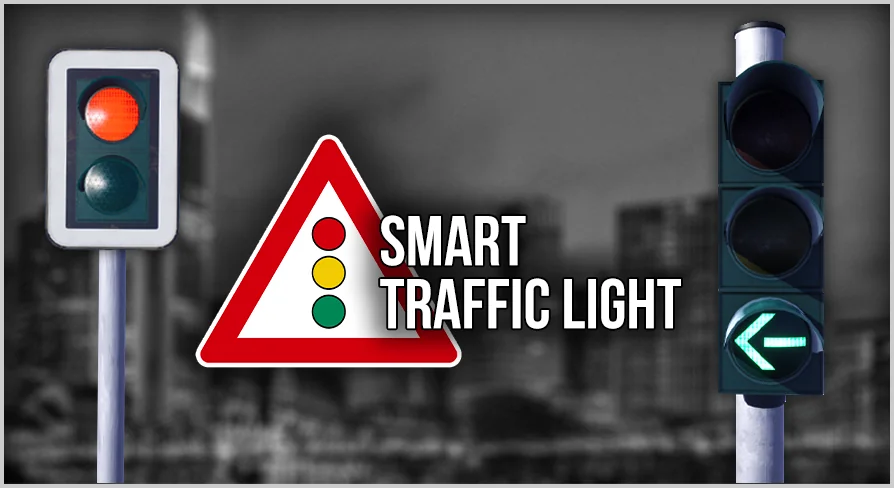
The creator supports a customizable light head: you can set the lens color, lens style, lens symbols, and the number of lenses. By default, 3-lens, 2-lens, and 1-lens traffic lights are included, and you can add more lenses if your crosswalk or warning light needs a different arrangement. The package also includes additional Meshes that make the signals look mounted and readable in a real scene: a holder, a green arrow, and a contrast panel. Alongside those, there are 8 extra traffic light Meshes, 2 pole variations, and a functional pedestrian button.
Because the tool allows unlimited types of traffic lights, you are not stuck with 1 preset look. A warning-light cluster, a pedestrian signal, a bus or tram indicator, and a standard vehicle light can all live in the same project without custom modeling work. The ability to add custom lens symbols also means you can swap in the exact pictogram you need for trams, bikes, or other road users.
Phasing, Direction, and International Signal Layouts
Every light can have its own phase durations for red, yellow, and green, so a suburban crossing can run shorter cycles than a downtown avenue. The system also supports horizontal and vertical modes, which is useful when a signal needs to be mounted sideways for limited clearance or to match a specific country's convention. International layouts are part of the package, with reference to Germany, the United States, Austria, Switzerland, and more. That makes it easier to recreate realistic roadside logic for a range of settings, from European city centers to North American suburban streets.
The same flexible phase system covers warning lights and pedestrian signals, so you can give them their own timing rather than forcing everything into 1 template. This is 1 of the reasons the asset works across many project types without requiring a separate tool for each signal style.
Multi-Lane Intersections and the Intersection Manager
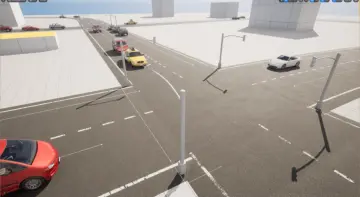
For larger road networks, the Intersection Manager handles complex, multi-lane traffic light coordination. You can put together an intersection of 2, 3, or even up to 99 lanes with a few simple ticks, according to the documentation. That covers everything from a basic 4-way crossing to a sprawling junction with separate turn signals and pedestrian phases. The manager lays out the logic for overlapping green times, conflicting movements, and pedestrian walk cycles, which is the hardest part of traffic light setup when you are doing it by hand.
All of this is accessible without writing Blueprint code. The drag-and-drop workflow means a designer can place a controller, assign lanes, and tune the lights without opening 1 single node graph. That said, the Blueprint is also a clean starting point for developers who do want to extend it with custom events or tie it into a larger simulation system.
Emergency Overrides, Night Standby, and Pedestrian Crossings
The events and sensor mode lets you prioritize emergency vehicles or public services. In practice, that means you can set up Force Stops or tag emergency vehicles, trams, and other Actors so the lights react when they approach. This works with the existing phase timing system, letting emergency vehicles get a green light while conflicting movements are held. The same event hooks can be used for public transport priority, so trams or buses do not get stuck at red during peak hours.
There is also a night standby mode where all traffic lights blink yellow, a common pattern when the intersection switches off after peak hours. The button and traffic light logic are built in, so a functional pedestrian button can trigger a walk signal and hold or change the vehicle phases. The built-in shapes and symbols for cars, pedestrians, buses, and trams keep the behavior consistent with what the signal is supposed to control.
Cinematics, Real Lights, and Volumetric Fog
Beyond interactive gameplay use, the system works for Cinematics. When you activate the Real Lights option, the traffic lights behave as actual Emissive light sources rather than simple Material swaps. The FAQ suggests trying it with Volumetric Fog, which gives the beams and glow a more atmospheric presence for Cutscenes or stills. Setup still takes only minutes: drag the Blueprint in, enable the option, and the scene gains an animated, believable street detail.
Because night mode can be triggered from any Sky Blueprint, the lights can be synchronized with the time of day. The documentation names Ultra Dynamic Sky, EasySky, and Sky Creator as examples, so the traffic lights can start blinking yellow automatically when the sky is in a night state. That makes it simple to run a full 24-hour cycle without manually adjusting every light.
The Standard Edition vs. Smart Traffic Lights Pro
The project has been updated continuously, with V2.0 released in August 2024. For most use cases, the standard Smart Traffic Light edition is enough. The Smart Traffic Lights Pro version offers additional traffic light side settings, party multiplayer readiness, and more Blueprint Application Programming Interface (API) nodes, which makes it a better fit for larger projects that need deeper control. The standard edition is positioned for small to medium games, while bigger projects or teams that want extra API access can move to Smart Traffic Lights Pro.
The standard version also sits nicely alongside road-building asset packs; compatibility with Road Essentials - Modular Roads, Bridges & Guardrails gives you a coherent street setup where the traffic lights and the road geometry share the same visual language. Whether you are building a game, a training scenario, or a Cinematic street, Smart Traffic Light gives you a fast path to functional, believable signals.
 Gameplay Features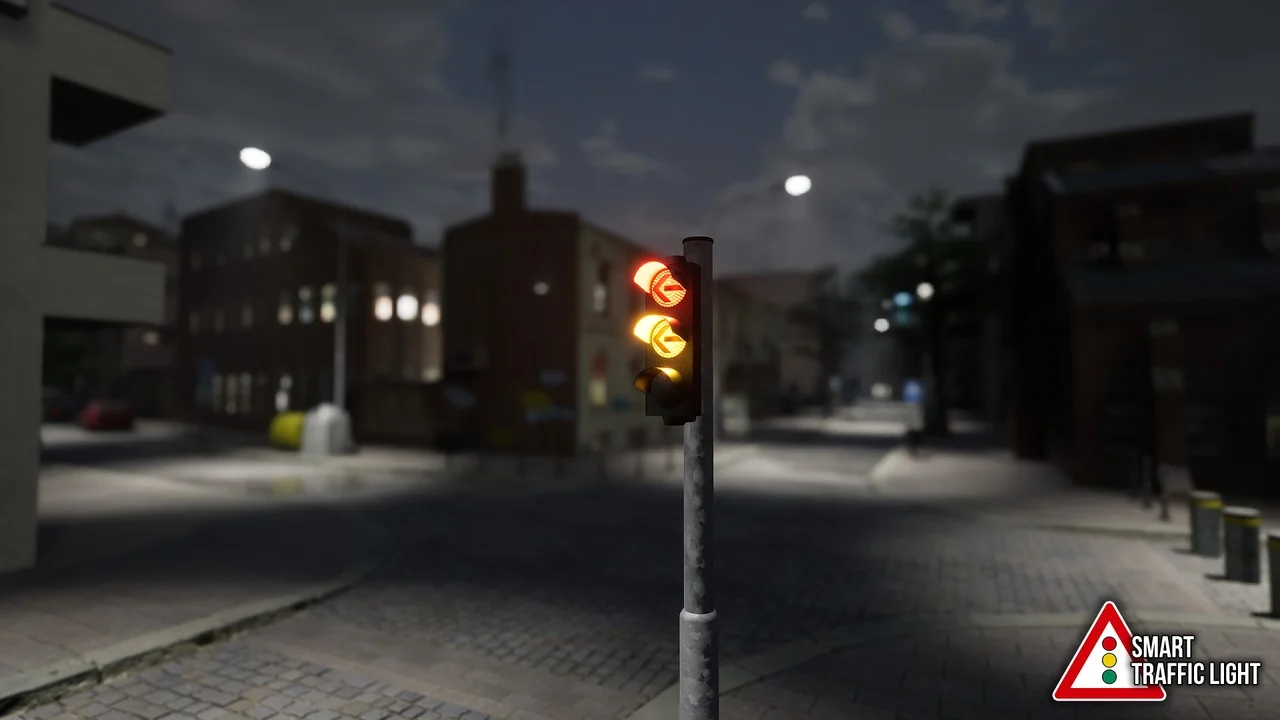
 Gameplay Features
 Vehicles
 Gameplay Features