Color, outline, and shape control in the main lit shader
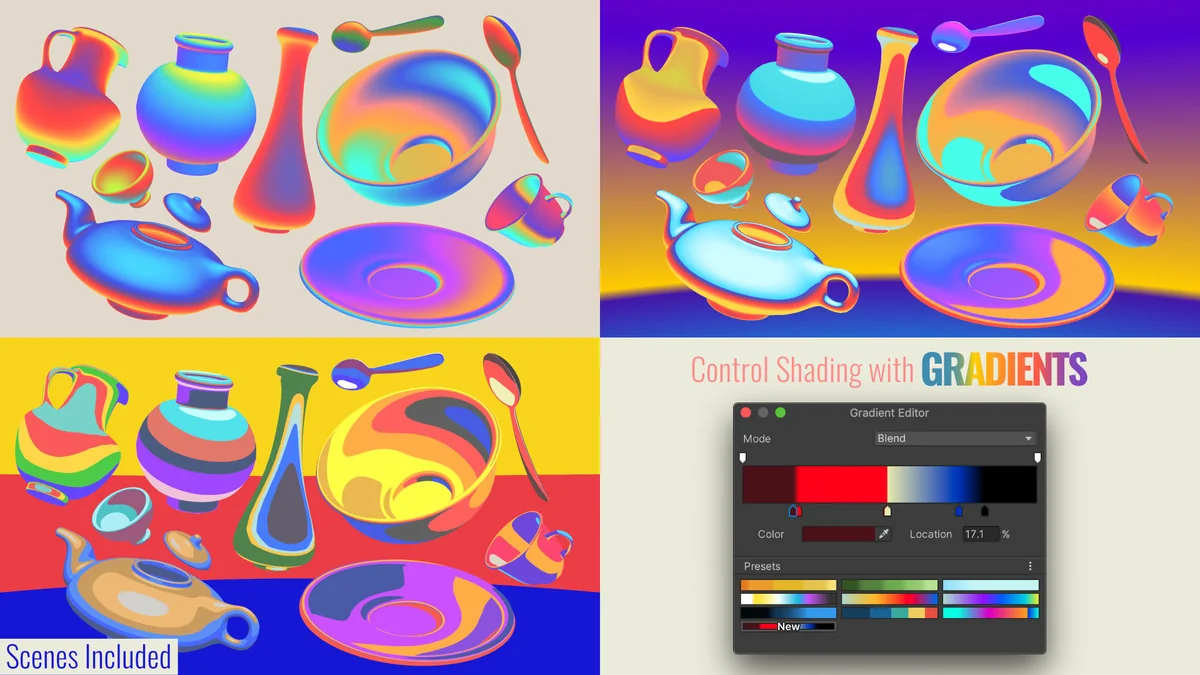
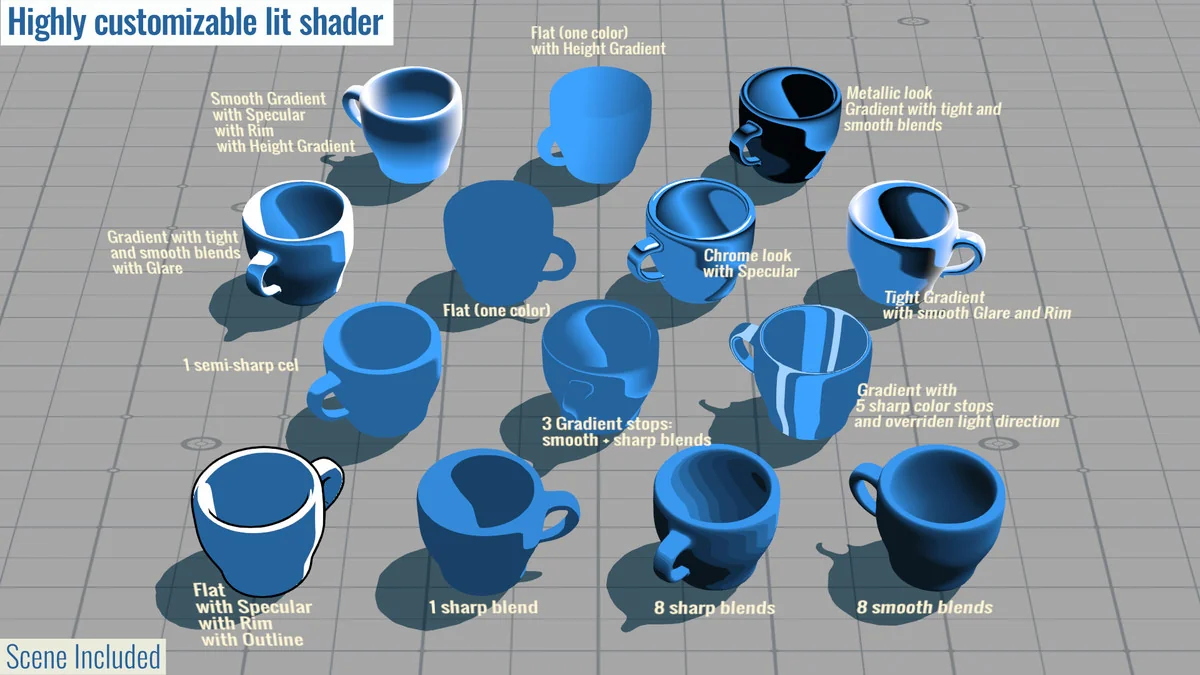
Quibli pushes a scene toward an anime-inspired look with a non-photorealistic replacement for the standard lit shader. The shader does not rely on a single base color. Instead, it uses gradients of up to eight colors, which gives artists a wider range for shaping light and form across a character, prop, or environment.
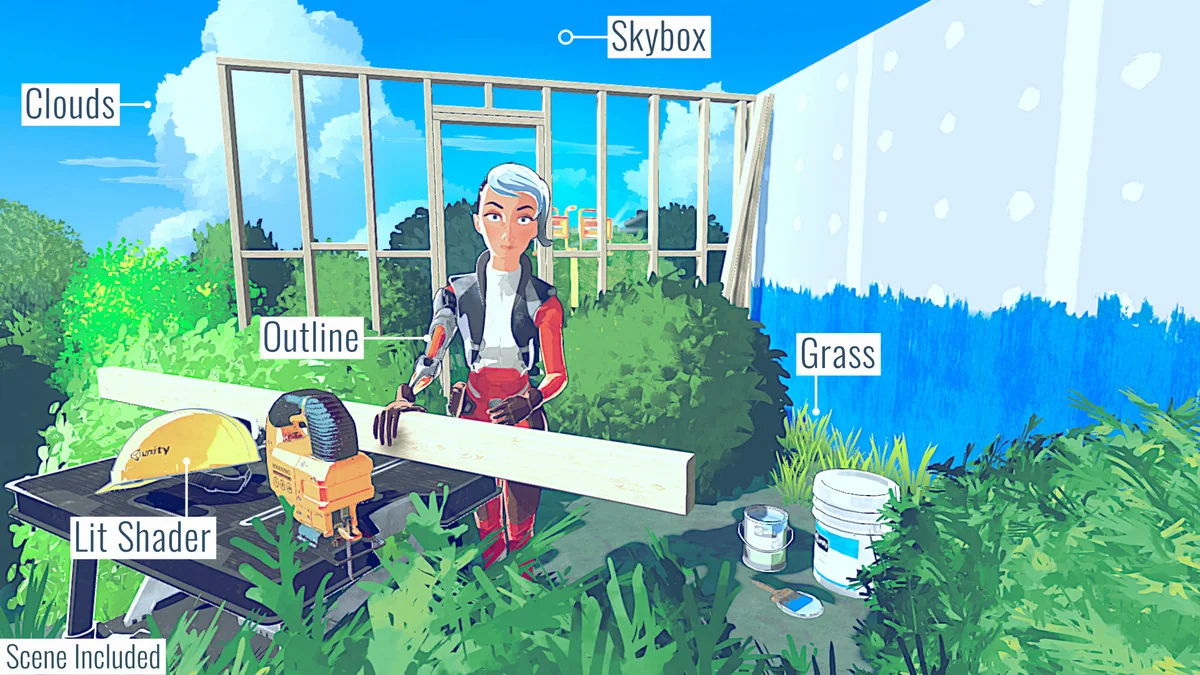
That approach matters when the goal is to keep surfaces readable and stylized rather than physically strict. The shader also includes anime-specific options such as shadow sharpening, shadow strength, object outline, and HDR rim. Those controls make it possible to push edges, define silhouettes, and tune how hard or soft the lighting reads in a scene.
The emphasis stays on flexibility. Quibli aims to support an anime-inspired look without locking the project into one specific style, so the shader set can be used to move between different non-photorealistic directions while still keeping the same underlying workflow.
Foliage, grass, clouds, and sky elements
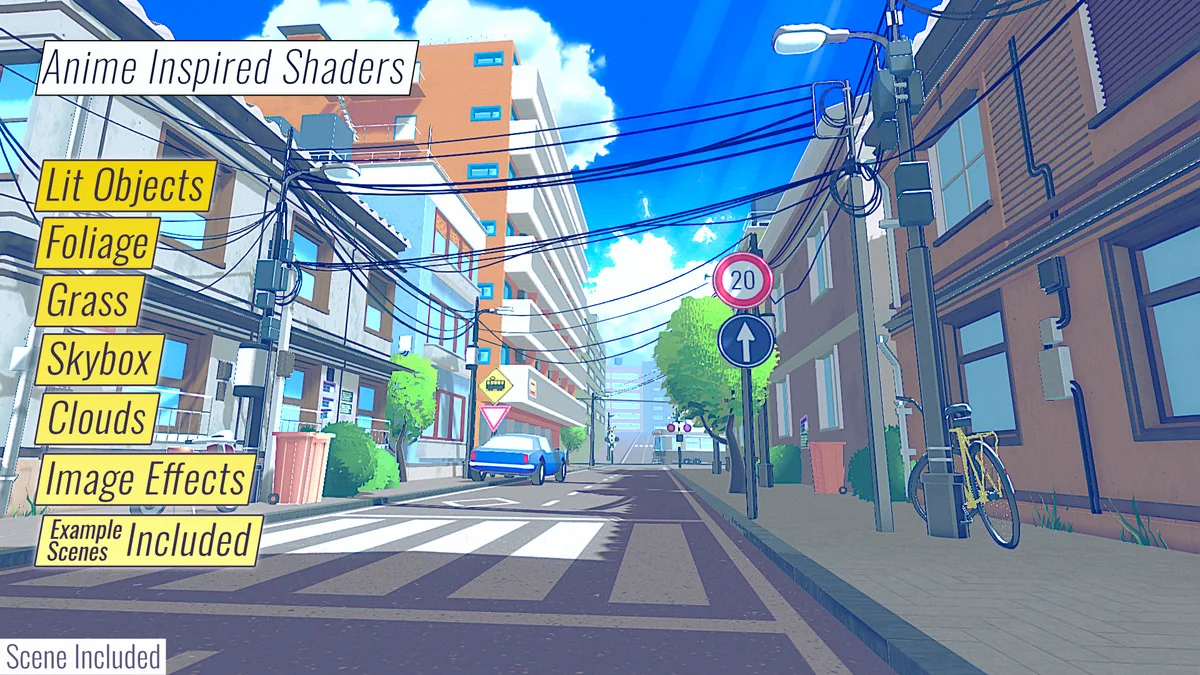
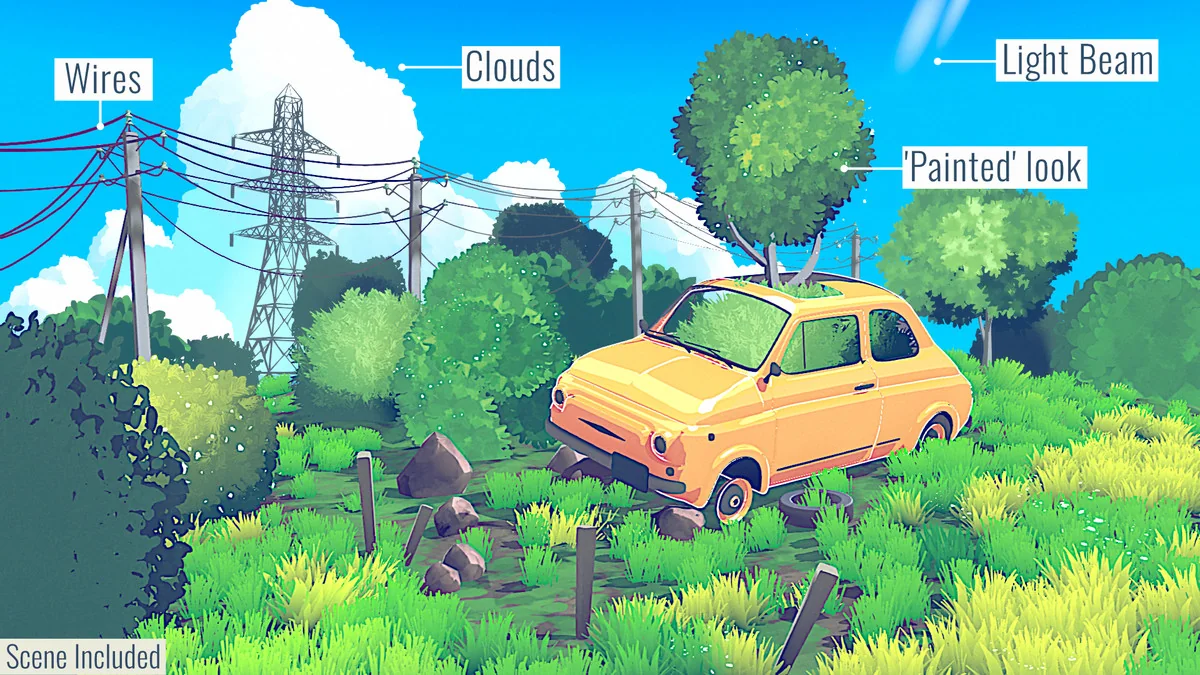
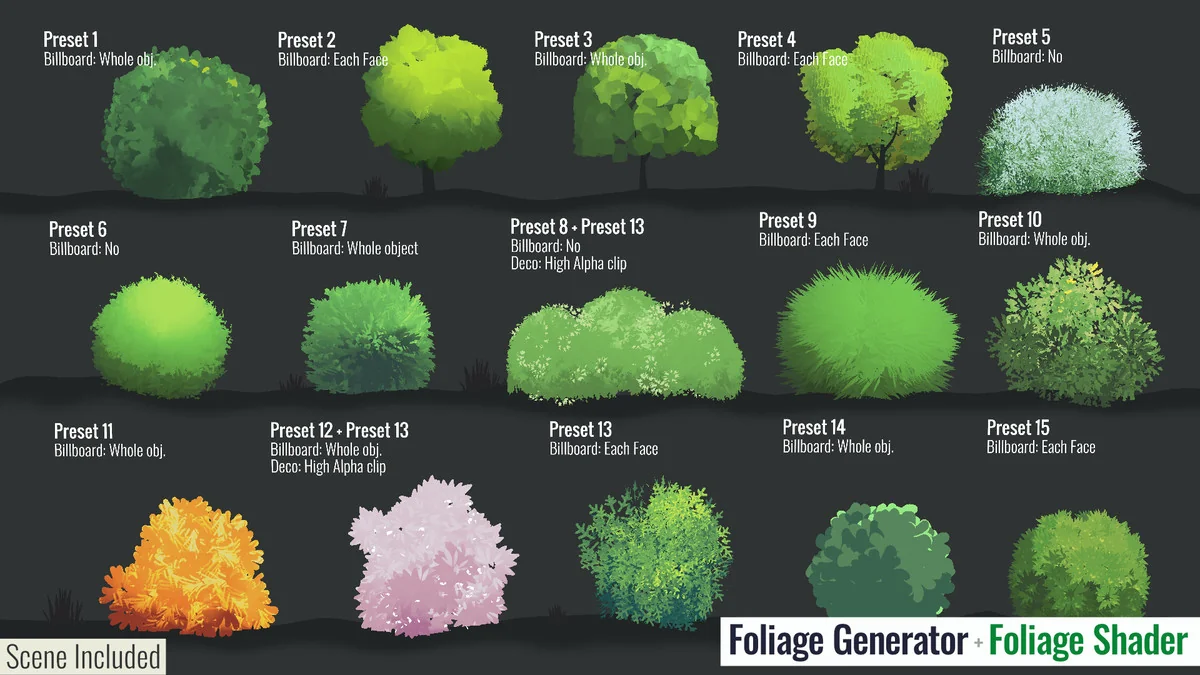
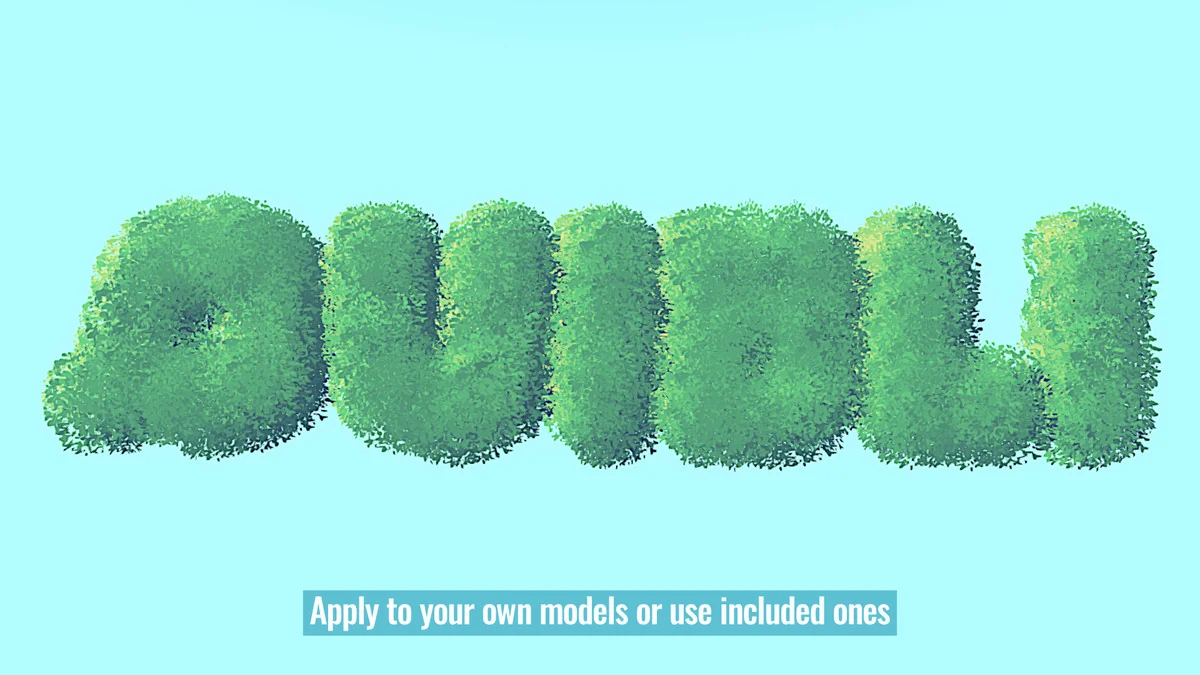
The scene tools move beyond character shading and into the parts of a level that usually need a strong stylized treatment. For trees and bushes, Quibli includes a foliage shader created to achieve a painted look. It brings together a range of foliage rendering techniques into one uber shader, which makes it practical for artists who want a consistent result on their own models.
A foliage mesh generation tool is included as well, along with fine-tuned presets to help get started. That combination is useful when the foliage needs more than material changes alone. Mesh generation can shape the asset before the shader does its work, giving the artist another layer of control over the final read of the vegetation.
Grass gets its own treatment. The grass shader renders stylized colorful grass with ambient motion and wind gusts. A specific mesh generation tool supports it, and the result can be created with a few clicks using a custom mesh with automatic LOD. That makes the grass work as a stylized surface element rather than a static patch of detail.
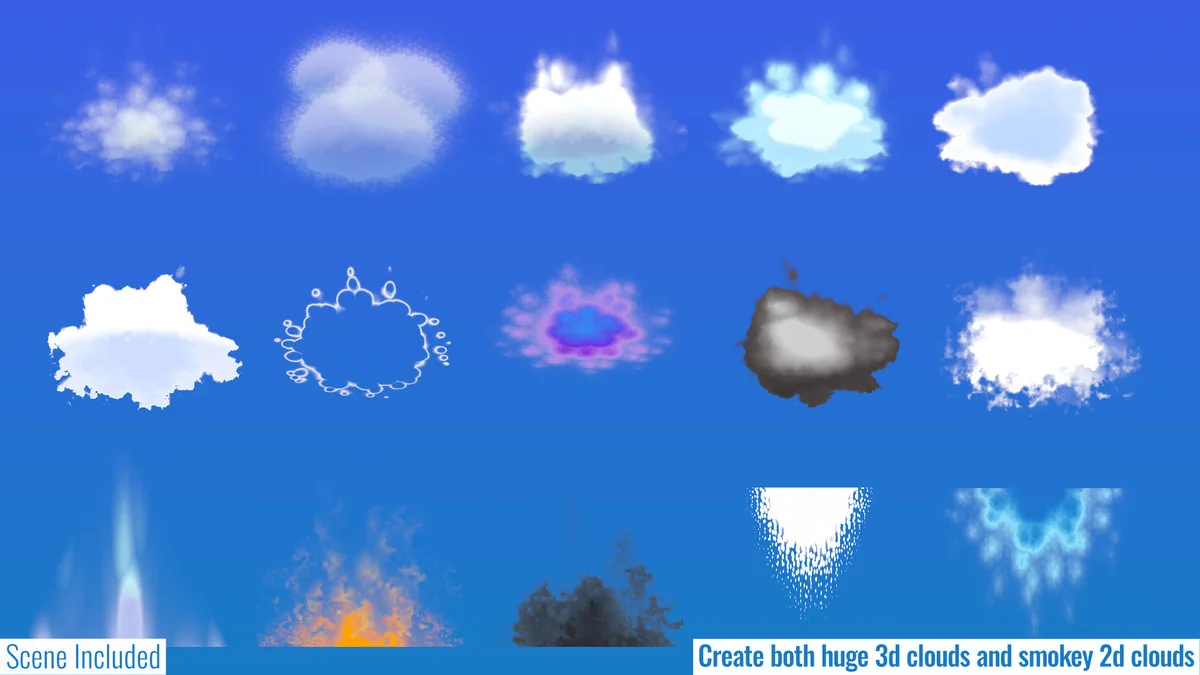
Clouds are handled with two provided shaders: one for fluffy, large clouds and another for thin smoky ones. Those shaders can be used for 3D and 2D clouds. The cloud meshes are also generated in the Unity Editor with the included tool, which keeps the cloud setup tied to the same workflow as the rest of the scene tools.
The skybox shader extends that same stylized control into the background. It uses a gradient to transition between up to eight colors at an arbitrary orientation, so the sky can follow the mood of the scene instead of fading in a fixed direction.
Post-processing and atmospheric accents
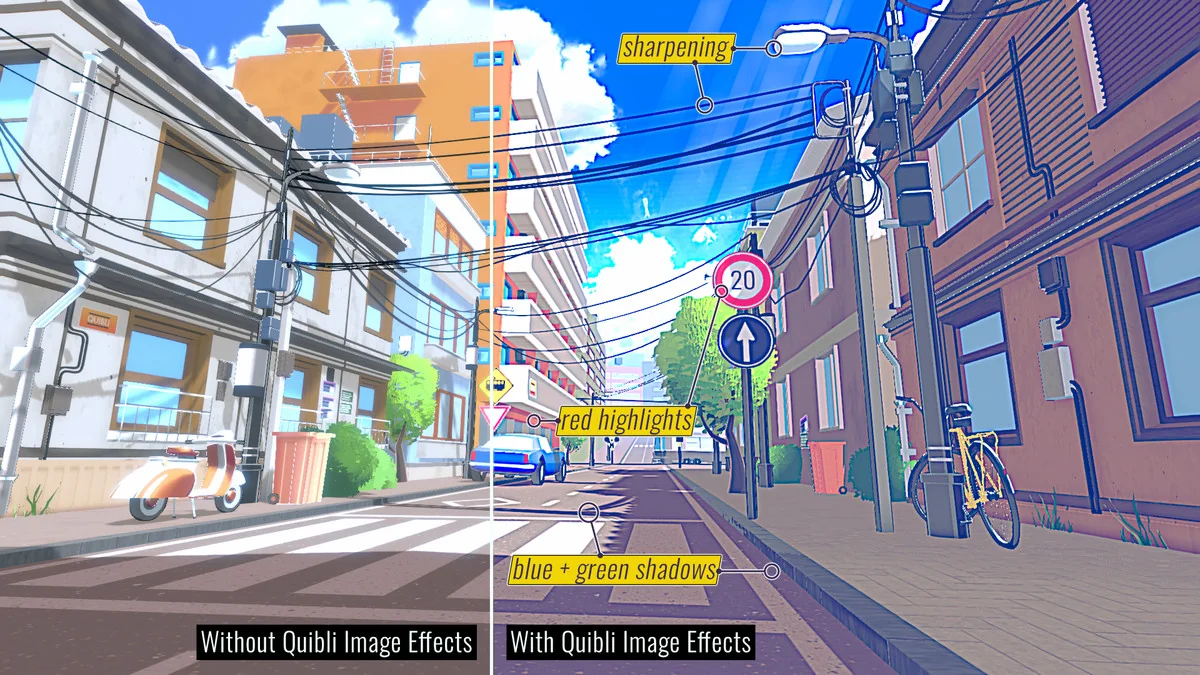
Quibli does not stop at materials and mesh helpers. The post-processing layer adds a final pass with two effects that adjust the way the whole scene reads. Stylized Detail Sharpens high-contrast lines while washing out smaller details, which helps keep the image focused on the stronger shapes. Stylized Color Grading Adds the sort of color adjustments often seen in anime.
These effects are integrated with Unityâs Volume system, which gives spatial control over the settings. That means the look can change across a scene rather than staying fixed everywhere, opening up room for different moods in different spaces.
Light beams add another atmospheric layer. The light beams shader renders subtle sun rays to build more atmosphere into the scene, and the shader includes noise settings to simulate particles flowing through the air. Used carefully, it can support a brighter outdoor frame or soften an interior with visible shafts of light.
There is also a mesh generator for electric wires. The script lets artists create large amounts of electric wires more easily, which is especially useful in city scenes. It adds a specific urban detail that can be repeated without manual repetition on every line or cable.
What is included for building with it
Quibli comes with example scenes that can be used as starting points or studied for how the pieces fit together. The asset also includes professionally-made models and textures, which gives the scenes immediate material to work with instead of leaving every element blank.
Source code and shader graphs are included as well, so the shaders and tools can be edited for a project if needed. That makes the resource useful not only for viewing a finished stylized result, but also for teams that want to adapt the implementation and shape the look around their own characters, environments, and scene needs.
For teams looking to create anime-inspired visuals in Unity, the practical strength of Quibli is the way its parts connect: lit shading with strong color control, tools for foliage, grass, clouds, sky, and wires, plus post-processing that can tie the image together. It gives artists a compact set of scene-building tools for pushing a project toward a hand-crafted, non-photorealistic finish.
Project Screenshots
Protected download
Access this resource
All resources are 100% manually reviewed to eliminate all risks.