"6ac84fdb0bd06614"{"id":"1000925","slug":"planet-generator-planets-creator","title":"Planet Generator / Planets Creator","category":"Procedural Systems","engine":"Version details listed","assetVersion":"","engineVersion":"","tag":"Procedural Systems","accent":"blue","visual":"mech","summary":"Unreal Engine 5 planet generator with 45+ customization options, starry sky blueprint, ocean and atmosphere color settings, orbital rings, and adjustable rotati","platform":"Unreal Engine","publishedAt":"2026-08-08T05:23:41.932Z","updatedAt":"2026-08-08T05:23:41.932Z","sourceNotes":[],"fileContents":[],"compatibility":["Unreal Engine"],"featuredImage":{"alt":"Planet Generator / Planets Creator","src":"/wp-content/uploads/published/2026/08/6fdeca4e025f-5f9590c8-cc86-4c56-b7bb-5e2ad9112f2f-1a8c9a0333.webp"},"hasDownloadLink":true,"downloads":1,"terms":[{"taxonomy":"category","slug":"procedural-systems","name":"Procedural Systems"}],"galleryImages":[{"src":"/wp-content/uploads/published/2026/08/cb3b1518d25b-1e0c0737-f4b0-4d13-b37c-48f9a83fba68-4801e54911.webp","alt":"Planet Generator / Planets Creator"},{"src":"/wp-content/uploads/published/2026/08/18f61f93e106-69818d7d-4c47-417e-8418-4b01fccb6250-158805fa19.webp","alt":"Planet Generator / Planets Creator"},{"src":"/wp-content/uploads/published/2026/08/96ecd78dbe59-e9e08a87-f348-4360-9aa4-90bea62a236d-e14a8ea92a.webp","alt":"Planet Generator / Planets Creator"},{"src":"/wp-content/uploads/published/2026/08/1ec33cb97032-2caa8c5e-c74a-4304-800a-26ea64906e06-db951f749f.webp","alt":"Planet Generator / Planets Creator"},{"src":"/wp-content/uploads/published/2026/08/c813428d7d1c-56610c49-8e9f-492b-ba77-9b86ad55c135-a2a46c0827.webp","alt":"Planet Generator / Planets Creator"},{"src":"/wp-content/uploads/published/2026/08/8fa32aff1ddd-d19fe759-f230-47de-a816-f0b4eefa8c4e-4142b745e3.webp","alt":"Planet Generator / Planets Creator"},{"src":"/wp-content/uploads/published/2026/08/de4a3fd4e177-050a38e0-0a7f-467e-afa6-0174232e9165-bbb5c95281.webp","alt":"Planet Generator / Planets Creator"},{"src":"/wp-content/uploads/published/2026/08/6ceba4db3ffc-ff41eb35-ea97-4967-81a1-45a2e001d9a4-066754dcce.webp","alt":"Planet Generator / Planets Creator"},{"src":"/wp-content/uploads/published/2026/08/92b25d776727-9ac9cfa2-3e07-4804-b59c-8f8f3673f1d5-55a070ffcb.webp","alt":"Planet Generator / Planets Creator"},{"src":"/wp-content/uploads/published/2026/08/37e16b8d9715-8cb9eac5-8184-43f4-bc56-b5231cae8c50-e964be4f6a.webp","alt":"Planet Generator / Planets Creator"}],"accessPanel":{"kind":"resource","title":"Download this resource","eyebrow":"Free Download","message":"Log in or create a free account to start your download.","fileName":"Content.7z","safetyNote":"Resources are manually reviewed before listing to improve quality and reduce obvious risks.","actionLabel":"Download Free","resourceType":"Resource archive"},"contentHtml":"\u003cp\u003eBuilding a believable planet in Unreal Engine 5 (UE5) often means juggling separate systems for the Surface Material, the ocean, the atmosphere, and the sky behind it. \u003cem\u003ePlanet Generator / Planets Creator\u003c/em\u003e compresses that work into 1 single, coherent setup. The product includes 2 \u003ccode\u003eBlueprints\u003c/code\u003e: 1 that generates the planet itself, and another 1 that builds a starry sky to sit behind it. From there, 45+ customization options let you shape the world without opening a \u003ccode\u003eMaterial Editor\u003c/code\u003e or rebuilding a \u003ccode\u003eMaster Shader\u003c/code\u003e.\u003c/p\u003e\n\n\u003ch2\u003eA Planet Maker and a Sky Setup as 2 Blueprints\u003c/h2\u003e\n\n\u003cp\u003eThe core of this tool is the Planet Maker \u003ccode\u003eBlueprint\u003c/code\u003e. Everything that makes the planet look like a planet starts there. The 2nd \u003ccode\u003eBlueprint\u003c/code\u003e handles the starry sky arrangement, so the scene around the planet reads as deep space rather than an empty void. Having these as separate \u003ccode\u003eBlueprints\u003c/code\u003e means you can swap out the sky, reuse it across other project files, or keep the planet fully self-contained.\u003c/p\u003e\n\n\u003cp\u003eBecause both pieces are \u003ccode\u003eBlueprint\u003c/code\u003e-based, the workflow stays inside UE5's Visual Scripting environment. The documentation that ships with the asset walks you through the setup, so the process is less about reverse-engineering node graphs and more about arranging a few key values to get the look you want.\u003c/p\u003e\n\n\u003ch2\u003e45+ Customizations That Shape the Final World\u003c/h2\u003e\n\n\u003cp\u003eThe generator uses 45+ individual customization parameters, and they are grouped around the parts of a planet that most affect how it reads on screen. \u003ccode\u003eOcean Color\u003c/code\u003e, \u003ccode\u003eIcing\u003c/code\u003e, \u003ccode\u003eSurface Color\u003c/code\u003e, and \u003ccode\u003eAtmosphere Color\u003c/code\u003e each have their own controls, so you can move from a blue, \u003cem\u003eEarth\u003c/em\u003e-like world to a red, \u003cem\u003eMars\u003c/em\u003e-like desert without swapping Textures. The orbital rings add another layer of visual interest, letting you give the planet a \u003cem\u003eSaturn\u003c/em\u003e-like halo or a more subtle debris ring.\u003c/p\u003e\n\n\u003cp\u003eThese controls are what make the generator worth using for repeated shots. A 1 single planet can be pushed toward \u003cem\u003eVenus\u003c/em\u003e by adjusting the \u003ccode\u003eAtmosphere Color\u003c/code\u003e and \u003ccode\u003eSurface Palette\u003c/code\u003e, then re-adjusted to read as a frozen ice world by working with the \u003ccode\u003eIcing\u003c/code\u003e settings. With 45+ parameters, the difference between 2 outputs is not just 1 single slider moved up or down. The combination of \u003ccode\u003eOcean Color\u003c/code\u003e, \u003ccode\u003eIcing\u003c/code\u003e, \u003ccode\u003eSurface Color\u003c/code\u003e, and \u003ccode\u003eAtmosphere Color\u003c/code\u003e settings gives each generated planet a distinct silhouette and color story.\u003c/p\u003e\n\n\u003ch2\u003e\u003ccode\u003eRotation Speed\u003c/code\u003e and the Starry Sky Setup\u003c/h2\u003e\n\n\u003cp\u003ePlanets are never truly static, and the generator includes a \u003ccode\u003eRotation Speed\u003c/code\u003e setting to give the world motion. That rotation is useful for Cinematics where the camera lingers on the planet as it turns, or for real-time background shots where the slow movement makes the environment feel alive. Because the speed is exposed as a setting, you can dial it up for a rapid, stylized spin or keep it slow and subtle for a more realistic feel.\u003c/p\u003e\n\n\u003cp\u003eBehind the planet, the Starry Sky \u003ccode\u003eBlueprint\u003c/code\u003e provides the spatial context. A planet floating in blackness looks flat; a sky full of stars gives the scene scale and depth. The sky setup is included as a separate \u003ccode\u003eBlueprint\u003c/code\u003e, so you can adjust the stellar background independently from the Planet Generator. That separation makes it easier to match the sky to your shot's composition without disturbing the planet's own parameters.\u003c/p\u003e\n\n\u003ch2\u003eRealistic Planets: \u003cem\u003eMars\u003c/em\u003e, \u003cem\u003eVenus\u003c/em\u003e, \u003cem\u003eEarth\u003c/em\u003e, and Beyond\u003c/h2\u003e\n\n\u003cp\u003eThe tags attached to this resource tell a clear story: \u003cem\u003eGeneration\u003c/em\u003e, \u003cem\u003eMars\u003c/em\u003e, \u003cem\u003eVenus\u003c/em\u003e, \u003cem\u003eEarth\u003c/em\u003e, \u003cem\u003eRealistic\u003c/em\u003e, and \u003cem\u003ePlanetary\u003c/em\u003e. The customization system is designed to cover those recognizable planetary types. The same \u003ccode\u003eBlueprint\u003c/code\u003e that produces a realistic \u003cem\u003eEarth\u003c/em\u003e-like ocean can shift into a \u003cem\u003eMars\u003c/em\u003e-like environment through its \u003ccode\u003eSurface Color\u003c/code\u003e and \u003ccode\u003eAtmosphere Color\u003c/code\u003e controls, or a \u003cem\u003eVenus\u003c/em\u003e-like look with the right combination of dense atmosphere and warm surface tones. This makes the asset suitable for projects that need multiple planets without rebuilding each 1 from scratch.\u003c/p\u003e\n\n\u003cp\u003eThe modular nature of the generator also leans into Sci-Fi and generative workflows. Since the parameters are exposed as customization options, you can quickly iterate through many variations during Pre-Production. A solar system can be blocked out by generating several planets, each with a different color scheme, orbit ring, and \u003ccode\u003eRotation Speed\u003c/code\u003e, all within the same \u003ccode\u003eBlueprint\u003c/code\u003e family. The starry sky setup keeps those generated planets in a consistent space environment.\u003c/p\u003e\n\n\u003ch2\u003eWhere the Generator Sits in a Production Pipeline\u003c/h2\u003e\n\n\u003cp\u003e\u003cem\u003ePlanet Generator / Planets Creator\u003c/em\u003e fits in the early visual development phase of a space project, as well as in final shots that need a hero planet. The \u003ccode\u003eBlueprints\u003c/code\u003e are light enough to use as placeholders, but the 45+ customizations produce results that can pass as final assets. For a Sci-Fi short, a commercial, or a game environment, the ability to drop in a planet, adjust the \u003ccode\u003eOcean Color\u003c/code\u003e and \u003ccode\u003eAtmosphere Color\u003c/code\u003e, add orbital rings, and set a \u003ccode\u003eRotation Speed\u003c/code\u003e is a practical timesaver.\u003c/p\u003e\n\n\u003cp\u003eBecause the asset combines the planet and the starry sky, it covers most of what a scene needs for a space establishing shot. The documentation reduces the learning curve, so even a team that is not deeply comfortable with custom \u003ccode\u003eBlueprint\u003c/code\u003e tools can get a distinct planet on screen quickly. For anyone creating realistic or stylized planets in UE5, this generator turns a normally heavy task into a straightforward setup.\u003c/p\u003e\n\n\u003ch2\u003eRelated Resources Worth Checking\u003c/h2\u003e\n\u003cul\u003e\n\u003cli\u003e\u003ca href=\"https://3dcghub.com/planetarium-planet-blueprint/\" title=\"Planetarium Planet Blueprint\"\u003ePlanetarium Planet Blueprint\u003c/a\u003e\u003c/li\u003e\n\u003cli\u003e\u003ca href=\"https://3dcghub.com/space-creator/\" title=\"Space Creator\"\u003eSpace Creator\u003c/a\u003e\u003c/li\u003e\n\u003cli\u003e\u003ca href=\"https://3dcghub.com/crossroad-generator/\" title=\"Crossroad Generator\"\u003eCrossroad Generator\u003c/a\u003e\u003c/li\u003e\n\u003cli\u003e\u003ca href=\"https://3dcghub.com/autoenv-procedural-rock-cliffs/\" title=\"AutoEnv Procedural Rock Cliffs\"\u003eAutoEnv Procedural Rock Cliffs\u003c/a\u003e\u003c/li\u003e\n\u003cli\u003e\u003ca href=\"https://3dcghub.com/calysto-village-procedural-villages-farms-with-pcg/\" title=\"Calysto Village Procedural villages, farms with PCG\"\u003eCalysto Village Procedural villages, farms with PCG\u003c/a\u003e\u003c/li\u003e\n\u003c/ul\u003e","contentTextLength":5427,"navigation":{"current":335,"total":3181,"previous":{"id":"1000926","slug":"player-electricity-system","title":"Player Electricity System","category":"Gameplay Features","platform":"Unreal Engine","updatedAt":"2026-08-08T05:30:11.296Z"},"next":{"id":"1000924","slug":"pistol-animset-pro","title":"Pistol Animset Pro","category":"Combat","platform":"Unreal Engine","updatedAt":"2026-08-08T05:18:12.645Z"}},"relatedResources":[{"id":"9775","slug":"space-creator","title":"Space Creator","category":"Sky \u0026 Space","engine":"4.26+,5.0+","assetVersion":"","engineVersion":"Engine version: 4.26+,5.0+","tag":"Sky \u0026 Space","accent":"blue","visual":"city","summary":"Space Creator offers a powerful set of Blueprints and Materials for building cinematic space environments. It allows developers to customize planets and stars directly within the scene using an intuitive interface.","platform":"Unreal Engine","publishedAt":"2026-03-01T17:48:55.000Z","updatedAt":"2026-08-30T15:40:37.415Z","sourceNotes":[],"fileContents":[],"compatibility":["Unreal Engine","Engine version: 4.26+,5.0+"],"featuredImage":{"alt":"Space Creator","src":"https://3dcghub.com/wp-content/uploads/2026/03/850660b1-cb44-434f-8806-94576d61159c.webp"},"hasDownloadLink":true,"downloads":0},{"id":"11498","slug":"planetarium-planet-blueprint","title":"Planetarium Planet Blueprint","category":"Procedural Systems","engine":"5.3+","assetVersion":"Engine version: 5.3+","engineVersion":"4.10","tag":"Procedural Systems","accent":"blue","visual":"audio","summary":"Build professional space environments using the Planetarium Planet Blueprint. This package includes a Master Blueprint for Earth-like planets and a distortion-free Universe Blueprint for high-end visuals.","platform":"Unreal Engine","publishedAt":"2026-03-05T17:34:45.000Z","updatedAt":"2026-04-19T15:48:11.000Z","sourceNotes":[],"fileContents":[],"compatibility":["Unreal Engine"],"featuredImage":{"alt":"Planetarium Planet Blueprint","src":"https://3dcghub.com/wp-content/uploads/2026/03/d4965acba71a_7cd4301a-264c-4fba-adfd-2fae49b12bee.webp"},"hasDownloadLink":true,"downloads":0},{"id":"1001029","slug":"smart-spline-generator","title":"Smart Spline Generator","category":"Procedural Systems","engine":"4.26+,5.0+","assetVersion":"","engineVersion":"Engine Version: 4.26+,5.0+","tag":"Procedural Systems","accent":"blue","visual":"mech","summary":"Generate ivy, vines, ropes, and fences that align to any surface in UE. 100% Blueprint spline tool with bridge mechanics, mesh optimization, and Merge Actor sup","platform":"Unreal Engine","publishedAt":"2026-08-23T12:07:57.773Z","updatedAt":"2026-08-23T12:07:57.773Z","sourceNotes":[],"fileContents":[],"compatibility":["Unreal Engine","Engine Version: 4.26+,5.0+"],"featuredImage":{"alt":"Smart Spline Generator","src":"/wp-content/uploads/published/2026/08/f90a16a3c76e-b9721aca-557f-4b86-ba96-1d0847842373-d8e9d64b13.webp"},"hasDownloadLink":true,"downloads":1}]}
Procedural Systems
Planet Generator / Planets Creator
Unreal Engine 5 planet generator with 45+ customization options, starry sky blueprint, ocean and atmosphere color settings, orbital rings, and adjustable rotati
Building a believable planet in Unreal Engine 5 (UE5) often means juggling separate systems for the Surface Material, the ocean, the atmosphere, and the sky behind it. Planet Generator / Planets Creator compresses that work into 1 single, coherent setup. The product includes 2 Blueprints: 1 that generates the planet itself, and another 1 that builds a starry sky to sit behind it. From there, 45+ customization options let you shape the world without opening a Material Editor or rebuilding a Master Shader.
A Planet Maker and a Sky Setup as 2 Blueprints
The core of this tool is the Planet Maker Blueprint. Everything that makes the planet look like a planet starts there. The 2nd Blueprint handles the starry sky arrangement, so the scene around the planet reads as deep space rather than an empty void. Having these as separate Blueprints means you can swap out the sky, reuse it across other project files, or keep the planet fully self-contained.
Because both pieces are Blueprint-based, the workflow stays inside UE5's Visual Scripting environment. The documentation that ships with the asset walks you through the setup, so the process is less about reverse-engineering node graphs and more about arranging a few key values to get the look you want.
45+ Customizations That Shape the Final World
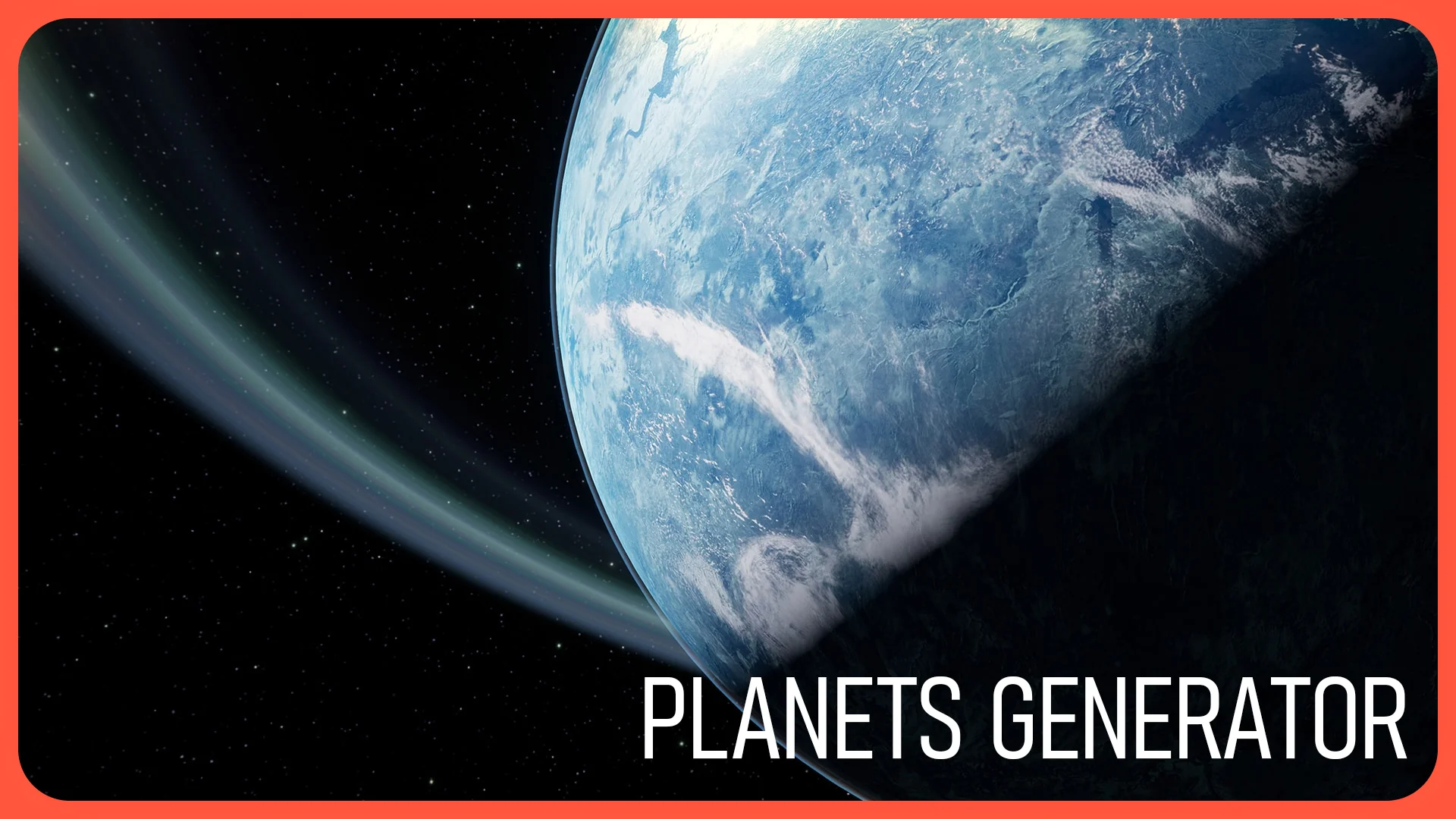
The generator uses 45+ individual customization parameters, and they are grouped around the parts of a planet that most affect how it reads on screen. Ocean Color, Icing, Surface Color, and Atmosphere Color each have their own controls, so you can move from a blue, Earth-like world to a red, Mars-like desert without swapping Textures. The orbital rings add another layer of visual interest, letting you give the planet a Saturn-like halo or a more subtle debris ring.
These controls are what make the generator worth using for repeated shots. A 1 single planet can be pushed toward Venus by adjusting the Atmosphere Color and Surface Palette, then re-adjusted to read as a frozen ice world by working with the Icing settings. With 45+ parameters, the difference between 2 outputs is not just 1 single slider moved up or down. The combination of Ocean Color, Icing, Surface Color, and Atmosphere Color settings gives each generated planet a distinct silhouette and color story.
Rotation Speed and the Starry Sky Setup
Planets are never truly static, and the generator includes a Rotation Speed setting to give the world motion. That rotation is useful for Cinematics where the camera lingers on the planet as it turns, or for real-time background shots where the slow movement makes the environment feel alive. Because the speed is exposed as a setting, you can dial it up for a rapid, stylized spin or keep it slow and subtle for a more realistic feel.
Behind the planet, the Starry Sky Blueprint provides the spatial context. A planet floating in blackness looks flat; a sky full of stars gives the scene scale and depth. The sky setup is included as a separate Blueprint, so you can adjust the stellar background independently from the Planet Generator. That separation makes it easier to match the sky to your shot's composition without disturbing the planet's own parameters.
Realistic Planets: Mars, Venus, Earth, and Beyond
The tags attached to this resource tell a clear story: Generation, Mars, Venus, Earth, Realistic, and Planetary. The customization system is designed to cover those recognizable planetary types. The same Blueprint that produces a realistic Earth-like ocean can shift into a Mars-like environment through its Surface Color and Atmosphere Color controls, or a Venus-like look with the right combination of dense atmosphere and warm surface tones. This makes the asset suitable for projects that need multiple planets without rebuilding each 1 from scratch.
The modular nature of the generator also leans into Sci-Fi and generative workflows. Since the parameters are exposed as customization options, you can quickly iterate through many variations during Pre-Production. A solar system can be blocked out by generating several planets, each with a different color scheme, orbit ring, and Rotation Speed, all within the same Blueprint family. The starry sky setup keeps those generated planets in a consistent space environment.
Where the Generator Sits in a Production Pipeline
Planet Generator / Planets Creator fits in the early visual development phase of a space project, as well as in final shots that need a hero planet. The Blueprints are light enough to use as placeholders, but the 45+ customizations produce results that can pass as final assets. For a Sci-Fi short, a commercial, or a game environment, the ability to drop in a planet, adjust the Ocean Color and Atmosphere Color, add orbital rings, and set a Rotation Speed is a practical timesaver.
Because the asset combines the planet and the starry sky, it covers most of what a scene needs for a space establishing shot. The documentation reduces the learning curve, so even a team that is not deeply comfortable with custom Blueprint tools can get a distinct planet on screen quickly. For anyone creating realistic or stylized planets in UE5, this generator turns a normally heavy task into a straightforward setup.
 Procedural Systems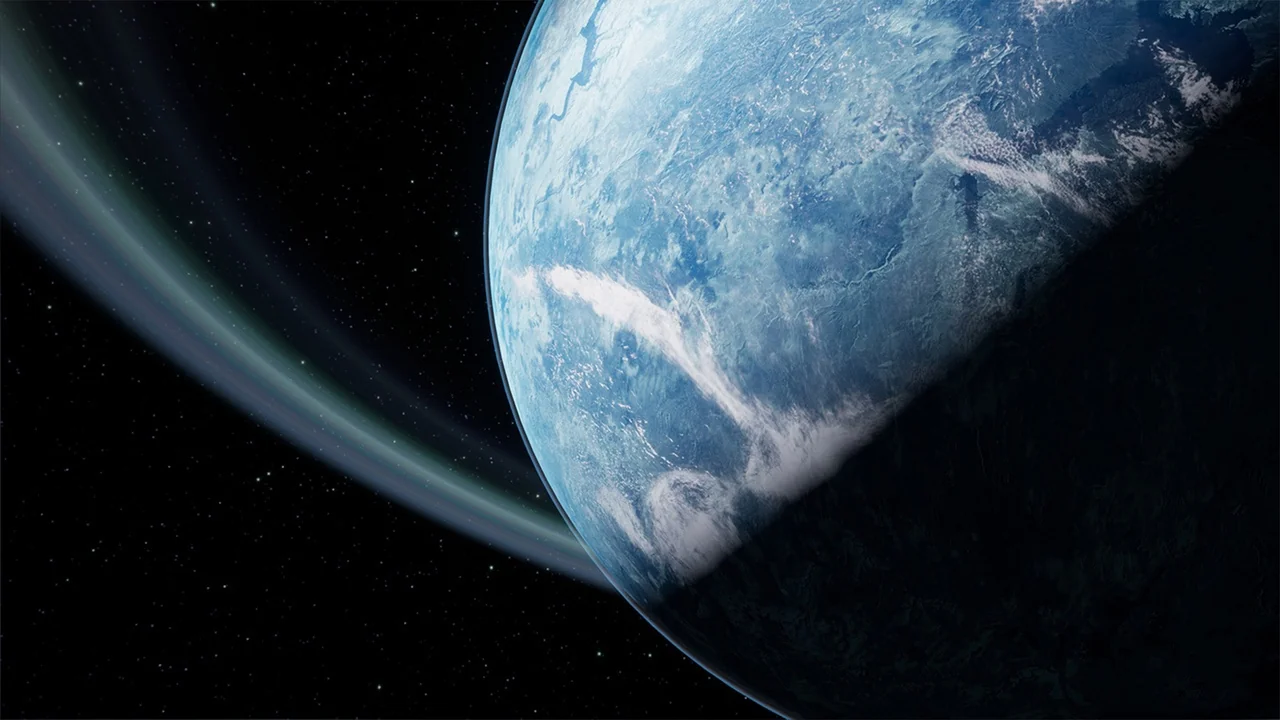
 Sky & Space
 Procedural Systems
 Procedural Systems