"7066dd76da796369"{"id":"14314","slug":"object-pool-plugin","title":"Object Pool Plugin","category":"Engine Tools","engine":"4.25 - 4.27,5.0 - 5.3,5. 6 - 5.7","assetVersion":"Engine version: 4.25 - 4.27,5.0 - 5.3,5. 6 - 5.7","engineVersion":"Asset Version:2.4.0","tag":"Engine Tools","accent":"blue","visual":"city","summary":"Improve your game's efficiency with the Object Pool Plugin, a tool designed to handle thousands of actors while maintaining physics and unique materials.","platform":"Unreal Engine","publishedAt":"2026-03-11T17:32:30.000Z","updatedAt":"2026-04-19T15:45:49.000Z","sourceNotes":[],"fileContents":[],"compatibility":["Unreal Engine","Engine version: 4.25 - 4.27,5.0 - 5.3,5. 6 - 5.7","Asset Version: 2.4.0"],"featuredImage":{"alt":"Object Pool Plugin","src":"https://3dcghub.com/wp-content/uploads/2026/03/46b63e34-82ad-4cd0-8801-0e63ab3bcade.webp"},"hasDownloadLink":true,"downloads":2,"terms":[{"taxonomy":"category","slug":"engine-tools-tools-and-plugins","name":"Engine Tools"},{"taxonomy":"post_tag","slug":"blueprint","name":"Blueprint"},{"taxonomy":"post_tag","slug":"game-systems","name":"Game Systems"},{"taxonomy":"post_tag","slug":"materials","name":"Materials"},{"taxonomy":"post_tag","slug":"plugins","name":"Plugins"},{"taxonomy":"post_tag","slug":"tools","name":"Tools"},{"taxonomy":"post_tag","slug":"unreal-engine-5","name":"Unreal Engine 5"}],"galleryImages":[{"src":"https://3dcghub.com/wp-content/uploads/2026/03/fcbdfe06d440_55b3fdb8-c6dd-4cc6-ba60-ef4770c76730.webp","alt":"Object Pool Plugin"},{"src":"https://3dcghub.com/wp-content/uploads/2026/03/d169789eda5c_746ceda7-0409-46ef-8039-42c10a67077c.webp","alt":"Object Pool Plugin"},{"src":"https://3dcghub.com/wp-content/uploads/2026/03/8731ce8d1a32_9b7886f6-d325-4a8c-9e20-658cfa0800e7.webp","alt":"Object Pool Plugin"},{"src":"https://3dcghub.com/wp-content/uploads/2026/03/d1598c7205a1_6f01049d-7f8e-407a-b845-5f85040fe2df.webp","alt":"Object Pool Plugin"},{"src":"https://3dcghub.com/wp-content/uploads/2026/03/773643ea0d57_af2290c2-983f-4ad3-a7b6-eec12e263b8d.webp","alt":"Object Pool Plugin"},{"src":"https://3dcghub.com/wp-content/uploads/2026/03/11c5faadbb79_ebca7855-dc33-4dd7-8081-b5197c0a12ec.webp","alt":"Object Pool Plugin"}],"accessPanel":{"kind":"resource","title":"Access this resource","eyebrow":"Free Download","message":"Log in or create a free account to start your download.","fileName":"Object Pool Plugin 4.25-5.3,5.6 - 5.7,v2.4.0.7z","safetyNote":"All resources are 100% manually reviewed to eliminate all risks.","actionLabel":"Download Free","resourceType":"Resource archive"},"contentHtml":"\u003ch2\u003eEfficient Actor Management with the Object Pool Plugin\u003c/h2\u003e\n\u003cp\u003eThe Object Pool Plugin is a powerful tool for Unreal Engine developers looking to optimize their projects. Unlike basic scripts that simply hide or show actors, this plugin provides a comprehensive system. It is designed to be incredibly easy to use. Therefore, developers can implement it quickly into their workflow.\u003c/p\u003e\n\n\u003ch3\u003eHigh Performance and Efficiency\u003c/h3\u003e\n\u003cp\u003eThe system is blazing fast. The creator carefully implemented the classes to reduce overhead as much as possible. Consequently, you can have thousands of actors active simultaneously with minimal performance impact. However, it avoids the common quirks and weirdness associated with instanced meshes. This makes the Object Pool Plugin an ideal choice for complex scenes.\u003c/p\u003e\n\n\u003ch3\u003eMaintaining Actor Integrity\u003c/h3\u003e\n\u003cp\u003eOne of the best features of this system is that your actors remain fully functional. For instance, they still support physics simulations and unique materials. This is particularly useful when you need to render and animate thousands of unique projectiles. As a result, your game will render much faster without sacrificing visual or physical detail.\u003c/p\u003e\n\n\u003ch3\u003eTarget Platforms and Compatibility\u003c/h3\u003e\n\u003cp\u003eThis plugin is especially beneficial for VR and mobile platforms. These environments often require strict performance management. Moreover, the plugin is kept up to date for the latest two versions of Unreal Engine. Users should ensure they have the latest engine version installed to access the most recent updates.\u003c/p\u003e\n\n\u003ch3\u003eImportant Considerations\u003c/h3\u003e\n\u003cp\u003ePlease note that this plugin is not network replicated. It is primarily a performance and utility tool for local actor management. By focusing on efficiency, it provides a streamlined solution for actor automation and pooling. This ensures your project remains optimized even with high actor counts.\u003c/p\u003e\n\n\u003ch2\u003eMore From The Same Workflow\u003c/h2\u003e\n\u003cul\u003e\n\u003cli\u003e\u003ca href=\"https://3dcghub.com/extile-plus-ultimate-non-tiling-material-toolkit-for-unreal-engine-environments/\" title=\"EXTILE PLUS -Ultimate Non-Tiling Material Toolkit for Unreal Engine Environments\"\u003eEXTILE PLUS -Ultimate Non-Tiling Material Toolkit for Unreal Engine Environments\u003c/a\u003e\u003c/li\u003e\n\u003cli\u003e\u003ca href=\"https://3dcghub.com/ultimate-template-unrealengine-2d-dialogue-inventory-system-save/\" title=\"ULTIMATE Template UnrealEngine || 2D + Dialogue + Inventory system + Save | |\"\u003eULTIMATE Template UnrealEngine || 2D + Dialogue + Inventory system + Save | |\u003c/a\u003e\u003c/li\u003e\n\u003cli\u003e\u003ca href=\"https://3dcghub.com/daz-to-unreal/\" title=\"Daz To Unreal\"\u003eDaz To Unreal\u003c/a\u003e\u003c/li\u003e\n\u003cli\u003e\u003ca href=\"https://3dcghub.com/blueprint-generator-ai-kibibyte-labs-engine-assistant/\" title=\"Blueprint Generator Ai – Kibibyte Labs (Engine Assistant)\"\u003eBlueprint Generator Ai – Kibibyte Labs (Engine Assistant)\u003c/a\u003e\u003c/li\u003e\n\u003cli\u003e\u003ca href=\"https://3dcghub.com/sci-fi-environment-engine-room/\" title=\"Sci-fi Environment Engine Room\"\u003eSci-fi Environment Engine Room\u003c/a\u003e\u003c/li\u003e\n\u003c/ul\u003e","contentTextLength":2158,"navigation":{"current":3385,"total":4016,"previous":{"id":"14318","slug":"offline-speech-recognition","title":"Offline Speech Recognition","category":"Engine Tools","platform":"Unreal Engine","updatedAt":"2026-04-19T15:45:49.000Z"},"next":{"id":"14282","slug":"narrative-tales-node-based-quests-and-dialogue","title":"Narrative Tales - Node Based Quests and Dialogue","category":"Engine Tools","platform":"Unreal Engine","updatedAt":"2026-04-19T15:45:49.000Z"}},"relatedResources":[{"id":"13977","slug":"electronic-nodes","title":"Electronic Nodes","category":"Engine Tools","engine":"4.26 - 5.8","assetVersion":"Asset Version:3.11 - 3.9","engineVersion":"Engine version: 4.26 - 5.8","tag":"Engine Tools","accent":"blue","visual":"animation","summary":"Transform messy visual scripting wires into clean, circuit-board-style layouts. Electronic Nodes offers Manhattan and Subway styles to improve logic visibility across all graph types.","platform":"Unreal Engine","publishedAt":"2026-03-11T10:49:20.000Z","updatedAt":"2026-08-27T11:23:28.007Z","sourceNotes":[],"fileContents":[],"compatibility":["Unreal Engine","Asset Version:3.11 - 3.9","Engine version: 4.26 - 5.8"],"featuredImage":{"alt":"Electronic Nodes","src":"https://3dcghub.com/wp-content/uploads/2026/03/af74cb8a-b116-41ab-b1fe-0b283789abcf-1.webp"},"hasDownloadLink":true,"downloads":8},{"id":"13806","slug":"clouds-lighting-system","title":"Clouds Lighting System","category":"Engine Tools","engine":"4.26 - 5.8","assetVersion":"Asset Version: 0.3.3.1","engineVersion":"Engine version: 4.26 - 5.8","tag":"Engine Tools","accent":"blue","visual":"animation","summary":"The Clouds Lighting System is a specialized tool designed to add realistic illumination to 2D clouds, volumetric clouds, and various particle systems like smoke and fog.","platform":"Unreal Engine","publishedAt":"2026-03-11T10:07:32.000Z","updatedAt":"2026-09-29T08:34:46.190Z","sourceNotes":[],"fileContents":[],"compatibility":["Unreal Engine","Asset Version: 0.3.3.1","Engine version: 4.26 - 5.8"],"featuredImage":{"alt":"Clouds Lighting System","src":"https://3dcghub.com/wp-content/uploads/2026/03/5915be78-e14d-4e90-8a8e-9eff04991bc6.webp"},"hasDownloadLink":true,"downloads":1},{"id":"13742","slug":"blockout-tools-plugin","title":"Blockout Tools Plugin","category":"Engine Tools","engine":"1.51 - 4.5.3","assetVersion":"Engine version: 4.26 - 5.7","engineVersion":"Asset Version:1.51 - 4.5.3","tag":"Engine Tools","accent":"blue","visual":"luts","summary":"Streamline your environment design with the Blockout Tools Plugin. This lightweight toolset features 15 primitive elements and triplanar grid materials for rapid level prototyping in Unreal Engine.","platform":"Unreal Engine","publishedAt":"2026-03-11T09:52:02.000Z","updatedAt":"2026-07-29T16:09:39.794Z","sourceNotes":[],"fileContents":[],"compatibility":["Unreal Engine","Engine version: 4.26 - 5.7","Asset Version:1.51 - 4.5.3"],"featuredImage":{"alt":"Blockout Tools Plugin","src":"https://3dcghub.com/wp-content/uploads/2026/03/2e655f33-dfec-4888-9b31-c0aaa5b72ba1.webp"},"hasDownloadLink":true,"downloads":2}]}
Engine Tools
Object Pool Plugin
Improve your game's efficiency with the Object Pool Plugin, a tool designed to handle thousands of actors while maintaining physics and unique materials.
Efficient Actor Management with the Object Pool Plugin
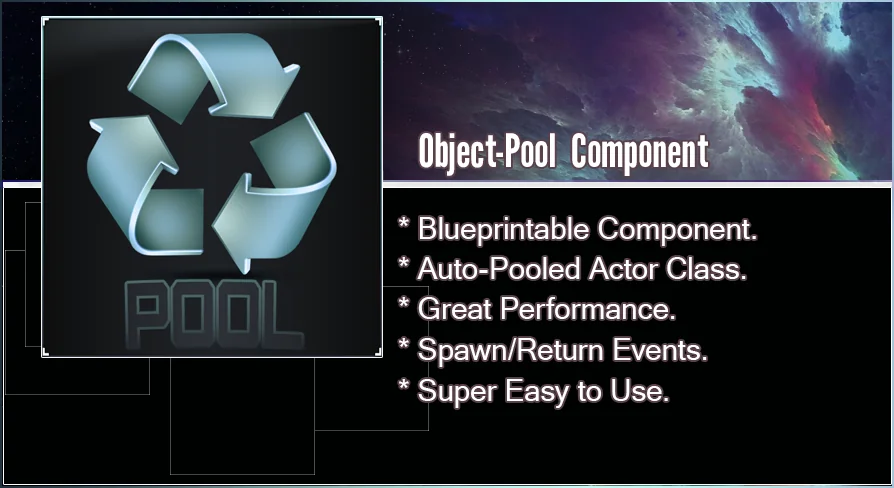
The Object Pool Plugin is a powerful tool for Unreal Engine developers looking to optimize their projects. Unlike basic scripts that simply hide or show actors, this plugin provides a comprehensive system. It is designed to be incredibly easy to use. Therefore, developers can implement it quickly into their workflow.
High Performance and Efficiency
The system is blazing fast. The creator carefully implemented the classes to reduce overhead as much as possible. Consequently, you can have thousands of actors active simultaneously with minimal performance impact. However, it avoids the common quirks and weirdness associated with instanced meshes. This makes the Object Pool Plugin an ideal choice for complex scenes.
Maintaining Actor Integrity
One of the best features of this system is that your actors remain fully functional. For instance, they still support physics simulations and unique materials. This is particularly useful when you need to render and animate thousands of unique projectiles. As a result, your game will render much faster without sacrificing visual or physical detail.
Target Platforms and Compatibility
This plugin is especially beneficial for VR and mobile platforms. These environments often require strict performance management. Moreover, the plugin is kept up to date for the latest two versions of Unreal Engine. Users should ensure they have the latest engine version installed to access the most recent updates.
Important Considerations
Please note that this plugin is not network replicated. It is primarily a performance and utility tool for local actor management. By focusing on efficiency, it provides a streamlined solution for actor automation and pooling. This ensures your project remains optimized even with high actor counts.
 Engine Tools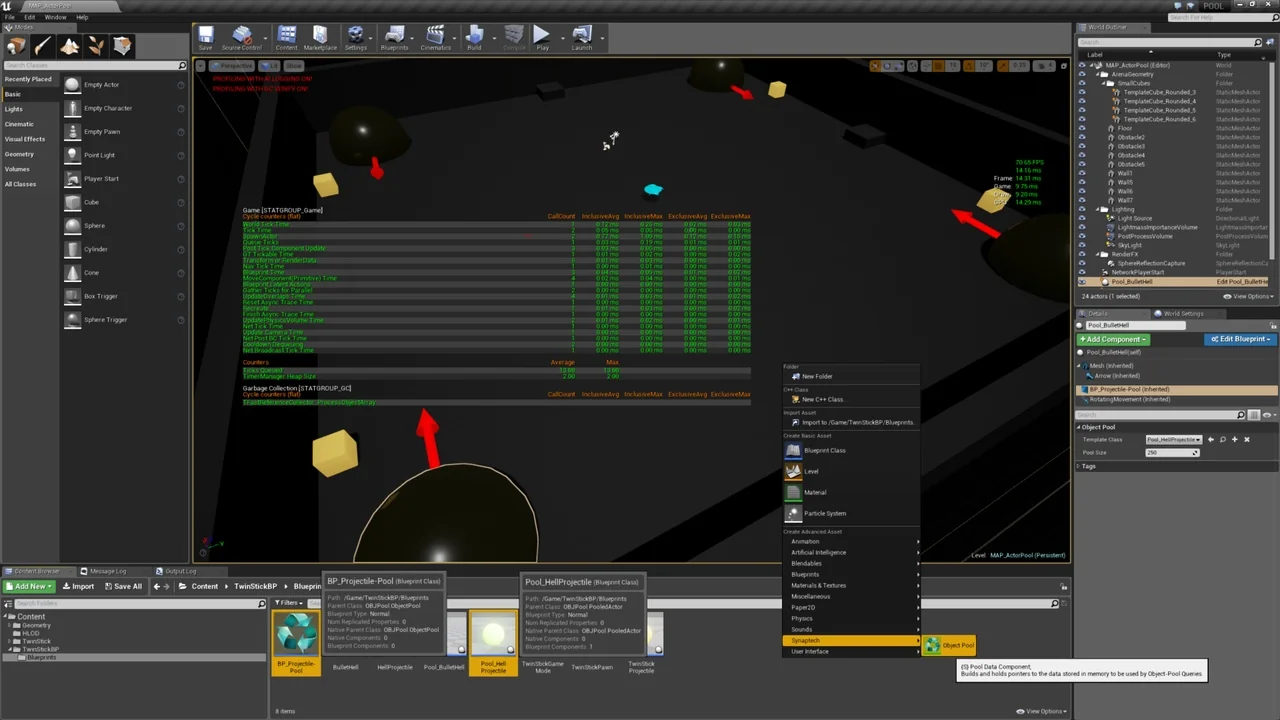
 Engine Tools
 Engine Tools
 Engine Tools