"0341a2901a4ae9aa"{"id":"13977","slug":"electronic-nodes","title":"Electronic Nodes","category":"Engine Tools","engine":"4.26 - 5.8","assetVersion":"Asset Version:3.11 - 3.9","engineVersion":"Engine version: 4.26 - 5.8","tag":"Engine Tools","accent":"blue","visual":"animation","summary":"Transform messy visual scripting wires into clean, circuit-board-style layouts. Electronic Nodes offers Manhattan and Subway styles to improve logic visibility across all graph types.","platform":"Unreal Engine","publishedAt":"2026-03-11T10:49:20.000Z","updatedAt":"2026-08-27T11:23:28.007Z","sourceNotes":[],"fileContents":[],"compatibility":["Unreal Engine","Asset Version:3.11 - 3.9","Engine version: 4.26 - 5.8"],"featuredImage":{"alt":"Electronic Nodes","src":"https://3dcghub.com/wp-content/uploads/2026/03/af74cb8a-b116-41ab-b1fe-0b283789abcf-1.webp"},"hasDownloadLink":true,"downloads":8,"terms":[{"taxonomy":"category","slug":"engine-tools-tools-and-plugins","name":"Engine Tools"},{"taxonomy":"post_tag","slug":"blueprint","name":"Blueprint"},{"taxonomy":"post_tag","slug":"materials","name":"Materials"},{"taxonomy":"post_tag","slug":"niagara","name":"Niagara"},{"taxonomy":"post_tag","slug":"plugins","name":"Plugins"},{"taxonomy":"post_tag","slug":"tools","name":"Tools"},{"taxonomy":"post_tag","slug":"vfx","name":"VFX"}],"galleryImages":[{"src":"https://3dcghub.com/wp-content/uploads/2026/03/7d1d07f2e9a6_86bd8525-2d48-40f0-b08f-5212c86553a5-1.webp","alt":"Electronic Nodes"},{"src":"https://3dcghub.com/wp-content/uploads/2026/03/3caa2e4170b9_25eca50b-d50b-4a05-9962-7e1744efe361-1.webp","alt":"Electronic Nodes"},{"src":"https://3dcghub.com/wp-content/uploads/2026/03/74df2215d7c7_7fe7476c-a9e2-4ab8-a36e-f2423ab3b2d6-1.webp","alt":"Electronic Nodes"},{"src":"https://3dcghub.com/wp-content/uploads/2026/03/2091f1d44392_501d8518-e1ac-470a-93c2-028d077526e6-1.webp","alt":"Electronic Nodes"},{"src":"https://3dcghub.com/wp-content/uploads/2026/03/b01c81ac0052_95092c28-5a9d-4116-83dc-3cf5824c102a-1.webp","alt":"Electronic Nodes"}],"accessPanel":{"kind":"free-resource","title":"Download this resource","eyebrow":"Free Download","message":"Log in or create a free account to start your download.","fileName":"Electronic Nodes.7z","safetyNote":"Resources are manually reviewed before listing to improve quality and reduce obvious risks.","actionLabel":"Download Free","resourceType":"Resource archive"},"contentHtml":"\u003ch2\u003eStreamline Your Visual Scripting Logic\u003c/h2\u003e\n\u003cp\u003eElectronic Nodes is an essential tool for developers looking to enhance their visual scripting environment. It allows users to better visualize logic by modifying the appearance of wires in various editors. Instead of dealing with messy \"spaghetti\" connections, you can implement straight lines with precise angles. This modification creates a layout similar to a professional circuit board.\u003c/p\u003e\n\n\u003ch2\u003eProfessional Wire Layout Styles\u003c/h2\u003e\n\u003cp\u003eThe primary benefit of Electronic Nodes is the ability to change wire shapes to 45-degree or 90-degree angles. Users can select the \"Manhattan style\" for rigid 90-degree turns. Alternatively, the \"Subway style\" provides a clean 45-degree aesthetic. These styles help developers better picture their logic flow. Consequently, complex graphs become much easier to read and maintain.\u003c/p\u003e\n\n\u003ch2\u003eUniversal Compatibility Across Graphs\u003c/h2\u003e\n\u003cp\u003eThis tool is designed to be highly versatile. It works across a wide range of graph editors within your development environment. Specifically, you can use it in Blueprints, Materials, and Niagara. It also supports Behavior Trees, PCG, and other graph types. Therefore, your entire project can maintain a consistent and organized visual style.\u003c/p\u003e\n\n\u003ch2\u003eDeep Customization Options\u003c/h2\u003e\n\u003cp\u003eElectronic Nodes provides a high level of customization to suit your specific needs. You can adjust the radius, thickness, and offset of every wire. Furthermore, the developer included alignment preferences for both right and left orientations. You can also change the priority settings for nodes or reroutes. These options ensure that your workspace looks exactly how you want it.\u003c/p\u003e\n\n\u003ch3\u003eManaging Complex Connections\u003c/h3\u003e\n\u003cp\u003eFor busy graphs with many connections, the plugin offers wire stacking. This feature allows you to display ribbons that merge multiple wires together. You can also control the specific offset between these stacked wires. Consequently, even the most complex logic remains readable without overlapping clutter.\u003c/p\u003e\n\n\u003ch3\u003eVisual Enhancements and Symbols\u003c/h3\u003e\n\u003cp\u003eWhen wires cross, Electronic Nodes can display special crossing symbols. You can choose between a Gap, Arc, or Circle to represent these intersections. Moreover, you can adjust the size of these symbols to fit your preference. The tool also features moving bubbles to visualize data flow. These bubbles can be drawn on all nodes or only on selected ones. Users can easily modify the size, speed, and spacing of these visual indicators.\u003c/p\u003e\n\n\u003ch2\u003eImportant Considerations\u003c/h2\u003e\n\u003cp\u003eIt is important to note that Electronic Nodes focuses specifically on wire appearance. The developer clarifies that the custom theme seen in some screenshots is not included. That specific look comes from another plugin called Darker Nodes. This resource only modifies the wires between your nodes to improve organization.\u003c/p\u003e\n\n\u003ch2\u003eBest Fit\u003c/h2\u003e\n\u003cp\u003eTaken together, Electronic Nodes is a powerful organizational tool for any visual scripting workflow. It helps developers maintain clean and professional scripts by replacing messy curves with structured angles. By using features like wire stacking and crossing symbols, you ensure that your project logic remains clear and easy to navigate.\u003c/p\u003e\n\n\u003ch2\u003eContinue Browsing Similar Packs\u003c/h2\u003e\n\u003cul\u003e\n\u003cli\u003e\u003ca href=\"https://3dcghub.com/liquid-bottle-simulation-vfx/\" title=\"Liquid Bottle Simulation VFX\"\u003eLiquid Bottle Simulation VFX\u003c/a\u003e\u003c/li\u003e\n\u003cli\u003e\u003ca href=\"https://3dcghub.com/infected-multiplayer-zombie-survival-third-person-shooter-template-by-kekdot/\" title=\"Infected – Multiplayer Zombie Survival Third Person Shooter Template – By Kekdot\"\u003eInfected – Multiplayer Zombie Survival Third Person Shooter Template – By Kekdot\u003c/a\u003e\u003c/li\u003e\n\u003cli\u003e\u003ca href=\"https://3dcghub.com/fps-multiplayer-template-6/\" title=\"FPS Multiplayer Template 6\"\u003eFPS Multiplayer Template 6\u003c/a\u003e\u003c/li\u003e\n\u003cli\u003e\u003ca href=\"https://3dcghub.com/infinity-weather/\" title=\"Infinity Weather\"\u003eInfinity Weather\u003c/a\u003e\u003c/li\u003e\n\u003cli\u003e\u003ca href=\"https://3dcghub.com/fluid-flux/\" title=\"Fluid Flux\"\u003eFluid Flux\u003c/a\u003e\u003c/li\u003e\n\u003c/ul\u003e","contentTextLength":3367,"navigation":{"current":1103,"total":4017,"previous":{"id":"1001042","slug":"advanced-third-person-shooter-project","title":"Advanced Third Person Shooter Project","category":"Shooter","platform":"Unreal Engine","updatedAt":"2026-08-27T14:32:21.775Z"},"next":{"id":"13834","slug":"darker-nodes","title":"Darker Nodes","category":"Engine Tools","platform":"Unreal Engine","updatedAt":"2026-08-27T11:17:12.825Z"}},"relatedResources":[{"id":"13760","slug":"blueprint-generator-ai-kibibyte-labs-engine-assistant","title":"AI Engine Assistant - Kibibyte Labs (Blueprint Generator \u0026 More!)","category":"Engine Tools","engine":"0.1.4","assetVersion":"Engine version: 5.2 - 5.7","engineVersion":"Asset Version: 0.1.4","tag":"Engine Tools","accent":"blue","visual":"character","summary":"Blueprint Generator Ai - Kibibyte Labs (Engine Assistant) is a powerful tool designed to transform natural language into functional Unreal Engine Blueprints. It offers a suite of modules for generating logic, explaining complex nodes, and optimizing the dev...","platform":"Unreal Engine","publishedAt":"2026-03-11T09:58:02.000Z","updatedAt":"2026-07-09T21:24:04.089Z","sourceNotes":[],"fileContents":[],"compatibility":["Unreal Engine","Engine version: 5.2 - 5.7","Asset Version: 0.1.4"],"featuredImage":{"alt":"Blueprint Generator Ai - Kibibyte Labs (Engine Assistant)","src":"https://3dcghub.com/wp-content/uploads/2026/03/ff365004-07a8-4633-90ac-7c9a038cc81d.webp"},"hasDownloadLink":true,"downloads":2},{"id":"13806","slug":"clouds-lighting-system","title":"Clouds Lighting System","category":"Engine Tools","engine":"4.26 - 5.8","assetVersion":"Asset Version: 0.3.3.1","engineVersion":"Engine version: 4.26 - 5.8","tag":"Engine Tools","accent":"blue","visual":"animation","summary":"The Clouds Lighting System is a specialized tool designed to add realistic illumination to 2D clouds, volumetric clouds, and various particle systems like smoke and fog.","platform":"Unreal Engine","publishedAt":"2026-03-11T10:07:32.000Z","updatedAt":"2026-09-29T08:34:46.190Z","sourceNotes":[],"fileContents":[],"compatibility":["Unreal Engine","Asset Version: 0.3.3.1","Engine version: 4.26 - 5.8"],"featuredImage":{"alt":"Clouds Lighting System","src":"https://3dcghub.com/wp-content/uploads/2026/03/5915be78-e14d-4e90-8a8e-9eff04991bc6.webp"},"hasDownloadLink":true,"downloads":1},{"id":"14314","slug":"object-pool-plugin","title":"Object Pool Plugin","category":"Engine Tools","engine":"4.25 - 4.27,5.0 - 5.3,5. 6 - 5.7","assetVersion":"Engine version: 4.25 - 4.27,5.0 - 5.3,5. 6 - 5.7","engineVersion":"Asset Version:2.4.0","tag":"Engine Tools","accent":"blue","visual":"city","summary":"Improve your game's efficiency with the Object Pool Plugin, a tool designed to handle thousands of actors while maintaining physics and unique materials.","platform":"Unreal Engine","publishedAt":"2026-03-11T17:32:30.000Z","updatedAt":"2026-04-19T15:45:49.000Z","sourceNotes":[],"fileContents":[],"compatibility":["Unreal Engine","Engine version: 4.25 - 4.27,5.0 - 5.3,5. 6 - 5.7","Asset Version: 2.4.0"],"featuredImage":{"alt":"Object Pool Plugin","src":"https://3dcghub.com/wp-content/uploads/2026/03/46b63e34-82ad-4cd0-8801-0e63ab3bcade.webp"},"hasDownloadLink":true,"downloads":2}]}
Engine Tools
Electronic Nodes
Transform messy visual scripting wires into clean, circuit-board-style layouts. Electronic Nodes offers Manhattan and Subway styles to improve logic visibility across all graph types.
Category:Unreal Engine,Engine ToolsPlatform: Unreal EngineAsset Version: 3.11 - 3.9Engine version: 4.26 - 5.8Published: Mar 11, 2026Updated: Aug 27, 2026
Engine Tools
Resource overview
Streamline Your Visual Scripting Logic
Electronic Nodes is an essential tool for developers looking to enhance their visual scripting environment. It allows users to better visualize logic by modifying the appearance of wires in various editors. Instead of dealing with messy "spaghetti" connections, you can implement straight lines with precise angles. This modification creates a layout similar to a professional circuit board.
Professional Wire Layout Styles
The primary benefit of Electronic Nodes is the ability to change wire shapes to 45-degree or 90-degree angles. Users can select the "Manhattan style" for rigid 90-degree turns. Alternatively, the "Subway style" provides a clean 45-degree aesthetic. These styles help developers better picture their logic flow. Consequently, complex graphs become much easier to read and maintain.
Universal Compatibility Across Graphs
This tool is designed to be highly versatile. It works across a wide range of graph editors within your development environment. Specifically, you can use it in Blueprints, Materials, and Niagara. It also supports Behavior Trees, PCG, and other graph types. Therefore, your entire project can maintain a consistent and organized visual style.
Deep Customization Options
Electronic Nodes provides a high level of customization to suit your specific needs. You can adjust the radius, thickness, and offset of every wire. Furthermore, the developer included alignment preferences for both right and left orientations. You can also change the priority settings for nodes or reroutes. These options ensure that your workspace looks exactly how you want it.
Managing Complex Connections
For busy graphs with many connections, the plugin offers wire stacking. This feature allows you to display ribbons that merge multiple wires together. You can also control the specific offset between these stacked wires. Consequently, even the most complex logic remains readable without overlapping clutter.
Visual Enhancements and Symbols
When wires cross, Electronic Nodes can display special crossing symbols. You can choose between a Gap, Arc, or Circle to represent these intersections. Moreover, you can adjust the size of these symbols to fit your preference. The tool also features moving bubbles to visualize data flow. These bubbles can be drawn on all nodes or only on selected ones. Users can easily modify the size, speed, and spacing of these visual indicators.
Important Considerations
It is important to note that Electronic Nodes focuses specifically on wire appearance. The developer clarifies that the custom theme seen in some screenshots is not included. That specific look comes from another plugin called Darker Nodes. This resource only modifies the wires between your nodes to improve organization.
Best Fit
Taken together, Electronic Nodes is a powerful organizational tool for any visual scripting workflow. It helps developers maintain clean and professional scripts by replacing messy curves with structured angles. By using features like wire stacking and crossing symbols, you ensure that your project logic remains clear and easy to navigate.
 Engine Tools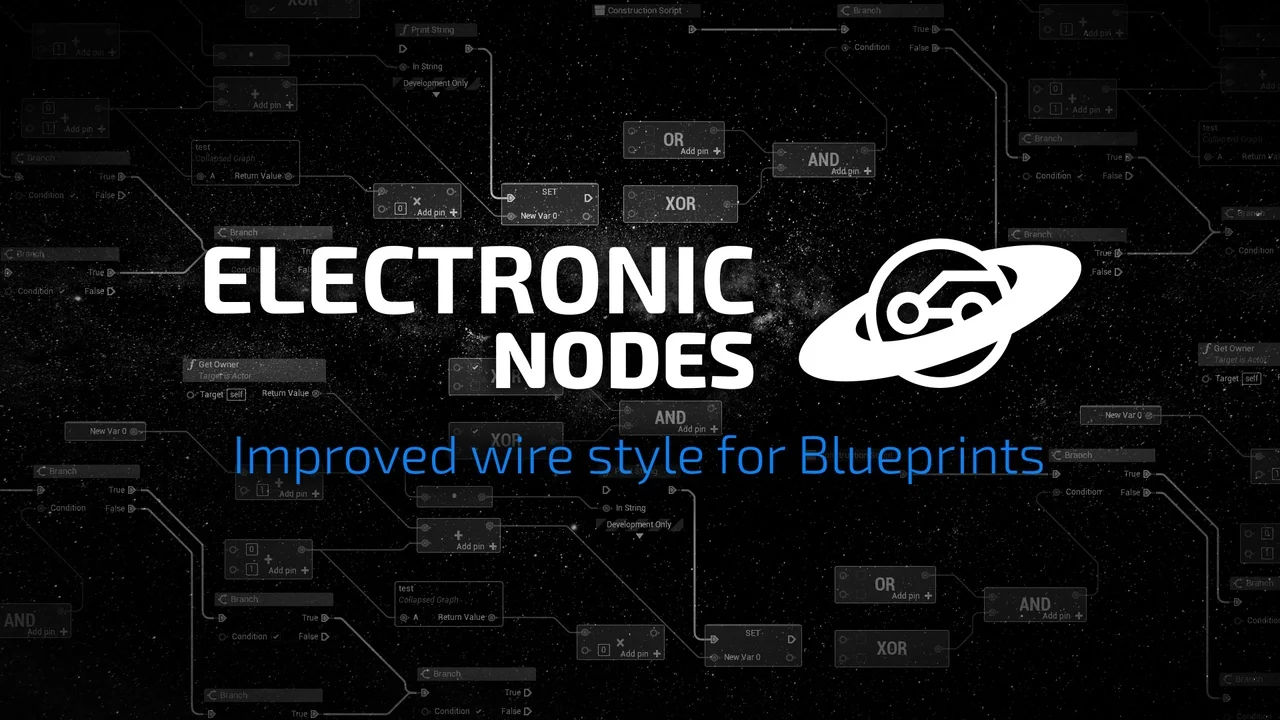
 Engine Tools
 Engine Tools
 Engine Tools