"1a0e4ac4dc71d030"{"id":"1001241","slug":"multiplayer-ragdoll","title":"Multiplayer Ragdoll","category":"Action-Adventure","engine":"5.0+","assetVersion":"","engineVersion":"Engine Version: 5.0+","tag":"Action-Adventure","accent":"blue","visual":"mech","summary":"Networked physics system for Unreal Engine synchronizing server-calculated ragdoll poses across clients, complete with forward and backward recovery states.","platform":"Unreal Engine","publishedAt":"2026-09-23T14:47:54.395Z","updatedAt":"2026-09-23T14:47:54.395Z","sourceNotes":[],"fileContents":[],"compatibility":["Unreal Engine","Engine Version: 5.0+"],"featuredImage":{"alt":"Multiplayer Ragdoll","src":"/wp-content/uploads/published/2026/09/238b83edb3e0-b7fc37f2-e54c-49a3-afb2-b2f4548f972d-90f1b39ecc.webp"},"hasDownloadLink":true,"downloads":0,"terms":[{"taxonomy":"category","slug":"action-adventure","name":"Action-Adventure"}],"galleryImages":[{"src":"/wp-content/uploads/published/2026/09/4ded1619396a-09c44118-9cbe-48aa-86f7-8570dc0c42cc-dfc9157d9b.webp","alt":"Multiplayer Ragdoll"},{"src":"/wp-content/uploads/published/2026/09/bf0d5b735606-cef8cd33-c45d-47cd-85e0-78065f63b46a-e39f515eaa.webp","alt":"Multiplayer Ragdoll"},{"src":"/wp-content/uploads/published/2026/09/1f04a5b56a08-28a73ddd-4914-43f9-83c7-93ba656b526e-560bd1b711.webp","alt":"Multiplayer Ragdoll"},{"src":"/wp-content/uploads/published/2026/09/2f090c2cf955-3656ac6a-6c36-4d63-bda9-81035e922ded-fb196b405c.webp","alt":"Multiplayer Ragdoll"},{"src":"/wp-content/uploads/published/2026/09/0aee1fcd2822-3a93c582-9a9b-485a-8ef3-c661fc7b5f7b-c72e43a5bd.webp","alt":"Multiplayer Ragdoll"},{"src":"/wp-content/uploads/published/2026/09/04c016fae28c-32f5a378-ed4d-4424-b1a4-5f2360657f4d-b9ae9b1f6c.webp","alt":"Multiplayer Ragdoll"}],"accessPanel":{"kind":"resource","title":"Download this resource","eyebrow":"Free Download","message":"Log in or create a free account to start your download.","fileName":"Content.7z","safetyNote":"Resources are manually reviewed before listing to improve quality and reduce obvious risks.","actionLabel":"Download Free","resourceType":"Resource archive"},"contentHtml":"\u003cp\u003eWhen a character collapses into ragdoll physics during an online match, individual client simulations tend to diverge rapidly. Slight timing variations in local collision detection cause bodies to twist in completely different directions or rest on entirely different surfaces on each screen. Multiplayer Ragdoll sidesteps this discrepancy by calculating the full physical simulation on the server. The resulting skeletal pose synchronizes across all connected clients so that every participant witnesses identical physical impacts, collapses, and final resting configurations.\u003c/p\u003e \u003ch2\u003eServer-Calculated Ragdoll Physics and Multi-Client Replication\u003c/h2\u003e\n\u003cp\u003eReplicating ragdoll poses across multiple network connections requires tight synchronization to prevent snapping and desync. The system runs its ragdoll physics calculations centrally on the server. Connected players receive the evaluated transform data, which forces every remote client to display the exact physical pose calculated on the host machine. Testing confirms smooth performance under simultaneous multi-client loads up to eight players, maintaining visual parity across remote sessions without hitching or erratic position corrections.\u003c/p\u003e\n\u003cp\u003eWhile engineered explicitly for multiplayer architectures, the underlying logic is completely functional within local single-player environments. When run locally, the system bypasses the network replication cycle while preserving the exact same physical response, parameter handling, and ragdoll recovery logic. This dual compatibility means developers can build and debug mechanics in a single-player test level before validating them across listen or dedicated server environments.\u003c/p\u003e \u003ch2\u003eComponent-Based Setup and Blueprint Organization\u003c/h2\u003e\n\u003cp\u003eIntegrating complex physical reactions often requires restructuring existing pawn base classes or rewriting core movement logic. Multiplayer Ragdoll is structured entirely as an Actor Component, allowing it to be attached directly to any character Blueprint without dismantling the parent character hierarchy. Developers can bind the component to existing character actors and hook into ragdoll events without configuring deep skeletal hierarchies from scratch.\u003c/p\u003e\n\u003cp\u003eWithin the component graphs, the logic is thoroughly commented to simplify custom modifications and debugging. Key variables remain exposed and editable through the details panel, allowing technical designers to fine-tune reaction behaviors, threshold checks, and physical properties without digging through nested math networks. Because the functional graphs are clearly documented, developers can trace data flow directly from the initial physics trigger down to the client synchronization nodes.\u003c/p\u003e \u003ch2\u003eForward and Backward Ragdoll Pose Recovery\u003c/h2\u003e\n\u003cp\u003eA central challenge in physical animation workflows is returning an active ragdoll back into a controllable, animated state. Collapsed characters rarely land in uniform positions; a body blown back by an explosion lands face-up, while a running trip pushes the skeletal mesh onto its front. Handling these situations requires distinct transition logic to avoid unnatural snapping when returning control to the player.\u003c/p\u003e\n\u003cp\u003eMultiplayer Ragdoll includes dedicated recovery animation examples designed to restore locomotion cleanly from both forward and backward poses. When the physical simulation concludes or the recovery trigger executes, the system detects the orientation of the fallen character:\u003c/p\u003e\n\u003cul\u003e\n\u003cli\u003eCharacters resting on their front utilize the forward recovery state, orienting the skeletal rig and transitioning through an upward push to standing movement.\u003c/li\u003e\n\u003cli\u003eCharacters landing face-up engage the backward recovery state, rotating the physical body smoothly into an upright posture to rejoin normal locomotion sequences.\u003c/li\u003e\n\u003c/ul\u003e\n\u003cp\u003eThis automated distinction prevents characters from suddenly flipping their facing direction before getting up, maintaining visual continuity between simulated physical ragdolls and standard animation blueprints.\u003c/p\u003e \u003ch2\u003eInteractive Bonus Scripts: Character Time Rewind and Explosive Grenades\u003c/h2\u003e\n\u003cp\u003eTo demonstrate how external gameplay mechanics interact with replicated physical components, the package supplies bonus gameplay scripts illustrating specialized physical applications. One script implements a time rewind mechanic tailored specifically for animated characters. This tool tracks and reverses positional and animation history, showing how character transform buffers can be rewound without breaking the underlying state machine.\u003c/p\u003e\n\u003cp\u003eA second script provides a functional grenade implementation designed specifically to interact with ragdoll entities. When detonated, the grenade applies dynamic physical impulses directly against nearby character physics assets. This script acts as a working template for handling area-of-effect damage, radial force delivery, and instantaneous physics state switching across the network. Developers can analyze the grenade script to see how external damage sources should communicate impulse vectors into the ragdoll component so the server can calculate accurate directional forces.\u003c/p\u003e \u003ch2\u003eCompatibility, Engine Requirements, and Project Integration\u003c/h2\u003e\n\u003cp\u003eMultiplayer Ragdoll is built for Unreal Engine versions ranging from 4.19.2 through 4.24 and above. Projects created in these engine versions generally carry forward into newer releases cleanly, though changes in engine-level functions across major updates may occasionally require minor node adjustments. Implementing the component cleanly requires at least a baseline working knowledge of Unreal Engine Blueprints, particularly around how variables and component references pass data within character actors.\u003c/p\u003e\n\u003cp\u003eWithin broader development pipelines, the system sits alongside complementary tools such as the Easy AI Toolkit, Locomotion Easy Toolkit, MSL Toolkit, QTE System, RPG Stats, DLG Tree/Quest, and Ultra Combo Toolkit. When combined with dedicated locomotion or AI packages, the ragdoll component functions as the primary physical failure and recovery layer, taking over whenever external impulses, high-damage attacks, or stun states override normal character navigation.\u003c/p\u003e\n\n\u003ch2\u003eContinue Browsing Similar Packs\u003c/h2\u003e\n\u003cul\u003e\n\u003cli\u003e\u003ca href=\"https://3dcghub.com/hyper-multiplayer-survival-template-pro-mst-v4/\" title=\"Hyper Multiplayer Survival Template Pro [MST] V4\"\u003eHyper Multiplayer Survival Template Pro [MST] V4\u003c/a\u003e\u003c/li\u003e\n\u003cli\u003e\u003ca href=\"https://3dcghub.com/hyper-multiplayer-survival-template-plus-mst-v4/\" title=\"Hyper Multiplayer Survival Template Plus [MST] v4\"\u003eHyper Multiplayer Survival Template Plus [MST] v4\u003c/a\u003e\u003c/li\u003e\n\u003cli\u003e\u003ca href=\"https://3dcghub.com/asymmetric-multiplayer-horror/\" title=\"Asymmetric Multiplayer Horror\"\u003eAsymmetric Multiplayer Horror\u003c/a\u003e\u003c/li\u003e\n\u003cli\u003e\u003ca href=\"https://3dcghub.com/parkour-race-multiplayer-blueprint-game-template-platformer-by-kekdot/\" title=\"Parkour Race - Multiplayer Blueprint Game Template - Platformer - By Kekdot\"\u003eParkour Race - Multiplayer Blueprint Game Template - Platformer - By Kekdot\u003c/a\u003e\u003c/li\u003e\n\u003cli\u003e\u003ca href=\"https://3dcghub.com/thief-simulator-starter-kit/\" title=\"Thief Simulator Starter Kit\"\u003eThief Simulator Starter Kit\u003c/a\u003e\u003c/li\u003e\n\u003c/ul\u003e","contentTextLength":6363,"navigation":{"current":17,"total":3200,"previous":{"id":"1001242","slug":"physical-interaction-system","title":"Physical Interaction System","category":"Action-Adventure","platform":"Unreal Engine","updatedAt":"2026-09-23T14:52:33.060Z"},"next":{"id":"1001240","slug":"metahuman-lighting","title":"MetaHuman Lighting","category":"Action-Adventure","platform":"Unreal Engine","updatedAt":"2026-09-23T14:46:05.749Z"}},"relatedResources":[{"id":"1001152","slug":"hyper-multiplayer-survival-template-pro-mst-v4","title":"Hyper Multiplayer Survival Template Pro [MST] V4","category":"Action-Adventure","engine":"5.3+","assetVersion":"","engineVersion":"Engine Version: 5.3+","tag":"Action-Adventure","accent":"blue","visual":"mech","summary":"Explore Hyper Multiplayer Survival Template Pro [MST] V4, a fully replicated Unreal Engine framework for open-world, co-op PvE, and survival projects.","platform":"Unreal Engine","publishedAt":"2026-09-10T17:56:18.119Z","updatedAt":"2026-09-10T17:56:18.119Z","sourceNotes":[],"fileContents":[],"compatibility":["Unreal Engine","Engine Version: 5.3+"],"featuredImage":{"alt":"Hyper Multiplayer Survival Template Pro [MST] V4","src":"/wp-content/uploads/published/2026/09/6060550226b8-0f2946eb-0653-4ed7-a160-e35859e9e5e9-61232ad933.webp"},"hasDownloadLink":true,"downloads":1},{"id":"1001151","slug":"hyper-multiplayer-survival-template-plus-mst-v4","title":"Hyper Multiplayer Survival Template Plus [MST] v4","category":"Action-Adventure","engine":"5.4+","assetVersion":"","engineVersion":"Engine Version: 5.4+","tag":"Action-Adventure","accent":"blue","visual":"mech","summary":"Explore Hyper Multiplayer Survival Template Plus v4, featuring replicated base building, landscape tools, inventory, crafting, and modular Unreal Engine systems","platform":"Unreal Engine","publishedAt":"2026-09-10T15:52:12.318Z","updatedAt":"2026-09-10T15:52:12.318Z","sourceNotes":[],"fileContents":[],"compatibility":["Unreal Engine","Engine Version: 5.4+"],"featuredImage":{"alt":"Hyper Multiplayer Survival Template Plus [MST] v4","src":"/wp-content/uploads/published/2026/09/6998f3fa0308-de2368c5-543b-49ea-adad-ee13b3d478ed-563273f35a.webp"},"hasDownloadLink":true,"downloads":1},{"id":"1000977","slug":"asymmetric-multiplayer-horror","title":"Asymmetric Multiplayer Horror","category":"Action-Adventure","engine":"5.0+","assetVersion":"","engineVersion":"Engine Version: 5.0+","tag":"Action-Adventure","accent":"blue","visual":"mech","summary":"Blueprint template for asymmetric multiplayer horror with 4 vs 1 play, AI or player monsters, first/third person views, and a Cursed Forest demo.","platform":"Unreal Engine","publishedAt":"2026-08-17T17:19:51.833Z","updatedAt":"2026-08-17T17:19:51.833Z","sourceNotes":[],"fileContents":[],"compatibility":["Unreal Engine","Engine Version: 5.0+"],"featuredImage":{"alt":"Asymmetric Multiplayer Horror","src":"/wp-content/uploads/published/2026/08/d3e8d4559426-f968b340-50b9-4a59-9fa7-7cdea14f055c-e0904bd06f.webp"},"hasDownloadLink":true,"downloads":1}]}
Action-Adventure
Multiplayer Ragdoll
Networked physics system for Unreal Engine synchronizing server-calculated ragdoll poses across clients, complete with forward and backward recovery states.
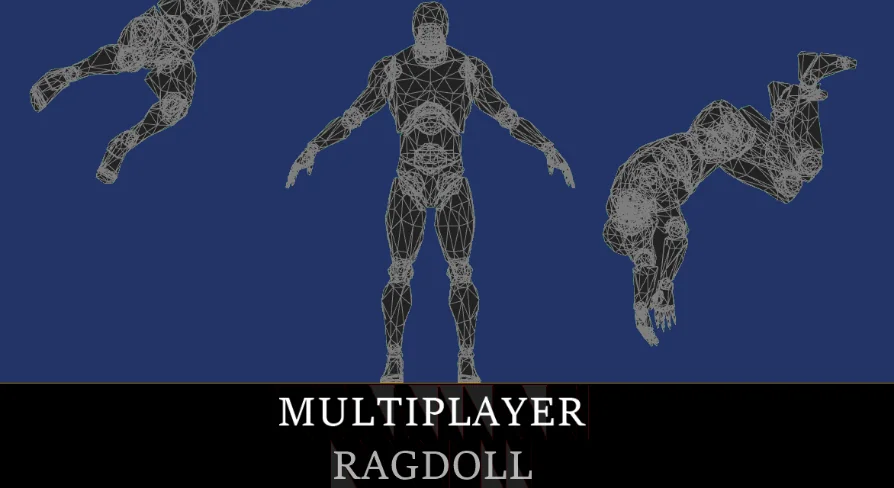
When a character collapses into ragdoll physics during an online match, individual client simulations tend to diverge rapidly. Slight timing variations in local collision detection cause bodies to twist in completely different directions or rest on entirely different surfaces on each screen. Multiplayer Ragdoll sidesteps this discrepancy by calculating the full physical simulation on the server. The resulting skeletal pose synchronizes across all connected clients so that every participant witnesses identical physical impacts, collapses, and final resting configurations.
Server-Calculated Ragdoll Physics and Multi-Client Replication
Replicating ragdoll poses across multiple network connections requires tight synchronization to prevent snapping and desync. The system runs its ragdoll physics calculations centrally on the server. Connected players receive the evaluated transform data, which forces every remote client to display the exact physical pose calculated on the host machine. Testing confirms smooth performance under simultaneous multi-client loads up to eight players, maintaining visual parity across remote sessions without hitching or erratic position corrections.
While engineered explicitly for multiplayer architectures, the underlying logic is completely functional within local single-player environments. When run locally, the system bypasses the network replication cycle while preserving the exact same physical response, parameter handling, and ragdoll recovery logic. This dual compatibility means developers can build and debug mechanics in a single-player test level before validating them across listen or dedicated server environments.
Component-Based Setup and Blueprint Organization
Integrating complex physical reactions often requires restructuring existing pawn base classes or rewriting core movement logic. Multiplayer Ragdoll is structured entirely as an Actor Component, allowing it to be attached directly to any character Blueprint without dismantling the parent character hierarchy. Developers can bind the component to existing character actors and hook into ragdoll events without configuring deep skeletal hierarchies from scratch.
Within the component graphs, the logic is thoroughly commented to simplify custom modifications and debugging. Key variables remain exposed and editable through the details panel, allowing technical designers to fine-tune reaction behaviors, threshold checks, and physical properties without digging through nested math networks. Because the functional graphs are clearly documented, developers can trace data flow directly from the initial physics trigger down to the client synchronization nodes.
Forward and Backward Ragdoll Pose Recovery
A central challenge in physical animation workflows is returning an active ragdoll back into a controllable, animated state. Collapsed characters rarely land in uniform positions; a body blown back by an explosion lands face-up, while a running trip pushes the skeletal mesh onto its front. Handling these situations requires distinct transition logic to avoid unnatural snapping when returning control to the player.
Multiplayer Ragdoll includes dedicated recovery animation examples designed to restore locomotion cleanly from both forward and backward poses. When the physical simulation concludes or the recovery trigger executes, the system detects the orientation of the fallen character:
Characters resting on their front utilize the forward recovery state, orienting the skeletal rig and transitioning through an upward push to standing movement.
Characters landing face-up engage the backward recovery state, rotating the physical body smoothly into an upright posture to rejoin normal locomotion sequences.
This automated distinction prevents characters from suddenly flipping their facing direction before getting up, maintaining visual continuity between simulated physical ragdolls and standard animation blueprints.
Interactive Bonus Scripts: Character Time Rewind and Explosive Grenades
To demonstrate how external gameplay mechanics interact with replicated physical components, the package supplies bonus gameplay scripts illustrating specialized physical applications. One script implements a time rewind mechanic tailored specifically for animated characters. This tool tracks and reverses positional and animation history, showing how character transform buffers can be rewound without breaking the underlying state machine.
A second script provides a functional grenade implementation designed specifically to interact with ragdoll entities. When detonated, the grenade applies dynamic physical impulses directly against nearby character physics assets. This script acts as a working template for handling area-of-effect damage, radial force delivery, and instantaneous physics state switching across the network. Developers can analyze the grenade script to see how external damage sources should communicate impulse vectors into the ragdoll component so the server can calculate accurate directional forces.
Compatibility, Engine Requirements, and Project Integration
Multiplayer Ragdoll is built for Unreal Engine versions ranging from 4.19.2 through 4.24 and above. Projects created in these engine versions generally carry forward into newer releases cleanly, though changes in engine-level functions across major updates may occasionally require minor node adjustments. Implementing the component cleanly requires at least a baseline working knowledge of Unreal Engine Blueprints, particularly around how variables and component references pass data within character actors.
Within broader development pipelines, the system sits alongside complementary tools such as the Easy AI Toolkit, Locomotion Easy Toolkit, MSL Toolkit, QTE System, RPG Stats, DLG Tree/Quest, and Ultra Combo Toolkit. When combined with dedicated locomotion or AI packages, the ragdoll component functions as the primary physical failure and recovery layer, taking over whenever external impulses, high-damage attacks, or stun states override normal character navigation.
 Action-Adventure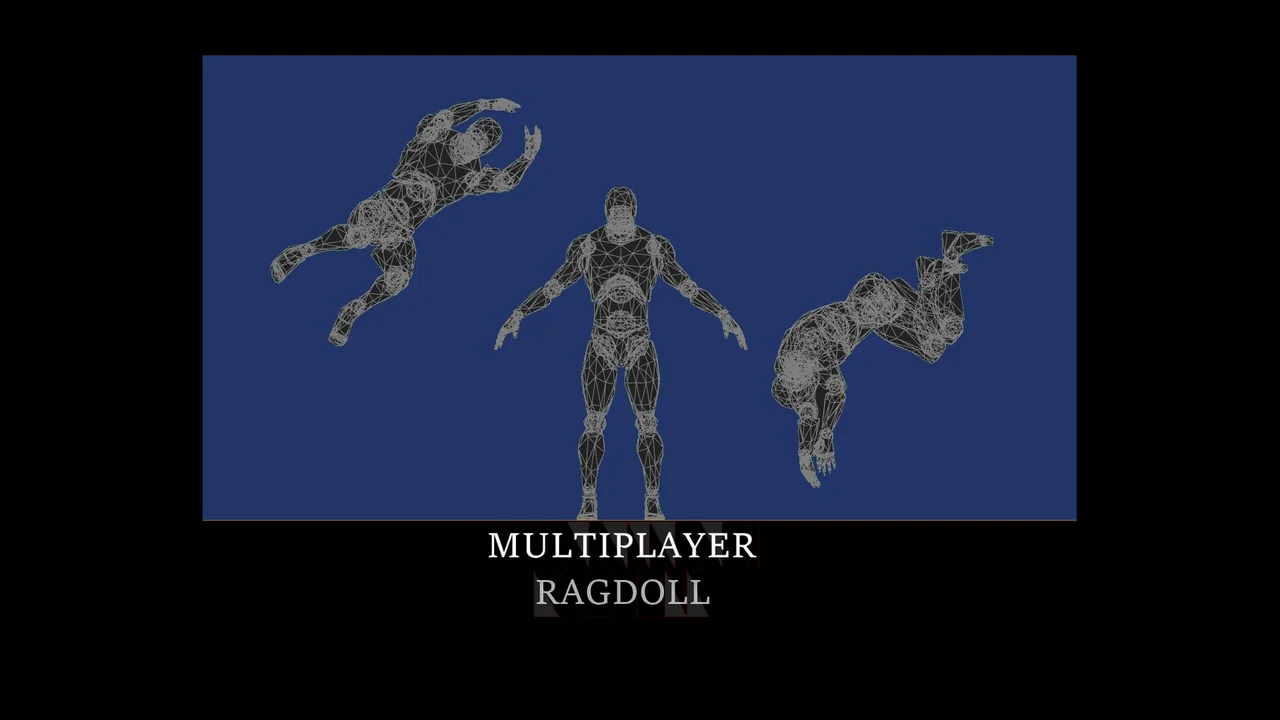
![Hyper Multiplayer Survival Template Pro [MST] V4](/wp-content/uploads/published/2026/09/6060550226b8-0f2946eb-0653-4ed7-a160-e35859e9e5e9-61232ad933.webp) Action-Adventure
Action-Adventure![Hyper Multiplayer Survival Template Plus [MST] v4](/wp-content/uploads/published/2026/09/6998f3fa0308-de2368c5-543b-49ea-adad-ee13b3d478ed-563273f35a.webp) Action-Adventure
Action-Adventure Action-Adventure