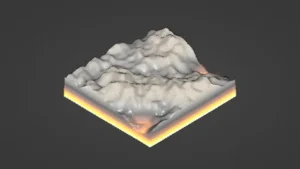
A mesh-to-terrain tool for Unity projects
Mesh to Terrain is a Unity tool focused on one very specific task: taking a 3D terrain model and turning it into Unity Terrains. It works with meshes created in 3ds Max, Terragen, or any other editor, so the starting point is not limited to one modeling package. That makes it useful when terrain work begins outside Unity and needs to be brought into a scene without rebuilding everything by hand.
The package also covers more than a simple conversion pass. It can convert textures to Terrain Layers, generate terrain from several models, and split one model into several terrains. Those capabilities place it in the middle of a terrain production workflow rather than at the very end. Instead of treating the terrain as a finished import, it gives room for shaping, dividing, and organizing terrain data as it moves into Unity.
What the conversion process handles
The central behavior is straightforward: a mesh-based terrain is converted into Unity terrain objects. The tool is set up to work with an unlimited number of models and terrains, so the conversion stage is not framed as a small one-off task. It is meant to handle terrain assets at a scale that can include multiple pieces of terrain data.
One detail that stands out is placement. Terrains are created in the same place where the meshes already exist, which helps preserve the layout of the original model during conversion. That matters when a terrain model already fits into a scene or has been positioned carefully during authoring. The converted terrain stays aligned with that existing placement instead of starting from a separate location.
Texture conversion is part of the same flow. Mesh textures can be converted to terrain textures, and the package can also convert textures to Terrain Layers. That gives the terrain a clearer path from model-based material data into Unityâs terrain system, without leaving the process entirely manual.
Working across several models and several terrains
Mesh to Terrain is not limited to a single object. It can generate terrain from several models and also split one model into several terrains. That makes it relevant for larger terrain setups where a single mesh is too broad to stay in one piece, or where a scene is easier to manage when a terrain is divided into sections.
When multiple terrains are involved, the package is set up to produce a seamless result. That is especially important in workflows where a large surface has to be broken into parts while still reading as one continuous environment. The terrain pieces remain part of the same conversion process rather than becoming isolated segments that need to be reconciled later.
There is also support for holes. If a terrain needs openings in specific places, that behavior is built into the package rather than added as an afterthought. In production terms, that can matter for paths, entrances, or terrain shapes that cannot remain fully filled in across the whole surface.
How it fits into scene setup and terrain cleanup
The package includes two ways to bring models into the conversion process: models can be added manually, or the tool can automatically detect all models in the layer. That gives some flexibility depending on how the scene is organized. In a controlled setup, manual selection keeps the process specific. In a broader scene, automatic detection reduces the need to track every object one by one.
Another practical detail is that there is no need to manually add physics components. That keeps the workflow focused on terrain conversion rather than forcing extra cleanup steps before the terrain can be used. For projects where terrain data is coming in from external modeling tools, removing even a small amount of repetitive setup can make the handoff simpler.
The package also includes a built-in update system. Alongside that, it offers optional integration with Huge Texture and Relief Terrain Pack. Those integrations place it in a wider Unity terrain toolset, but the core purpose remains the same: getting mesh-based terrain into Unity and keeping the conversion process workable across different scene sizes.
Feature set in practical terms
- Unlimited number of models and terrains to convert
- Terrains created in the same place as the meshes
- Texture conversion to Terrain Layers
- Seamless results when working with multiple terrains
- Hole generation
- Manual model addition or automatic layer detection
- No manual physics component setup
- Optional integration with Huge Texture and Relief Terrain Pack
- Built-in update system
Version note and project fit
The package is listed with version 2.5.4, and the latest release date is Jan 26. Those details place it as an actively maintained Unity terrain tool rather than a static import utility. For teams that already build terrain models in external editors, it fits into the step where those meshes need to become Unity terrains with textures and structure intact.
It is especially relevant when the work starts as a 3D terrain model and needs to be carried into Unity without losing the placement of the mesh, the texture setup, or the ability to divide the surface into multiple parts. In that role, Mesh to Terrain is set up to handle conversion, terrain layering, splitting, and holes in one workflow, which makes it a focused option for terrain-heavy production pipelines.
Protected download
Access this resource
All resources are 100% manually reviewed to eliminate all risks.