"1c2c8b66743036b4"{"id":"1001053","slug":"general-ai-framework","title":"General AI Framework","category":"Gameplay Features","engine":"5.1+","assetVersion":"","engineVersion":"Engine Version: 5.1+","tag":"Gameplay Features","accent":"blue","visual":"mech","summary":"A Blueprint-based behavior tree framework for Unreal Engine that lets you create different AI types and controllers by reusing and improving the provided trees.","platform":"Unreal Engine","publishedAt":"2026-08-30T13:43:01.611Z","updatedAt":"2026-08-30T13:43:01.611Z","sourceNotes":[],"fileContents":[],"compatibility":["Unreal Engine","Engine Version: 5.1+"],"featuredImage":{"alt":"General AI Framework","src":"/wp-content/uploads/published/2026/08/cd24555bec89-94932f98-7717-4639-99ff-b9756efb05f9-a53d62fd3a.webp"},"hasDownloadLink":true,"downloads":1,"terms":[{"taxonomy":"category","slug":"gameplay-features","name":"Gameplay Features"}],"galleryImages":[{"src":"/wp-content/uploads/published/2026/08/64328eb3e3a2-6e324fba-8a31-4717-9609-b9eded27622b-fd9e6b5e0e.webp","alt":"General AI Framework"},{"src":"/wp-content/uploads/published/2026/08/c5fc48d16919-7db2b00b-2d2f-4e0d-8413-6cbb5fc67a1c-cb049b725e.webp","alt":"General AI Framework"},{"src":"/wp-content/uploads/published/2026/08/b026ecf5771f-6f9f50c5-2625-4c89-b2b2-9a188647e587-0a6734c158.webp","alt":"General AI Framework"},{"src":"/wp-content/uploads/published/2026/08/cdeb85bf4ffe-4e92fe84-9265-4717-b33f-1157509f3bff-33be96190a.webp","alt":"General AI Framework"},{"src":"/wp-content/uploads/published/2026/08/021c8fa4f691-d8f2af50-8aa3-4c1b-8209-91b2afe392fa-1c1dd62c37.webp","alt":"General AI Framework"}],"accessPanel":{"kind":"resource","title":"Download this resource","eyebrow":"Free Download","message":"Log in or create a free account to start your download.","fileName":"GeneralAIFramework.7z","safetyNote":"Resources are manually reviewed before listing to improve quality and reduce obvious risks.","actionLabel":"Download Free","resourceType":"Resource archive"},"contentHtml":"\u003cp\u003eSetting up AI in Unreal Engine often means starting from an empty behavior tree, dragging in tasks, and wiring up decorators before you can see a single character respond. The General AI Framework is built to skip past that blank slate. It gives you a basic structure for designing AI in UE games, so you can focus on making the AI behave the way your project needs instead of assembling the foundation from scratch.\u003c/p\u003e\u003cp\u003eThe framework is exactly what its name says: a general foundation, not a finished product. It provides several basic behavior trees that handle the core logic of controlling AI. These trees are meant to be used, reused, and changed as your game evolves.\u003c/p\u003e\u003ch2\u003eBehavior Trees Ready to Reshape\u003c/h2\u003e\u003cp\u003eAt the heart of the framework are the behavior trees it ships with. Each tree is designed to give you a working AI controller out of the box, which means you can drop it into a level and start testing immediately. Because the trees are basic, they cover common routines like following a path, reacting to an event, or staying idle until something happens. The exact logic depends on how you build on top of them.\u003c/p\u003e\u003cp\u003eThe trees are not locked. The framework actively encourages you to improve them. You can open a tree, modify its flow, add your own tasks, or connect it to another tree to create more complex behavior. That flexibility is what makes the framework useful beyond a single game mode.\u003c/p\u003e\u003cp\u003eModifying a tree can be as simple as changing a condition or as involved as adding a new branch that responds to player actions. Since the trees are built in Blueprint, these changes never require recompiling C++ code. You see the results the moment you save the asset, which keeps iteration fast. That is the core of the framework's value: you begin with something that already works, then tailor it until it matches your design.\u003c/p\u003e\u003ch2\u003eDesigning Multiple AI Types from the Same Trees\u003c/h2\u003e\u003cp\u003eRather than building a separate AI system for every character type, the General AI Framework lets you create different AI controllers from the same set of trees. This means an enemy NPC and a friendly companion can share the same underlying logic, with only the details swapped out. The framework is described as able to create different types of AI, so you're not limited to one behavior pattern.\u003c/p\u003e\u003cp\u003eThis also simplifies maintenance. When you adjust a behavior tree for one AI, you can carry that change across other controllers. The framework gives you a common structure, so every AI you build lives inside the same system. That's a strong fit for projects where you want consistent behavior without rewriting the whole AI pipeline for each character.\u003c/p\u003e\u003cp\u003eYou might start with a basic patrol tree and then, by adding a few nodes, turn it into a guard AI that only reacts when the player is visible. Another tree could become the base for a companion that follows the player and occasionally stops to examine the environment. Because all these variations come from the same framework, they still share the same core logic, making them easier to debug and maintain.\u003c/p\u003e\u003ch2\u003eBlueprint Workflow and Project Portability\u003c/h2\u003e\u003cp\u003eThe framework's tags point directly to Blueprint, so everything is accessible in a visual scripting environment. You don't need to dive into C++ to understand or customize the trees. That's a useful feature for teams who prefer to iterate on AI logic without touching source code. The behavior trees, scripts, and AI setup are all designed to be handled within Unreal's Blueprint system.\u003c/p\u003e\u003cp\u003eThe framework is also meant to be easy to apply to different projects. Because it doesn't hardcode a specific game type, you can move it from a prototype shooter to a puzzle game without rearchitecting your AI. This portability is reinforced by its compatibility with the Universal Shooting Game Template and Framework. If you're already working with that template, the AI framework slots in cleanly, so you don't have to adapt it to your existing setup.\u003c/p\u003e\u003cp\u003eFor a project that uses that template, the integration is straightforward. You get an AI layer that matches the template's structure, and you can still extend it for your own gameplay. For any other UE project, the framework's general nature means you can apply it with minimal changes to your existing AI workflow.\u003c/p\u003e\u003ch2\u003eA Foundation, Not a Final Answer\u003c/h2\u003e\u003cp\u003eIf you're starting a new AI system, the first step is to examine one of the provided behavior trees and see how it controls an AI actor. From there, you can decide what needs to change for your specific game design. The framework doesn't force you into a particular style—it gives you the basic building blocks to shape your own AI behavior.\u003c/p\u003e\u003cp\u003eFor existing projects, the framework can serve as a replacement for a custom AI system that isn't holding up. Instead of debugging a mess of disconnected nodes, you can rebuild your AI around a modular foundation. The goal is to reduce the time spent on setup and let you spend more time on the details that make your AI feel alive.\u003c/p\u003e\u003cp\u003eThe real advantage of General AI Framework is that you're not locked into a single behavior. Start with the provided trees, then modify them until they fit the specific AI you need. Since the framework is structured through the idea of customizing basic behavior trees, it's a solid middle ground between a fully finished AI and a blank canvas. You get something that runs from day one and still leaves all the creative decisions in your hands.\u003c/p\u003e\n\n\u003ch2\u003eExplore Similar Assets\u003c/h2\u003e\n\u003cul\u003e\n\u003cli\u003e\u003ca href=\"https://3dcghub.com/universal-shooting-game-template-and-framework/\" title=\"Universal Shooting Game Template and Framework\"\u003eUniversal Shooting Game Template and Framework\u003c/a\u003e\u003c/li\u003e\n\u003cli\u003e\u003ca href=\"https://3dcghub.com/freeflow-combat/\" title=\"Freeflow Combat\"\u003eFreeflow Combat\u003c/a\u003e\u003c/li\u003e\n\u003cli\u003e\u003ca href=\"https://3dcghub.com/athena-ai-a-utility-ai-framework-v2/\" title=\"Athena AI: A Utility AI Framework - V2\"\u003eAthena AI: A Utility AI Framework - V2\u003c/a\u003e\u003c/li\u003e\n\u003cli\u003e\u003ca href=\"https://3dcghub.com/npc-ai-queuing-system/\" title=\"NPC AI Queuing System\"\u003eNPC AI Queuing System\u003c/a\u003e\u003c/li\u003e\n\u003cli\u003e\u003ca href=\"https://3dcghub.com/ai-shooter/\" title=\"AI Shooter\"\u003eAI Shooter\u003c/a\u003e\u003c/li\u003e\n\u003c/ul\u003e","contentTextLength":5548,"navigation":{"current":707,"total":3651,"previous":{"id":"1001054","slug":"gothic-horror-environment","title":"Gothic Horror Environment","category":"Fantasy","platform":"Unreal Engine","updatedAt":"2026-08-30T13:58:24.603Z"},"next":{"id":"1001052","slug":"fps-animation-blueprint-v2","title":"FPS Animation Blueprint v2","category":"Shooter","platform":"Unreal Engine","updatedAt":"2026-08-30T13:38:17.417Z"}},"relatedResources":[{"id":"11176","slug":"universal-shooting-game-template-and-framework","title":"Universal Shooting Game Template and Framework","category":"Gameplay Features","engine":"5.1+","assetVersion":"Engine version: 5.1+","engineVersion":"5.1","tag":"Gameplay Features","accent":"blue","visual":"character","summary":"A comprehensive, blueprint-only framework designed for creating shooting games with independent modules and multiplayer support. It features integrated AI, weapon systems, and character customization tools.","platform":"Unreal Engine","publishedAt":"2026-03-03T17:04:56.000Z","updatedAt":"2026-04-19T15:48:15.000Z","sourceNotes":[],"fileContents":[],"compatibility":["Unreal Engine","Engine version: 5.1+"],"featuredImage":{"alt":"Universal Shooting Game Template and Framework","src":"https://3dcghub.com/wp-content/uploads/2026/03/809586c9-06d5-4b25-8d10-adc2975bbd96.webp"},"hasDownloadLink":true,"downloads":0},{"id":"10858","slug":"freeflow-combat","title":"Freeflow Combat","category":"Gameplay Features","engine":"4.27,5.0+","assetVersion":"Engine version: 4.27,5.0+","engineVersion":"4.27","tag":"Gameplay Features","accent":"blue","visual":"city","summary":"Freeflow Combat offers a comprehensive modular framework for creating fluid, superhero-style combat. It features smart targeting, coordinated group AI, and cinematic finishers to streamline game development.","platform":"Unreal Engine","publishedAt":"2026-03-03T16:25:04.000Z","updatedAt":"2026-04-19T15:49:55.000Z","sourceNotes":[],"fileContents":[],"compatibility":["Unreal Engine","Engine version: 4.27,5.0+"],"featuredImage":{"alt":"Freeflow Combat","src":"https://3dcghub.com/wp-content/uploads/2026/03/796e8d94-436a-4186-83b5-a3597b87b3ab.webp"},"hasDownloadLink":true,"downloads":2},{"id":"13714","slug":"athena-ai-a-utility-ai-framework-v2","title":"Athena AI: A Utility AI Framework - V2","category":"Engine Tools","engine":"5.1 - 5.4","assetVersion":"Engine version: 5.1 - 5.4","engineVersion":"Asset Version:2.0","tag":"Engine Tools","accent":"blue","visual":"audio","summary":"Athena AI: A Utility AI Framework - V2 provides a powerful and modular system for creating smarter NPCs. It replaces rigid condition trees with reactive, data-driven behaviors using curves and structured logic.","platform":"Unreal Engine","publishedAt":"2026-03-11T09:45:45.000Z","updatedAt":"2026-04-19T15:46:23.000Z","sourceNotes":[],"fileContents":[],"compatibility":["Unreal Engine","Engine version: 5.1 - 5.4","Asset Version: 2.0"],"featuredImage":{"alt":"Athena AI: A Utility AI Framework - V2","src":"https://3dcghub.com/wp-content/uploads/2026/03/8e651a50-5518-47d7-8584-284991c6cb2c.webp"},"hasDownloadLink":true,"downloads":0}]}
Gameplay Features
General AI Framework
A Blueprint-based behavior tree framework for Unreal Engine that lets you create different AI types and controllers by reusing and improving the provided trees.
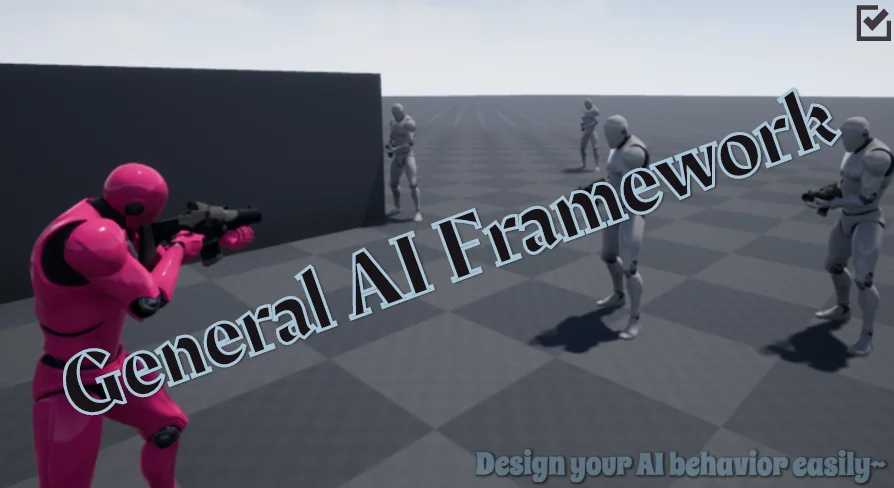
Setting up AI in Unreal Engine often means starting from an empty behavior tree, dragging in tasks, and wiring up decorators before you can see a single character respond. The General AI Framework is built to skip past that blank slate. It gives you a basic structure for designing AI in UE games, so you can focus on making the AI behave the way your project needs instead of assembling the foundation from scratch.
The framework is exactly what its name says: a general foundation, not a finished product. It provides several basic behavior trees that handle the core logic of controlling AI. These trees are meant to be used, reused, and changed as your game evolves.
Behavior Trees Ready to Reshape
At the heart of the framework are the behavior trees it ships with. Each tree is designed to give you a working AI controller out of the box, which means you can drop it into a level and start testing immediately. Because the trees are basic, they cover common routines like following a path, reacting to an event, or staying idle until something happens. The exact logic depends on how you build on top of them.
The trees are not locked. The framework actively encourages you to improve them. You can open a tree, modify its flow, add your own tasks, or connect it to another tree to create more complex behavior. That flexibility is what makes the framework useful beyond a single game mode.
Modifying a tree can be as simple as changing a condition or as involved as adding a new branch that responds to player actions. Since the trees are built in Blueprint, these changes never require recompiling C++ code. You see the results the moment you save the asset, which keeps iteration fast. That is the core of the framework's value: you begin with something that already works, then tailor it until it matches your design.
Designing Multiple AI Types from the Same Trees
Rather than building a separate AI system for every character type, the General AI Framework lets you create different AI controllers from the same set of trees. This means an enemy NPC and a friendly companion can share the same underlying logic, with only the details swapped out. The framework is described as able to create different types of AI, so you're not limited to one behavior pattern.
This also simplifies maintenance. When you adjust a behavior tree for one AI, you can carry that change across other controllers. The framework gives you a common structure, so every AI you build lives inside the same system. That's a strong fit for projects where you want consistent behavior without rewriting the whole AI pipeline for each character.
You might start with a basic patrol tree and then, by adding a few nodes, turn it into a guard AI that only reacts when the player is visible. Another tree could become the base for a companion that follows the player and occasionally stops to examine the environment. Because all these variations come from the same framework, they still share the same core logic, making them easier to debug and maintain.
Blueprint Workflow and Project Portability
The framework's tags point directly to Blueprint, so everything is accessible in a visual scripting environment. You don't need to dive into C++ to understand or customize the trees. That's a useful feature for teams who prefer to iterate on AI logic without touching source code. The behavior trees, scripts, and AI setup are all designed to be handled within Unreal's Blueprint system.
The framework is also meant to be easy to apply to different projects. Because it doesn't hardcode a specific game type, you can move it from a prototype shooter to a puzzle game without rearchitecting your AI. This portability is reinforced by its compatibility with the Universal Shooting Game Template and Framework. If you're already working with that template, the AI framework slots in cleanly, so you don't have to adapt it to your existing setup.
For a project that uses that template, the integration is straightforward. You get an AI layer that matches the template's structure, and you can still extend it for your own gameplay. For any other UE project, the framework's general nature means you can apply it with minimal changes to your existing AI workflow.
A Foundation, Not a Final Answer
If you're starting a new AI system, the first step is to examine one of the provided behavior trees and see how it controls an AI actor. From there, you can decide what needs to change for your specific game design. The framework doesn't force you into a particular style—it gives you the basic building blocks to shape your own AI behavior.
For existing projects, the framework can serve as a replacement for a custom AI system that isn't holding up. Instead of debugging a mess of disconnected nodes, you can rebuild your AI around a modular foundation. The goal is to reduce the time spent on setup and let you spend more time on the details that make your AI feel alive.
The real advantage of General AI Framework is that you're not locked into a single behavior. Start with the provided trees, then modify them until they fit the specific AI you need. Since the framework is structured through the idea of customizing basic behavior trees, it's a solid middle ground between a fully finished AI and a blank canvas. You get something that runs from day one and still leaves all the creative decisions in your hands.
 Gameplay Features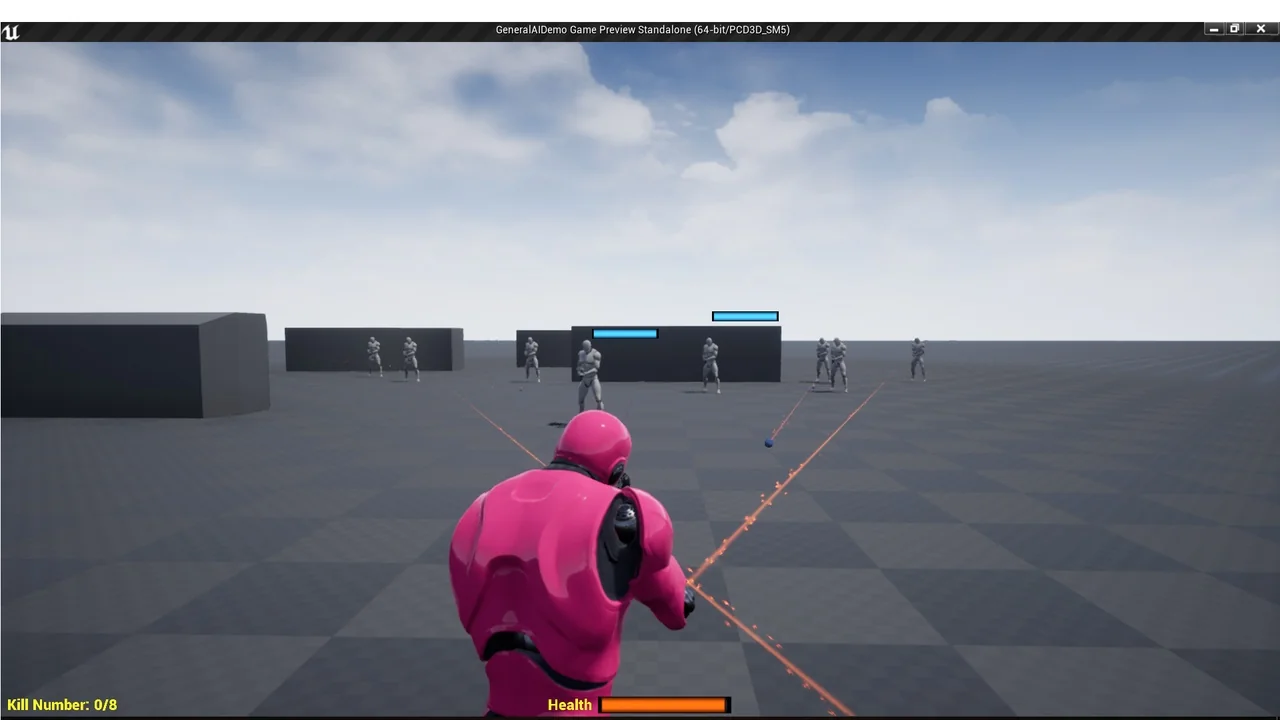
 Gameplay Features
 Gameplay Features
 Engine Tools