"7e6fc58c410f2894"{"id":"1000519","slug":"from-3ds-max-to-meta-quest-using-unreal-engine-step-by-step","title":"From 3DS Max to Meta Quest Using Unreal Engine: Step-by-step","category":"Unreal Engine","engine":"File Content: video + English subtitles","assetVersion":"Video Language: English","engineVersion":"File Content: video + English subtitles","tag":"Unreal Engine","accent":"blue","visual":"mech","summary":"A 10-hour intermediate course teaching archviz professionals how to convert 3DS Max scenes into optimized VR walkthroughs for Meta Quest using Unreal Engine.","platform":"Unreal Engine","publishedAt":"2026-07-14T12:59:55.286Z","updatedAt":"2026-07-14T12:59:55.286Z","sourceNotes":[],"fileContents":[],"compatibility":["Unreal Engine","Video Language: English","File Content: video + English subtitles"],"featuredImage":{"alt":"From 3DS Max to Meta Quest Using Unreal Engine: Step-by-step","src":"/wp-content/uploads/published/2026/07/587c5eb707a4-6149185-6c83-2-ccae436036.webp"},"hasDownloadLink":true,"downloads":0,"terms":[{"taxonomy":"category","slug":"tutoriallibrary-unrealengine","name":"Unreal Engine"}],"galleryImages":[],"accessPanel":{"kind":"video-resource","title":"Download this video resource","eyebrow":"Free Download","message":"Log in or create a free account to start your download.","fileName":"From 3DS Max to Meta Quest Using Unreal Engine Step-by-step.7z","safetyNote":"Resources are manually reviewed before listing to improve quality and reduce obvious risks.","actionLabel":"Download Free","resourceType":"Video download"},"contentHtml":"\u003cp\u003eArchitectural walkthroughs have moved beyond pre-rendered video clips into interactive real-time spaces. Creating immersive VR walkthroughs for Meta Quest devices requires careful asset optimization and a deliberate workflow that bridges traditional modeling applications with game engine architecture. The intermediate-level course From 3DS Max to Meta Quest Using Unreal Engine: Step-by-step focuses on this exact pipeline, guiding users through the process of converting static 3DS Max scenes into interactive virtual reality experiences.\u003c/p\u003e \u003ch2\u003eConverting 3DS Max Scenes for Meta Quest Hardware\u003c/h2\u003e\n\u003cp\u003eThe process begins with working directly in 3DS Max to prepare the initial architectural geometry. The 3D modeling software serves as the starting point for scene construction, where professionals assemble the structural elements and environment details. The course emphasizes the techniques required to transition these 3DS Max scenes into Unreal Engine, specifically tailoring the build for Meta Quest devices. Moving assets into a real-time engine changes the requirements placed on 3D models, textures, and lighting setups, demanding a different approach than traditional offline rendering. The instruction covers how to prepare these elements so they function smoothly within the constraints of standalone VR platforms.\u003c/p\u003e \u003ch2\u003eOptimization Techniques for Standalone VR Platforms\u003c/h2\u003e\n\u003cp\u003eStandalone VR headsets operate with strict hardware limitations compared to tethered setups or desktop workstations. The course addresses this by covering the complete process of optimizing 3D models, textures, and lighting to achieve smooth, high-performance experiences on standalone hardware. A significant portion of the content focuses on diagnosing performance bottlenecks that can disrupt the immersive experience. Users discover effective techniques to create efficient Level of Detail (LOD) models, which are crucial for maintaining high framerates while navigating complex architectural spaces. By learning to identify hardware stress points and implement LODs, developers can maximize the efficiency of their VR projects and ensure the virtual environment remains responsive during physical movement.\u003c/p\u003e \u003ch2\u003eSetting Up Unreal Engine for VR Interaction\u003c/h2\u003e\n\u003cp\u003eOnce the architectural geometry is imported and streamlined, the focus shifts to setting up the scene within Unreal Engine. A dedicated section covers scene preparation within the engine interface, laying the groundwork for real-time navigation. Following the initial setup, the curriculum moves into preparing the environment for VR interaction. This phase is critical for architectural walkthroughs, as it dictates how a user will physically navigate and engage with the 3D space. By transitioning from static mesh placement to interactive environment configuration, the workflow provides the means to transform a lifeless architectural model into a space that users can explore.\u003c/p\u003e \u003ch2\u003eAdvanced Optimization and Meta Quest Deployment\u003c/h2\u003e\n\u003cp\u003eIn addition to basic scene setup and standard optimization, the course includes a segment on advanced optimization techniques and features. This segment allows developers to push the visual quality of their architectural walkthroughs while maintaining the strict performance standards required by Meta Quest hardware. Applying advanced techniques helps balance visual fidelity with the processing power available on standalone devices.\u003c/p\u003e\n\u003cp\u003e-packaging and deploying a project to a headset requires specific technical knowledge to ensure the software runs correctly outside the development environment. The final stages of the workflow provide practical, hands-on skills for packaging the Unreal Engine project, deploying it to Meta Quest, and conducting thorough testing. This ensures the final build delivers optimal performance and visual quality when used in the actual hardware.\u003c/p\u003e \u003ch2\u003eCurriculum Structure and Professional Application\u003c/h2\u003e\n\u003cp\u003eSpanning exactly 10 hours and 7 minutes of content, the course was published on August 30, 2024. The material is structured sequentially, beginning with initial setup protocols and moving through 3DS Max workflow, Unreal Engine scene configuration, optimization, VR interaction preparation, and concluding with advanced features. This structured progression supports the target audience of architectural visualization professionals, junior 3D artists, environment artists, and students. The instruction also serves indie developers and freelancers looking to expand their capabilities in VR development. For professionals looking to transition from traditional rendering methods to real-time VR, the curriculum provides the practical knowledge needed to succeed in producing high-quality architectural walkthroughs on standalone VR platforms.\u003c/p\u003e\n\n\u003ch2\u003eMore From The Same Workflow\u003c/h2\u003e\n\u003cul\u003e\n\u003cli\u003e\u003ca href=\"https://3dcghub.com/unreal-cinematic-mastery-from-beginner-to-cinematic-creator/\" title=\"Unreal Cinematic Mastery –From Beginner to Cinematic Creator\"\u003eUnreal Cinematic Mastery –From Beginner to Cinematic Creator\u003c/a\u003e\u003c/li\u003e\n\u003cli\u003e\u003ca href=\"https://3dcghub.com/unreal-engine-5-crowd-creation-in-the-niagara-and-blueprint/\" title=\"Unreal Engine 5: Crowd creation in the Niagara and Blueprint\"\u003eUnreal Engine 5: Crowd creation in the Niagara and Blueprint\u003c/a\u003e\u003c/li\u003e\n\u003cli\u003e\u003ca href=\"https://3dcghub.com/embergen-volumetric-unreal-engine-5/\" title=\"EmberGen Volumetric \u0026amp; Unreal Engine 5\"\u003eEmberGen Volumetric \u0026amp; Unreal Engine 5\u003c/a\u003e\u003c/li\u003e\n\u003cli\u003e\u003ca href=\"https://3dcghub.com/unreal-engine-5-the-complete-automotive-cinematic-course/\" title=\"Unreal Engine 5 - The Complete Automotive Cinematic Course\"\u003eUnreal Engine 5 - The Complete Automotive Cinematic Course\u003c/a\u003e\u003c/li\u003e\n\u003cli\u003e\u003ca href=\"https://3dcghub.com/3d-pool-in-ue5-c-aaa-quality-beginner-to-advance/\" title=\"3D pool in UE5 C++ AAA Quality (Beginner to Advance)\"\u003e3D pool in UE5 C++ AAA Quality (Beginner to Advance)\u003c/a\u003e\u003c/li\u003e\n\u003c/ul\u003e","contentTextLength":5029,"navigation":{"current":1239,"total":3618,"previous":{"id":"1000520","slug":"hand-to-hand-finishers-volume-2","title":"Hand to hand finishers Volume 2","category":"Combat","platform":"Unreal Engine","updatedAt":"2026-07-14T13:05:15.439Z"},"next":{"id":"1000518","slug":"unreal-engine-5-visual-novel-and-narrative-game-design","title":"Unreal Engine 5 Visual Novel and Narrative Game Design","category":"Unreal Engine","platform":"Unreal Engine","updatedAt":"2026-07-14T11:05:10.698Z"}},"relatedResources":[{"id":"1000185","slug":"unreal-engine-5-c-advanced-frontend-ui-programming","title":"Unreal Engine 5 C++: Advanced Frontend UI Programming","category":"Unreal Engine","engine":"File Content: video + English subtitles","assetVersion":"Video Language: English","engineVersion":"File Content: video + English subtitles","tag":"Unreal Engine","accent":"blue","visual":"mech","summary":"Build a modular AAA frontend interface in Unreal Engine 5 using C++ and Common UI, featuring widget stacks, input remapping, and dynamic settings panels.","platform":"Unreal Engine","publishedAt":"2026-06-22T04:36:47.167Z","updatedAt":"2026-10-03T14:08:44.356Z","sourceNotes":[],"fileContents":[],"compatibility":["Unreal Engine","Video Language: English","File Content: video + English subtitles"],"featuredImage":{"alt":"Unreal Engine 5 C++: Advanced Frontend UI Programming","src":"/wp-content/uploads/published/2026/06/12faf3fde540-6261861-cd99-2-1eb445cf78.webp"},"hasDownloadLink":true,"downloads":0},{"id":"1001158","slug":"unreal-engine-5-multiplayer-prop-hunt-game-smartpoly","title":"Unreal Engine 5 Multiplayer Prop Hunt Game - SmartPoly","category":"Unreal Engine","engine":"File Content: video + English subtitles","assetVersion":"Video Language: English","engineVersion":"File Content: video + English subtitles","tag":"Unreal Engine","accent":"blue","visual":"mech","summary":"Build a cross-platform multiplayer Prop Hunt game for PC and Android in Unreal Engine using Blueprint Interfaces, replicated mechanics, and touch controls.","platform":"Unreal Engine","publishedAt":"2026-09-11T02:18:19.834Z","updatedAt":"2026-09-11T02:18:19.834Z","sourceNotes":[],"fileContents":[],"compatibility":["Unreal Engine","Video Language: English","File Content: video + English subtitles"],"featuredImage":{"alt":"Unreal Engine 5 Multiplayer Prop Hunt Game - SmartPoly","src":"/wp-content/uploads/published/2026/09/3fde1311282a-indrtgg7t1cqfhudrloy-coursebanner-ad218f1168.webp"},"hasDownloadLink":true,"downloads":1},{"id":"1001153","slug":"easily-create-captivating-environments-in-unreal-engine","title":"Easily Create Captivating Environments in Unreal Engine","category":"Unreal Engine","engine":"File Content: video + English subtitles","assetVersion":"Video Language: English","engineVersion":"File Content: video + English subtitles","tag":"Unreal Engine","accent":"blue","visual":"city","summary":"Learn to build photorealistic environments in Unreal Engine 4 using Quixel Megascans, structured map layout, foliage placement, and post-processing.","platform":"Unreal Engine","publishedAt":"2026-09-10T23:37:52.970Z","updatedAt":"2026-09-10T23:57:53.448Z","sourceNotes":[],"fileContents":[],"compatibility":["Unreal Engine","Video Language: English","File Content: video + English subtitles"],"featuredImage":{"alt":"Easily Create Captivating Environments in Unreal Engine","src":"/wp-content/uploads/published/2026/09/9c0b1db53d69-708b68fb1c82-w1200-3350e4d46d.webp"},"hasDownloadLink":true,"downloads":1}]}
Unreal Engine
From 3DS Max to Meta Quest Using Unreal Engine: Step-by-step
A 10-hour intermediate course teaching archviz professionals how to convert 3DS Max scenes into optimized VR walkthroughs for Meta Quest using Unreal Engine.
Category:Unreal EnginePlatform: Unreal EngineVideo Language: EnglishFile Content: video + English subtitlesPublished: Jul 14, 2026
Unreal Engine
Resource overview
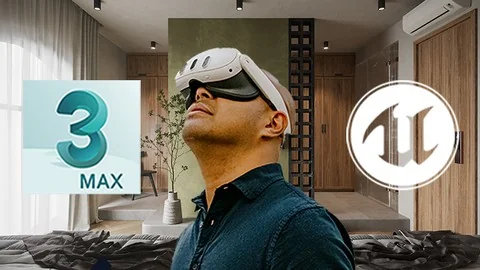
Architectural walkthroughs have moved beyond pre-rendered video clips into interactive real-time spaces. Creating immersive VR walkthroughs for Meta Quest devices requires careful asset optimization and a deliberate workflow that bridges traditional modeling applications with game engine architecture. The intermediate-level course From 3DS Max to Meta Quest Using Unreal Engine: Step-by-step focuses on this exact pipeline, guiding users through the process of converting static 3DS Max scenes into interactive virtual reality experiences.
Converting 3DS Max Scenes for Meta Quest Hardware
The process begins with working directly in 3DS Max to prepare the initial architectural geometry. The 3D modeling software serves as the starting point for scene construction, where professionals assemble the structural elements and environment details. The course emphasizes the techniques required to transition these 3DS Max scenes into Unreal Engine, specifically tailoring the build for Meta Quest devices. Moving assets into a real-time engine changes the requirements placed on 3D models, textures, and lighting setups, demanding a different approach than traditional offline rendering. The instruction covers how to prepare these elements so they function smoothly within the constraints of standalone VR platforms.
Optimization Techniques for Standalone VR Platforms
Standalone VR headsets operate with strict hardware limitations compared to tethered setups or desktop workstations. The course addresses this by covering the complete process of optimizing 3D models, textures, and lighting to achieve smooth, high-performance experiences on standalone hardware. A significant portion of the content focuses on diagnosing performance bottlenecks that can disrupt the immersive experience. Users discover effective techniques to create efficient Level of Detail (LOD) models, which are crucial for maintaining high framerates while navigating complex architectural spaces. By learning to identify hardware stress points and implement LODs, developers can maximize the efficiency of their VR projects and ensure the virtual environment remains responsive during physical movement.
Setting Up Unreal Engine for VR Interaction
Once the architectural geometry is imported and streamlined, the focus shifts to setting up the scene within Unreal Engine. A dedicated section covers scene preparation within the engine interface, laying the groundwork for real-time navigation. Following the initial setup, the curriculum moves into preparing the environment for VR interaction. This phase is critical for architectural walkthroughs, as it dictates how a user will physically navigate and engage with the 3D space. By transitioning from static mesh placement to interactive environment configuration, the workflow provides the means to transform a lifeless architectural model into a space that users can explore.
Advanced Optimization and Meta Quest Deployment
In addition to basic scene setup and standard optimization, the course includes a segment on advanced optimization techniques and features. This segment allows developers to push the visual quality of their architectural walkthroughs while maintaining the strict performance standards required by Meta Quest hardware. Applying advanced techniques helps balance visual fidelity with the processing power available on standalone devices.
-packaging and deploying a project to a headset requires specific technical knowledge to ensure the software runs correctly outside the development environment. The final stages of the workflow provide practical, hands-on skills for packaging the Unreal Engine project, deploying it to Meta Quest, and conducting thorough testing. This ensures the final build delivers optimal performance and visual quality when used in the actual hardware.
Curriculum Structure and Professional Application
Spanning exactly 10 hours and 7 minutes of content, the course was published on August 30, 2024. The material is structured sequentially, beginning with initial setup protocols and moving through 3DS Max workflow, Unreal Engine scene configuration, optimization, VR interaction preparation, and concluding with advanced features. This structured progression supports the target audience of architectural visualization professionals, junior 3D artists, environment artists, and students. The instruction also serves indie developers and freelancers looking to expand their capabilities in VR development. For professionals looking to transition from traditional rendering methods to real-time VR, the curriculum provides the practical knowledge needed to succeed in producing high-quality architectural walkthroughs on standalone VR platforms.
 Unreal Engine
 Unreal Engine
 Unreal Engine
 Unreal Engine