"7e6fc58c410f2894"{"id":"23276","slug":"feel","title":"Feel","category":"Particles \u0026 Effects","engine":"5.2 - 6.1","assetVersion":"Original Unity version: 2019.4.3","engineVersion":"Asset Version:5.2 - 6.1","tag":"Particles","accent":"cyan","visual":"city","summary":"Feel gathers a large set of feedbacks and springs for moments that need motion, response, and extra punch. It reaches across camera work, UI, text, shaders, sounds, physics, and haptics through a single workflow.","platform":"Unity","publishedAt":"2026-04-09T16:28:21.000Z","updatedAt":"2026-10-09T05:54:10.435Z","sourceNotes":[],"fileContents":[],"compatibility":["Unity","Original Unity version: 2019.4.3","Asset Version:5.2 - 6.1"],"featuredImage":{"alt":"Feel","src":"https://3dcghub.com/wp-content/uploads/2026/04/7ebb1dbba7d2_173c8845-1063-44dc-aa55-65738aa93cce_1280x720_stretch.webp"},"hasDownloadLink":true,"downloads":16,"terms":[{"taxonomy":"category","slug":"particles-and-effects","name":"Particles \u0026 Effects"},{"taxonomy":"post_tag","slug":"tools","name":"Tools"},{"taxonomy":"post_tag","slug":"unity","name":"Unity"},{"taxonomy":"post_tag","slug":"vfx","name":"VFX"}],"galleryImages":[{"src":"https://3dcghub.com/wp-content/uploads/2026/04/553bf52b85d0_af01cdc9-a17e-443f-a9c3-4693e8eeca71_scaled.webp","alt":"Feel"},{"src":"https://3dcghub.com/wp-content/uploads/2026/04/cb09c7180b50_7f3e27ee-8e85-4d6b-92f9-41f9fe300128_scaled.webp","alt":"Feel"},{"src":"https://3dcghub.com/wp-content/uploads/2026/04/e0519075052e_6d57ea72-db3d-4ef4-9dbb-9cb796d3a566_scaled.webp","alt":"Feel"},{"src":"https://3dcghub.com/wp-content/uploads/2026/04/60af72557e01_b06c1e56-9feb-4e3e-b8f0-dee3cca333a4_scaled.webp","alt":"Feel"},{"src":"https://3dcghub.com/wp-content/uploads/2026/04/796b65669fd7_d9999caf-64b2-4fbd-a09d-7501a8cdeb54_scaled.webp","alt":"Feel"},{"src":"https://3dcghub.com/wp-content/uploads/2026/04/695c66e4f83c_69dd72fe-b548-4086-9575-03db4bb9b084_scaled.webp","alt":"Feel"},{"src":"https://3dcghub.com/wp-content/uploads/2026/04/39a91f85e13a_774302d6-5646-4b0e-bcb8-16e2e77ee875_scaled.webp","alt":"Feel"},{"src":"https://3dcghub.com/wp-content/uploads/2026/04/76d8cac24229_a1bf1450-0d40-4a67-a4a4-c7c9caa3895f_scaled.webp","alt":"Feel"},{"src":"https://3dcghub.com/wp-content/uploads/2026/04/20d52492a3bd_4ad7a6a5-124f-4df5-96c5-5cb27d96c0da_scaled.webp","alt":"Feel"},{"src":"https://3dcghub.com/wp-content/uploads/2026/04/c60692797ab7_73109636-1e7c-4b79-87d4-661ff849983f_scaled.webp","alt":"Feel"}],"accessPanel":{"kind":"resource","title":"Download this resource","eyebrow":"Free Download","message":"Log in or create a free account to start your download.","fileName":"Feel.7z","safetyNote":"Resources are manually reviewed before listing to improve quality and reduce obvious risks.","actionLabel":"Download Free","resourceType":"Resource archive"},"contentHtml":"\u003ch2\u003eWhen a hit, click, or camera move needs more weight\u003c/h2\u003e\n\u003cp\u003eFeel fits naturally into the moments players notice immediately: a hit landing, a screen shaking, a button responding, a camera shifting, or a burst of particles arriving with a sound. It is set up to add juice across a project without forcing each reaction into a separate system. The package brings together more than 150 feedbacks and 70 springs, which gives it room to cover small touches and broader reaction chains in the same workflow.\u003c/p\u003e\n\u003cp\u003eThat range matters because game feel is rarely just one effect. A single event can involve transform motion, sound, post processing, text, UI, or even time-based changes. Feel keeps those pieces close together so a scene can react in a way that feels coordinated rather than stitched together from unrelated tools.\u003c/p\u003e\n\u003cp\u003eThe package is also positioned as a battle-tested solution, and it has been recognized with Unity Awards 2021 Winner: Best Artistic Tool and Unity Awards 2023 Winner: Publisher of the Year. It is fully compatible with Unity 6, so it sits comfortably in newer projects while still matching a workflow that stays focused on feedback rather than heavy setup.\u003c/p\u003e \u003ch2\u003eMMFeedbacks as the working layer\u003c/h2\u003e\n\u003cp\u003eMMFeedbacks is the core system. The setup stays simple: create an empty GameObject, add the MMFeedbacks class, then start adding and adjusting individual feedbacks. That keeps the entry point direct, which is useful when a developer wants to attach a response to a specific object or event without building a larger framework first.\u003c/p\u003e\n\u003cp\u003eBecause the feedbacks are modular, the package can be shaped one effect at a time. A project might start with a single screenshake or a short UI pulse, then grow into a chain that combines multiple reactions. The library is meant to stay practical as the project expands, and the presence of springs gives some of those reactions a more elastic, springy feel when motion needs extra snap.\u003c/p\u003e\n\u003cp\u003eClean code, good practices, and optimizations are part of the stated approach. That makes the workflow easier to keep organized when feedbacks start to accumulate across gameplay, menus, and visual systems. The same structure can stay readable even when the project needs a lot of small reactions in different places.\u003c/p\u003e \u003ch2\u003eWhat the package reaches in a scene\u003c/h2\u003e\n\u003cp\u003eFeel reaches across several areas of a Unity project: screenshakes, haptics, transforms, sounds, cameras, particles, physics, post processing, text, shaders, time, and UI. That breadth gives artists and developers a single place to create feedback for many kinds of scene events. A hit can shake the camera, trigger sound, and push a visual effect. A UI interaction can animate text or interface elements. A gameplay cue can alter timing, motion, and visual treatment at once.\u003c/p\u003e\n\u003cp\u003eBecause the package touches both visual and interactive systems, it works in scenes that need short, repeatable bursts of response. The same feedback framework can be used for impact, motion, UI response, and moment-to-moment polish. Rather than treating those as separate categories, Feel keeps them under one approach so the response can stay consistent from one part of the game to another.\u003c/p\u003e\n\u003cp\u003eNice Vibrations is included for haptics, and MMTools is included as a library of helpers and tools for different situations. Together with MMFeedbacks, those pieces make the package feel less like a single effect and more like a shared set of building blocks for game response. The result is useful when a project needs more than one kind of feedback to work together in the same scene.\u003c/p\u003e \u003ch2\u003eDemos, creator background, and project fit\u003c/h2\u003e\n\u003cp\u003eFeel includes 45+ demos, ranging from minimal scenes to a complete game. Those examples show different ways the package can be used to add juice and make a game feel good, which makes it easier to understand how the feedbacks behave in practice. The demos also help show the difference between a small isolated effect and a fuller scene where several responses are happening at once.\u003c/p\u003e\n\u003cp\u003eThe package comes from the creator of Corgi Engine and TopDown Engine. MMFeedbacks and MMTools are already included in those two projects, so teams working with either engine may already be familiar with the same libraries and patterns. That connection gives Feel a clear place in workflows where responsive motion and polished reactions matter.\u003c/p\u003e\n\u003cp\u003eTechnical details place the asset at version 5.9.1, with a latest release date of Dec 08, 2025, a first publication date of May 10, 2021, an original Unity version of 2019.4.3, a file size of 301.8 MB, and 2224 assets in a unitypackage format. It carries SEAT license entitlement and sits in the Particles \u0026 Effects category. For teams that want camera response, haptics, UI motion, and visual punch to come from one shared system, it is most useful when those reactions need to stay easy to edit and consistent across the project.\u003c/p\u003e\n\n\u003ch2\u003eExplore Similar Assets\u003c/h2\u003e\n\u003cul\u003e\n\u003cli\u003e\u003ca href=\"https://3dcghub.com/opencv-for-unity/\" title=\"OpenCV for Unity\"\u003eOpenCV for Unity\u003c/a\u003e\u003c/li\u003e\n\u003cli\u003e\u003ca href=\"https://3dcghub.com/exporter-for-unreal-to-for-unity-2026/\" title=\"Exporter for Unreal to/for Unity 2026\"\u003eExporter for Unreal to/for Unity 2026\u003c/a\u003e\u003c/li\u003e\n\u003cli\u003e\u003ca href=\"https://3dcghub.com/dialogue-system-for-unity/\" title=\"Dialogue System for Unity\"\u003eDialogue System for Unity\u003c/a\u003e\u003c/li\u003e\n\u003cli\u003e\u003ca href=\"https://3dcghub.com/ambient-sounds-interactive-soundscapes-for-unity-6/\" title=\"Ambient Sounds – Interactive Soundscapes for Unity 6\"\u003eAmbient Sounds – Interactive Soundscapes for Unity 6\u003c/a\u003e\u003c/li\u003e\n\u003cli\u003e\u003ca href=\"https://3dcghub.com/pegasus-flythroughs-for-unity-6/\" title=\"Pegasus – Flythroughs for Unity 6\"\u003ePegasus – Flythroughs for Unity 6\u003c/a\u003e\u003c/li\u003e\n\u003c/ul\u003e\n\n\u003ch2\u003eAsset Gallery\u003c/h2\u003e","contentTextLength":5061,"navigation":{"current":189,"total":3618,"previous":{"id":"1001496","slug":"ultimate-multiplayer-fps-kit","title":"Ultimate Multiplayer FPS Kit","category":"Shooter","platform":"Unreal Engine","updatedAt":"2026-10-09T05:55:05.138Z"},"next":{"id":"1001495","slug":"sports-and-gym-equipment-vol-1","title":"Sports and Gym Equipment VOL.1","category":"Sports","platform":"Unreal Engine","updatedAt":"2026-10-08T13:03:41.286Z"}},"relatedResources":[{"id":"23345","slug":"mudbun-volumetric-vfx-modeling","title":"MudBun: Volumetric VFX \u0026 Modeling","category":"Particles \u0026 Effects","engine":"Original Unity version: 2019.4.15","assetVersion":"Original Unity version: 2019.4.15","engineVersion":"Asset Version:1.6.52","tag":"Particles","accent":"cyan","visual":"animation","summary":"MudBun focuses on localized volumetric effects that need real-time mesh generation, surface distortion, and flexible shaping. It also reaches into volumetric modeling, with meshing modes, auto-rigging, and export options that fit into Unity workflows.","platform":"Unity","publishedAt":"2026-04-09T16:44:14.000Z","updatedAt":"2026-04-19T15:35:29.000Z","sourceNotes":[],"fileContents":[],"compatibility":["Unity","Original Unity version: 2019.4.15","Asset Version: 1.6.52"],"featuredImage":{"alt":"MudBun: Volumetric VFX \u0026 Modeling","src":"https://3dcghub.com/wp-content/uploads/2026/04/2854ec81944f_9c045921-5f8b-4126-aa34-cdef8b35be29_1280x720_stretch.webp"},"hasDownloadLink":true,"downloads":1},{"id":"23220","slug":"boing-kit-dynamic-bouncy-bones-grass-and-more","title":"Boing Kit: Dynamic Bouncy Bones, Grass, and More","category":"Particles \u0026 Effects","engine":"Original Unity version: 2019.4.15","assetVersion":"Original Unity version: 2019.4.15","engineVersion":"Asset Version:1.2.43","tag":"Particles","accent":"cyan","visual":"audio","summary":"Boing Kit provides a technical framework for adding bouncy, reactive movement to characters and environments within Unity. This toolset features specialized logic for bone chains, rotational constraints, and optimized reactor fields across major render pipe...","platform":"Unity","publishedAt":"2026-04-09T15:20:00.000Z","updatedAt":"2026-04-19T15:36:48.000Z","sourceNotes":[],"fileContents":[],"compatibility":["Unity","Original Unity version: 2019.4.15","Asset Version: 1.2.43"],"featuredImage":{"alt":"Boing Kit: Dynamic Bouncy Bones, Grass, and More","src":"https://3dcghub.com/wp-content/uploads/2026/04/193563bda3aa_e446bee3-32e4-4108-8ed5-669131516416_1280x720_stretch.webp"},"hasDownloadLink":true,"downloads":1},{"id":"23250","slug":"ethereal-urp-2021-volumetric-lighting-fog","title":"Ethereal URP 2021 - Volumetric Lighting \u0026 Fog","category":"Particles \u0026 Effects","engine":"Original Unity version: 2019.4.22","assetVersion":"Original Unity version: 2019.4.22","engineVersion":"Asset Version:1.7.0b","tag":"Particles","accent":"cyan","visual":"luts","summary":"Ethereal URP 2021 focuses on atmosphere: fog, volumetric lighting, and the look of illuminated particles suspended in the air. It also includes extra demos, Atrium and Forest scenes, and a bonus URP foliage shader with wind and subsurface scattering.","platform":"Unity","publishedAt":"2026-04-09T16:06:05.000Z","updatedAt":"2026-04-19T15:36:48.000Z","sourceNotes":[],"fileContents":[],"compatibility":["Unity","Original Unity version: 2019.4.22","Asset Version: 1.7.0b"],"featuredImage":{"alt":"Ethereal URP 2021 - Volumetric Lighting \u0026 Fog","src":"https://3dcghub.com/wp-content/uploads/2026/04/ce7bbed84197_c2124dbb-d237-443a-bb2d-1bcb7d8a3368_1280x720_stretch.webp"},"hasDownloadLink":true,"downloads":1}]}
Particles
Feel
Feel gathers a large set of feedbacks and springs for moments that need motion, response, and extra punch. It reaches across camera work, UI, text, shaders, sounds, physics, and haptics through a single workflow.
When a hit, click, or camera move needs more weight
Feel fits naturally into the moments players notice immediately: a hit landing, a screen shaking, a button responding, a camera shifting, or a burst of particles arriving with a sound. It is set up to add juice across a project without forcing each reaction into a separate system. The package brings together more than 150 feedbacks and 70 springs, which gives it room to cover small touches and broader reaction chains in the same workflow.
That range matters because game feel is rarely just one effect. A single event can involve transform motion, sound, post processing, text, UI, or even time-based changes. Feel keeps those pieces close together so a scene can react in a way that feels coordinated rather than stitched together from unrelated tools.
The package is also positioned as a battle-tested solution, and it has been recognized with Unity Awards 2021 Winner: Best Artistic Tool and Unity Awards 2023 Winner: Publisher of the Year. It is fully compatible with Unity 6, so it sits comfortably in newer projects while still matching a workflow that stays focused on feedback rather than heavy setup.
MMFeedbacks as the working layer
MMFeedbacks is the core system. The setup stays simple: create an empty GameObject, add the MMFeedbacks class, then start adding and adjusting individual feedbacks. That keeps the entry point direct, which is useful when a developer wants to attach a response to a specific object or event without building a larger framework first.
Because the feedbacks are modular, the package can be shaped one effect at a time. A project might start with a single screenshake or a short UI pulse, then grow into a chain that combines multiple reactions. The library is meant to stay practical as the project expands, and the presence of springs gives some of those reactions a more elastic, springy feel when motion needs extra snap.
Clean code, good practices, and optimizations are part of the stated approach. That makes the workflow easier to keep organized when feedbacks start to accumulate across gameplay, menus, and visual systems. The same structure can stay readable even when the project needs a lot of small reactions in different places.
What the package reaches in a scene
Feel reaches across several areas of a Unity project: screenshakes, haptics, transforms, sounds, cameras, particles, physics, post processing, text, shaders, time, and UI. That breadth gives artists and developers a single place to create feedback for many kinds of scene events. A hit can shake the camera, trigger sound, and push a visual effect. A UI interaction can animate text or interface elements. A gameplay cue can alter timing, motion, and visual treatment at once.
Because the package touches both visual and interactive systems, it works in scenes that need short, repeatable bursts of response. The same feedback framework can be used for impact, motion, UI response, and moment-to-moment polish. Rather than treating those as separate categories, Feel keeps them under one approach so the response can stay consistent from one part of the game to another.
Nice Vibrations is included for haptics, and MMTools is included as a library of helpers and tools for different situations. Together with MMFeedbacks, those pieces make the package feel less like a single effect and more like a shared set of building blocks for game response. The result is useful when a project needs more than one kind of feedback to work together in the same scene.
Demos, creator background, and project fit
Feel includes 45+ demos, ranging from minimal scenes to a complete game. Those examples show different ways the package can be used to add juice and make a game feel good, which makes it easier to understand how the feedbacks behave in practice. The demos also help show the difference between a small isolated effect and a fuller scene where several responses are happening at once.
The package comes from the creator of Corgi Engine and TopDown Engine. MMFeedbacks and MMTools are already included in those two projects, so teams working with either engine may already be familiar with the same libraries and patterns. That connection gives Feel a clear place in workflows where responsive motion and polished reactions matter.
Technical details place the asset at version 5.9.1, with a latest release date of Dec 08, 2025, a first publication date of May 10, 2021, an original Unity version of 2019.4.3, a file size of 301.8 MB, and 2224 assets in a unitypackage format. It carries SEAT license entitlement and sits in the Particles & Effects category. For teams that want camera response, haptics, UI motion, and visual punch to come from one shared system, it is most useful when those reactions need to stay easy to edit and consistent across the project.
 Particles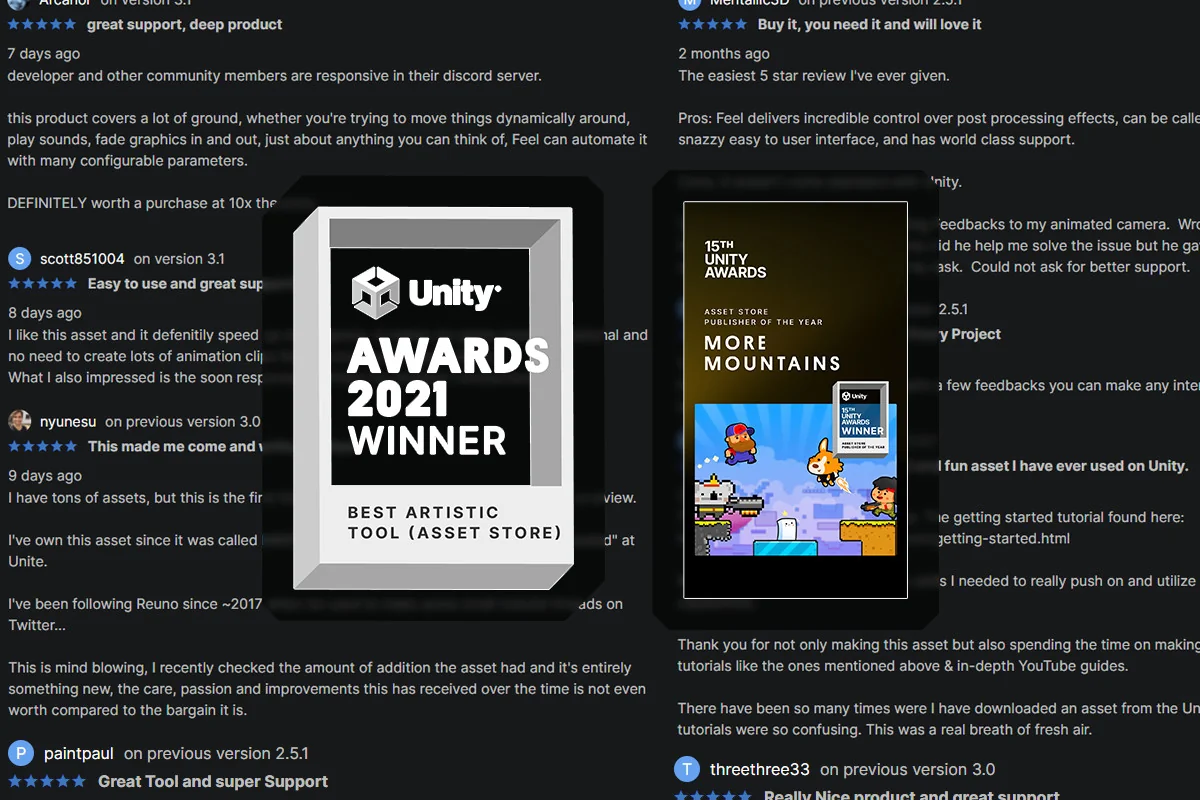
 Particles
 Particles
 Particles