"2596237520a17fbf"{"id":"1002910","slug":"ezprojectiles-realistic-bullet-simulation","title":"EZProjectiles - Realistic Bullet Simulation","category":"Procedural Systems","engine":"4.26+,5.0+","assetVersion":"","engineVersion":"Engine Version: 4.26+,5.0+","tag":"Procedural Systems","accent":"blue","visual":"mech","summary":"Simulate realistic bullet physics in Unreal Engine with BP_EZProjectile, featuring BPI_Bullet hit detection, low memory footprint, and high-tick optimization.","platform":"Unreal Engine","indexPolicy":"index","publishedAt":"2026-11-21T15:39:35.038Z","updatedAt":"2026-11-21T15:39:35.038Z","sourceNotes":[],"fileContents":[],"compatibility":["Unreal Engine","Engine Version: 4.26+,5.0+"],"featuredImage":{"alt":"EZProjectiles - Realistic Bullet Simulation","src":"/wp-content/uploads/published/2026/11/d0d2eb28dce7-0bb8de8b-393c-407a-bc4a-722122bd8122-efd4e7a675.webp"},"fileSizeBytes":127135064,"hasDownloadLink":true,"downloads":0,"terms":[{"taxonomy":"category","slug":"procedural-systems","name":"Procedural Systems"}],"galleryImages":[{"src":"/wp-content/uploads/published/2026/11/1390c1e4f852-34898f25-8330-4833-8e6e-dbb24db37699-6f0ccfca58.webp","alt":"EZProjectiles - Realistic Bullet Simulation"},{"src":"/wp-content/uploads/published/2026/11/0e79fa4485c4-fcc5966f-2c16-44af-8a9b-c4778975d6a3-26a3ed9b6d.webp","alt":"EZProjectiles - Realistic Bullet Simulation"},{"src":"/wp-content/uploads/published/2026/11/8670f44a0955-a07bb3ed-8edf-4cda-8b31-c1d406e25b25-edde6a3763.webp","alt":"EZProjectiles - Realistic Bullet Simulation"},{"src":"/wp-content/uploads/published/2026/11/84f4226f4050-75beefec-2cd3-408d-8d3e-4dc476f1759b-0c47fb7972.webp","alt":"EZProjectiles - Realistic Bullet Simulation"},{"src":"/wp-content/uploads/published/2026/11/167d0fcf8cd4-ea4e25c6-cf11-4f44-ad00-4ed6d1b805f0-54728e1060.webp","alt":"EZProjectiles - Realistic Bullet Simulation"},{"src":"/wp-content/uploads/published/2026/11/991de5939e5c-11219bbb-5d05-4d8b-ac2a-9cf45f25da24-2f2c43ce62.webp","alt":"EZProjectiles - Realistic Bullet Simulation"}],"contentHtml":"\u003cp\u003eIntegrating realistic ballistic physics into an Unreal Engine project often introduces friction between complex physical calculations and standard gameplay logic. EZProjectiles addresses this challenge by wrapping physical bullet simulation into a standalone projectile actor. The system handles the trajectory and physical capabilities of a real-world bullet from the moment of discharge, functioning across diverse game genres ranging from small top-down arcade shooters to intricate military simulations.\u003c/p\u003e\u003ch2\u003eSpawning BP_EZProjectile in Weapon Blueprints\u003c/h2\u003e\u003cp\u003eThe core workflow of the asset centers on runtime instantiation. Instead of manually computing raycasts or per-frame position updates within a weapon's master graph, developers trigger the simulation by spawning \u003ccode\u003eBP_EZProjectile\u003c/code\u003e At the muzzle or fire point when a shot is discharged. Once spawned into the level, the projectile actor takes immediate ownership of its ballistic trajectory, letting weapon logic remain clean and decoupled from physics processing.\u003c/p\u003e\u003cp\u003eThis design fits a wide variety of gameplay architectures. In a compact top-down perspective, the projectile manages linear or arc trajectories without requiring custom per-frame position transforms in the character controller. In high-fidelity military simulations, the actor calculates the behavior and flight dynamics characteristic of authentic ammunition. Because the actor operates autonomously upon instantiation, integrating it into existing firing sequences requires only calling standard spawn actor nodes directed to the appropriate transform location and rotation.\u003c/p\u003e\u003ch2\u003eHit Detection Architecture with the BPI_Bullet Interface\u003c/h2\u003e\u003cp\u003eRegistering physical impacts accurately is critical for any ballistic toolset. EZProjectiles supplies two distinct methods for processing when a projectile strikes an object or a character mesh in the world: the specialized \u003ccode\u003eBPI_Bullet\u003c/code\u003e Interface Hit event and native editor Hit events.\u003c/p\u003e\u003cp\u003eThe \u003ccode\u003eBPI_Bullet\u003c/code\u003e Interface provides an organized, decoupled communication channel between the projectile and whatever entity it hits. When the projectile collides with a surface, character, or physical asset, the interface executes a dedicated Hit event. This allows target actors—such as destructible props, interactive environmental elements, or combatants—to receive the hit message and process damage or kinetic reactions without needing a direct hard reference to the bullet actor itself. For projects already utilizing native engine collision routines, developers can alternatively leverage the standard editor Hit event directly on the component or actor level. Both pipelines are supported out of the box, offering flexibility whether a project is built on interface-driven interaction paradigms or classic component hit delegates.\u003c/p\u003e\u003ch2\u003eSimulated Bullet Flight in Blueprint\u003c/h2\u003e\u003cp\u003eEZProjectiles is built around a projectile actor rather than an instant hitscan trace. Once \u003ccode\u003eBP_EZProjectile\u003c/code\u003e is spawned, the bullet travels through the world under the asset's own Blueprint logic, so shots can behave as physical objects with travel time instead of resolving at the moment the trigger is pulled. That distinction suits projects that want visible projectiles and distance-aware combat, from compact top-down shooters to military simulations.\u003c/p\u003e\u003cp\u003eThe simulation is written entirely in Blueprints, and the graphs are heavily commented so designers can inspect how the projectile is put together and adjust it to fit a weapon or gameplay scale. The asset is presented as a realistic bullet simulation rather than a fixed, game-specific weapon system; teams can use the actor as supplied or modify its Blueprint logic when a project needs different ballistic behavior.\u003c/p\u003e\u003cp\u003eBecause the projectile is a standalone actor, it does not impose a weapon framework or inventory structure on the host project. A weapon Blueprint only needs to spawn it at the appropriate transform, and hit handling can then run through the \u003ccode\u003eBPI_Bullet\u003c/code\u003e interface or through standard Hit events, depending on how the project already routes damage and impact reactions.\u003c/p\u003e\u003ch2\u003eAsset Footprint and 120 FPS Benchmark Optimization\u003c/h2\u003e\u003cp\u003ePerformance preservation is a core consideration for projectile-heavy genres where dozens or hundreds of rounds might be live in a single engagement. EZProjectiles carries an exceptionally small resource profile. When isolated from its optional showcase content, the standalone asset requires less than 2 MB of disk space. This compact profile ensures that adding the asset to a project does not bloat repository sizes or introduce storage overhead.\u003c/p\u003e\u003cp\u003eIn terms of runtime overhead, the system makes minimal demands on both central processing units and system memory. In benchmark testing within an empty Unreal Engine project, the simulation consistently sustains 120 frames per second. While engine-level baselines represent a large portion of overall hardware consumption in modern projects, the operational cost of the projectile actor remains virtually unnoticeable during level execution. This optimization ensures that developers working on tight technical budgets can deploy realistic physical munitions without degrading frame pacing or consuming hardware margins reserved for rendering, artificial intelligence, and audio.\u003c/p\u003e\u003ch2\u003eModifying EZProjectiles Through Documented Blueprint Scripting\u003c/h2\u003e\u003cp\u003eUnder the hood, the entire ballistic simulation is executed through Unreal Engine Blueprints. For technical designers and developers who need to adapt ballistic behaviors to match custom weapons or non-standard physics scales, the Blueprint graphs feature heavy internal commenting. Every functional block and calculation step is annotated to explain the underlying logic, allowing developers to trace data flows, inspect variables, and modify behavioral parameters without reverse-engineering the codebase.\u003c/p\u003e\u003cp\u003eFor users who are newer to visual scripting or those requiring deep dives into the underlying architecture, comprehensive documentation accompanies the asset. This technical documentation covers configuration, integration patterns, and operational variables in detail. If technical roadblocks arise during implementation, support is maintained through a dedicated Discord server where developers can seek direct assistance and troubleshooting guidance.\u003c/p\u003e\u003ch2\u003eMaintenance Scope and Project Integration\u003c/h2\u003e\u003cp\u003eEZProjectiles is designed as a completed, stable utility rather than an evolving, multi-phase framework. Outside of necessary engine version compatibility updates, active feature modifications are not routinely scheduled unless an overwhelming volume of community requests necessitates a functional revision. The creator remains active on other asset projects and offers communication channels through the community Discord server for developers with specific integration questions or inquiries about missing capabilities. For developers seeking an accessible, verified ballistic system that drops cleanly into existing weapon pipelines, the asset presents an optimized, fully blueprint-driven solution ready for immediate deployment.\u003c/p\u003e\n\n\u003ch2\u003eExplore Similar Assets\u003c/h2\u003e\n\u003cul\u003e\n\u003cli\u003e\u003ca href=\"https://3dcghub.com/niagara-muzzle-flash-and-ejection-vfx-muzzle-flash-gun-vfx-bullet-vfx/\" rel=\"noopener noreferrer\"\u003eNiagara Muzzle Flash \u0026amp; Ejection VFX (Muzzle Flash, Gun VFX, Bullet VFX)\u003c/a\u003e\u003c/li\u003e\n\u003cli\u003e\u003ca href=\"https://3dcghub.com/fluid-flux/\" rel=\"noopener noreferrer\"\u003eFluid Flux\u003c/a\u003e\u003c/li\u003e\n\u003cli\u003e\u003ca href=\"https://3dcghub.com/easy-flight-model/\" rel=\"noopener noreferrer\"\u003eEasy Flight Model\u003c/a\u003e\u003c/li\u003e\n\u003cli\u003e\u003ca href=\"https://3dcghub.com/realistic-moon/\" rel=\"noopener noreferrer\"\u003eRealistic Moon\u003c/a\u003e\u003c/li\u003e\n\u003cli\u003e\u003ca href=\"https://3dcghub.com/lightning-fast/\" rel=\"noopener noreferrer\"\u003eLightning Fast\u003c/a\u003e\u003c/li\u003e\n\u003c/ul\u003e","contentTextLength":7191,"navigation":{"current":9,"total":4839,"previous":{"id":"1002911","slug":"fighting-camera-manager","title":"Fighting Camera Manager","category":"Fighting","platform":"Unreal Engine","updatedAt":"2026-11-21T15:40:09.100Z"},"next":{"id":"1002909","slug":"drivable-cars-4x4-off-road-four-wheel-drive-car","title":"Drivable Cars: 4x4 Off Road Four Wheel Drive Car","category":"Cars \u0026 Trucks","platform":"Unreal Engine","updatedAt":"2026-11-21T15:38:42.598Z"}},"relatedResources":[{"id":"1002131","slug":"niagara-muzzle-flash-and-ejection-vfx-muzzle-flash-gun-vfx-bullet-vfx","title":"Niagara Muzzle Flash \u0026 Ejection VFX (Muzzle Flash, Gun VFX, Bullet VFX)","category":"Spells \u0026 Combat","engine":"4.25+,5.0+","assetVersion":"","engineVersion":"Engine Version: 4.25+,5.0+","tag":"Spells \u0026 Combat","accent":"blue","visual":"mech","summary":"Explore Niagara Muzzle Flash \u0026 Ejection VFX, featuring 17 particle systems across 5 weapon classes with realistic muzzle flashes and bullet shell ejections.","platform":"Unreal Engine","indexPolicy":"index","publishedAt":"2026-10-29T09:12:22.074Z","updatedAt":"2026-10-29T09:12:22.074Z","sourceNotes":[],"fileContents":[],"compatibility":["Unreal Engine","Engine Version: 4.25+,5.0+"],"featuredImage":{"alt":"Niagara Muzzle Flash \u0026 Ejection VFX (Muzzle Flash, Gun VFX, Bullet VFX)","src":"/wp-content/uploads/published/2026/10/31a727bcc5b7-e1a79014-146f-40db-a58b-c05ead407923-cec126815f.webp"},"fileSizeBytes":232616178,"hasDownloadLink":true,"downloads":3},{"id":"11402","slug":"fluid-flux","title":"Fluid Flux","category":"Procedural Systems","engine":"4.26+,5.0+","assetVersion":"Engine version: 4.26+,5.0+","engineVersion":"Asset Version:2.2 - 3.0.4","tag":"Procedural Systems","accent":"blue","visual":"city","summary":"Fluid Flux is a powerful tool for real-time shallow water simulation and high-quality surface rendering. It features a GPU-friendly implementation designed for efficiency and visual fidelity in modern game projects.","platform":"Unreal Engine","indexPolicy":"noindex","publishedAt":"2026-03-05T17:11:44.000Z","updatedAt":"2026-04-19T15:48:12.000Z","sourceNotes":[],"fileContents":[],"compatibility":["Unreal Engine","Engine version: 4.26+,5.0+","Asset Version: 2.2 - 3.0.4"],"featuredImage":{"alt":"Fluid Flux","src":"https://3dcghub.com/wp-content/uploads/2026/03/1fe4696d-28ca-47a0-87e1-8b8daa320977.webp"},"fileSizeBytes":6289737115,"hasDownloadLink":true,"downloads":19},{"id":"15259","slug":"easy-flight-model","title":"Easy Flight Model","category":"Procedural Systems","engine":"5.4 - 5.8","assetVersion":"Asset Version: 3.23 - 3.34","engineVersion":"Engine version: 5.4 - 5.8","tag":"Procedural Systems","accent":"blue","visual":"city","summary":"Easy Flight Model provides a realistic framework for simulating fixed-wing aircraft and aerodynamic objects using physics impulses. It computes flight dynamics based on mass, velocity, and location.","platform":"Unreal Engine","indexPolicy":"index","publishedAt":"2026-03-12T08:25:55.000Z","updatedAt":"2026-09-04T15:23:00.546Z","sourceNotes":[],"fileContents":[],"compatibility":["Unreal Engine","Asset Version: 3.23 - 3.34","Engine version: 5.4 - 5.8"],"featuredImage":{"alt":"Easy Flight Model","src":"https://3dcghub.com/wp-content/uploads/2026/03/32989088-74c7-4cb2-a882-a51bae1bc416.webp"},"fileSizeBytes":76234064,"hasDownloadLink":true,"downloads":0}]}
Resource screenshots
1 / 6
Join our channel
Follow 3DCGHUB on Telegram for new resource drops, migration updates, and community notices.
Simulate realistic bullet physics in Unreal Engine with BP_EZProjectile, featuring BPI_Bullet hit detection, low memory footprint, and high-tick optimization.
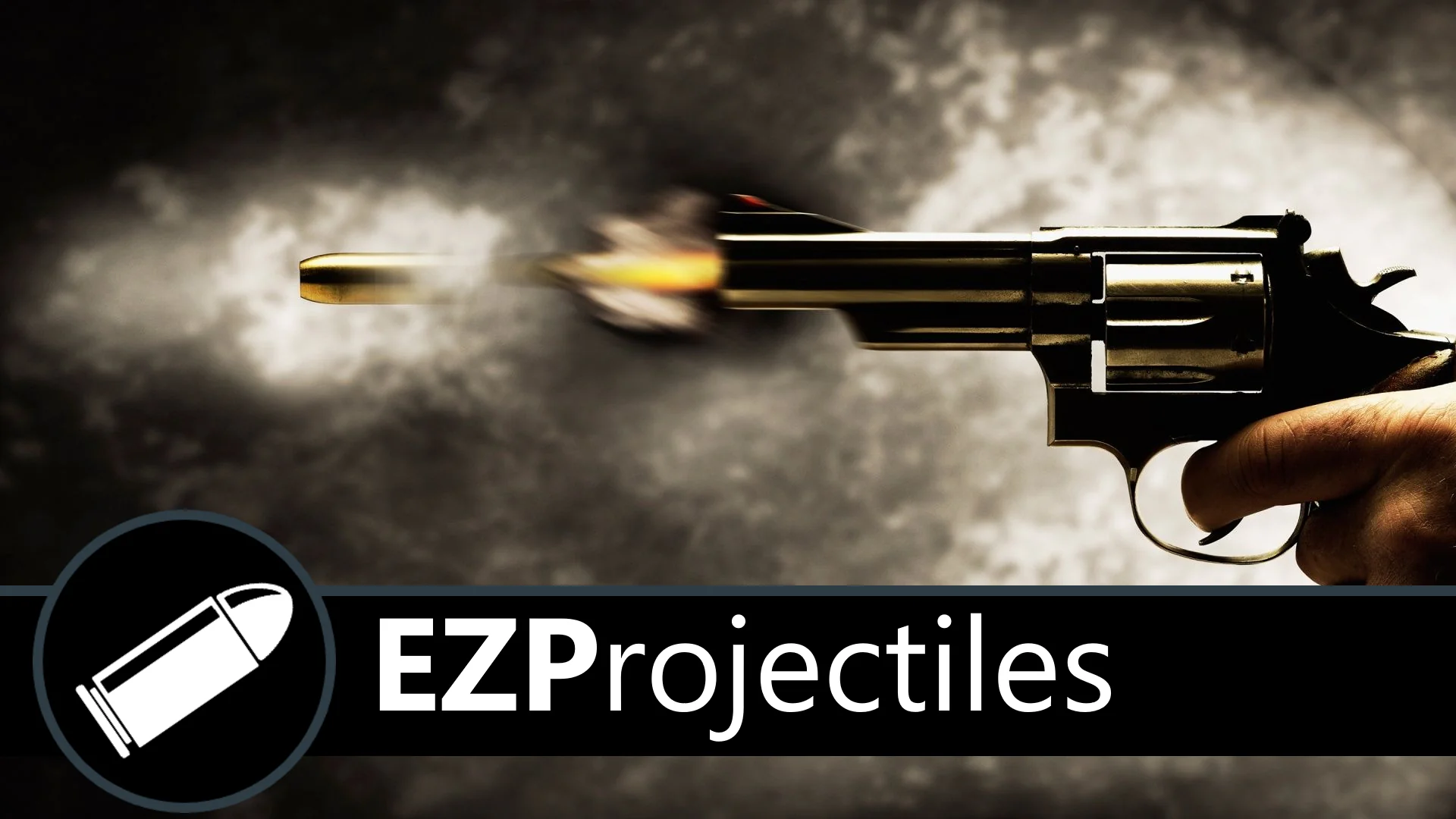
Integrating realistic ballistic physics into an Unreal Engine project often introduces friction between complex physical calculations and standard gameplay logic. EZProjectiles addresses this challenge by wrapping physical bullet simulation into a standalone projectile actor. The system handles the trajectory and physical capabilities of a real-world bullet from the moment of discharge, functioning across diverse game genres ranging from small top-down arcade shooters to intricate military simulations.
Spawning BP_EZProjectile in Weapon Blueprints
The core workflow of the asset centers on runtime instantiation. Instead of manually computing raycasts or per-frame position updates within a weapon's master graph, developers trigger the simulation by spawning BP_EZProjectile At the muzzle or fire point when a shot is discharged. Once spawned into the level, the projectile actor takes immediate ownership of its ballistic trajectory, letting weapon logic remain clean and decoupled from physics processing.
This design fits a wide variety of gameplay architectures. In a compact top-down perspective, the projectile manages linear or arc trajectories without requiring custom per-frame position transforms in the character controller. In high-fidelity military simulations, the actor calculates the behavior and flight dynamics characteristic of authentic ammunition. Because the actor operates autonomously upon instantiation, integrating it into existing firing sequences requires only calling standard spawn actor nodes directed to the appropriate transform location and rotation.
Hit Detection Architecture with the BPI_Bullet Interface
Registering physical impacts accurately is critical for any ballistic toolset. EZProjectiles supplies two distinct methods for processing when a projectile strikes an object or a character mesh in the world: the specialized BPI_Bullet Interface Hit event and native editor Hit events.
The BPI_Bullet Interface provides an organized, decoupled communication channel between the projectile and whatever entity it hits. When the projectile collides with a surface, character, or physical asset, the interface executes a dedicated Hit event. This allows target actors—such as destructible props, interactive environmental elements, or combatants—to receive the hit message and process damage or kinetic reactions without needing a direct hard reference to the bullet actor itself. For projects already utilizing native engine collision routines, developers can alternatively leverage the standard editor Hit event directly on the component or actor level. Both pipelines are supported out of the box, offering flexibility whether a project is built on interface-driven interaction paradigms or classic component hit delegates.
Simulated Bullet Flight in Blueprint
EZProjectiles is built around a projectile actor rather than an instant hitscan trace. Once BP_EZProjectile is spawned, the bullet travels through the world under the asset's own Blueprint logic, so shots can behave as physical objects with travel time instead of resolving at the moment the trigger is pulled. That distinction suits projects that want visible projectiles and distance-aware combat, from compact top-down shooters to military simulations.
The simulation is written entirely in Blueprints, and the graphs are heavily commented so designers can inspect how the projectile is put together and adjust it to fit a weapon or gameplay scale. The asset is presented as a realistic bullet simulation rather than a fixed, game-specific weapon system; teams can use the actor as supplied or modify its Blueprint logic when a project needs different ballistic behavior.
Because the projectile is a standalone actor, it does not impose a weapon framework or inventory structure on the host project. A weapon Blueprint only needs to spawn it at the appropriate transform, and hit handling can then run through the BPI_Bullet interface or through standard Hit events, depending on how the project already routes damage and impact reactions.
Asset Footprint and 120 FPS Benchmark Optimization
Performance preservation is a core consideration for projectile-heavy genres where dozens or hundreds of rounds might be live in a single engagement. EZProjectiles carries an exceptionally small resource profile. When isolated from its optional showcase content, the standalone asset requires less than 2 MB of disk space. This compact profile ensures that adding the asset to a project does not bloat repository sizes or introduce storage overhead.
In terms of runtime overhead, the system makes minimal demands on both central processing units and system memory. In benchmark testing within an empty Unreal Engine project, the simulation consistently sustains 120 frames per second. While engine-level baselines represent a large portion of overall hardware consumption in modern projects, the operational cost of the projectile actor remains virtually unnoticeable during level execution. This optimization ensures that developers working on tight technical budgets can deploy realistic physical munitions without degrading frame pacing or consuming hardware margins reserved for rendering, artificial intelligence, and audio.
Modifying EZProjectiles Through Documented Blueprint Scripting
Under the hood, the entire ballistic simulation is executed through Unreal Engine Blueprints. For technical designers and developers who need to adapt ballistic behaviors to match custom weapons or non-standard physics scales, the Blueprint graphs feature heavy internal commenting. Every functional block and calculation step is annotated to explain the underlying logic, allowing developers to trace data flows, inspect variables, and modify behavioral parameters without reverse-engineering the codebase.
For users who are newer to visual scripting or those requiring deep dives into the underlying architecture, comprehensive documentation accompanies the asset. This technical documentation covers configuration, integration patterns, and operational variables in detail. If technical roadblocks arise during implementation, support is maintained through a dedicated Discord server where developers can seek direct assistance and troubleshooting guidance.
Maintenance Scope and Project Integration
EZProjectiles is designed as a completed, stable utility rather than an evolving, multi-phase framework. Outside of necessary engine version compatibility updates, active feature modifications are not routinely scheduled unless an overwhelming volume of community requests necessitates a functional revision. The creator remains active on other asset projects and offers communication channels through the community Discord server for developers with specific integration questions or inquiries about missing capabilities. For developers seeking an accessible, verified ballistic system that drops cleanly into existing weapon pipelines, the asset presents an optimized, fully blueprint-driven solution ready for immediate deployment.
 Spells & Combat
 Procedural Systems
 Procedural Systems