Dynamic Asset Management with ExternalTexturePlugin
ExternalTexturePlugin provides a robust solution for developers looking to manage image assets dynamically. By utilizing this tool, you can load textures into your project while it is currently running. Consequently, this eliminates the need for all assets to be pre-packaged within the initial build. The developer has designed this tool to be both efficient and accessible for various project types.
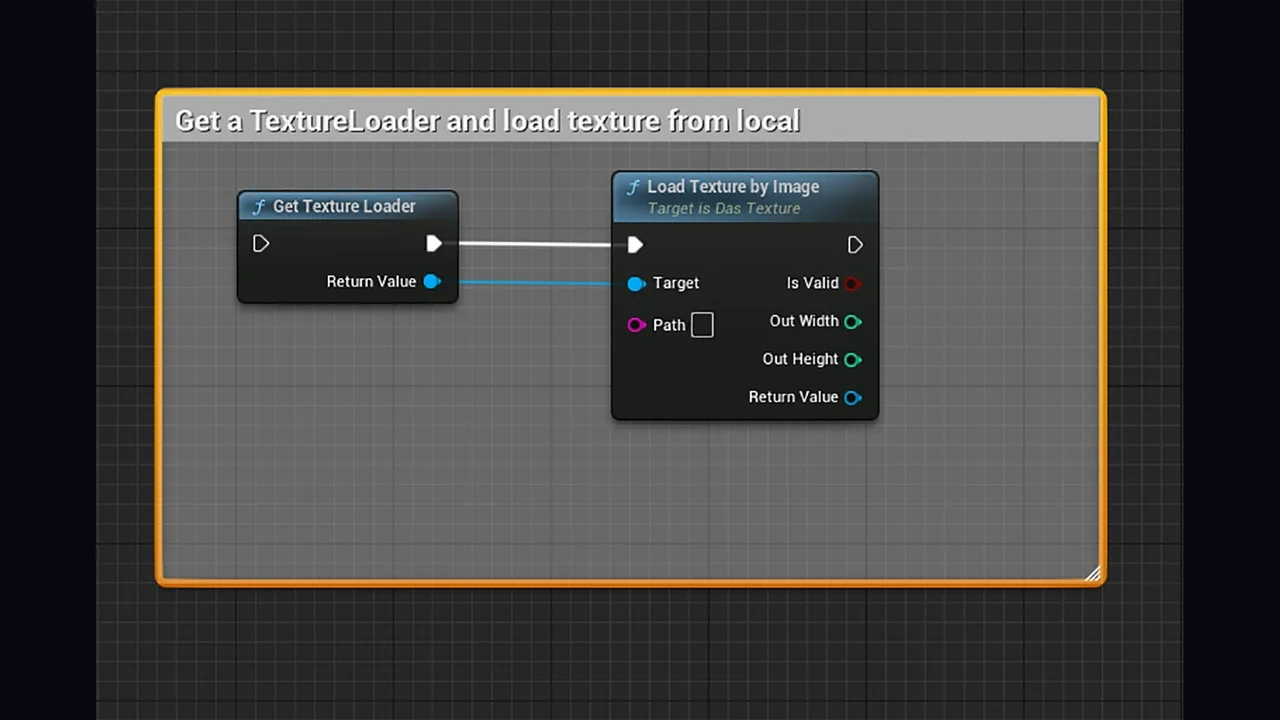
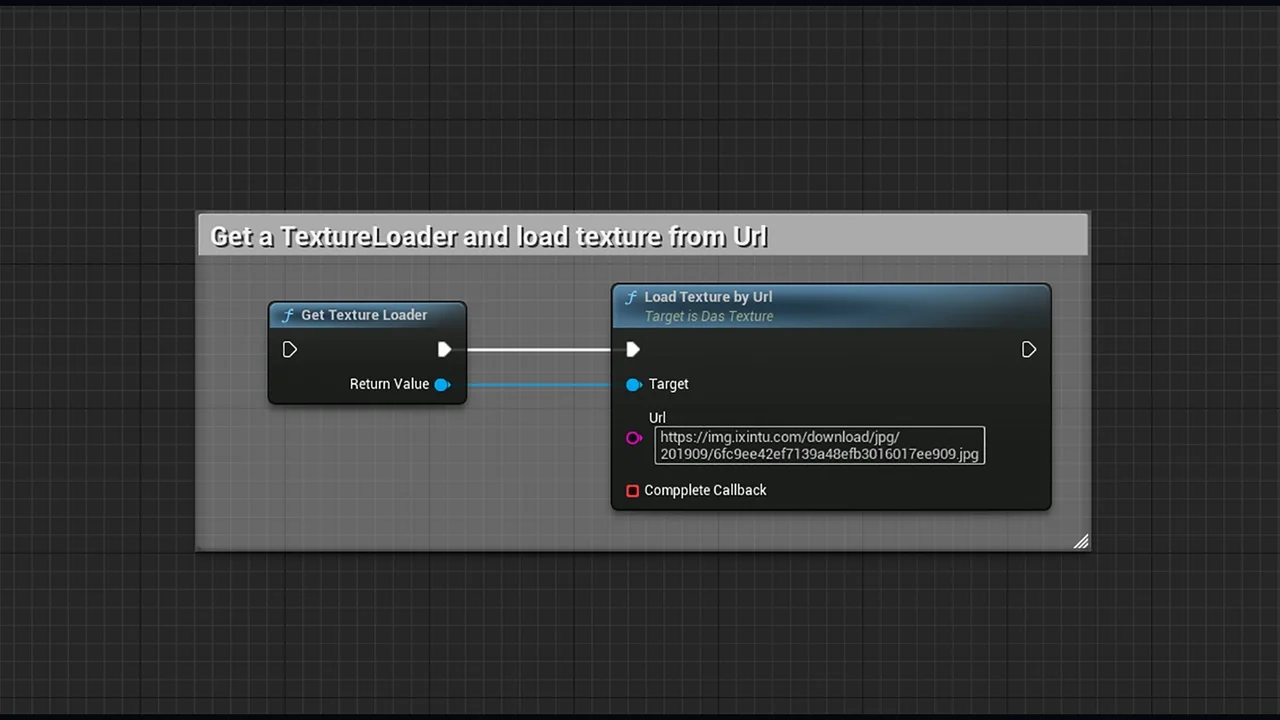
One of the primary advantages of the ExternalTexturePlugin is its flexibility regarding source locations. Specifically, the plugin allows for the retrieval of images from both local storage and network paths. Therefore, you can access files directly from a user’s hard drive or a remote server. This dual-source capability ensures that your project can handle a wide variety of data environments.
Blueprint Integration and Ease of Use
Integration is a core focus for the ExternalTexturePlugin. The system functions entirely through Blueprints, which simplifies the implementation process significantly. Moreover, this visual scripting approach allows developers to set up loading logic without writing complex code. As a result, you can trigger texture updates based on specific in-game events or user interactions.
Furthermore, the workflow remains consistent whether you are dealing with local files or network URLs. The Blueprint nodes provided by the ExternalTexturePlugin handle the heavy lifting of the loading process. In addition, the runtime nature of the plugin means that these changes happen instantaneously within the live environment. This feature is particularly useful for projects that require frequent content updates.
Supported Image Formats
Compatibility is essential when dealing with external assets. Currently, the ExternalTexturePlugin supports several of the most common image file formats. These include JPG, PNG, TGA, and BMP. Because these standard formats are supported, you can ensure that most image sources will work without requiring extensive conversion.
- JPG: Ideal for compressed photographic textures.
- PNG: Perfect for images requiring transparency.
- TGA: Often used for high-quality professional textures.
- BMP: Supports standard uncompressed bitmap images.
Specifically, the inclusion of PNG and TGA support allows for textures that utilize alpha channels. Consequently, developers can maintain high visual fidelity even when loading assets from external sources. The ExternalTexturePlugin ensures that these formats are processed correctly through the Blueprint system.
Enhanced Runtime Flexibility
The ability to load textures at runtime provides significant architectural benefits. Specifically, the ExternalTexturePlugin allows your application to remain lightweight. Instead of bloating the project size with high-resolution textures, you can call them only when they are needed. Moreover, the network loading feature means that assets can be updated on a server without requiring a new build of the application.
Additionally, the plugin handles the transition of these textures into the engine smoothly. Since it is optimized for runtime performance, the loading process is designed to be as seamless as possible. Therefore, the ExternalTexturePlugin is a valuable asset for any developer needing to bridge the gap between external file systems and their real-time environment.
Conclusion
In summary, the ExternalTexturePlugin is a specialized tool for runtime texture management. By supporting local and network sources, it offers unparalleled flexibility for asset sourcing. Furthermore, its support for JPG, PNG, TGA, and BMP ensures compatibility with industry-standard file types. Because it integrates directly with Blueprints, it remains an accessible and powerful choice for developers of all levels.
Screenshots & Gallery