Automated Detailing for Unreal Engine
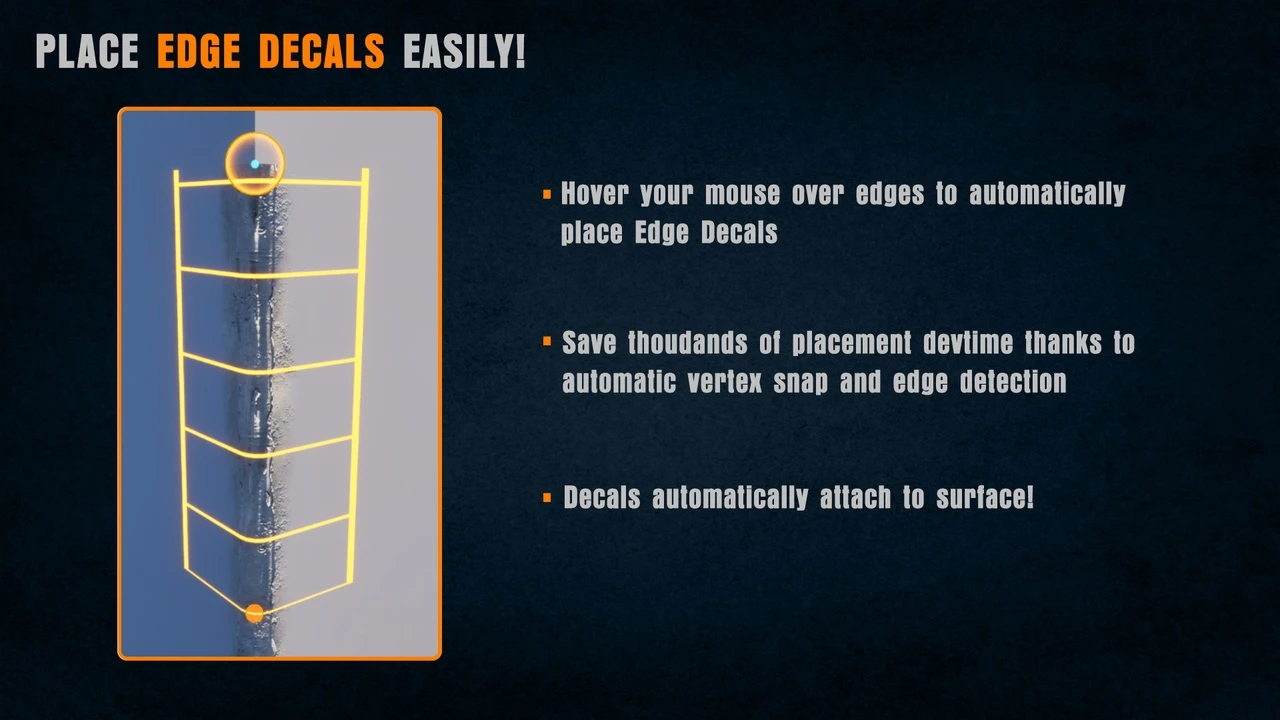
Edge Decal Tools 1.2 is a powerful script-based asset designed to simplify the placement of decals on geometry. Placing details manually often requires significant time and effort. However, this tool handles all orientation and alignment tasks automatically. Consequently, environment artists can save hours or even days of work during the polishing phase. This efficiency makes it an essential addition to any production pipeline.
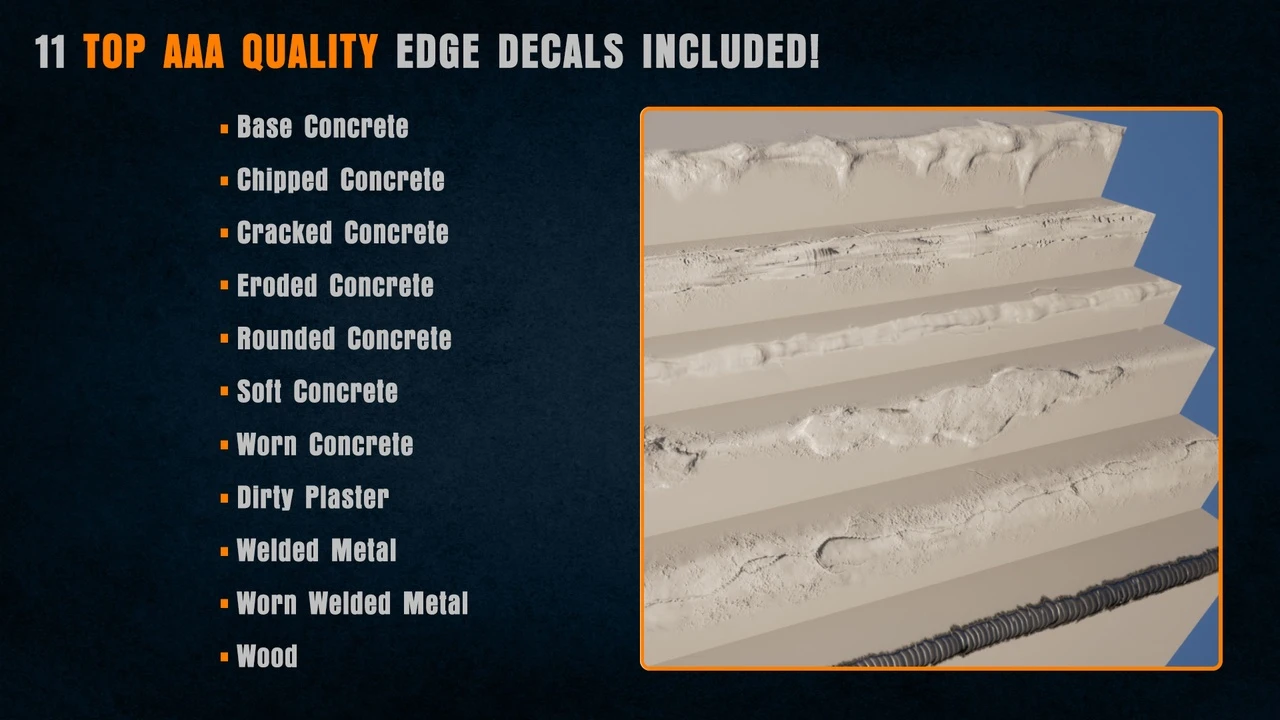
The system is built to detail assets and polish environments with precision. Furthermore, the script handles the tedious placement work so users do not have to perform manual tweaks. The package includes a library of 11 high-quality edge decal examples to help users begin immediately. Therefore, you can achieve professional results right out of the box.
The Versatile Mesh Decal Tool
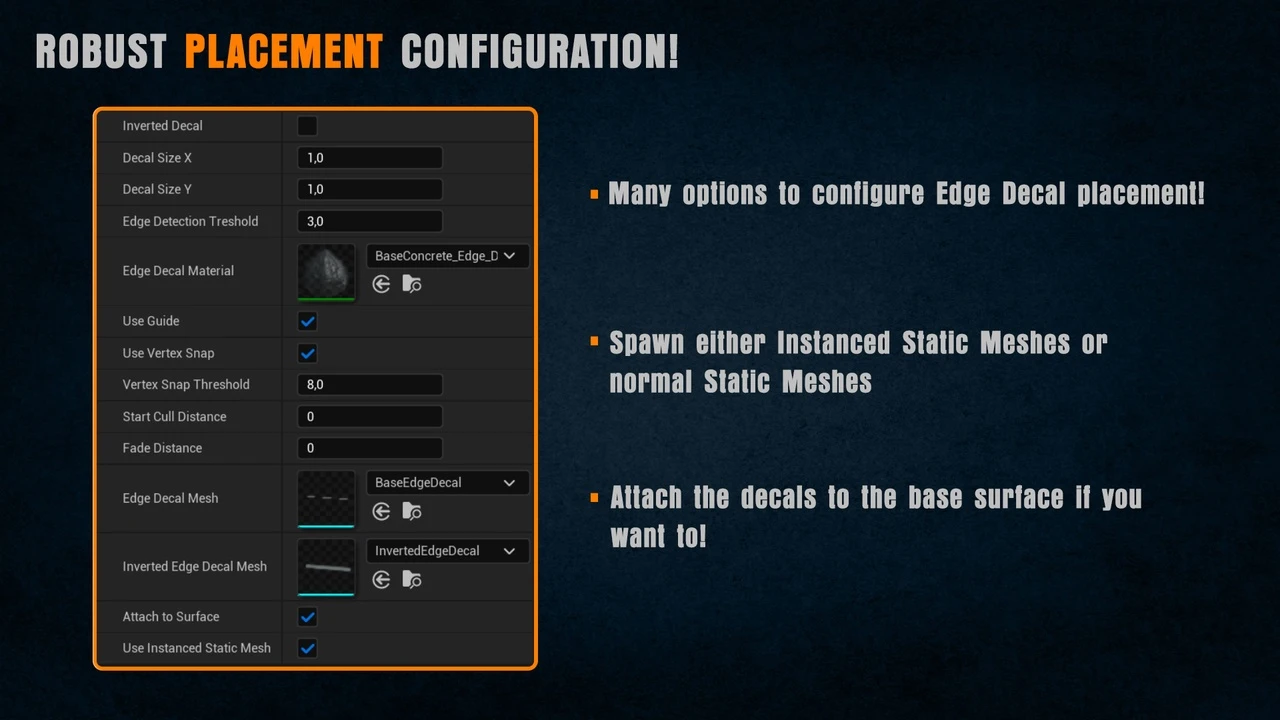
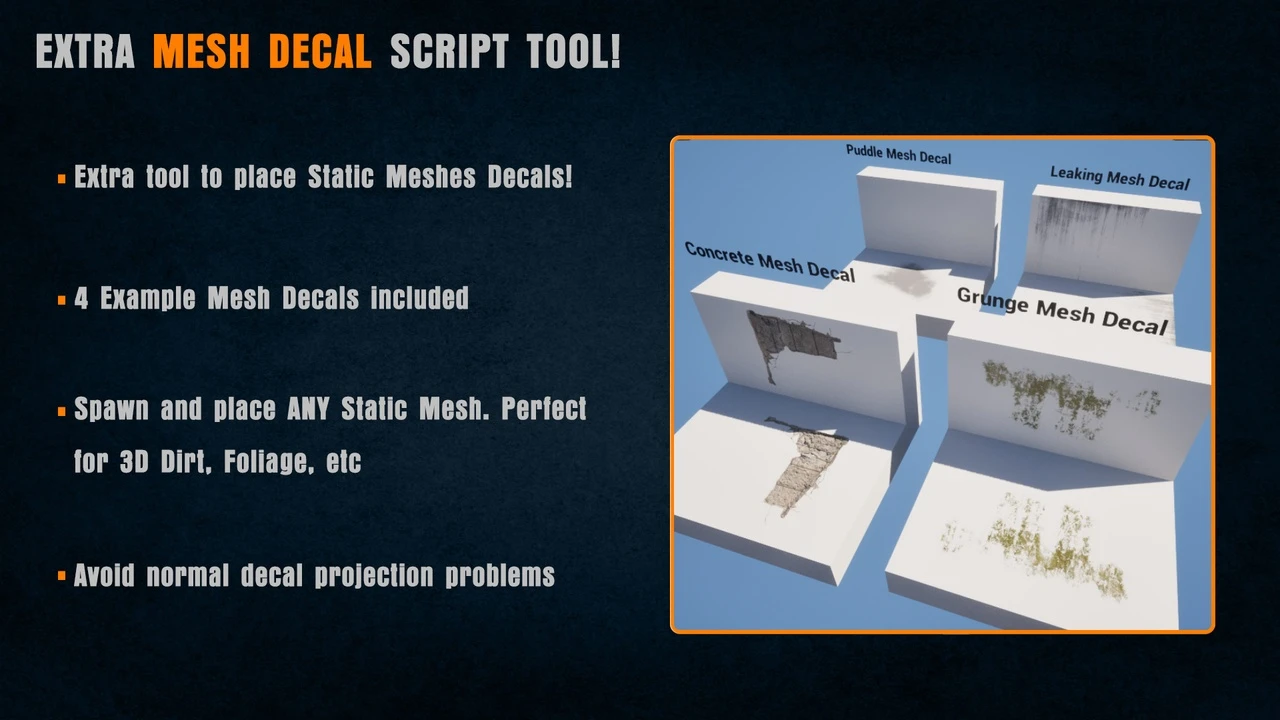
In addition to edge decals, the developer has included a bonus Mesh Decal Tool. This tool allows you to place static meshes across surfaces using an intuitive workflow. Specifically, these mesh decals can function as regular static meshes or instanced static meshes. This flexibility is vital for performance optimization in dense game environments. Moreover, the tool is perfect for modular or layered detail work.
The Mesh Decal Tool is highly customizable to fit various project needs. Initially, the tool provided four sample mesh decals. However, the Edge Decal Tools 1.2 update has expanded this library significantly. Specifically, 15 new mesh decals have been added, bringing more variety to your modular detailing options.
Advanced Geometry and Material Support
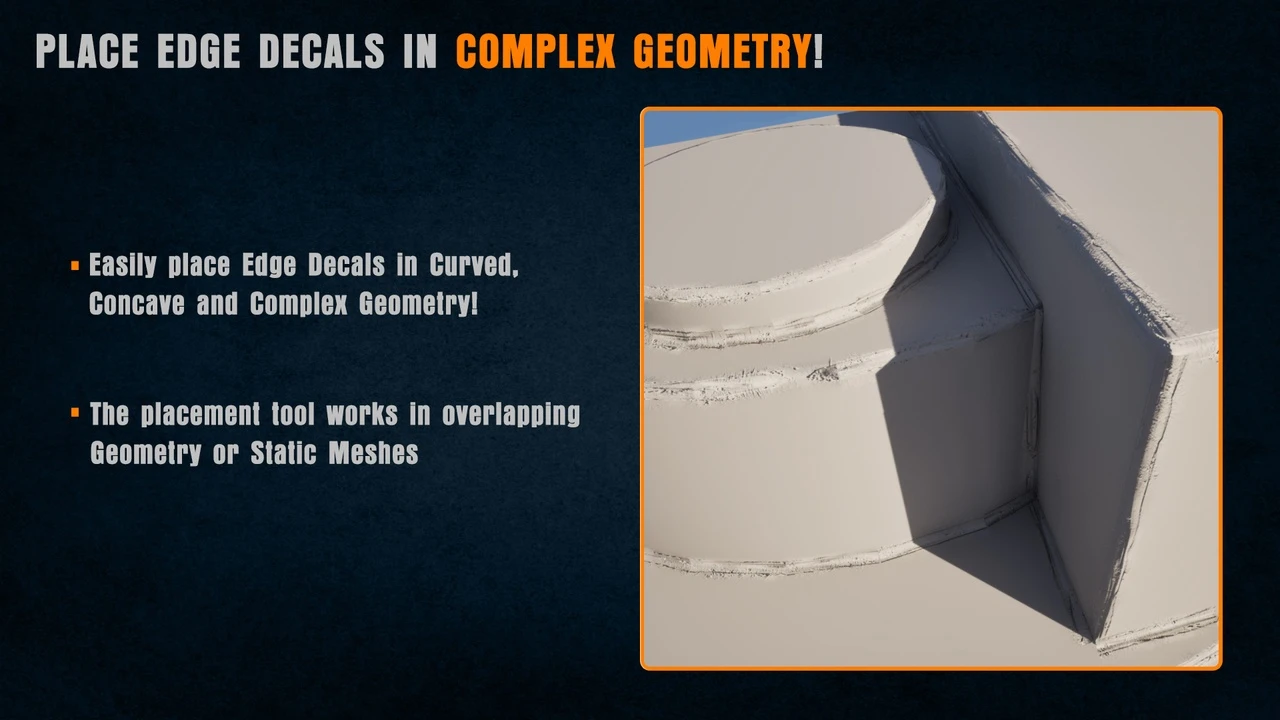
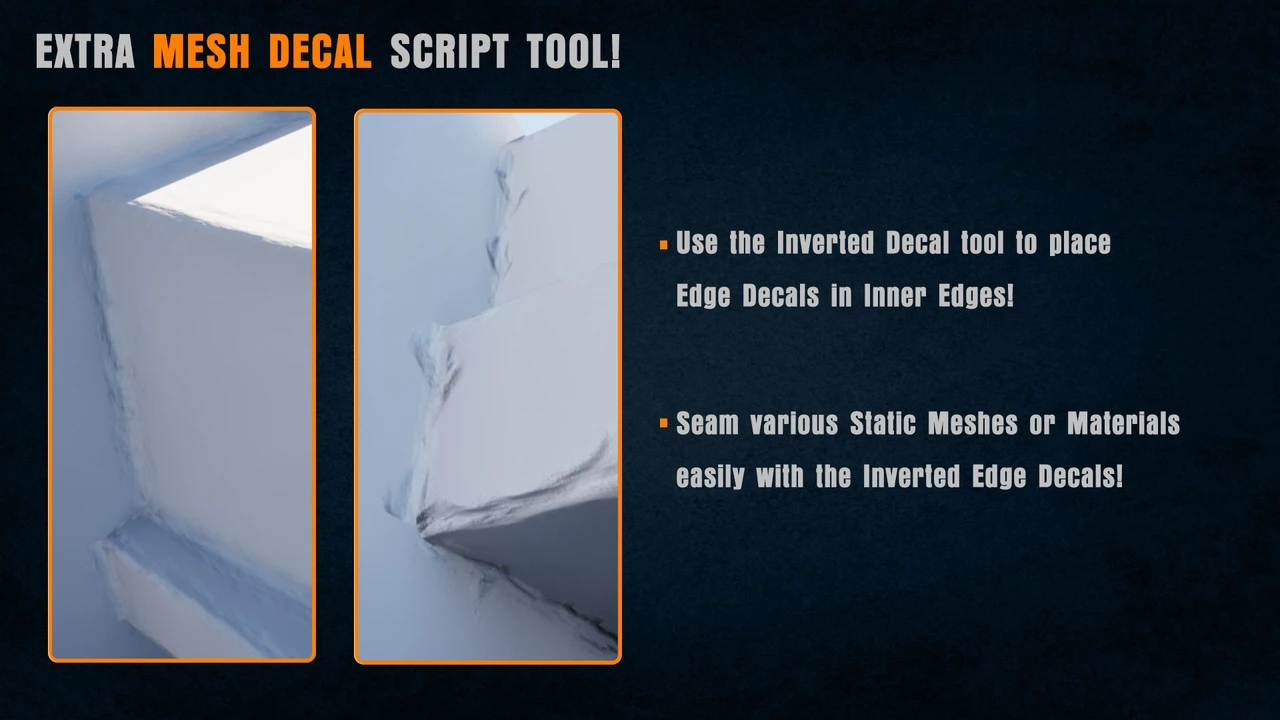
Edge Decal Tools 1.2 excels at handling complex and messy geometry. It can place decals on uneven surfaces, overlapping geometry, and areas prone to Z-fighting. Additionally, the tool works effectively on both outer and inner corners. Consequently, you can detail protruding edges as well as indented or inset surfaces with ease.
The system is compatible with any surface or material type, including brick, stucco, and concrete. If you change the underlying material, the decals remain intact and continue to function flawlessly. Furthermore, a smart material scaling system prevents texture stretching. Decals automatically adapt their scale based on the edge length, which maintains visual consistency across the scene.
Performance and Optimization
One of the primary benefits of this tool is its efficiency. Unlike many alternatives, it does not use splines. Therefore, it is significantly more performant and easier to control than spline-based systems. Additionally, the tool includes fade-out controls to ensure smooth visual transitions. This feature helps minimize visual noise in highly detailed environments.
The 1.2 update introduces several improvements to the core experience. Along with the new mesh decals, the developer implemented general bug fixes to enhance stability. Furthermore, a new option allows users to change the Z Scale of mesh decals. This addition provides even more control over the final look of your environment details.
Conclusion
Edge Decal Tools 1.2 is an essential resource for environment artists, level designers, and technical artists. By automating the placement of edge and mesh decals, it eliminates repetitive tasks without sacrificing quality. Whether you are working with clean meshes or poorly aligned geometry, this tool ensures a polished and professional finish for your Unreal Engine projects.