Geometry-Based Decal Placement and Mesh Integration
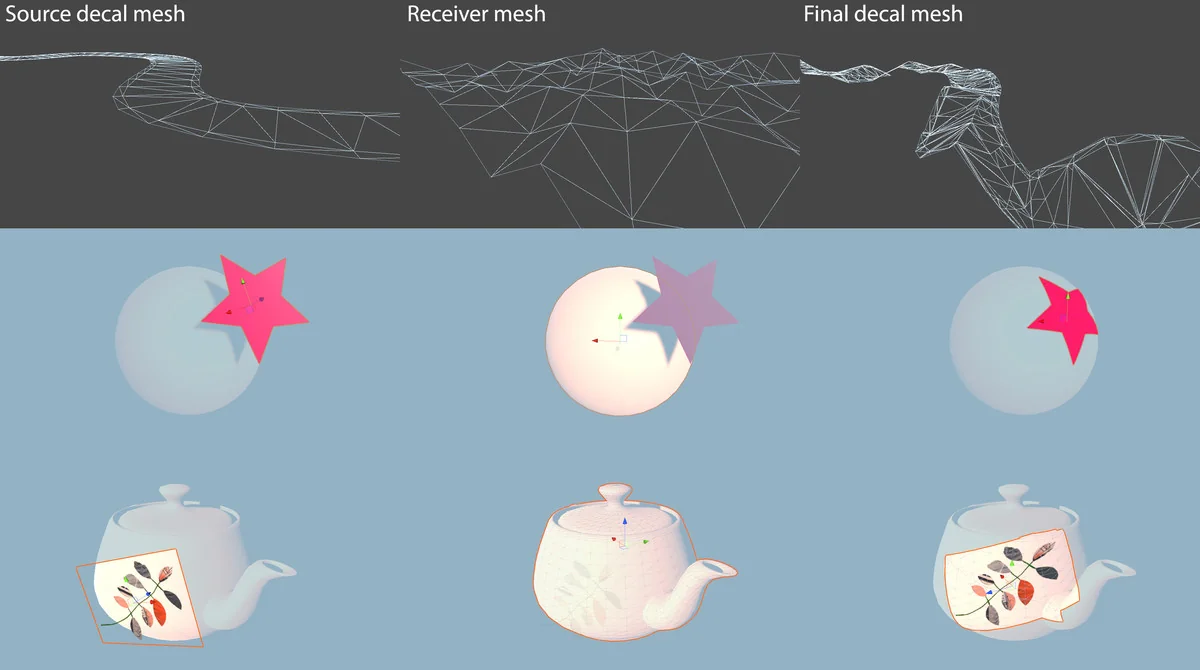
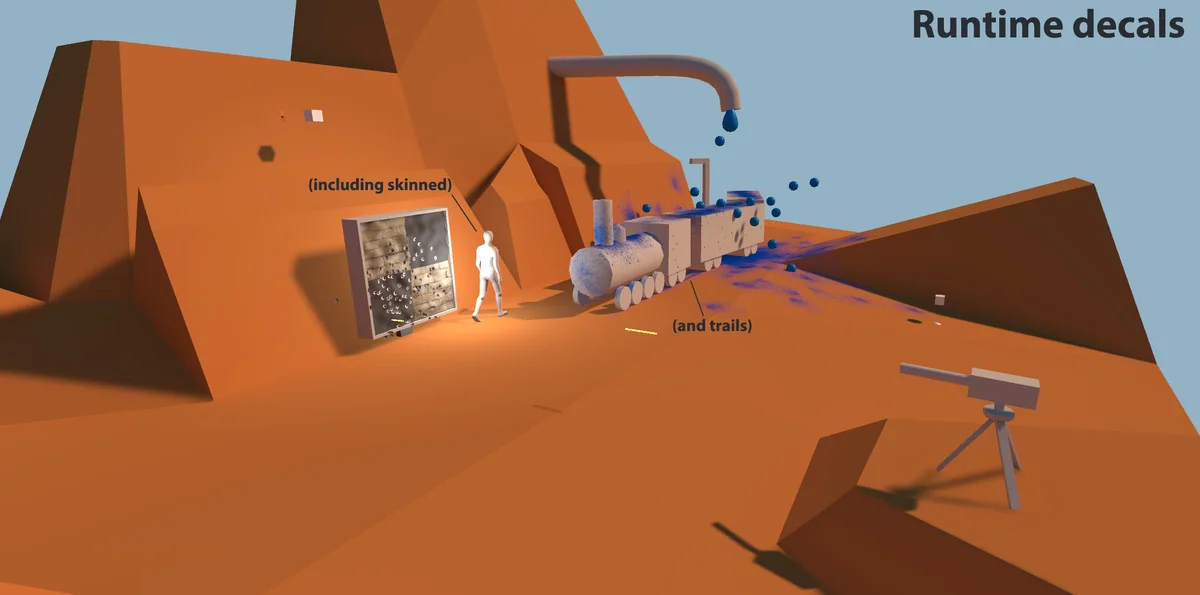
Decalery is designed to handle decals and receivers of any geometric shape, moving beyond simple box projections to allow for more complex mesh interactions. A central feature of the package is its ability to support deformable decals on skinned meshes, ensuring that decorative or environmental details remain correctly attached and aligned even as the underlying character or object moves and deforms. This capability is particularly relevant for projects requiring high-fidelity visual effects on animated entities.
To maintain visual consistency and performance, the tool includes an experimental Optimize Topology option. This feature is intended to remove redundant polygons within generated decals, streamlining the resulting geometry without sacrificing the intended look. When creating mesh assets, the system also takes parent prefab names into account, which assists in keeping project hierarchies and asset libraries organized during large-scale development.
Lighting Compatibility and Render Pipeline Support
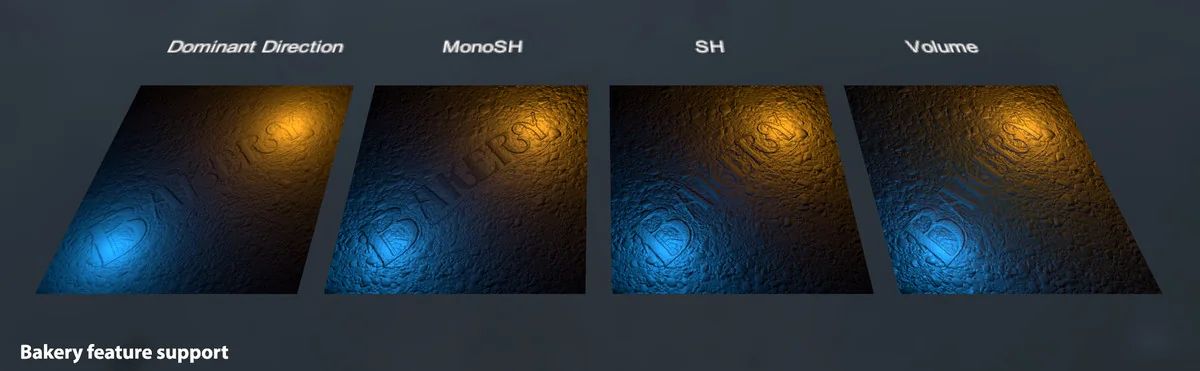
The package provides wide-ranging support for different lighting workflows and render pipelines. It is compatible with the Built-in render pipeline, Universal Render Pipeline (URP), and High Definition Render Pipeline (HDRP). Beyond standard Unity lightmaps, Decalery specifically integrates with Bakery lightmaps, including support for Spherical Harmonics (SH), MonoSH, and Volumes. This ensures that decals can be properly lit and lightmapped within high-end lighting setups.
To address common visual artifacts in decal rendering, the included shaders are designed to mitigate issues like Z-fighting. This is critical for maintaining a clean visual output when decals are placed in close proximity to their receivers. The shaders are provided for all three major pipelines, ensuring that the visual behavior remains consistent regardless of the chosen rendering path.
Vertex Normal Manipulation and UV Projection
One of the more technical aspects of the tool is the control it offers over vertex normals. Developers can choose from several distinct behaviors to determine how the decal interacts with the lighting of the receiver mesh. The default behavior is to keep normals directly from the receivers. However, for more specific visual needs, the developer has included options to smooth normals within welded decal polygons or set a single average normal for the entire decal.
The most advanced normal option, Project From Receivers, utilizes a ray-casting method to pick receiver normals at each source mesh vertex. The system then interpolates these results over the final decal mesh, which can lead to more accurate lighting transitions between the decal and the surface it sits on. Additionally, the system allows for the projection of multiple UV channels from either the source or the receiver, providing flexibility in how textures and masks are applied to the decal geometry.
Runtime Spawning and Performance Optimization
For dynamic gameplay elements, Decalery includes techniques for runtime decal spawning. This includes specific support for trail-like decals, which are useful for creating effects such as skidmarks or persistent paths on a surface. The runtime API has been expanded to include a decal Handle system; when a decal is added via the AddDecal method, it returns a handle that can be used to specifically identify and remove that decal later through utility functions.
Performance during runtime spawning is managed through several settings, including a GPU With Readback mode. This mode supports asynchronous readback, which is intended to improve performance by offloading certain tasks from the main thread. Developers can also utilize texture array support and texture atlasing options within the AddDecal arguments to further optimize how textures are handled at runtime. For broad clean-up tasks, the API includes functions like ClearDecalsForRootTransform, allowing for the efficient removal of all decals associated with a specific transform hierarchy.
Editor Workflow and Asset Management
The editor experience in Decalery is built around a Live Preview system that remains active as a global state, meaning it does not reset when the user changes their selection in the scene. This is complemented by the ability to assign custom shortcuts to the Live Preview and Pick functions via the Unity Shortcut Manager. A basic decal creation menu is also available, allowing for the quick generation of quad decals directly from the menu bar.
Refinements to the editor tools include logic to prevent source decal meshes from being accidentally picked as receivers, and fixes for highlighting behavior when moving the cursor in the scene view. The system also supports texture arrays and provides an overall opacity slider for quick adjustments to decal visibility. These tools collectively aim to speed up the manual placement and adjustment of decals during the level design phase.
The package is suitable for developers who need precise control over decal geometry and lighting, particularly in projects using skinned meshes or specialized lighting solutions like Bakery. With its combination of editor-time placement tools and a robust runtime API, it addresses both static environmental detailing and dynamic gameplay-driven visual effects.
Project Screenshots
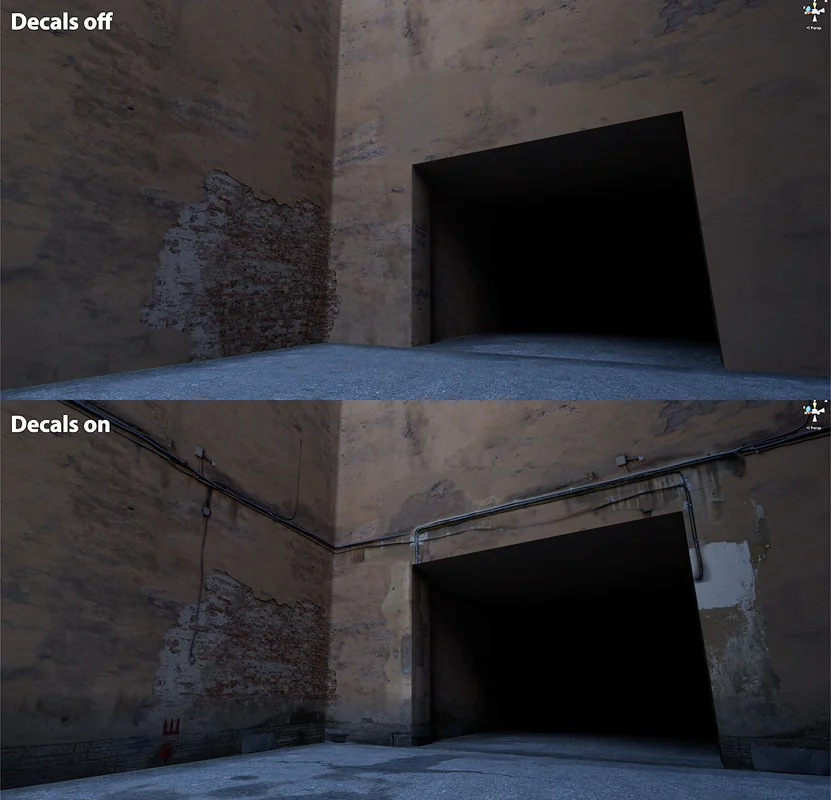
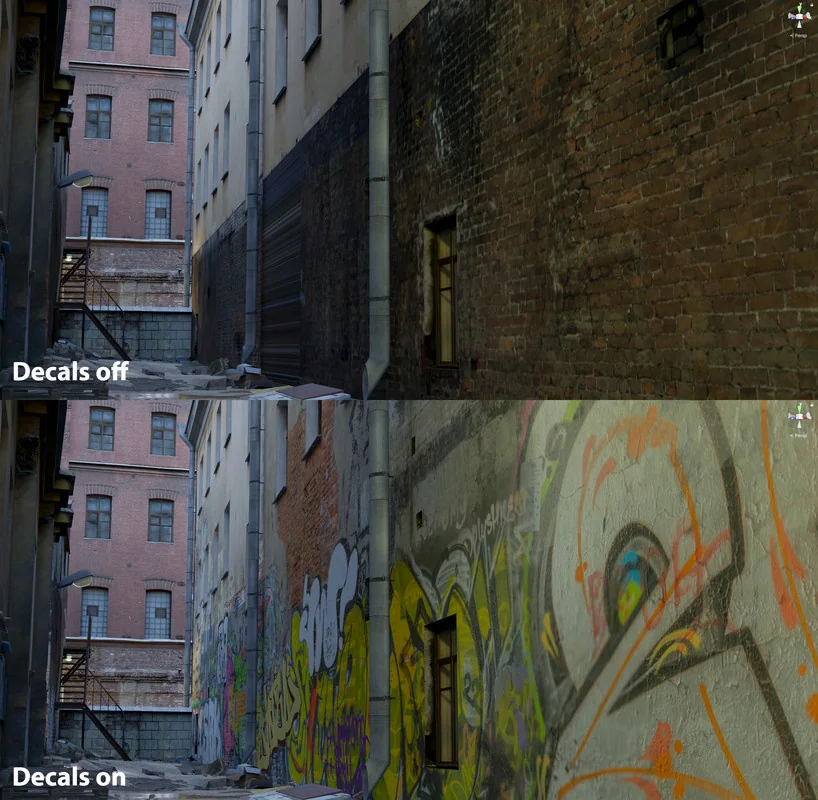
Protected download
Access this resource
All resources are 100% manually reviewed to eliminate all risks.