"fa182e0cd0a6ea73"{"id":"1001793","slug":"biome-generator-pcg","title":"Biome Generator PCG","category":"Procedural Systems","engine":"5.4+","assetVersion":"","engineVersion":"Engine Version: 5.4+","tag":"Procedural Systems","accent":"blue","visual":"mech","summary":"Create procedurally populated landscapes with Biome Generator PCG. Includes Ver1.0, Ver2.0, HillGeneratorPCG, and template meshes.","platform":"Unreal Engine","publishedAt":"2026-10-21T07:45:47.706Z","updatedAt":"2026-10-21T07:45:47.706Z","sourceNotes":[],"fileContents":[],"compatibility":["Unreal Engine","Engine Version: 5.4+"],"featuredImage":{"alt":"Biome Generator PCG","src":"/wp-content/uploads/published/2026/10/6bba3e3f6d25-b9821c06-8ca1-437a-bfb4-4a77772dd22b-2e0fa07ab5.webp"},"hasDownloadLink":true,"downloads":0,"terms":[{"taxonomy":"category","slug":"procedural-systems","name":"Procedural Systems"}],"galleryImages":[{"src":"/wp-content/uploads/published/2026/10/738039e5857e-423ee92e-27cb-4679-a862-48dc8a1bc5df-6a311d90d0.webp","alt":"Biome Generator PCG"},{"src":"/wp-content/uploads/published/2026/10/65ea6508d431-f4f526e8-ecd9-48d4-8044-ef821bfa1830-c302ebd970.webp","alt":"Biome Generator PCG"},{"src":"/wp-content/uploads/published/2026/10/1495f9cc171b-6d7e9285-736b-42d2-9977-1e3453d37322-4ab7e1cdb8.webp","alt":"Biome Generator PCG"},{"src":"/wp-content/uploads/published/2026/10/0c8d2449101b-27a69277-6558-42dd-bd8d-f97dd1e77e8e-59d424c5d9.webp","alt":"Biome Generator PCG"},{"src":"/wp-content/uploads/published/2026/10/928121547688-778a2c56-2d30-4c4c-9f4b-51bb154f8219-75382a8e33.webp","alt":"Biome Generator PCG"},{"src":"/wp-content/uploads/published/2026/10/a65ace092a4c-e7067665-ad32-484e-9216-bbb0c48b2158-4d0be224de.webp","alt":"Biome Generator PCG"},{"src":"/wp-content/uploads/published/2026/10/982603d06696-2f8c175b-1d43-47af-970b-a8a8c4a91480-71490f0b83.webp","alt":"Biome Generator PCG"},{"src":"/wp-content/uploads/published/2026/10/f7f931596557-70be2371-3f5e-4a2f-8bda-4ddf1d09f0bc-a45065942a.webp","alt":"Biome Generator PCG"},{"src":"/wp-content/uploads/published/2026/10/f1f4531c62a4-b31dbe25-130f-44bc-9d5d-180a240f4215-a20235e791.webp","alt":"Biome Generator PCG"},{"src":"/wp-content/uploads/published/2026/10/e2f387a3e4a0-05a826c7-0283-4525-82da-cd8094627bd8-afa0bf6c48.webp","alt":"Biome Generator PCG"}],"accessPanel":{"kind":"resource","title":"Download this resource","eyebrow":"Free Download","message":"Log in or create a free account to start your download.","fileName":"Content.7z","safetyNote":"Resources are manually reviewed before listing to improve quality and reduce obvious risks.","actionLabel":"Download Free","resourceType":"Resource archive"},"contentHtml":"\u003ch2\u003eConstructing Procedural Natural Environments\u003c/h2\u003e\u003cp\u003ePopulating large landscape expanses by hand often consumes excessive production time, particularly when working across diverse natural zones. Biome Generator PCG targets this challenge by offering a graph-driven foundation to automate the scattering of environment assets directly across terrain surfaces. Instead of placing individual elements across hills and valleys, developers feed their preferred 3D models into the PCG graph, allowing procedural logic to distribute natural layouts quickly.\u003c/p\u003e\u003cp\u003eThe system is built to generate complete outdoor environments containing trees, rocks, foliage, decals, and assorted decorations. Because the distribution relies on user-assigned meshes, the visual identity of any generated biome remains entirely flexible. Developers can transition between dense forests, rocky plains, or sparse wilderness zones by pointing the graph toward different static meshes and adjusting distribution settings to match the target terrain.\u003c/p\u003e\u003ch2\u003ePCG Graph Versions and Custom Rule Adjustments\u003c/h2\u003e\u003cp\u003eThe package includes both Ver1.0 and Ver2.0 versions of the procedural system, giving creators access to distinct iterations of the setup. These versions are backed by dedicated documentation and video tutorials covering Ver1.0, Ver2.0, and advanced generation techniques. Custom settings can be inserted into the system without complex hurdles, letting creators tune how particular assets scale, align, cluster, or scatter across specific terrain coordinates.\u003c/p\u003e\u003cp\u003eBecause the graph accepts new parameters easily, developers can set specific rules for how ground dressing interacts with larger obstacles. Foliage and grasses can be constrained or layered around heavier assets such as boulders and trunks. Decals can also be assigned through the pipeline, adding broken earth, surface variation, or specialized details across the landscape without breaking the procedural chain.\u003c/p\u003e\u003ch2\u003eTerrain Shaping with HillGeneratorPCG\u003c/h2\u003e\u003cp\u003eBeyond surface scattering, the package provides a separate utility called HillGeneratorPCG. Accompanied by its own documentation and showcase materials, this component focuses on terrain contouring and elevation management. It assists in forming natural mounds, slopes, and hillocks that complement the distribution graphs.\u003c/p\u003e\u003cp\u003eUsing HillGeneratorPCG alongside the biome generation rules allows creators to formulate both the foundational landforms and the vegetation layouts in tandem. This ensures that slopes, crests, and lower terrain areas can be generated with appropriate natural contours before populating them with foliage clusters or decorative ground cover.\u003c/p\u003e\u003ch2\u003eTemplate Materials, Example Meshes, and Asset Inclusions\u003c/h2\u003e\u003cp\u003eThe package incorporates a base landscape material that functions as the visual template for incoming terrains. To help users understand graph assignments and test distribution directly out of the box, several tutorial meshes are included inside the template. These sample assets consist of:\u003c/p\u003e\u003cul\u003e\u003cli\u003eTrees for establishing canopy levels and tall vertical markers\u003c/li\u003e\u003cli\u003eRocks to test mid-size terrain clutter and geological dressing\u003c/li\u003e\u003cli\u003eGrasses for evaluating dense, lower-tier ground scatter\u003c/li\u003e\u003cli\u003eTwigs for testing fine surface debris and scattered litter\u003c/li\u003e\u003c/ul\u003e\u003cp\u003eThese placeholder elements demonstrate proper asset slotting in the PCG graphs. When moving to final production, creators swap these reference meshes for their own visual assets.\u003c/p\u003e\u003ch2\u003eAsset Inclusions and Presentation Clarifications\u003c/h2\u003e\u003cp\u003eUnderstanding what is bundled in the download prevents incorrect assumptions about environment art. The landscape visual setups seen in preview demonstrations serve strictly illustrative and visualization goals. The full landscape environments shown in promotional imagery are not included in the downloadable template files.\u003c/p\u003e\u003cp\u003eAlso, presentation renderings make use of Megascans assets to showcase how finished environments appear once high-fidelity assets are slotted into the PCG graphs. Due to redistribution rules, Megascans assets are not bundled, resold, or packaged as part of the download. Creators supply their own production-ready environment assets to replace the included tutorial meshes.\u003c/p\u003e\u003ch2\u003eWorkflow Compatibility and Practical Utilization\u003c/h2\u003e\u003cp\u003eBeyond landscape population, the framework operates alongside systems such as Ultra Components, including its inventory and shooter configurations. This makes the generator useful for rapid prototyping in survival games, open-world shooters, or exploration titles where sprawling wilderness levels must be populated without manually painting every hillside.\u003c/p\u003e\u003cp\u003eTeams requiring vast outdoor maps with consistent foliage density can establish core biomes rapidly, relying on the PCG graph to govern placement logic while adjusting settings to suit specific level boundaries and gameplay paths.\u003c/p\u003e\n\n\u003ch2\u003eExplore Similar Assets\u003c/h2\u003e\n\u003cul\u003e\n\u003cli\u003e\u003ca href=\"https://3dcghub.com/calysto-village-procedural-villages-farms-with-pcg/\" title=\"Calysto Village Procedural villages, farms with PCG\"\u003eCalysto Village Procedural villages, farms with PCG\u003c/a\u003e\u003c/li\u003e\n\u003cli\u003e\u003ca href=\"https://3dcghub.com/autoenv-procedural-rock-cliffs/\" title=\"AutoEnv Procedural Rock Cliffs\"\u003eAutoEnv Procedural Rock Cliffs\u003c/a\u003e\u003c/li\u003e\n\u003cli\u003e\u003ca href=\"https://3dcghub.com/interactive-procedural-city-generator/\" title=\"Interactive Procedural City Generator\"\u003eInteractive Procedural City Generator\u003c/a\u003e\u003c/li\u003e\n\u003cli\u003e\u003ca href=\"https://3dcghub.com/pcg-geometry-decals/\" title=\"PCG Geometry Decals\"\u003ePCG Geometry Decals\u003c/a\u003e\u003c/li\u003e\n\u003cli\u003e\u003ca href=\"https://3dcghub.com/natural-pcg-tools/\" title=\"Natural PCG Tools\"\u003eNatural PCG Tools\u003c/a\u003e\u003c/li\u003e\n\u003c/ul\u003e","contentTextLength":4970,"navigation":{"current":63,"total":3789,"previous":{"id":"1001794","slug":"black-fantasy-castle-environment","title":"Black Fantasy Castle Environment","category":"Fantasy","platform":"Unreal Engine","updatedAt":"2026-10-21T07:46:50.460Z"},"next":{"id":"1001792","slug":"baker-character-npc-baker-character-worker-npc-sculpt-3d-model-man-art-old","title":"Baker Character / NPC ( Baker Character Worker NPC Sculpt 3D Model Man Art Old )","category":"Characters \u0026 Creatures","platform":"Unreal Engine","updatedAt":"2026-10-21T07:44:46.854Z"}},"relatedResources":[{"id":"11470","slug":"calysto-village-procedural-villages-farms-with-pcg","title":"Calysto Village Procedural villages, farms with PCG","category":"Procedural Systems","engine":"5.3+","assetVersion":"Engine version: 5.3+","engineVersion":"5.4","tag":"Procedural Systems","accent":"blue","visual":"animation","summary":"Streamline your level design with Calysto Village, a procedural tool for creating detailed villages and farms. Leverage the power of PCG and World Partition to build massive, high-performance environments with ease.","platform":"Unreal Engine","publishedAt":"2026-03-05T17:27:28.000Z","updatedAt":"2026-04-19T15:48:12.000Z","sourceNotes":[],"fileContents":[],"compatibility":["Unreal Engine","Engine version: 5.3+"],"featuredImage":{"alt":"Calysto Village Procedural villages, farms with PCG","src":"https://3dcghub.com/wp-content/uploads/2026/03/c9af98d7-f979-466d-a8d7-7720567e386e.webp"},"hasDownloadLink":true,"downloads":1},{"id":"11265","slug":"autoenv-procedural-rock-cliffs","title":"AutoEnv Procedural Rock Cliffs","category":"Procedural Systems","engine":"5.6+","assetVersion":"Engine version: 5.6+","engineVersion":"5.6","tag":"Procedural Systems","accent":"blue","visual":"city","summary":"Streamline your environment design with AutoEnv Procedural Rock Cliffs. This PCG-powered tool enables the rapid creation of rugged terrains, towering cliffs, and diverse biomes within Unreal Engine.","platform":"Unreal Engine","publishedAt":"2026-03-04T17:18:31.000Z","updatedAt":"2026-04-19T15:48:13.000Z","sourceNotes":[],"fileContents":[],"compatibility":["Unreal Engine","Engine version: 5.6+"],"featuredImage":{"alt":"AutoEnv Procedural Rock Cliffs","src":"https://3dcghub.com/wp-content/uploads/2026/03/d7c1875d-d065-4852-94e6-b6ab4b1e72bf.webp"},"hasDownloadLink":true,"downloads":0},{"id":"1001522","slug":"interactive-procedural-city-generator","title":"Interactive Procedural City Generator","category":"Procedural Systems","engine":"5.1+","assetVersion":"","engineVersion":"Engine Version: 5.1+","tag":"Procedural Systems","accent":"blue","visual":"city","summary":"Generate custom urban environments in Unreal Engine with the Interactive Procedural City Creator, featuring modular roads, grammar-based buildings, and Data Lay","platform":"Unreal Engine","publishedAt":"2026-10-09T13:34:43.038Z","updatedAt":"2026-10-09T13:34:43.038Z","sourceNotes":[],"fileContents":[],"compatibility":["Unreal Engine","Engine Version: 5.1+"],"featuredImage":{"alt":"Interactive Procedural City Generator","src":"/wp-content/uploads/published/2026/10/9d51a3d4b98c-9afe2843-cc4d-4de0-81d0-38721ad9d314-b5e158ce4d.webp"},"hasDownloadLink":true,"downloads":1}]}
Procedural Systems
Biome Generator PCG
Create procedurally populated landscapes with Biome Generator PCG. Includes Ver1.0, Ver2.0, HillGeneratorPCG, and template meshes.
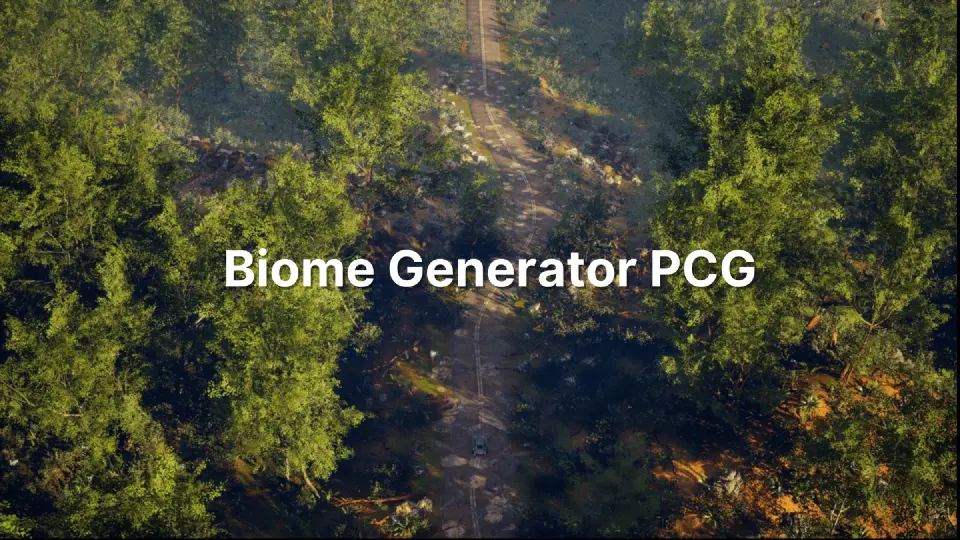
Populating large landscape expanses by hand often consumes excessive production time, particularly when working across diverse natural zones. Biome Generator PCG targets this challenge by offering a graph-driven foundation to automate the scattering of environment assets directly across terrain surfaces. Instead of placing individual elements across hills and valleys, developers feed their preferred 3D models into the PCG graph, allowing procedural logic to distribute natural layouts quickly.
The system is built to generate complete outdoor environments containing trees, rocks, foliage, decals, and assorted decorations. Because the distribution relies on user-assigned meshes, the visual identity of any generated biome remains entirely flexible. Developers can transition between dense forests, rocky plains, or sparse wilderness zones by pointing the graph toward different static meshes and adjusting distribution settings to match the target terrain.
PCG Graph Versions and Custom Rule Adjustments
The package includes both Ver1.0 and Ver2.0 versions of the procedural system, giving creators access to distinct iterations of the setup. These versions are backed by dedicated documentation and video tutorials covering Ver1.0, Ver2.0, and advanced generation techniques. Custom settings can be inserted into the system without complex hurdles, letting creators tune how particular assets scale, align, cluster, or scatter across specific terrain coordinates.
Because the graph accepts new parameters easily, developers can set specific rules for how ground dressing interacts with larger obstacles. Foliage and grasses can be constrained or layered around heavier assets such as boulders and trunks. Decals can also be assigned through the pipeline, adding broken earth, surface variation, or specialized details across the landscape without breaking the procedural chain.
Terrain Shaping with HillGeneratorPCG
Beyond surface scattering, the package provides a separate utility called HillGeneratorPCG. Accompanied by its own documentation and showcase materials, this component focuses on terrain contouring and elevation management. It assists in forming natural mounds, slopes, and hillocks that complement the distribution graphs.
Using HillGeneratorPCG alongside the biome generation rules allows creators to formulate both the foundational landforms and the vegetation layouts in tandem. This ensures that slopes, crests, and lower terrain areas can be generated with appropriate natural contours before populating them with foliage clusters or decorative ground cover.
Template Materials, Example Meshes, and Asset Inclusions
The package incorporates a base landscape material that functions as the visual template for incoming terrains. To help users understand graph assignments and test distribution directly out of the box, several tutorial meshes are included inside the template. These sample assets consist of:
Trees for establishing canopy levels and tall vertical markers
Rocks to test mid-size terrain clutter and geological dressing
Grasses for evaluating dense, lower-tier ground scatter
Twigs for testing fine surface debris and scattered litter
These placeholder elements demonstrate proper asset slotting in the PCG graphs. When moving to final production, creators swap these reference meshes for their own visual assets.
Asset Inclusions and Presentation Clarifications
Understanding what is bundled in the download prevents incorrect assumptions about environment art. The landscape visual setups seen in preview demonstrations serve strictly illustrative and visualization goals. The full landscape environments shown in promotional imagery are not included in the downloadable template files.
Also, presentation renderings make use of Megascans assets to showcase how finished environments appear once high-fidelity assets are slotted into the PCG graphs. Due to redistribution rules, Megascans assets are not bundled, resold, or packaged as part of the download. Creators supply their own production-ready environment assets to replace the included tutorial meshes.
Workflow Compatibility and Practical Utilization
Beyond landscape population, the framework operates alongside systems such as Ultra Components, including its inventory and shooter configurations. This makes the generator useful for rapid prototyping in survival games, open-world shooters, or exploration titles where sprawling wilderness levels must be populated without manually painting every hillside.
Teams requiring vast outdoor maps with consistent foliage density can establish core biomes rapidly, relying on the PCG graph to govern placement logic while adjusting settings to suit specific level boundaries and gameplay paths.
 Procedural Systems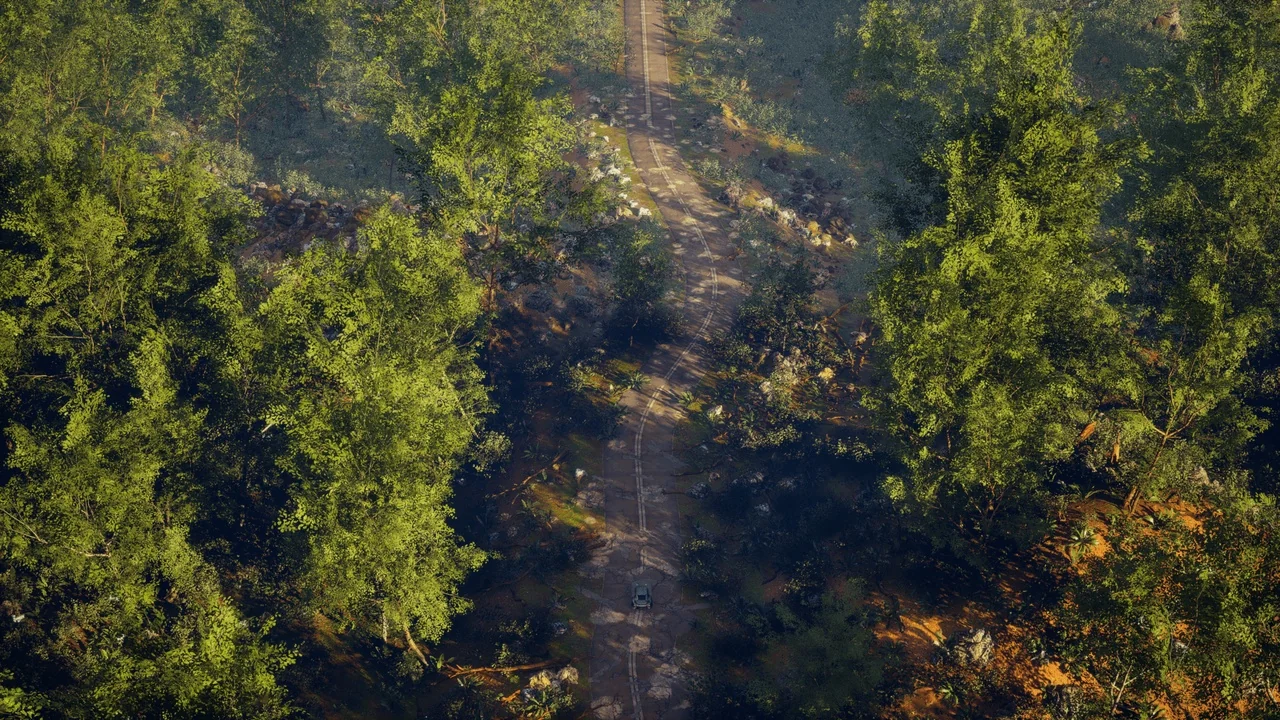
 Procedural Systems
 Procedural Systems
 Procedural Systems