"031373f479d9561a"{"id":"1000260","slug":"baltic-vfx-material-functions-and-effects-library","title":"Baltic VFX : Material functions and effects library","category":"Variety","engine":"4.26+,5.0+","assetVersion":"","engineVersion":"Engine Version: 4.26+,5.0+","tag":"Variety","accent":"blue","visual":"luts","summary":"A comprehensive library of fully documented material functions designed to solve visual implementation issues, optimize assets, and speed up VFX workflows.","platform":"Unreal Engine","publishedAt":"2026-06-30T22:57:37.837Z","updatedAt":"2026-06-30T22:57:37.837Z","sourceNotes":[],"fileContents":[],"compatibility":["Unreal Engine","Engine Version: 4.26+,5.0+"],"featuredImage":{"alt":"Baltic VFX : Material functions and effects library","src":"/wp-content/uploads/published/2026/06/35a87b0cd8c8-4cdc9eda-72ab-4d03-a32e-d39f9455123f-d7d1d1988d.webp"},"hasDownloadLink":true,"downloads":0,"terms":[{"taxonomy":"category","slug":"variety","name":"Variety"}],"galleryImages":[{"src":"/wp-content/uploads/published/2026/06/2567513acd9d-ff8578cc-863f-442f-bcad-2004df585ba1-04bbd8d6a1.webp","alt":"Baltic VFX : Material functions and effects library"},{"src":"/wp-content/uploads/published/2026/06/6c9eeb9c2cf1-2c87070c-043f-456b-90a1-9ca66c208719-70d3ade963.webp","alt":"Baltic VFX : Material functions and effects library"},{"src":"/wp-content/uploads/published/2026/06/8042bdb2ede5-9b46f323-e4f8-4d7c-a534-1b49bc4c11d3-0b6327c1ce.webp","alt":"Baltic VFX : Material functions and effects library"}],"accessPanel":{"kind":"resource","title":"Download this resource","eyebrow":"Free Download","message":"Log in or create a free account to start your download.","fileName":"Content.7z","safetyNote":"Resources are manually reviewed before listing to improve quality and reduce obvious risks.","actionLabel":"Download Free","resourceType":"Resource archive"},"contentHtml":"\u003cp\u003eIn videogame development, creating compelling visual effects requires a deep understanding of shader mechanics and material mathematics. Often, the difference between a static scene and a dynamic, engaging environment comes down to the underlying material logic applied to the assets. The Baltic VFX: Material functions and effects library is designed to streamline this complex process. Built as a comprehensive toolkit rather than a simple collection of textures, this library focuses on the core mathematical operations that drive visual effects. By offering a modular approach to shader creation, it provides developers with the necessary building blocks to handle complex visual tasks across both PC and console platforms, ensuring that high-level art direction is supported by stable, optimized technical foundations.\u003c/p\u003e \u003ch2\u003eAdding Life to Characters, Environments, and Particle Systems\u003c/h2\u003e\n\u003cp\u003eThe primary utility of this effects library lies in its ability to add life and dynamic behavior to various components of a game world. Rather than offering one-size-fits-all materials, the package provides modular functions that can be injected into custom shader graphs. For character design, these functions can be utilized to manage complex shading interactions or dynamic visual states that respond to gameplay.\u003c/p\u003e\n\u003cp\u003eWhen applied to environment assets, the material functions help integrate static meshes into the world, allowing for atmospheric effects or environmental blending that makes the scene feel active. Particle systems rely heavily on precise mathematical instructions to control their behavior, rendering, and visual evolution over time. By utilizing the tools within this library, VFX artists can build more sophisticated and responsive particle systems, ensuring that every spark, smoke plume, or magical effect is driven by clean, efficient material logic.\u003c/p\u003e \u003ch2\u003eSupporting PBR, Realistic, and Stylized Workflows\u003c/h2\u003e\n\u003cp\u003eA significant advantage of utilizing a dedicated library of mathematical functions is its versatility across different visual styles. The Baltic VFX toolkit is structured for applicability in both Physically Based Rendering (PBR) pipelines and heavily stylized projects. Because the library breaks down visual effects into their fundamental mathematical components, these operations are largely agnostic to the final art direction.\u003c/p\u003e\n\u003cp\u003eFor a realistic videogame project, the functions ensure that light, shadow, and material properties interact accurately according to PBR standards. If a project demands a non-photorealistic or stylized aesthetic, developers can leverage these exact same mathematical building blocks to manipulate the shader logic, bending the rules of physics to achieve the desired artistic result without having to rewrite the foundational code from scratch.\u003c/p\u003e \u003ch2\u003eSolving Visual Implementation and Optimization Issues\u003c/h2\u003e\n\u003cp\u003eDuring the production of any PC or console title, technical artists frequently encounter visual implementation issues. An asset might look perfect in a modeling program but fail to render correctly within the game engine's specific lighting environment. The Baltic VFX library serves as a troubleshooting toolkit for these exact scenarios. The included material functions allow developers to step in and correct design flaws, adjusting the shader behavior to ensure the asset sits correctly within the scene.\u003c/p\u003e\n\u003cp\u003eBeyond fixing broken visuals, these tools are highly focused on performance. Developers can use the library to improve or optimize existing assets. By replacing heavy, custom-built node networks with these streamlined, pre-calculated functions, teams can maintain high visual fidelity while reducing the overall rendering cost. This modular efficiency is a crucial step for meeting strict console performance targets during heavy visual sequences.\u003c/p\u003e \u003ch2\u003eInternal Documentation: Bridging Beginners and Professionals\u003c/h2\u003e\n\u003cp\u003eOne of the most defining characteristics of this library is its dedication to internal documentation and education. Understanding the complex math behind visual effects is often the highest barrier to entry for new technical artists. To mitigate this, every single piece of math utilized within the Baltic VFX material functions is fully documented and explained directly inside the asset.\u003c/p\u003e\n\u003cp\u003eFor beginners who are actively trying to learn about materials for VFX, this transforms the library into an interactive learning environment. Users can open a function, observe the node structure, and read the explanations to understand the logic behind the visual output. Simultaneously, this level of organization is highly beneficial for professionals who build materials every single day. While experienced developers already understand the math, having a robust library of pre-built, documented functions allows them to bypass the repetitive setup phase. This significantly speeds up the daily workflow, allowing professionals to focus on artistic iteration rather than rebuilding basic shader logic.\u003c/p\u003e \u003ch2\u003eEngine Compatibility and Showcase Migration\u003c/h2\u003e\n\u003cp\u003eIntegrating a new set of tools into an active production environment requires clear information regarding engine compatibility. The Baltic VFX material functions and the accompanying example map have been thoroughly tested in Unreal Engine 4.26.2, ensuring stability and expected behavior within that established engine framework. Additionally, the library has been tested for forward compatibility within Unreal Engine 5 Early Access.\u003c/p\u003e\n\u003cp\u003eAll the materials and mathematical functions work exactly as intended in both engine versions. Developers should note a specific requirement regarding the demonstration content when moving between these versions. While the core tools transition seamlessly, the included showcase map requires a separate migration process to function correctly within a UE5 Early Access copy. Once this specific map is migrated, the entire library can be utilized to evaluate and build effects within the newer engine architecture.\u003c/p\u003e \u003cp\u003eUltimately, the Baltic VFX: Material functions and effects library operates as a critical resource for anyone working heavily with game engine shaders. By combining modular mathematical operations with extensive internal documentation, it provides a practical solution for optimizing existing assets and solving complex visual implementation issues. Whether used as an educational tool for beginners or a workflow accelerator for seasoned professionals, it delivers foundational support for robust PC and console development.\u003c/p\u003e\n\n\u003ch2\u003eRelated Resources Worth Checking\u003c/h2\u003e\n\u003cul\u003e\n\u003cli\u003e\u003ca href=\"https://3dcghub.com/stylized-water-pack/\" title=\"Stylized Water Pack\"\u003eStylized Water Pack\u003c/a\u003e\u003c/li\u003e\n\u003cli\u003e\u003ca href=\"https://3dcghub.com/motionui/\" title=\"MotionUI\"\u003eMotionUI\u003c/a\u003e\u003c/li\u003e\n\u003cli\u003e\u003ca href=\"https://3dcghub.com/fantastical-resource-shader/\" title=\"Fantastical Resource Shader\"\u003eFantastical Resource Shader\u003c/a\u003e\u003c/li\u003e\n\u003cli\u003e\u003ca href=\"https://3dcghub.com/art-of-shader-film-and-special-effects/\" title=\"Art of Shader - Film And Special Effects\"\u003eArt of Shader - Film And Special Effects\u003c/a\u003e\u003c/li\u003e\n\u003cli\u003e\u003ca href=\"https://3dcghub.com/fog-of-war-material/\" title=\"Fog Of War Material\"\u003eFog Of War Material\u003c/a\u003e\u003c/li\u003e\n\u003c/ul\u003e","contentTextLength":6624,"navigation":{"current":1090,"total":3223,"previous":{"id":"1000261","slug":"battle-and-wounds-sound-pack","title":"Battle \u0026 Wounds Sound Pack","category":"Sound Effects","platform":"Unreal Engine","updatedAt":"2026-06-30T23:00:08.105Z"},"next":{"id":"1000259","slug":"character-body-fx-vol-1","title":"Character Body FX Vol. 1","category":"Variety","platform":"Unreal Engine","updatedAt":"2026-06-30T22:54:39.158Z"}},"relatedResources":[{"id":"13288","slug":"stylized-water-pack","title":"Stylized Water Pack","category":"Variety","engine":"4.26+,5.0+","assetVersion":"Engine version: 4.26+,5.0+","engineVersion":"4.24","tag":"Variety","accent":"blue","visual":"luts","summary":"Enhance your project's environments with the Stylized Water Pack, a comprehensive resource featuring adjustable water materials and convincing underwater effects. This pack includes a drag-and-drop blueprint and buoyancy functions to bring your scenes to life.","platform":"Unreal Engine","publishedAt":"2026-03-10T16:40:05.000Z","updatedAt":"2026-04-19T15:46:29.000Z","sourceNotes":[],"fileContents":[],"compatibility":["Unreal Engine","Engine version: 4.26+,5.0+"],"featuredImage":{"alt":"Stylized Water Pack","src":"https://3dcghub.com/wp-content/uploads/2026/03/9d489fc0-31df-471c-a1d2-a6d0e74ffad0.webp"},"hasDownloadLink":true,"downloads":1},{"id":"13126","slug":"fantastical-resource-shader","title":"Fantastical Resource Shader","category":"Variety","engine":"4.26+,5.0+","assetVersion":"Engine version: 4.26+,5.0+","engineVersion":"4.18","tag":"Variety","accent":"blue","visual":"luts","summary":"Enhance your game's interface with the Fantastical Resource Shader. This versatile tool allows for deep customization of resource orbs, potions, and magical effects using over 45 parameters.","platform":"Unreal Engine","publishedAt":"2026-03-10T15:54:25.000Z","updatedAt":"2026-04-19T15:46:31.000Z","sourceNotes":[],"fileContents":[],"compatibility":["Unreal Engine","Engine version: 4.26+,5.0+"],"featuredImage":{"alt":"Fantastical Resource Shader","src":"https://3dcghub.com/wp-content/uploads/2026/03/8dab64b5-a820-4d69-b557-63fd42ff3760.webp"},"hasDownloadLink":true,"downloads":0},{"id":"13199","slug":"motionui","title":"MotionUI","category":"Variety","engine":"4.26+,5.0+","assetVersion":"Engine version: 4.26+,5.0+","engineVersion":"4.25","tag":"Variety","accent":"blue","visual":"luts","summary":"MotionUI provides a comprehensive library of material functions specifically designed for motion design and advanced dynamic UI development. It is an ideal solution for creators working with UMG across various platforms.","platform":"Unreal Engine","publishedAt":"2026-03-10T16:29:12.000Z","updatedAt":"2026-04-19T15:46:30.000Z","sourceNotes":[],"fileContents":[],"compatibility":["Unreal Engine","Engine version: 4.26+,5.0+"],"featuredImage":{"alt":"MotionUI","src":"https://3dcghub.com/wp-content/uploads/2026/03/064b082b-4a54-4d21-bf1d-0a7ccc4a8b23.webp"},"hasDownloadLink":true,"downloads":0}]}
Variety
Baltic VFX : Material functions and effects library
A comprehensive library of fully documented material functions designed to solve visual implementation issues, optimize assets, and speed up VFX workflows.
Category:Unreal Engine,VarietyPlatform: Unreal EngineEngine Version: 4.26+,5.0+Published: Jun 30, 2026
Variety
Resource overview
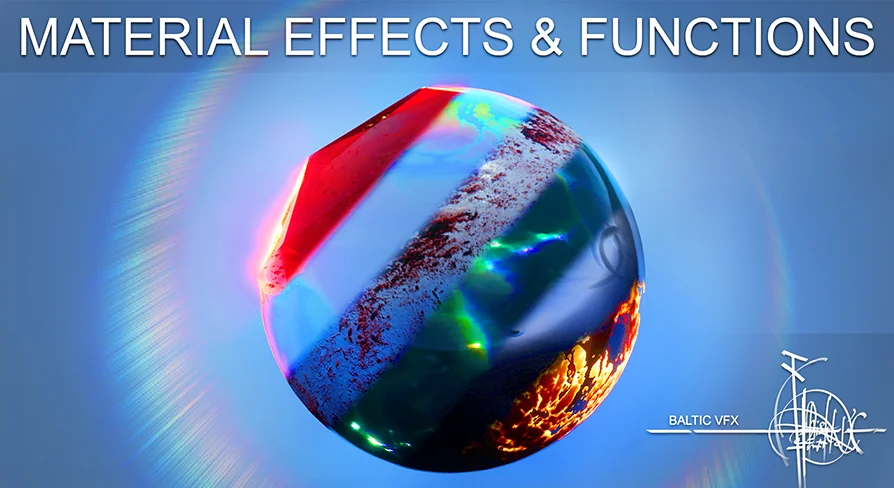
In videogame development, creating compelling visual effects requires a deep understanding of shader mechanics and material mathematics. Often, the difference between a static scene and a dynamic, engaging environment comes down to the underlying material logic applied to the assets. The Baltic VFX: Material functions and effects library is designed to streamline this complex process. Built as a comprehensive toolkit rather than a simple collection of textures, this library focuses on the core mathematical operations that drive visual effects. By offering a modular approach to shader creation, it provides developers with the necessary building blocks to handle complex visual tasks across both PC and console platforms, ensuring that high-level art direction is supported by stable, optimized technical foundations.
Adding Life to Characters, Environments, and Particle Systems
The primary utility of this effects library lies in its ability to add life and dynamic behavior to various components of a game world. Rather than offering one-size-fits-all materials, the package provides modular functions that can be injected into custom shader graphs. For character design, these functions can be utilized to manage complex shading interactions or dynamic visual states that respond to gameplay.
When applied to environment assets, the material functions help integrate static meshes into the world, allowing for atmospheric effects or environmental blending that makes the scene feel active. Particle systems rely heavily on precise mathematical instructions to control their behavior, rendering, and visual evolution over time. By utilizing the tools within this library, VFX artists can build more sophisticated and responsive particle systems, ensuring that every spark, smoke plume, or magical effect is driven by clean, efficient material logic.
Supporting PBR, Realistic, and Stylized Workflows
A significant advantage of utilizing a dedicated library of mathematical functions is its versatility across different visual styles. The Baltic VFX toolkit is structured for applicability in both Physically Based Rendering (PBR) pipelines and heavily stylized projects. Because the library breaks down visual effects into their fundamental mathematical components, these operations are largely agnostic to the final art direction.
For a realistic videogame project, the functions ensure that light, shadow, and material properties interact accurately according to PBR standards. If a project demands a non-photorealistic or stylized aesthetic, developers can leverage these exact same mathematical building blocks to manipulate the shader logic, bending the rules of physics to achieve the desired artistic result without having to rewrite the foundational code from scratch.
Solving Visual Implementation and Optimization Issues
During the production of any PC or console title, technical artists frequently encounter visual implementation issues. An asset might look perfect in a modeling program but fail to render correctly within the game engine's specific lighting environment. The Baltic VFX library serves as a troubleshooting toolkit for these exact scenarios. The included material functions allow developers to step in and correct design flaws, adjusting the shader behavior to ensure the asset sits correctly within the scene.
Beyond fixing broken visuals, these tools are highly focused on performance. Developers can use the library to improve or optimize existing assets. By replacing heavy, custom-built node networks with these streamlined, pre-calculated functions, teams can maintain high visual fidelity while reducing the overall rendering cost. This modular efficiency is a crucial step for meeting strict console performance targets during heavy visual sequences.
Internal Documentation: Bridging Beginners and Professionals
One of the most defining characteristics of this library is its dedication to internal documentation and education. Understanding the complex math behind visual effects is often the highest barrier to entry for new technical artists. To mitigate this, every single piece of math utilized within the Baltic VFX material functions is fully documented and explained directly inside the asset.
For beginners who are actively trying to learn about materials for VFX, this transforms the library into an interactive learning environment. Users can open a function, observe the node structure, and read the explanations to understand the logic behind the visual output. Simultaneously, this level of organization is highly beneficial for professionals who build materials every single day. While experienced developers already understand the math, having a robust library of pre-built, documented functions allows them to bypass the repetitive setup phase. This significantly speeds up the daily workflow, allowing professionals to focus on artistic iteration rather than rebuilding basic shader logic.
Engine Compatibility and Showcase Migration
Integrating a new set of tools into an active production environment requires clear information regarding engine compatibility. The Baltic VFX material functions and the accompanying example map have been thoroughly tested in Unreal Engine 4.26.2, ensuring stability and expected behavior within that established engine framework. Additionally, the library has been tested for forward compatibility within Unreal Engine 5 Early Access.
All the materials and mathematical functions work exactly as intended in both engine versions. Developers should note a specific requirement regarding the demonstration content when moving between these versions. While the core tools transition seamlessly, the included showcase map requires a separate migration process to function correctly within a UE5 Early Access copy. Once this specific map is migrated, the entire library can be utilized to evaluate and build effects within the newer engine architecture.
Ultimately, the Baltic VFX: Material functions and effects library operates as a critical resource for anyone working heavily with game engine shaders. By combining modular mathematical operations with extensive internal documentation, it provides a practical solution for optimizing existing assets and solving complex visual implementation issues. Whether used as an educational tool for beginners or a workflow accelerator for seasoned professionals, it delivers foundational support for robust PC and console development.
 Variety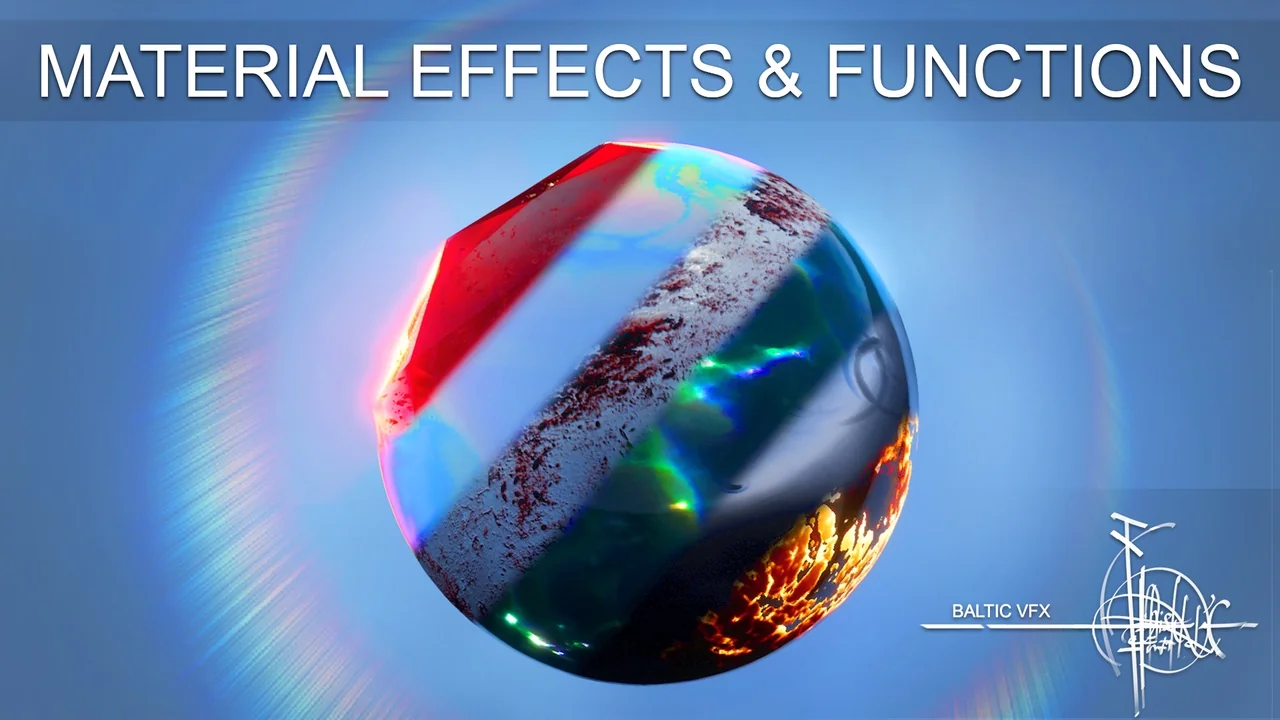
 Variety
 Variety
 Variety