"031373f479d9561a"{"id":"1000261","slug":"battle-and-wounds-sound-pack","title":"Battle \u0026 Wounds Sound Pack","category":"Sound Effects","engine":"4.26+,5.0+","assetVersion":"","engineVersion":"Engine Version: 4.26+,5.0+","tag":"Sound Effects","accent":"blue","visual":"mech","summary":"A focused audio library providing 100 high-quality sound effects dedicated to wounds and blood for dynamic combat integration in game engines.","platform":"Unreal Engine","publishedAt":"2026-06-30T23:00:08.105Z","updatedAt":"2026-06-30T23:00:08.105Z","sourceNotes":[],"fileContents":[],"compatibility":["Audio","Engine Version: 4.26+,5.0+"],"featuredImage":{"alt":"Battle \u0026 Wounds Sound Pack","src":"/wp-content/uploads/published/2026/06/e1ffd2593e87-1920x1080-1920x1080-b1ed0e54023b131a1ee18d5f39395c-61914fe26b.webp"},"hasDownloadLink":true,"downloads":0,"terms":[{"taxonomy":"category","slug":"sound-effects","name":"Sound Effects"}],"galleryImages":[],"accessPanel":{"kind":"resource","title":"Download this resource","eyebrow":"Free Download","message":"Log in or create a free account to start your download.","fileName":"Content.7z","safetyNote":"Resources are manually reviewed before listing to improve quality and reduce obvious risks.","actionLabel":"Download Free","resourceType":"Resource archive"},"contentHtml":"\u003ch2\u003eThe Core 100-Sound Roster for Damage and Blood\u003c/h2\u003e\n\u003cp\u003eThe Battle \u0026 Wounds Sound Pack provides a focused audio library consisting exclusively of 100 sound effects. Instead of covering a broad spectrum of ambient combat audio, the collection hones in strictly on the auditory feedback of wounds and blood. This specialization gives developers a concentrated pool of audio assets to handle physical damage, impact confirmation, and organic combat textures. Having exactly 100 high-quality variations available allows for extensive randomization in combat-heavy projects.\u003c/p\u003e\n\u003cp\u003eWhen players engage in repetitive battle loops, relying on a small handful of damage sounds quickly leads to auditory fatigue. A library of 100 distinct effects mitigates this issue by offering deep variation. Developers can distribute these assets across multiple enemy types, damage tiers, and environmental interactions. The pure focus on wounds and blood means the sounds serve as the organic layer in a combat mix, representing the physical consequence of an attack rather than the mechanical sound of a weapon swinging through the air.\u003c/p\u003e\n\u003ch2\u003eStructuring Wounds and Blood Audio in Unreal Engine\u003c/h2\u003e\n\u003cp\u003eImplementing a large volume of high-quality sound effects requires careful organization within the engine. Developers importing the Battle \u0026 Wounds Sound Pack into Unreal Engine typically begin by categorizing the 100 files based on their specific auditory characteristics. Separating the sharper, more immediate wound impacts from the liquid, lingering blood sounds creates a structured foundation for building responsive combat audio systems.\u003c/p\u003e\n\u003cp\u003eOnce imported, these sound files act as the raw building blocks for audio behavior tools. Developers often construct Sound Cues or MetaSounds to manage how the 100 effects play during gameplay. By grouping the wound and blood effects into randomized arrays, a single damage event can trigger a different audio file every time. Randomizing the pitch and volume slightly within the engine further stretches the utility of the 100 included sounds, ensuring that consecutive hits in a fast-paced battle never sound identical to the player.\u003c/p\u003e\n\u003ch2\u003eTriggering High-Quality Effects via Animation and Collision\u003c/h2\u003e\n\u003cp\u003eThe actual implementation of these wound and blood sounds often relies on physical interactions within the game world. In Unreal Engine, developers frequently utilize Animation Notifies (AnimNotifies) to sync audio directly with character movement. If an animation sequence includes a character taking a hit or staggering backwards, placing an AnimNotify on the exact frame of impact ensures that a wound sound effect triggers precisely when the visual feedback occurs.\u003c/p\u003e\n\u003cp\u003eCollision events provide another primary method for utilizing the Battle \u0026 Wounds Sound Pack. When a weapon or projectile's hitbox overlaps with a character's collision capsule, the engine can fire off a specific blood or wound sound. Because the collection contains 100 high-quality files, developers can assign different clusters of sounds to different hit locations or damage types. A minor graze might trigger a subtle blood splatter sound, while a critical hit calls upon the more intense, deeper wound audio within the library.\u003c/p\u003e\n\u003ch2\u003eLayering Organic Damage with Weapon Impacts\u003c/h2\u003e\n\u003cp\u003eHigh-quality sound effects designed specifically for wounds and blood naturally function as one half of a complete combat impact sequence. While the Battle \u0026 Wounds Sound Pack delivers the organic, fleshy feedback of a strike, these sounds are most effective when layered with external weapon audio to create a comprehensive hit confirmation. A sword slash requires the metallic ring of the blade, but it is the wound and blood audio that communicates the weapon has actually connected with a biological target.\u003c/p\u003e\n\u003cp\u003eAudio mixing in battle scenarios involves balancing these distinct layers so they do not compete for the same frequencies. Developers can route the 100 wound and blood sounds through dedicated audio classes or submixes inside the engine. This setup allows the organic damage sounds to punch through the mix when a hit lands, slightly ducking the volume of background battle noise or weapon swings momentarily. The high-quality nature of the provided files ensures that the intricate details of the blood and wound textures remain audible even when layered underneath explosions, dynamic music systems, and vocal barks.\u003c/p\u003e\n\u003ch2\u003eManaging Combat Audio Concurrency\u003c/h2\u003e\n\u003cp\u003eIn games featuring large-scale battles, multiple characters may take damage simultaneously. Managing how often the 100 sound effects trigger is crucial for maintaining a clean and professional audio mix. If twenty enemies receive wounds at the exact same moment, playing twenty high-quality blood sounds concurrently can distort the audio output, cause clipping, and overwhelm the listener.\u003c/p\u003e\n\u003cp\u003eDevelopers handle this by adjusting concurrency settings within the game engine's audio framework. By limiting the number of wound and blood sounds that can play at once, the audio engine automatically prioritizes the most relevant impacts, which are usually the ones closest to the active camera. Applying spatialization and attenuation settings to the Battle \u0026 Wounds Sound Pack ensures that a wound occurring in the distance sounds appropriately muffled and quiet, while a blood effect triggered right next to the player retains its full high-quality presence and stereo width.\u003c/p\u003e\n\u003ch2\u003eApplying Blood Audio to Environmental Interactions\u003c/h2\u003e\n\u003cp\u003eBeyond direct combat hits, the blood effects within the 100-sound library can heavily support environmental storytelling and dynamic visual effects. When a character leaves a blood trail or steps through a pool of liquid on the battlefield, developers can repurpose these high-quality audio files as footstep modifiers or environmental Foley. Hooking a subtle blood sound to a footstep AnimNotify creates a distinct audio cue for injured characters or hazardous terrain navigation.\u003c/p\u003e\n\u003cp\u003eVisual effects (VFX) systems also benefit heavily from synchronized audio support. When a particle system generates a blood splatter against a wall or floor, pairing that visual with a corresponding sound from the pack grounds the visual effect in reality. The integration of the Battle \u0026 Wounds Sound Pack easily extends past the immediate moment of a weapon strike, providing the necessary audio texture for the lingering aftermath of a skirmish.\u003c/p\u003e\n\u003ch2\u003eIntegrating Damage Audio with Dynamic Health Systems\u003c/h2\u003e\n\u003cp\u003eThe audio representation of wounds serves as a vital indicator of a character's internal health state. Developers can tie the selection of sounds from the Battle \u0026 Wounds Sound Pack directly to the health variables of a player or enemy. When a combatant is at full health, damage events might trigger standard, localized wound sounds. As their health pool depletes to critical levels, the game's logic can shift to pulling more severe or lingering blood and wound effects from the 100-file library.\u003c/p\u003e\n\u003cp\u003eThis dynamic approach transforms static audio files into active gameplay feedback mechanisms. High-quality sound effects are uniquely suited for this role, as their clarity allows players to subconsciously recognize the severity of an attack without needing to constantly monitor a visual health bar. Routing the audio through parameter-driven systems enables real-time adjustments during gameplay. A wound sound might have its pitch lowered or its low-frequency equalization boosted if the damage taken exceeds a specific threshold, ensuring that the 100 sounds in the package adapt seamlessly to the mechanical context of every encounter.\u003c/p\u003e\n\n\u003ch2\u003eMore From The Same Workflow\u003c/h2\u003e\n\u003cul\u003e\n\u003cli\u003e\u003ca href=\"https://3dcghub.com/sword-combat-powerful-whooshes-sfx/\" title=\"Sword Combat Powerful Whooshes SFX\"\u003eSword Combat Powerful Whooshes SFX\u003c/a\u003e\u003c/li\u003e\n\u003cli\u003e\u003ca href=\"https://3dcghub.com/whooshes-and-impacts-2/\" title=\"Whooshes \u0026amp; Impacts 2\"\u003eWhooshes \u0026amp; Impacts 2\u003c/a\u003e\u003c/li\u003e\n\u003cli\u003e\u003ca href=\"https://3dcghub.com/ambient-and-environment-sfx-pro/\" title=\"Ambient and Environment SFX Pro\"\u003eAmbient and Environment SFX Pro\u003c/a\u003e\u003c/li\u003e\n\u003cli\u003e\u003ca href=\"https://3dcghub.com/crash-and-smash-designed/\" title=\"Crash \u0026amp; Smash - Designed\"\u003eCrash \u0026amp; Smash - Designed\u003c/a\u003e\u003c/li\u003e\n\u003cli\u003e\u003ca href=\"https://3dcghub.com/halloween-audio-kit/\" title=\"Halloween Audio Kit\"\u003eHalloween Audio Kit\u003c/a\u003e\u003c/li\u003e\n\u003c/ul\u003e","contentTextLength":7724,"navigation":{"current":1089,"total":3223,"previous":{"id":"1000262","slug":"daily-life-ai","title":"Daily Life AI","category":"Animations","platform":"Unreal Engine","updatedAt":"2026-06-30T23:06:12.448Z"},"next":{"id":"1000260","slug":"baltic-vfx-material-functions-and-effects-library","title":"Baltic VFX : Material functions and effects library","category":"Variety","platform":"Unreal Engine","updatedAt":"2026-06-30T22:57:37.837Z"}},"relatedResources":[{"id":"1000179","slug":"whooshes-and-impacts-2","title":"Whooshes \u0026 Impacts 2","category":"Sound Effects","engine":"4.26+,5.0+","assetVersion":"","engineVersion":"Engine Version: 4.26+,5.0+","tag":"Sound Effects","accent":"blue","visual":"mech","summary":"Whooshes \u0026 Impacts 2 delivers 718 dry whoosh and impact sound effects for fantasy battles, sci-fi combat, projectiles, fly-bys, and strikes.","platform":"Unreal Engine","publishedAt":"2026-06-20T08:06:38.294Z","updatedAt":"2026-06-20T08:06:38.294Z","sourceNotes":[],"fileContents":[],"compatibility":["Audio","Engine Version: 4.26+,5.0+"],"featuredImage":{"alt":"Whooshes \u0026 Impacts 2","src":"/wp-content/uploads/published/2026/06/979c800706ab-5d76855f-e783-412d-b07a-fd858cf775c9-2dc7d06d25.webp"},"hasDownloadLink":true,"downloads":1},{"id":"6607","slug":"sword-combat-powerful-whooshes-sfx","title":"Sword Combat Powerful Whooshes SFX","category":"Sound Effects","engine":"4.26+,5.0+","assetVersion":"Engine version: 4.26+,5.0+","engineVersion":"4.13","tag":"Sound Effects","accent":"blue","visual":"audio","summary":"Enhance your game's combat with high-quality sword whooshes and impact sound effects. Perfect for RPGs and action games. Improve player immersion today!","platform":"Unreal Engine","publishedAt":"2026-02-19T18:36:26.000Z","updatedAt":"2026-04-19T15:56:08.000Z","sourceNotes":[],"fileContents":[],"compatibility":["Audio","Engine version: 4.26+,5.0+"],"featuredImage":{"alt":"Sword Combat Powerful Whooshes SFX","src":"https://3dcghub.com/wp-content/uploads/2026/02/893b1e44-61c1-44a8-8ebd-d68c1b0e6eff.webp"},"hasDownloadLink":true,"downloads":1},{"id":"1000905","slug":"water-sound-samples","title":"Water Sound Samples","category":"Sound Effects","engine":"4.26+,5.0+","assetVersion":"","engineVersion":"Engine Version: 4.26+,5.0+","tag":"Sound Effects","accent":"blue","visual":"mech","summary":"With 222 H2O sound effects, this pack covers creek flow, rain, underwater textures, and backwash. It is proven in a real archviz simulation.","platform":"Unreal Engine","publishedAt":"2026-08-06T05:17:09.556Z","updatedAt":"2026-08-06T05:17:09.556Z","sourceNotes":[],"fileContents":[],"compatibility":["Audio","Engine Version: 4.26+,5.0+"],"featuredImage":{"alt":"Water Sound Samples","src":"/wp-content/uploads/published/2026/08/8771108daf4d-770e452e-52a6-4477-b62c-c10ed1630de3-e7de3963fe.webp"},"hasDownloadLink":true,"downloads":1}]}
Sound Effects
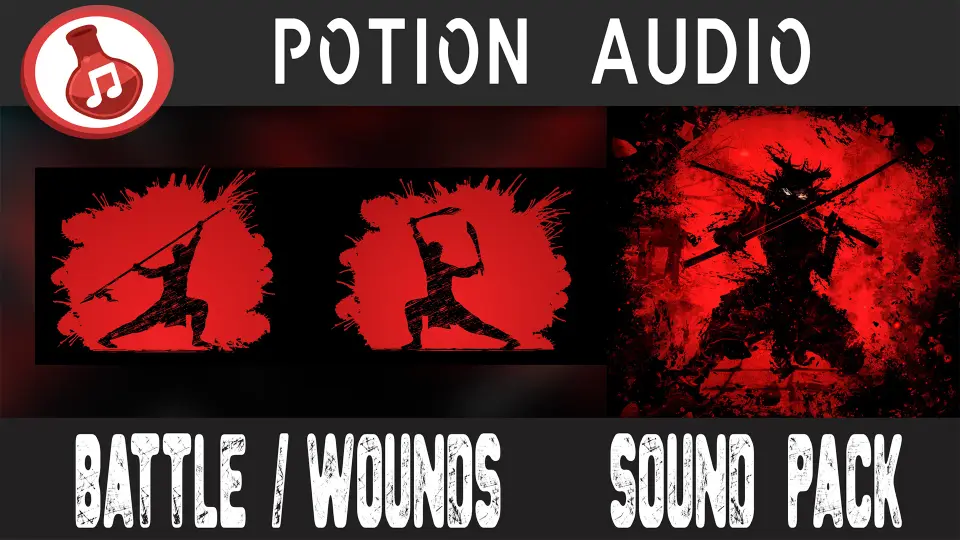
Battle & Wounds Sound Pack
A focused audio library providing 100 high-quality sound effects dedicated to wounds and blood for dynamic combat integration in game engines.
Category:Unreal Engine,Sound EffectsPlatform: Unreal EngineEngine Version: 4.26+,5.0+Published: Jun 30, 2026
Sound Effects
Resource overview
The Core 100-Sound Roster for Damage and Blood
The Battle & Wounds Sound Pack provides a focused audio library consisting exclusively of 100 sound effects. Instead of covering a broad spectrum of ambient combat audio, the collection hones in strictly on the auditory feedback of wounds and blood. This specialization gives developers a concentrated pool of audio assets to handle physical damage, impact confirmation, and organic combat textures. Having exactly 100 high-quality variations available allows for extensive randomization in combat-heavy projects.
When players engage in repetitive battle loops, relying on a small handful of damage sounds quickly leads to auditory fatigue. A library of 100 distinct effects mitigates this issue by offering deep variation. Developers can distribute these assets across multiple enemy types, damage tiers, and environmental interactions. The pure focus on wounds and blood means the sounds serve as the organic layer in a combat mix, representing the physical consequence of an attack rather than the mechanical sound of a weapon swinging through the air.
Structuring Wounds and Blood Audio in Unreal Engine
Implementing a large volume of high-quality sound effects requires careful organization within the engine. Developers importing the Battle & Wounds Sound Pack into Unreal Engine typically begin by categorizing the 100 files based on their specific auditory characteristics. Separating the sharper, more immediate wound impacts from the liquid, lingering blood sounds creates a structured foundation for building responsive combat audio systems.
Once imported, these sound files act as the raw building blocks for audio behavior tools. Developers often construct Sound Cues or MetaSounds to manage how the 100 effects play during gameplay. By grouping the wound and blood effects into randomized arrays, a single damage event can trigger a different audio file every time. Randomizing the pitch and volume slightly within the engine further stretches the utility of the 100 included sounds, ensuring that consecutive hits in a fast-paced battle never sound identical to the player.
Triggering High-Quality Effects via Animation and Collision
The actual implementation of these wound and blood sounds often relies on physical interactions within the game world. In Unreal Engine, developers frequently utilize Animation Notifies (AnimNotifies) to sync audio directly with character movement. If an animation sequence includes a character taking a hit or staggering backwards, placing an AnimNotify on the exact frame of impact ensures that a wound sound effect triggers precisely when the visual feedback occurs.
Collision events provide another primary method for utilizing the Battle & Wounds Sound Pack. When a weapon or projectile's hitbox overlaps with a character's collision capsule, the engine can fire off a specific blood or wound sound. Because the collection contains 100 high-quality files, developers can assign different clusters of sounds to different hit locations or damage types. A minor graze might trigger a subtle blood splatter sound, while a critical hit calls upon the more intense, deeper wound audio within the library.
Layering Organic Damage with Weapon Impacts
High-quality sound effects designed specifically for wounds and blood naturally function as one half of a complete combat impact sequence. While the Battle & Wounds Sound Pack delivers the organic, fleshy feedback of a strike, these sounds are most effective when layered with external weapon audio to create a comprehensive hit confirmation. A sword slash requires the metallic ring of the blade, but it is the wound and blood audio that communicates the weapon has actually connected with a biological target.
Audio mixing in battle scenarios involves balancing these distinct layers so they do not compete for the same frequencies. Developers can route the 100 wound and blood sounds through dedicated audio classes or submixes inside the engine. This setup allows the organic damage sounds to punch through the mix when a hit lands, slightly ducking the volume of background battle noise or weapon swings momentarily. The high-quality nature of the provided files ensures that the intricate details of the blood and wound textures remain audible even when layered underneath explosions, dynamic music systems, and vocal barks.
Managing Combat Audio Concurrency
In games featuring large-scale battles, multiple characters may take damage simultaneously. Managing how often the 100 sound effects trigger is crucial for maintaining a clean and professional audio mix. If twenty enemies receive wounds at the exact same moment, playing twenty high-quality blood sounds concurrently can distort the audio output, cause clipping, and overwhelm the listener.
Developers handle this by adjusting concurrency settings within the game engine's audio framework. By limiting the number of wound and blood sounds that can play at once, the audio engine automatically prioritizes the most relevant impacts, which are usually the ones closest to the active camera. Applying spatialization and attenuation settings to the Battle & Wounds Sound Pack ensures that a wound occurring in the distance sounds appropriately muffled and quiet, while a blood effect triggered right next to the player retains its full high-quality presence and stereo width.
Applying Blood Audio to Environmental Interactions
Beyond direct combat hits, the blood effects within the 100-sound library can heavily support environmental storytelling and dynamic visual effects. When a character leaves a blood trail or steps through a pool of liquid on the battlefield, developers can repurpose these high-quality audio files as footstep modifiers or environmental Foley. Hooking a subtle blood sound to a footstep AnimNotify creates a distinct audio cue for injured characters or hazardous terrain navigation.
Visual effects (VFX) systems also benefit heavily from synchronized audio support. When a particle system generates a blood splatter against a wall or floor, pairing that visual with a corresponding sound from the pack grounds the visual effect in reality. The integration of the Battle & Wounds Sound Pack easily extends past the immediate moment of a weapon strike, providing the necessary audio texture for the lingering aftermath of a skirmish.
Integrating Damage Audio with Dynamic Health Systems
The audio representation of wounds serves as a vital indicator of a character's internal health state. Developers can tie the selection of sounds from the Battle & Wounds Sound Pack directly to the health variables of a player or enemy. When a combatant is at full health, damage events might trigger standard, localized wound sounds. As their health pool depletes to critical levels, the game's logic can shift to pulling more severe or lingering blood and wound effects from the 100-file library.
This dynamic approach transforms static audio files into active gameplay feedback mechanisms. High-quality sound effects are uniquely suited for this role, as their clarity allows players to subconsciously recognize the severity of an attack without needing to constantly monitor a visual health bar. Routing the audio through parameter-driven systems enables real-time adjustments during gameplay. A wound sound might have its pitch lowered or its low-frequency equalization boosted if the damage taken exceeds a specific threshold, ensuring that the 100 sounds in the package adapt seamlessly to the mechanical context of every encounter.
 Sound Effects
 Sound Effects
 Sound Effects
 Sound Effects