"b00678cacce53329"{"id":"1002775","slug":"background-vfx","title":"Background VFX","category":"Transition","engine":"4.25+,5.0+","assetVersion":"","engineVersion":"Engine Version: 4.25+,5.0+","tag":"Transition","accent":"blue","visual":"mech","summary":"Explore Background VFX, featuring 23 interactive Niagara and Blueprint backgrounds spanning realistic and stylized themes like snow and fire for menus.","platform":"Unreal Engine","indexPolicy":"index","publishedAt":"2026-11-20T06:54:03.591Z","updatedAt":"2026-11-20T06:54:03.591Z","sourceNotes":[],"fileContents":[],"compatibility":["Unreal Engine","Engine Version: 4.25+,5.0+"],"featuredImage":{"alt":"Background VFX","src":"/wp-content/uploads/published/2026/11/51433805477a-313af370-0a15-43b6-b867-456a7d1223cc-bc6df019e8.webp"},"fileSizeBytes":67823095,"hasDownloadLink":true,"downloads":0,"terms":[{"taxonomy":"category","slug":"transition","name":"Transition"}],"galleryImages":[{"src":"/wp-content/uploads/published/2026/11/50966e755b16-08423b5f-b08b-4ca9-9d50-829e968d08fd-dfeaf879ad.webp","alt":"Background VFX"},{"src":"/wp-content/uploads/published/2026/11/08aa299ca0c0-2e87694e-59e7-4029-8739-017f1ad2f85d-82e04edf9a.webp","alt":"Background VFX"},{"src":"/wp-content/uploads/published/2026/11/95c0e1d215db-d40d0453-a4d0-4fef-9748-38a406ad7586-2f1045abfa.webp","alt":"Background VFX"},{"src":"/wp-content/uploads/published/2026/11/e2258afcd703-6476fd84-1b55-4546-a30f-97ec5e64d890-ca6cc3e85a.webp","alt":"Background VFX"},{"src":"/wp-content/uploads/published/2026/11/b8be0e656916-1a10f6e6-dcf3-47db-82fc-b7ccc44f352c-e35a4d3624.webp","alt":"Background VFX"},{"src":"/wp-content/uploads/published/2026/11/1964955ac0bd-da298377-e78e-420e-90e0-17482093888b-665c3a420c.webp","alt":"Background VFX"},{"src":"/wp-content/uploads/published/2026/11/b7b85783ec1f-61b6b4e1-f501-433e-b352-0f553cce5e24-f59850203c.webp","alt":"Background VFX"},{"src":"/wp-content/uploads/published/2026/11/9572430e9508-57a45c56-db23-4bda-a903-2a9e0fdb5d4a-37202084f9.webp","alt":"Background VFX"}],"accessPanel":{"kind":"resource","title":"Get this resource","safetyNote":"Resources are manually reviewed before listing to improve quality and reduce obvious risks.","fileName":"Content.7z","resourceType":"Resource archive","versions":[]},"contentHtml":"\u003cp\u003eMotion within front-end screens sets the tone of an interactive project before gameplay begins. Background VFX provides a dedicated library of 23 interactive visual effects engineered specifically to run behind interface layers, title sequences, and transition screens. Rather than relying on flat artwork or pre-rendered video loops, the collection utilizes real-time particle and material logic to deliver reactive environments that respond dynamically within runtime environments.\u003c/p\u003e \u003ch2\u003eStylistic Diversity Across Background VFX Presets\u003c/h2\u003e \u003cp\u003eProjects rarely share the same visual language, which makes rigid aesthetic choices difficult to integrate into varied productions. This collection addresses that challenge by offering two distinct stylistic routes across its 23 presets: realistic simulation and cartoon stylized rendering. Teams working on gritty, authentic environments can draw on realistic configurations, while projects shaped by non-photorealistic rendering, hand-painted assets, or cel-shaded visuals can deploy the cartoon variants without clashing with established artistic direction.\u003c/p\u003e \u003cp\u003eThe thematic scope of the library centers heavily on fundamental environmental forces, prominently featuring snow and fire. A snow effect can serve as an austere backdrop for a harsh winter setting, floating behind interface text with subtle drift and depth of field. Conversely, fire setups generate lively illumination and turbulent motion, ideal for action-oriented project menus or dramatic title sequences. The presence of both realistic and stylized iterations for these elemental phenomena ensures that whether a scene demands physical accuracy in its embers and flakes or bold, graphic shapes with exaggerated timing, an appropriate foundation is readily available.\u003c/p\u003e \u003ch2\u003eNiagara Systems and Blueprint Integration in Background VFX\u003c/h2\u003e \u003cp\u003eUnder the hood, the package builds its effects around Niagara particle networks and Blueprint actors. Niagara provides modern visual effects architecture, delivering precise control over particle lifecycles, velocities, dynamic parameter changes, and visual density. This allows elements like drifting snow or rising fire to maintain high visual quality while remaining performant when rendered beneath user interface elements.\u003c/p\u003e \u003cp\u003eInteractivity forms a core pillar of the package. Because the effects are driven through Blueprint logic, they are not static particle emitters playing on an isolated loop. The Blueprint framework connects user input or system triggers directly to the visual parameters of the effect. Cursor movement, navigation highlights, or scene transitions can alter particle trajectories, light intensities, or emitter bursts in real time. This interactive responsiveness transforms passive loading states or static menus into engaging visual environments that react directly to user presence.\u003c/p\u003e \u003ch2\u003eCustomization and Authoring Unique Configurations\u003c/h2\u003e \u003cp\u003eBeyond functioning as off-the-shelf backdrops, the 23 included setups are explicitly made for extensive modification. The package allows technical artists and designers to break down existing parameters and construct their own unique backgrounds. High customizability means that parameters controlling color schemes, density, velocity, spawn rates, and interactive response thresholds can be tailored to match exact project specifications.\u003c/p\u003e \u003cp\u003eBy adjusting Blueprint variables and Niagara emitter properties, a team can shift an existing fire effect from a localized torch glow to an expansive furnace wall, or tweak a snow effect from an ambient, gentle fall to a fierce blizzard. Users can combine discrete visual layers or alter the underlying logic to generate composite scenes that diverge completely from the standard presets. This authoring flexibility prevents different productions using the toolkit from sharing an identical visual footprint, giving developers the freedom to build proprietary backdrops tailored to their brand identity.\u003c/p\u003e \u003ch2\u003eInterface Deployment in Menus and Loading Screens\u003c/h2\u003e \u003cp\u003eThe functional utility of Background VFX centers on interface support, specifically menu structures and loading screens. Menu setups demand subtle visual motion that enriches layout presentation without obstructing navigation text, iconography, or data readouts. By providing adjustable visual density, the pack allows creators to tone down emitter intensity or scale back particle scale so interface widgets retain visual priority.\u003c/p\u003e \u003cp\u003eLoading screens present a different technical challenge: maintaining visual interest while background streaming or asset initialization takes place. The real-time nature of these Niagara and Blueprint effects provides smooth continuous motion during these interstitial states. Because the visual logic executes within the engine rather than streaming from large, uncompressed media files, disk overhead is kept minimal while graphical presentation remains sharp at any display resolution.\u003c/p\u003e \u003ch2\u003eHands-On Evaluation with Windows Demos and Learning Resources\u003c/h2\u003e \u003cp\u003eAssessing how real-time effects perform and interact prior to project integration is streamlined through external evaluation tools. A compiled demo for Windows is provided, enabling developers to run the backdrops locally and observe the interactive behaviors, frame stability, and visual fidelity outside an active editor session. Experiencing the presets directly in an executable format offers immediate insight into how the interactive mechanics respond to direct user input.\u003c/p\u003e \u003cp\u003eFor implementation guidance, the collection is supported by a dedicated video showcase and tutorial materials. The video documentation breaks down the visual possibilities across the realistic and cartoon styles, illustrating the range of motion available within the presets. Meanwhile, the tutorial walks users through customization processes, showing how to navigate the Blueprint controls and modify Niagara components to build custom backgrounds efficiently. These onboarding assets significantly lower implementation overhead, helping artists and programmers quickly fit the interactive effects into their custom interface pipelines.\u003c/p\u003e\n\n\u003ch2\u003eContinue Browsing Similar Packs\u003c/h2\u003e\n\u003cul\u003e\n\u003cli\u003e\u003ca href=\"https://3dcghub.com/niagara-metamorphoses/\" rel=\"noopener noreferrer\"\u003eNiagara Metamorphoses\u003c/a\u003e\u003c/li\u003e\n\u003cli\u003e\u003ca href=\"https://3dcghub.com/vfx-backgrounds/\" rel=\"noopener noreferrer\"\u003eVFX Backgrounds\u003c/a\u003e\u003c/li\u003e\n\u003cli\u003e\u003ca href=\"https://3dcghub.com/niagaraportalvfx/\" rel=\"noopener noreferrer\"\u003eNiagaraPortalVFX\u003c/a\u003e\u003c/li\u003e\n\u003cli\u003e\u003ca href=\"https://3dcghub.com/character-appearance-and-dissolve/\" rel=\"noopener noreferrer\"\u003eCharacter Appearance and Dissolve\u003c/a\u003e\u003c/li\u003e\n\u003cli\u003e\u003ca href=\"https://3dcghub.com/abstract-fx-meshes/\" rel=\"noopener noreferrer\"\u003eAbstract FX: Meshes\u003c/a\u003e\u003c/li\u003e\n\u003c/ul\u003e","contentTextLength":6228,"navigation":{"current":105,"total":4797,"previous":{"id":"1002776","slug":"bullet-vfx-pack","title":"Bullet VFX Pack","category":"Spells \u0026 Combat","platform":"Unreal Engine","updatedAt":"2026-11-20T06:55:03.926Z"},"next":{"id":"1002774","slug":"aurora-borealis","title":"Aurora Borealis","category":"Game Development Resource","platform":"Unreal Engine","updatedAt":"2026-11-20T06:53:18.862Z"}},"relatedResources":[{"id":"16917","slug":"niagara-metamorphoses","title":"Niagara Metamorphoses","category":"Transition","engine":"5.0+","assetVersion":"Engine version: 5.0+","engineVersion":"5.0","tag":"Transition","accent":"blue","visual":"city","summary":"Enhance your digital environments with Niagara Metamorphoses, a collection of abstract visual effects perfect for space scenes and magical atmospheres.","platform":"Unreal Engine","indexPolicy":"noindex","publishedAt":"2026-03-12T18:13:25.000Z","updatedAt":"2026-04-19T15:43:40.000Z","sourceNotes":[],"fileContents":[],"compatibility":["Unreal Engine","Engine version: 5.0+"],"featuredImage":{"alt":"Niagara Metamorphoses","src":"https://3dcghub.com/wp-content/uploads/2026/03/0011684e-3535-43c6-80c6-a8e32d79316c.webp"},"fileSizeBytes":128199158,"hasDownloadLink":true,"downloads":0},{"id":"1002257","slug":"vfx-backgrounds","title":"VFX Backgrounds","category":"Variety","engine":"4.26+,5.0+","assetVersion":"","engineVersion":"Engine Version: 4.26+,5.0+","tag":"Variety","accent":"blue","visual":"mech","summary":"Explore VFX Backgrounds, a collection featuring 14 unique effects, 13 pre-built maps, blueprints, materials, and atmospheric systems for staging.","platform":"Unreal Engine","indexPolicy":"index","publishedAt":"2026-10-29T16:17:30.206Z","updatedAt":"2026-10-29T16:17:30.206Z","sourceNotes":[],"fileContents":[],"compatibility":["Unreal Engine","Engine Version: 4.26+,5.0+"],"featuredImage":{"alt":"VFX Backgrounds","src":"/wp-content/uploads/published/2026/10/fc262fa4ded8-c46c823e-d1b7-42c9-9471-05198918bc75-f7defd6796.webp"},"fileSizeBytes":8364129,"hasDownloadLink":true,"downloads":0},{"id":"16895","slug":"character-appearance-and-dissolve","title":"Character Appearance and Dissolve","category":"Transition","engine":"4.26+,5.0+","assetVersion":"Engine version: 4.26+,5.0+","engineVersion":"4.18","tag":"Transition","accent":"blue","visual":"character","summary":"This asset pack features 20 distinct appearance and dissolve effects designed for character transitions. It includes both standard materials and specialized versions optimized for mobile performance.","platform":"Unreal Engine","indexPolicy":"noindex","publishedAt":"2026-03-12T18:11:36.000Z","updatedAt":"2026-04-19T15:43:40.000Z","sourceNotes":[],"fileContents":[],"compatibility":["Unreal Engine","Engine version: 4.26+,5.0+"],"featuredImage":{"alt":"Character Appearance and Dissolve","src":"https://3dcghub.com/wp-content/uploads/2026/03/732cef45-191d-480b-acbf-aee9517c3369.webp"},"fileSizeBytes":100396447,"hasDownloadLink":true,"downloads":1}]}
Resource screenshots
1 / 8
Join our channel
Follow 3DCGHUB on Telegram for new resource drops, migration updates, and community notices.
Resources are manually reviewed before listing to improve quality and reduce obvious risks.
No account required
Transition
Background VFX
Explore Background VFX, featuring 23 interactive Niagara and Blueprint backgrounds spanning realistic and stylized themes like snow and fire for menus.
Motion within front-end screens sets the tone of an interactive project before gameplay begins. Background VFX provides a dedicated library of 23 interactive visual effects engineered specifically to run behind interface layers, title sequences, and transition screens. Rather than relying on flat artwork or pre-rendered video loops, the collection utilizes real-time particle and material logic to deliver reactive environments that respond dynamically within runtime environments.
Stylistic Diversity Across Background VFX Presets
Projects rarely share the same visual language, which makes rigid aesthetic choices difficult to integrate into varied productions. This collection addresses that challenge by offering two distinct stylistic routes across its 23 presets: realistic simulation and cartoon stylized rendering. Teams working on gritty, authentic environments can draw on realistic configurations, while projects shaped by non-photorealistic rendering, hand-painted assets, or cel-shaded visuals can deploy the cartoon variants without clashing with established artistic direction.
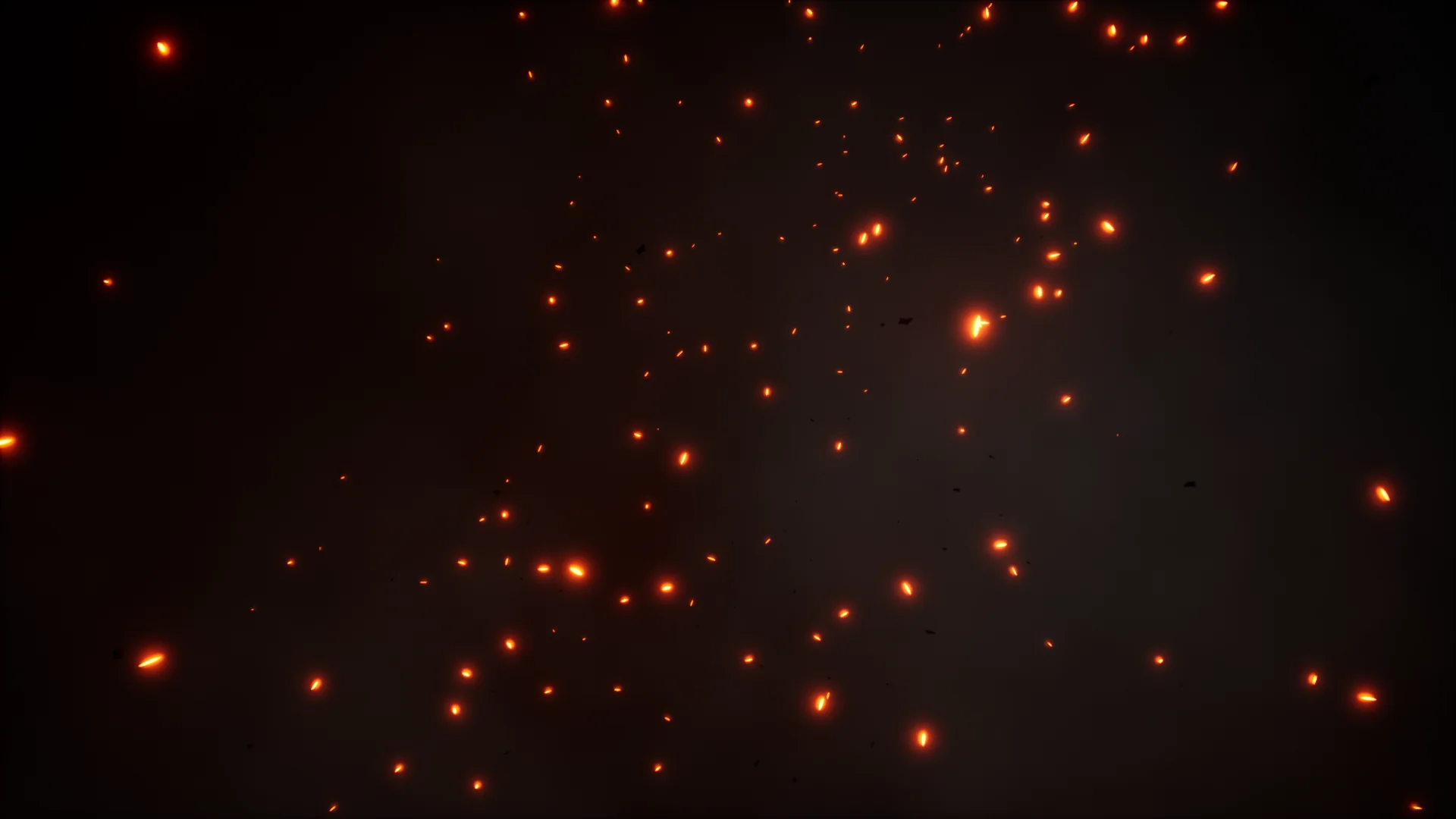
The thematic scope of the library centers heavily on fundamental environmental forces, prominently featuring snow and fire. A snow effect can serve as an austere backdrop for a harsh winter setting, floating behind interface text with subtle drift and depth of field. Conversely, fire setups generate lively illumination and turbulent motion, ideal for action-oriented project menus or dramatic title sequences. The presence of both realistic and stylized iterations for these elemental phenomena ensures that whether a scene demands physical accuracy in its embers and flakes or bold, graphic shapes with exaggerated timing, an appropriate foundation is readily available.
Niagara Systems and Blueprint Integration in Background VFX
Under the hood, the package builds its effects around Niagara particle networks and Blueprint actors. Niagara provides modern visual effects architecture, delivering precise control over particle lifecycles, velocities, dynamic parameter changes, and visual density. This allows elements like drifting snow or rising fire to maintain high visual quality while remaining performant when rendered beneath user interface elements.
Interactivity forms a core pillar of the package. Because the effects are driven through Blueprint logic, they are not static particle emitters playing on an isolated loop. The Blueprint framework connects user input or system triggers directly to the visual parameters of the effect. Cursor movement, navigation highlights, or scene transitions can alter particle trajectories, light intensities, or emitter bursts in real time. This interactive responsiveness transforms passive loading states or static menus into engaging visual environments that react directly to user presence.
Customization and Authoring Unique Configurations
Beyond functioning as off-the-shelf backdrops, the 23 included setups are explicitly made for extensive modification. The package allows technical artists and designers to break down existing parameters and construct their own unique backgrounds. High customizability means that parameters controlling color schemes, density, velocity, spawn rates, and interactive response thresholds can be tailored to match exact project specifications.
By adjusting Blueprint variables and Niagara emitter properties, a team can shift an existing fire effect from a localized torch glow to an expansive furnace wall, or tweak a snow effect from an ambient, gentle fall to a fierce blizzard. Users can combine discrete visual layers or alter the underlying logic to generate composite scenes that diverge completely from the standard presets. This authoring flexibility prevents different productions using the toolkit from sharing an identical visual footprint, giving developers the freedom to build proprietary backdrops tailored to their brand identity.
Interface Deployment in Menus and Loading Screens
The functional utility of Background VFX centers on interface support, specifically menu structures and loading screens. Menu setups demand subtle visual motion that enriches layout presentation without obstructing navigation text, iconography, or data readouts. By providing adjustable visual density, the pack allows creators to tone down emitter intensity or scale back particle scale so interface widgets retain visual priority.
Loading screens present a different technical challenge: maintaining visual interest while background streaming or asset initialization takes place. The real-time nature of these Niagara and Blueprint effects provides smooth continuous motion during these interstitial states. Because the visual logic executes within the engine rather than streaming from large, uncompressed media files, disk overhead is kept minimal while graphical presentation remains sharp at any display resolution.
Hands-On Evaluation with Windows Demos and Learning Resources
Assessing how real-time effects perform and interact prior to project integration is streamlined through external evaluation tools. A compiled demo for Windows is provided, enabling developers to run the backdrops locally and observe the interactive behaviors, frame stability, and visual fidelity outside an active editor session. Experiencing the presets directly in an executable format offers immediate insight into how the interactive mechanics respond to direct user input.
For implementation guidance, the collection is supported by a dedicated video showcase and tutorial materials. The video documentation breaks down the visual possibilities across the realistic and cartoon styles, illustrating the range of motion available within the presets. Meanwhile, the tutorial walks users through customization processes, showing how to navigate the Blueprint controls and modify Niagara components to build custom backgrounds efficiently. These onboarding assets significantly lower implementation overhead, helping artists and programmers quickly fit the interactive effects into their custom interface pipelines.
 Transition
 Variety
 Transition