Unused files turn red in the Project view, folder counters show where clutter is growing, and reference changes appear instantly while you inspect dependencies. Asset Cleaner PRO brings cleanup and reference tracing into one Unity editor workflow, so project maintenance stays visible instead of turning into guesswork.
Project Cleaner keeps clutter in view
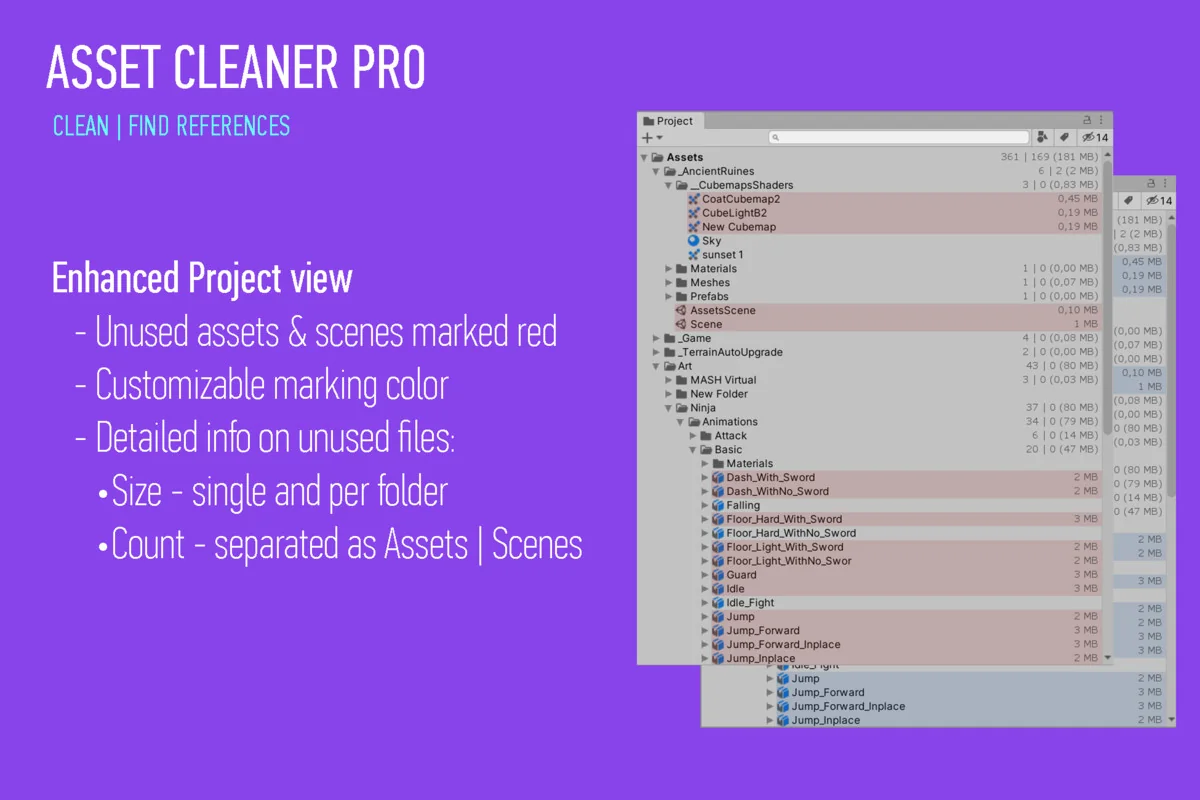
The Project Cleaner side uses a non-distracting UI that works best when docked, which makes it easier to leave open while working in the Unity editor. Inside the enhanced Project view, unused files are marked red, folders show counters for unused assets and scenes, and both folders and files can display the size of those unused items. Editor Dark skin support is included, so the view remains readable in darker editor setups.
The visual cues do most of the heavy lifting here. Instead of forcing a manual sweep through every folder, the editor highlights where unused content is sitting and how much of it is present. That makes the panel useful when a project starts to accumulate leftover scenes, old assets, or files that no longer need to stay in the active workspace.
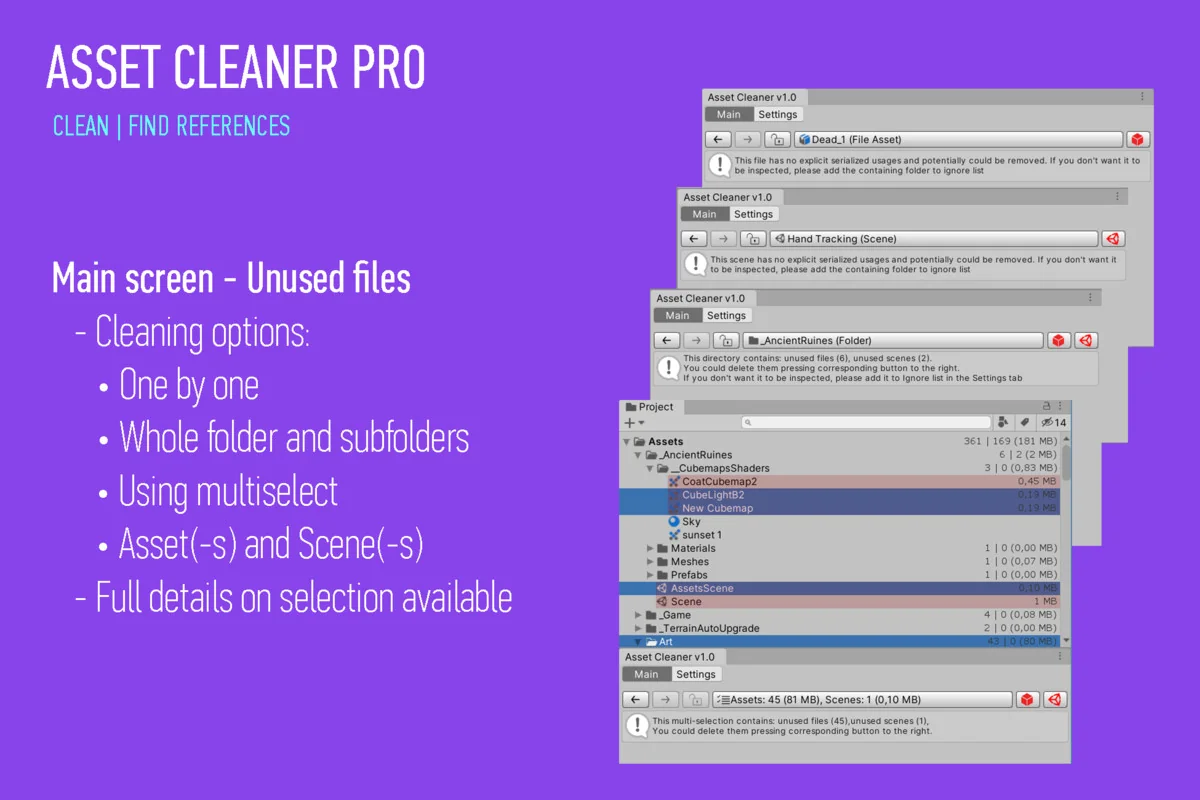
- Clean a single asset or scene
- Clean assets and scenes inside specific folders
- Use multiselect cleanup, with all combinations supported
Those cleanup actions give the tool a practical place in day-to-day project maintenance. A small cleanup pass can stay focused on one item, while a broader pass can handle multiple folders or mixed selections without changing tools.
Reference searches stay inside the Project or Scene
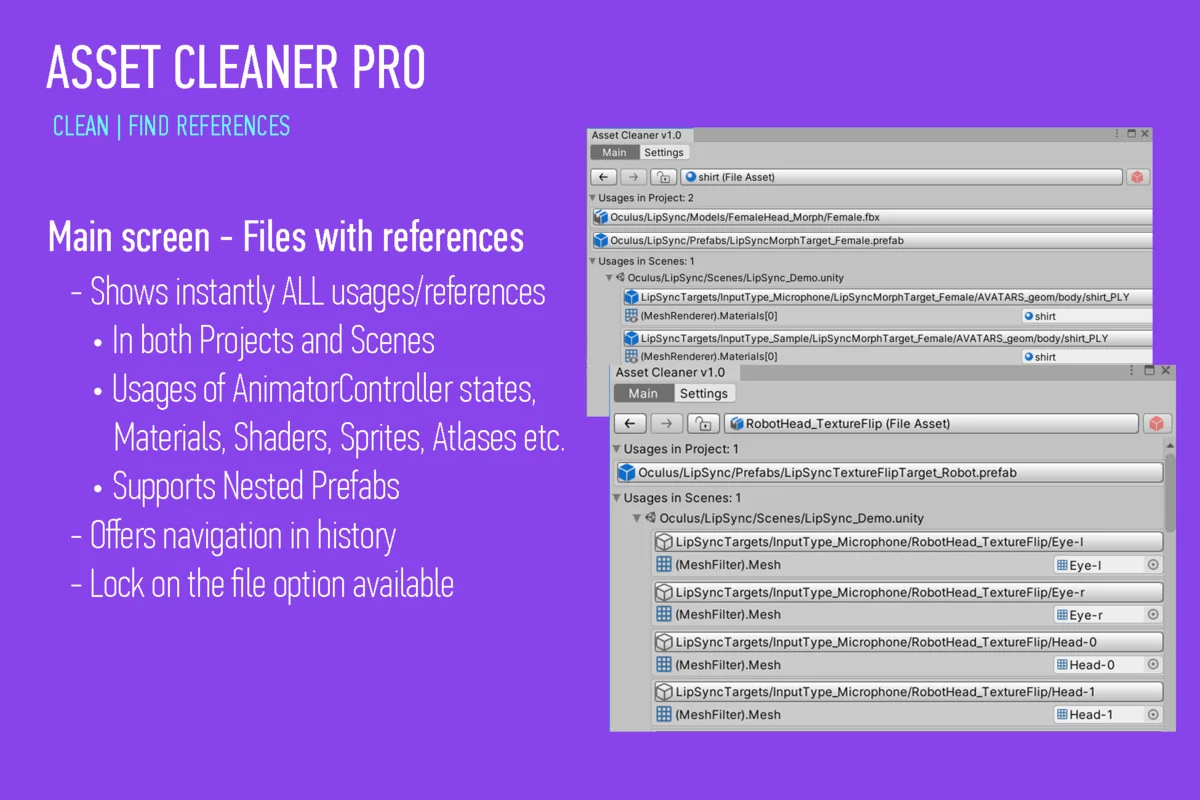
The Search References side is built for finding references, usages, and relationships directly in the Project or Scene. Changes in usage are displayed instantly, and the search is described as blazing fast, which matters when you need to confirm dependencies without waiting through long checks.
Nested Prefabs are supported, and usage tracking covers all asset types, including AnimatorController states. That wider reach helps when dependencies are spread across different asset categories rather than sitting in one simple path. It also means reference work is not limited to one kind of object or one level of the hierarchy.
When a project contains layered prefab setups or animation logic tied to controller states, having those relationships visible in the same search flow saves time. The tool is not only looking for direct references; it also follows the connections that appear as assets interact inside a real Unity project.
Navigation tools make deeper dependency work easier
Once a reference path becomes more complex, the tool includes Lock and Back/Forward features so the current result can stay fixed while you continue exploring. Back and Forward hotkeys use Ctrl+Z and Ctrl+Y, and mouse hotkeys are supported as well. That makes it easier to move through a chain of related objects without losing your place.
This is useful when comparing multiple objects, checking where a reference came from, or stepping through a dependency path and then returning to an earlier result. The navigation controls are simple, but they fit the way reference investigation usually happens in a production environment: inspect one item, jump to the next, then step back when you need context again.
Rules and settings can match a projectâs cleanup habits
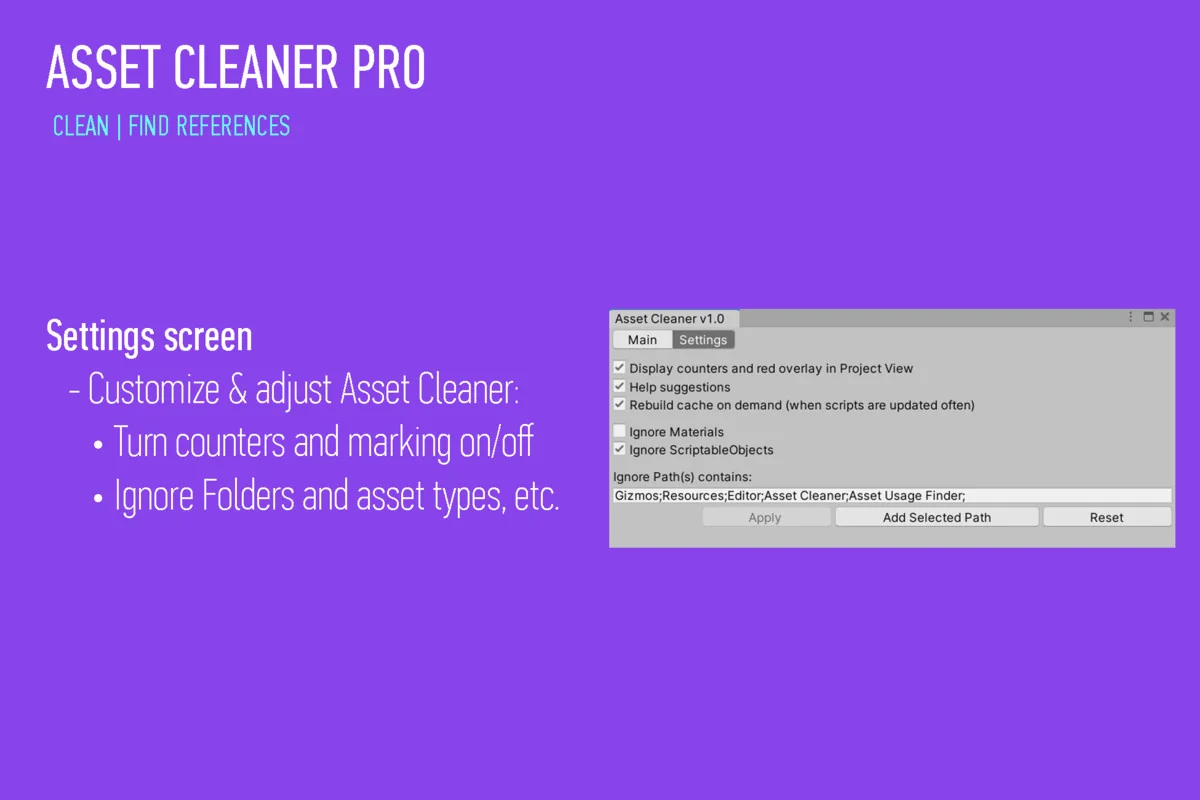
Customization is built into the cleanup workflow. Ignored folders are supported, Materials and ScriptableObjects can be ignored, and the background color for unused files can be customized from the default red. Those settings make it easier to keep the tool aligned with a teamâs own rules about what should be flagged and what should be left alone.
That matters when some folders are meant to stay untouched, or when a project uses specific asset types in a way that should not trigger cleanup actions. Instead of applying one rigid rule across the whole project, the tool gives room to narrow the scan and tune the visual warning style.
Support is listed as responsive, with answers in under 12 hours, and a FAQ with quick answers is also provided. The package was first published on Jul 02, 2020, the latest version is 1.50, and the latest release date is Feb 12, 2026. The original Unity version is 2022.3.50, the file size is 105.6 KB, the asset count is 55, and the package type is unitypackage.
For Unity teams that need both cleanup and dependency tracing in the same editor workflow, Asset Cleaner PRO keeps unused content visible while showing what is still connected. That combination is what makes it useful when a project needs to stay organized without losing track of the assets that still matter.
Preview Images
Protected download
Access this resource
All resources are 100% manually reviewed to eliminate all risks.