"c68a05d5e51405b3"{"id":"27377","slug":"archviz-template-lite","title":"| ArchViz Template Lite |","category":"Simulation","engine":"5.7+","assetVersion":"Engine version: 5.7+","engineVersion":"","tag":"Simulation","accent":"blue","visual":"character","summary":"ArchViz Template Lite gives Unreal Engine projects a fast starting point for client walkthroughs, portfolio scenes, and mobile-ready presentations. It combines navigation modes, material switching, and a clean blueprint setup without the interior scene.","platform":"Unreal Engine","publishedAt":"2026-04-24T08:28:53.000Z","updatedAt":"2026-04-24T08:28:55.000Z","sourceNotes":[],"fileContents":[],"compatibility":["Unreal Engine","Engine version: 5.7+"],"featuredImage":{"alt":"| ArchViz Template Lite |","src":"https://3dcghub.com/wp-content/uploads/2026/04/2227dd6af0fc_d27cbdf7-73a8-48d8-826b-dd42d0b64138.webp"},"hasDownloadLink":true,"downloads":0,"terms":[{"taxonomy":"category","slug":"simulation","name":"Simulation"},{"taxonomy":"post_tag","slug":"game-systems","name":"Game Systems"},{"taxonomy":"post_tag","slug":"templates","name":"Templates"},{"taxonomy":"post_tag","slug":"unreal-engine-5","name":"Unreal Engine 5"}],"galleryImages":[{"src":"https://3dcghub.com/wp-content/uploads/2026/04/94bf4756a555_825dfd49-00b8-40db-8106-00b7c24a7037.webp","alt":"| ArchViz Template Lite |"},{"src":"https://3dcghub.com/wp-content/uploads/2026/04/cb3f55b0eca5_e4dddf03-0e72-4b58-ac77-68eab91cf37d.webp","alt":"| ArchViz Template Lite |"},{"src":"https://3dcghub.com/wp-content/uploads/2026/04/f641ae6e9aa7_08920014-ee03-476f-b605-ad03024cca96.webp","alt":"| ArchViz Template Lite |"},{"src":"https://3dcghub.com/wp-content/uploads/2026/04/c371df1037a8_825c87f1-489e-4347-88bf-11dfd5bb73a8.webp","alt":"| ArchViz Template Lite |"},{"src":"https://3dcghub.com/wp-content/uploads/2026/04/2554340a925d_4effed2d-2e3c-4871-9630-b479e6433e52.webp","alt":"| ArchViz Template Lite |"},{"src":"https://3dcghub.com/wp-content/uploads/2026/04/0a084b98aaa5_030d3c08-f59b-4d79-9c76-f9ec6c4738da.webp","alt":"| ArchViz Template Lite |"},{"src":"https://3dcghub.com/wp-content/uploads/2026/04/b3c0f5135c5e_a48985fc-9ffd-4865-8fa7-01973989a9de.webp","alt":"| ArchViz Template Lite |"},{"src":"https://3dcghub.com/wp-content/uploads/2026/04/ddd4537363e3_34206c65-e574-470b-afa9-1078341648c2.webp","alt":"| ArchViz Template Lite |"},{"src":"https://3dcghub.com/wp-content/uploads/2026/04/3cd802d3d0ca_159a6fd6-b65b-4bf8-a8db-ac713647a8b8.webp","alt":"| ArchViz Template Lite |"},{"src":"https://3dcghub.com/wp-content/uploads/2026/04/c20162538e1a_3df902a2-5ddc-47f3-afb4-d0d6f5dc957e.webp","alt":"| ArchViz Template Lite |"}],"accessPanel":{"kind":"resource","title":"Access this resource","eyebrow":"Free Download","message":"Log in or create a free account to start your download.","fileName":"ArchVizTemplateLite.7z","safetyNote":"All resources are 100% manually reviewed to eliminate all risks.","actionLabel":"Download Free","resourceType":"Resource archive"},"contentHtml":"\u003cp\u003eClient walkthroughs, portfolio scenes, and mobile-ready presentations are the clearest fit for ArchViz Template Lite. The interior scene is not included, so the template is meant to slot into a project setup where the main menu, main level, navigation, and interaction logic need to come together quickly.\u003c/p\u003e \u003ch2\u003eQuick scene setup for a menu and main level\u003c/h2\u003e\n\u003cp\u003eThe package includes quick scene setup for the main menu and main level, which helps when a project starts from a blank Unreal Engine scene and needs to reach a usable walkthrough without building every system by hand. The focus stays on the practical pieces that support architectural visualization: a clean look, production-ready materials, and the core interaction structure that holds the scene together.\u003c/p\u003e\n\u003cp\u003eIt is built with performance and flexibility in mind, and the Lite version keeps the same core DNA as the Pro template while staying centered on the essential framework. That makes it a straightforward base for projects that need to move from setup into presentation without a lot of extra scaffolding.\u003c/p\u003e \u003ch2\u003eNavigation modes that fit different presentation styles\u003c/h2\u003e\n\u003cp\u003eNavigation is one of the strongest parts of the template. It includes first-person, third-person, drone, orbit, and orthographic modes, so the same project can support close walkthroughs, broader overviews, and more controlled presentation angles.\u003c/p\u003e\n\u003cp\u003eA touch and mouse navigation pawn is included as well, and the template is described as desktop and mobile-ready out of the box. Smooth navigation and interaction logic are part of the package, which makes it suitable for client-facing demos where movement through the scene needs to feel direct and stable.\u003c/p\u003e \u003ch2\u003eChanging materials and meshes in real time\u003c/h2\u003e\n\u003cp\u003eThe interactive variant system lets clients swap materials and meshes in real time. Floor options, wall colors, and furniture layouts are the most obvious ways to use it, but the setup is broad enough to support other presentation-driven changes in a scene.\u003c/p\u003e\n\u003cp\u003eAt the center of that workflow is the Pro Master Material, built with Substrate. It is presented as a versatile master material that handles architectural surfaces and fine details, and it is paired with an essential material instance library. That gives the template a material workflow that is already organized before any scene-specific work begins.\u003c/p\u003e \u003ch2\u003eBlueprints and UI without a tangled setup\u003c/h2\u003e\n\u003cp\u003eThe blueprint side is kept clean and easy to extend. The template includes tape measure, floor plan, compass, and additional blueprints, along with modular UI blueprint components. Signature button templates and menu systems are part of the UI layer, giving the project a clean and modern presentation surface.\u003c/p\u003e\n\u003cp\u003eThis structure is meant to stay approachable even for beginners. Everything is organized so it can be modified or expanded without turning the template into a hard-to-read setup, which matters when the goal is to adapt the project quickly rather than rebuild its foundations.\u003c/p\u003e \u003ch2\u003eUE5 tools and required plugins\u003c/h2\u003e\n\u003cp\u003eThe template is built on next-gen UE5 frameworks and integrates several tools that support architectural visualization workflows. Common UI is used for cross-platform menus, PCG is used for rapid environment detailing, and the Movie Render Pipeline is included for cinematic exports.\u003c/p\u003e\n\u003cp\u003eThe required enabled plugins are listed in grouped form:\u003c/p\u003e\n\u003cul\u003e \u003cli\u003eUI and menus: CommonUI\u003c/li\u003e \u003cli\u003eProcedural and modeling: PCG, PCGExternalDataInterop, PCGGeometryScriptInterop, ModelingToolsEditorMode, ScriptableToolsEditorMode\u003c/li\u003e \u003cli\u003eRendering and cinematics: MovieRenderPipeline, MoviePipelineMaskRenderPass\u003c/li\u003e \u003cli\u003eArchViz and lighting: SunPosition, HDRIBackdrop, VariantManager\u003c/li\u003e \u003cli\u003eImport and Datasmith: DatasmithImporter, InterchangeEditor, DatasmithCADImporter, DatasmithC4DImporter, AxFImporter, DataPrepEditor\u003c/li\u003e \u003cli\u003ePythonScriptPlugin\u003c/li\u003e\n\u003c/ul\u003e\n\u003cp\u003eThose plugins are presented as standard Unreal Engine components that need to be enabled for full template functionality, so the workflow is already mapped out around the tools the project expects to use.\u003c/p\u003e \u003ch2\u003eWhere the Lite version fits\u003c/h2\u003e\n\u003cp\u003eArchViz Template Lite is aimed at students building a portfolio and freelancers who need a reliable mobile-ready foundation. It is meant to move a project from a blank starting point to a polished walkthrough with the main systems already in place: scene setup, navigation, variant control, UI components, and a master material workflow.\u003c/p\u003e\n\u003cp\u003eA separate Pro version is also associated with full VR support, an advanced product configurator, an advanced lighting configurator, and a larger material library. For projects that stay focused on walkthrough setup and clean implementation, the Lite version keeps the essentials close and practical.\u003c/p\u003e\n\u003cp\u003eThe result is a template that suits ArchViz work where setup speed, clear structure, and presentation-ready interaction matter most. It is a strong fit when the priority is a usable Unreal Engine foundation rather than a heavily expanded feature set.\u003c/p\u003e\n\n\u003ch2\u003eContinue Browsing Similar Packs\u003c/h2\u003e\n\u003cul\u003e\n\u003cli\u003e\u003ca href=\"https://3dcghub.com/shootlikeme-unreal-engine-third-person-shooter-template/\" title=\"ShootLikeMe – Unreal Engine Third Person Shooter Template\"\u003eShootLikeMe – Unreal Engine Third Person Shooter Template\u003c/a\u003e\u003c/li\u003e\n\u003cli\u003e\u003ca href=\"https://3dcghub.com/advanced-unreal-engine-5-multiplayer-gameplay-programming/\" title=\"Advanced Unreal Engine 5 Multiplayer Gameplay Programming\"\u003eAdvanced Unreal Engine 5 Multiplayer Gameplay Programming\u003c/a\u003e\u003c/li\u003e\n\u003cli\u003e\u003ca href=\"https://3dcghub.com/niagara-beginners-to-advanced-in-unreal-engine-5/\" title=\"Niagara Beginners to advanced in Unreal Engine 5\"\u003eNiagara Beginners to advanced in Unreal Engine 5\u003c/a\u003e\u003c/li\u003e\n\u003cli\u003e\u003ca href=\"https://3dcghub.com/create-zelda-like-skills-with-c-in-unreal-engine-5-2/\" title=\"Create Zelda-like skills with C++ in unreal engine 5\"\u003eCreate Zelda-like skills with C++ in unreal engine 5\u003c/a\u003e\u003c/li\u003e\n\u003cli\u003e\u003ca href=\"https://3dcghub.com/main-menus-beginner-class-unreal-engine-5/\" title=\"Main Menus Beginner Class – Unreal Engine 5\"\u003eMain Menus Beginner Class – Unreal Engine 5\u003c/a\u003e\u003c/li\u003e\n\u003c/ul\u003e\n\n\u003ch2\u003eAsset Gallery\u003c/h2\u003e","contentTextLength":5222,"navigation":{"current":2105,"total":3860,"previous":{"id":"27392","slug":"archviz-user-interface-3","title":"ArchViz User Interface 3","category":"Widgets \u0026 Controls","platform":"Unreal Engine","updatedAt":"2026-04-25T05:38:30.000Z"},"next":{"id":"27363","slug":"arcade-game-saloon","title":"Arcade Game Saloon","category":"Commercial","platform":"Unreal Engine","updatedAt":"2026-04-24T07:14:01.000Z"}},"relatedResources":[{"id":"1001198","slug":"advanced-cel-shader-lite","title":"Advanced Cel Shader Lite","category":"Art \u0026 Traditional","engine":"5.0+","assetVersion":"","engineVersion":"Engine Version: 5.0+","tag":"Art \u0026 Traditional","accent":"blue","visual":"mech","summary":"Examine Advanced Cel Shader Lite for Unreal Engine 5.4, covering its rewritten architecture, inline and outline controls, and stylized shading workflows.","platform":"Unreal Engine","publishedAt":"2026-09-19T08:13:24.211Z","updatedAt":"2026-09-19T08:13:24.211Z","sourceNotes":[],"fileContents":[],"compatibility":["Unreal Engine","Engine Version: 5.0+"],"featuredImage":{"alt":"Advanced Cel Shader Lite","src":"/wp-content/uploads/published/2026/09/789eb25f95c0-b9bf7dfb-f510-4957-adca-58857fbb4dd2-63ab63bcdf.webp"},"hasDownloadLink":true,"downloads":1},{"id":"1001514","slug":"dviz-realistic-house-archviz-project","title":"DVIZ Realistic House Archviz Project","category":"Buildings \u0026 Architecture","engine":"4.23+,5.0+","assetVersion":"","engineVersion":"Engine Version: 4.23+,5.0+","tag":"Buildings","accent":"blue","visual":"mech","summary":"Explore the DVIZ Realistic House Archviz Project, featuring a complete residential scene with photorealistic foliage, rocks, deco assets, materials, and LODs.","platform":"Unreal Engine","publishedAt":"2026-10-09T13:14:25.715Z","updatedAt":"2026-10-09T13:14:25.715Z","sourceNotes":[],"fileContents":[],"compatibility":["Unreal Engine","Engine Version: 4.23+,5.0+"],"featuredImage":{"alt":"DVIZ Realistic House Archviz Project","src":"/wp-content/uploads/published/2026/10/68e7ae0992a1-eeaaaf19-0d0e-4bae-a505-1276671f7498-4cf17af171.webp"},"hasDownloadLink":true,"downloads":0},{"id":"1001613","slug":"true-horror-first-person-view","title":"True Horror First Person View","category":"Simulation","engine":"5.3+","assetVersion":"","engineVersion":"Engine Version: 5.3+","tag":"Simulation","accent":"blue","visual":"mech","summary":"Explore True Horror First Person View, a full-body horror template with Lyra-based locomotion, VHS camera effects, spline-driven AI, and Poolroom maps.","platform":"Unreal Engine","publishedAt":"2026-10-10T16:57:39.147Z","updatedAt":"2026-10-10T16:57:39.147Z","sourceNotes":[],"fileContents":[],"compatibility":["Unreal Engine","Engine Version: 5.3+"],"featuredImage":{"alt":"True Horror First Person View","src":"/wp-content/uploads/published/2026/10/83a7bf2c8685-1b81c236-5283-47ca-84c3-9abf864c5353-6e2d50314b.webp"},"hasDownloadLink":true,"downloads":2}]}
Simulation
| ArchViz Template Lite |
ArchViz Template Lite gives Unreal Engine projects a fast starting point for client walkthroughs, portfolio scenes, and mobile-ready presentations. It combines navigation modes, material switching, and a clean blueprint setup without the interior scene.
Client walkthroughs, portfolio scenes, and mobile-ready presentations are the clearest fit for ArchViz Template Lite. The interior scene is not included, so the template is meant to slot into a project setup where the main menu, main level, navigation, and interaction logic need to come together quickly.
Quick scene setup for a menu and main level
The package includes quick scene setup for the main menu and main level, which helps when a project starts from a blank Unreal Engine scene and needs to reach a usable walkthrough without building every system by hand. The focus stays on the practical pieces that support architectural visualization: a clean look, production-ready materials, and the core interaction structure that holds the scene together.
It is built with performance and flexibility in mind, and the Lite version keeps the same core DNA as the Pro template while staying centered on the essential framework. That makes it a straightforward base for projects that need to move from setup into presentation without a lot of extra scaffolding.
Navigation modes that fit different presentation styles
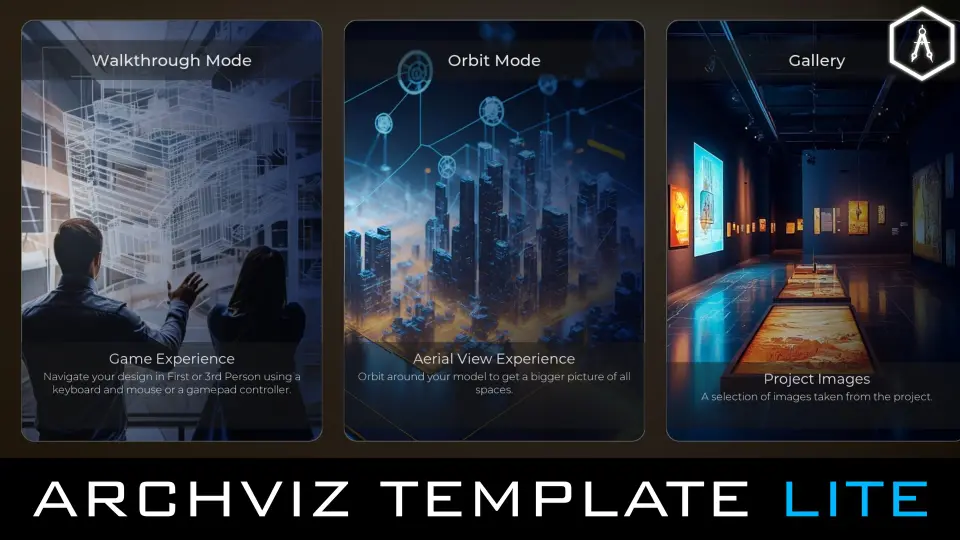
Navigation is one of the strongest parts of the template. It includes first-person, third-person, drone, orbit, and orthographic modes, so the same project can support close walkthroughs, broader overviews, and more controlled presentation angles.
A touch and mouse navigation pawn is included as well, and the template is described as desktop and mobile-ready out of the box. Smooth navigation and interaction logic are part of the package, which makes it suitable for client-facing demos where movement through the scene needs to feel direct and stable.
Changing materials and meshes in real time
The interactive variant system lets clients swap materials and meshes in real time. Floor options, wall colors, and furniture layouts are the most obvious ways to use it, but the setup is broad enough to support other presentation-driven changes in a scene.
At the center of that workflow is the Pro Master Material, built with Substrate. It is presented as a versatile master material that handles architectural surfaces and fine details, and it is paired with an essential material instance library. That gives the template a material workflow that is already organized before any scene-specific work begins.
Blueprints and UI without a tangled setup
The blueprint side is kept clean and easy to extend. The template includes tape measure, floor plan, compass, and additional blueprints, along with modular UI blueprint components. Signature button templates and menu systems are part of the UI layer, giving the project a clean and modern presentation surface.
This structure is meant to stay approachable even for beginners. Everything is organized so it can be modified or expanded without turning the template into a hard-to-read setup, which matters when the goal is to adapt the project quickly rather than rebuild its foundations.
UE5 tools and required plugins
The template is built on next-gen UE5 frameworks and integrates several tools that support architectural visualization workflows. Common UI is used for cross-platform menus, PCG is used for rapid environment detailing, and the Movie Render Pipeline is included for cinematic exports.
The required enabled plugins are listed in grouped form:
UI and menus: CommonUI
Procedural and modeling: PCG, PCGExternalDataInterop, PCGGeometryScriptInterop, ModelingToolsEditorMode, ScriptableToolsEditorMode
Rendering and cinematics: MovieRenderPipeline, MoviePipelineMaskRenderPass
ArchViz and lighting: SunPosition, HDRIBackdrop, VariantManager
Import and Datasmith: DatasmithImporter, InterchangeEditor, DatasmithCADImporter, DatasmithC4DImporter, AxFImporter, DataPrepEditor
PythonScriptPlugin
Those plugins are presented as standard Unreal Engine components that need to be enabled for full template functionality, so the workflow is already mapped out around the tools the project expects to use.
Where the Lite version fits
ArchViz Template Lite is aimed at students building a portfolio and freelancers who need a reliable mobile-ready foundation. It is meant to move a project from a blank starting point to a polished walkthrough with the main systems already in place: scene setup, navigation, variant control, UI components, and a master material workflow.
A separate Pro version is also associated with full VR support, an advanced product configurator, an advanced lighting configurator, and a larger material library. For projects that stay focused on walkthrough setup and clean implementation, the Lite version keeps the essentials close and practical.
The result is a template that suits ArchViz work where setup speed, clear structure, and presentation-ready interaction matter most. It is a strong fit when the priority is a usable Unreal Engine foundation rather than a heavily expanded feature set.
 Simulation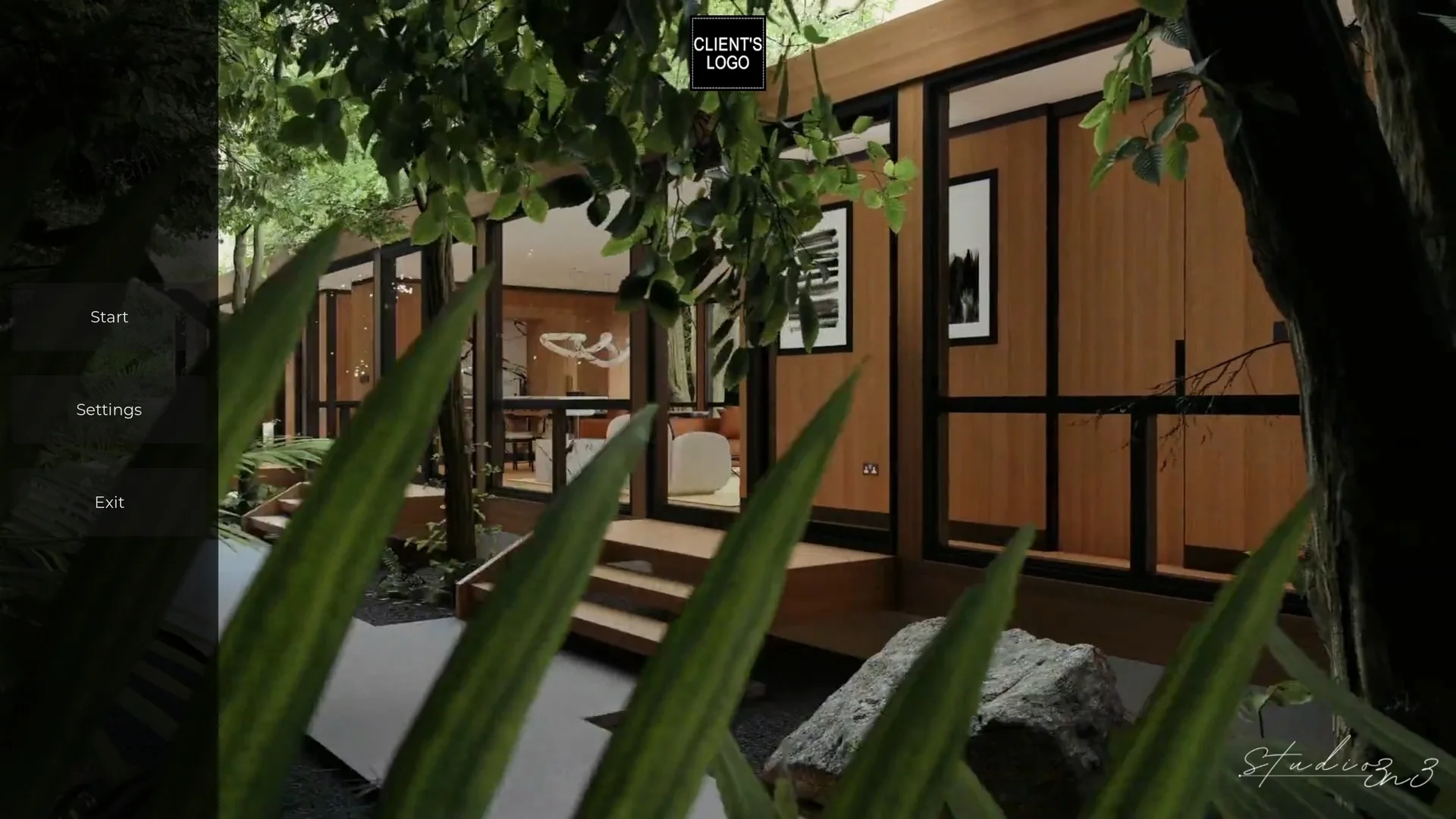
 Art & Traditional
 Buildings
 Simulation