"7aa4acc705f0d80b"{"id":"1001939","slug":"advanced-platformer","title":"Advanced Platformer","category":"Platformer","engine":"4.24+,5.0+","assetVersion":"","engineVersion":"Engine Version: 4.24+,5.0+","tag":"Platformer","accent":"blue","visual":"mech","summary":"Explore the Advanced Platformer blueprint starter pack, featuring moving platforms, simple AI, saving mechanics, and essential configuration menus.","platform":"Unreal Engine","publishedAt":"2026-10-24T11:15:01.946Z","updatedAt":"2026-10-24T11:15:01.946Z","sourceNotes":[],"fileContents":[],"compatibility":["Unreal Engine","Engine Version: 4.24+,5.0+"],"featuredImage":{"alt":"Advanced Platformer","src":"/wp-content/uploads/published/2026/10/f4b4dac38123-30f7b60f-a57e-4723-aecb-b2e33fd33aa6-4c45032697.webp"},"hasDownloadLink":true,"downloads":0,"terms":[{"taxonomy":"category","slug":"platformer","name":"Platformer"}],"galleryImages":[{"src":"/wp-content/uploads/published/2026/10/535a66498b4c-dbf24e12-5d05-4250-8b47-4323ce845992-667d8bc2d8.webp","alt":"Advanced Platformer"},{"src":"/wp-content/uploads/published/2026/10/31c75da60bd3-7a5c7516-8710-4981-804d-a76bcb093583-1d73214995.webp","alt":"Advanced Platformer"},{"src":"/wp-content/uploads/published/2026/10/0183275d5df2-73f59622-54cd-4ffb-aa3c-f9b32a4e9aa2-9d7174199d.webp","alt":"Advanced Platformer"},{"src":"/wp-content/uploads/published/2026/10/151fe1b53784-b6fc0c75-ec17-4128-80da-896e1129f5e8-9f8c3a6921.webp","alt":"Advanced Platformer"},{"src":"/wp-content/uploads/published/2026/10/813b82b8fbc0-d800ee03-fb4b-47fb-9a17-8560b3334e8e-86f469f643.webp","alt":"Advanced Platformer"},{"src":"/wp-content/uploads/published/2026/10/b0613b896e4a-51f49802-77f6-4825-807c-07a82a1fed9d-4199a10443.webp","alt":"Advanced Platformer"},{"src":"/wp-content/uploads/published/2026/10/6054aaf33818-815442c4-898d-478f-9fc2-174058f118b1-5ec2b5e2eb.webp","alt":"Advanced Platformer"}],"accessPanel":{"kind":"resource","title":"Download this resource","eyebrow":"Free Download","message":"Log in or create a free account to start your download.","fileName":"Advanced Platformer.7z","safetyNote":"Resources are manually reviewed before listing to improve quality and reduce obvious risks.","actionLabel":"Download Free","resourceType":"Resource archive"},"contentHtml":"\u003cp\u003eA responsive side-scrolling environment demands precise coordination between player navigation and reactive geometry. Platforms shift along set paths, obstacles rise and fall, and simple AI agents pace across designated spans. Advanced Platformer is built as a complete starter pack providing these foundational side-scrolling elements while pairing them directly with backend configuration tools that many gameplay prototypes omit.\u003c/p\u003e \u003ch2\u003eMoving Platforms and Columns in Side-Scrolling Traversal\u003c/h2\u003e\n\u003cp\u003eTraversal defines any platformer, and the presence of dynamic world geometry immediately alters how levels are planned and navigated. In this template, moving platforms supply the shifting footing necessary for traditional timing challenges. By introducing horizontal, vertical, or custom trajectories, these elements force players to assess jump arcs, evaluate momentum, and wait for reachable intervals.\u003c/p\u003e\n\u003cp\u003eMoving columns introduce distinct spatial hazards and vertical barriers. Where a standard floor platform carries the character safely across a gap, a moving column can operate as a rhythmic gate, an overhead crusher, or a temporary wall blocking progress until retracted. Combining moving platforms with moving columns creates opportunities for layered environmental obstacles. Level designers can sync column motions with moving floors, requiring clean timing where hesitation results in being trapped or falling out of the playable area.\u003c/p\u003e\n\u003cp\u003eBecause the template centers on side-scroll mechanics, these moving elements maintain clear spatial lanes. The interplay between stationary ledges, moving steps, and oscillating vertical columns builds a continuous rhythmic flow, allowing developers to craft introductory stages or dense hazard corridors from the same core objects.\u003c/p\u003e \u003ch2\u003eSimple AI for Encounters and Path Hazards\u003c/h2\u003e\n\u003cp\u003eEmpty corridors undermine platforming tension, which makes reactive obstacles and roaming entities necessary early in production. The pack includes simple AI functionality structured for straightforward interaction. These entities can serve as patrolling adversaries, floating sentries, or localized hazards that mandate active evasion.\u003c/p\u003e\n\u003cp\u003eIn a side-scrolling context, simple AI provides predictable paths that players must read and counter while mid-air. When an AI entity patrols a narrow ledge, the player cannot simply rush forward; they must time their approach around the enemy patrol cycle, often while balancing on an unstable moving platform. Because the logic is kept deliberately simple, the AI does not clutter the level with unwieldy combat routines, making it straightforward to repurpose as basic hostile wildlife, mechanical drones, or straightforward wandering blockers.\u003c/p\u003e \u003ch2\u003eFoundational Game Systems: Saving, Menus, and Controls\u003c/h2\u003e\n\u003cp\u003eMany gameplay templates focus exclusively on movement while neglecting the interface infrastructure required to make a prototype playable across sessions. Advanced Platformer resolves this disparity by packing essential utility systems alongside its physical mechanics.\u003c/p\u003e\n\u003cul\u003e \u003cli\u003e\u003cstrong\u003eSaving System:\u003c/strong\u003e Retains player data and progression states, preventing players from losing progress when stepping away from the game.\u003c/li\u003e \u003cli\u003e\u003cstrong\u003eMenus:\u003c/strong\u003e Establishes functional interface screens for starting the game, pausing during active runs, and navigating available utilities.\u003c/li\u003e \u003cli\u003e\u003cstrong\u003eKey Reassignment:\u003c/strong\u003e Grants full input customization, allowing players to adapt jump, directional movements, and interaction controls to their personal preference or ergonomic requirements.\u003c/li\u003e \u003cli\u003e\u003cstrong\u003eGraphics Settings:\u003c/strong\u003e Provides an integrated menu interface to tweak visual parameters directly within the application.\u003c/li\u003e \u003cli\u003e\u003cstrong\u003eAudio Settings:\u003c/strong\u003e Includes dedicated volume and sound output toggles so sound stages can be balanced on the fly.\u003c/li\u003e\n\u003c/ul\u003e\n\u003cp\u003eInput reassignment is a crucial accessibility and comfort feature that is frequently complex to implement retroactively. Having key binding logic operational within the base starter template ensures that alternate control layouts and custom configurations work reliably with the jump and movement logic right from the outset.\u003c/p\u003e\n\u003cp\u003eThe integrated graphics and audio menus handle the standard technical options screen that every standalone title requires. Developers can build out their art pipelines and audio cues knowing there is already a functional interface capable of adjusting resolution, quality presets, and sound channel levels.\u003c/p\u003e \u003ch2\u003eBlueprint Architecture and Project Templates\u003c/h2\u003e\n\u003cp\u003eBuilt as a Blueprint template, the systems inside this pack are visually scripted to keep logic transparent and editable. Rather than sorting through scattered custom code, creators can trace how inputs trigger jumps, how timers drive column oscillations, and how settings menus write changes to the save data.\u003c/p\u003e\n\u003cp\u003eThe template approach allows artists and designers to jump straight into blockouts and mechanics testing. Since the foundational loop—spawning into a level, navigating moving terrain past simple AI, pausing to adjust graphics or keys, and saving progress—is fully intact, the pack functions as a reliable structural anchor. It strips away the tedious process of writing menu loops or save serialization from scratch, redirecting time toward visual style, encounter pacing, and unique platforming mechanics.\u003c/p\u003e \u003ch2\u003eIntegration within the Platformers and Big Blueprint Bundles\u003c/h2\u003e\n\u003cp\u003eAdvanced Platformer does not exist in isolation; it is also included in broader collections, specifically the Platformers Bundle and the Big Blueprint Bundle. For teams working on extensive projects, its presence in these bundles highlights its role as a versatile component in wider Blueprint-driven workflows.\u003c/p\u003e\n\u003cp\u003eWhether employed as a solitary starting point for an indie side-scroller or combined with adjacent systems from the larger bundles, the pack delivers an immediate baseline. Teams evaluating this resource gain a cohesive starter setup where UI menus, persistent saving, control customization, moving environmental geometry, and basic enemy interactions operate together right out of the box.\u003c/p\u003e\n\n\u003ch2\u003eContinue Browsing Similar Packs\u003c/h2\u003e\n\u003cul\u003e\n\u003cli\u003e\u003ca href=\"https://3dcghub.com/endless-runner-creator-v3/\" title=\"Endless Runner Creator V3\"\u003eEndless Runner Creator V3\u003c/a\u003e\u003c/li\u003e\n\u003cli\u003e\u003ca href=\"https://3dcghub.com/push-push-puzzle-2d-kit/\" title=\"Push Push Puzzle 2D Kit\"\u003ePush Push Puzzle 2D Kit\u003c/a\u003e\u003c/li\u003e\n\u003cli\u003e\u003ca href=\"https://3dcghub.com/endless-runner-mega-template/\" title=\"Endless Runner Mega Template\"\u003eEndless Runner Mega Template\u003c/a\u003e\u003c/li\u003e\n\u003cli\u003e\u003ca href=\"https://3dcghub.com/2-5d-platformer-game-template/\" title=\"2.5D Platformer Game Template\"\u003e2.5D Platformer Game Template\u003c/a\u003e\u003c/li\u003e\n\u003cli\u003e\u003ca href=\"https://3dcghub.com/endless-runner-shooter-template/\" title=\"Endless Runner Shooter Template\"\u003eEndless Runner Shooter Template\u003c/a\u003e\u003c/li\u003e\n\u003c/ul\u003e","contentTextLength":6136,"navigation":{"current":51,"total":3925,"previous":{"id":"1001940","slug":"advanced-progress-bar","title":"Advanced Progress Bar","category":"Game Mechanics","platform":"Unreal Engine","updatedAt":"2026-10-24T11:16:02.552Z"},"next":{"id":"1001938","slug":"advanced-multiplayer-lobby-system-v2","title":"Advanced Multiplayer Lobby System V2","category":"Gameplay Features","platform":"Unreal Engine","updatedAt":"2026-10-24T11:14:17.405Z"}},"relatedResources":[{"id":"11715","slug":"endless-runner-creator-v3","title":"Endless Runner Creator V3","category":"Platformer","engine":"4.26+,5.0+","assetVersion":"Engine version: 4.26+,5.0+","engineVersion":"Asset Version:V3","tag":"Platformer","accent":"blue","visual":"mech","summary":"Build high-performance endless runner games with a flexible system featuring seven unique game types. This optimized engine supports both mobile and desktop platforms with ease.","platform":"Unreal Engine","publishedAt":"2026-03-05T18:18:19.000Z","updatedAt":"2026-04-19T15:48:08.000Z","sourceNotes":[],"fileContents":[],"compatibility":["Unreal Engine","Engine version: 4.26+,5.0+","Asset Version: V3"],"featuredImage":{"alt":"Endless Runner Creator V3","src":"https://3dcghub.com/wp-content/uploads/2026/03/1121ed83-5490-4700-8c2f-5c8bc92844fc.webp"},"hasDownloadLink":true,"downloads":0},{"id":"11723","slug":"push-push-puzzle-2d-kit","title":"Push Push Puzzle 2D Kit","category":"Platformer","engine":"4.26+,5.0+","assetVersion":"Engine version: 4.26+,5.0+","engineVersion":"4.26","tag":"Platformer","accent":"blue","visual":"luts","summary":"Develop your own top-down puzzle games using the Push Push Puzzle 2D Kit. This Blueprint-based template includes interactive tile maps, level select systems, and mobile-ready controls.","platform":"Unreal Engine","publishedAt":"2026-03-05T18:26:28.000Z","updatedAt":"2026-04-19T15:48:07.000Z","sourceNotes":[],"fileContents":[],"compatibility":["Unreal Engine","Engine version: 4.26+,5.0+"],"featuredImage":{"alt":"Push Push Puzzle 2D Kit","src":"https://3dcghub.com/wp-content/uploads/2026/03/d5ab53d3-25a9-4c85-bdbe-69b11295d155.webp"},"hasDownloadLink":true,"downloads":0},{"id":"1001803","slug":"endless-runner-mega-template","title":"Endless Runner Mega Template","category":"Platformer","engine":"5.0+","assetVersion":"","engineVersion":"Engine Version: 5.0+","tag":"Platformer","accent":"blue","visual":"mech","summary":"Explore the Endless Runner Mega Template, featuring procedural generation, character spells, dynamic difficulty scaling, and tickless Blueprint optimization.","platform":"Unreal Engine","publishedAt":"2026-10-21T07:54:58.391Z","updatedAt":"2026-10-21T07:54:58.391Z","sourceNotes":[],"fileContents":[],"compatibility":["Unreal Engine","Engine Version: 5.0+"],"featuredImage":{"alt":"Endless Runner Mega Template","src":"/wp-content/uploads/published/2026/10/ee153be13f3e-99a6af0a-95bb-4bdb-84cf-24cbc1f5debc-5a4dc71c0d.webp"},"hasDownloadLink":true,"downloads":0}]}
Platformer
Advanced Platformer
Explore the Advanced Platformer blueprint starter pack, featuring moving platforms, simple AI, saving mechanics, and essential configuration menus.
Category:Unreal Engine,PlatformerPlatform: Unreal EngineEngine Version: 4.24+,5.0+Published: Oct 24, 2026
Platformer
Resource overview
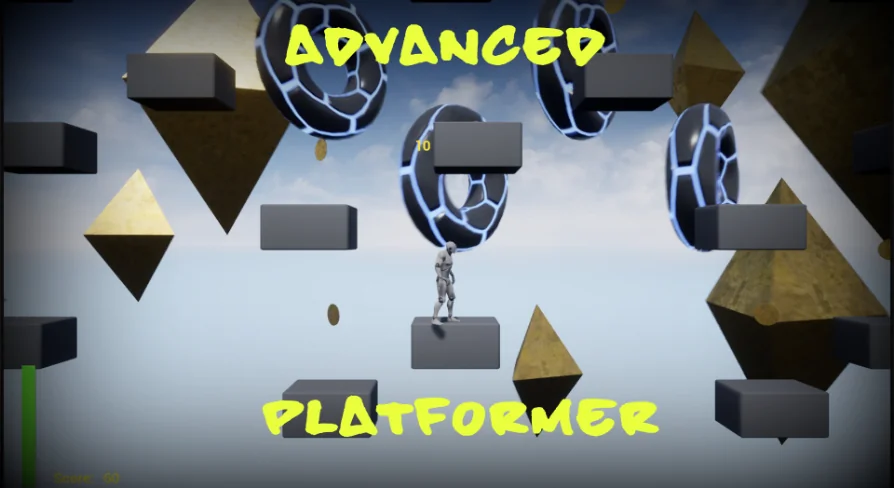
A responsive side-scrolling environment demands precise coordination between player navigation and reactive geometry. Platforms shift along set paths, obstacles rise and fall, and simple AI agents pace across designated spans. Advanced Platformer is built as a complete starter pack providing these foundational side-scrolling elements while pairing them directly with backend configuration tools that many gameplay prototypes omit.
Moving Platforms and Columns in Side-Scrolling Traversal
Traversal defines any platformer, and the presence of dynamic world geometry immediately alters how levels are planned and navigated. In this template, moving platforms supply the shifting footing necessary for traditional timing challenges. By introducing horizontal, vertical, or custom trajectories, these elements force players to assess jump arcs, evaluate momentum, and wait for reachable intervals.
Moving columns introduce distinct spatial hazards and vertical barriers. Where a standard floor platform carries the character safely across a gap, a moving column can operate as a rhythmic gate, an overhead crusher, or a temporary wall blocking progress until retracted. Combining moving platforms with moving columns creates opportunities for layered environmental obstacles. Level designers can sync column motions with moving floors, requiring clean timing where hesitation results in being trapped or falling out of the playable area.
Because the template centers on side-scroll mechanics, these moving elements maintain clear spatial lanes. The interplay between stationary ledges, moving steps, and oscillating vertical columns builds a continuous rhythmic flow, allowing developers to craft introductory stages or dense hazard corridors from the same core objects.
Simple AI for Encounters and Path Hazards
Empty corridors undermine platforming tension, which makes reactive obstacles and roaming entities necessary early in production. The pack includes simple AI functionality structured for straightforward interaction. These entities can serve as patrolling adversaries, floating sentries, or localized hazards that mandate active evasion.
In a side-scrolling context, simple AI provides predictable paths that players must read and counter while mid-air. When an AI entity patrols a narrow ledge, the player cannot simply rush forward; they must time their approach around the enemy patrol cycle, often while balancing on an unstable moving platform. Because the logic is kept deliberately simple, the AI does not clutter the level with unwieldy combat routines, making it straightforward to repurpose as basic hostile wildlife, mechanical drones, or straightforward wandering blockers.
Foundational Game Systems: Saving, Menus, and Controls
Many gameplay templates focus exclusively on movement while neglecting the interface infrastructure required to make a prototype playable across sessions. Advanced Platformer resolves this disparity by packing essential utility systems alongside its physical mechanics.
Saving System: Retains player data and progression states, preventing players from losing progress when stepping away from the game.
Menus: Establishes functional interface screens for starting the game, pausing during active runs, and navigating available utilities.
Key Reassignment: Grants full input customization, allowing players to adapt jump, directional movements, and interaction controls to their personal preference or ergonomic requirements.
Graphics Settings: Provides an integrated menu interface to tweak visual parameters directly within the application.
Audio Settings: Includes dedicated volume and sound output toggles so sound stages can be balanced on the fly.
Input reassignment is a crucial accessibility and comfort feature that is frequently complex to implement retroactively. Having key binding logic operational within the base starter template ensures that alternate control layouts and custom configurations work reliably with the jump and movement logic right from the outset.
The integrated graphics and audio menus handle the standard technical options screen that every standalone title requires. Developers can build out their art pipelines and audio cues knowing there is already a functional interface capable of adjusting resolution, quality presets, and sound channel levels.
Blueprint Architecture and Project Templates
Built as a Blueprint template, the systems inside this pack are visually scripted to keep logic transparent and editable. Rather than sorting through scattered custom code, creators can trace how inputs trigger jumps, how timers drive column oscillations, and how settings menus write changes to the save data.
The template approach allows artists and designers to jump straight into blockouts and mechanics testing. Since the foundational loop—spawning into a level, navigating moving terrain past simple AI, pausing to adjust graphics or keys, and saving progress—is fully intact, the pack functions as a reliable structural anchor. It strips away the tedious process of writing menu loops or save serialization from scratch, redirecting time toward visual style, encounter pacing, and unique platforming mechanics.
Integration within the Platformers and Big Blueprint Bundles
Advanced Platformer does not exist in isolation; it is also included in broader collections, specifically the Platformers Bundle and the Big Blueprint Bundle. For teams working on extensive projects, its presence in these bundles highlights its role as a versatile component in wider Blueprint-driven workflows.
Whether employed as a solitary starting point for an indie side-scroller or combined with adjacent systems from the larger bundles, the pack delivers an immediate baseline. Teams evaluating this resource gain a cohesive starter setup where UI menus, persistent saving, control customization, moving environmental geometry, and basic enemy interactions operate together right out of the box.
 Platformer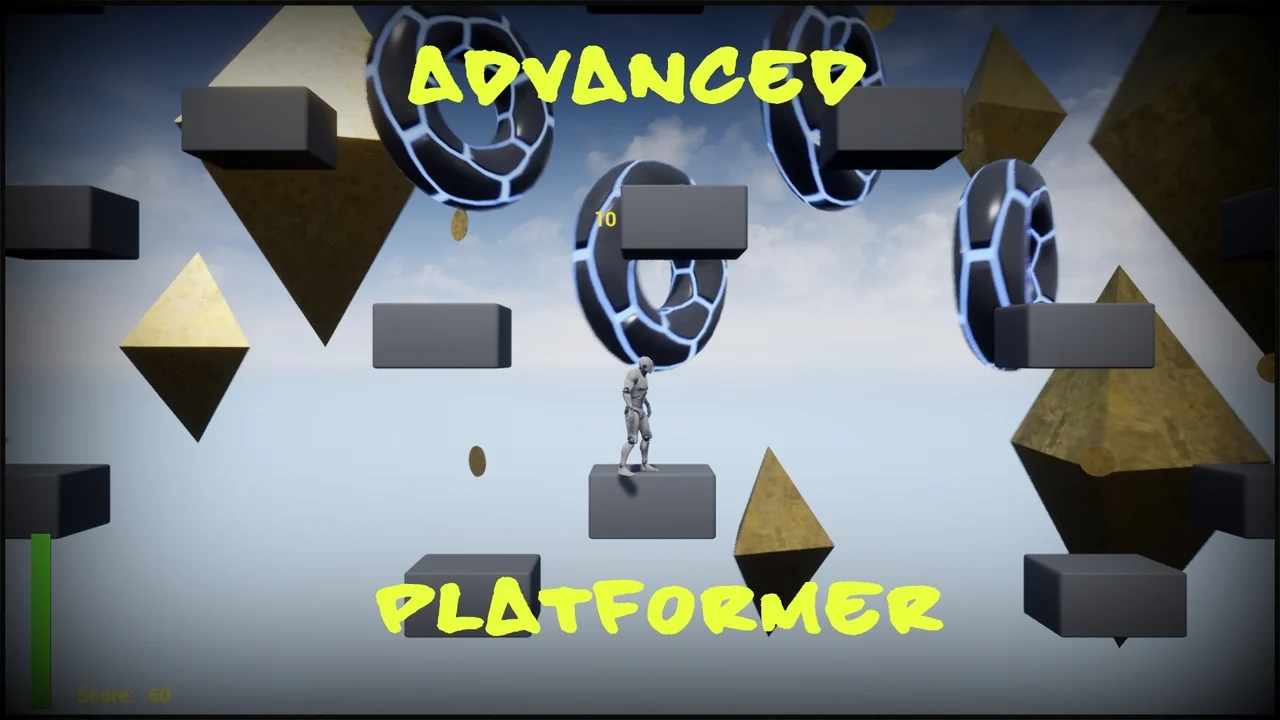
 Platformer
 Platformer
 Platformer